

Paper2Slides README

The project's README from github.com/HKUDS/Paper2Slides. As one markdown file: README.md.

Paper2Slides Logo

Paper2Slides: From Paper to Presentation in One Click

Python License Feishu WeChat

✨ Never Build Slides from Scratch Again ✨

| 📄 Universal File Support  |  🎯 RAG-Powered Precision  |  🎨 Custom Styling  |  ⚡ Lightning Speed |


🎯 What is Paper2Slides?

Turns your research papers, reports, and documents into professional slides & posters in minutes.

✨ Key Features

⚡ Easy as One Command

# One command to generate slides from a paper
python -m paper2slides --input paper.pdf --output slides --style doraemon --length medium --fast --parallel 2

🔥 News


🎨 Custom Styling Showcase


doraemon

academic

custom

doraemon

academic

custom

✨ Multiple styles available — simply modify the --style parameter
Examples from DeepSeek-V3.2: Pushing the Frontier of Open Large Language Models

💡 Custom Style Example: Totoro Theme
--style "Studio Ghibli anime style with warm whimsical aesthetic. Use soft watercolor Morandi tones with light cream background, muted sage green and dusty pink accents. Totoro character can appear as a friendly guide relating to the content, with nature elements like soft clouds or leaves."

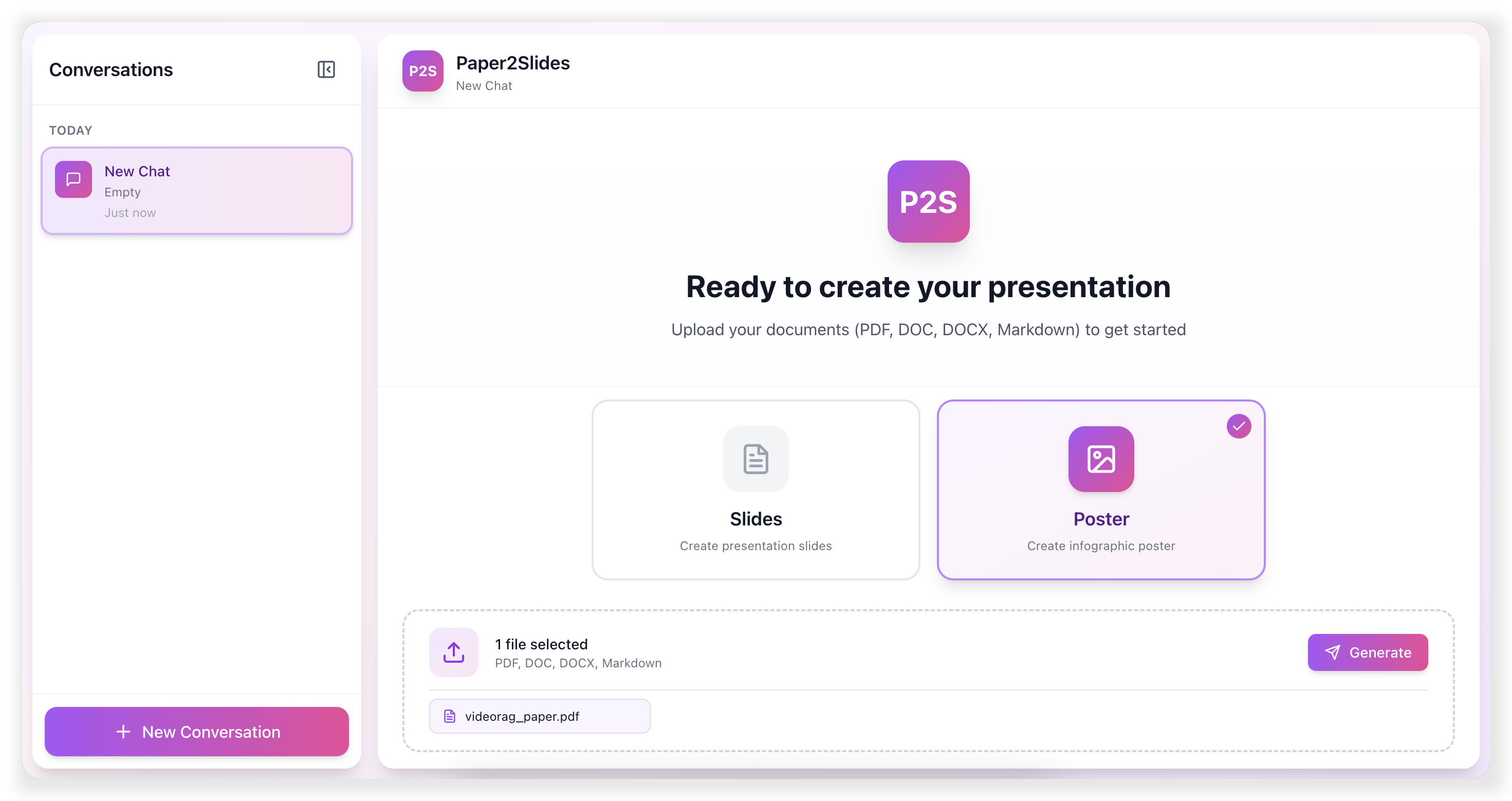
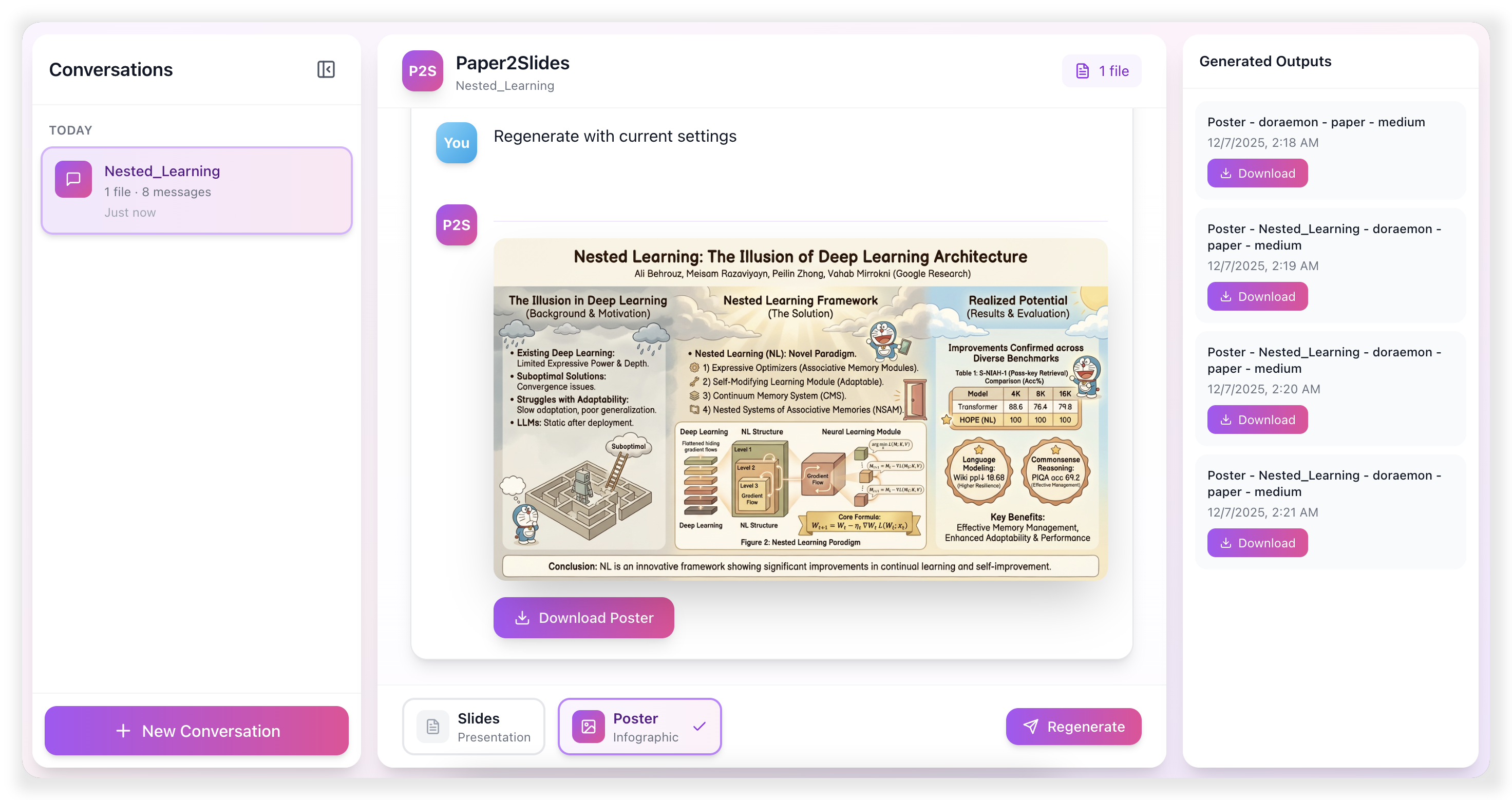
🌐 Paper2Slides Web Interface


📋 Table of Contents


🏃 Quick Start

1. Environment Setup

# Clone repository
git clone https://github.com/HKUDS/Paper2Slides.git
cd Paper2Slides

# Create and activate conda environment
conda create -n paper2slides python=3.12 -y
conda activate paper2slides

# Install dependencies
pip install -r requirements.txt

[!NOTE] Create a .env file in paper2slides/ directory with your API keys. Refer to paper2slides/.env.example for the required variables.

2. Command Line Usage

# Basic usage - generate slides from a paper
python -m paper2slides --input paper.pdf --output slides --length medium

# Generate poster with custom style
python -m paper2slides --input paper.pdf --output poster --style "minimalist with blue theme" --density medium

# Fast mode
python -m paper2slides --input paper.pdf --output slides --fast

# Enable parallel generation (2 workers by default)
python -m paper2slides --input paper.pdf --output slides --parallel 2

# List all processed outputs
python -m paper2slides --list

CLI Options:

Option Description Default
--input, -i Input file(s) or directory Required
--output Output type: slides or poster poster
--content Content type: paper or general paper
--style Style: academic, doraemon, or custom doraemon
--length Slides length: short, medium, long short
--density Poster density: sparse, medium, dense medium
--fast Fast mode: skip RAG indexing false
--parallel Enable parallel slide generation: --parallel uses 2 workers, --parallel N uses N workers 1 (sequential without this option)
--from-stage Force restart from stage: rag, summary, plan, generate Auto-detect
--debug Enable debug logging false

💾 Checkpoint & Resume:

Paper2Slides intelligently saves your progress at every key stage, allowing you to:

Scenario Command
Resume after interruption Just run the same command again — it auto-detects and continues
Change style only Add --from-stage plan to skip re-parsing
Regenerate images Add --from-stage generate to keep the same plan
Full restart Add --from-stage rag to start from scratch

[!TIP] Checkpoints are auto-saved. Just run the same command to resume. Use --from-stage only to force restart from a specific stage.

3. Web Interface

Launch both backend and frontend services:

./scripts/start.sh

Or start services independently:

# Terminal 1: Start backend API
./scripts/start_backend.sh

# Terminal 2: Start frontend
./scripts/start_frontend.sh

Access the web interface at http://localhost:5173 (default)


🏗️ Paper2Slides Framework

Paper2Slides transforms documents through a 4-stage pipeline designed for reliability and efficiency:

Stage Description Checkpoint Output
🔍 RAG Parse documents and construct intelligent retrieval index using RAG checkpoint_rag.json Searchable knowledge base
📊 Analysis Extract document structure, identify key figures, tables, and content hierarchy checkpoint_summary.json Structured content map
📋 Planning Generate optimized content layout and slide/poster organization strategy checkpoint_plan.json Presentation blueprint
🎨 Creation Render final high-quality slides and poster visuals Output directory Polished presentation materials

💾 Smart Recovery System

Each stage automatically saves progress checkpoints, enabling seamless resumption from any point if the process is interrupted—no need to start over.

Fast Mode vs Normal Mode

Mode Processing Pipeline Use Cases
Normal Complete RAG indexing with deep document analysis Complex research papers, lengthy documents, multi-section content
Fast Skip RAG indexing, direct LLM query Short documents, instant previews, quick revisions

Use --fast when:

Use normal mode (default) when:


⚙️ Configuration

Output Directory Structure

outputs/
├── <project_name>/
│   ├── <content_type>/                   # paper or general
│   │   ├── <mode>/                       # fast or normal
│   │   │   ├── checkpoint_rag.json       # RAG query results & parsed file paths
│   │   │   ├── checkpoint_summary.json   # Extracted content, figures, tables
│   │   │   ├── summary.md                # Human-readable summary
│   │   │   └── <config_name>/            # e.g., slides_doraemon_medium
│   │   │       ├── state.json            # Current pipeline state
│   │   │       ├── checkpoint_plan.json  # Content plan for slides/poster
│   │   │       └── <timestamp>/          # Generated outputs
│   │   │           ├── slide_01.png
│   │   │           ├── slide_02.png
│   │   │           ├── ...
│   │   │           └── slides.pdf        # Final PDF output
│   │   └── rag_output/                   # RAG index storage
│   └── ...
└── ...

Checkpoint Files:

File Description Reusable When
checkpoint_rag.json Parsed document content Same input files
checkpoint_summary.json Figures, tables, structure Same input files
checkpoint_plan.json Content layout plan Same style & length/density

Style Configuration

Style Description
academic Clean, professional academic presentation style
doraemon Colorful, friendly style with illustrations
custom Any text description for LLM-generated style

Image Generation Providers

Image Generation Notes

[!TIP] By default Paper2Slides uses gemini-3-pro-image-preview (OpenRouter) for image generation; you can switch to an image-capable Google Gemini model (e.g., models/gemini-1.5-flash) via IMAGE_GEN_PROVIDER=google. Key findings:

  • Mood Keywords: Words like "warm", "elegant", "vibrant" strongly influence the overall color palette
  • Layout vs Style: Fine-grained layout instructions ground well; fine-grained element styling does not
  • Prompt Length: Simple prompts generally outperform detailed ones
  • Multi-slide Generation: Native multi-image output is story-like; for consistent slides, we use iterative single-image generation

📁 Code Structure

Module Description
paper2slides/core/ Pipeline orchestration, 4-stage execution
paper2slides/raganything/ Document parsing & RAG indexing
paper2slides/summary/ Content extraction: figures, tables, paper structure
paper2slides/generator/ Content planning & image generation
api/ FastAPI backend for web interface
frontend/ React frontend (Vite + TailwindCSS)
Click to expand full project structure
Paper2Slides/
├── paper2slides/                 # Core library
│   ├── main.py                   # CLI entry point
│   ├── core/
│   │   ├── pipeline.py           # Main pipeline orchestration
│   │   ├── state.py              # Checkpoint state management
│   │   └── stages/
│   │       ├── rag_stage.py      # Stage 1: Parse & index
│   │       ├── summary_stage.py  # Stage 2: Extract content
│   │       ├── plan_stage.py     # Stage 3: Plan layout
│   │       └── generate_stage.py # Stage 4: Generate images
│   │
│   ├── raganything/
│   │   ├── raganything.py        # RAG processor
│   │   └── parser.py             # Document parser
│   │
│   ├── summary/
│   │   ├── paper.py              # Paper structure extraction
│   │   └── extractors/           # Figure/table extractors
│   │
│   ├── generator/
│   │   ├── content_planner.py    # Slide/poster planning
│   │   └── image_generator.py    # Image generation
│   │
│   ├── prompts/                  # LLM prompt templates
│   └── utils/                    # Utilities
│
├── api/server.py                 # FastAPI backend
├── frontend/src/                 # React frontend
└── scripts/                      # Shell scripts (start/stop)


🌟Found Paper2Slides helpful? Star us on GitHub!

🚀 Turn any document into professional presentations in minutes!


Star History

Star History Chart


❤️ Thanks for visiting ✨ Paper2Slides!

Views

Paper2Slides (HKUDS/Paper2Slides)

Searching Database…

Что это?Paper2Slides превращает научные статьи, отчёты и документы в профессиональные слайды и постеры за считаные минуты, используя пайплайн на базе RAG для точного извлечения контента.
Это CLI-инструмент или у него есть графический интерфейс?В первую очередь это Python-CLI-инструмент, но в комплекте есть и веб-интерфейс с бэкендом на FastAPI и фронтендом на React (Vite + TailwindCSS).
Как сгенерировать слайды из статьи?Создайте файл .env с API-ключами, затем запустите CLI, указав в --input ваш файл(ы), а в --output — slides или poster. Либо запустите бэкенд и фронтенд вместе для веб-интерфейса.
Какие API-ключи нужны перед запуском?Нужны API-ключи LLM плюс ключ провайдера генерации изображений, настраиваемый через IMAGEGENPROVIDER: 'openrouter' (по умолчанию, использует gemini-3-pro-image-preview) или Gemini API от Google.
Сгенерированные ИИ изображения всегда выглядят единообразно на всех слайдах?Не идеально: нативная генерация сразу нескольких изображений часто выглядит как серия картинок, а не цельная презентация, поэтому Paper2Slides переключается на итеративную генерацию по одному изображению ради единообразного стиля, а детальные промпты со стилем могут даже ухудшить результат.
Можно ли запускать и CLI, и веб-интерфейс на любой ОС?Это CLI и веб-приложение на Python с бэкендом FastAPI и фронтендом React, поэтому он кроссплатформенный и работает везде, где работают Python и Node; веб-интерфейс открывается через браузер.
Какие форматы документов можно подавать на вход?Paper2Slides принимает файлы PDF, Word, Excel, PowerPoint и Markdown и умеет обрабатывать несколько файлов за раз.
Чем быстрый режим отличается от обычного?Быстрый режим (--fast) пропускает RAG-индексацию и обращается к LLM напрямую — хорош для коротких документов или быстрого просмотра; обычный режим сначала строит полный RAG-индекс, что лучше для длинных или многофайловых документов с большим количеством иллюстраций.
Какие стили можно выбрать для слайдов?Встроенные стили включают 'academic' (чистый, профессиональный) и 'doraemon' (яркий, с иллюстрациями), либо можно описать стиль 'custom' на естественном языке, например тему Тоторо.
Что будет, если генерация прервётся?Каждый из четырёх этапов пайплайна (RAG, Analysis, Planning, Creation) автоматически сохраняет файл чекпоинта, поэтому повторный запуск той же команды продолжит с места остановки, а не начнёт заново.
Creator
HKUDS
Size
26.9 MB
Stars
3.8K
Updated
CommitMay 20
Age
10mo
Commits · 90 Days
