
What is this?
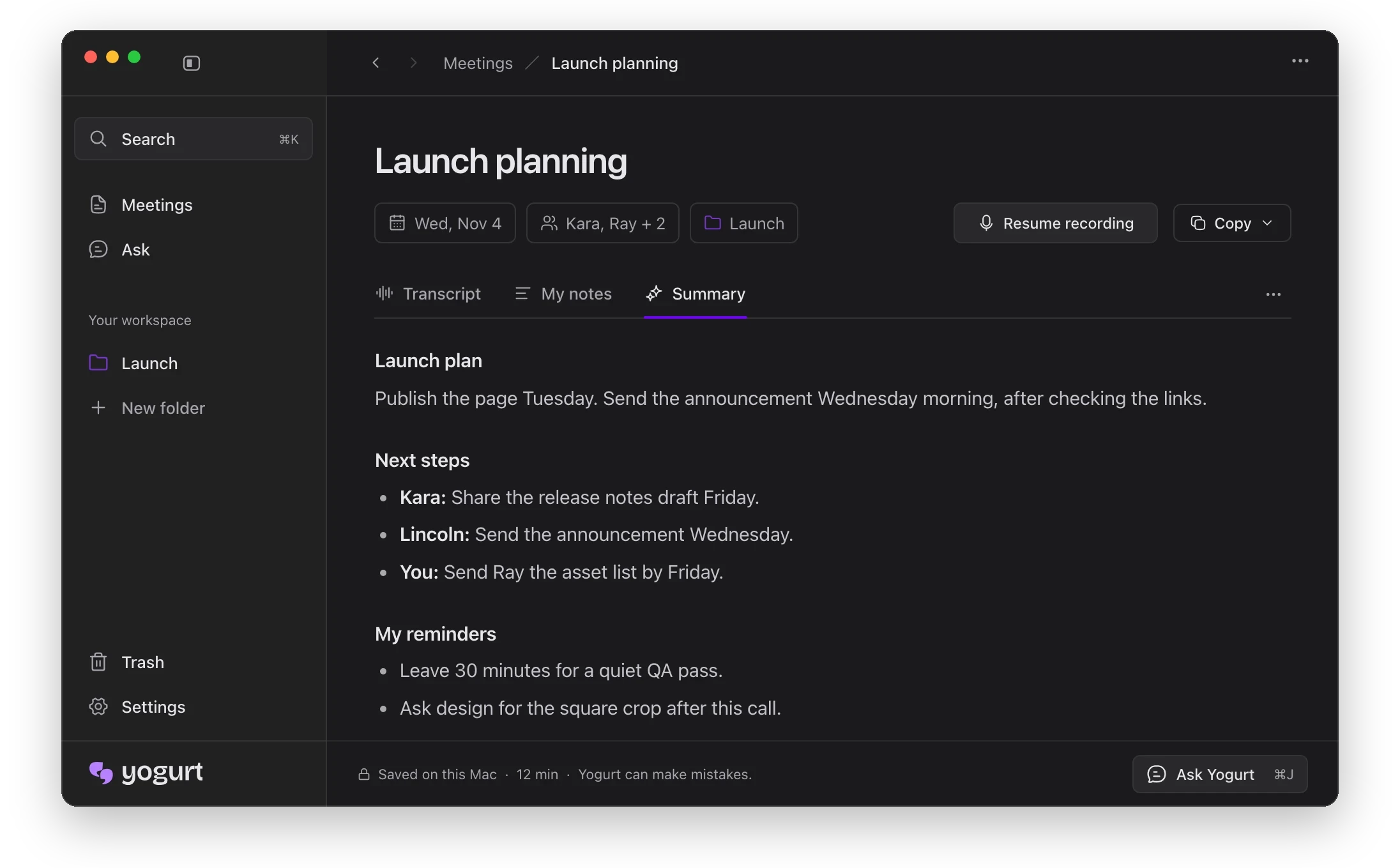
 Yogurt is a private AI meeting notes app. It records your calls, transcribes speech into text, and writes summaries, all on your own computer. It is free and open source under the MIT license.
Is it a bot that joins my meetings or an app on my computer?It is a desktop app. No bot joins the call. Yogurt records your microphone and the sound playing on your computer.
It is a desktop app. No bot joins the call. Yogurt records your microphone and the sound playing on your computer.How do I get it running?Download the installer for your system from the project's releases, or build it from source using the steps in 'Build and run locally'. On first launch, setup downloads the AI models.
Download the installer for your system from the project's releases, or build it from source using the steps in 'Build and run locally'. On first launch, setup downloads the AI models.What computer do I need?A Mac with Apple silicon on macOS 14.4 or newer, a 64-bit Windows 10 (2004) or newer PC, or a 64-bit Ubuntu 22.04+ Linux machine. At least 8 GB of memory is required.
A Mac with Apple silicon on macOS 14.4 or newer, a 64-bit Windows 10 (2004) or newer PC, or a 64-bit Ubuntu 22.04+ Linux machine. At least 8 GB of memory is required.Will the first setup take a lot of disk space?Yes. Setup first downloads a smaller notes model of about 5 GB, then the best model your computer can run well, which can be 14 GB or more.
Yes. Setup first downloads a smaller notes model of about 5 GB, then the best model your computer can run well, which can be 14 GB or more.Does speaker naming work on every OS?No. Speaker names from Zoom, Teams and Meet, and calendar names, work on Mac only for now.
No. Speaker names from Zoom, Teams and Meet, and calendar names, work on Mac only for now.Is it really free?Yes. It is free and open source under the MIT license, and no account is needed.
Yes. It is free and open source under the MIT license, and no account is needed.Does it support multiple languages?Yes. Multi-language mode transcribes 99 languages. English only is the default, and you can switch in Settings or from the note footer.
Yes. Multi-language mode transcribes 99 languages. English only is the default, and you can switch in Settings or from the note footer.How does it stay private with the MCP server?Access is off by default and must be enabled in Settings. Apps get read-only access to meetings, notes and transcripts over a local socket or named pipe, but any app under your account can read while access is on.
Access is off by default and must be enabled in Settings. Apps get read-only access to meetings, notes and transcripts over a local socket or named pipe, but any app under your account can read while access is on.Which AI models does it run?Whisper via whisper.cpp handles transcription, with Apple SpeechAnalyzer live on supported Macs. Summaries and answers use a local open-weight model from the Gemma 4, gpt-oss or Qwen3 families through llama.cpp.
Whisper via whisper.cpp handles transcription, with Apple SpeechAnalyzer live on supported Macs. Summaries and answers use a local open-weight model from the Gemma 4, gpt-oss or Qwen3 families through llama.cpp.Why does Windows show a warning on install?Windows shows 'Windows protected your PC' for new apps not yet signed with a Microsoft certificate. Click More info, then Run anyway, and you can inspect the open-source code.
Windows shows 'Windows protected your PC' for new apps not yet signed with a Microsoft certificate. Click More info, then Run anyway, and you can inspect the open-source code.What are similar projects?meetily, screenpipe, openwhispr, call.md, parrot, Handy, hob, Portable-Local-Studio
meetily, screenpipe, openwhispr, call.md, parrot, Handy, hob, Portable-Local-StudioWhich topics is it in?meeting-notes, llama-cpp, transcription, whisper, local-ai, speech-to-text, offline-first, electron, offline, local-first, productivity, privacy
meeting-notes, llama-cpp, transcription, whisper, local-ai, speech-to-text, offline-first, electron, offline, local-first, productivity, privacy