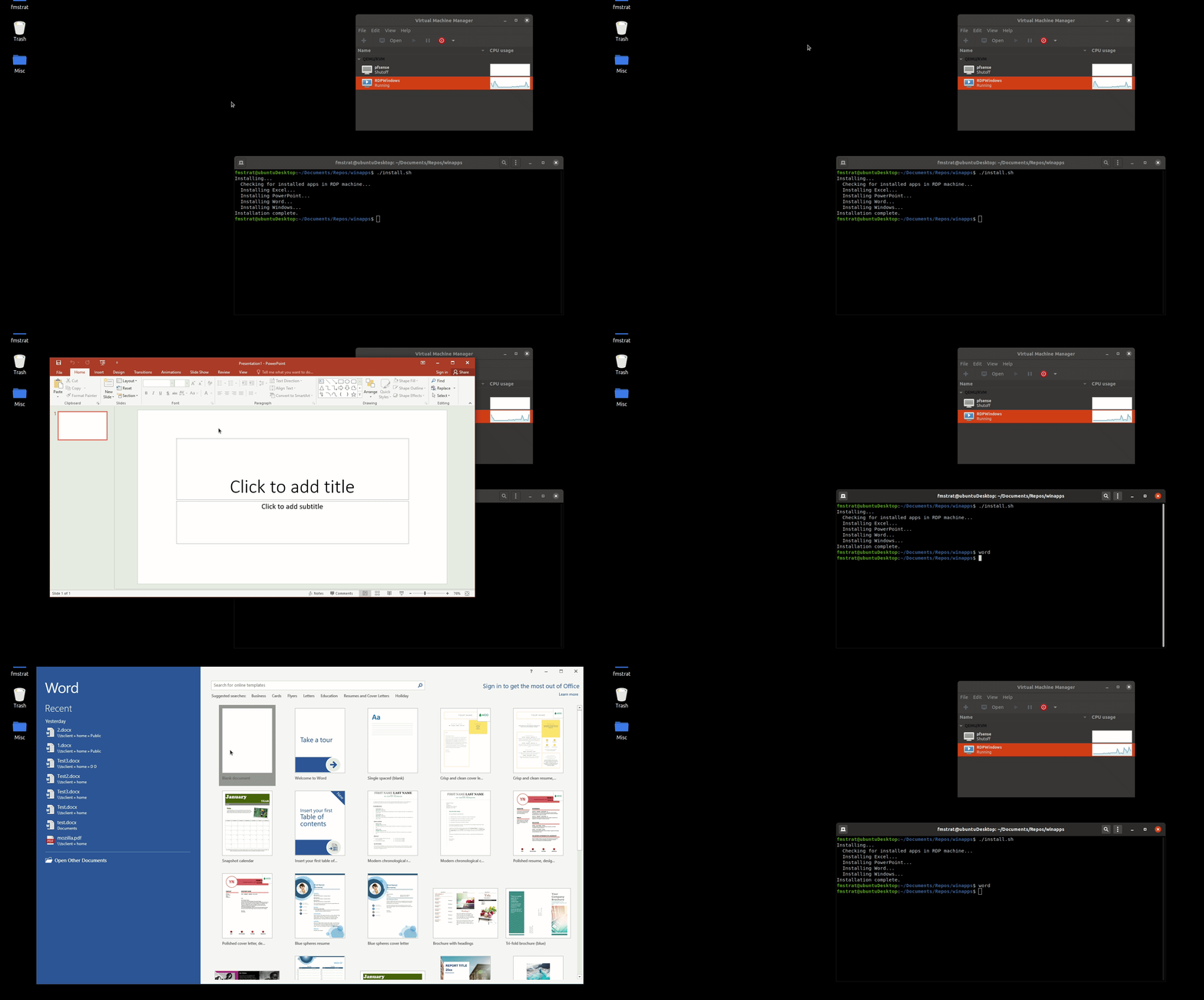








Что это?
 WinApps позволяет запускать Windows-приложения вроде Microsoft Office и Adobe Creative Cloud внутри Linux (Ubuntu/Fedora) с GNOME или KDE так, что они выглядят и ведут себя как нативные приложения, включая интеграцию с правой кнопкой мыши в файловом менеджере Nautilus.
WinApps позволяет запускать Windows-приложения вроде Microsoft Office и Adobe Creative Cloud внутри Linux (Ubuntu/Fedora) с GNOME или KDE так, что они выглядят и ведут себя как нативные приложения, включая интеграцию с правой кнопкой мыши в файловом менеджере Nautilus.Приложения запускаются локально или транслируются откуда-то?Windows-приложения реально запускаются в фоновой ВМ или на любом RDP-сервере; WinApps использует FreeRDP, чтобы бесшовно выводить эти окна на рабочий стол Linux как нативно выглядящие ярлыки в CLI и трее GNOME.
Windows-приложения реально запускаются в фоновой ВМ или на любом RDP-сервере; WinApps использует FreeRDP, чтобы бесшовно выводить эти окна на рабочий стол Linux как нативно выглядящие ярлыки в CLI и трее GNOME.Как это запустить?WinApps устроен как быстрый процесс настройки в одну команду: он сканирует ваш RDP-сервер/ВМ на установленные Windows-программы и автоматически генерирует соответствующие ярлыки Linux.
WinApps устроен как быстрый процесс настройки в одну команду: он сканирует ваш RDP-сервер/ВМ на установленные Windows-программы и автоматически генерирует соответствующие ярлыки Linux.Нужно ли сначала настроить Windows-ВМ или RDP-сервер?Да. Нужен RDP-сервер Windows (локальная ВМ или удалённый) с уже установленными нужными приложениями, поскольку WinApps проверяет на этом сервере наличие установленных программ, прежде чем создавать ярлыки.
Да. Нужен RDP-сервер Windows (локальная ВМ или удалённый) с уже установленными нужными приложениями, поскольку WinApps проверяет на этом сервере наличие установленных программ, прежде чем создавать ярлыки.Работает ли любое Windows-приложение из коробки?WinApps может интегрировать любое установленное приложение, а не только официально настроенный список, сканируя реестр Windows на другие EXE, но у таких автообнаруженных приложений будут лишь иконки, извлечённые из EXE, и не будет аккуратной обработки mime-типов; даже официально перечисленные приложения поддерживаются сообществом и могут быть не протестированы.
WinApps может интегрировать любое установленное приложение, а не только официально настроенный список, сканируя реестр Windows на другие EXE, но у таких автообнаруженных приложений будут лишь иконки, извлечённые из EXE, и не будет аккуратной обработки mime-типов; даже официально перечисленные приложения поддерживаются сообществом и могут быть не протестированы.Работает ли он и в GNOME, и в KDE?Да, он нацелен на рабочие столы Linux под Ubuntu или Fedora с GNOME или KDE.
Да, он нацелен на рабочие столы Linux под Ubuntu или Fedora с GNOME или KDE.Работает ли он и в GNOME, и в KDE?Да, он нацелен на рабочие столы Linux под Ubuntu или Fedora с GNOME или KDE.
Да, он нацелен на рабочие столы Linux под Ubuntu или Fedora с GNOME или KDE.Как файлы перемещаются между домашней папкой Linux и Windows-приложениями?Ваша домашняя папка монтируется внутри ВМ как \\tsclient\home, поэтому любой файл в Linux можно открыть правой кнопкой мыши напрямую в Windows-приложении.
Ваша домашняя папка монтируется внутри ВМ как \\tsclient\home, поэтому любой файл в Linux можно открыть правой кнопкой мыши напрямую в Windows-приложении.Что делать, если моего приложения нет в официальном списке?WinApps сканирует реестр Windows на другие установленные EXE с записями об установке и автоматически создаёт ярлык с иконкой, извлечённой из этого исполняемого файла, но без аккуратной поддержки mime-типов, как у официально перечисленных приложений.
WinApps сканирует реестр Windows на другие установленные EXE с записями об установке и автоматически создаёт ярлык с иконкой, извлечённой из этого исполняемого файла, но без аккуратной поддержки mime-типов, как у официально перечисленных приложений.Какие приложения официально поддерживаются из коробки?Курируемый список охватывает приложения Microsoft Office (Word, Excel, PowerPoint, Outlook, Access, Publisher, Project, OneNote), приложения Adobe Creative Cloud (Photoshop, Illustrator, Premiere Pro, After Effects, Audition, Bridge, Lightroom, InDesign, Acrobat), Visual Studio, PowerShell, Command Prompt, File Explorer, Internet Explorer и полноценные RDP-сеансы Windows.
Курируемый список охватывает приложения Microsoft Office (Word, Excel, PowerPoint, Outlook, Access, Publisher, Project, OneNote), приложения Adobe Creative Cloud (Photoshop, Illustrator, Premiere Pro, After Effects, Audition, Bridge, Lightroom, InDesign, Acrobat), Visual Studio, PowerShell, Command Prompt, File Explorer, Internet Explorer и полноценные RDP-сеансы Windows.Which topics is it in?gnome, adobe, rdp, compatibility-layer, vm, ubuntu, office, remote-desktop, virtual-machine, virtualization, app, shell
gnome, adobe, rdp, compatibility-layer, vm, ubuntu, office, remote-desktop, virtual-machine, virtualization, app, shell