







What is this?
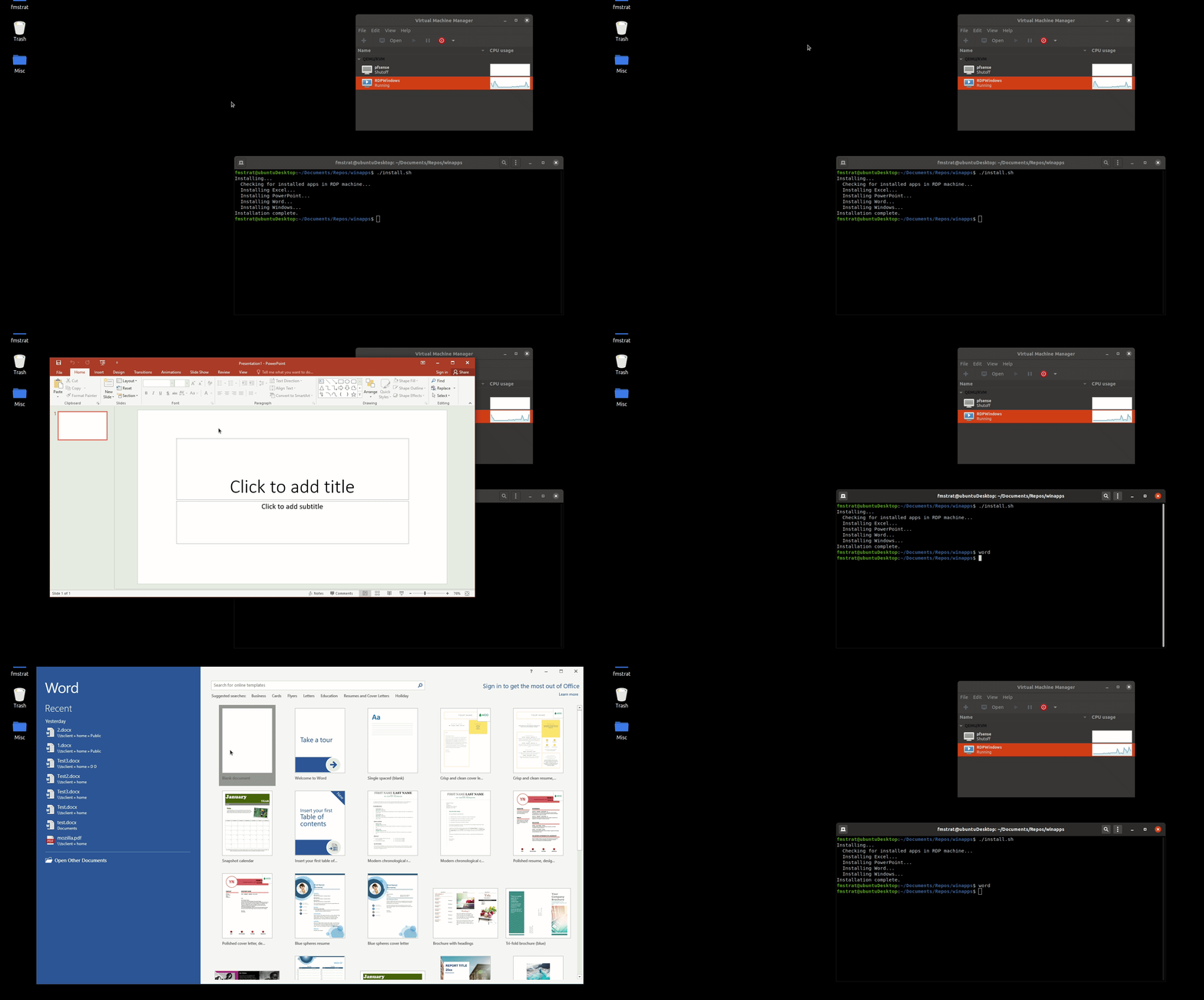
 WinApps lets you run Windows applications like Microsoft Office and Adobe Creative Cloud inside Linux (Ubuntu/Fedora) with GNOME or KDE, so they appear and behave like native apps, including right-click integration in the Nautilus file manager.
WinApps lets you run Windows applications like Microsoft Office and Adobe Creative Cloud inside Linux (Ubuntu/Fedora) with GNOME or KDE, so they appear and behave like native apps, including right-click integration in the Nautilus file manager.Do the apps run locally, or are they streamed from somewhere?Windows apps actually run in a background VM or on any RDP server; WinApps uses FreeRDP to seamlessly pull those windows into your Linux desktop as native-looking shortcuts in the CLI and GNOME tray.
Windows apps actually run in a background VM or on any RDP server; WinApps uses FreeRDP to seamlessly pull those windows into your Linux desktop as native-looking shortcuts in the CLI and GNOME tray.How do I get it running?WinApps is designed as a quick one-command setup process that scans your RDP server/VM for installed Windows programs and generates matching Linux shortcuts automatically.
WinApps is designed as a quick one-command setup process that scans your RDP server/VM for installed Windows programs and generates matching Linux shortcuts automatically.Do I need a Windows VM or RDP server set up first?Yes. You need a Windows RDP server (local VM or remote) with the apps you want already installed, since WinApps checks that server for installed applications before creating shortcuts.
Yes. You need a Windows RDP server (local VM or remote) with the apps you want already installed, since WinApps checks that server for installed applications before creating shortcuts.Does every Windows app work out of the box?WinApps can integrate any installed application, not just the officially configured list, by scanning the Windows Registry for other EXEs, but those auto-detected apps only get icons pulled from the EXE and lack curated mime-type handling, and even officially listed apps are community-maintained and may be untested.
WinApps can integrate any installed application, not just the officially configured list, by scanning the Windows Registry for other EXEs, but those auto-detected apps only get icons pulled from the EXE and lack curated mime-type handling, and even officially listed apps are community-maintained and may be untested.Does it work on both GNOME and KDE?Yes, it targets Linux desktops running Ubuntu or Fedora with either GNOME or KDE.
Yes, it targets Linux desktops running Ubuntu or Fedora with either GNOME or KDE.Does it work on both GNOME and KDE?Yes, it targets Linux desktops running Ubuntu or Fedora with either GNOME or KDE.
Yes, it targets Linux desktops running Ubuntu or Fedora with either GNOME or KDE.How do files move between my Linux home folder and the Windows apps?Your home directory is mounted inside the VM as \\tsclient\home, so you can right-click any file in Linux and open it directly with a Windows application.
Your home directory is mounted inside the VM as \\tsclient\home, so you can right-click any file in Linux and open it directly with a Windows application.What happens if my app isn't on the official list?WinApps scans the Windows Registry for any other installed EXE with install records and auto-generates a shortcut using the icon pulled from that executable, though without the curated mime-type support of officially listed apps.
WinApps scans the Windows Registry for any other installed EXE with install records and auto-generates a shortcut using the icon pulled from that executable, though without the curated mime-type support of officially listed apps.What apps are officially supported out of the box?The curated list covers Microsoft Office apps (Word, Excel, PowerPoint, Outlook, Access, Publisher, Project, OneNote), Adobe Creative Cloud apps (Photoshop, Illustrator, Premiere Pro, After Effects, Audition, Bridge, Lightroom, InDesign, Acrobat), Visual Studio, PowerShell, Command Prompt, File Explorer, Internet Explorer, and full RDP Windows sessions.
The curated list covers Microsoft Office apps (Word, Excel, PowerPoint, Outlook, Access, Publisher, Project, OneNote), Adobe Creative Cloud apps (Photoshop, Illustrator, Premiere Pro, After Effects, Audition, Bridge, Lightroom, InDesign, Acrobat), Visual Studio, PowerShell, Command Prompt, File Explorer, Internet Explorer, and full RDP Windows sessions.Which topics is it in?gnome, adobe, rdp, compatibility-layer, vm, ubuntu, office, remote-desktop, virtual-machine, virtualization, app, shell
gnome, adobe, rdp, compatibility-layer, vm, ubuntu, office, remote-desktop, virtual-machine, virtualization, app, shell