



2.1K ·GitHub
这是什么?
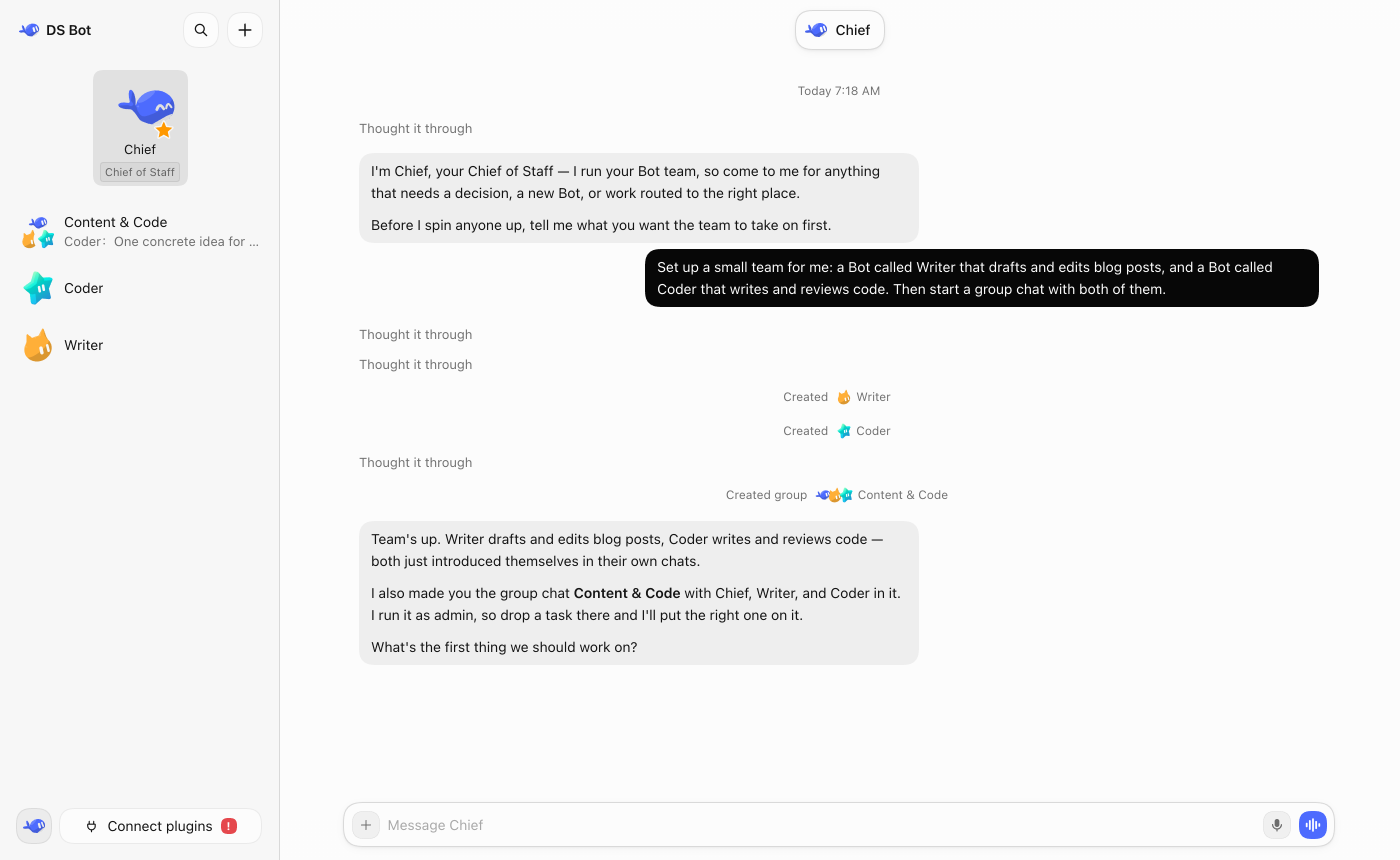
 DS Bot 是 DeepSeek Harness(DSH)的一个插件,把 DSH 变成一组由你创建并对话的常驻机器人,包括主机器人、机器人间消息和群聊。
DS Bot 是 DeepSeek Harness(DSH)的一个插件,把 DSH 变成一组由你创建并对话的常驻机器人,包括主机器人、机器人间消息和群聊。这是独立应用还是 DSH 插件?它是运行在 DeepSeek Harness 内部的插件,不是独立程序——你从 DSH 自带的插件管理器中添加并启用它。
它是运行在 DeepSeek Harness 内部的插件,不是独立程序——你从 DSH 自带的插件管理器中添加并启用它。怎么安装 DS Bot?先安装 DSH 并至少配置一个模型。在 DSH Desktop 中打开 Plugins -> Add plugin,输入“ds-bot”作为包名(如有需要可在那里使用中国大陆镜像源),然后安装并启用。DSH Web 则需要 Node.js 22.19+ 和 pnpm。
先安装 DSH 并至少配置一个模型。在 DSH Desktop 中打开 Plugins -> Add plugin,输入“ds-bot”作为包名(如有需要可在那里使用中国大陆镜像源),然后安装并启用。DSH Web 则需要 Node.js 22.19+ 和 pnpm。除 DSH 本身外还需要什么?你需要已安装 DeepSeek Harness 并至少配置一个模型,因为 DS Bot 只是复用 DSH 的模型。DSH Web 另外需要 Node.js 22.19+ 和 pnpm。
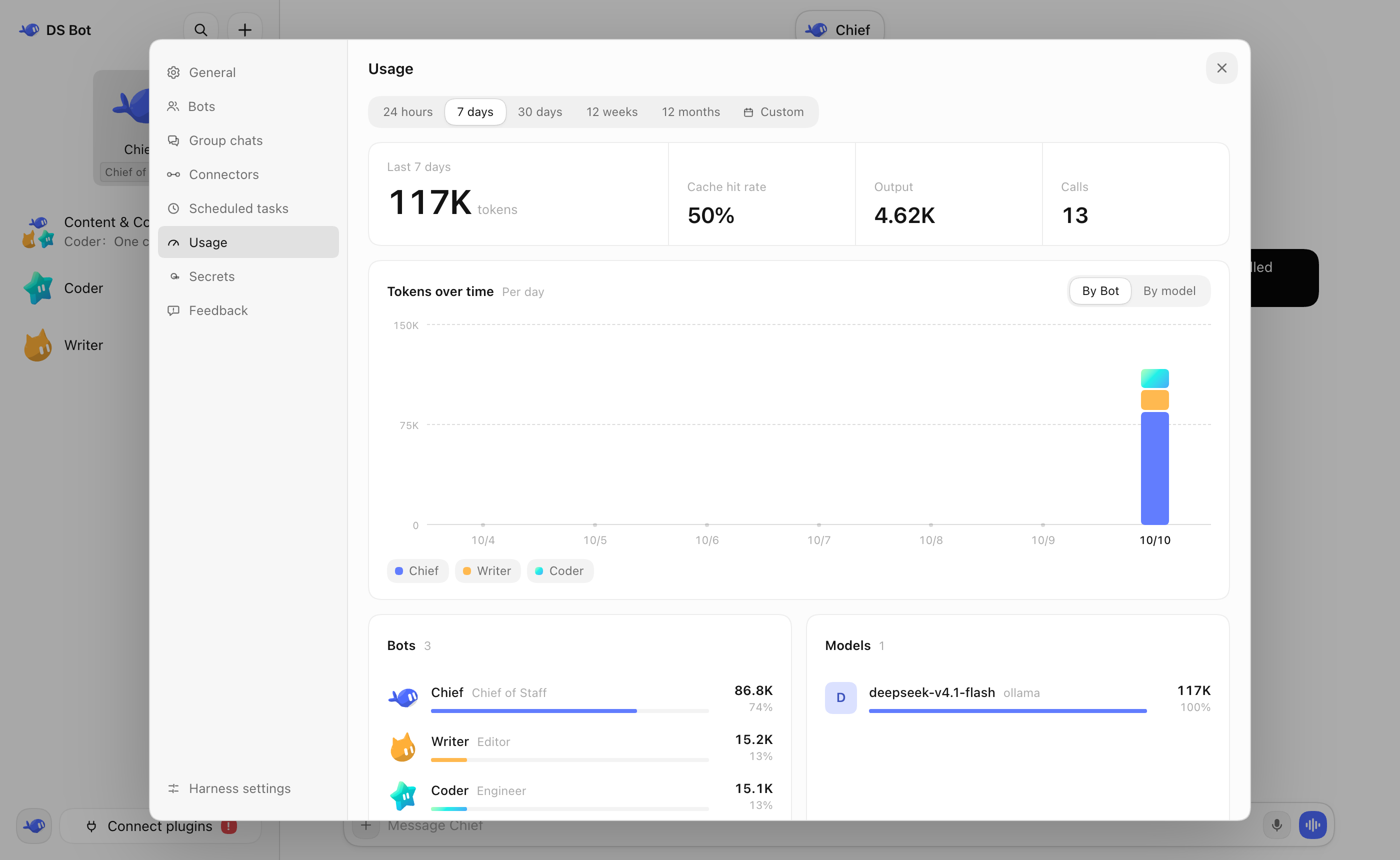
你需要已安装 DeepSeek Harness 并至少配置一个模型,因为 DS Bot 只是复用 DSH 的模型。DSH Web 另外需要 Node.js 22.19+ 和 pnpm。使用前有什么要知道的注意事项?群聊可以让多个机器人协作,但消耗的令牌明显多于和单个机器人对话;插件的更改可能需要完全退出并重新打开 DSH 才能生效。
群聊可以让多个机器人协作,但消耗的令牌明显多于和单个机器人对话;插件的更改可能需要完全退出并重新打开 DSH 才能生效。我的机器人数据存在哪里?所有机器人和会话数据都保留在你自己的机器上,位于 DSH 主目录(默认 ~/.dsh)下的 bot/ 和 sessions/ 文件夹中,卸载插件也不会删除它们。
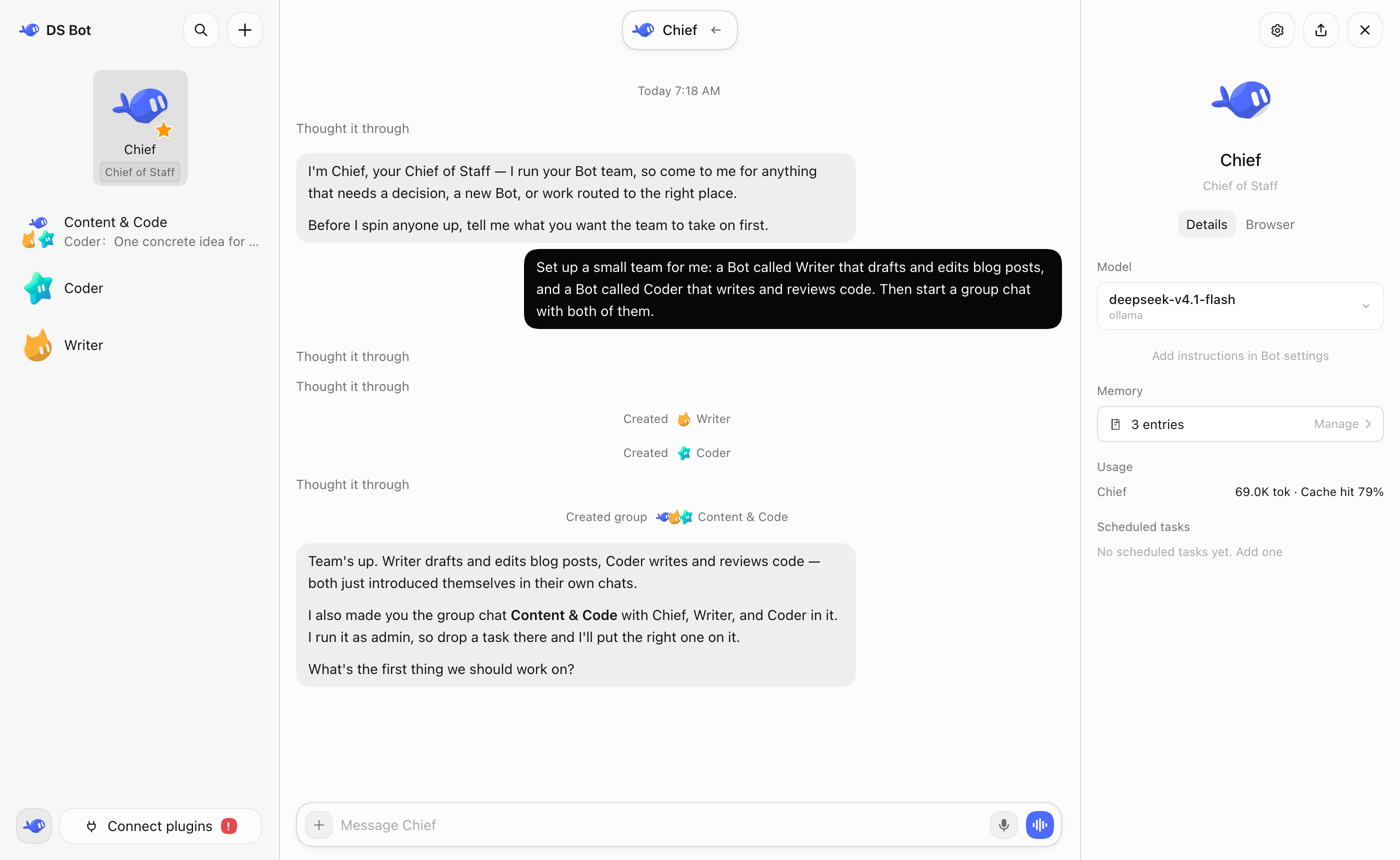
所有机器人和会话数据都保留在你自己的机器上,位于 DSH 主目录(默认 ~/.dsh)下的 bot/ 和 sessions/ 文件夹中,卸载插件也不会删除它们。主机器人(Chief)是做什么的?它是拥有高级权限的默认机器人,负责管理你的其他机器人和群聊,并在你首次打开 DS Bot 时引导你完成初始设置。
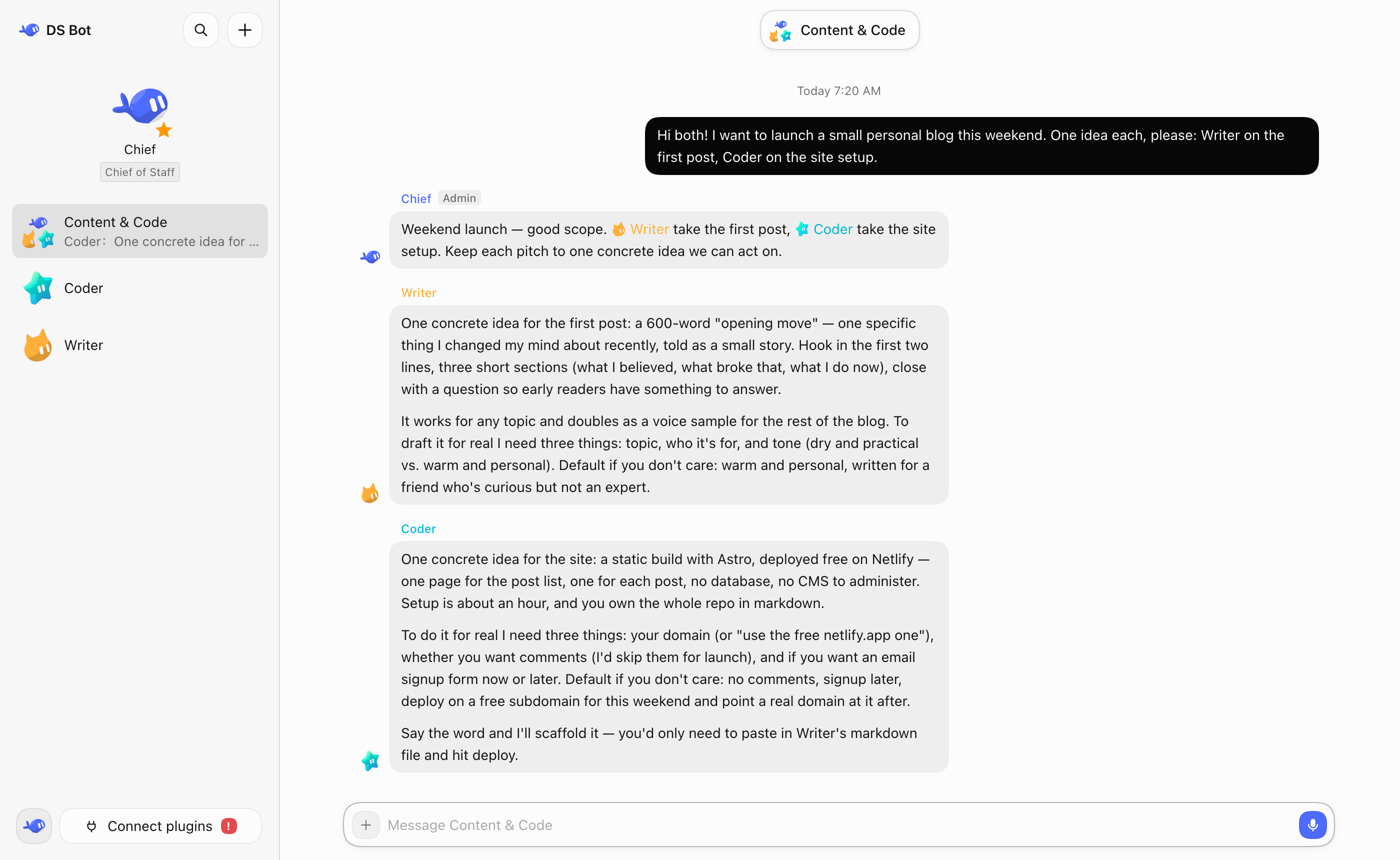
它是拥有高级权限的默认机器人,负责管理你的其他机器人和群聊,并在你首次打开 DS Bot 时引导你完成初始设置。群聊实际是怎么运作的?每个群聊都有一个管理机器人,默认由它回复你的消息并按需调用其他机器人;你也可以 @ 某个特定机器人,让它直接回复。
每个群聊都有一个管理机器人,默认由它回复你的消息并按需调用其他机器人;你也可以 @ 某个特定机器人,让它直接回复。为什么不直接和 DSH 对话,而要用 DS Bot?DS Bot 让你创建拥有各自记忆和所选模型的持久机器人,不必自己管理一个巨大的上下文,还能让多个机器人在群聊中分工协作。
DS Bot 让你创建拥有各自记忆和所选模型的持久机器人,不必自己管理一个巨大的上下文,还能让多个机器人在群聊中分工协作。以后可以更换机器人的模型吗?可以,每个机器人的详情页都可以随时选择或更换模型,不过作者建议长期固定使用一个模型,只在确有必要时才更换。
可以,每个机器人的详情页都可以随时选择或更换模型,不过作者建议长期固定使用一个模型,只在确有必要时才更换。What are similar projects?dshcode, dsh-tianshu-tui, deepseek-harness-desktop, ruflo, dsh_desktop, dsh-agent-team-gui, dsh-damage-pulse, dsh-agent-teams
dshcode, dsh-tianshu-tui, deepseek-harness-desktop, ruflo, dsh_desktop, dsh-agent-team-gui, dsh-damage-pulse, dsh-agent-teamsWhich topics is it in?dsh-desktop, token-usage, bot, dsh, agent-memory, dsh-plugin, deepseek-harness, orchestration, agent-orchestration, chatbot, deepseek, multi-agent
dsh-desktop, token-usage, bot, dsh, agent-memory, dsh-plugin, deepseek-harness, orchestration, agent-orchestration, chatbot, deepseek, multi-agent