



2.4K ·GitHub
Что это такое?
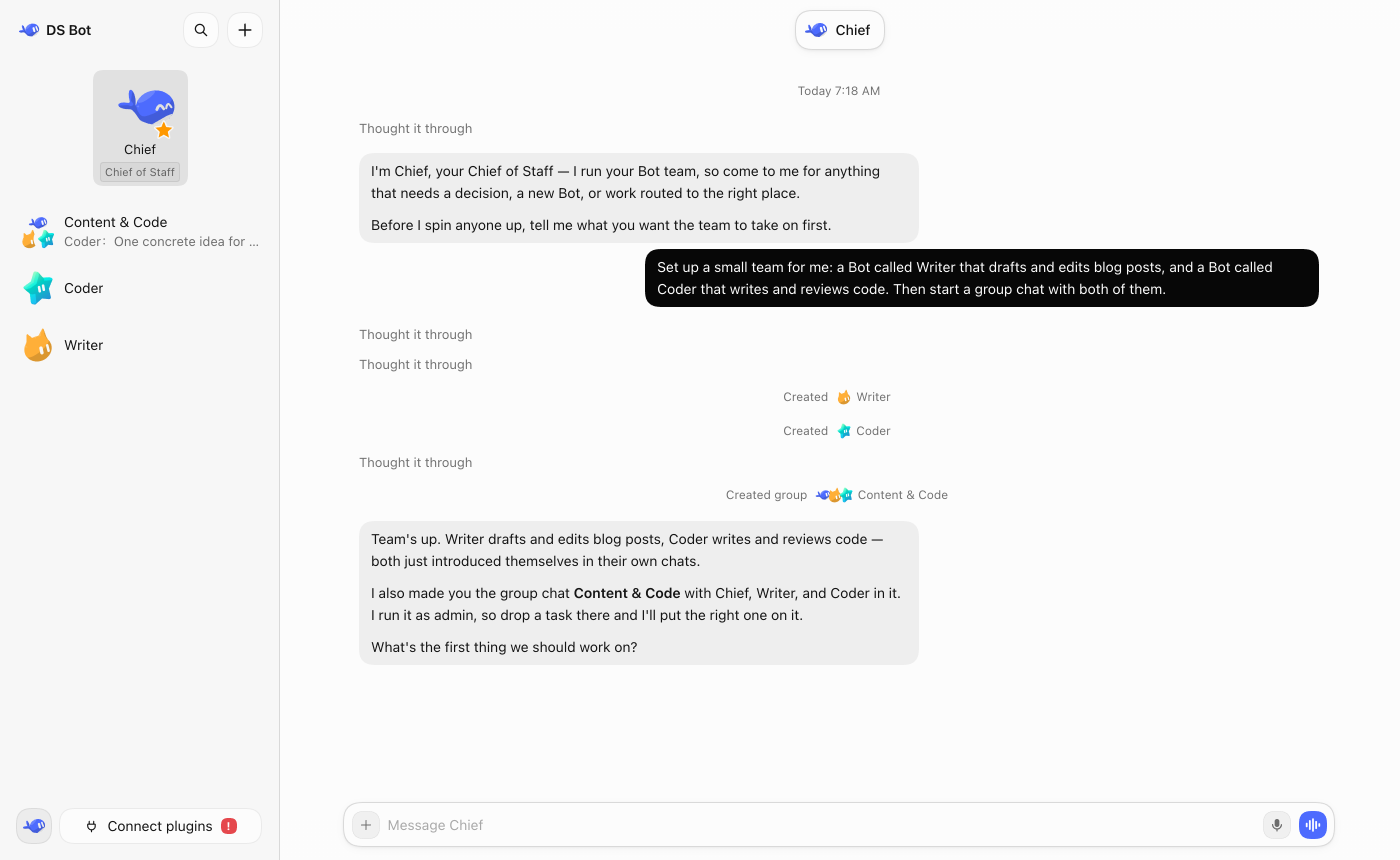
 DS Bot — плагин для DeepSeek Harness (DSH), который превращает DSH в набор долгоживущих ботов, которых вы создаёте и с которыми общаетесь, включая главного бота, обмен сообщениями между ботами и групповые чаты.
DS Bot — плагин для DeepSeek Harness (DSH), который превращает DSH в набор долгоживущих ботов, которых вы создаёте и с которыми общаетесь, включая главного бота, обмен сообщениями между ботами и групповые чаты.Это отдельное приложение или плагин DSH?Это плагин, работающий внутри DeepSeek Harness, а не отдельная программа — вы добавляете и включаете его из собственного менеджера плагинов DSH.
Это плагин, работающий внутри DeepSeek Harness, а не отдельная программа — вы добавляете и включаете его из собственного менеджера плагинов DSH.Как установить DS Bot?Сначала установите DSH и настройте хотя бы одну модель. В DSH Desktop откройте Plugins -> Add plugin, введите «ds-bot» как имя пакета (при необходимости используйте там зеркальный реестр материкового Китая), затем Install и Enable. Для DSH Web вместо этого нужны Node.js 22.19+ и pnpm.
Сначала установите DSH и настройте хотя бы одну модель. В DSH Desktop откройте Plugins -> Add plugin, введите «ds-bot» как имя пакета (при необходимости используйте там зеркальный реестр материкового Китая), затем Install и Enable. Для DSH Web вместо этого нужны Node.js 22.19+ и pnpm.Нужно ли что-то помимо самого DSH?Нужен уже установленный DeepSeek Harness хотя бы с одной настроенной моделью, поскольку DS Bot просто переиспользует модели DSH. DSH Web дополнительно требует Node.js 22.19+ и pnpm.
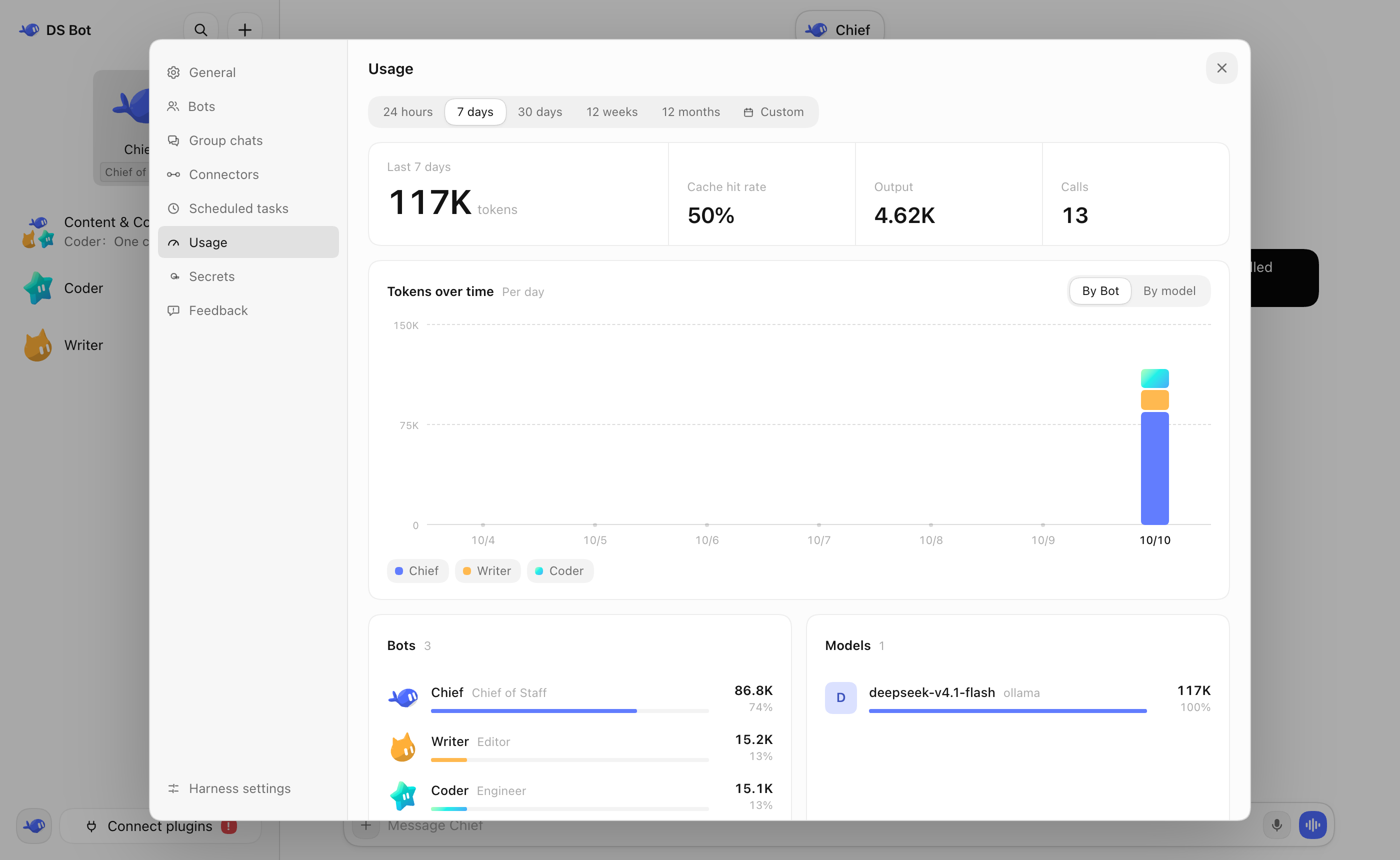
Нужен уже установленный DeepSeek Harness хотя бы с одной настроенной моделью, поскольку DS Bot просто переиспользует модели DSH. DSH Web дополнительно требует Node.js 22.19+ и pnpm.Есть ли нюансы, которые стоит знать перед использованием?Групповые чаты позволяют нескольким ботам работать сообща, но явно расходуют больше токенов, чем общение с одним ботом, а изменения плагинов могут требовать полного выхода из DSH и повторного открытия, чтобы вступить в силу.
Групповые чаты позволяют нескольким ботам работать сообща, но явно расходуют больше токенов, чем общение с одним ботом, а изменения плагинов могут требовать полного выхода из DSH и повторного открытия, чтобы вступить в силу.Куда уходят данные моих ботов?Все данные ботов и сессий остаются на вашей машине, в папках bot/ и sessions/ домашней директории DSH (по умолчанию ~/.dsh), и удаление плагина их не стирает.
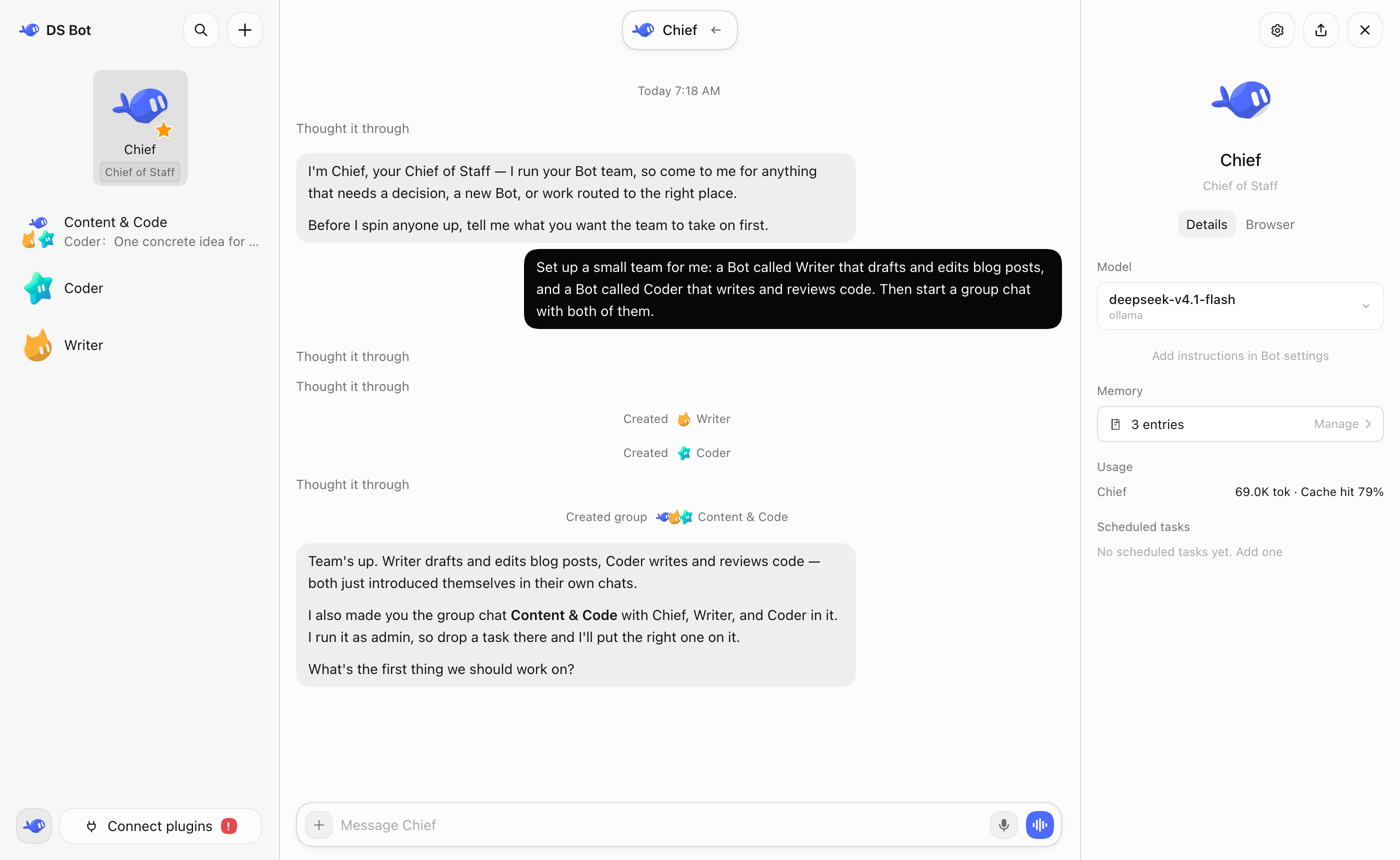
Все данные ботов и сессий остаются на вашей машине, в папках bot/ и sessions/ домашней директории DSH (по умолчанию ~/.dsh), и удаление плагина их не стирает.Что делает главный бот (Chief)?Это бот по умолчанию с высокими правами: он управляет вашими остальными ботами и групповыми чатами и проводит вас через первоначальную настройку, когда вы впервые открываете DS Bot.
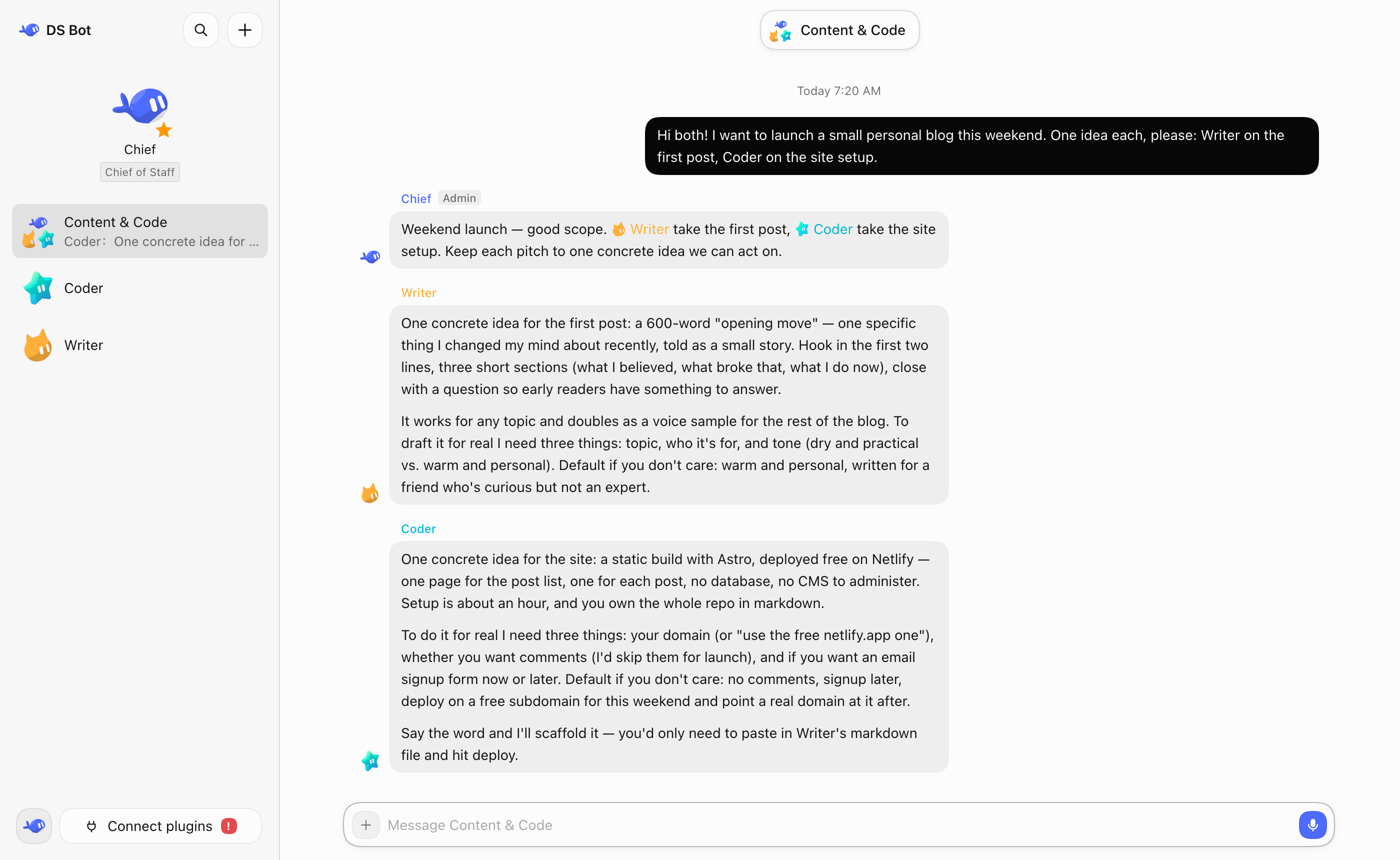
Это бот по умолчанию с высокими правами: он управляет вашими остальными ботами и групповыми чатами и проводит вас через первоначальную настройку, когда вы впервые открываете DS Bot.Как на самом деле работают групповые чаты?В каждом групповом чате есть бот-администратор, который по умолчанию отвечает на ваши сообщения и при необходимости подзывает других ботов, но можно и упомянуть конкретного бота через @, чтобы получить от него прямой ответ.
В каждом групповом чате есть бот-администратор, который по умолчанию отвечает на ваши сообщения и при необходимости подзывает других ботов, но можно и упомянуть конкретного бота через @, чтобы получить от него прямой ответ.Зачем DS Bot, если можно просто общаться с DSH напрямую?DS Bot позволяет создавать постоянных ботов со своей памятью и выбранной моделью, так что не нужно самому управлять одним гигантским контекстом, и даёт нескольким ботам возможность делить работу в групповом чате.
DS Bot позволяет создавать постоянных ботов со своей памятью и выбранной моделью, так что не нужно самому управлять одним гигантским контекстом, и даёт нескольким ботам возможность делить работу в групповом чате.Можно ли позже сменить модель у бота?Да, на странице деталей каждого бота можно в любой момент выбрать или сменить его модель, хотя автор советует долго держаться одной модели и менять её только при реальной необходимости.
Да, на странице деталей каждого бота можно в любой момент выбрать или сменить его модель, хотя автор советует долго держаться одной модели и менять её только при реальной необходимости.What are similar projects?dshcode, dsh-tianshu-tui, deepseek-harness-desktop, ruflo, dsh_desktop, dsh-agent-team-gui, dsh-damage-pulse, dsh-agent-teams
dshcode, dsh-tianshu-tui, deepseek-harness-desktop, ruflo, dsh_desktop, dsh-agent-team-gui, dsh-damage-pulse, dsh-agent-teamsWhich topics is it in?dsh-desktop, token-usage, bot, dsh, agent-memory, dsh-plugin, deepseek-harness, orchestration, agent-orchestration, chatbot, deepseek, multi-agent
dsh-desktop, token-usage, bot, dsh, agent-memory, dsh-plugin, deepseek-harness, orchestration, agent-orchestration, chatbot, deepseek, multi-agent