524 ·GitHub
Что это?
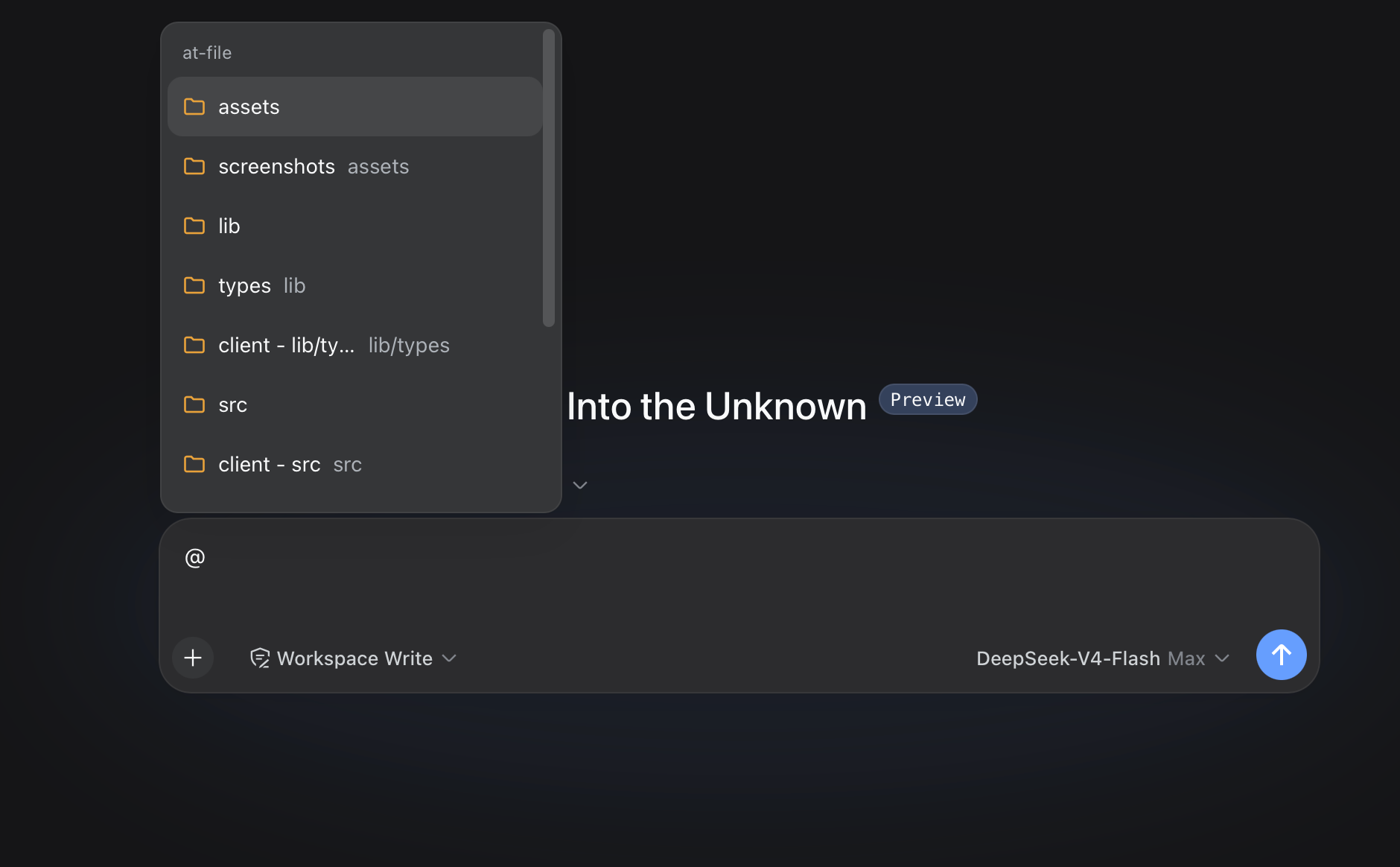
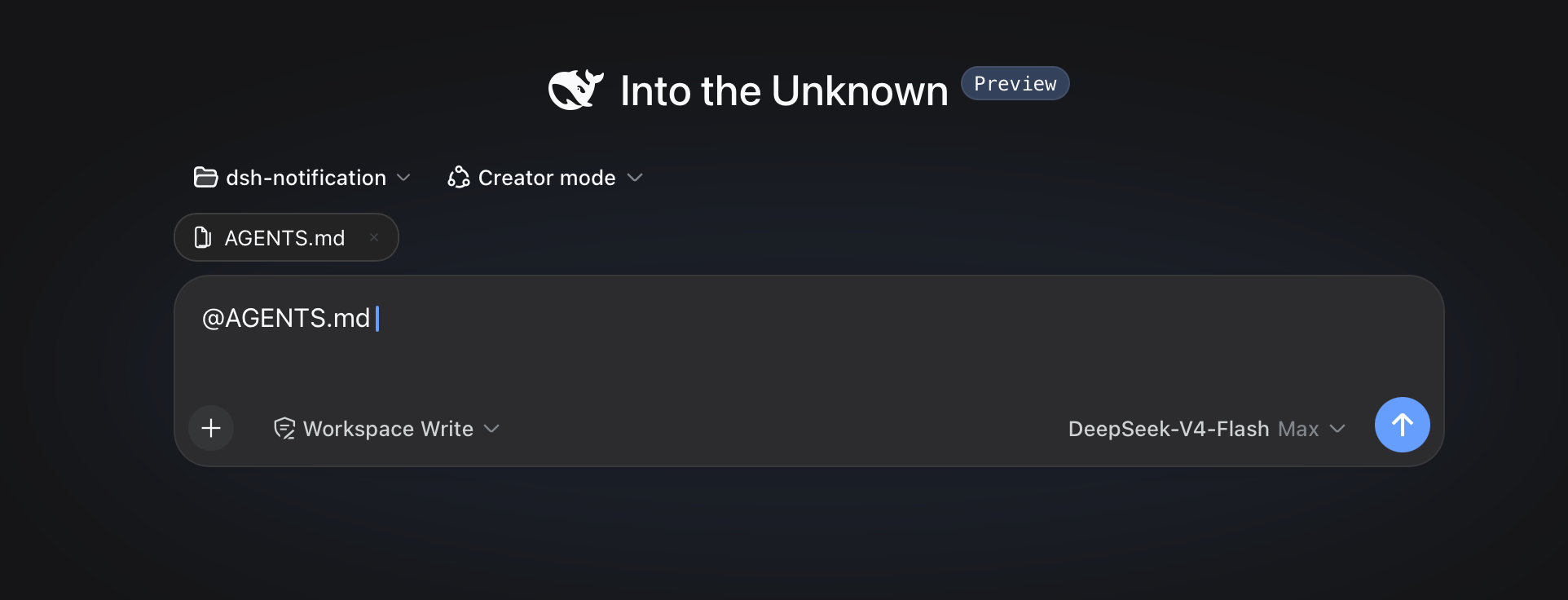
 dsh-at-file — это плагин для DeepSeek Harness (DSH), который добавляет упоминания @file в стиле Codex в веб-композер: введите @, чтобы поискать по текущему рабочему пространству и вставить путь к файлу или каталогу в свой запрос.
dsh-at-file — это плагин для DeepSeek Harness (DSH), который добавляет упоминания @file в стиле Codex в веб-композер: введите @, чтобы поискать по текущему рабочему пространству и вставить путь к файлу или каталогу в свой запрос.Это отдельное приложение или плагин для чего-то другого?Это плагин для веб-интерфейса DeepSeek Harness, а не отдельное приложение; он лишь расширяет меню упоминаний @ и панель ссылок композера.
Это плагин для веб-интерфейса DeepSeek Harness, а не отдельное приложение; он лишь расширяет меню упоминаний @ и панель ссылок композера.Как его установить или обновить?Установите его в свой профиль DSH и после этого перезапустите dsh web; той же командой существующую установку обновляют до новой версии.
Установите его в свой профиль DSH и после этого перезапустите dsh web; той же командой существующую установку обновляют до новой версии.Нужно ли, чтобы DeepSeek Harness уже работал?Да, этот плагин работает только внутри уже развёрнутого веб-варианта DeepSeek Harness; для сборки из исходников ещё и потребуется клонировать официальный репозиторий deepseek-ai/deepseek-harness в соседний каталог.
Да, этот плагин работает только внутри уже развёрнутого веб-варианта DeepSeek Harness; для сборки из исходников ещё и потребуется клонировать официальный репозиторий deepseek-ai/deepseek-harness в соседний каталог.Стоит ли им пользоваться, если я настраиваю DSH впервые?Нет — в последнем официальном выпуске DeepSeek Harness есть встроенные ссылки @file и @session, поэтому новым установкам стоит использовать именно их; этот плагин остаётся только для существующих конфигураций и поддерживается по мере возможностей.
Нет — в последнем официальном выпуске DeepSeek Harness есть встроенные ссылки @file и @session, поэтому новым установкам стоит использовать именно их; этот плагин остаётся только для существующих конфигураций и поддерживается по мере возможностей.Срабатывает ли выбор файла, если вставить @путь из другого приложения?Нет, вставленный текст по умолчанию считается обычным текстом и не откроет выбор файла, не появится в панели ссылок и не создаст маркер ссылки на рабочее пространство, пока эта настройка по умолчанию не отключена.
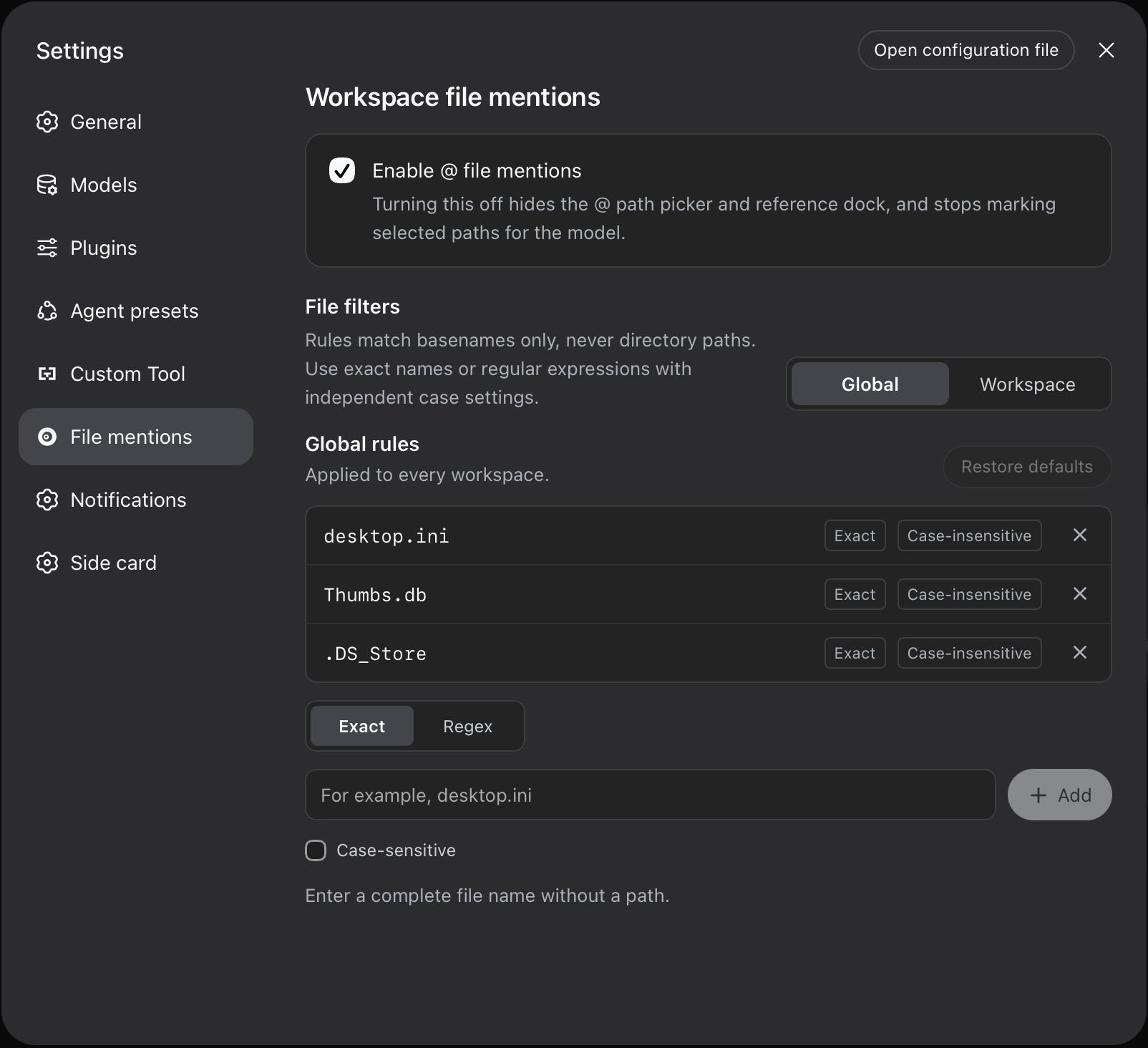
Нет, вставленный текст по умолчанию считается обычным текстом и не откроет выбор файла, не появится в панели ссылок и не создаст маркер ссылки на рабочее пространство, пока эта настройка по умолчанию не отключена.Как работают фильтры по именам файлов?Глобальные правила применяются ко всем рабочим пространствам, а правила конкретного пространства добавляют дополнительные фильтры только для него; каждое правило совпадает по точному имени файла (Exact basename) или регулярному выражению (Regex) и может дополнительно учитывать регистр.
Глобальные правила применяются ко всем рабочим пространствам, а правила конкретного пространства добавляют дополнительные фильтры только для него; каждое правило совпадает по точному имени файла (Exact basename) или регулярному выражению (Regex) и может дополнительно учитывать регистр.Может ли плагин открывать или читать файлы, на которые ссылается?Нет, он лишь проверяет, что путь существует, и вставляет короткое сообщение-ссылку; чтобы реально посмотреть содержимое, агенту нужно использовать собственные инструменты сессии (например, read или readimage).
Нет, он лишь проверяет, что путь существует, и вставляет короткое сообщение-ссылку; чтобы реально посмотреть содержимое, агенту нужно использовать собственные инструменты сессии (например, read или readimage).Где настроить параметры вроде максимального числа индексируемых файлов?Через cordis.patch.yml профиля (обычно ~/.dsh/profiles/web/cordis.patch.yml) с помощью параметров вроде maxIndexedFiles и ignoreDirs.
Через cordis.patch.yml профиля (обычно ~/.dsh/profiles/web/cordis.patch.yml) с помощью параметров вроде maxIndexedFiles и ignoreDirs.What are similar projects?cocode, awesome-deepseek-harness, dsh-router-standard, dsh-plugin-bridge, oh-dsh, clearai-dsh, dsh-ops, dsh-agent-team-gui
cocode, awesome-deepseek-harness, dsh-router-standard, dsh-plugin-bridge, oh-dsh, clearai-dsh, dsh-ops, dsh-agent-team-guiWhich topics is it in?file-management, yaml, dsh, harness, search, dsh-plugin, deepseek-harness, coding-agent, plugin, codex, productivity, agent
file-management, yaml, dsh, harness, search, dsh-plugin, deepseek-harness, coding-agent, plugin, codex, productivity, agent