524 ·GitHub
What is this?
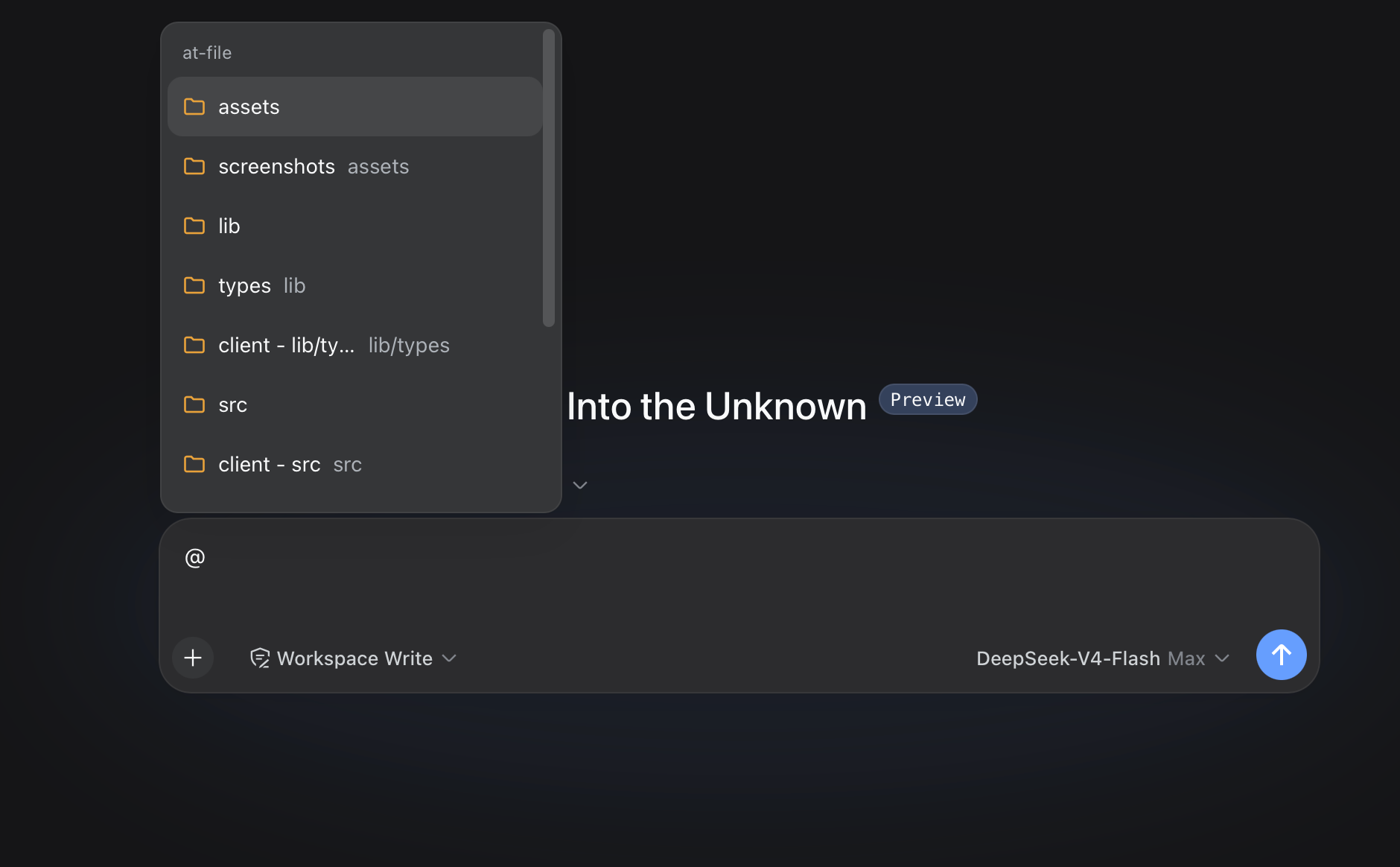
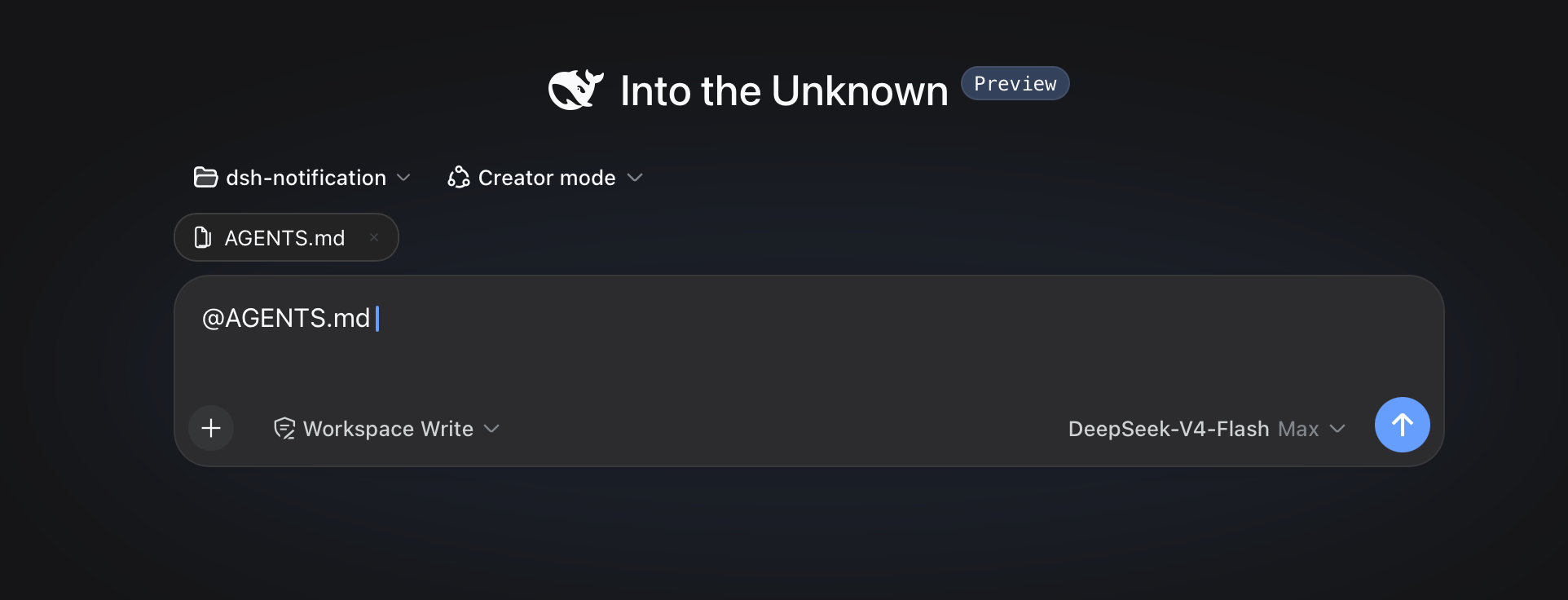
 dsh-at-file is a DeepSeek Harness (DSH) plugin that adds Codex-style @file mentions to the web composer: type @ to search the current workspace and insert a file or directory path into your prompt.
dsh-at-file is a DeepSeek Harness (DSH) plugin that adds Codex-style @file mentions to the web composer: type @ to search the current workspace and insert a file or directory path into your prompt.Is this a standalone app or a plugin for something else?It is a plugin for DeepSeek Harness's web interface, not a standalone application; it only extends the composer's @ mention menu and reference bar.
It is a plugin for DeepSeek Harness's web interface, not a standalone application; it only extends the composer's @ mention menu and reference bar.How do I install or update it?Install it into your DSH profile and restart dsh web afterward; the same command is used to update an existing installation to a newer version.
Install it into your DSH profile and restart dsh web afterward; the same command is used to update an existing installation to a newer version.Do I need DeepSeek Harness already running first?Yes, this plugin only works inside an existing DeepSeek Harness web setup; building it from source also requires cloning the official deepseek-ai/deepseek-harness repo as a sibling directory.
Yes, this plugin only works inside an existing DeepSeek Harness web setup; building it from source also requires cloning the official deepseek-ai/deepseek-harness repo as a sibling directory.Should I still use this if I'm setting up DSH for the first time?No — the latest official DeepSeek Harness release ships built-in @file and @session references, so new installs should use that instead; this plugin stays available only for existing setups and gets best-effort maintenance.
No — the latest official DeepSeek Harness release ships built-in @file and @session references, so new installs should use that instead; this plugin stays available only for existing setups and gets best-effort maintenance.Does pasting an @path from another app trigger the file picker?No, pasted text is treated as ordinary text by default and will not open the picker, appear in the reference bar, or create a workspace-reference marker unless that default setting is turned off.
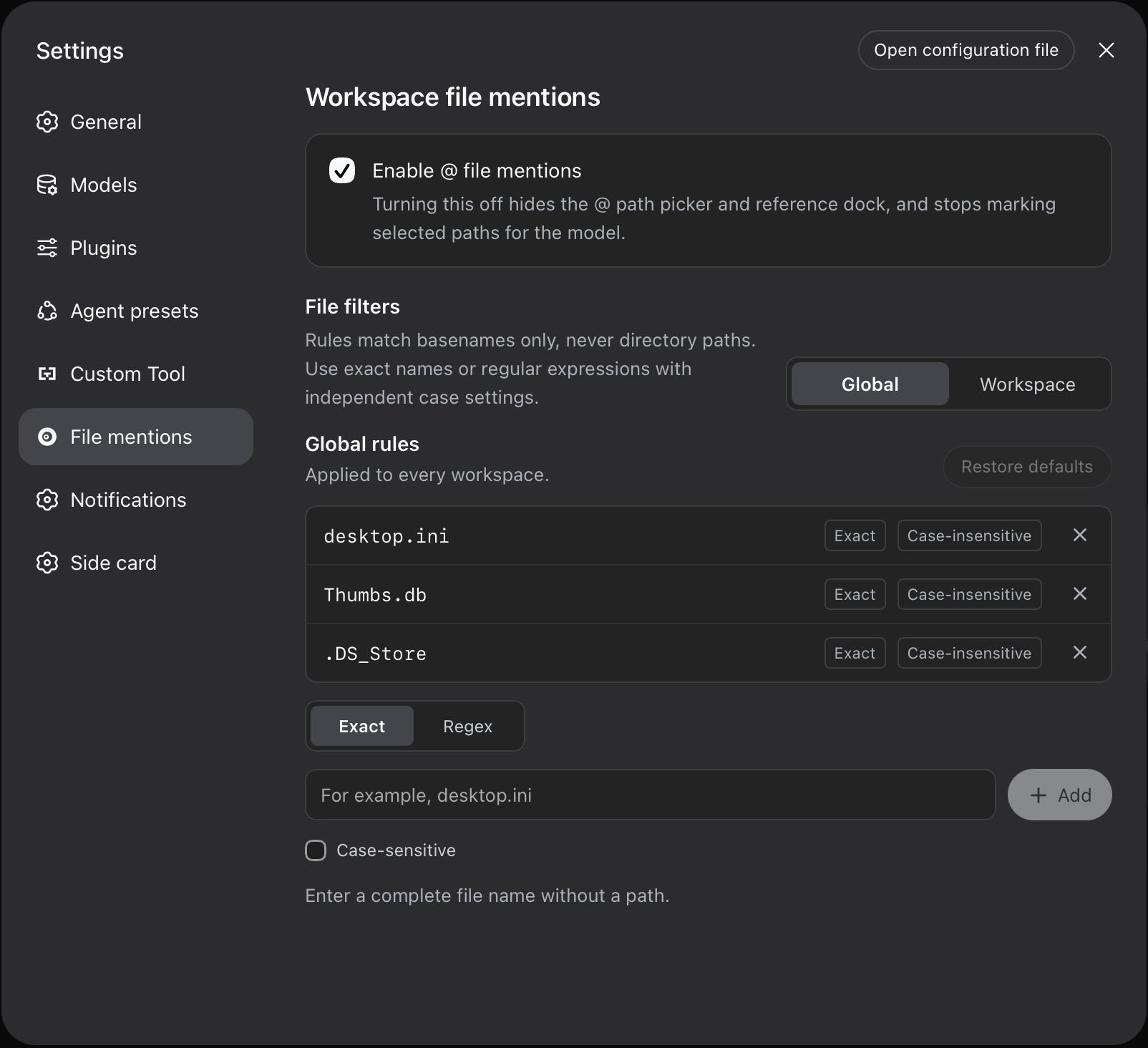
No, pasted text is treated as ordinary text by default and will not open the picker, appear in the reference bar, or create a workspace-reference marker unless that default setting is turned off.How do the file-name filters work?Global rules apply to every workspace while workspace rules add extra filters for a single workspace; each rule matches by Exact basename or Regex and can optionally be case-sensitive.
Global rules apply to every workspace while workspace rules add extra filters for a single workspace; each rule matches by Exact basename or Regex and can optionally be case-sensitive.Can the plugin open or read the files it references?No, it only confirms a path exists and inserts a short reference message; the agent has to use its own session tools (like read or readimage) to actually inspect the content.
No, it only confirms a path exists and inserts a short reference message; the agent has to use its own session tools (like read or readimage) to actually inspect the content.Where do I tune settings like the max indexed files?Through the profile's cordis.patch.yml (typically ~/.dsh/profiles/web/cordis.patch.yml) using options like maxIndexedFiles and ignoreDirs.
Through the profile's cordis.patch.yml (typically ~/.dsh/profiles/web/cordis.patch.yml) using options like maxIndexedFiles and ignoreDirs.What are similar projects?cocode, awesome-deepseek-harness, dsh-router-standard, dsh-plugin-bridge, oh-dsh, clearai-dsh, dsh-ops, dsh-agent-team-gui
cocode, awesome-deepseek-harness, dsh-router-standard, dsh-plugin-bridge, oh-dsh, clearai-dsh, dsh-ops, dsh-agent-team-guiWhich topics is it in?file-management, yaml, dsh, harness, search, dsh-plugin, deepseek-harness, coding-agent, plugin, codex, productivity, agent
file-management, yaml, dsh, harness, search, dsh-plugin, deepseek-harness, coding-agent, plugin, codex, productivity, agent