Library
|
AI Masks
|
Effects
|
Android
|
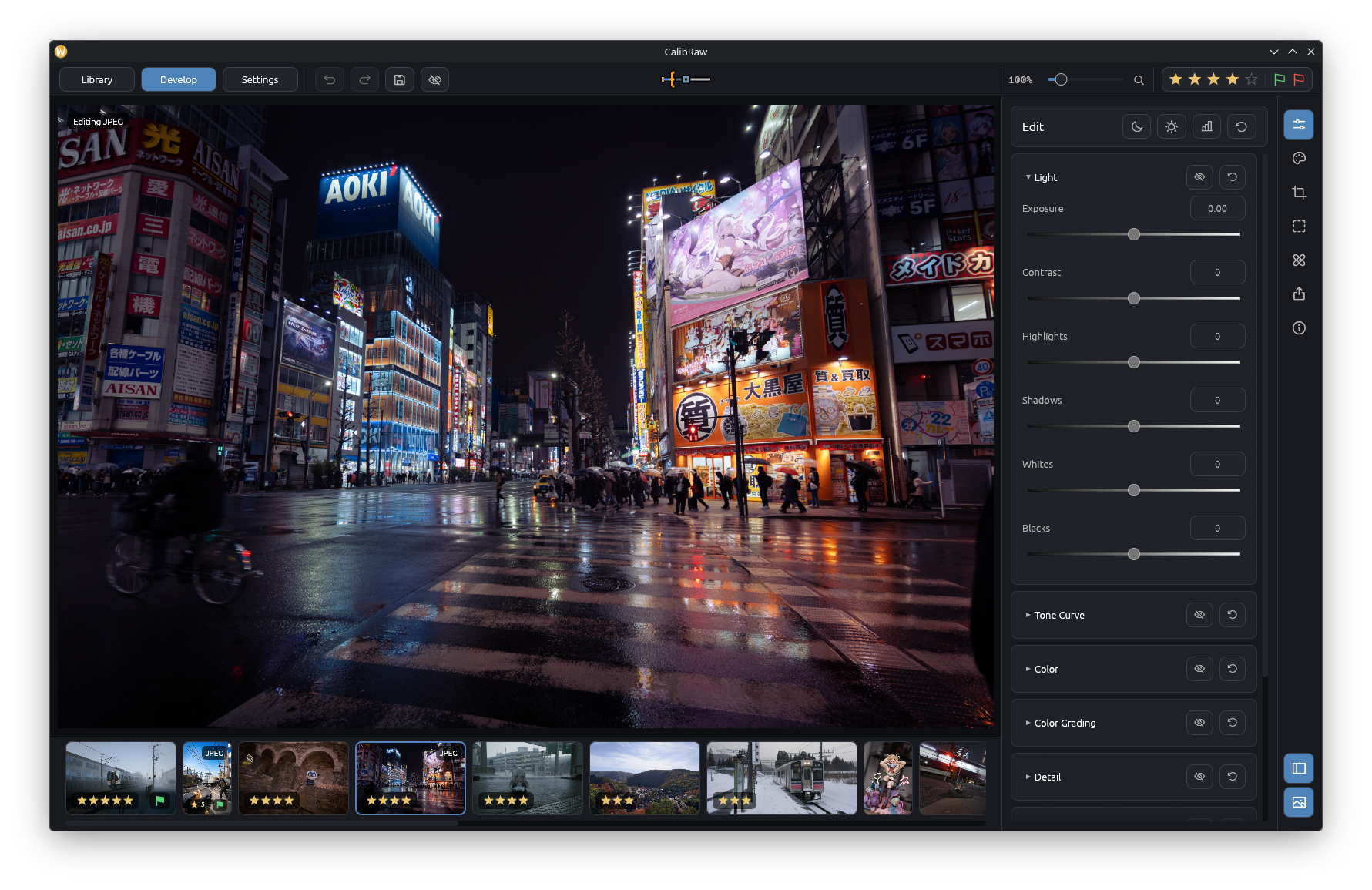
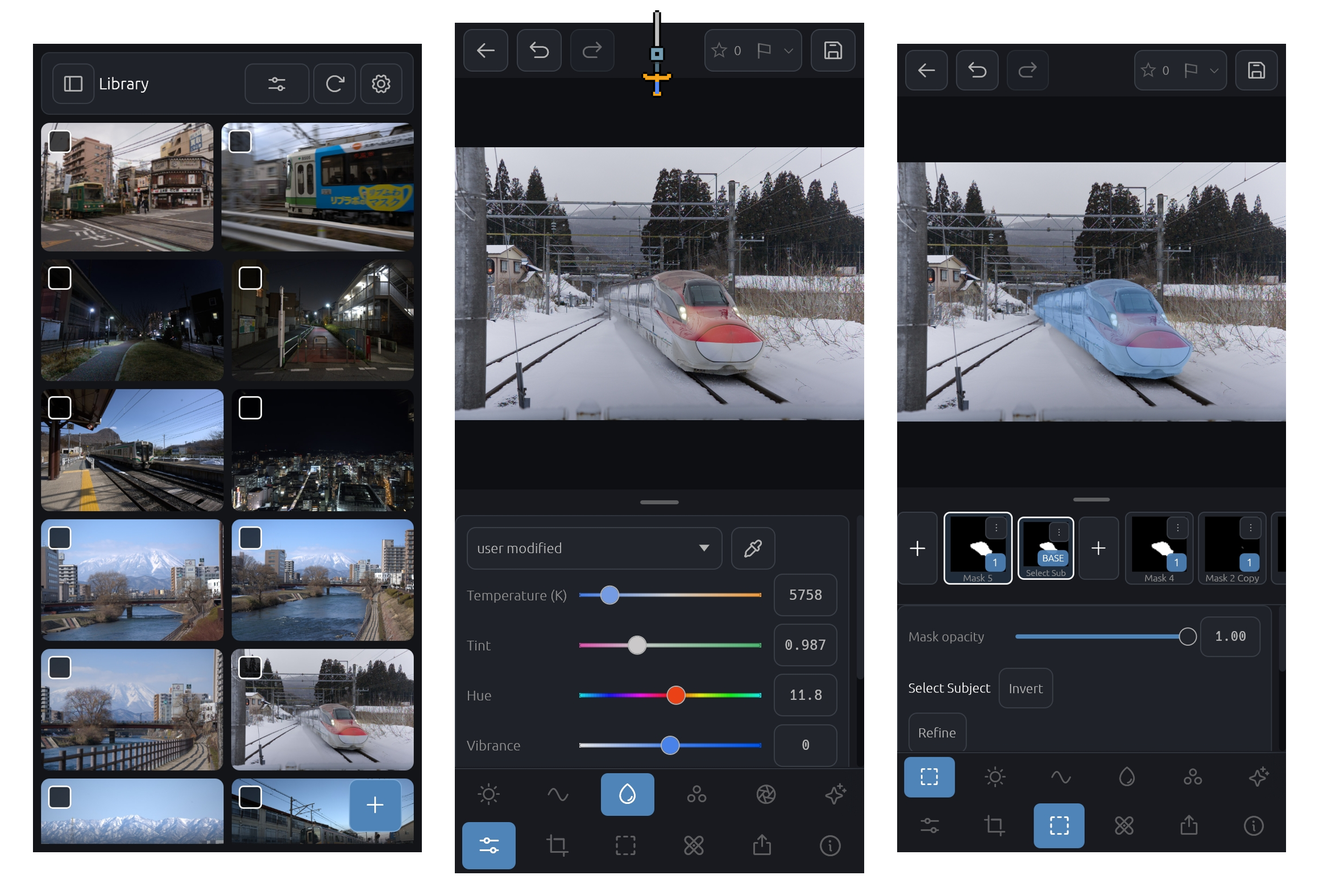
Edit RAW files with sliders, curves, color grading and masks. AI tools can select a subject or the sky, remove objects and denoise high-ISO photos. Everything runs on your device, without an account or subscription.
Download
AI models are downloaded once, on first use and only after you agree; they are verified by SHA-256 and then run offline.
Graphics requirements
CalibRaw processes photos on the GPU through Vulkan, Direct3D 12 or Metal. OpenGL is not supported: a GPU whose only driver is OpenGL cannot be used, and CalibRaw shows an "Unsupported graphics driver" notice instead of the editor.
| Platform |
Needs |
| Linux |
A Vulkan driver. GPUs without one (for example Intel Haswell, whose Mesa Vulkan driver hasvk is not conformant and hidden) can run on the CPU with Mesa's software driver lavapipe (mesa-vulkan-drivers or vulkan-swrast), which is slow. |
| Android |
A Vulkan-capable GPU and driver. |
| Windows |
Direct3D 12 or Vulkan. Without either, Windows' software renderer (WARP) is used. |
| macOS |
Metal. |
Set WGPU_BACKEND (for example vulkan) to choose the graphics API yourself.
Why CalibRaw
- Photo-development controls: Light, Tone Curve, Color, Color Mixer, Color Grading, Detail, Optics, Effects and Masks panels, with a scene-referred pipeline, Sigmoid tone mapping and highlight recovery.
- Offline AI: Subject, sky, depth and click-to-select object masks, AI Remove (Big-LaMa) that blends its fill into your photo's grain, and RawNIND denoise for Bayer and X-Trans RAWs.
- Native interface and GPU processing: Written in Rust with
wgpu, WGSL compute shaders and an egui interface.
- Android support: The Android app uses the same engine and
.calibraw sidecars as the desktop app, with layouts for touch controls.
- Broad camera support: Opens RAW files supported by LibRaw and Rawler, covering a wide range of camera makers and models; see the linked support lists below.
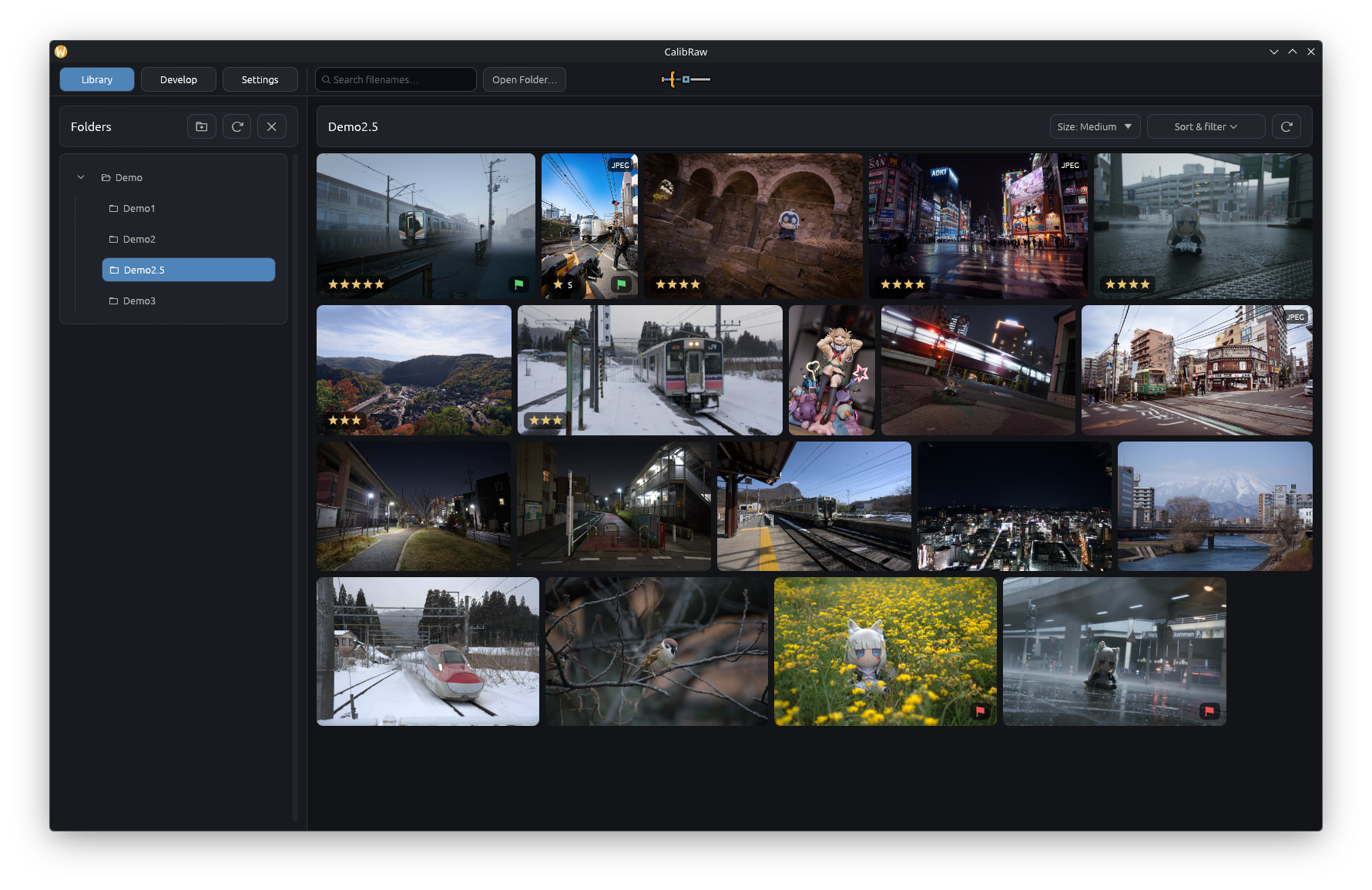
- Fast library browsing: Generates proxy-based previews and caches thumbnails and display metadata for quicker browsing.
- Library organization: Filter photos by rating and pick/reject flags, and sort by file modification date, filename, file size, rating or flag.
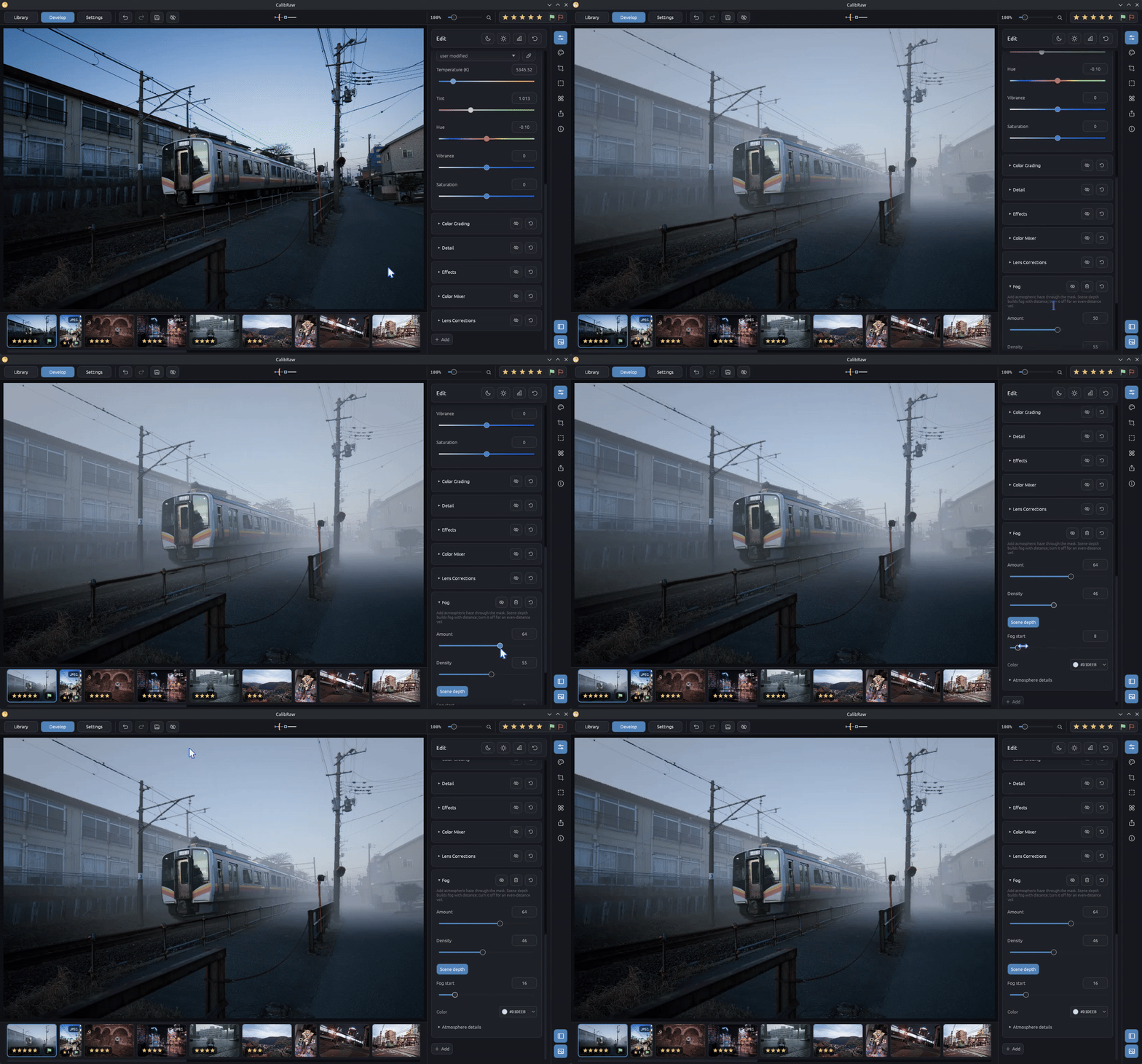
- Effects with masks: Apply depth-based fog, rain and relighting, wet surfaces with puddles and reflections, smoke, light rays, glow, halation, edge glow, neon and lens, motion, radial or tilt-shift blur to the whole photo or inside a mask.
- Edit Replay: Export a 30 FPS MP4 showing your edit step by step for Reels, Shorts or before/after posts.
Key Features
- Rust & GPU Compute: Built with
egui and wgpu, with compute shaders for image processing.
- Color Grading & Point Color: Sample colors directly with an eyedropper, fine-tune custom Hue, Saturation, and Luminance ranges, and preview affected areas with a live selection mask.
- Demosaicing: Shader-based Bayer RCD, Fujifilm X-Trans (Markesteijn 3-pass), and Dual Demosaicing to reduce noise and artifacts in high-ISO images.
- Sigmoid Tone Mapping: Smooth highlight roll-off inspired by modern scene-referred color workflows, paired with Opposed and LCh highlight recovery.
- Local AI Tools (Offline): Subject, sky, depth and object masks, AI Denoise, and AI Remove.
- Android App: An ARM64 NDK build with 16 KB memory page support, touch layouts, and MediaStore exporting.
- Non-Destructive Edits: All sliders, curves, and masks are saved to lightweight
.calibraw JSON sidecar files.
- Presets: Save any combination of adjustment groups, masks and profile choices as a named preset, apply it in Develop or to a whole Library selection, and share it as a
.calibraw-preset file. Imported .xmp presets stay as their source, so unsupported settings are kept for later versions; their tone curves, Point Color, lens corrections and Subject, Background, Sky, gradient and luminance-range masks are translated on load.
- LUTs: Import
.cube 3D LUTs and apply one per photo with an Amount slider. Batch exports can apply a preset and a LUT to every photo without changing their edits.
- Tiled Export & CLI: Exports large RAW files in tiles to avoid GPU memory limits, plus a command-line tool for batch rendering.
- JPEG XL Export: Exports lossless
.jxl images at 8-bit or 16-bit precision, including EXIF metadata when enabled.
- Edit Replay: Export a short 30 FPS MP4 that replays the current edit by category.
Color & Tone
- Point Color: Sample a color in global or mask HSL controls, refine its Hue/Saturation/Luminance span, preview the selected range, and apply targeted shifts.
- 8-Band Color Mixer: Adjust Hue, Saturation, and Luminance across 8 individual color bands.
- 3-Way Color Grading: Dedicated Shadows, Midtones, Highlights, and Global color wheels mapped through Oklab color space.
- Tone Curves: Luminance curve and individual Red, Green, and Blue splines with monotonic limits.
- Sigmoid Tone Mapping: Provides smooth, film-like highlight compression without harsh clipping.
Demosaicing & Corrections
- Bayer RCD: Directional interpolation for standard Bayer sensors.
- Fujifilm X-Trans: Directional derivative and homogeneity demarcation pipeline for Fuji sensors.
- Dual Demosaicing: Blends edge-preserving and smoothed passes to suppress chroma noise at high ISOs.
- Automatic Lens Correction: Matches available camera and lens profiles through Lensfun and can automatically correct distortion, chromatic aberration and vignetting.
- Chromatic Aberration Removal: Works with any lens, profiled or not. Measures how far red and blue sit from green across the frame and moves them back into place, then removes the purple, blue and green fringes that remain along high-contrast edges.
- HDR Merge: Combine multiple bracketed RAW exposures into one extended-range image.
- Focus Stacking: Combine RAW frames focused at different distances into one image that is sharp throughout.
Masking & AI
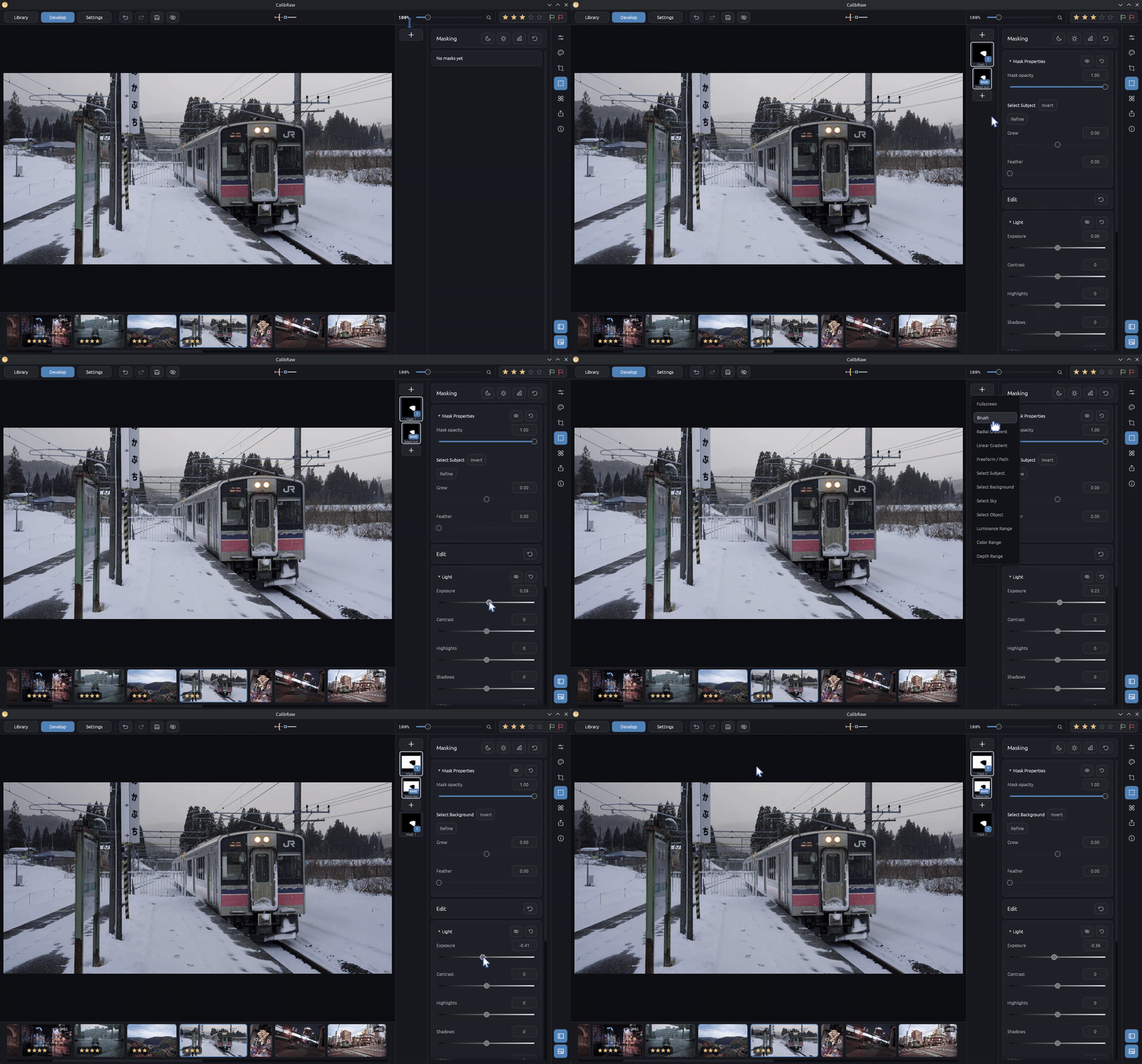
- Masks: Brush, Linear Gradient, Radial Gradient, and Shape masks with independent curves and adjustments.
- AI Masks: Subject and background (BiRefNet), sky (SkySeg U2Net), depth range (experimental; Depth Anything V2), click-to-select objects (SAM 2.1), and people with their face, skin, hair, clothes, lips, teeth or glasses on desktop (RF-DETR-Seg and Sapiens2, with BiRefNet outlines at High quality).
- AI Remove: Big-LaMa fills removed objects at native resolution where possible and restores the photo's own grain around the fill.
- Clone & Heal: Classic retouching brushes with aligned, fixed and registered source modes.
- AI Denoise: RawNIND denoises Bayer RAWs while demosaicing them and X-Trans RAWs in linear RGB.
- Privacy: Every model runs on your device. Models are downloaded only after you agree, and verified by SHA-256.
Creative Effects
Apply effects to the whole photo or stack them on a local mask. The Effects card adds Glow, Halation, Grain and Vignette in one click; every effect is in the Add menu. Each card keeps its main controls visible, with optional details collapsed. Hide a card to compare, reset its settings, or remove it independently. While their card is open, Relight, Light Rays, Radial Blur, Tilt-Shift and Vignette also show controls on the photo: drag a light or center into place, and rotate or widen the Tilt-Shift focus band directly.
- Blur & Movement: Soften distractions with Blur, shape bokeh with Lens Blur, add directional trails with Motion Blur, zoom or spin with Radial Blur, or keep a band in focus with Tilt Shift. Feather the mask for a smooth transition.
- Glow & Light Rays: Glow spreads colored light from bright pixels selected by the mask; turn on Self-illuminating to let the mask itself emit light. Light Rays uses the mask to shape light shafts. Both can spread beyond the selection. Drag position pads to place a center or source; Precise position also lets you place a ray source beyond the image.
- Relight: Add a light that shapes the scene in depth. Drag the light on the photo (or use the same position pad as Light Rays) and scroll over it to move it in front of or behind the subject, and let nearer objects cast soft shadows. Surfaces facing the light brighten most; Ambient light dims the existing light for a stronger key light. Scene depth is generated automatically.
- Edge Glow & Neon: Trace image contours with colored outlines and halos. Both effects stay inside the mask; Neon's Original image control retains the photo behind the lines.
- Fog & Smoke: Add atmospheric haze or textured plumes. Fog's Scene depth control builds haze with distance; turn it off for an even-distance veil. Light glow makes both glow around Relight and Light Rays lights; Image lights adds the photo's own lamps, signs and lit windows in their colours.
- Rain: Add falling rain, its mist and the splashes it throws up on the ground. Streaks take their length from the photo's shutter speed and their softness from its lens, so they blur with whatever lies at their distance. Drops pass behind nearer objects using scene depth and take their light from their surroundings, so they show light against dark areas and dark against a bright sky. Streaks catch Relight, Light Rays and the photo's own lamps, and straightening the photo keeps them falling the same way.
- Wet Surfaces: Darken surfaces as water does and let the ground reflect the photo, with puddles that gather in the ground's low places, stop at kerbs, break up on its texture and blur with the lens. The ground is found in scene depth, so reflections meet what stands on it. Relight and Light Rays add highlights, and a Rain effect ripples the puddles.
- Grain: Add photographic texture with adjustable size, roughness, color, and seed. Use a local mask for selective grain or Fullscreen for a film finish.
- Halation: Add warm halos around bright highlights, with radius, highlight threshold, and warmth controls. The halo appears only inside the mask, including light from nearby highlights outside it.
- Vignette: Darken edges with negative amounts or brighten them with positive amounts. Adjust the falloff, shape, center, and highlight protection. Its center follows the cropped, rotated frame; the other position pads use the full image.
- Pixelate: Turn selected areas into a mosaic with adjustable block size.
FAQ
How is CalibRaw different from darktable or RapidRAW?
All three are free. darktable offers detailed module-level control and a mature
color pipeline. RapidRAW's editing workflow inspired CalibRaw.
CalibRaw uses a native interface and GPU processing, with the same engine on desktop
and Android. It includes offline AI, creative effects such as depth-aware fog and
light rays, and Edit Replay videos.
Does any of my data leave my device?
No. Editing, AI masks, AI Remove and AI Denoise all run locally. CalibRaw only goes online to
download AI models or the ONNX Runtime, and only after you agree.
Where does CalibRaw get the DCP profiles?
On start, CalibRaw tries to automatically detect DCP files on your machine (windows, macOS only).
Which cameras and files are supported?
Anything LibRaw or Rawler supports, as well as JPEG, PNG, HEIC and TIFF; see Supported Formats.
RAW
CalibRaw uses LibRaw (master at 830ac96) for broad camera compatibility, paired with Rawler (0.8.0) for DNG and JPEG-XL DNG streams. When LibRaw cannot open a camera RAW (for example a camera newer than its colour tables), CalibRaw retries it with Rawler. Together, they support RAW files from a wide range of camera models; check their maintained lists for specific compatibility.
Supported cameras: LibRaw and Rawler (maintained by the dnglab project). Supported file extensions:
.3fr   .ari   .arw   .bay   .bmq   .cap   .cine  .cr2   .cr3   .crw
.cs1   .dc2   .dcr   .dcs   .dng   .drf   .eip   .erf   .fff   .gpr
.iiq   .k25   .kc2   .kdc   .mdc   .mef   .mos   .mrw   .nef   .nefx
.nrw   .obm   .orf   .pef   .ptx   .pxn   .qtk   .raf   .raw   .rdc
.rw2   .rwl   .rwz   .sr2   .srf   .srw   .sti
Rendered images
JPEG, PNG, HEIC/HEIF and rendered TIFF files are edited with the same tools. They open looking exactly as captured, with embedded ICC profiles, Display P3, HLG/PQ HDR HEIF and EXIF orientation honored:
.jpg .jpeg .jpe .png .heic .heif .hif .tif .tiff
When a camera saves RAW+JPEG (or RAW+HEIC), the Library shows each pair once, as the RAW. Turn this off under Sort & filter → RAW + JPEG.
Architecture
CalibRaw is structured as a modular Rust workspace:
CalibRaw/
├── crates/
│   ├── calibraw-core/  # Color transforms, decoders (LibRaw/Rawler), metadata, sidecars
│   ├── calibraw-gpu/   # wgpu pipelines, WGSL compute shaders, tiled renderer
│   ├── calibraw-ai/    # ONNX Runtime models (BiRefNet, SAM 2.1, LaMa, RawNIND)
│   ├── calibraw-ui/    # egui/eframe interface for desktop and touch
│   ├── calibraw-cli/   # Headless batch export CLI tool
│   └── calibraw-ffi/   # Android JNI and NativeActivity bridge
└── android/            # Android Gradle packaging
The reusable UI design library, Moduwu Design,
is fetched automatically by Cargo from a pinned GitHub commit. See
Development for design-library development.
Headless CLI Export
Batch rendering can be run directly from the terminal:
calibraw-develop-export --input photo.ARW --output photo.jxl
Building from Source
Prerequisites
- Rust Toolchain: 1.92.0 or newer
- System Dependencies:
libclang, cmake, pkg-config, and standard C/C++ build tools (for LibRaw and Lensfun)
Desktop (Linux / Windows / macOS)
Cargo automatically downloads Moduwu Design from GitHub; no separate checkout
is required.
git clone https://github.com/Duecki1/CalibRaw.git
cd CalibRaw
cargo run -p calibraw-ui --bin calibraw --release
For Linux sandbox builds, see the local Flatpak workflow
for setup, debugging, installation, validation, and unpublished release staging.
Android (APK)
rustup target add aarch64-linux-android
cargo install cargo-ndk --version 4.1.2 --locked
./gradlew assembleDebug
Acknowledgments
CalibRaw's shaders and tools draw on work from these projects:
- darktable: Bayer RCD, X-Trans Markesteijn, Opposed highlight recovery, and Sigmoid tone mapping logic.
- GIMP & Ansel: Laplace inpainting foundations and color normalization references.
- LibRaw, Rawler, & Lensfun: RAW decoding, DNG metadata extraction, and lens profile databases.
- RapidRAW: Interface and workflow layout inspiration.
- halation-dctl: Blur and frequency-separation approach behind the Halation effect.
See Third-Party Notices for complete licensing, attributions, and model sources.
License
CalibRaw is free software licensed under the GNU General Public License v3.0 or later (GPL-3.0-or-later).






 A free, open-source RAW photo editor for Linux, Android, Windows and macOS, with sliders, curves, colour grading, masks and local AI tools that run on your device.