









18.1K ·GitHub
What is this?
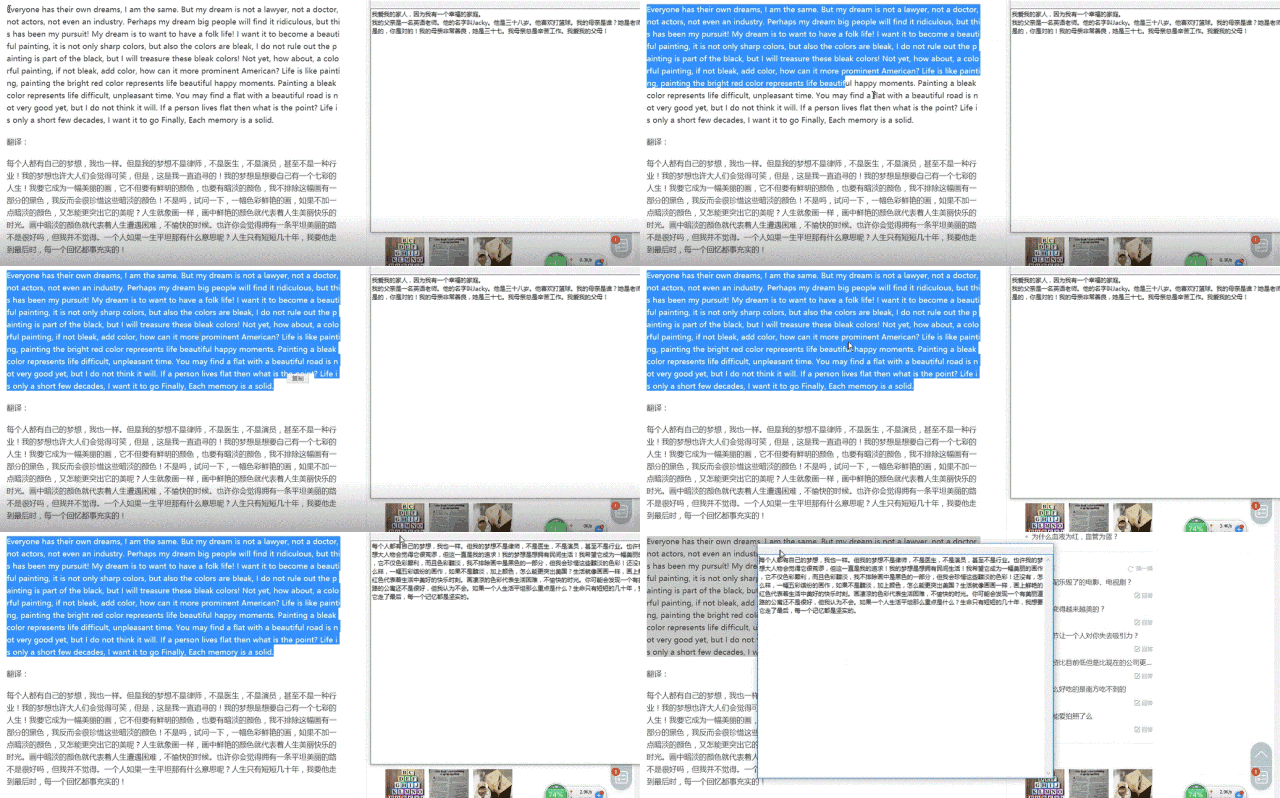
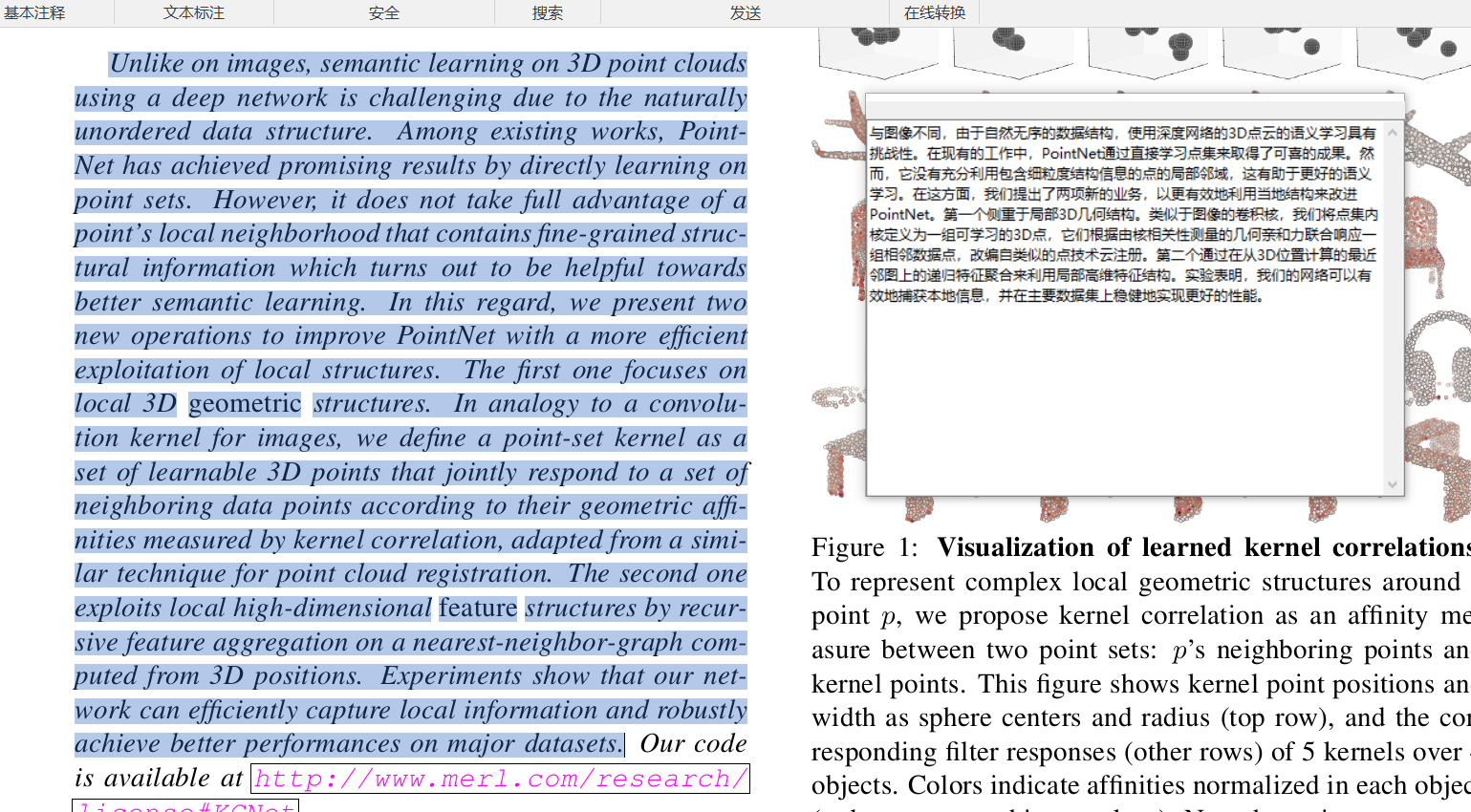
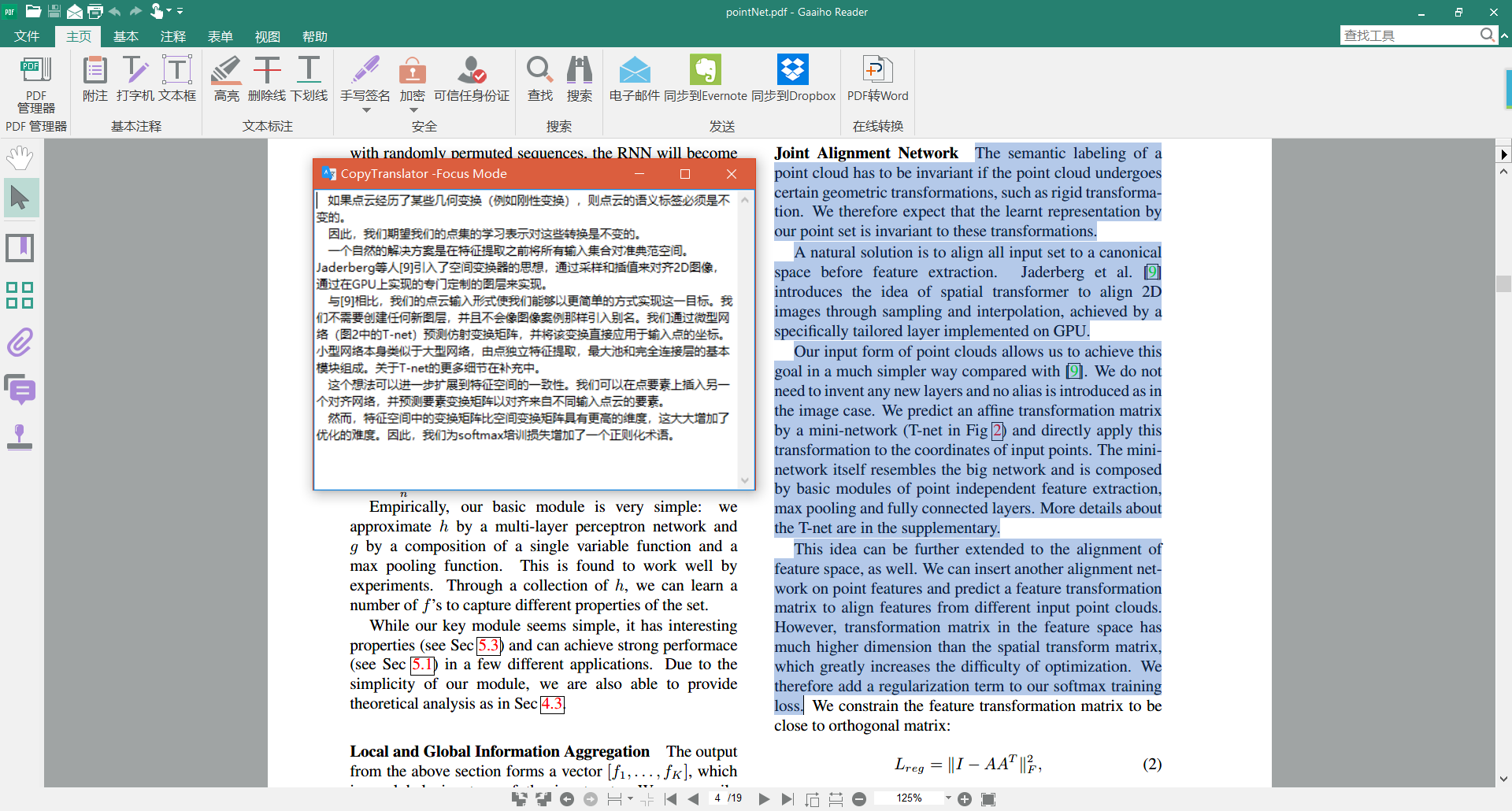
 A desktop assistant for reading foreign-language text: copy any text, e.g. from a PDF, and CopyTranslator watches the clipboard, cleans the text up and immediately shows the translation.
A desktop assistant for reading foreign-language text: copy any text, e.g. from a PDF, and CopyTranslator watches the clipboard, cleans the text up and immediately shows the translation.Is it a website, or a program I install on my computer?It is a desktop program you install, built on Electron and Vue — it runs on Windows, macOS and Linux and listens to the clipboard in the background.
It is a desktop program you install, built on Electron and Vue — it runs on Windows, macOS and Linux and listens to the clipboard in the background.How do I get it onto my machine?Download a ready installer for your OS via the Install Guide linked in the README; regular users do not need to build anything — the source uses vue-cli-service with electron-builder.
Download a ready installer for your OS via the Install Guide linked in the README; regular users do not need to build anything — the source uses vue-cli-service with electron-builder.Does the AI translation in v12 need an API key or a paid plan?Not necessarily: a built-in StepFun engine with the free step-3.5-flash model works out of the box. OpenAI, DeepSeek, Moonshot, Zhipu AI, Alibaba Cloud Bailian and Ollama can be added and managed in the settings UI.
Not necessarily: a built-in StepFun engine with the free step-3.5-flash model works out of the box. OpenAI, DeepSeek, Moonshot, Zhipu AI, Alibaba Cloud Bailian and Ollama can be added and managed in the settings UI.What does it actually fix about copying text out of PDFs?Pasting PDF text into web translators garbles it with extra line breaks; CopyTranslator is optimized for English and Chinese PDF line breaks and sentence endings, so translations come out clean.
Pasting PDF text into web translators garbles it with extra line breaks; CopyTranslator is optimized for English and Chinese PDF line breaks and sentence endings, so translations come out clean.Which languages can it translate?Whatever Google Translate supports. Smart Translation also auto-detects direction between your set source and target languages — copy English and you get Chinese, copy Chinese and you get English.
Whatever Google Translate supports. Smart Translation also auto-detects direction between your set source and target languages — copy English and you get Chinese, copy Chinese and you get English.Does it need an internet connection, and are there other catches?It leans on online translation resources from the internet and is meant for academic usage; classic engines need a connection, though v12 can also translate with local models via Ollama.
It leans on online translation resources from the internet and is meant for academic usage; classic engines need a connection, though v12 can also translate with local models via Ollama.Is it really free, and what can I do with the code?Free and open source under GPL-2.0 — the author even asks users to report anyone selling copies. Being copyleft, derivative works must stay open under the same license.
Free and open source under GPL-2.0 — the author even asks users to report anyone selling copies. Being copyleft, derivative works must stay open under the same license.What is the difference between Focus mode and Contrast mode?Contrast mode shows the original text against the translation; Focus mode is just a small translation-only window that covers 90% of daily translation — with it, enable Stay on top and Listen Clipboard.
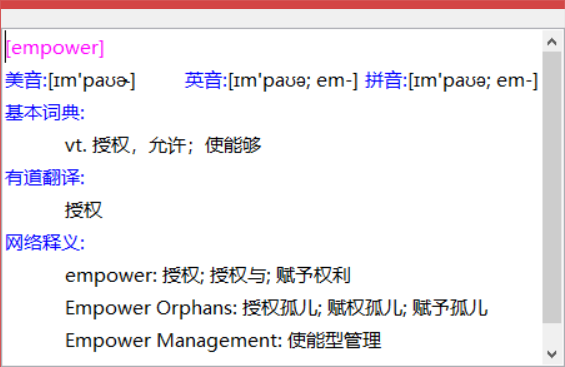
Contrast mode shows the original text against the translation; Focus mode is just a small translation-only window that covers 90% of daily translation — with it, enable Stay on top and Listen Clipboard.Does it double as a dictionary for single words?Yes — Smart Dictionary shows more detailed explanations when you copy a word or phrase, displayed only in Focus mode with colored text so entries are easy to tell apart.
Yes — Smart Dictionary shows more detailed explanations when you copy a word or phrase, displayed only in Focus mode with colored text so entries are easy to tell apart.What is Incremental Copy for?It appends each newly copied fragment to the source text instead of replacing it, so you can translate a paragraph that is split across several PDF pages in one go.
It appends each newly copied fragment to the source text instead of replacing it, so you can translate a paragraph that is split across several PDF pages in one go.Can I customize how it looks and behaves?Yes — interface style, font and background are customizable, the global hotkey can be redefined, and you can create or download locale files for the interface language.
Yes — interface style, font and background are customizable, the global hotkey can be redefined, and you can create or download locale files for the interface language.What are similar projects?PDFMathTranslate, easyread, pot-desktop, FluentRead, zotero-pdf-translate, msime-windows, Index-Translate, gpt_academic
PDFMathTranslate, easyread, pot-desktop, FluentRead, zotero-pdf-translate, msime-windows, Index-Translate, gpt_academicWhich topics is it in?translate, machine-translation, dictionary, gplv2, academic, translation, openai-compatible, electron, pdf, vue, productivity, research
translate, machine-translation, dictionary, gplv2, academic, translation, openai-compatible, electron, pdf, vue, productivity, research