


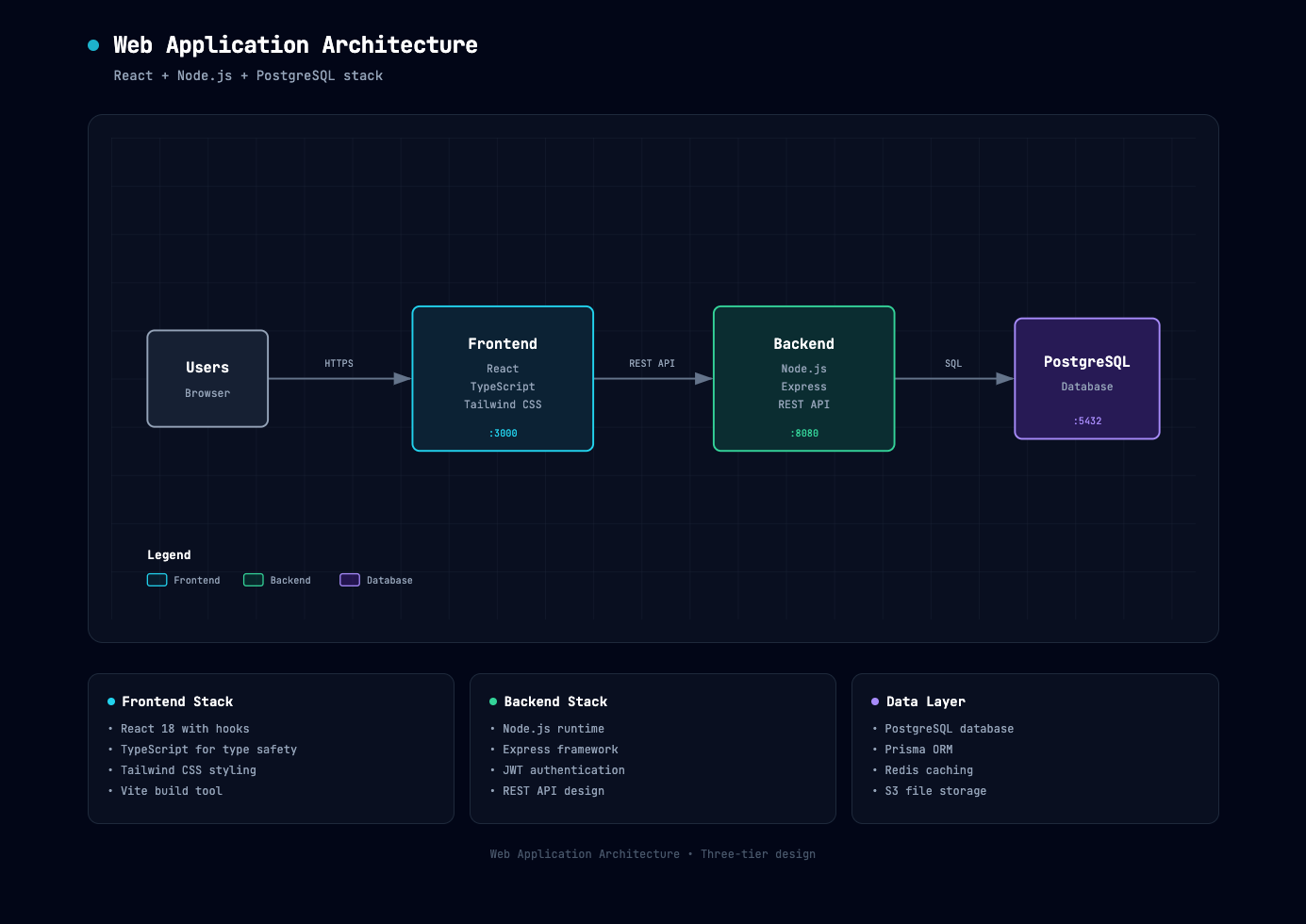
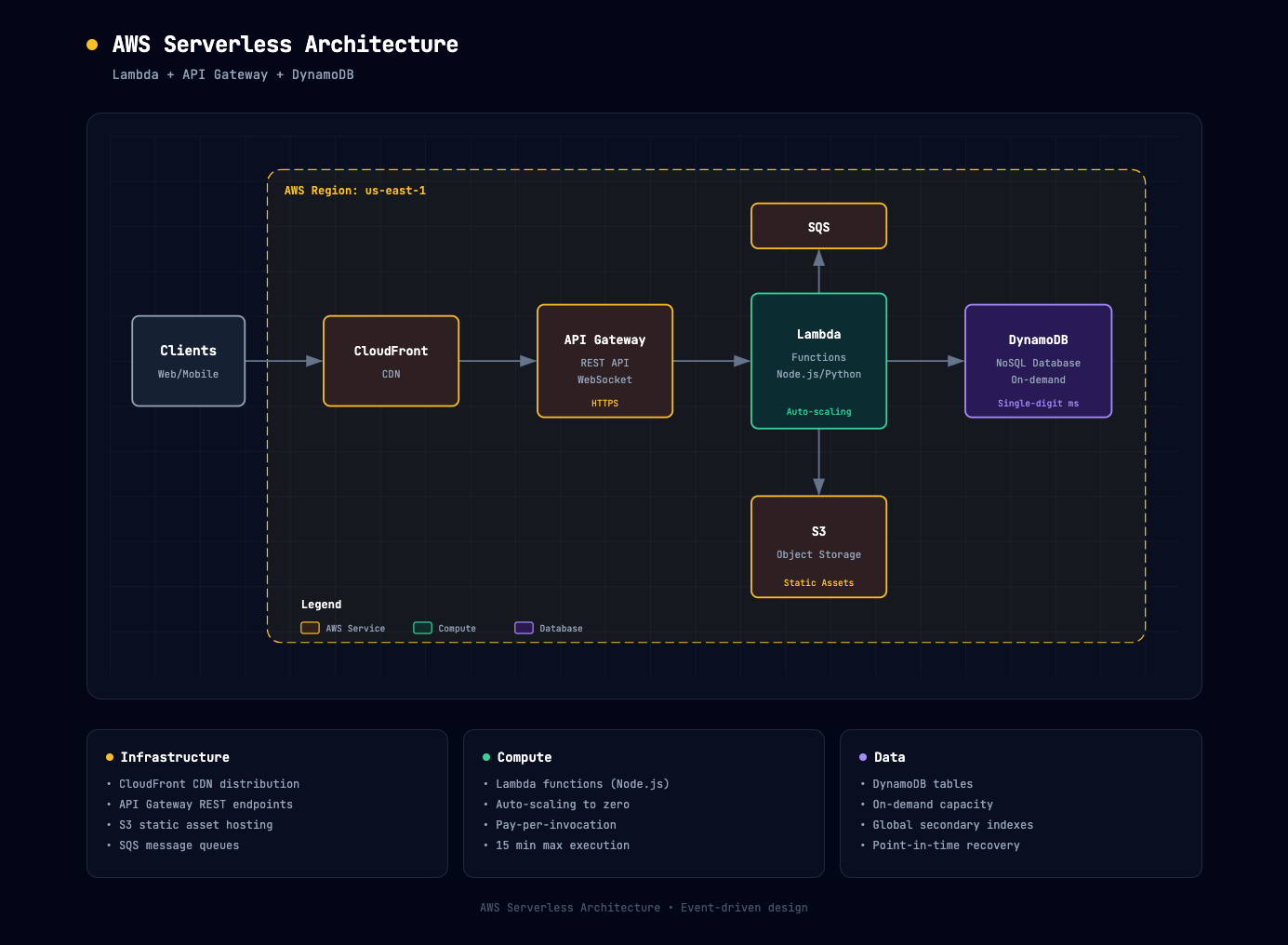
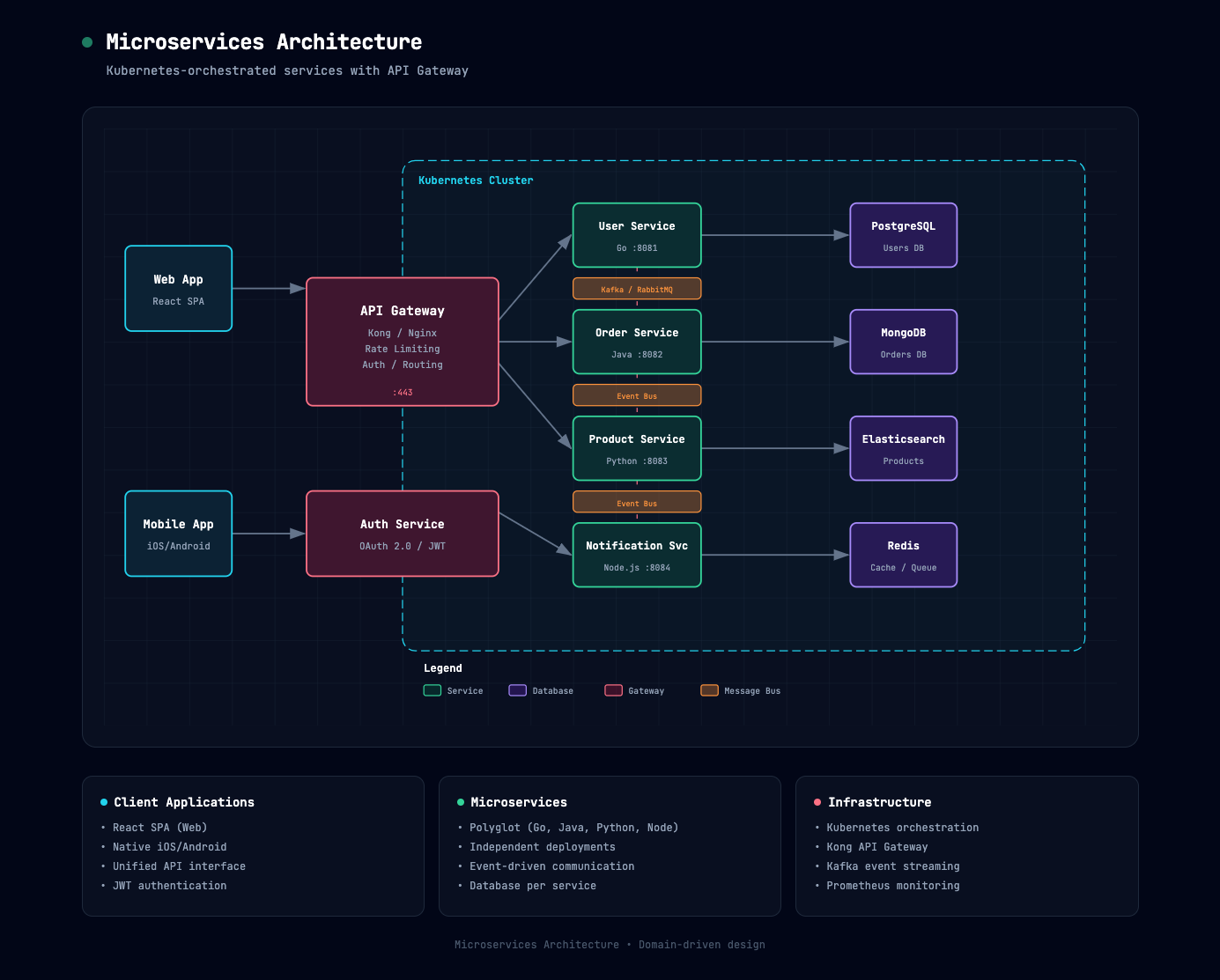
Что это такое?
 Это навык для Claude AI, который превращает описание вашей системы на простом английском в красивую тёмную диаграмму архитектуры, оформленную как самостоятельный HTML/SVG-файл, который можно открыть в любом браузере.
Это навык для Claude AI, который превращает описание вашей системы на простом английском в красивую тёмную диаграмму архитектуры, оформленную как самостоятельный HTML/SVG-файл, который можно открыть в любом браузере.Это отдельное приложение или то, что устанавливается в Claude?Это пакет Claude Skill (zip-файл), который вы загружаете в claude.ai, Claude.ai Projects или Claude Code CLI, а не отдельное приложение.
Это пакет Claude Skill (zip-файл), который вы загружаете в claude.ai, Claude.ai Projects или Claude Code CLI, а не отдельное приложение.Как установить и использовать этот навык?Скачайте architecture-diagram.zip, зайдите в Customize → Skills на claude.ai, создайте/загрузите навык из zip, включите его, затем опишите вашу систему (или вставьте анализ кодовой базы) и попросите Claude сгенерировать диаграмму.
Скачайте architecture-diagram.zip, зайдите в Customize → Skills на claude.ai, создайте/загрузите навык из zip, включите его, затем опишите вашу систему (или вставьте анализ кодовой базы) и попросите Claude сгенерировать диаграмму.Что нужно, чтобы начать им пользоваться?Нужен аккаунт claude.ai на любом тарифе (Free, Pro, Max, Team или Enterprise) с включённой функцией Code Execution в Settings → Capabilities перед загрузкой пользовательских навыков.
Нужен аккаунт claude.ai на любом тарифе (Free, Pro, Max, Team или Enterprise) с включённой функцией Code Execution в Settings → Capabilities перед загрузкой пользовательских навыков.Можно ли отредактировать диаграмму после генерации?Да — вы итерируете целиком через чат, прося Claude добавить компоненты, изменить компоновку, обновить стили или исправить проблемы, и HTML-файл обновляется соответствующим образом; отдельного визуального редактора нет.
Да — вы итерируете целиком через чат, прося Claude добавить компоненты, изменить компоновку, обновить стили или исправить проблемы, и HTML-файл обновляется соответствующим образом; отдельного визуального редактора нет.Как работает цветовое кодирование в сгенерированных диаграммах?Каждый тип компонентов получает фиксированный семантический цвет: циановый для фронтенда, изумрудный для бэкенда, фиолетовый для баз данных/хранилищ, янтарный для облака/AWS, розовый для безопасности и сланцевый для общих внешних систем.
Каждый тип компонентов получает фиксированный семантический цвет: циановый для фронтенда, изумрудный для бэкенда, фиолетовый для баз данных/хранилищ, янтарный для облака/AWS, розовый для безопасности и сланцевый для общих внешних систем.Есть ли связанный навык для процессов вместо архитектуры?Да — сестринский навык process-flow-diagram-generator использует ту же тёмную дизайн-систему, но для пошаговых потоков вроде согласований, ранбуков и конвейеров автоматизации.
Да — сестринский навык process-flow-diagram-generator использует ту же тёмную дизайн-систему, но для пошаговых потоков вроде согласований, ранбуков и конвейеров автоматизации.Какой шрифт и визуальный стиль у результата?Диаграммы используют типографику JetBrains Mono на фоне slate-950 (#020617) с едва заметным узором сетки 40px, а стрелки рисуются первыми, чтобы они чисто отображались позади блоков компонентов.
Диаграммы используют типографику JetBrains Mono на фоне slate-950 (#020617) с едва заметным узором сетки 40px, а стрелки рисуются первыми, чтобы они чисто отображались позади блоков компонентов.What are similar projects?live-panel-skill, system-atlas, drawio-skill, d2, archify, draw-architecture, diagram-design, answer-me-with-html
live-panel-skill, system-atlas, drawio-skill, d2, archify, draw-architecture, diagram-design, answer-me-with-htmlWhich topics is it in?dark-theme, diagramming, architecture-diagram, diagram, claude-skill, no-code, dark-mode, architecture, svg, visualization, claude-skills, skill
dark-theme, diagramming, architecture-diagram, diagram, claude-skill, no-code, dark-mode, architecture, svg, visualization, claude-skills, skill