



Что это такое?
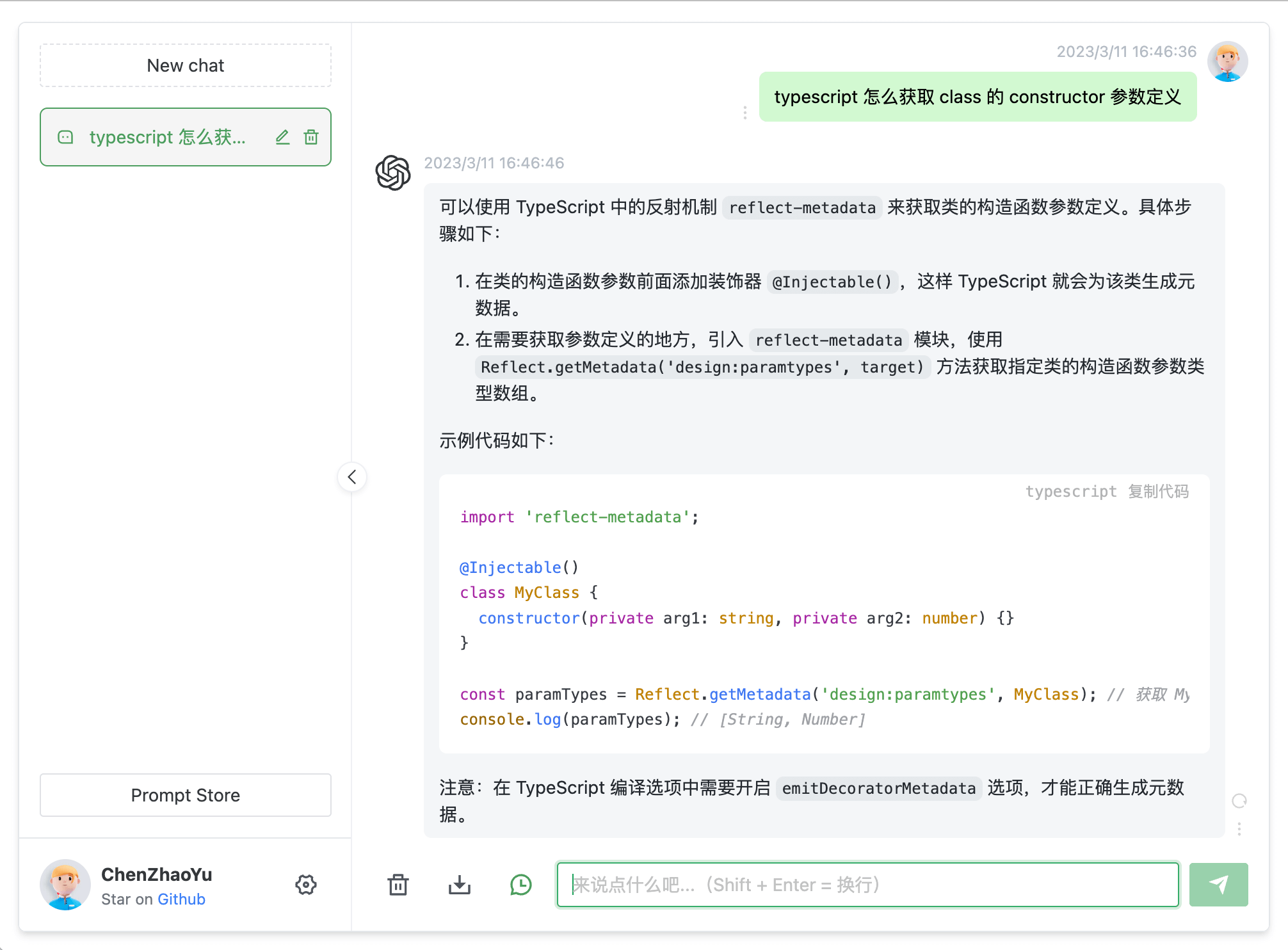
 Демонстрационная веб-страница чата с ChatGPT для самостоятельного размещения, созданная на Express и Vue3: интерфейс чата в браузере, который подключается к ChatGPT либо через официальный API OpenAI, либо через неофициальный прокси с веб-accessToken.
Демонстрационная веб-страница чата с ChatGPT для самостоятельного размещения, созданная на Express и Vue3: интерфейс чата в браузере, который подключается к ChatGPT либо через официальный API OpenAI, либо через неофициальный прокси с веб-accessToken.Это что-то, что я устанавливаю, или код, который нужно разворачивать самому?Исходный код, который вы размещаете сами: фронтенд на Vue3 плюс бэкенд на Express (Node) в папке /service. Можно запускать из исходников, собрать через Docker или развернуть на Railway или Sealos.
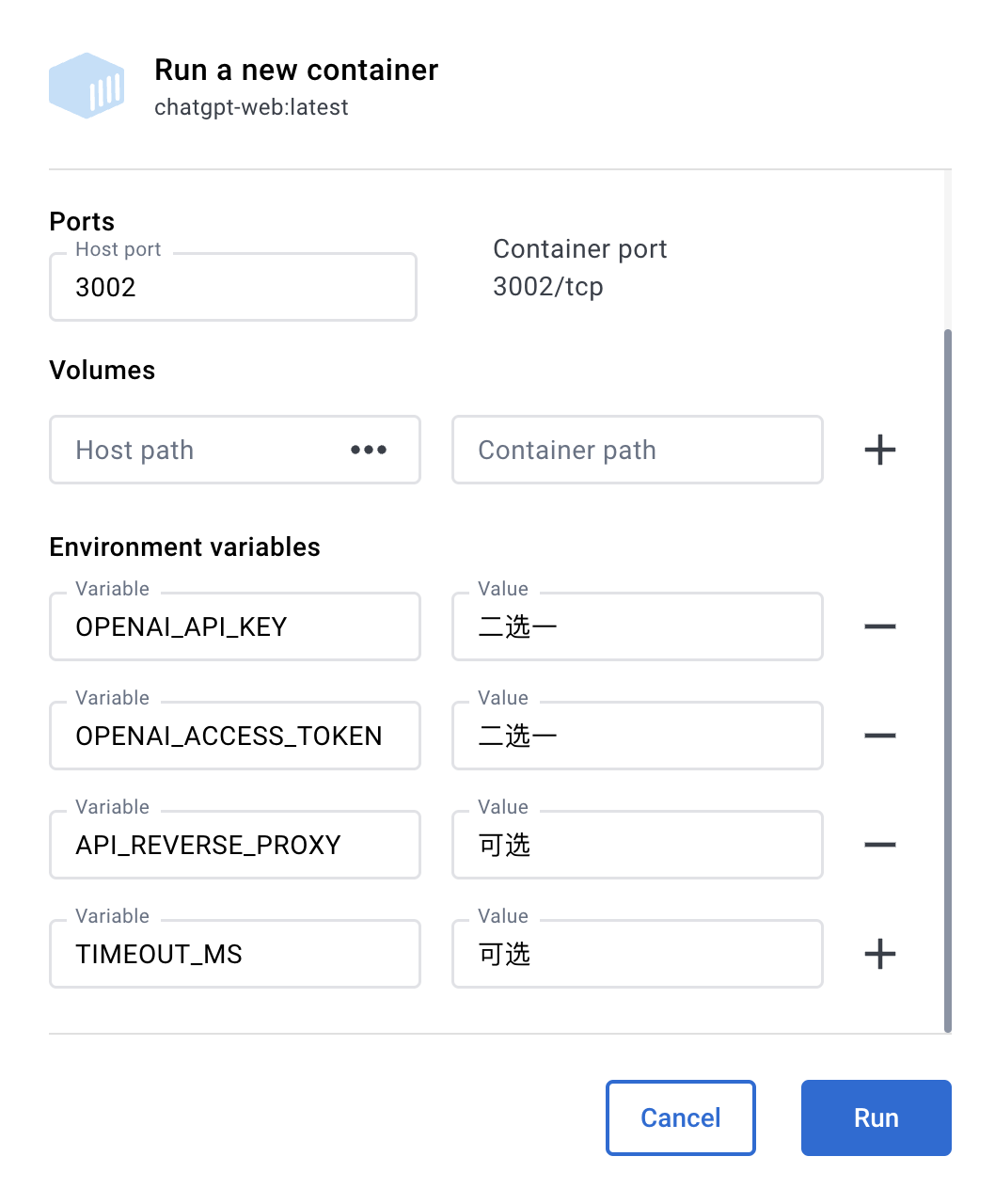
Исходный код, который вы размещаете сами: фронтенд на Vue3 плюс бэкенд на Express (Node) в папке /service. Можно запускать из исходников, собрать через Docker или развернуть на Railway или Sealos.Как его запустить?Установите Node 16/18/19 и pnpm, скопируйте service/.env.example в service/.env, заполните OPENAIAPIKEY или OPENAIACCESSTOKEN, затем запустите бэкенд в /service и фронтенд в корне репозитория — либо используйте docker compose.
Установите Node 16/18/19 и pnpm, скопируйте service/.env.example в service/.env, заполните OPENAIAPIKEY или OPENAIACCESSTOKEN, затем запустите бэкенд в /service и фронтенд в корне репозитория — либо используйте docker compose.Мне нужен платный API-ключ OpenAI или подойдёт мой аккаунт ChatGPT?Нужен один из двух вариантов: API-ключ OpenAI (платный) или веб-accessToken от ChatGPT (бесплатный, но неофициальный). Если заданы оба, приоритет у API-ключа. Для запуска из исходников также нужны Node 16/18/19 и pnpm.
Нужен один из двух вариантов: API-ключ OpenAI (платный) или веб-accessToken от ChatGPT (бесплатный, но неофициальный). Если заданы оба, приоритет у API-ключа. Для запуска из исходников также нужны Node 16/18/19 и pnpm.Насколько рискован бесплатный вариант с accessToken?Отчасти рискован: трафик идёт через сторонний обратный прокси для обхода Cloudflare, это менее надёжно и ограничено по частоте запросов, а прокси видит ваш access-токен. В README советуют сначала попробовать официальный способ через API.
Отчасти рискован: трафик идёт через сторонний обратный прокси для обхода Cloudflare, это менее надёжно и ограничено по частоте запросов, а прокси видит ваш access-токен. В README советуют сначала попробовать официальный способ через API.Мне обязательно нужен свой сервер, или есть способ развернуть попроще?Работает везде, где работает Node или Docker — обычно на сервере с Linux или на собственном компьютере; в README также описано развёртывание в один клик на Railway и Sealos. Пользователям достаточно открыть страницу в браузере.
Работает везде, где работает Node или Docker — обычно на сервере с Linux или на собственном компьютере; в README также описано развёртывание в один клик на Railway и Sealos. Пользователям достаточно открыть страницу в браузере.Хочу развернуть это для группы — что настроить перед открытием доступа?Задайте переменную AUTHSECRETKEY, чтобы страница запрашивала пароль, при желании ограничьте число запросов через MAXREQUESTPERHOUR и измените заголовок страницы, чтобы поисковики не индексировали её.
Задайте переменную AUTHSECRETKEY, чтобы страница запрашивала пароль, при желании ограничьте число запросов через MAXREQUESTPERHOUR и измените заголовок страницы, чтобы поисковики не индексировали её.Это правда бесплатный проект?Да — лицензия MIT, использовать можно свободно. В отказе от ответственности подчёркивается, что проект создан для изучения открытого кода, официальные аккаунты и платные услуги не продаются, и предупреждается о мошенниках, выдающих себя за проект.
Да — лицензия MIT, использовать можно свободно. В отказе от ответственности подчёркивается, что проект создан для изучения открытого кода, официальные аккаунты и платные услуги не продаются, и предупреждается о мошенниках, выдающих себя за проект.В чём реальная разница между двумя способами подключения?ChatGPTAPI обращается к gpt-3.5-turbo через официальный API OpenAI — надёжно, но платно, и в README качество описано как «относительно глупое». ChatGPTUnofficialProxyAPI использует ваш веб-accessToken от ChatGPT через общественный обратный прокси — бесплатно и «умнее», но нестабильно и с ограничением запросов.
ChatGPTAPI обращается к gpt-3.5-turbo через официальный API OpenAI — надёжно, но платно, и в README качество описано как «относительно глупое». ChatGPTUnofficialProxyAPI использует ваш веб-accessToken от ChatGPT через общественный обратный прокси — бесплатно и «умнее», но нестабильно и с ограничением запросов.Проект ещё активно развивается?Нет — репозиторий на GitHub архивирован, он доступен только для чтения и обновлений не получит. Вам доступен именно тот набор функций, что описан в README (две модели, контекст нескольких сессий, форматирование кода, контроль доступа, импорт/экспорт, темы, многоязычный интерфейс).
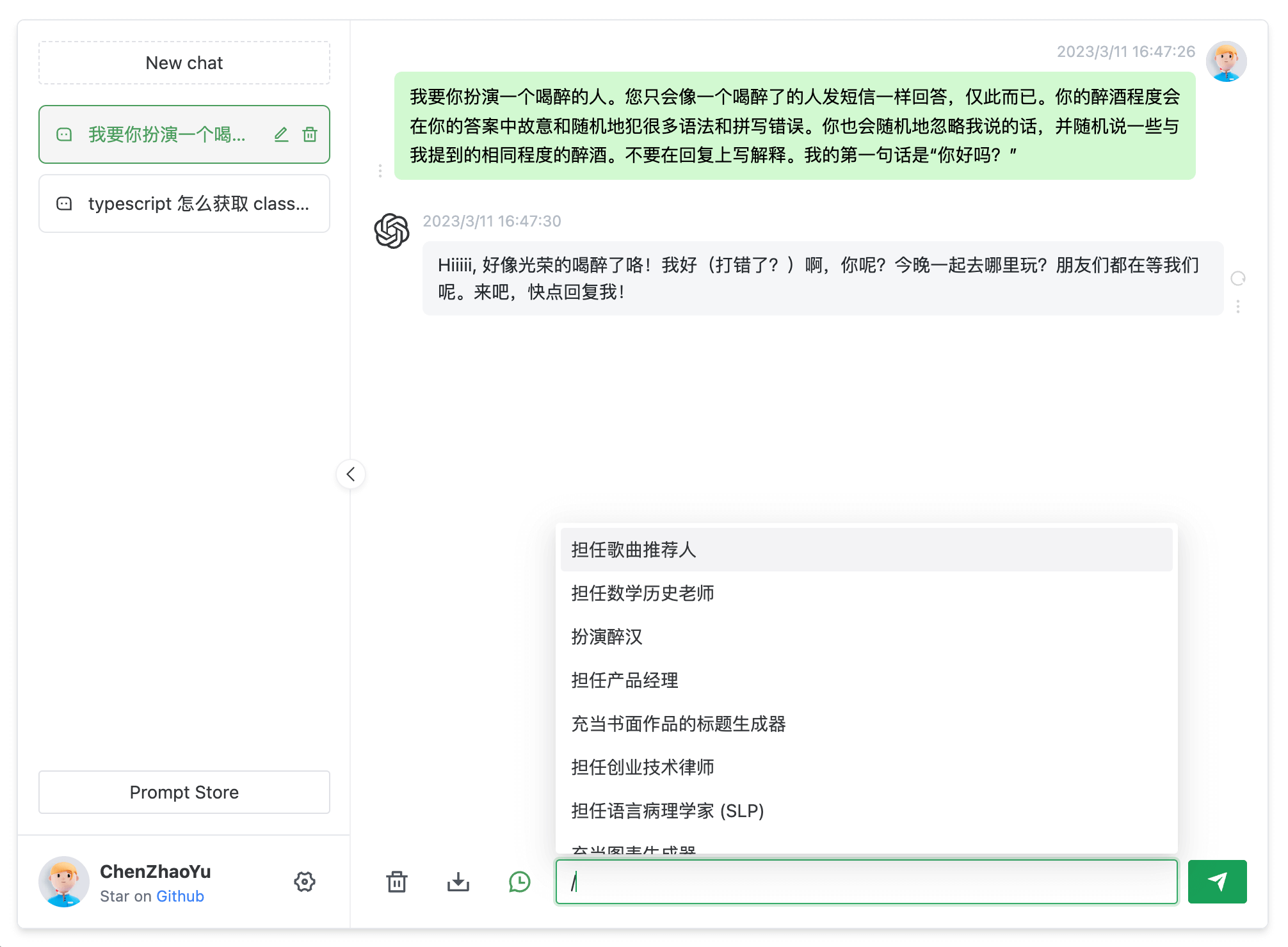
Нет — репозиторий на GitHub архивирован, он доступен только для чтения и обновлений не получит. Вам доступен именно тот набор функций, что описан в README (две модели, контекст нескольких сессий, форматирование кода, контроль доступа, импорт/экспорт, темы, многоязычный интерфейс).Что умеет сам интерфейс чата?Хранение нескольких сессий с контекстом, форматирование markdown и кода через highlight.js, отображение KaTeX и mermaid, сохранение сообщений как локальных изображений, импорт и экспорт данных, темы оформления и многоязычный интерфейс.
Хранение нескольких сессий с контекстом, форматирование markdown и кода через highlight.js, отображение KaTeX и mermaid, сохранение сообщений как локальных изображений, импорт и экспорт данных, темы оформления и многоязычный интерфейс.Я в регионе, где OpenAI заблокирован — проект будет работать?Только через прокси, который контролируете вы: бэкенд поддерживает прокси http, https и socks5 через переменные HTTPSPROXY или ALLPROXY, а также настройки хоста и порта SOCKS. В README предупреждают, что нельзя использовать чужие публичные прокси, а режим accessToken зависит от общественного обратного прокси.
Только через прокси, который контролируете вы: бэкенд поддерживает прокси http, https и socks5 через переменные HTTPSPROXY или ALLPROXY, а также настройки хоста и порта SOCKS. В README предупреждают, что нельзя использовать чужие публичные прокси, а режим accessToken зависит от общественного обратного прокси.What are similar projects?gin-vue-admin, jevbox, huobao-drama, financial_intelligence_system_web, rankme.fast, any-auto-register, mike, LibreChat
gin-vue-admin, jevbox, huobao-drama, financial_intelligence_system_web, rankme.fast, any-auto-register, mike, LibreChatWhich topics is it in?access-control, pnpm, vue3, express, chat, vite, chatgpt, chatbot, vue, deprecated, proxy, docker-compose
access-control, pnpm, vue3, express, chat, vite, chatgpt, chatbot, vue, deprecated, proxy, docker-compose