In a world where software engineers spend most of their time planning and reviewing coding agents, the most impactful way to ship more is to get faster at planning and review.
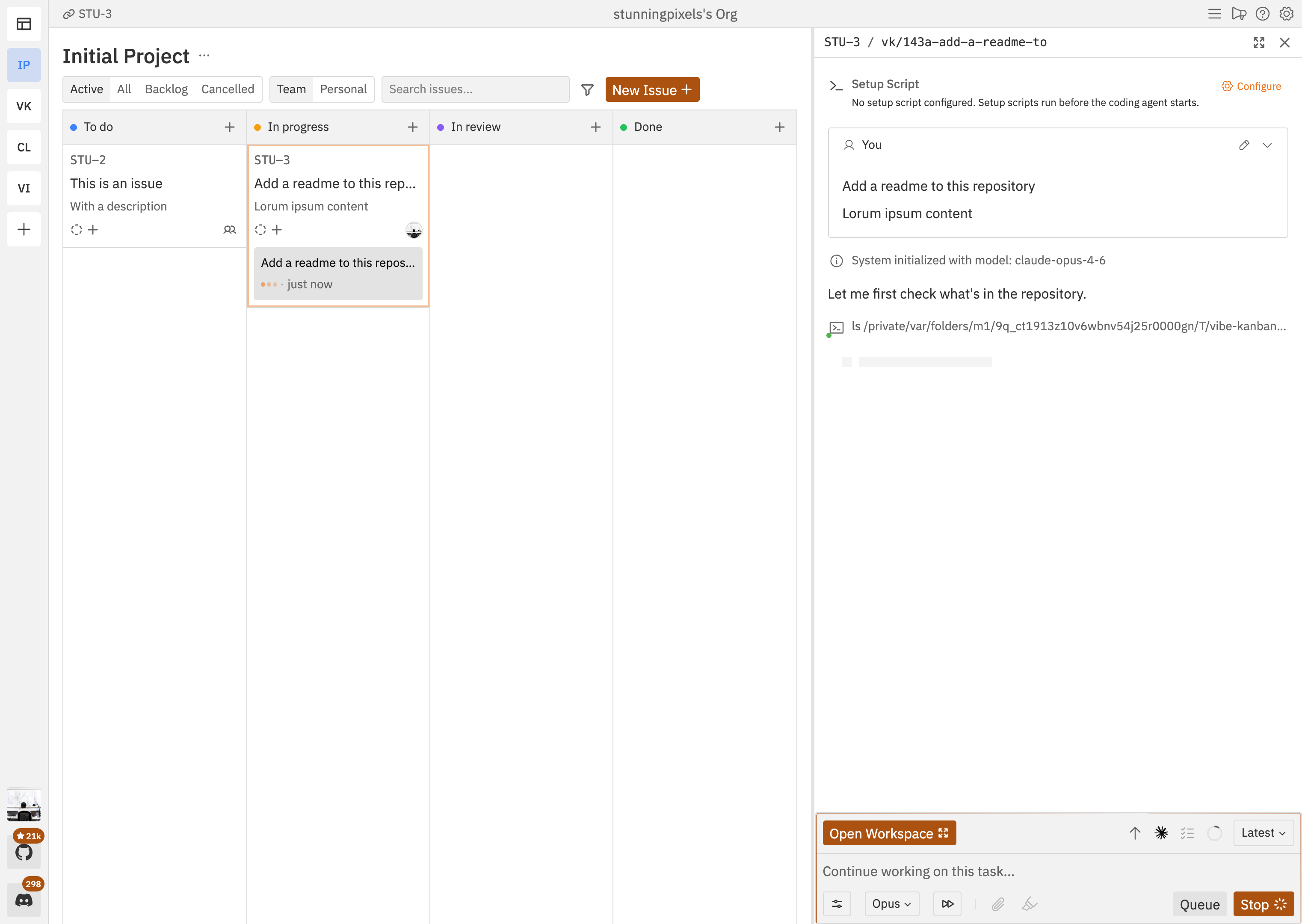
Vibe Kanban is built for this. Use kanban issues to plan work, either privately or with your team. When you're ready to begin, create workspaces where coding agents can execute.
Plan with kanban issues — create, prioritise, and assign issues on a kanban board
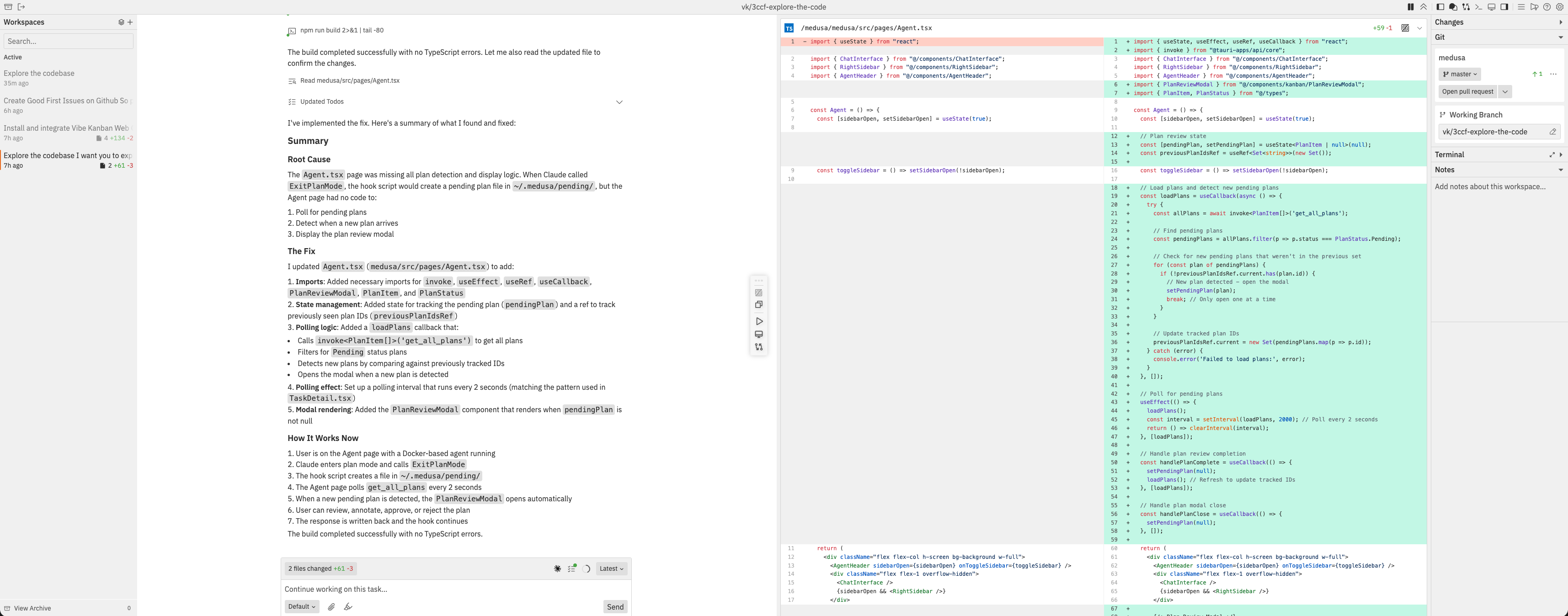
Run coding agents in workspaces — each workspace gives an agent a branch, a terminal, and a dev server
Review diffs and leave inline comments — send feedback directly to the agent without leaving the UI
Preview your app — built-in browser with devtools, inspect mode, and device emulation
Switch between 10+ coding agents — Claude Code, Codex, Gemini CLI, GitHub Copilot, Amp, Cursor, OpenCode, Droid, CCR, and Qwen Code
Create pull requests and merge — open PRs with AI-generated descriptions, review on GitHub, and merge
One command. Describe the work, review the diff, ship it.
npx vibe-kanban
Installation
Make sure you have authenticated with your favourite coding agent. A full list of supported coding agents can be found in the docs. Then in your terminal run:
npx vibe-kanban
Documentation
Head to the website for the latest documentation and user guides.
Self-Hosting
Want to host your own Vibe Kanban Cloud instance? See our self-hosting guide.
Support
We use GitHub Discussions for feature requests. Please open a discussion to create a feature request. For bugs please open an issue on this repo.
Contributing
We would prefer that ideas and changes are first raised with the core team via GitHub Discussions or Discord, where we can discuss implementation details and alignment with the existing roadmap. Please do not open PRs without first discussing your proposal with the team.
This will start the backend and web app. A blank DB will be copied from the dev_assets_seed folder.
Building the web app
To build just the web app:
cd packages/local-web
pnpm run build
Build from source (macOS)
Run ./local-build.sh
Test with cd npx-cli && node bin/cli.js
Environment Variables
The following environment variables can be configured at build time or runtime:
Variable
Type
Default
Description
POSTHOG_API_KEY
Build-time
Empty
PostHog analytics API key (disables analytics if empty)
POSTHOG_API_ENDPOINT
Build-time
Empty
PostHog analytics endpoint (disables analytics if empty)
PORT
Runtime
Auto-assign
Production: Server port. Dev: Frontend port (backend uses PORT+1)
BACKEND_PORT
Runtime
0 (auto-assign)
Backend server port (dev mode only, overrides PORT+1)
FRONTEND_PORT
Runtime
3000
Frontend dev server port (dev mode only, overrides PORT)
HOST
Runtime
127.0.0.1
Backend server host
MCP_HOST
Runtime
Value of HOST
MCP server connection host (use 127.0.0.1 when HOST=0.0.0.0 on Windows)
MCP_PORT
Runtime
Value of BACKEND_PORT
MCP server connection port
DISABLE_WORKTREE_CLEANUP
Runtime
Not set
Disable all git worktree cleanup including orphan and expired workspace cleanup (for debugging)
VK_ALLOWED_ORIGINS
Runtime
Not set
Comma-separated list of origins that are allowed to make backend API requests (e.g., https://my-vibekanban-frontend.com)
VK_SHARED_API_BASE
Runtime
Not set
Base URL for the remote/cloud API used by the local desktop app
VK_SHARED_RELAY_API_BASE
Runtime
Not set
Base URL for the relay API used by tunnel-mode connections
VK_TUNNEL
Runtime
Not set
Enable relay tunnel mode when set (requires relay API base URL)
Build-time variables must be set when running pnpm run build. Runtime variables are read when the application starts.
Self-Hosting with a Reverse Proxy or Custom Domain
When running Vibe Kanban behind a reverse proxy (e.g., nginx, Caddy, Traefik) or on a custom domain, you must set the VK_ALLOWED_ORIGINS environment variable. Without this, the browser's Origin header won't match the backend's expected host, and API requests will be rejected with a 403 Forbidden error.
Set it to the full origin URL(s) where your frontend is accessible:
# Single origin
VK_ALLOWED_ORIGINS=https://vk.example.com

# Multiple origins (comma-separated)
VK_ALLOWED_ORIGINS=https://vk.example.com,https://vk-staging.example.com
Remote Deployment
When running Vibe Kanban on a remote server (e.g., via systemctl, Docker, or cloud hosting), you can configure your editor to open projects via SSH:
Access via tunnel: Use Cloudflare Tunnel, ngrok, or similar to expose the web UI
Configure remote SSH in Settings → Editor Integration:
Set Remote SSH Host to your server hostname or IP
Set Remote SSH User to your SSH username (optional)
Prerequisites:
SSH access from your local machine to the remote server
SSH keys configured (passwordless authentication)
VSCode Remote-SSH extension
When configured, the "Open in VSCode" buttons will generate URLs like vscode://vscode-remote/ssh-remote+user@host/path that open your local editor and connect to the remote server.
See the documentation for detailed setup instructions.
vibe-kanban (BloopAI/vibe-kanban)
Choose a tag and it will appear here. With no tags selected, all catalog projects are shown.
Searching Database…
Choose a tag and it will appear here. With no tags selected, all catalog projects are shown.




 一个围绕编程智能体打造的看板:你把工作拆成 issue 来规划,让 Claude Code 这类智能体在隔离的工作区里运行,审查它们改动的代码差异,然后交付上线。