Claude / OpenAI Chat / OpenAI Images / OpenAI Embeddings / Codex Responses / Gemini API Proxy - CCX
English | 简体中文


CCX is a high-performance AI API proxy and protocol translation gateway for Claude, OpenAI Chat, OpenAI Images, OpenAI Embeddings, Codex Responses, and Gemini. It provides a unified entrypoint, built-in web administration, channel orchestration, failover, multi-key management, and model routing.
Features
- Integrated backend + frontend architecture with single-port deployment
- Dual-key authentication with
PROXY_ACCESS_KEY and optional ADMIN_ACCESS_KEY
- Web admin console for channel management, testing, logs, and monitoring
- Support for Claude Messages, OpenAI Chat Completions, OpenAI Images, OpenAI Embeddings, Codex Responses, and Gemini APIs
- Smart scheduling with priorities, promotion windows, health checks, failover, and circuit recovery
- Context routing filters candidate channels by actual model context window and max output capability
- Per-channel API key rotation, proxy support, custom headers, model allowlists, and route prefixes
- Responses session tracking for multi-turn workflows
- Embedded frontend assets for simple binary deployment
 |
Thanks to Dola Seed for sponsoring this project! Dola Seed 2.0 is a full‑modal general large model independently developed by ByteDance for the global market. Built on a unified multimodal architecture, it supports joint understanding and generation of text, images, audio, and video. It natively enables agent collaboration, with strong reasoning, long‑task execution, tool integration, and coding capabilities. It is widely applicable to smart cockpits, personal assistants, education, customer support, marketing, retail, and other scenarios. It excels in multimodal perception, end‑to‑end complex task delivery, stable interaction, and data security, and is readily accessible and deployable via the ModelArk platform. Register via this link to get 500,000 tokens of free inference quota per model. |
 |
Thanks to Youyun Zhisuan for sponsoring this project! Youyun Zhisuan is UCloud's AI cloud platform, offering cost-effective domestic AI model Agent Plan packages by monthly subscription or pay-as-you-go, starting from 49 CNY/month. It also provides stable access to official overseas models, supports Claude Code, Codex, and API integrations, and offers enterprise-grade high concurrency, 24/7 technical support, and self-service invoicing. Users who register through this link can receive a free 5 CNY platform trial credit. |
 |
Thanks to RunAPI for sponsoring this project! RunAPI is an efficient and stable API platform—an alternative to OpenRouter. A single API Key gives you access to 150+ leading models, including OpenAI, Claude, Gemini, DeepSeek, Grok, and more, at prices as low as 10% of the original (up to 90% off), with exceptional stability. It's seamlessly compatible with tools like Claude Code, OpenClaw, and others. RunAPI offers an exclusive perk for CCX users: register and contact an administrator to claim ¥7 in free credit. |
Screenshots
Channel Orchestration
Visual channel management with drag-and-drop priority adjustment and real-time health monitoring.
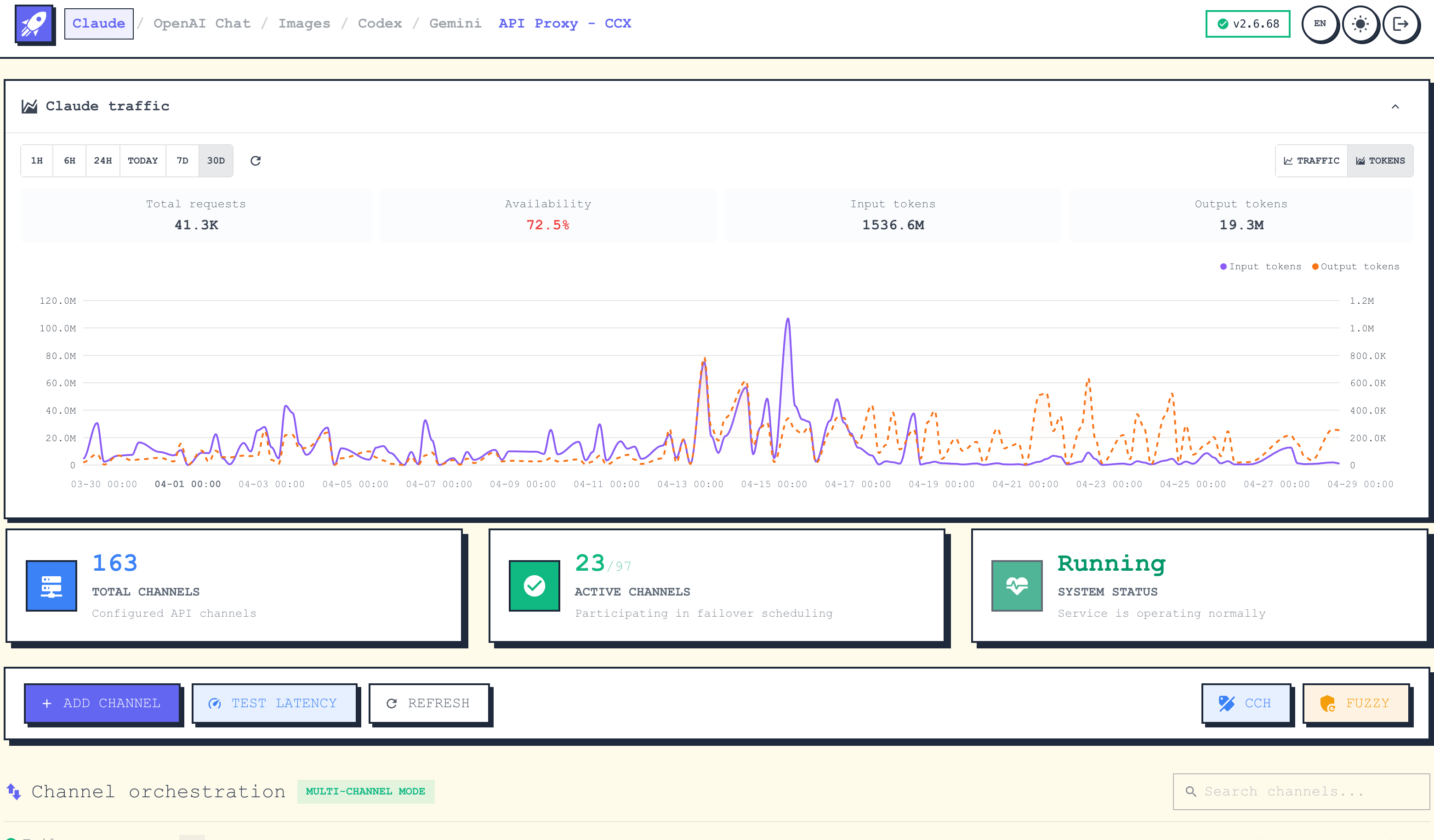
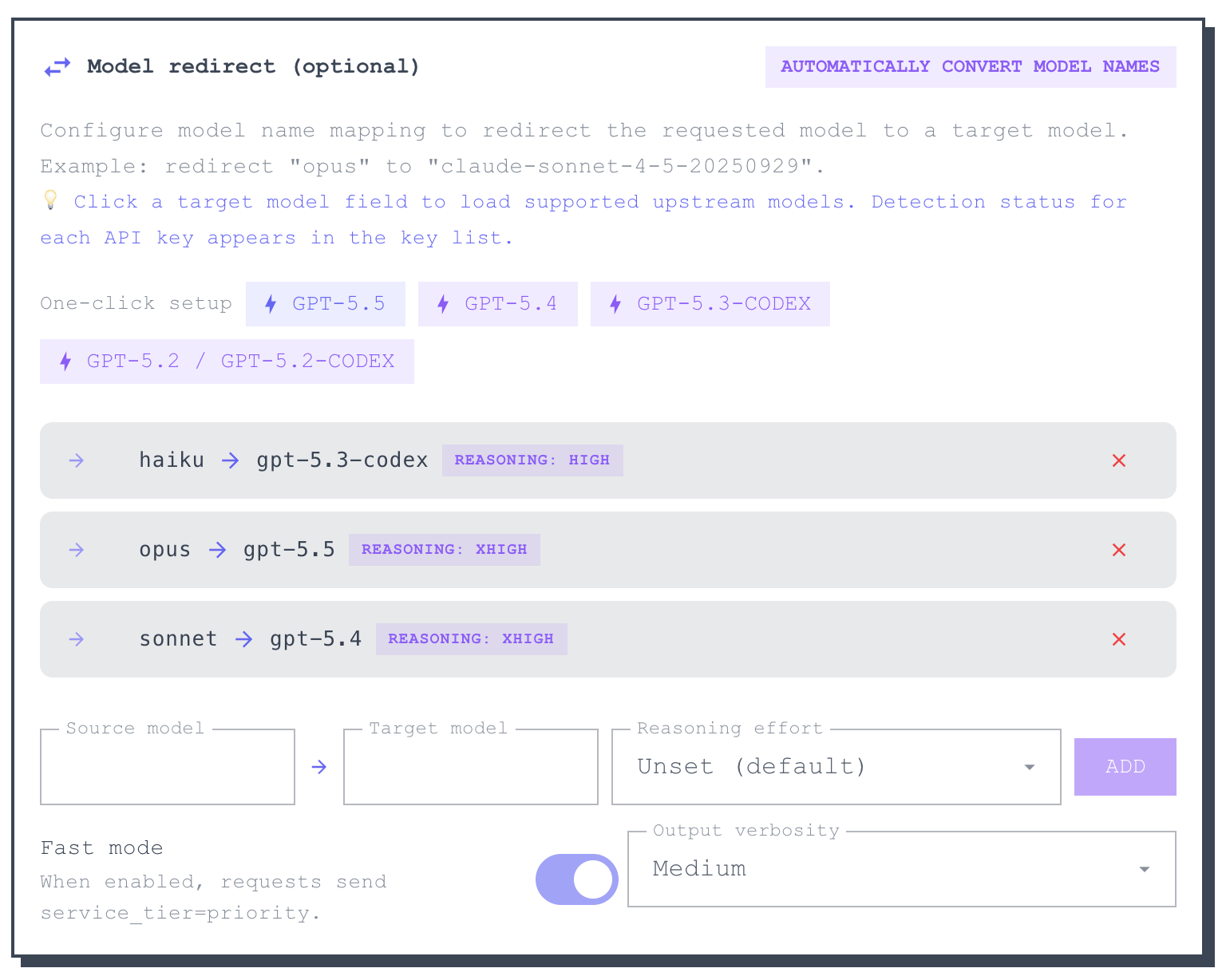
Add Channel
Supports multiple upstream service types and flexible API key, model mapping, and request parameter configuration.
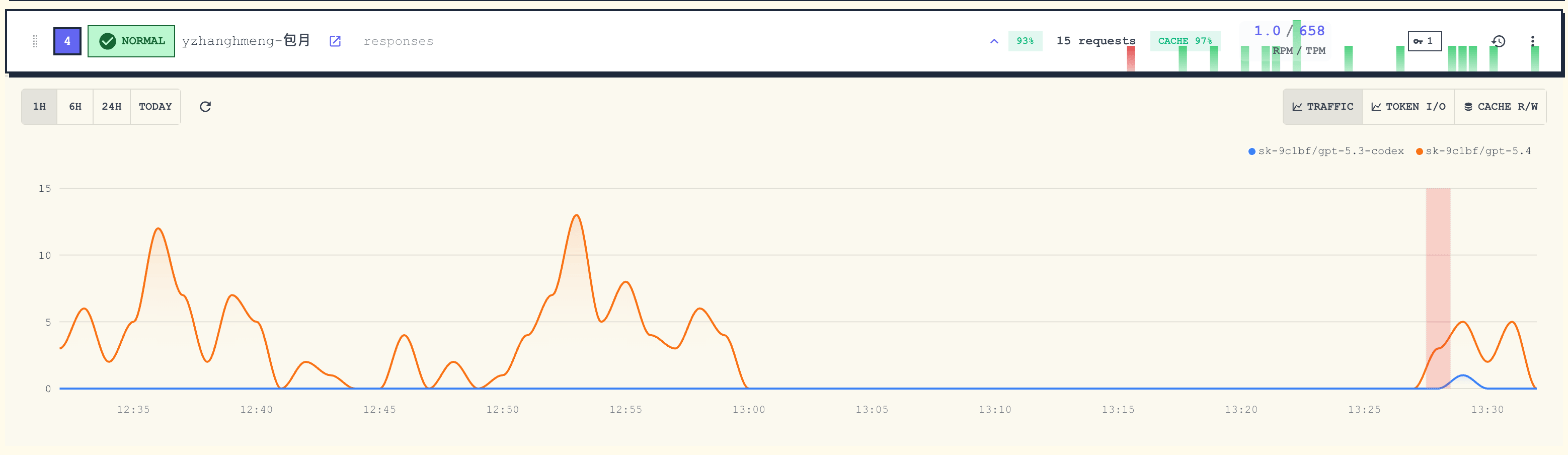
Traffic Stats
Real-time monitoring of per-channel request traffic, success rate, and latency.
Architecture
CCX exposes one backend entrypoint:
Client -> backend :3000 ->
  |- /                            -> Web UI
  |- /api/*                       -> Admin API
  |- /v1/messages                 -> Claude Messages proxy
  |- /v1/chat/completions         -> OpenAI Chat proxy
  |- /v1/responses                -> Codex Responses proxy
  |- /v1/images/{...}             -> OpenAI Images proxy
  |- /v1/embeddings               -> OpenAI Embeddings proxy
  |- /v1/models                   -> Models API
  `- /v1beta/models/*             -> Gemini proxy
Images endpoints currently include:
POST /v1/images/generationsPOST /v1/images/editsPOST /v1/images/variations
See ARCHITECTURE.md for the detailed design.
Quick Start
Option 0: CCX Desktop
CCX Desktop provides a native desktop experience with GUI for managing channels, keys, and agent configuration.
| Platform |
Install Method |
Notes |
| Windows |
Search CCX Desktop in Microsoft Store |
Recommended. Auto-update, no manual signing. Also available as setup.exe from GitHub Releases. |
| macOS |
brew tap BenedictKing/ccx && brew install --cask ccx-desktop |
Or download .dmg (arm64/amd64) from GitHub Releases. |
| Linux |
Download .AppImage from GitHub Releases |
Mark as executable and run. |
See CCX Desktop Guide for detailed setup instructions.
Option 1: Binary
- Download the latest binary from Releases.
- Create a
.env file next to the binary:
PROXY_ACCESS_KEY=your-proxy-access-key
PORT=3688
ENABLE_WEB_UI=true
APP_UI_LANGUAGE=en
- Run the binary and open
http://localhost:3000
On Windows, if the client runs from cmd, PowerShell, WSL, or Docker and localhost does not reach CCX, use the Windows host IPv4 address instead, for example http://192.168.1.23:3000. When BIND_HOST is empty, CCX listens on all interfaces by default through :PORT; set BIND_HOST=127.0.0.1 for local-only access.
For background startup without Docker, see Service Startup.
Option 2: Docker
docker run -d \
  --name ccx \
  -p 3000:3000 \
  -e PROXY_ACCESS_KEY=your-proxy-access-key \
  -e APP_UI_LANGUAGE=en \
  -v $(pwd)/.config:/app/.config \
  crpi-i19l8zl0ugidq97v.cn-hangzhou.personal.cr.aliyuncs.com/bene/ccx:latest
Run in the background with Docker Compose:
docker compose up -d
Enable Watchtower auto-update:
docker compose -f docker-compose.yml -f docker-compose.watchtower.yml up -d
Pull the latest image immediately after setup if needed:
docker compose pull ccx
docker compose up -d ccx
Option 3: Build From Source
Prerequisites: Go 1.25+, Bun, and Make (macOS: xcode-select --install).
git clone https://github.com/BenedictKing/ccx
cd ccx
cp backend-go/.env.example backend-go/.env
make install   # install all dependencies (frontend + Go modules + dev tools)
make run
Useful commands:
make dev
make run
make build
make frontend-dev
Core Environment Variables
PORT=3688
ENV=production
ENABLE_WEB_UI=true
PROXY_ACCESS_KEY=your-proxy-access-key
ADMIN_ACCESS_KEY=your-admin-secret-key
APP_UI_LANGUAGE=en
LOG_LEVEL=info
Main Endpoints
- Web UI:
GET /
- Health:
GET /health
- Admin API:
/api/*
- Claude Messages:
POST /v1/messages
- OpenAI Chat:
POST /v1/chat/completions
- Codex Responses:
POST /v1/responses
- OpenAI Images:
POST /v1/images/generations, POST /v1/images/edits, POST /v1/images/variations
- OpenAI Embeddings:
POST /v1/embeddings
- Gemini:
POST /v1beta/models/{model}:generateContent
- Models API:
GET /v1/models
Development
Recommended local workflow:
make dev
Frontend only:
cd "frontend"
bun install
bun run dev
Backend only:
cd "backend-go"
make dev
Additional Docs
Join the QQ group for discussion: 642217364
Star History

Acknowledgments

|
Benchmark data in this repository includes Artificial Analysis free API data. Attribution to artificialanalysis.ai is required when using that data. Intelligence Index scores are currently interpreted against v4.1.1; Coding Index and Agentic Index are derived subsets of the same evaluation set and are not separately versioned.
|
|
Data
|
CCX benchmark visualizations and registry updates also use publicly available data from BenchLM.ai, DeepSWE, and CodexRadar. Pricing and context metadata are additionally refreshed from LiteLLM model_prices_and_context_window.json.
|

|
Free code signing on Windows provided by SignPath.io, certificate by SignPath Foundation
|
License
MIT

 CCX 是一个高性能的 AI API 代理和协议转换网关,位于 Claude、OpenAI Chat、OpenAI Images、OpenAI Embeddings、Codex Responses 和 Gemini API 之前,为你提供统一的入口。