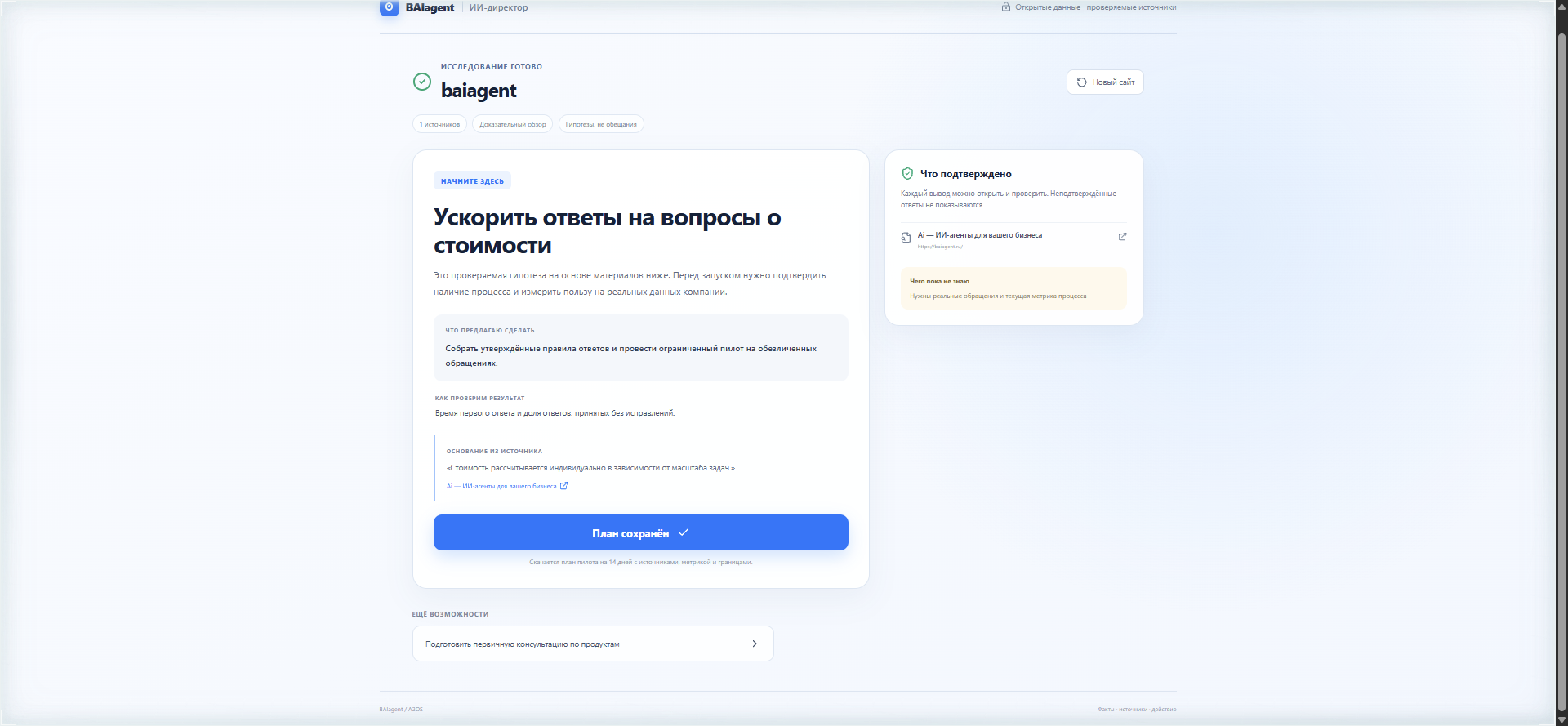
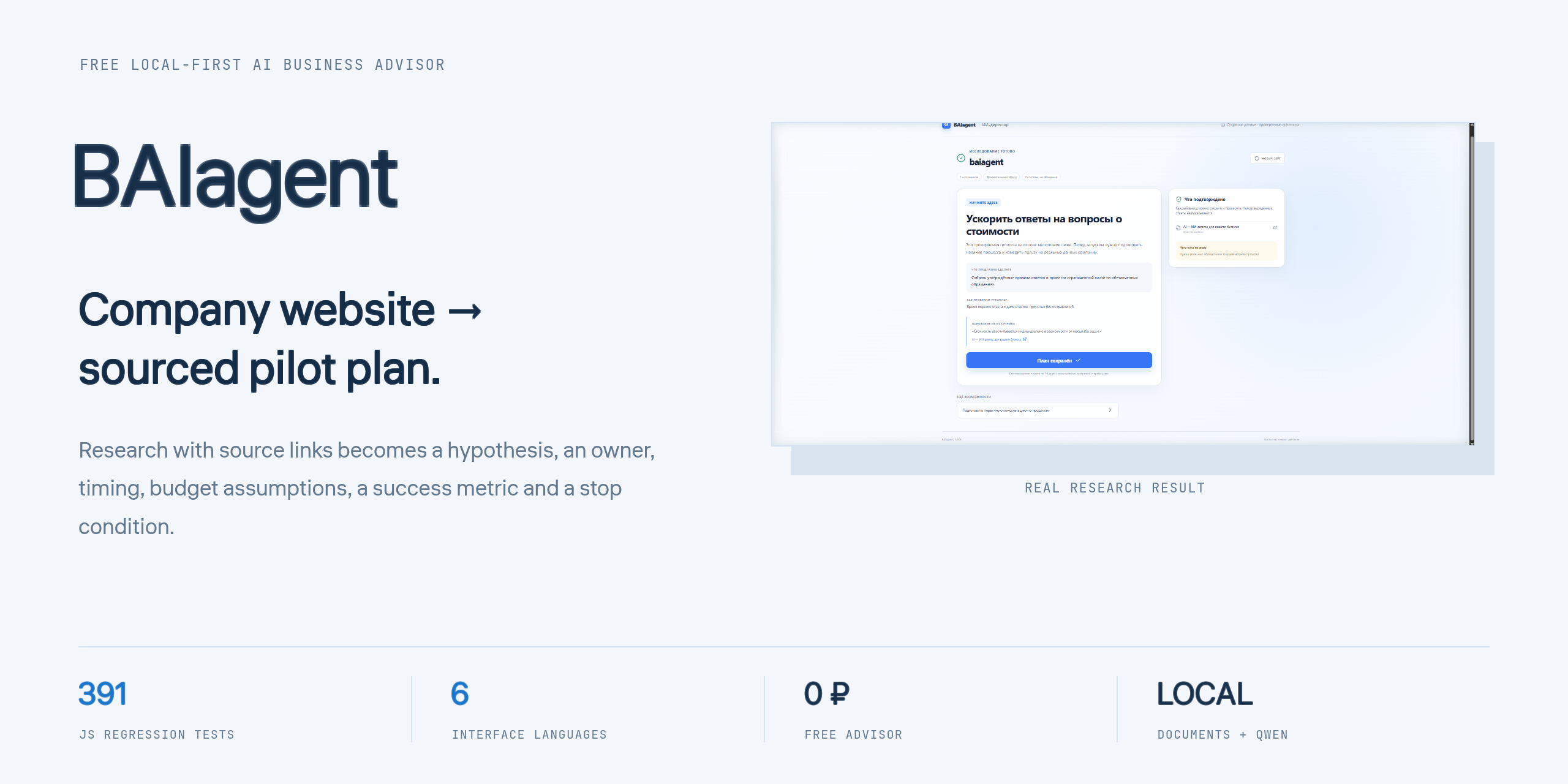
BAIagent first investigates what the company sells, customer feedback, competitors and market signals. It then helps define a hypothesis, actions, owners, timing, budget assumptions, a success metric and a stop condition. The Windows app also supports selected local documents and a local Qwen model without requiring a cloud model API key.
Download BAIagent 1.3.0 for Windows x64 · Release notes · Web audit · Russian documentation
SHA-256: 3ffae27317bb26b6a620ea04990b4b8ec7ddaa0457ef3e8f9b064d16dace52be
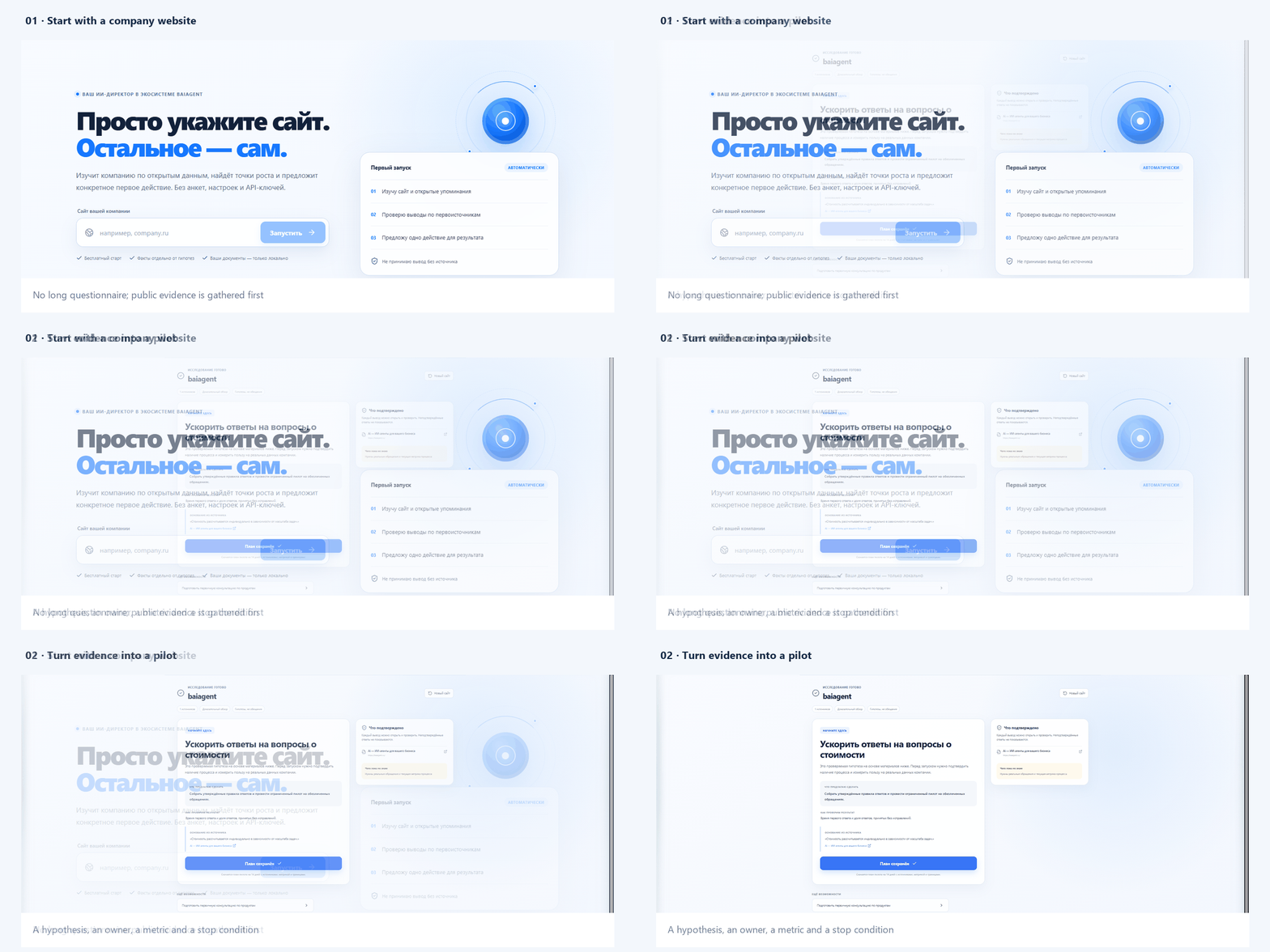
Real application screens: website input, research result and pilot plan.
What it does
- Starts with a company website instead of a long questionnaire.
- Researches products, services, prices, competitors, reviews and market signals, retaining source addresses.
- Separates observed evidence from assumptions and recommendations.
- Builds causal hypotheses: observation → mechanism → action → verification.
- Lets the user create and select a custom hypothesis through the advisor dialog.
- Produces a pilot with an owner, timing, budget logic, a measurable metric, open questions and a stop condition.
- Explains a self-implementation path instead of redirecting the user to another sales page.
- Works in six interface languages: Russian, English, Spanish, Chinese, Hindi and Arabic, including RTL layout.
- Supports local TXT, Markdown, CSV, JSON, PDF and DOCX documents in the Windows app.
- Uses an existing local Ollama installation or the downloadable Qwen3-4B model.
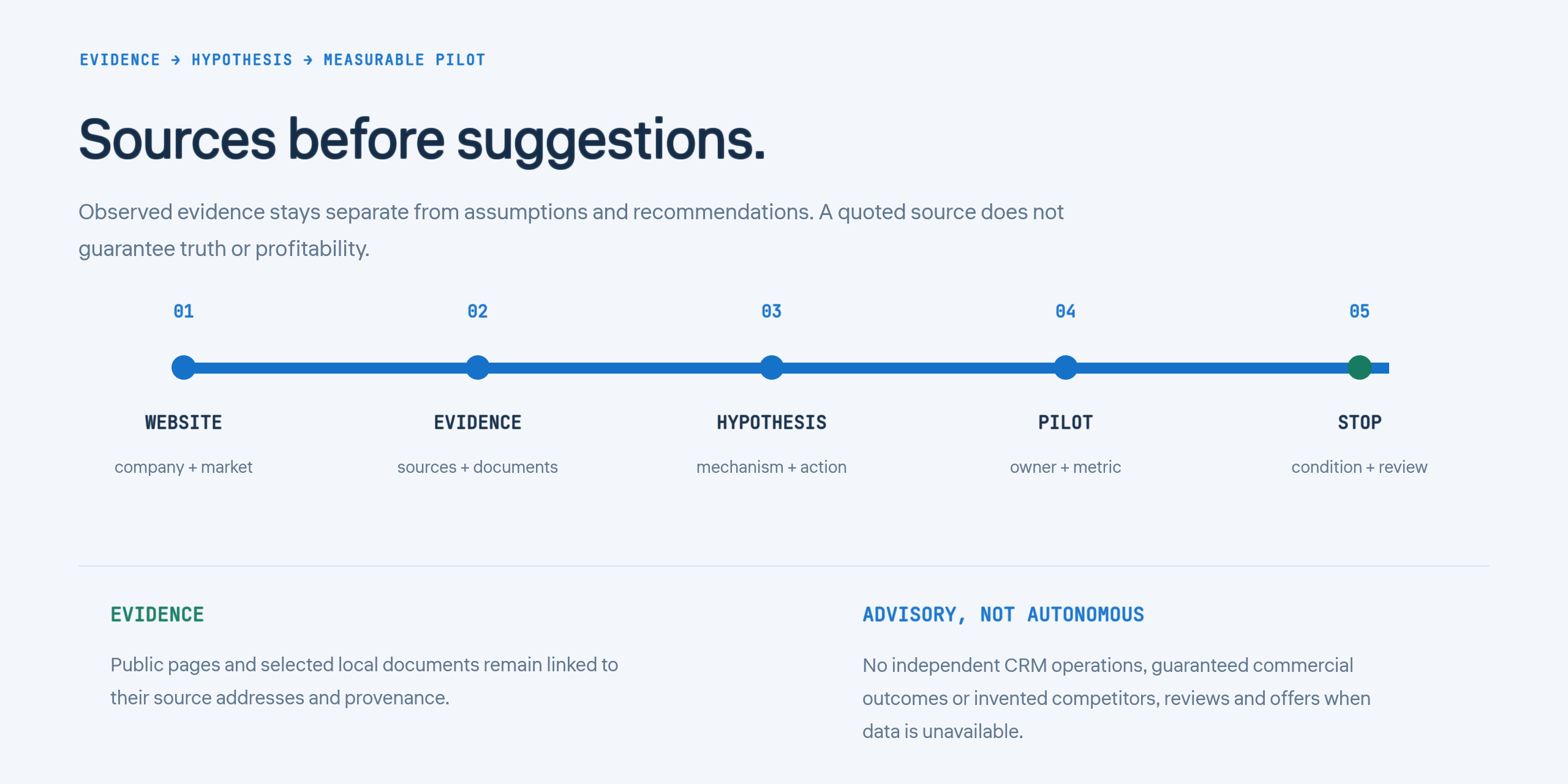
Sources before suggestions. Evidence remains separate from assumptions and recommendations.
Important boundaries
BAIagent is an advisor, not an autonomous employee. It does not independently execute operations in a CRM, publish changes to business systems or guarantee commercial results. A quoted source confirms that text was found; it does not prove that the source's claim is true or that an idea will be profitable.
Fresh market research requires internet access. Saved materials, selected local documents and the local desktop dialog can be used without a network connection. Public website research runs through the web research backend; local document processing and the local Qwen dialog are Windows-app capabilities, not claims about browser-based local inference.
Some websites block automated access, require JavaScript challenges or expose too little public information. In those cases the product should show a warning or an empty result rather than invent competitors, reviews or offerings. Availability of every website, country or market is not guaranteed.
Install on Windows
- Download the Windows x64 installer from GitHub Release 1.3.0.
- Verify the SHA-256 shown above if you need an integrity check.
- Run the installer and follow the setup steps.
The installer and application are not Authenticode-signed. Windows may therefore display an unknown-publisher warning. The package metadata identifies the author as Anton Balanov, but metadata is not a digital signature.
If no compatible local Ollama model is available, the app can download approximately 2.4 GB of model data on first use. Keep sufficient free disk space; 8 GB RAM or more is recommended.
Release 1.3.0 updates BAIagent Director only. Balanov.PRO Enterprise remains at 1.1.1 and is not rebuilt or replaced by this release.
Development
Node.js 24 and npm are required.
npm ci
npm run electron:dev
Validation and web builds:
npm test
npm run build
npm run build:xray
npm run build:advisor
npm run build:enterprise
Desktop packages:
npm run dist:win
npm run dist:linux  # on Linux
npm run dist:mac    # on macOS
The current JavaScript regression suite contains 391 tests in 31 files. Additional PHP suites cover the public research route, international extraction, market filters and sector-specific regressions. Live smoke research has been run for Atlassian in English, Correos in Spanish and Midea in Chinese; these checks are not a claim that every language, market or website has been verified.
The GitHub workflow can build Director for Windows, Linux and macOS. It does not prove manual verification on every platform, macOS notarization or Authenticode signing. The Windows artifact linked above is the verified 1.3.0 build documented in this release.
Web deployment
npm run build:xray
Deploy the contents of dist/ to /xray/ on PHP 8.1+ with cURL, DOM and SimpleXML. The browser calls /xray/api/research.php; no cloud model key is required for that route.
Repository structure
src/             React interface and research results
electron/        Isolated desktop runtime, local files and Qwen
shared/          Research, evidence, recommendations and pilots
public/api/      PHP public research backend
scripts/         Build and verification scripts
tests/           Automated regression tests
android/         Native Android prototype
docs/images/     Documentation images
Security and license
See SECURITY.md, ROADMAP.md and LAUNCH.md.
Source code: AGPL-3.0-or-later. Qwen and third-party dependencies retain their own licenses.

 BAIagent Director 是一款免费的 AI 商业顾问应用。它可以根据网站资料研究一家公司及其市场,区分事实与假设,标注信息来源,并帮助制定可衡量的试点方案。它不是自主运行的员工。