

Что это такое?
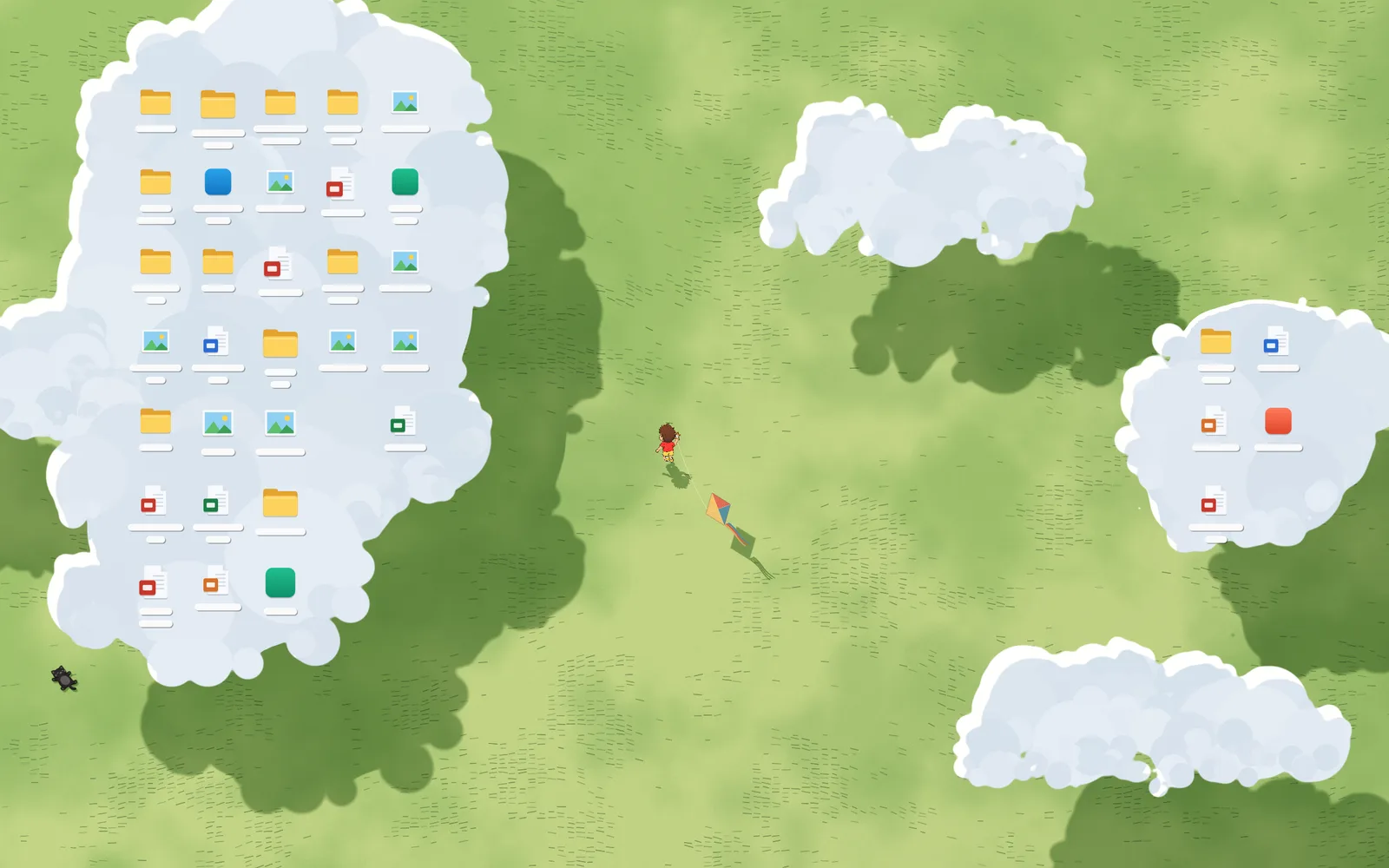
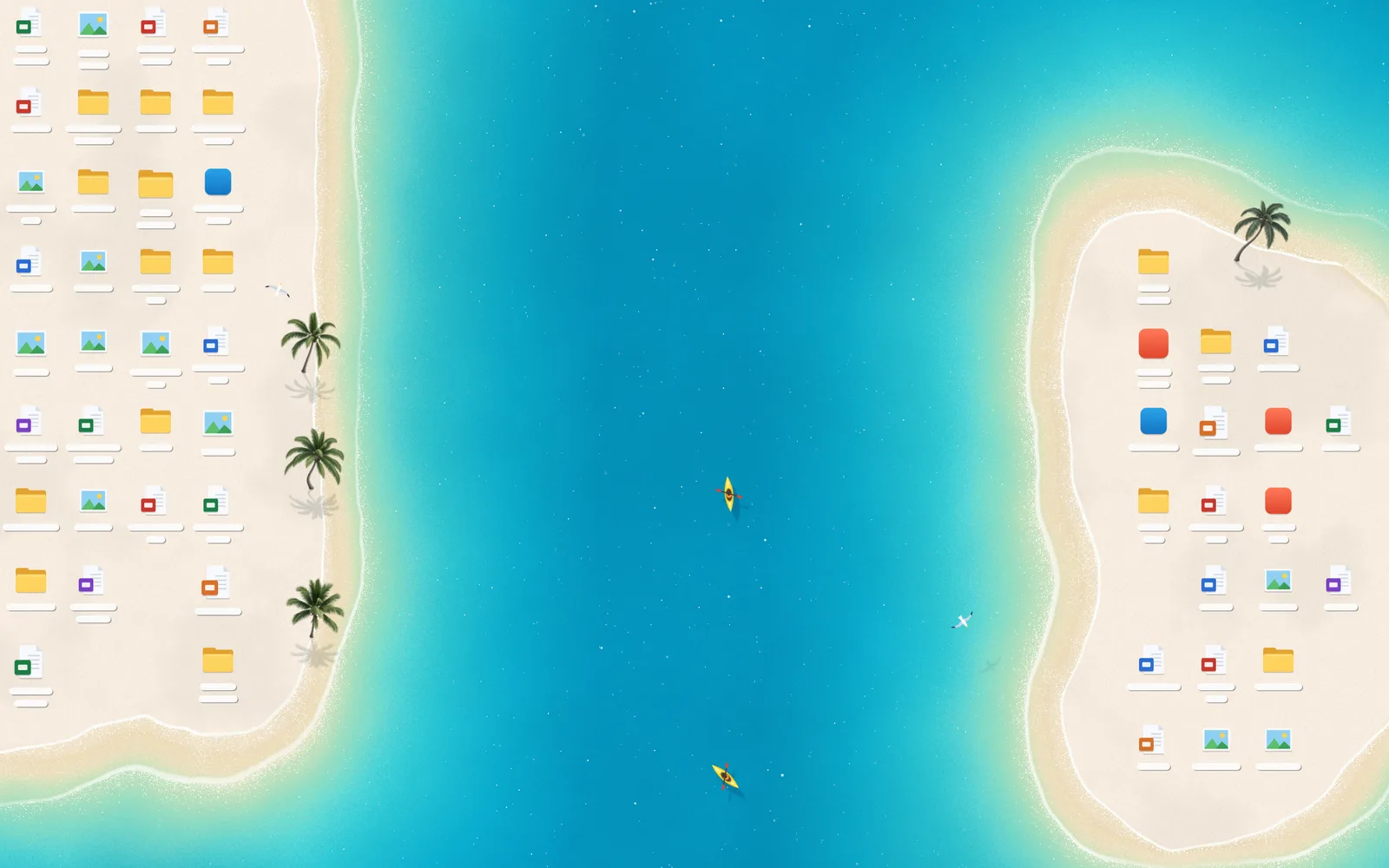
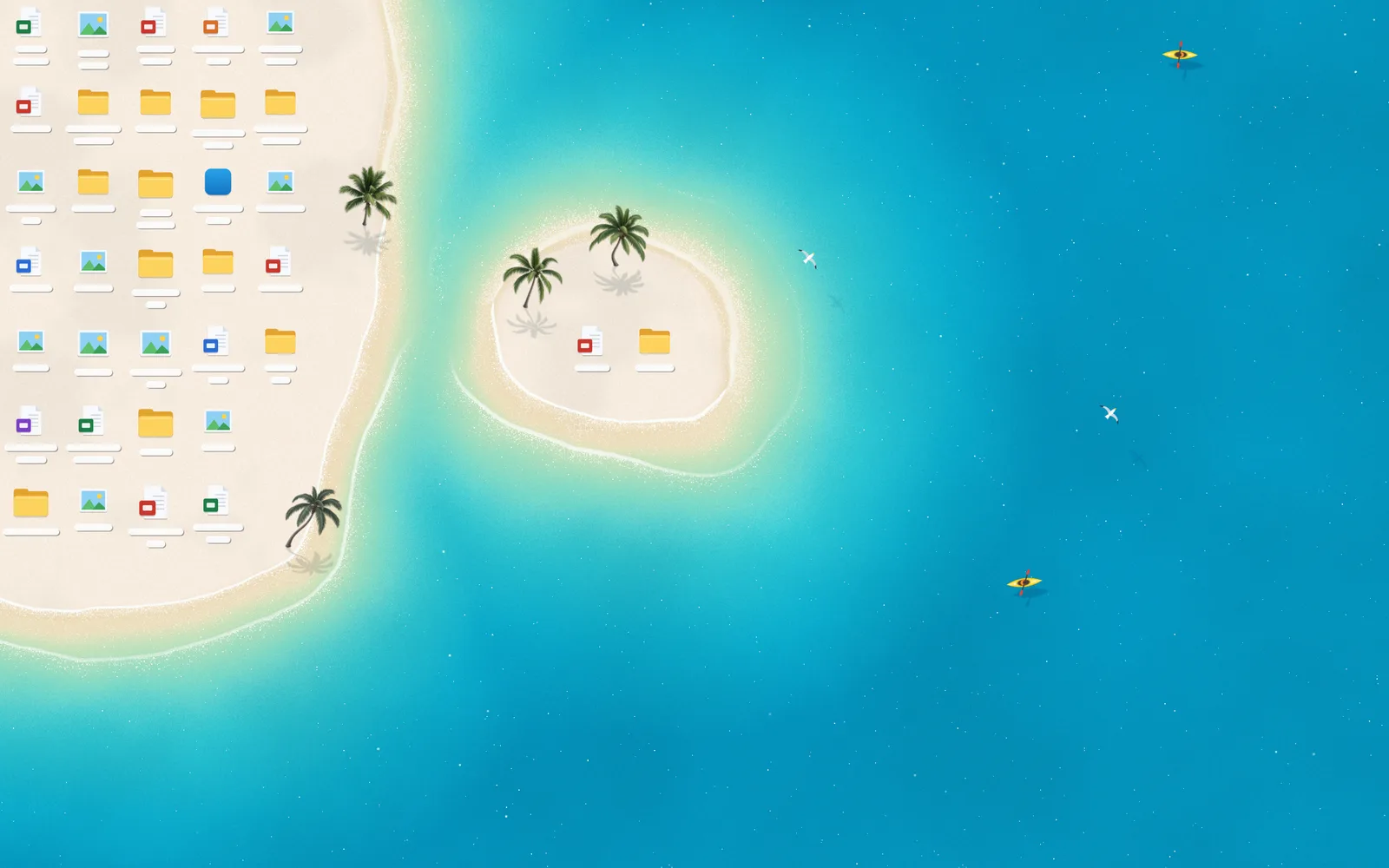
 Это обои для Windows, которые делают значки рабочего стола частью пейзажа. Сцены с пляжем и лугом в реальном времени перестраиваются вокруг ваших значков, когда вы их переносите, добавляете или удаляете.
Это картинка на фон или программа, которая работает постоянно?Это запущенная программа для Windows с приложением-хостом, управлением из области уведомлений и окном настроек. Она считывает реальное положение значков рабочего стола, так что это не статичное изображение.
Это запущенная программа для Windows с приложением-хостом, управлением из области уведомлений и окном настроек. Она считывает реальное положение значков рабочего стола, так что это не статичное изображение.Как его запустить?Скачайте установщик Windows для Deskland Preview или соберите из исходников, запустив сборку в PowerShell из корня репозитория (результат появится в host/bin/). Установщик размещается в папке «Программы» вашего пользователя и не требует прав администратора.
Скачайте установщик Windows для Deskland Preview или соберите из исходников, запустив сборку в PowerShell из корня репозитория (результат появится в host/bin/). Установщик размещается в папке «Программы» вашего пользователя и не требует прав администратора.Что нужно установить заранее?Windows 10 или 11 (64-бит) и среда выполнения Microsoft Edge WebView2 Runtime. Пакет .NET SDK не нужен, а Node.js требуется только для предпросмотра в браузере.
Windows 10 или 11 (64-бит) и среда выполнения Microsoft Edge WebView2 Runtime. Пакет .NET SDK не нужен, а Node.js требуется только для предпросмотра в браузере.Есть ли какие-то подводные камни?Поддерживается только основной монитор. Кроме того, Windows Spotlight или слайд-шоу обоев могут ненадолго мигнуть, когда Windows меняет фоновое изображение.
Поддерживается только основной монитор. Кроме того, Windows Spotlight или слайд-шоу обоев могут ненадолго мигнуть, когда Windows меняет фоновое изображение.Работает ли это на macOS или Linux?Нет, только для Windows. Предпросмотр в браузере использует примерные значки, поэтому адаптация к реальным значкам рабочего стола требует хоста Windows.
Нет, только для Windows. Предпросмотр в браузере использует примерные значки, поэтому адаптация к реальным значкам рабочего стола требует хоста Windows.Нужен ли интернет, чтобы этим пользоваться?Только для первой сборки, которая загружает библиотеку для разработки WebView2, и когда WebView2 отсутствует в системе. Сами обои работают локально.
Только для первой сборки, которая загружает библиотеку для разработки WebView2, и когда WebView2 отсутствует в системе. Сами обои работают локально.Отправляет ли это мои данные куда-нибудь?Экспортируемые для публикации материалы используют примерные значки и цветовые блоки, а не ваш рабочий стол. В Preview нет входа в аккаунт, службы обновлений или API магазина, а сцены вычисляются локально, без ИИ и учётной записи.
Экспортируемые для публикации материалы используют примерные значки и цветовые блоки, а не ваш рабочий стол. В Preview нет входа в аккаунт, службы обновлений или API магазина, а сцены вычисляются локально, без ИИ и учётной записи.Нужна ли мощная видеокарта?Заявленная цель — 30 кадров в секунду на встроенной графике, поэтому проект стремится быть нетребовательным к железу.
Заявленная цель — 30 кадров в секунду на встроенной графике, поэтому проект стремится быть нетребовательным к железу.Это просто пробная версия с ограниченным сроком?Нет. Preview бесплатен и имеет открытый исходный код, это не пробная версия. В него входят все темы «Пляж» и «Луг», настройки, управление из области уведомлений и инструменты для публикации.
Нет. Preview бесплатен и имеет открытый исходный код, это не пробная версия. В него входят все темы «Пляж» и «Луг», настройки, управление из области уведомлений и инструменты для публикации.Можно ли держать его рядом с другими версиями Deskland?Да. У Preview есть собственная папка установки, свои настройки, своя запись автозапуска и собственный идентификатор экземпляра, поэтому он может сосуществовать с другими сборками Deskland.
Да. У Preview есть собственная папка установки, свои настройки, своя запись автозапуска и собственный идентификатор экземпляра, поэтому он может сосуществовать с другими сборками Deskland.Приостанавливается ли он, когда я развёртываю окно на весь экран или запускаю игру?Да. Он автоматически приостанавливается, когда окно развёрнуто или открыто на весь экран, так что не мешает работе или игре.
Да. Он автоматически приостанавливается, когда окно развёрнуто или открыто на весь экран, так что не мешает работе или игре.Как его удалить и вернуть прежние обои?Выйдите через меню в области уведомлений — это восстановит исходные обои Windows. При удалении ваши пользовательские настройки сохраняются, а настройки и журналы Preview хранятся отдельно в %LOCALAPPDATA%.
Выйдите через меню в области уведомлений — это восстановит исходные обои Windows. При удалении ваши пользовательские настройки сохраняются, а настройки и журналы Preview хранятся отдельно в %LOCALAPPDATA%.Какие есть похожие проекты?lively, Winhance, WallpaperMachine, Transub-Player, ibm-spss-desktop-suite, coreldraw-desktop-installer, pump-fun-desktop, reason-14-installer
lively, Winhance, WallpaperMachine, Transub-Player, ibm-spss-desktop-suite, coreldraw-desktop-installer, pump-fun-desktop, reason-14-installerВ каких он темах?webview2, wallpaper, bilingual, powershell, windows-10, windows-11, installer, csharp, real-time, customization, html, desktop
webview2, wallpaper, bilingual, powershell, windows-10, windows-11, installer, csharp, real-time, customization, html, desktop- Автор
- BLEZZ0102
- Размер
- 13 MB
- Звёзды
- 603
- Обновлён
- КоммитNov 07Релизv0.1.3Nov 07
- Возраст
- 24 д
- Коммиты · 90 дней