




$ stashcard
  paste a profile  ->  pick a card  ->  get a PNG worth posting
Stashcard values a Steam account and its inventories (CS2, Dota 2, TF2, Rust, Steam community items
or any custom app) from your terminal, prices them on Steam and on the big cash marketplaces, and prints
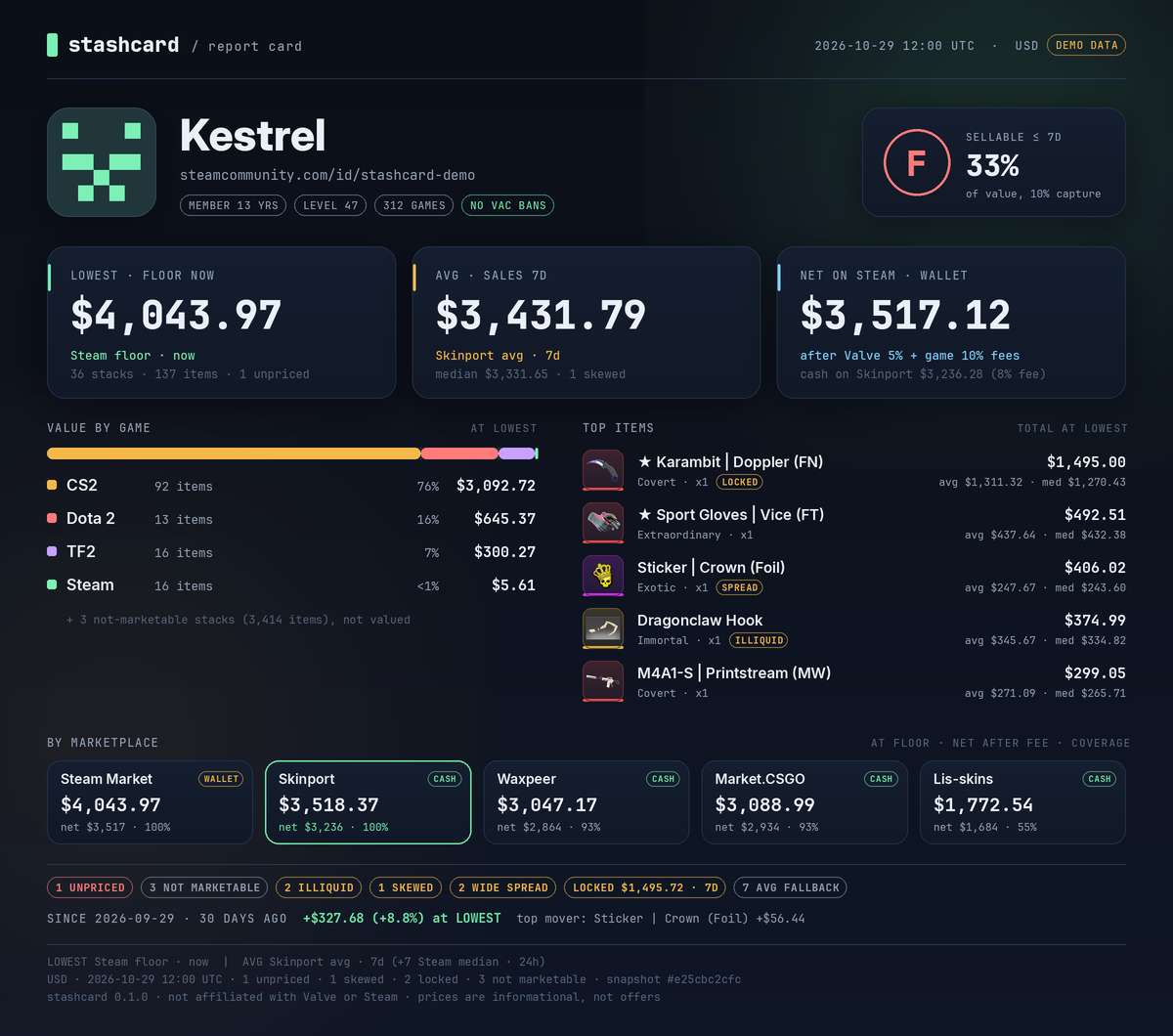
the result as a shareable card: a report card, a game card, an inventory picture, a thermal receipt, a
marketplace comparison, or a then-vs-now / A-vs-B diff.
Every number carries its venue and window. LOWEST is the floor listing right now. AVG is the mean
of real sales over a window you pick. Steam money is wallet funds; everything else is cash, and the two
are never mixed silently. When a source has nothing, Stashcard falls back and says so on the row, in
the totals and in the card footer. Nothing unpriced is ever counted as zero.
Free and open source. No accounts, no paid APIs, no telemetry.
[!TIP]
Run Stashcard on your home PC. Windows is the recommended setup. Steam rate-limits datacenter,
VPS and cloud IPs heavily, so live scans from a server are unreliable. On a server only the demo and
cached data work reliably. See Where to run it.
Download
[!NOTE]
The build isn't code-signed yet, so SmartScreen may warn you the first time.
Choose More info, then Run anyway.
Gallery
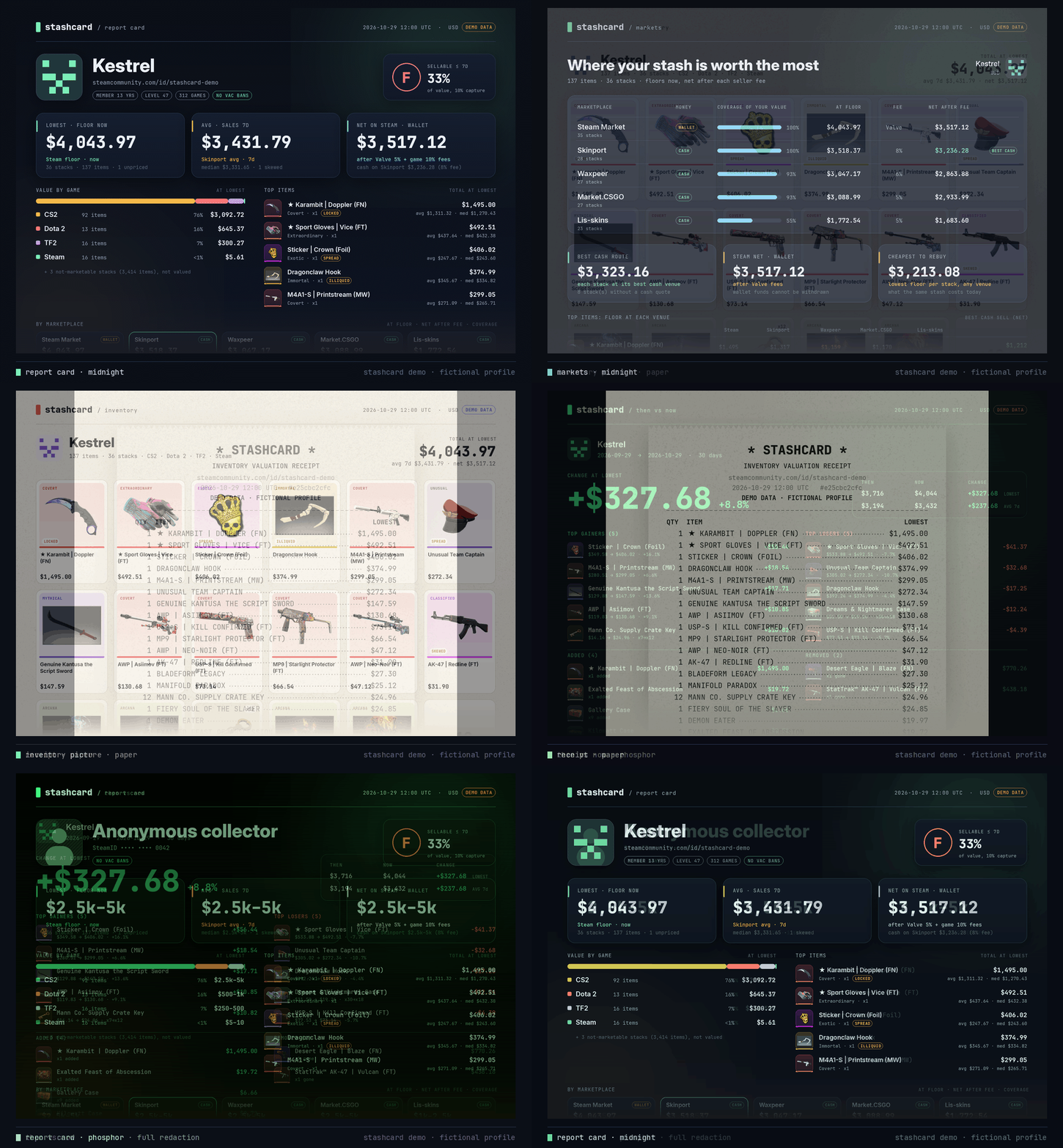
Real cards from the bundled demo (a fictional profile with real item names, icons and a dated price
snapshot).
Report card, midnight |
Report card, paper |
 |
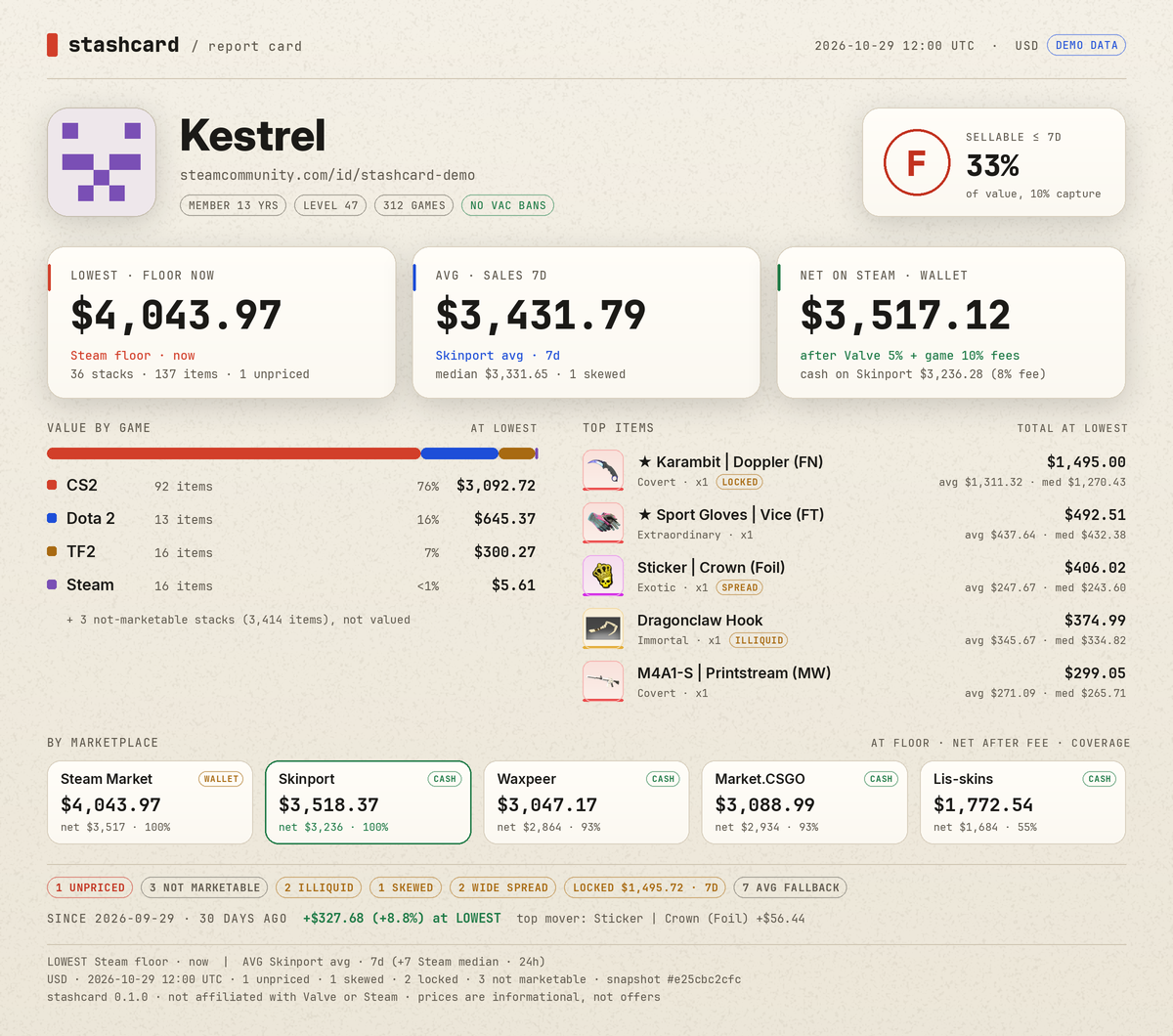 |
| Marketplaces |
Receipt |
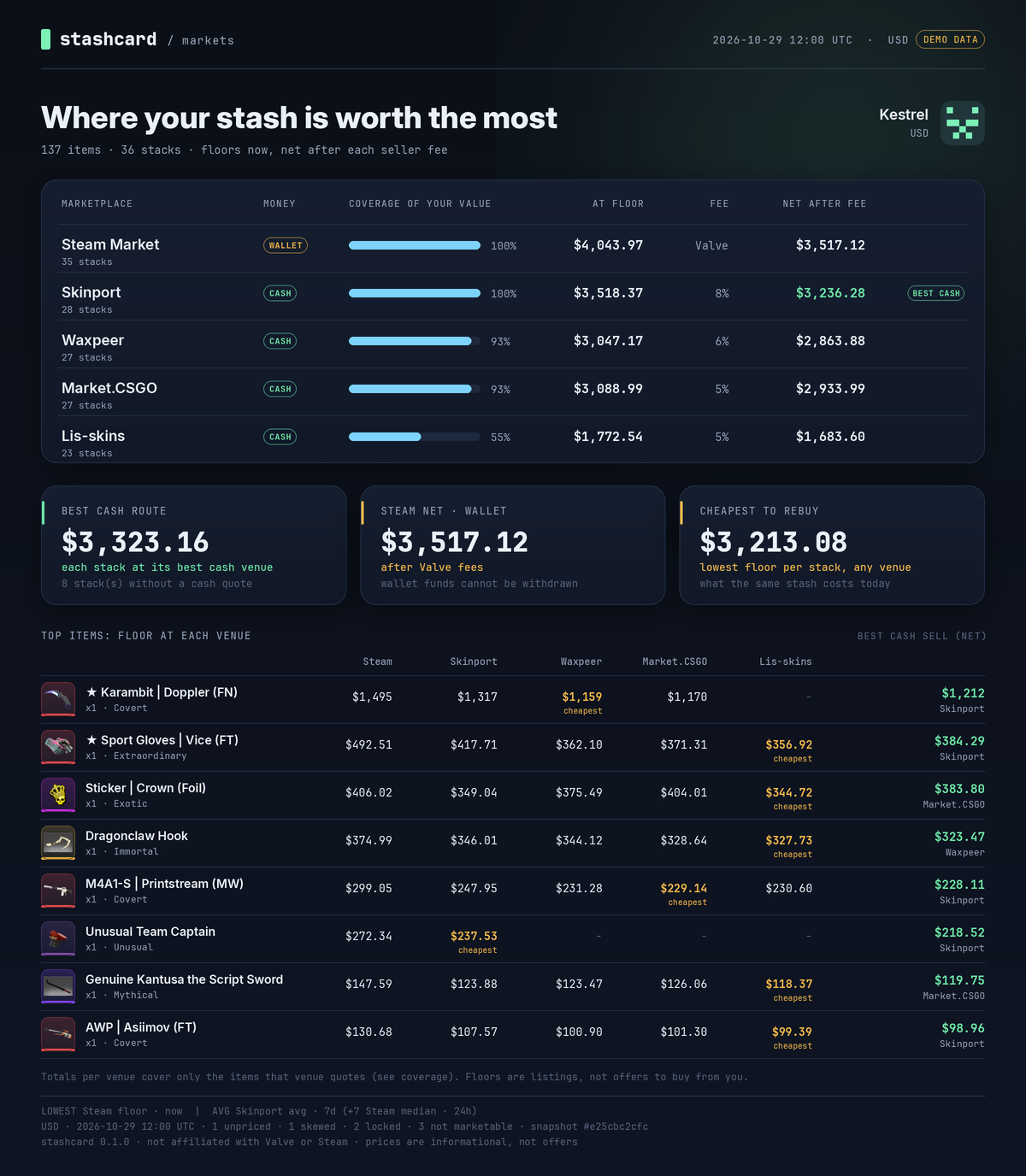 |
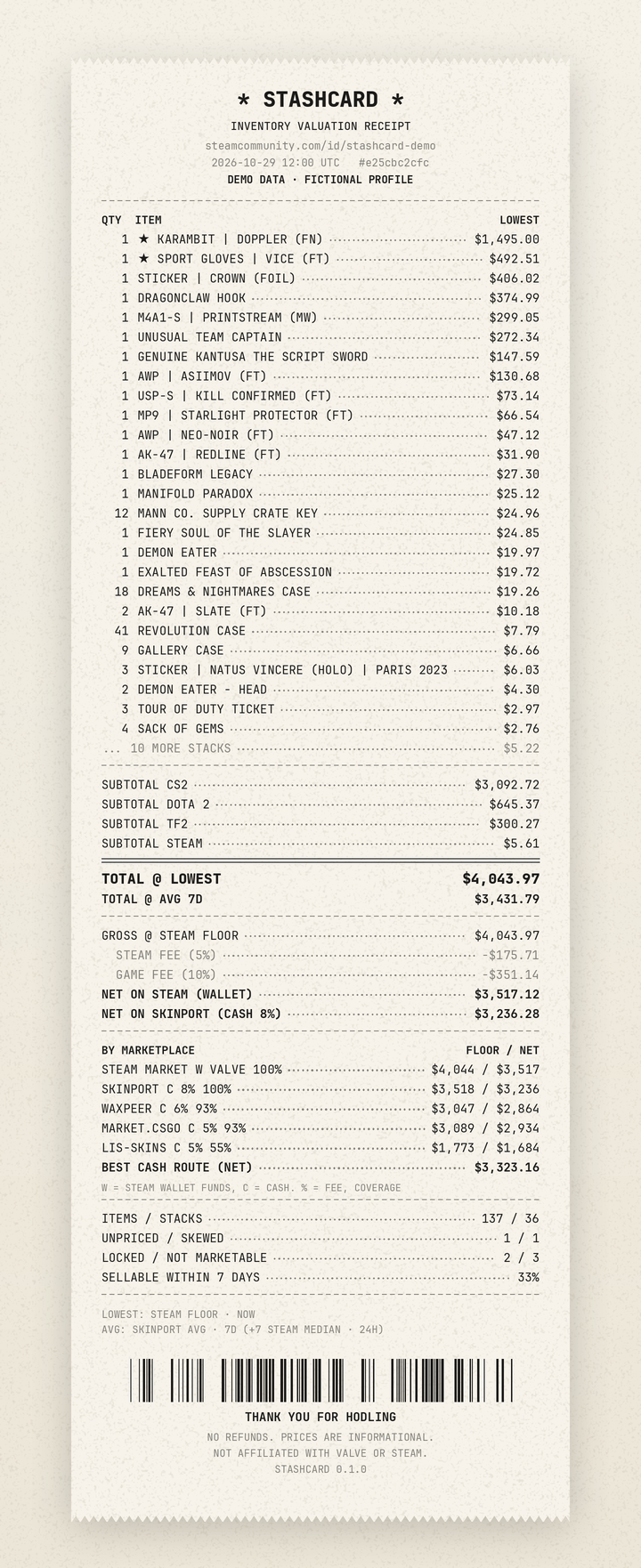 |
| Game card, CS2 |
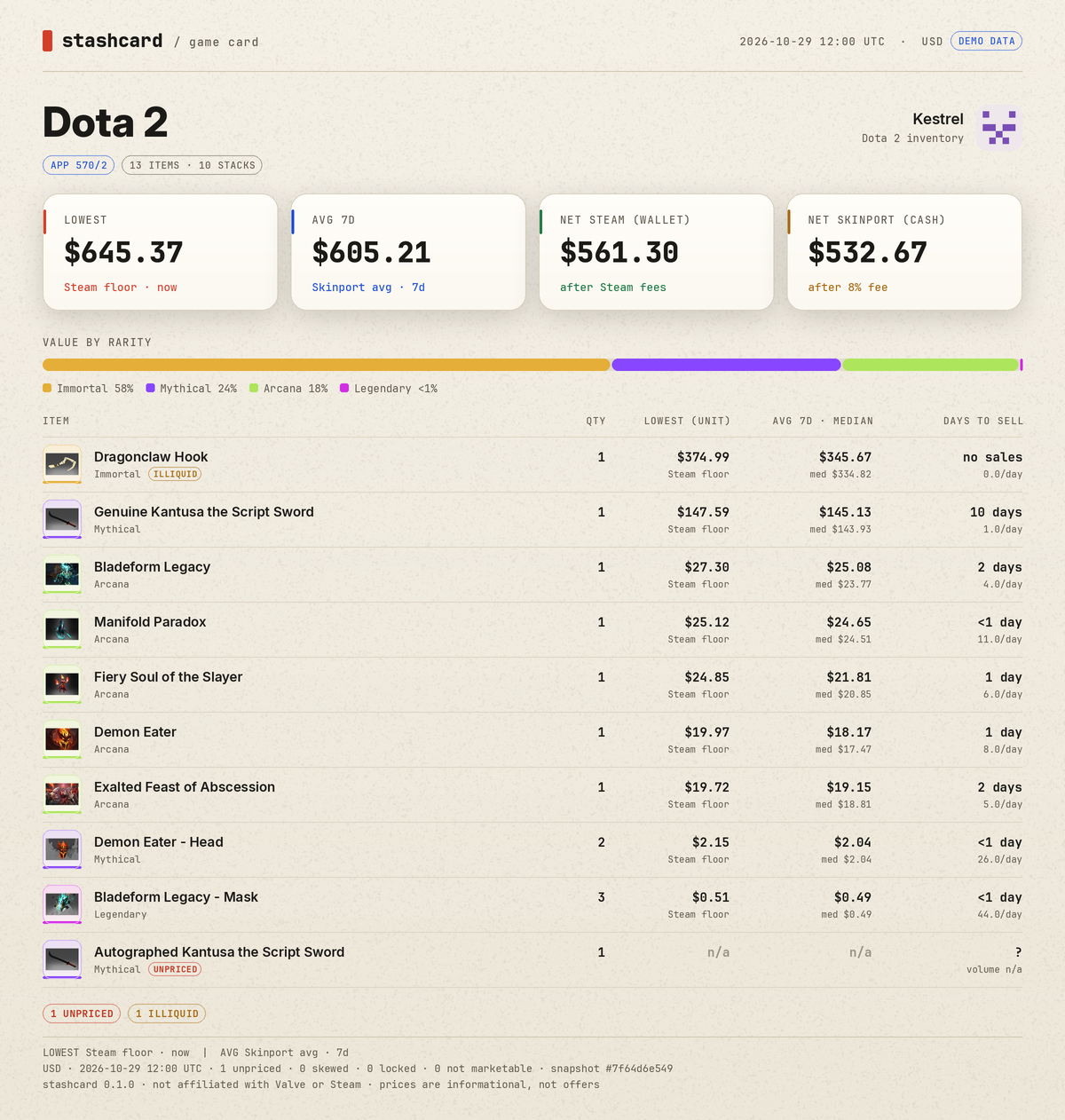
Game card, Dota 2, paper |
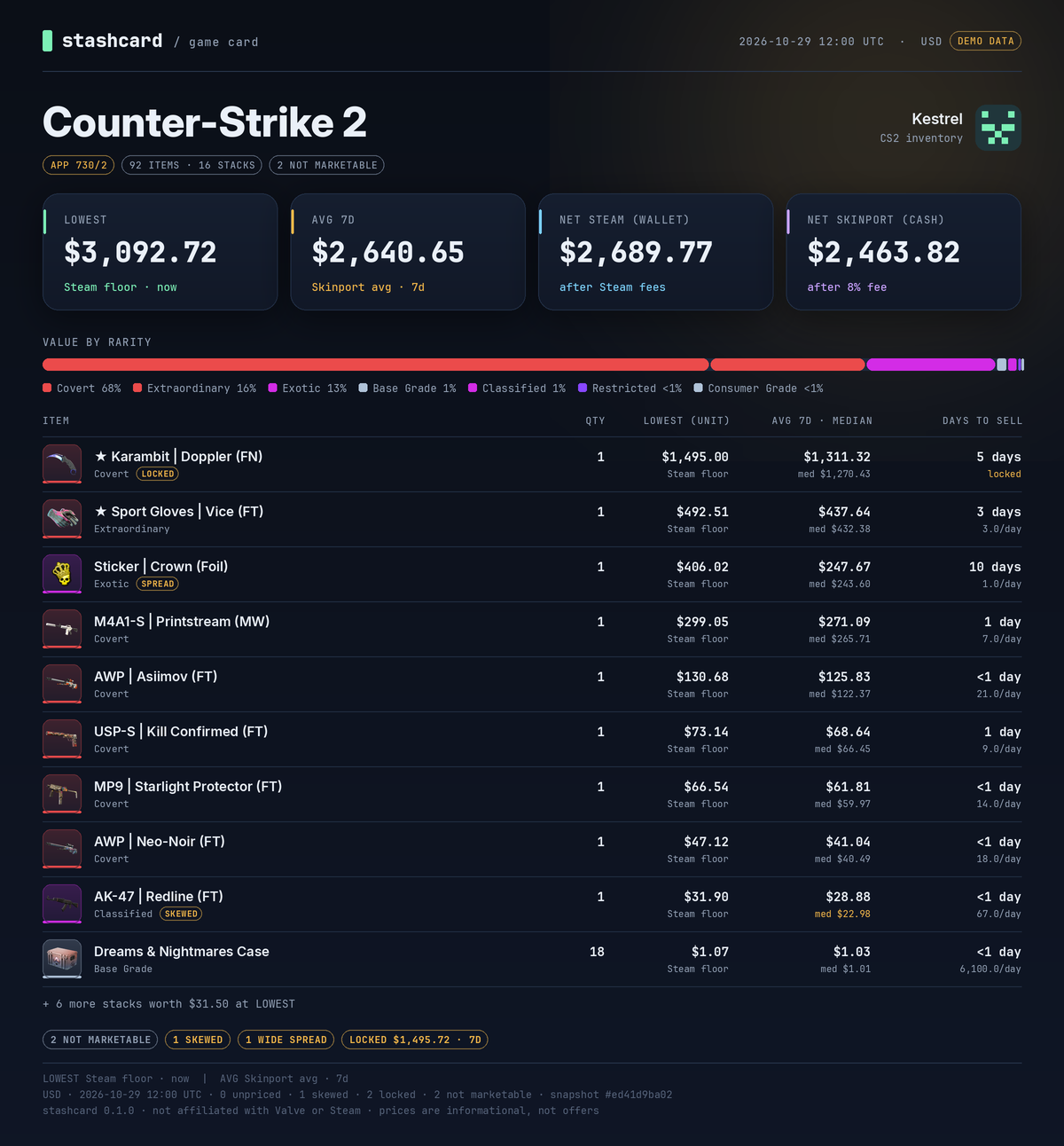 |
 |
| Inventory picture |
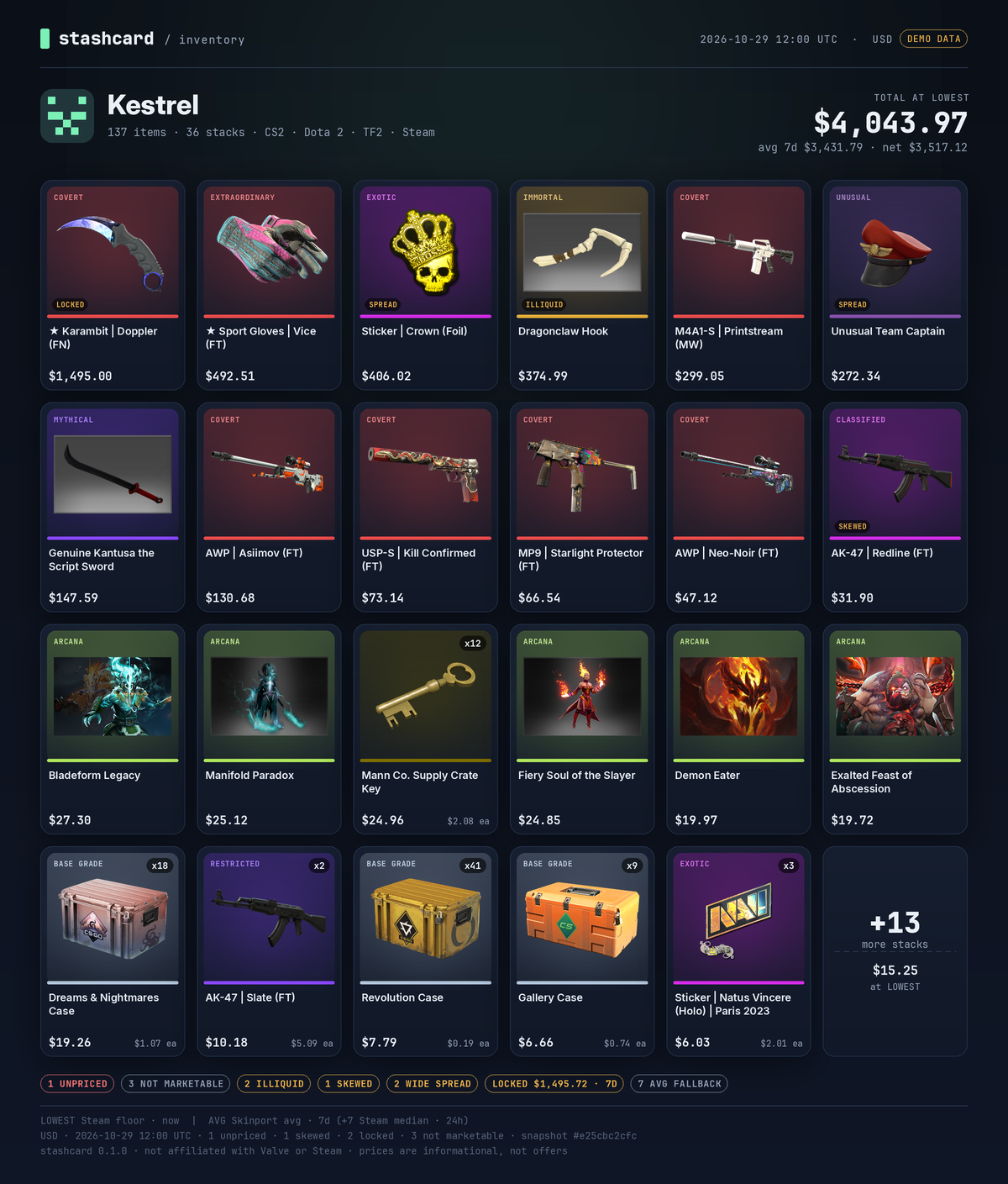
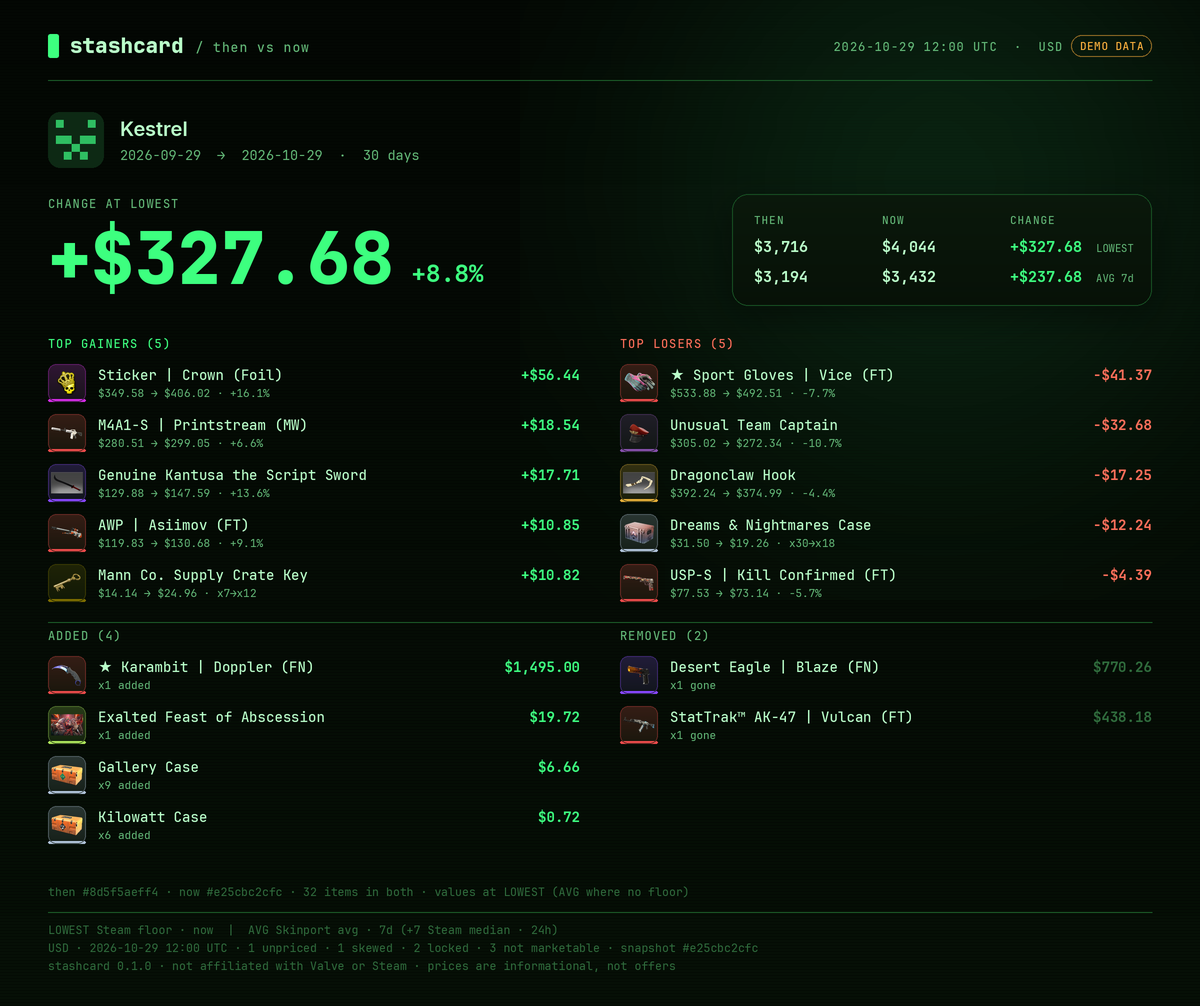
Then vs now, phosphor |
 |
 |
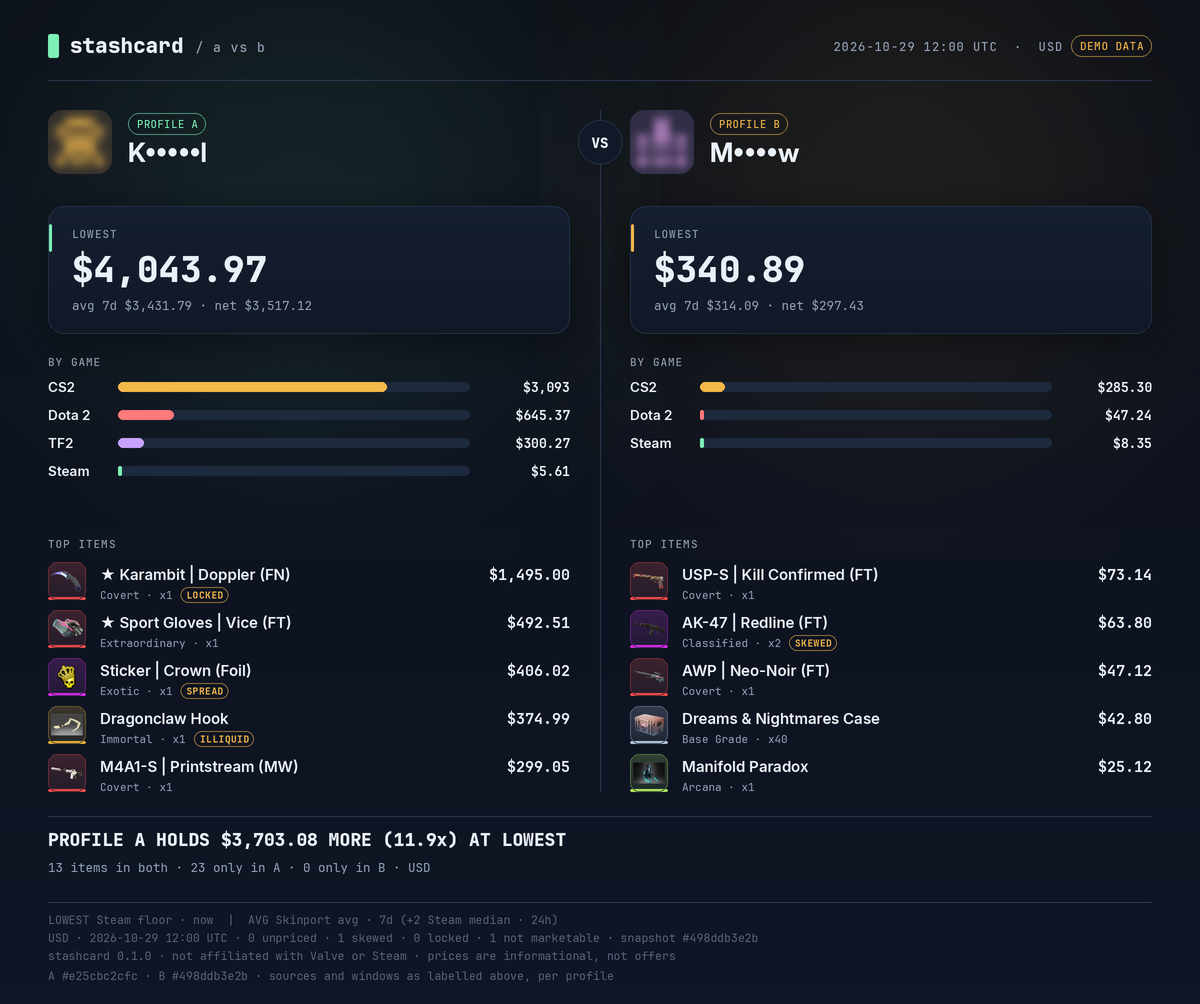
| A vs B, light redaction |
Full redaction, phosphor |
 |
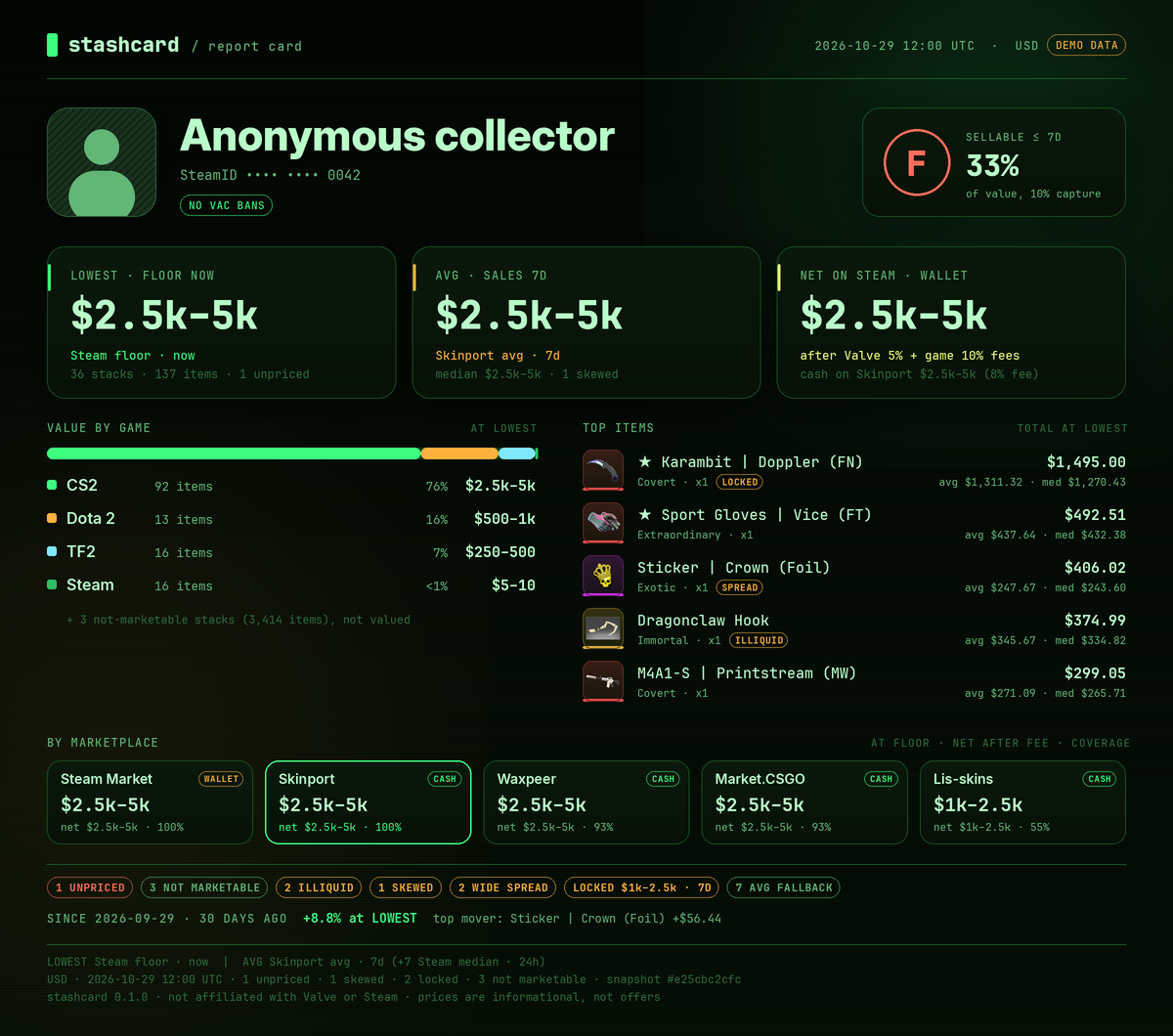 |
Every PNG ships with a card.json sidecar (enough to re-render it offline and check the numbers) and a
card.alt.txt with alt text you can paste wherever you post the image.
Install
[!IMPORTANT]
This is a Windows build. Stashcard runs on Windows 10/11 (x64) with Python 3.11+. The CLI refuses to start on other systems (This build is Windows-only.), because the packaged companion runtime is a Windows program.
pipx install git+https://github.com/AssassinCreator/steam-account-value-checker.git
Or from a clone:
git clone https://github.com/AssassinCreator/steam-account-value-checker.git
cd stashcard
pipx install .            # or: python -m venv .venv && .venv/bin/pip install -e ".[dev]"
Python 3.11 or newer. Dependencies: httpx, brotli, rich, questionary, Pillow, platformdirs.
Inter and JetBrains Mono are bundled (SIL Open Font License). Windows steps are below.
Where to run it
Use your home PC. Windows is recommended; home Linux and macOS work fine too.
Steam throttles inventory and market requests per IP, and datacenter, VPS and cloud ranges are
throttled much harder than home connections. In our tests a Linux server in a datacenter got
HTTP 429 on its very first inventory request, so live scans there are unreliable. On a server, only
the offline demo and data you already cached work reliably. Stashcard does not bundle proxies or any
other workaround, and it tells you plainly when Steam says no.
Windows install
Install Python 3.12 from python.org (tick Add python.exe to
PATH), or run winget install Python.Python.3.12.
In PowerShell:
py -m pip install --user pipx
py -m pipx ensurepath
# open a new terminal, then:
pipx install git+https://github.com/AssassinCreator/steam-account-value-checker.git
stashcard demo
Use Windows Terminal (the default terminal on Windows 11). It shows colours, the arrow-key
menus and the half-block card preview. The classic console still works; Stashcard then prints the
path to the PNG instead of a preview, and --open opens the card in your image viewer. Windows
Terminal 1.22+ can also show sixel images: set STASHCARD_PREVIEW=sixel (TODO(verify): not tested
on real hardware yet).
Settings, cache and history go to %LOCALAPPDATA%\stashcard (stashcard config path prints the exact
folders). The CI runs the test suite and the demo on Windows as well as Linux.
Quick start
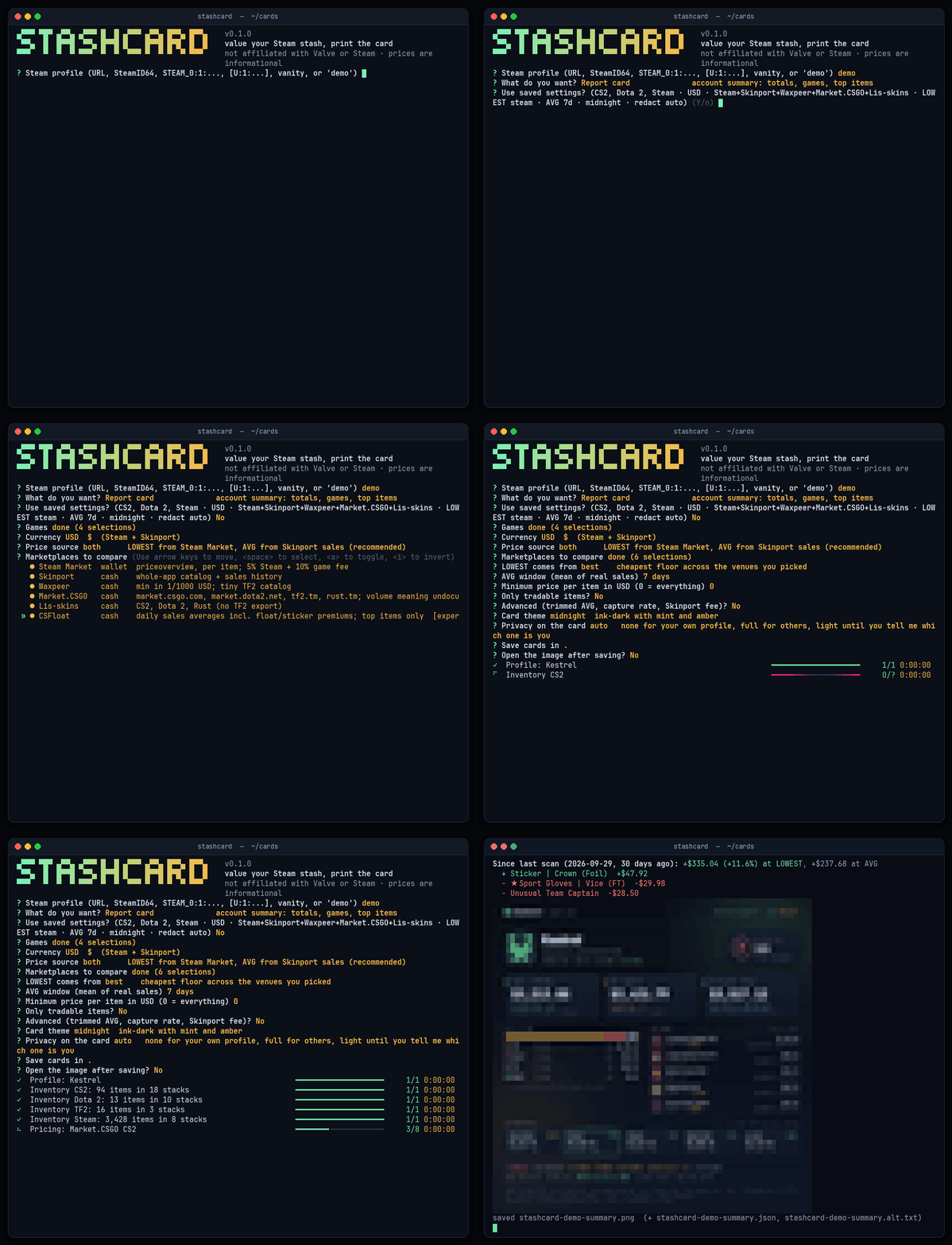
stashcard                                   # interactive: paste a profile, arrow keys for the rest
stashcard demo                              # offline demo, writes stashcard-demo-summary.png
stashcard demo --mode all --out-dir cards   # every layout at once

stashcard card https://steamcommunity.com/id/yourname --mode grid --game cs2 -c EUR -o stash.png
stashcard markets yourname -c EUR           # every venue's floor, net after fees, where to sell
stashcard value 76561197960287930 --lowest-from best --json valuation.json --csv items.csv
stashcard diff yourname@last yourname       # then vs now, from local history
stashcard diff yourname theirname           # A vs B, redacted by default
stashcard render stash.json --theme paper   # re-render a sidecar offline
Profiles can be pasted in any form: steamcommunity.com/id/<name>, /profiles/<steamid64>, a bare
SteamID64, STEAM_0:X:Y, [U:1:N], a numeric friend code, s.team/p/<code> invite links, or just the
custom URL name.
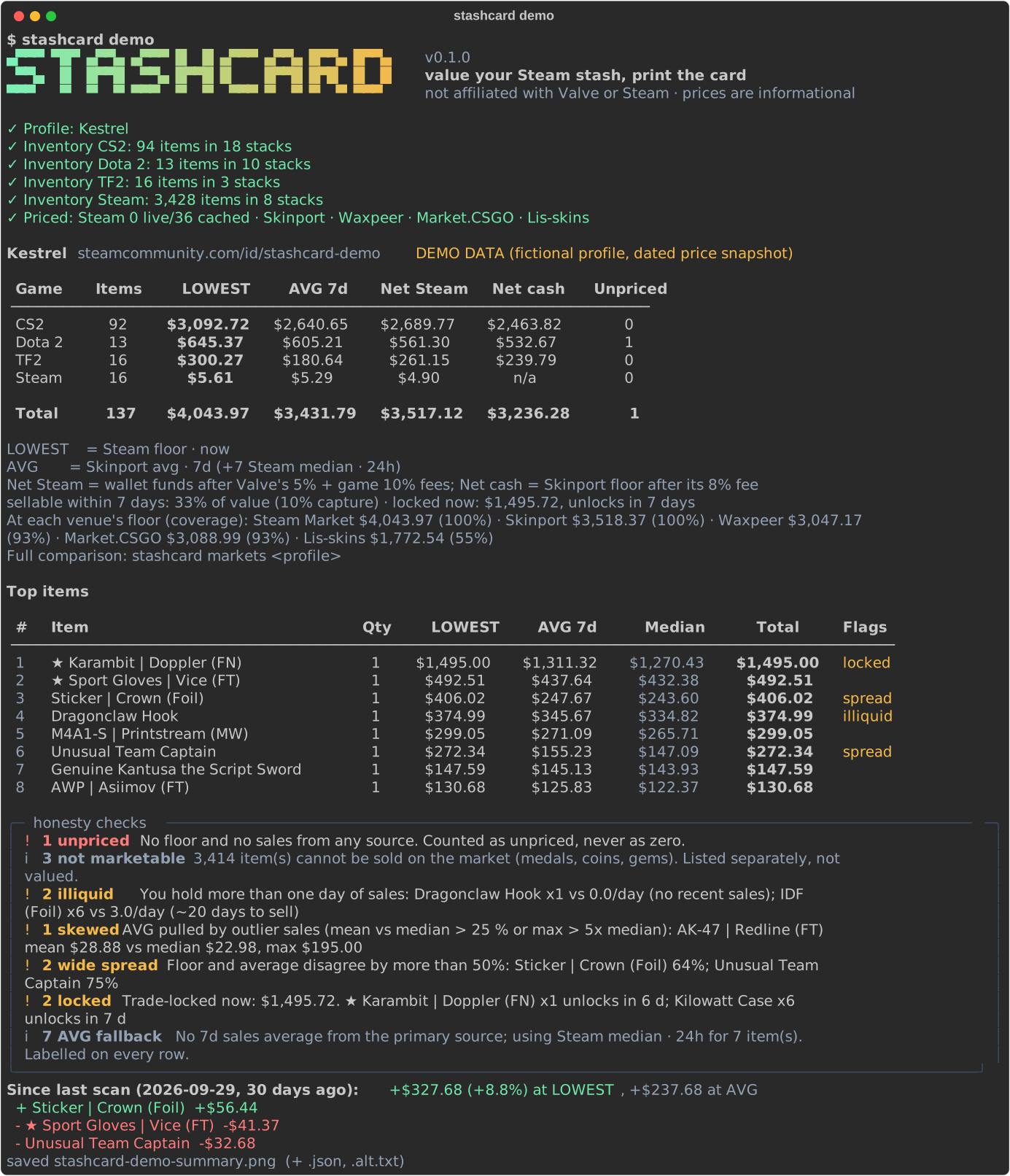
Modes
| Mode |
Command |
What you get |
| Report card |
card P --mode summary |
Totals at LOWEST, AVG and net, value by game, top items, a by-marketplace strip, honesty chips, delta, liquidity grade |
| Game inventory card |
card P --mode game --for-game dota2 |
One game: rarity mix (with text labels), item table with median and days to sell |
| Inventory picture |
card P --mode grid [--limit 36] [--paginate] |
Icon grid with prices; "+N more" tile or one PNG per page |
| Receipt |
card P --mode receipt |
Itemised thermal receipt: subtotals, Steam and game fees, wallet vs cash net, venue subtotals, barcode |
| Marketplaces |
markets P (or card P --mode markets) |
Each venue's floor total, fee and net with coverage; best cash route; cheapest buy and best cash sell per item |
| Quick value |
value P |
Terminal only. Tables, warnings, --json / --csv |
| Compare |
diff A B |
Then-vs-now (same profile) or A-vs-B (two profiles, side by side) |
| Demo |
demo [--mode ...] |
The same pipeline on a bundled fictional profile. No network needed |
Utilities: history P, config show | me | api-key | cookie | forget-secrets | reset | path,
cache info | clear, currencies.
Options
| Option |
Default |
Meaning |
-g, --game |
cs2,dota2,steam |
cs2, dota2, tf2, rust, steam, or a custom appid/contextid. Repeat or comma-separate |
-c, --currency |
USD |
Any Steam Market currency; Skinport covers 16; USD-only venues are converted (stashcard currencies) |
--source |
both |
both = LOWEST from Steam, AVG from Skinport; steam; skinport |
--markets |
steam,skinport,waxpeer,csgotm,lisskins |
Venues to price on; add csfloat (experimental) or use all |
--lowest-from |
steam |
Where LOWEST comes from: steam, best (cheapest floor anywhere) or a venue key |
--fee VENUE=RATE |
see table below |
Override a seller fee, e.g. --fee waxpeer=0.05 or --fee skinport=6% (repeatable) |
--csfloat-top |
10 |
CSFloat history lookups per scan when csfloat is enabled |
-w, --window |
7d |
AVG window: 24h, 7d, 30d, 90d |
--min-price |
0 |
Hide stacks cheaper than this per unit (hidden count and value are reported) |
--tradable-only |
off |
Ignore copies that cannot be traded right now |
--trimmed-avg |
off |
Opt-in AVG without the extreme sales, always labelled trimmed avg |
--capture |
0.10 |
Share of daily sales you could realistically take (days to sell) |
--steam-budget |
60 |
Max live Steam price lookups per scan; cache hits are free |
-m, --mode |
summary |
summary, game, grid, receipt, markets (diff for diff, all for demo) |
--theme |
midnight |
midnight, paper, phosphor |
--redact |
auto |
none, light, full; auto decides from your saved "me" profile |
-o, --output |
./stashcard-<name>-<mode>.png |
Card path; sidecars go next to it |
--open |
off |
Open the PNG with your system viewer |
--preview |
auto |
Inline preview: kitty, iterm, sixel, blocks, none |
--json, --csv |
|
Full valuation as JSON; one row per stack as CSV, with every venue's floor and net |
--plain |
off |
No colour, ASCII tables, no animation (also honours NO_COLOR) |
--offline |
off |
Cache only; never touch the network |
--max-wait |
20 |
Longest Retry-After to sit through before falling back |
--no-history, --no-sidecar, -q |
|
Skip local history; skip card.json/alt.txt; print paths only |
The interactive flow asks for the same things with arrow keys (including a multi-select for
marketplaces) and remembers your last choices.
How prices work
Two numbers, never mixed up.
|
Means |
Default source |
Fallback (labelled) |
| LOWEST |
The current floor: the cheapest listing right now |
Steam Community Market lowest_price (--lowest-from changes it) |
Skinport, then the cheapest other venue |
| AVG |
The mean of actual sales over the window |
Skinport sales history (avg for 24h / 7d / 30d / 90d) |
Steam sales history if you add your own login cookie, CSFloat (experimental), else Steam's 24 h median |
Steam's public API only exposes a 24 hour median without a login, so for Steam community items
(appid 753), which no cash venue covers, AVG falls back to Steam median · 24h. The card says exactly
that, and so does every table row (*) and the footer (+7 Steam median · 24h).
Price sources
All free, no keys, verified live on 2026-10-29. Whole-catalog feeds are fetched once per game, cached
for an hour and looked up locally. Stashcard sends an honest User-Agent and paces every host.
| Venue |
Access |
Games |
What we use |
Money |
Default seller fee |
Caveats |
| Steam Community Market |
no key |
any |
priceoverview: floor, 24 h median and volume, per item |
wallet |
5 % + 10 % game fee, Valve's exact rounding |
~20 requests/min; datacenter IPs get 429 |
| Skinport |
no key |
CS2, Dota 2, TF2, Rust |
/v1/items floor, /v1/sales/history mean, median, min, max |
cash |
8 % |
8 requests per 5 min; brotli required |
| Waxpeer |
no key |
CS2, Dota 2, Rust, TF2 (tiny) |
/v1/prices lowest offer (in 1/1000 USD) and count |
cash |
6 % |
USD only, converted |
| Market.CSGO |
no key |
CS2, Dota 2 (market.dota2.net), TF2 (tf2.tm), Rust (rust.tm) |
/api/v2/prices/USD.json lowest offer |
cash |
5 % |
USD only; meaning of volume undocumented |
| Lis-skins |
no key |
CS2, Dota 2, Rust (no TF2 export) |
market_export_json/<game>.json lowest price and count |
cash |
5 % |
USD only; never the 140 MB api_csgo_full.json |
| CSFloat (experimental, opt-in) |
no key, undocumented |
CS2 |
/api/v1/history/<name>/graph daily average and count, top N items only |
cash |
2 % |
Includes float and sticker premiums; skew guard applies |
| open.er-api.com |
no key |
|
USD exchange rates (incl. RUB, UAH, KZT), cached 12 h |
|
|
Every converted number shows the rate and its date |
Seller fees are defaults from fee pages and review sites as of 2026-10-29. Venues change and tier them,
so they are marked TODO(verify) in markets.py; override them with --fee.
Wallet vs cash. Steam money can only be spent on Steam. The cards, tables and exports keep a
WALLET or CASH tag on every venue. The best cash route adds up each stack sold at its best cash venue
after fees; Steam's net is shown next to it, never summed into it. Venue totals cover only what that
venue lists, so each comes with its coverage of your value.
Outlier guard. AVG stays the mean, as promised, but the window median and max ride along. An item
is badged skewed when the mean and median differ by more than 25 % or the max sale is above 5x the
median. A real example: AK-47 | Redline (FT) once showed a 30 day mean of $39.85 against a median of
$26.65 because of a single $2,114 sale. The median sits next to AVG in tables and on cards, skewed items
are counted in the totals, and --trimmed-avg drops the extremes (labelled trimmed avg).
Fees and the two kinds of net.
- Net on Steam (wallet): what you would receive listing at the Steam floor, after the 5 % Steam fee and
the 10 % game fee, using Valve's exact rounding (ported from the market's own
economy_common.js
and tested so seller_receives(buyer_pays(x)) == x for every amount up to $200).
- Net at a cash venue: that venue's floor x (1 - seller fee).
Honesty checks run on every scan and show up in the terminal, on the cards and in the sidecar:
| Check |
Fires when |
| unpriced |
No floor and no sales anywhere. Counted separately, never as zero |
| not marketable |
Medals, coins, gems: listed, not valued |
| illiquid |
You hold more than one day of sales volume |
| days to sell |
quantity / (daily volume x capture). "Sellable within 7 days: X % of value" drives the grade |
| skewed |
Mean vs median > 25 %, or max > 5x median |
| wide spread |
Floor and average disagree by more than 50 % |
| locked |
Trade hold or CS2 trade protection: "locked now: $X, unlocks in N days" |
| fallback |
A number came from a secondary source or metric |
| rate limited |
A source said slow down; what was skipped and why |
Rate limits. Steam rate-limits inventories hard (see Where to run it).
Stashcard caches inventories for 10 minutes, Steam prices for 3 hours and venue catalogs for an hour,
paces requests per host, backs off with jitter, honours Retry-After, and asks Steam about the most
valuable items first so a 429 hurts least. When blocked it uses stale cache (and says how old) or tells
you plainly: Steam is rate-limiting this connection; retry in N min, use cached data, or try the demo.
Privacy
- Local only. Settings, cache and scan history live in your user folders (
stashcard config path).
Nothing is uploaded anywhere. No telemetry, no analytics, no accounts.
- Redaction presets.
--redact light masks the name (K•••••l) and SteamID64 (last 4 digits), blurs
the avatar and drops the profile link and location. --redact full also replaces the avatar, shows
"Anonymous collector" and turns totals into value bands ($2.5k–5k). By default your own profile
(stashcard config me <profile>) is unredacted, anyone else's is full, and until you set "me" the
default is light. A-vs-B cards are at least light on both sides. Demo profiles are fictional.
- Clean files. PNGs are written without text chunks or metadata. Sidecars respect the same redaction
(value bands hide totals on the image; item rows stay in
card.json so others can verify it, so skip
it with --no-sidecar if you need the totals hidden).
- Secrets. The optional API key and cookie are stored in
secrets.json with mode 0600, or read
from STASHCARD_STEAM_API_KEY / STASHCARD_STEAM_LOGIN_SECURE. They are never printed in full
(set (…a1b2)), never written to cache keys or sidecars, and the cookie is only sent to
steamcommunity.com. The cookie is a full Steam session: only add it if you understand that, and
remove it with stashcard config cookie.
Accessibility
Rarity is always shown as text next to its colour, and WALLET/CASH as text next to theirs. --plain
and NO_COLOR give colourless ASCII output. Every card gets alt text. Theme text colours are checked
for contrast in the test suite.
Roadmap
stashcard watch --once with exit codes for cron, plus an optional self-hosted ntfy webhook.- "Household" roll-up cards across several profiles.
- Instant-sell value from Steam buy orders for the top items, next to LOWEST and AVG.
- A source cross-check that flags venues far from the consensus floor.
- "Premium possible" flags from inventory data only: StatTrak, applied stickers, name tags, Doppler
phases ("priced at the base name; real value may be higher").
- Library value at current store prices (with a Web API key), shown as replacement cost, never summed
into a sale value.
history sparklines in the terminal and a value-over-time card.- Animated WebP cards for socials.
Regenerating the README assets
python scripts/make_assets.py            # PNG cards, banner, terminal.svg
pip install -e ".[gifs]"                 # pyte + pexpect, dev-only
python scripts/make_gifs.py              # assets/demo.gif (real pty recording) and assets/cards.gif
Disclaimer
Stashcard is not affiliated with, endorsed by or sponsored by Valve Corporation or Steam, or by any of
the marketplaces it reads. Steam, the Steam logo, Counter-Strike, Dota and Team Fortress are trademarks
of Valve Corporation. Item names and images belong to their owners. Prices are informational estimates
from public market data, not offers, appraisals or financial advice, and can be stale or wrong. Steam
accounts cannot be sold under the Steam Subscriber Agreement; nothing here is an "account value".
License
MIT, see LICENSE. Bundled fonts: Inter and JetBrains Mono, SIL Open Font License 1.1
(src/stashcard/fonts/*.txt).

 A command-line tool that values your Steam inventory and prints the result as a shareable card (a PNG plus terminal output). It covers CS2, Dota 2, TF2, Rust and Steam community items.