767 ·GitHub
Что это?
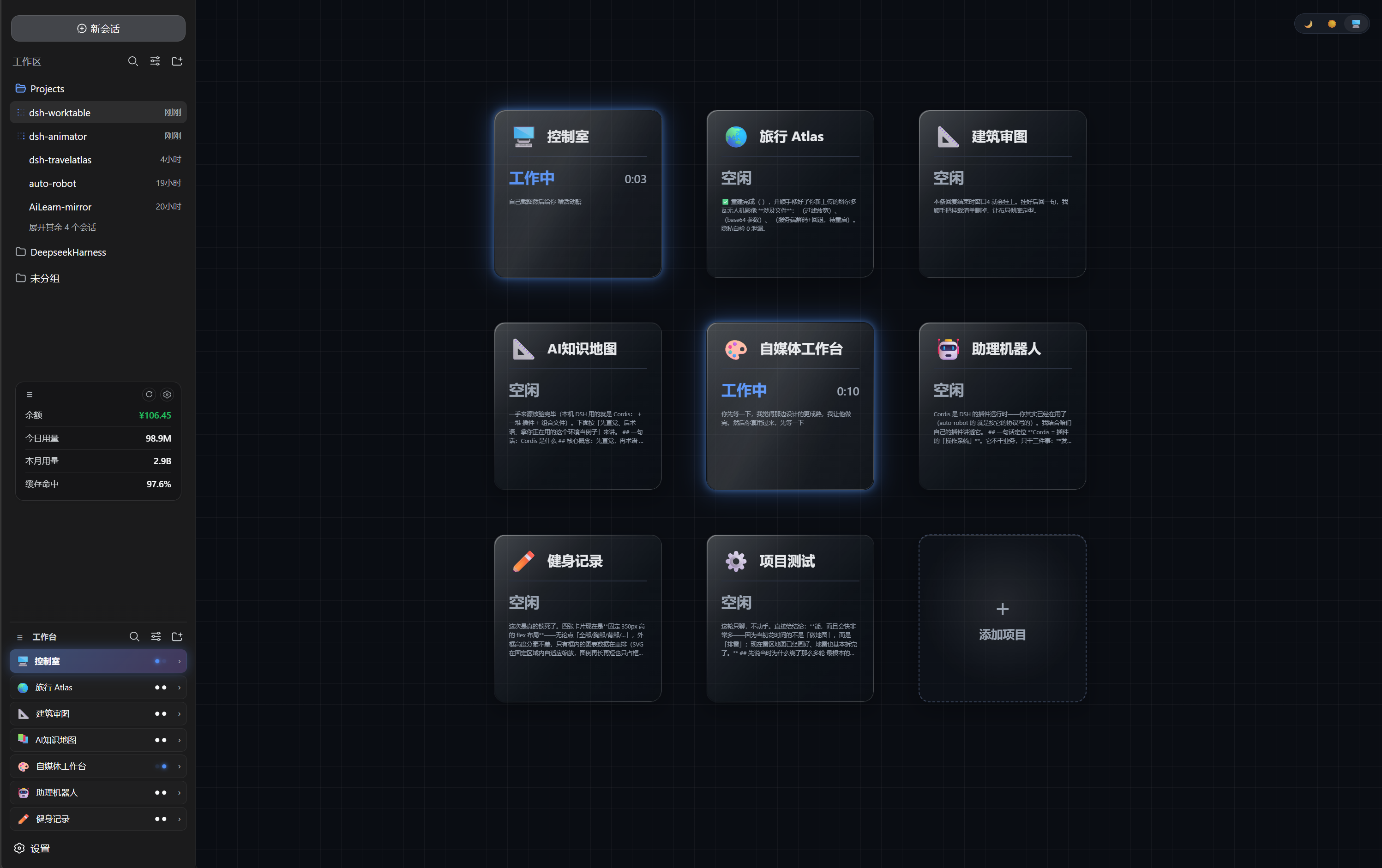
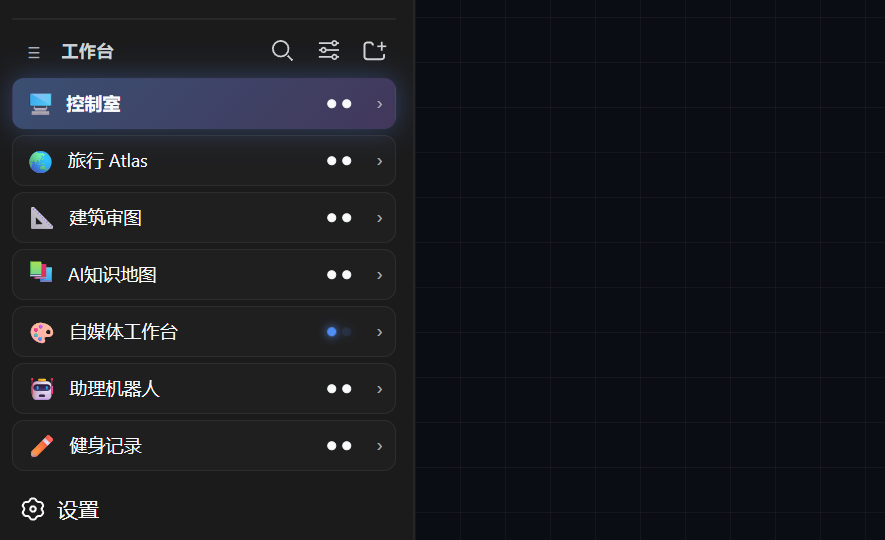
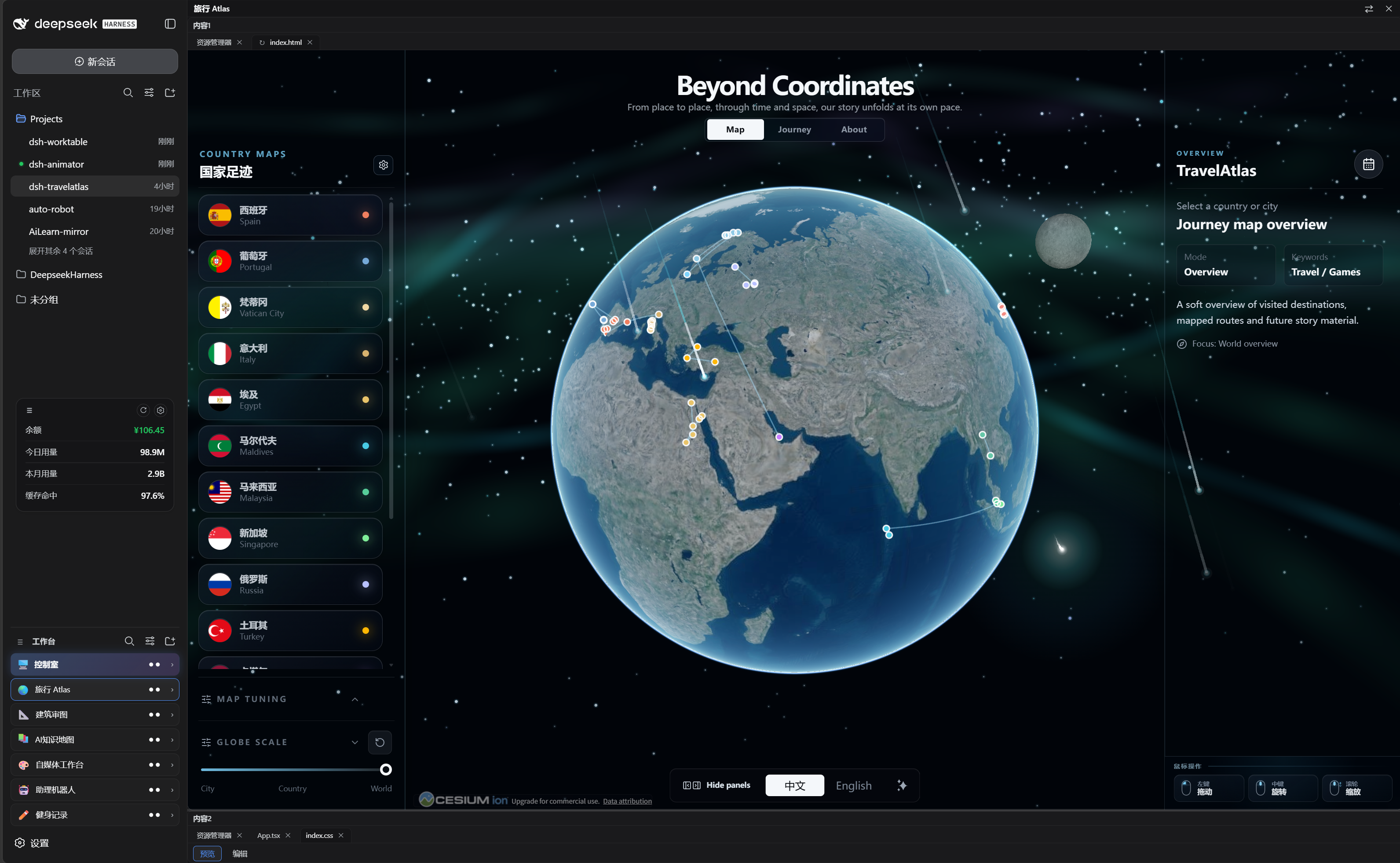
 dsh-worktable — плагин для DeepSeek Harness (DSH), который добавляет боковую панель приложений: каждый селф-хостед проект открывается как пристыковываемое окно с изменяемым размером, плюс встроенная «комната управления» показывает живой статус всех проектов (работает / ждёт вас / готово) на одном дашборде.
dsh-worktable — плагин для DeepSeek Harness (DSH), который добавляет боковую панель приложений: каждый селф-хостед проект открывается как пристыковываемое окно с изменяемым размером, плюс встроенная «комната управления» показывает живой статус всех проектов (работает / ждёт вас / готово) на одном дашборде.Это отдельное приложение или плагин к чему-то?Это плагин Cordis, который добавляет маршруты host API и веб-клиент поверх существующей оболочки DeepSeek Harness — он чисто дополняющий и не заменяет ни один официальный плагин DSH.
Это плагин Cordis, который добавляет маршруты host API и веб-клиент поверх существующей оболочки DeepSeek Harness — он чисто дополняющий и не заменяет ни один официальный плагин DSH.Нужно ли, чтобы DeepSeek Harness уже был настроен?Да — это плагин для DeepSeek Harness (DSH); он работает только внутри запущенного DSH web-инстанса и переиспользует его существующую систему чатов и сессий, а не имеет свою.
Да — это плагин для DeepSeek Harness (DSH); он работает только внутри запущенного DSH web-инстанса и переиспользует его существующую систему чатов и сессий, а не имеет свою.Он полностью стабилен на macOS?Нет — Windows единственная полностью протестированная платформа; поддержка macOS экспериментальная: основной код работы с путями адаптирован под кроссплатформенность, но сквозной тест на реальном железе macOS не завершён, а панель терминала — обычный хост PowerShell без полноценного PTY.
Нет — Windows единственная полностью протестированная платформа; поддержка macOS экспериментальная: основной код работы с путями адаптирован под кроссплатформенность, но сквозной тест на реальном железе macOS не завершён, а панель терминала — обычный хост PowerShell без полноценного PTY.Куда деваются мои данные о проектах и раскладке?Всё (проекты, привязки, раскладки) остаётся в localStorage браузера, без телеметрии; единственный исходящий запрос — необязательная ежедневная проверка GitHub Releases только на чтение, её можно отключить в настройках.
Всё (проекты, привязки, раскладки) остаётся в localStorage браузера, без телеметрии; единственный исходящий запрос — необязательная ежедневная проверка GitHub Releases только на чтение, её можно отключить в настройках.Что такое «комната управления»?Это закреплённый неудаляемый первый проект, привязанный к одному управляющему диалогу: он показывает живую сетку карточек в три колонки, отражающую состояние каждого другого проекта (работает / ждёт вас / готово), рантайм и число субагентов — снепшоты хост-сессий читаются через событийное зеркало, без опроса и без затрат токенов.
Это закреплённый неудаляемый первый проект, привязанный к одному управляющему диалогу: он показывает живую сетку карточек в три колонки, отражающую состояние каждого другого проекта (работает / ждёт вас / готово), рантайм и число субагентов — снепшоты хост-сессий читаются через событийное зеркало, без опроса и без затрат токенов.Что за функция «укажи и отметь»?Клик по кнопке аннотирования превращает курсор в облачко с текстом; клик в любом месте окна упаковывает номер окна, координаты, кликнутый элемент и ваш набранный запрос в поле ввода чата (без отправки), чтобы любой агент мог отработать его без словесного описания места.
Клик по кнопке аннотирования превращает курсор в облачко с текстом; клик в любом месте окна упаковывает номер окна, координаты, кликнутый элемент и ваш набранный запрос в поле ввода чата (без отправки), чтобы любой агент мог отработать его без словесного описания места.Какие панели можно разместить в рабочей области с доками, кроме терминала?Встроенные панели: файловый проводник, терминал, браузер, просмотрщик анимационных сайтов и кастомное окно, где вы описываете требование, а агент собирает результат — он автоматически монтируется в это окно и блокирует его.
Встроенные панели: файловый проводник, терминал, браузер, просмотрщик анимационных сайтов и кастомное окно, где вы описываете требование, а агент собирает результат — он автоматически монтируется в это окно и блокирует его.What are similar projects?oh-dsh, cocode, DSH-better-sidebar, Bigfish, dsh-our-free-model, dsh-usage-stats, deepseek-harness-desktop, pilot-harness
oh-dsh, cocode, DSH-better-sidebar, Bigfish, dsh-our-free-model, dsh-usage-stats, deepseek-harness-desktop, pilot-harnessWhich topics is it in?workspace, localstorage, window-manager, dsh, plugin-system, dsh-plugin, deepseek-harness, real-time, deepseek, browser, monitoring, dashboard
workspace, localstorage, window-manager, dsh, plugin-system, dsh-plugin, deepseek-harness, real-time, deepseek, browser, monitoring, dashboard