762 ·GitHub
What is this?
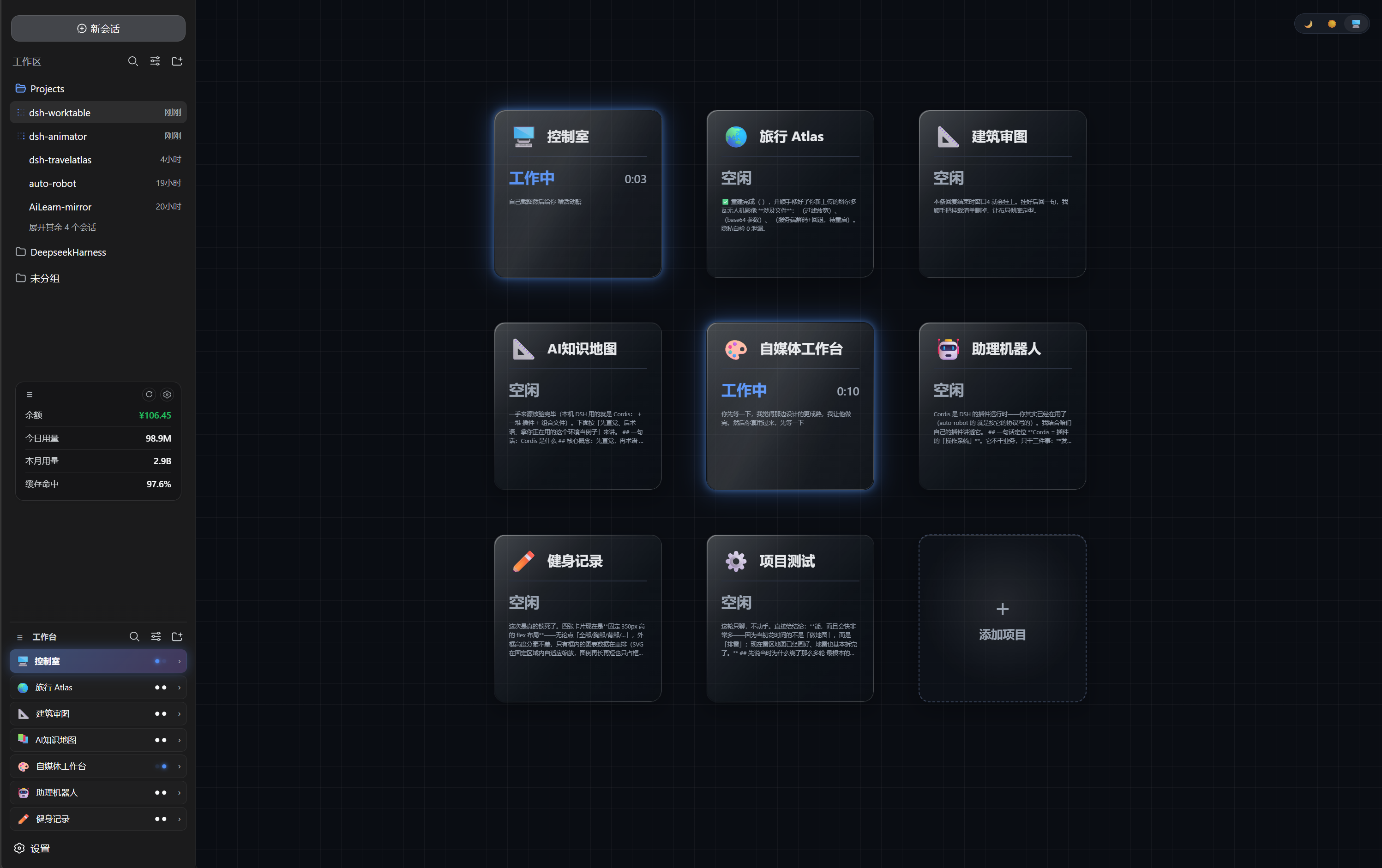
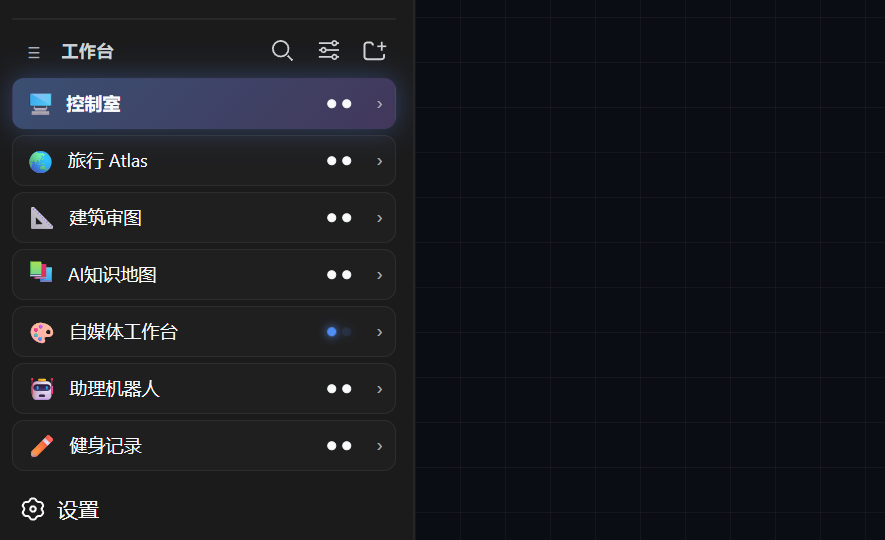
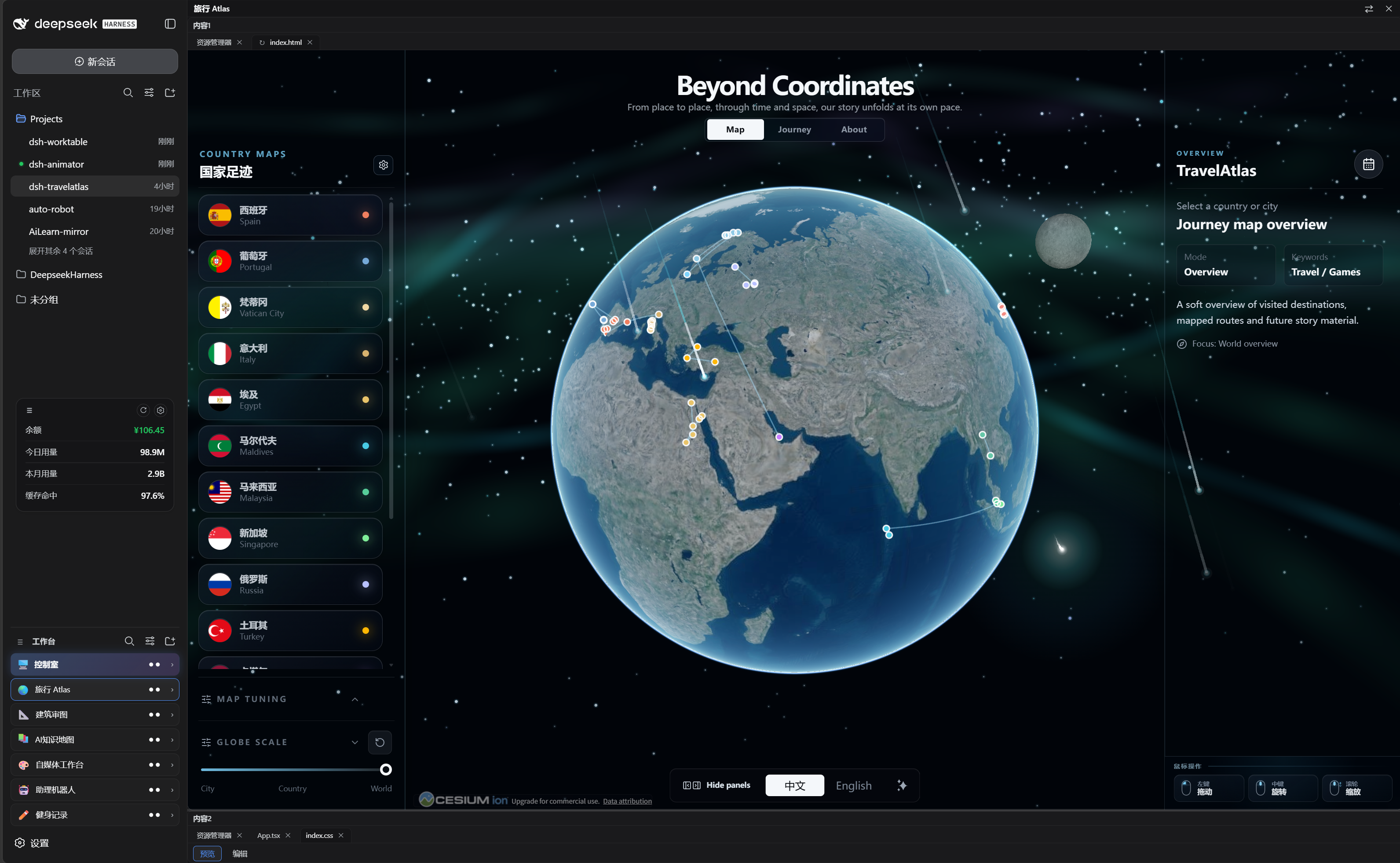
 dsh-worktable is a plugin for DeepSeek Harness (DSH) that gives you a sidebar app drawer where every self-hosted project opens as a dockable, resizable window, plus a built-in control room that shows every project's live status (working / needs you / done) in one dashboard.
dsh-worktable is a plugin for DeepSeek Harness (DSH) that gives you a sidebar app drawer where every self-hosted project opens as a dockable, resizable window, plus a built-in control room that shows every project's live status (working / needs you / done) in one dashboard.Is this a standalone app or a plugin for something else?It's a Cordis plugin that adds host API routes plus a web client on top of DeepSeek Harness's existing shell — it's purely additive and doesn't replace any official DSH plugin.
It's a Cordis plugin that adds host API routes plus a web client on top of DeepSeek Harness's existing shell — it's purely additive and doesn't replace any official DSH plugin.Do I need DeepSeek Harness already set up?Yes — this is a plugin for DeepSeek Harness (DSH); it only runs inside a running DSH web instance and reuses its existing chat/session system instead of having its own.
Yes — this is a plugin for DeepSeek Harness (DSH); it only runs inside a running DSH web instance and reuses its existing chat/session system instead of having its own.Is it fully stable on macOS?No — Windows is the only fully tested platform; macOS support is experimental, with the core file-path code adapted for cross-platform use but no completed end-to-end test on real macOS hardware, and the terminal pane is a plain PowerShell host with no native PTY parity.
No — Windows is the only fully tested platform; macOS support is experimental, with the core file-path code adapted for cross-platform use but no completed end-to-end test on real macOS hardware, and the terminal pane is a plain PowerShell host with no native PTY parity.Where does my project data and layout info go?Everything (projects, bindings, layouts) stays in the browser's localStorage with no telemetry; the only outbound call is an optional once-a-day read-only GitHub Releases check that can be disabled in Settings.
Everything (projects, bindings, layouts) stays in the browser's localStorage with no telemetry; the only outbound call is an optional once-a-day read-only GitHub Releases check that can be disabled in Settings.What exactly is the control room?It's a pinned, undeletable first project bound to one management conversation that shows a live 3-column card grid mirroring every other project's state (working / needs you / done), runtime, and subagent counts — it reads host session snapshots via an event-driven mirror with zero polling and zero token cost.
It's a pinned, undeletable first project bound to one management conversation that shows a live 3-column card grid mirroring every other project's state (working / needs you / done), runtime, and subagent counts — it reads host session snapshots via an event-driven mirror with zero polling and zero token cost.What is the point-to-annotate feature?Clicking the annotate button turns your cursor into a speech bubble; clicking anywhere in a window packages the window number, coordinates, clicked element and your typed request into the chat input (unsent) so any agent can act on it without a verbal location description.
Clicking the annotate button turns your cursor into a speech bubble; clicking anywhere in a window packages the window number, coordinates, clicked element and your typed request into the chat input (unsent) so any agent can act on it without a verbal location description.What panes can I put in a dockable workspace besides the terminal?Built-in panes include a file explorer, terminal, browser, an animation site viewer, and a custom window where you describe a requirement and the agent builds the result, which auto-mounts into that window and locks it.
Built-in panes include a file explorer, terminal, browser, an animation site viewer, and a custom window where you describe a requirement and the agent builds the result, which auto-mounts into that window and locks it.What are similar projects?oh-dsh, cocode, DSH-better-sidebar, Bigfish, dsh-our-free-model, dsh-usage-stats, dsh-lowtide, deepseek-harness-desktop
oh-dsh, cocode, DSH-better-sidebar, Bigfish, dsh-our-free-model, dsh-usage-stats, dsh-lowtide, deepseek-harness-desktopWhich topics is it in?workspace, localstorage, window-manager, dsh, plugin-system, dsh-plugin, deepseek-harness, real-time, deepseek, browser, dashboard, monitoring
workspace, localstorage, window-manager, dsh, plugin-system, dsh-plugin, deepseek-harness, real-time, deepseek, browser, dashboard, monitoring