 AinanPlayer







331 ·GitHub
What is this?
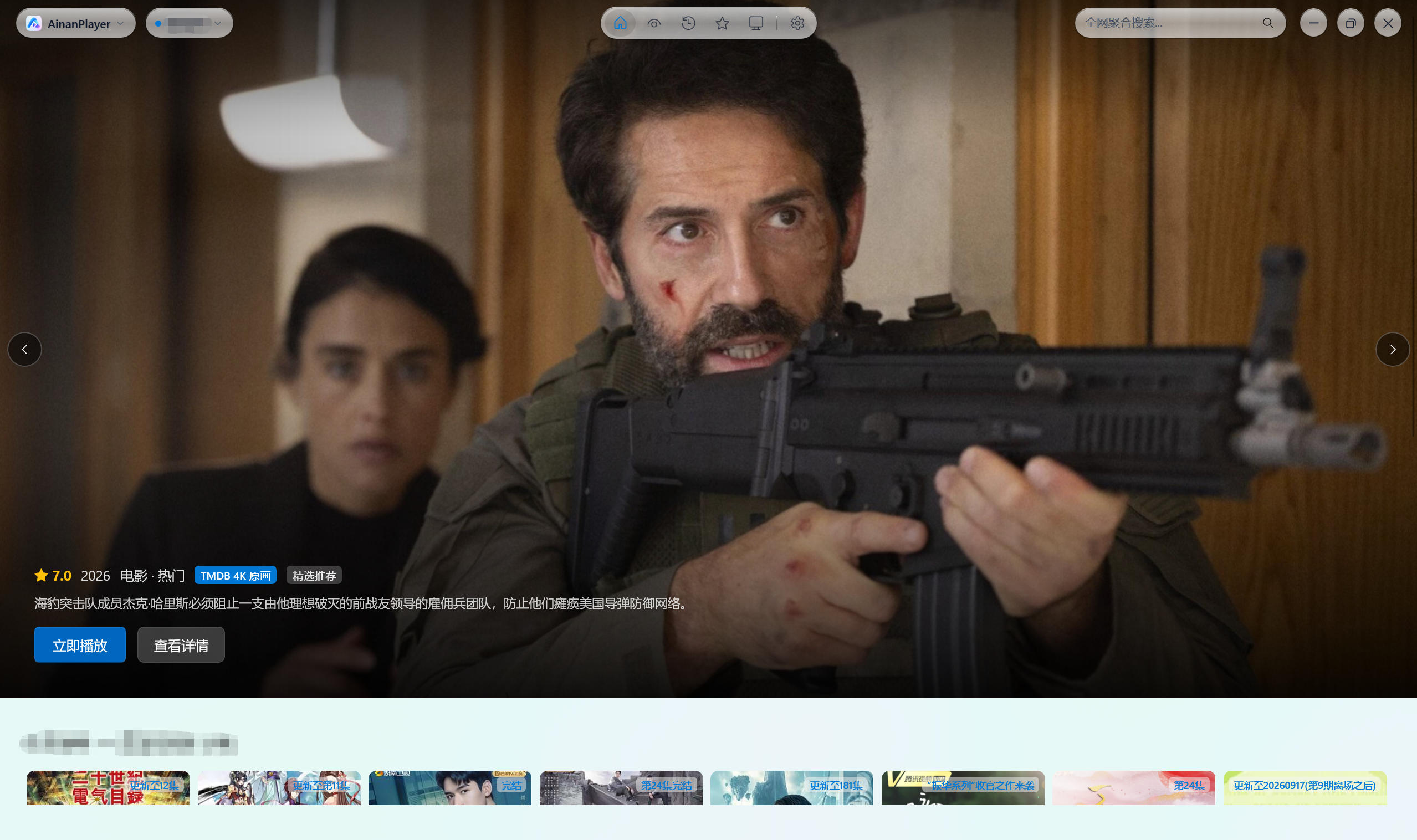
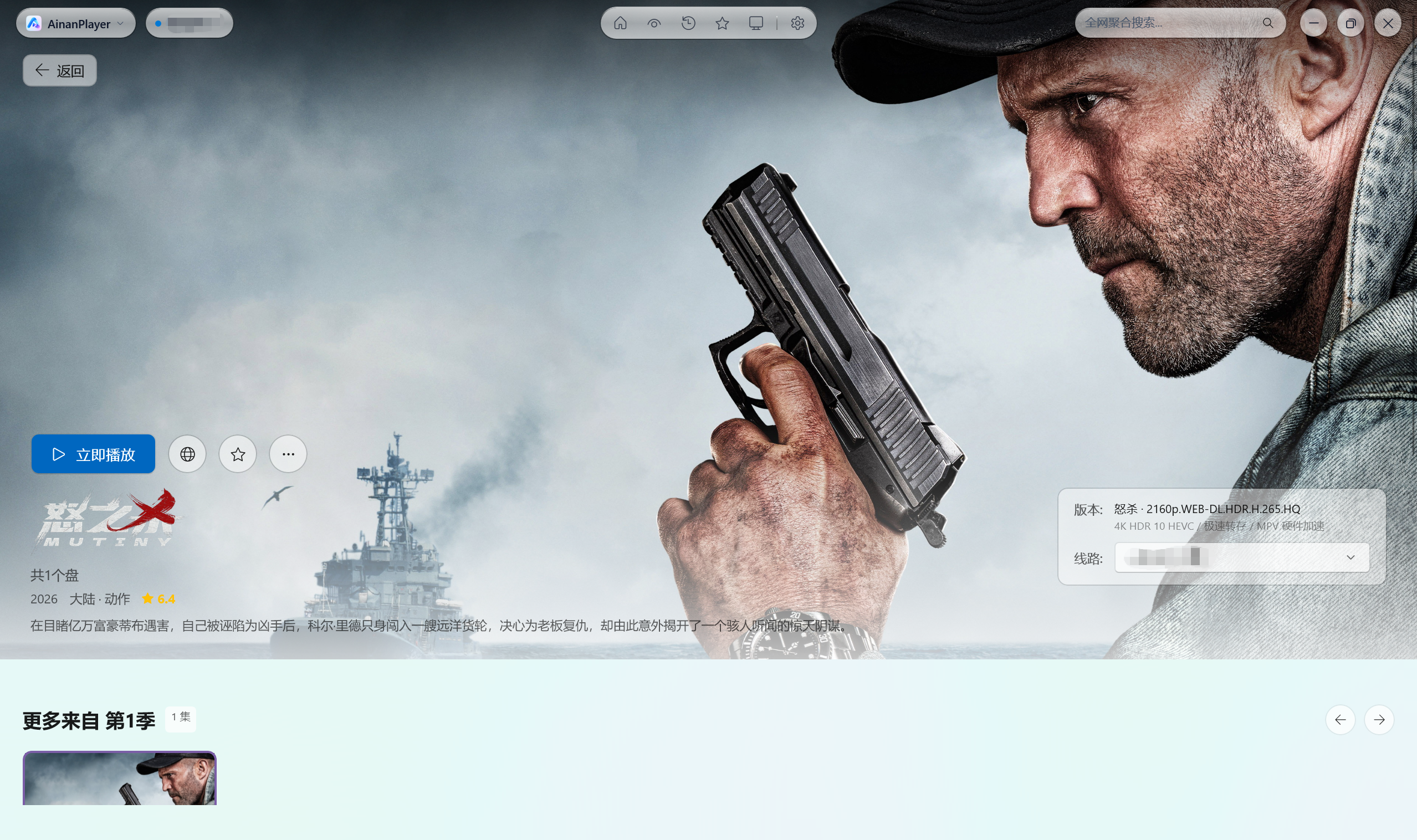
 A native Windows media aggregation and streaming client: it pulls film and TV streams from TVBox/CatVod-style sources and plays them with 4K hardware acceleration in a WinUI 3 Fluent interface.
A native Windows media aggregation and streaming client: it pulls film and TV streams from TVBox/CatVod-style sources and plays them with 4K hardware acceleration in a WinUI 3 Fluent interface.Does it come with content, or do I bring my own sources?You bring your own: it is strictly a local player that hosts nothing. You import TVBox/CatVod subscription and site configs yourself, or authorize your own cloud-drive accounts.
You bring your own: it is strictly a local player that hosts nothing. You import TVBox/CatVod subscription and site configs yourself, or authorize your own cloud-drive accounts.Do I need to install anything else first?No. It is fully self-contained — the .NET 8 and Windows App SDK runtimes plus a portable mpv playback engine are bundled. You only need Windows 10 (build 17763 or newer) or Windows 11 64-bit.
No. It is fully self-contained — the .NET 8 and Windows App SDK runtimes plus a portable mpv playback engine are bundled. You only need Windows 10 (build 17763 or newer) or Windows 11 64-bit.Will the sources it finds always work?Not guaranteed. Streams come from third-party public sources you configure yourself, and the developers take no liability for their validity, legality, accuracy, or availability.
Not guaranteed. Streams come from third-party public sources you configure yourself, and the developers take no liability for their validity, legality, accuracy, or availability.Does it need access to any of my accounts?Only if you want cloud-drive streaming: an in-app QR console lets you scan-to-login with Quark, UC, Alibaba Cloud, Baidu Netdisk, or 115 for automated transfers and 4K direct streaming.
Only if you want cloud-drive streaming: an in-app QR console lets you scan-to-login with Quark, UC, Alibaba Cloud, Baidu Netdisk, or 115 for automated transfers and 4K direct streaming.Is it free and open source?Yes — MIT licensed. The README adds that it is intended for research and education, and prohibits unauthorized commercial or copyright-infringing use.
Yes — MIT licensed. The README adds that it is intended for research and education, and prohibits unauthorized commercial or copyright-infringing use.Do I need a powerful graphics card for the 4K playback?Decoding is GPU-accelerated by the bundled Yaozhi-MPV engine — 4K UHD, HEVC/H.265, Dolby Vision, and 60/120FPS — though the README names no minimum GPU model.
Decoding is GPU-accelerated by the bundled Yaozhi-MPV engine — 4K UHD, HEVC/H.265, Dolby Vision, and 60/120FPS — though the README names no minimum GPU model.Where do the streams come from, and can I search across them?From TVBox/CatVod subscription configs you import, including encrypted .js.md5 and Base64 ones — spiders run as isolated microservices with dynamic hot-loading and crawler script caching. Cross-source aggregate search then queries all active subscription sites concurrently, with multi-level category filters.
From TVBox/CatVod subscription configs you import, including encrypted .js.md5 and Base64 ones — spiders run as isolated microservices with dynamic hot-loading and crawler script caching. Cross-source aggregate search then queries all active subscription sites concurrently, with multi-level category filters.What player is under the hood, and can I swap it?A portable Yaozhi-MPV engine is bundled at runtime/mpv/mpv.exe, so 4K playback works out of the box. In Settings you can instead point to your own external mpv.exe to use your mpv.conf, shaders like Anime4K or FSRCNNX, custom keybindings, and Lua scripts.
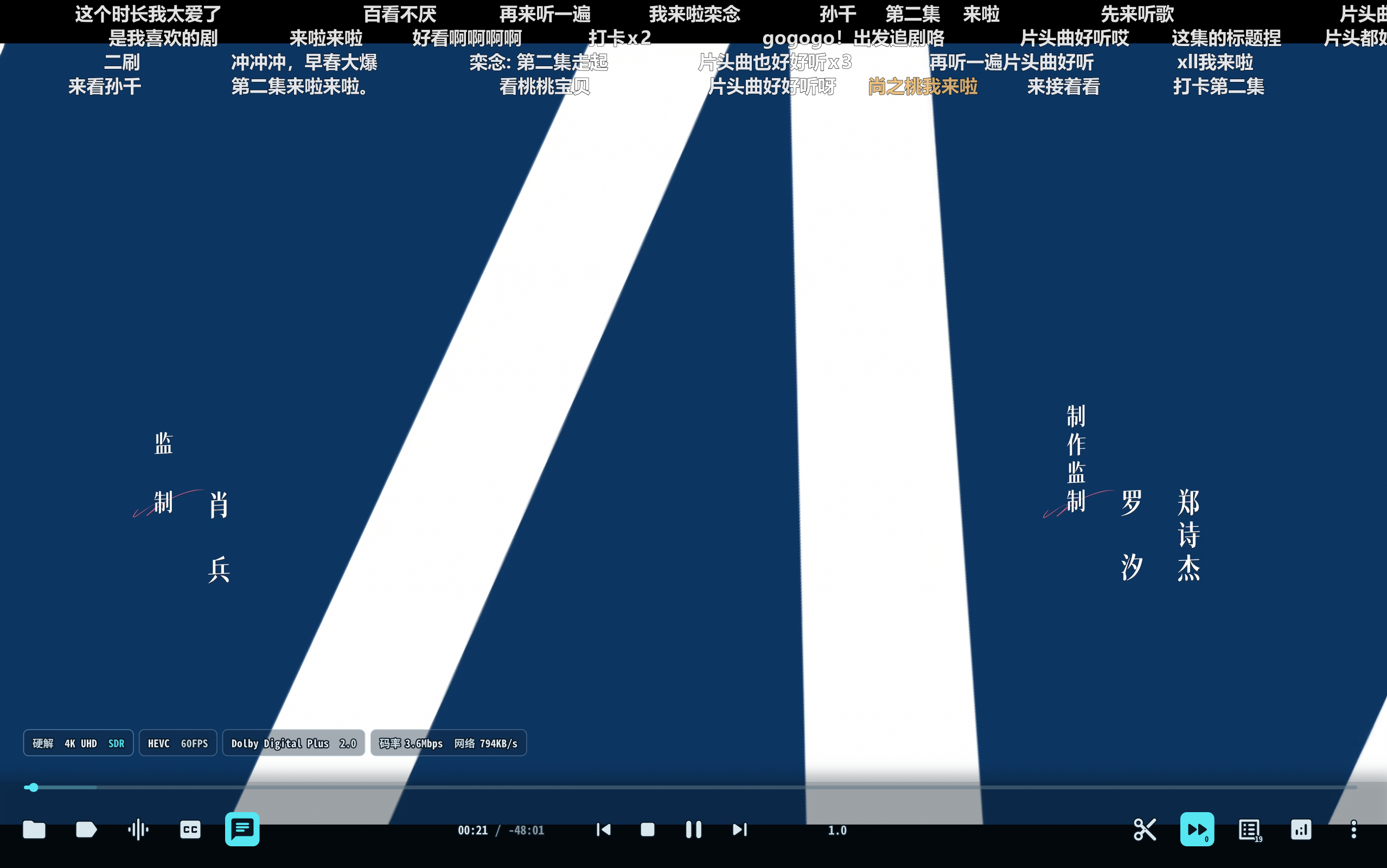
A portable Yaozhi-MPV engine is bundled at runtime/mpv/mpv.exe, so 4K playback works out of the box. In Settings you can instead point to your own external mpv.exe to use your mpv.conf, shaders like Anime4K or FSRCNNX, custom keybindings, and Lua scripts.Can I see what quality I am actually getting?Yes — a real-time telemetry panel extracts the actual decoded resolution (e.g. 1080P FHD or 4K UHD), pixel dimensions, video/audio codecs, and live stream bitrate while you watch.
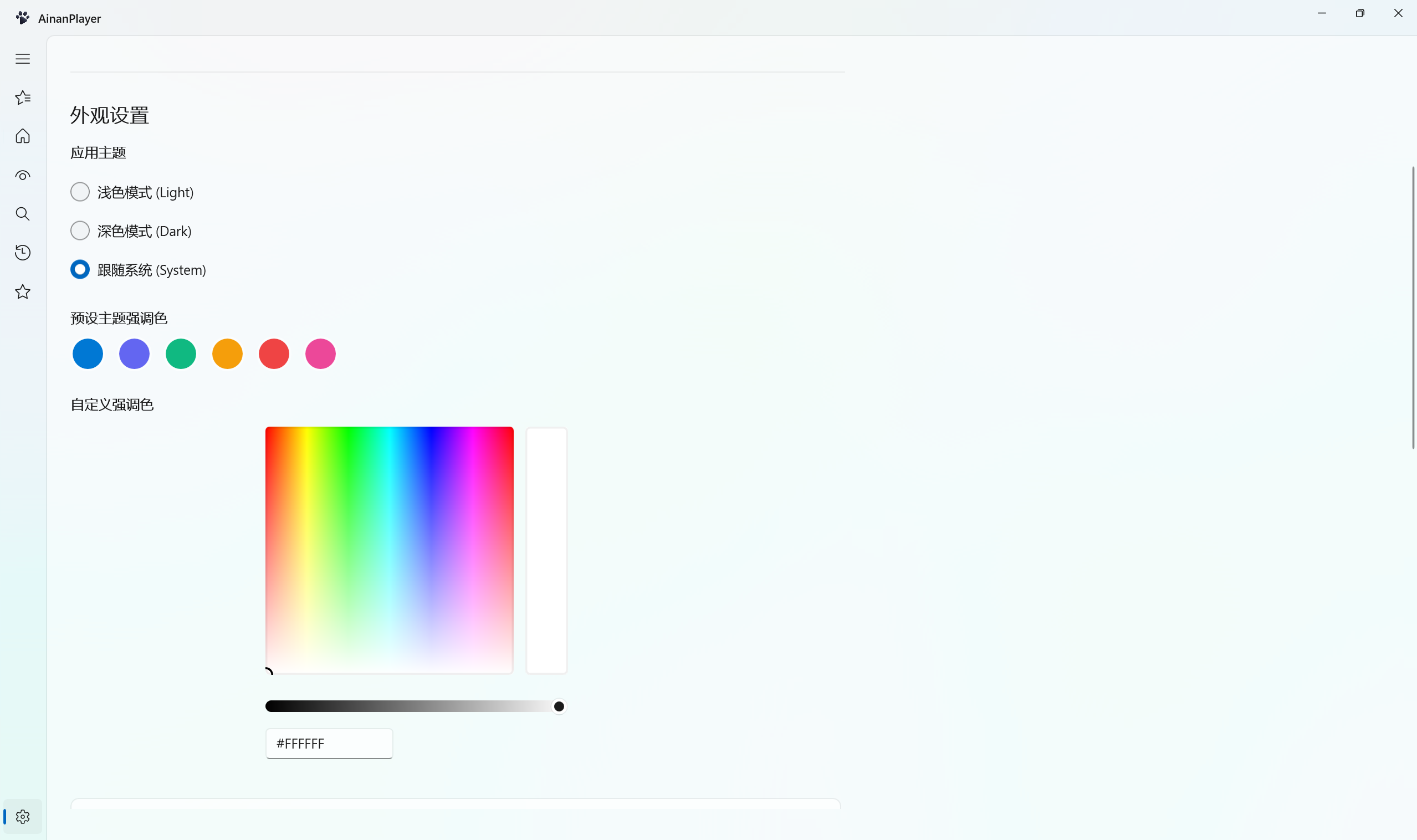
Yes — a real-time telemetry panel extracts the actual decoded resolution (e.g. 1080P FHD or 4K UHD), pixel dimensions, video/audio codecs, and live stream bitrate while you watch.Can I customize how the app looks?Yes — native WinUI 3 Fluent styling with Mica/Acrylic materials, real-time switching between Light, Dark, and System themes, plus four app icon styles (Classic Blue, Aurora Pink, Obsidian Dark, Neon Cyber) that also update the Taskbar and Title Bar.
Yes — native WinUI 3 Fluent styling with Mica/Acrylic materials, real-time switching between Light, Dark, and System themes, plus four app icon styles (Classic Blue, Aurora Pink, Obsidian Dark, Neon Cyber) that also update the Taskbar and Title Bar.What are similar projects?Winhance, DeskBox, optimizerDuck, Playnite, optimizer, tubatools, FluentCleaner, lively
Winhance, DeskBox, optimizerDuck, Playnite, optimizer, tubatools, FluentCleaner, livelyWhich topics is it in?4k, winui3, aggregator, danmaku, telemetry, media-player, cloud-storage, video-player, qr-code, crawler, windows-10, windows-11
4k, winui3, aggregator, danmaku, telemetry, media-player, cloud-storage, video-player, qr-code, crawler, windows-10, windows-11