
YouTube Pro
Research, understand, write, and package a YouTube video in one local-first workflow.
YouTube Pro is an evidence-grounded workspace for YouTube research, idea selection, script writing, and thumbnail creation. It combines public YouTube Data API v3 records with Gemini analysis while keeping API keys on the server.
YouTube Pro is an independent project. It is not affiliated with, endorsed by, or sponsored by YouTube or Google. YouTube and Google product names are trademarks of their respective owners.
Product tour
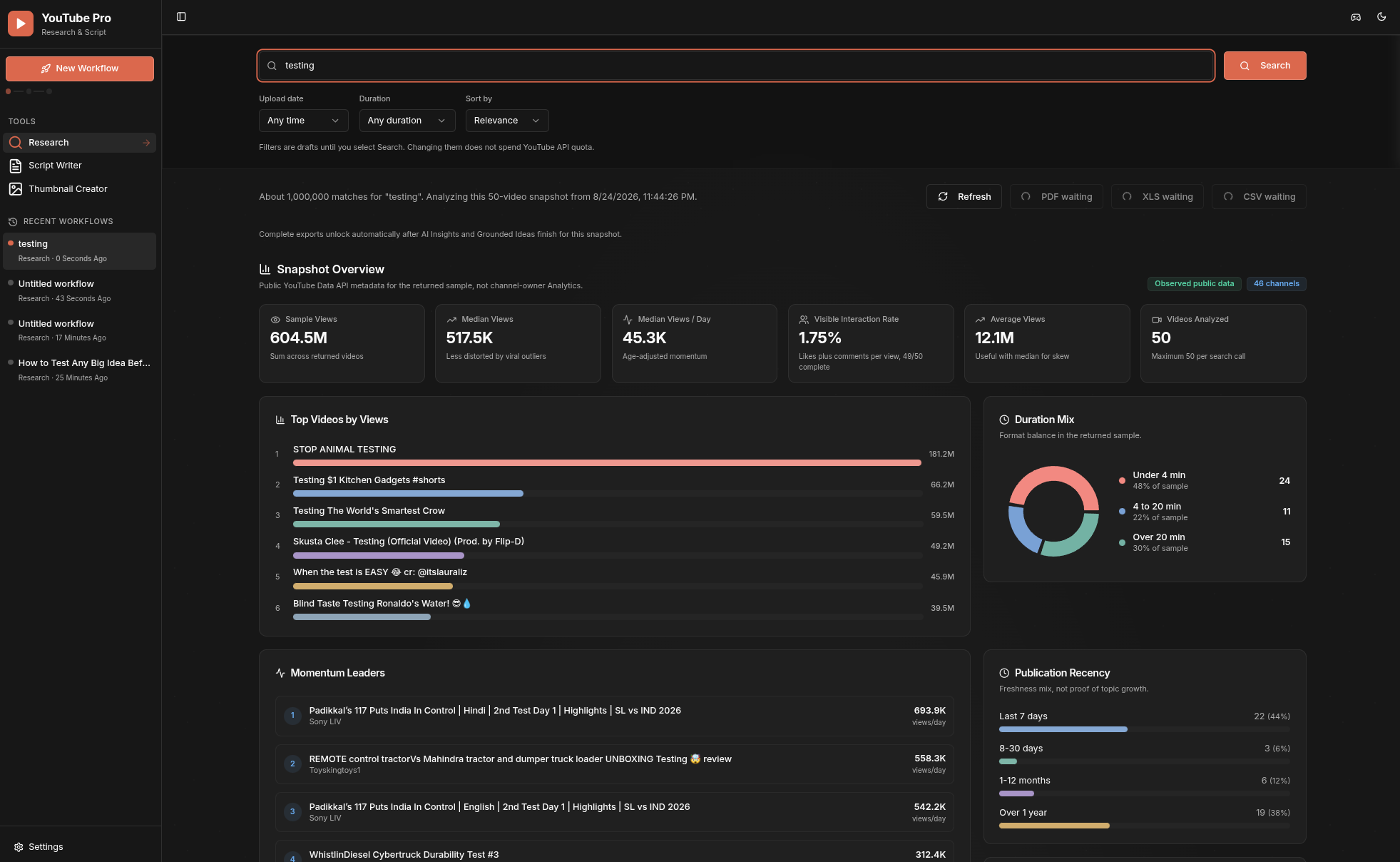
Research analytics
Search a topic, inspect the returned public-data snapshot, compare momentum and publication patterns, review data coverage, and continue into AI-assisted insights and ideas.
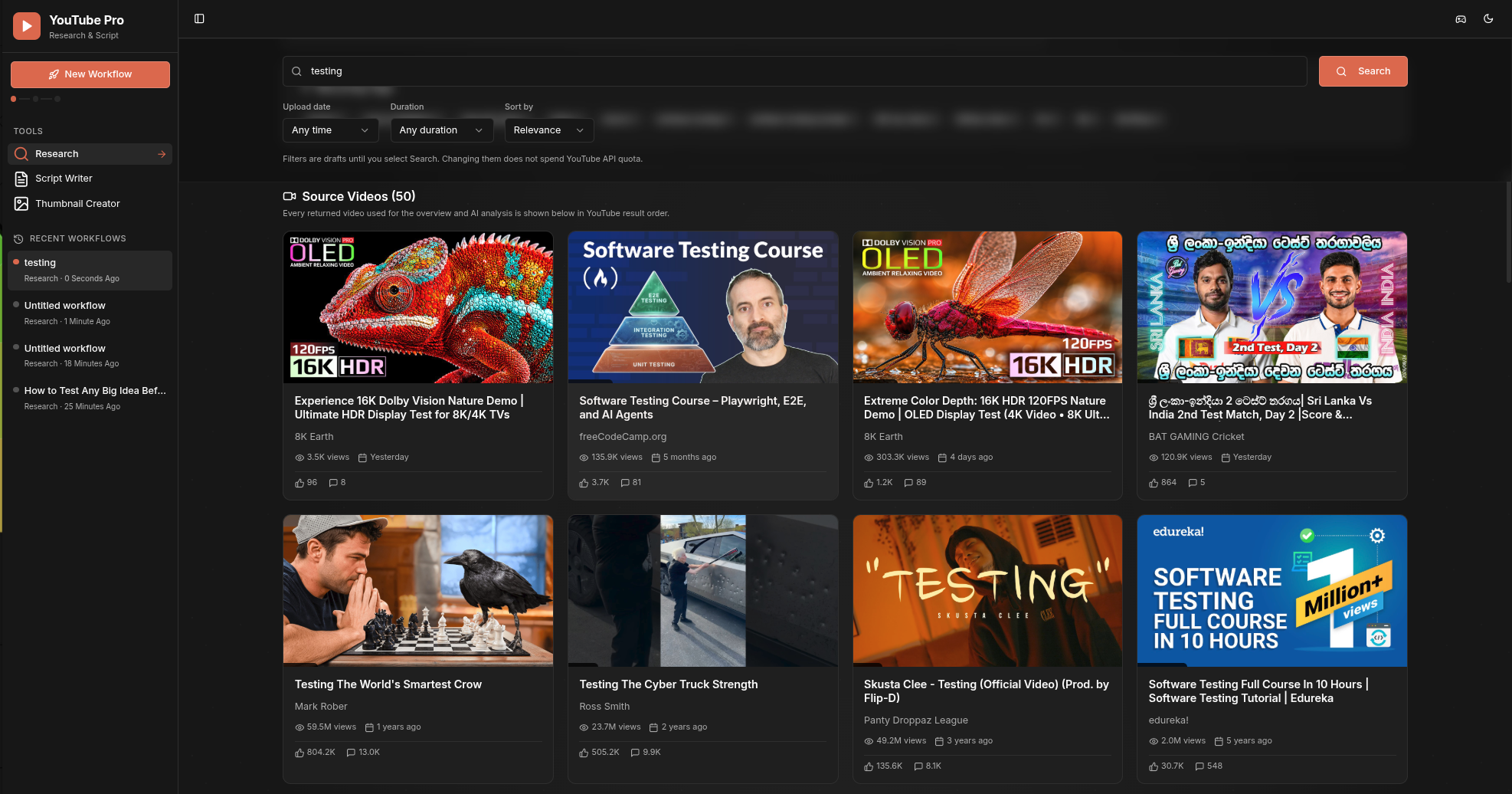
Source videos
Review every video included in the active public-data snapshot, with thumbnails, channel information, views, publication timing, likes, and comments visible in one grid.
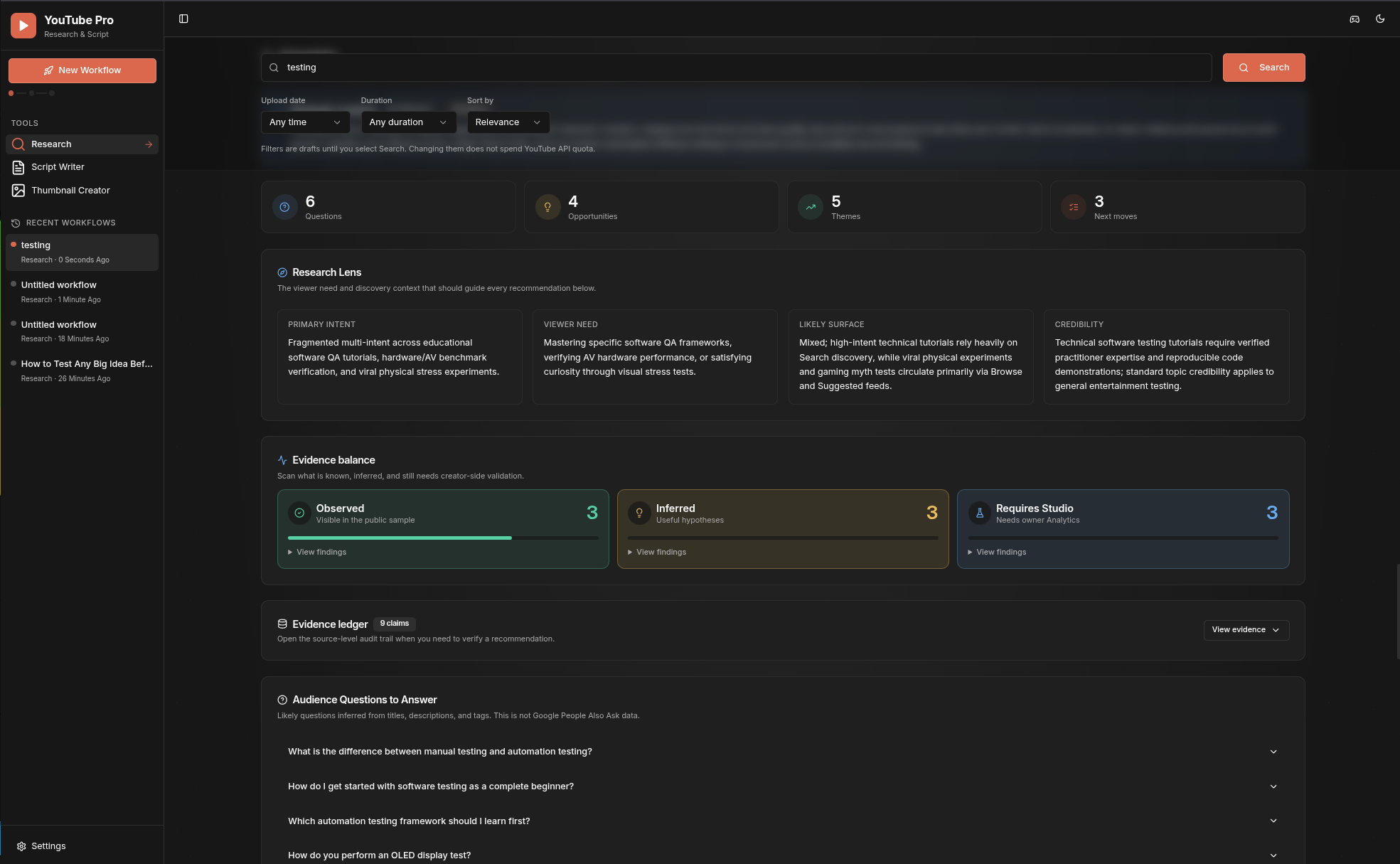
AI Insights
Turn the active snapshot into a scan-first research brief with audience questions, opportunity themes, recommended moves, and a clear separation between observed evidence, inference, and metrics that require YouTube Studio.
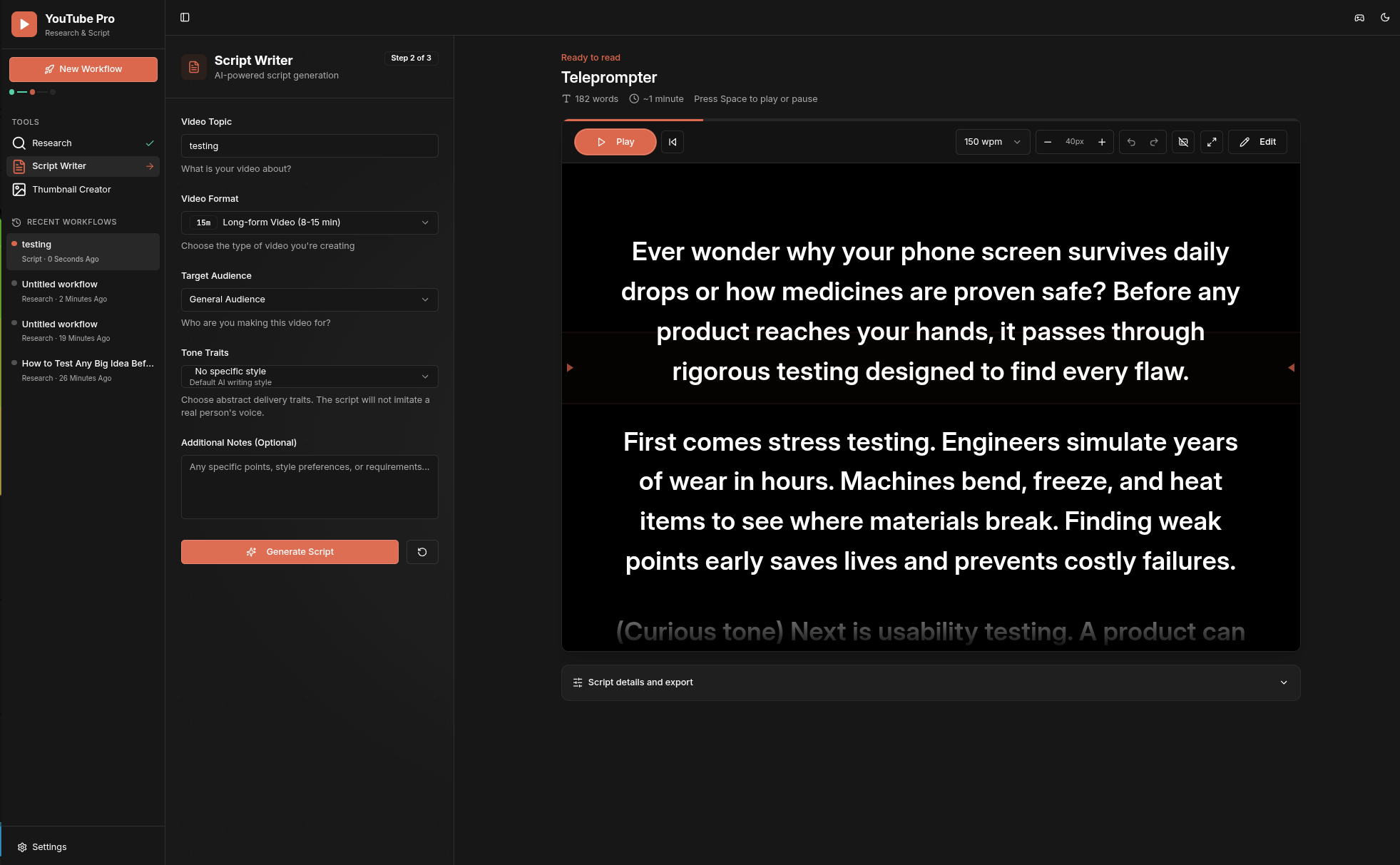
Script teleprompter
Turn a selected idea into an editable script, then read it in a focused teleprompter with pace, size, cue, undo, and playback controls.
Thumbnail Creator
Describe the outcome once, add optional references or advanced controls, generate a readable 16:9 thumbnail, and create variations from the same workflow.
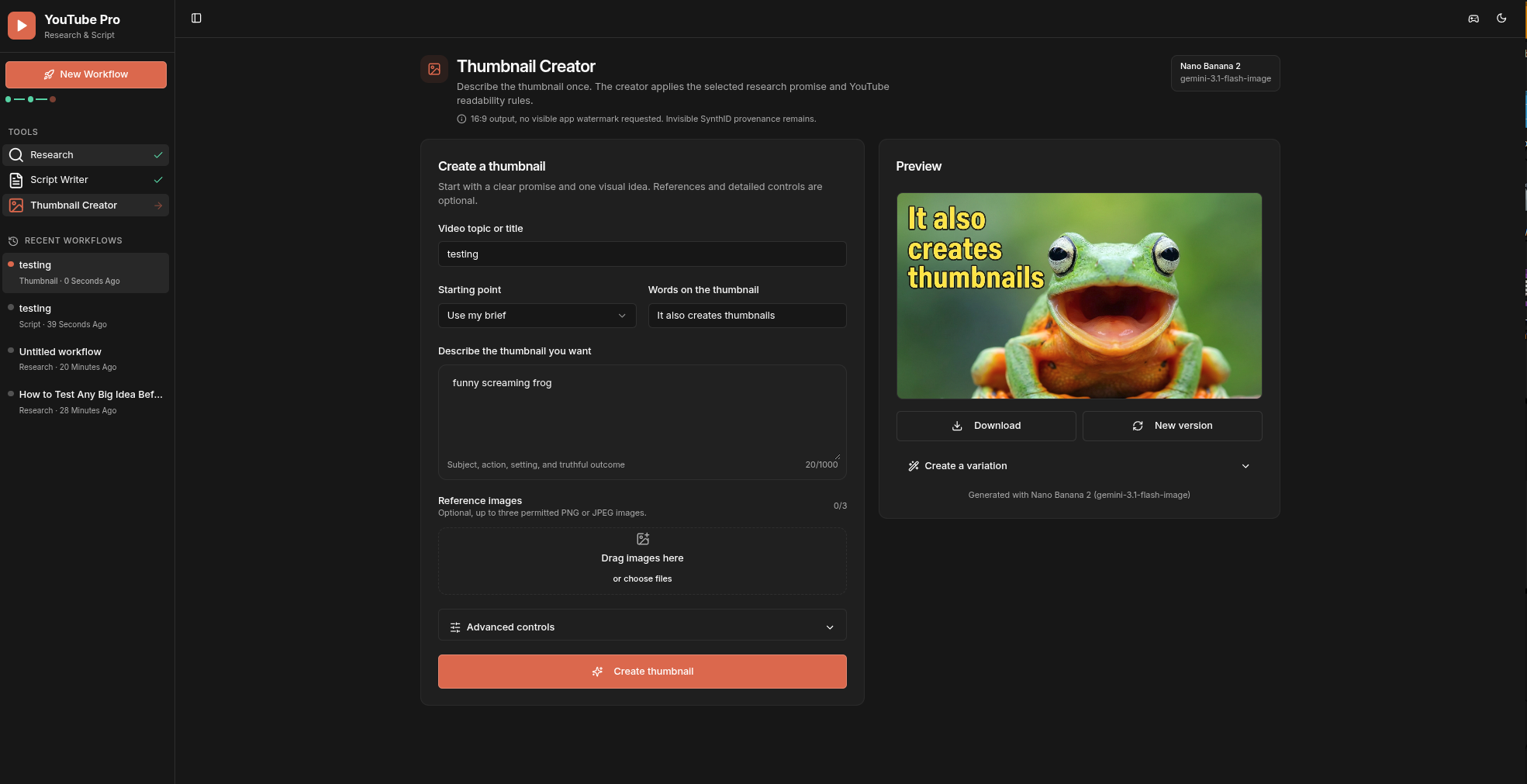
These screenshots come from a live local development build using public YouTube metadata. They are not generated interface mockups.
Workflow
The product follows one continuous workflow:
- Research: Search up to 50 public YouTube videos, review the overview, analytics, coverage, and every returned video.
- AI Insights: Gemini analyzes the exact active research snapshot. Claims retain their snapshot identity and source video IDs, or are explicitly labeled as aggregate inference or as requiring YouTube Studio.
- Grounded Ideas: Ideas generate automatically after valid Insights. Select one idea, then explicitly proceed to Script Writer.
- Script Writer: Generate and edit a script from the selected idea package and its evidence. Section and paragraph regeneration use the same bounded evidence context.
- Thumbnail Creator: Use the selected promise and thumbnail concept, outcome-oriented presets, editable controls, and up to three permitted references.
There is no standalone Ideas screen. The legacy /ideas path redirects to the Ideas section inside Research.
Each press of New Workflow creates a separate local project. The sidebar keeps the eight most recent workflows in browser IndexedDB, lets the user rename or delete them, and reopens the last active Research, Script, or Thumbnail step. Research snapshots, generated ideas, editable scripts, thumbnail briefs, and generated thumbnail results are restored together. Uploaded reference images are intentionally not retained, so permission and file selection are fresh for every later generation.
Requirements
- Node.js 22.12 or newer. CI verifies Node.js 22.12 and the current Node.js 24 LTS line.
- A YouTube Data API v3 key for Research.
- A Gemini API key for Insights, Ideas, scripts, and thumbnails.
Copy the example configuration and fill it locally:
cp .env.example .env
npm install
npm run dev
The server listens on 127.0.0.1:5000 by default. Open http://127.0.0.1:5000.
You can instead start without keys and enter them in Settings. Settings writes replacements to the ignored .env file with owner-only permissions. Saved values are never returned to the browser. Settings accepts direct loopback, same-origin requests only and rejects normal forwarded or reverse-proxy requests.
Configuration
| Variable |
Purpose |
Default |
YOUTUBE_API_KEY |
YouTube Data API v3 search and enrichment |
Required for Research |
GEMINI_API_KEY |
Gemini text and image generation |
Required for AI features |
GEMINI_TEXT_MODEL |
Research, Ideas, Script, and regeneration model |
gemini-3.7-flash |
GEMINI_IMAGE_MODEL |
Thumbnail generation model |
gemini-3.1-flash-image |
PORT |
Local HTTP port |
5000 |
HOST |
Bind address |
127.0.0.1 |
The Settings page exposes the server allowlist and its current descriptions. Models are not hardcoded by the client. Changing the allowlist in server/gemini-models.ts changes the available Settings options.
Data and request limits
- Research query: 1 to 200 characters.
- Research sample: 1 to 50 videos per search request. YouTube's overall result count is approximate and is labeled separately from the returned sample.
- Research enrichment: public video statistics, duration, captions, tags, language, topic categories, selected status fields, live-stream details, and public channel metadata when available. Missing or private public fields remain unavailable, never zero-filled.
- AI evidence input: exactly the active ordered snapshot, at most 50 videos, its deterministic aggregate analytics, enrichment coverage, warnings, filters, query, retrieval time, and snapshot ID.
- Script input: topic up to 500 characters, custom tone traits up to 300, notes up to 5,000, script or section content up to 80,000 where applicable.
- Thumbnail references: PNG or JPEG, 128 to 4096 pixels, at most 5 MB after preparation per image, 12 MB decoded total, and no more than three references. The browser also rejects source files over 10 MB before preparation.
- Global JSON body: 18 MB, needed for the bounded base64 thumbnail references. URL-encoded input is limited to 64 KB and 100 parameters.
- Billable YouTube and Gemini routes: 10 requests per client address per 60 seconds in this single-process local server.
Privacy and access model
- There is no login screen, initial password, Thumbnail unlock, or Pro Script Studio gate.
- API keys stay server-side and
.env is ignored.
- Recent workflow history stays in the current browser profile. It is not sent to a separate history service and never contains API keys.
- Request and response bodies are not logged.
- The application binds to loopback unless
HOST is explicitly changed.
- Do not expose the server directly to the internet. If remote access is required, add authentication and rate limiting at a trusted gateway, and disable or separately protect local Settings.
- The in-memory rate limiter is per process. It is suitable for this local-first default, not a distributed public deployment.
Gemini image outputs include Google's invisible SynthID provenance. The application does not add a visible watermark and does not claim SynthID can be disabled.
Commands
npm run dev       # development server
npm test          # contract and provider-behavior tests
npm run check     # TypeScript check
npm run build     # production client and server build
npm start         # run the production build
Continuous integration runs the test suite, TypeScript check, and production build on every pull request and push to main.
Technology
- React 18, TypeScript, Vite, Tailwind CSS, and shadcn/ui
- Express 5
- Google Gemini through
@google/genai
- YouTube Data API v3
- No server-side runtime database, session store, Passport authentication, or Replit-managed AI proxy
Quotas and costs
YouTube search is quota-expensive compared with video and channel enrichment. Gemini limits and pricing vary by model and account. Check the current official documentation before changing models or making the server remotely accessible:
License
YouTube Pro is open source under the Apache License 2.0.
Contributing and security
See CONTRIBUTING.md for the local quality gate. Report security issues privately according to SECURITY.md, never in a public issue.

 YouTube Pro 是一个本地优先的工作区,把公开的 YouTube Data API v3 数据与 Gemini AI 分析结合起来,帮你研究选题、获得有依据的内容创意、编写脚本,并为 YouTube 视频生成缩略图。