
421 ·GitHub
Что это?
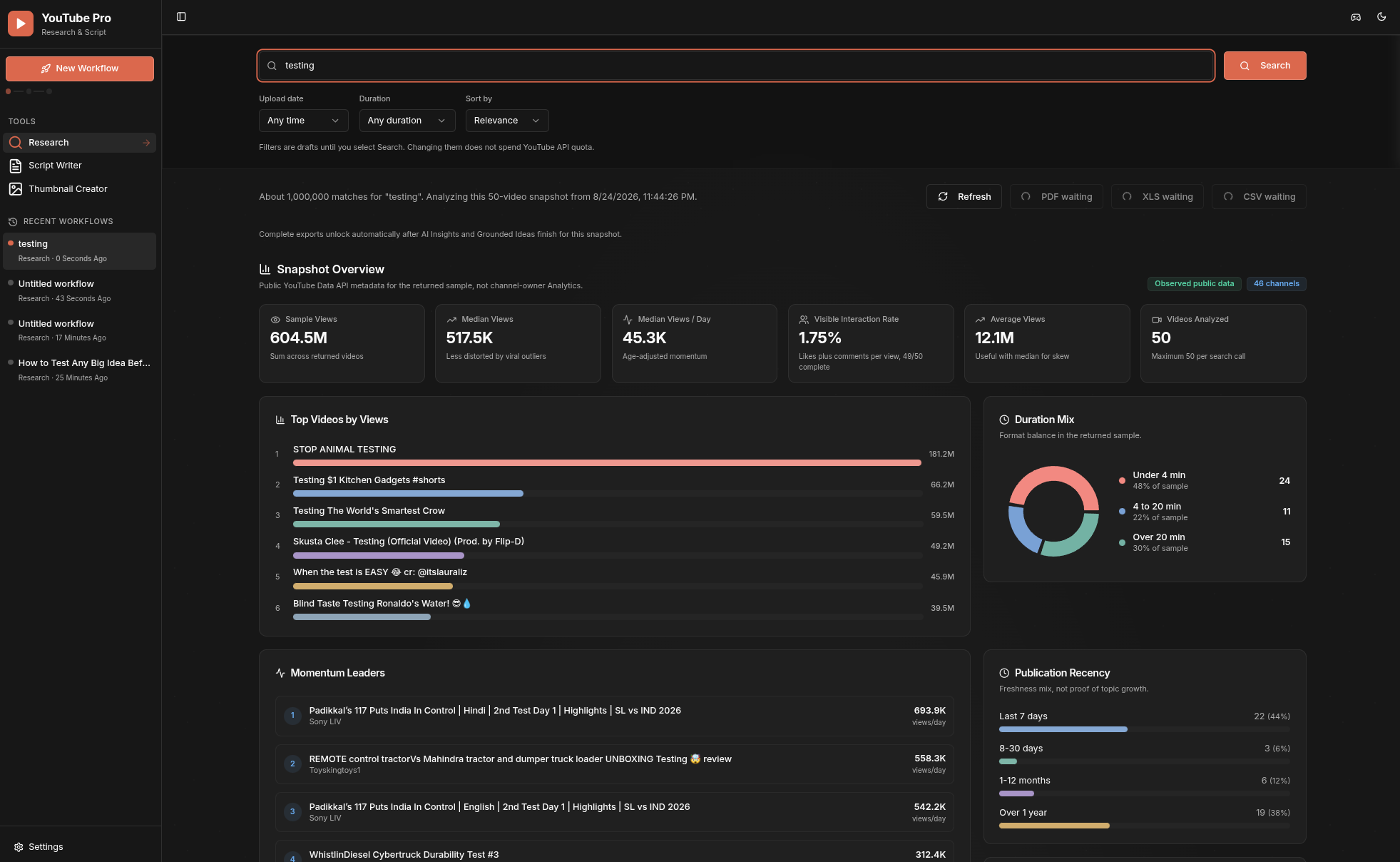
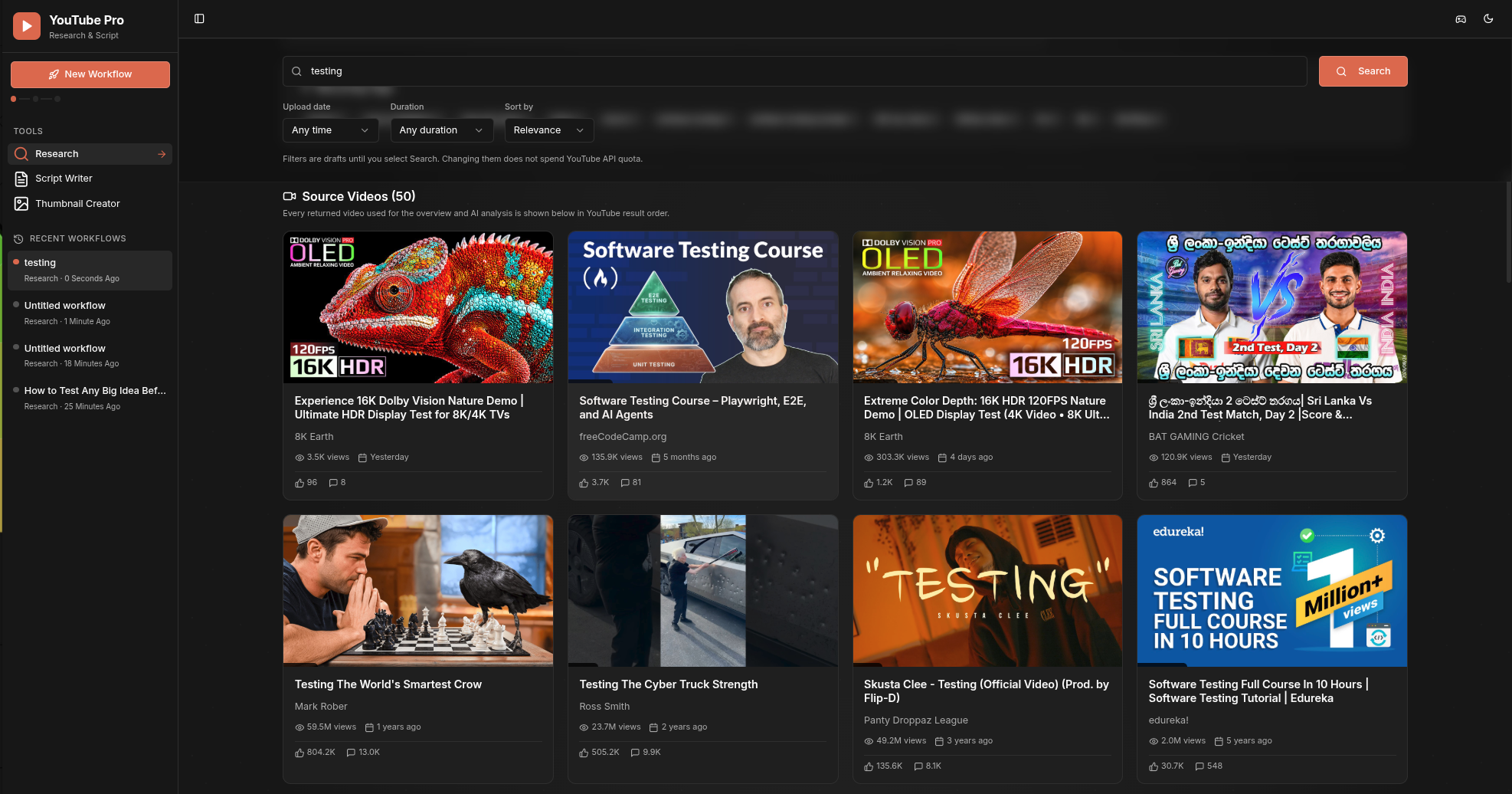
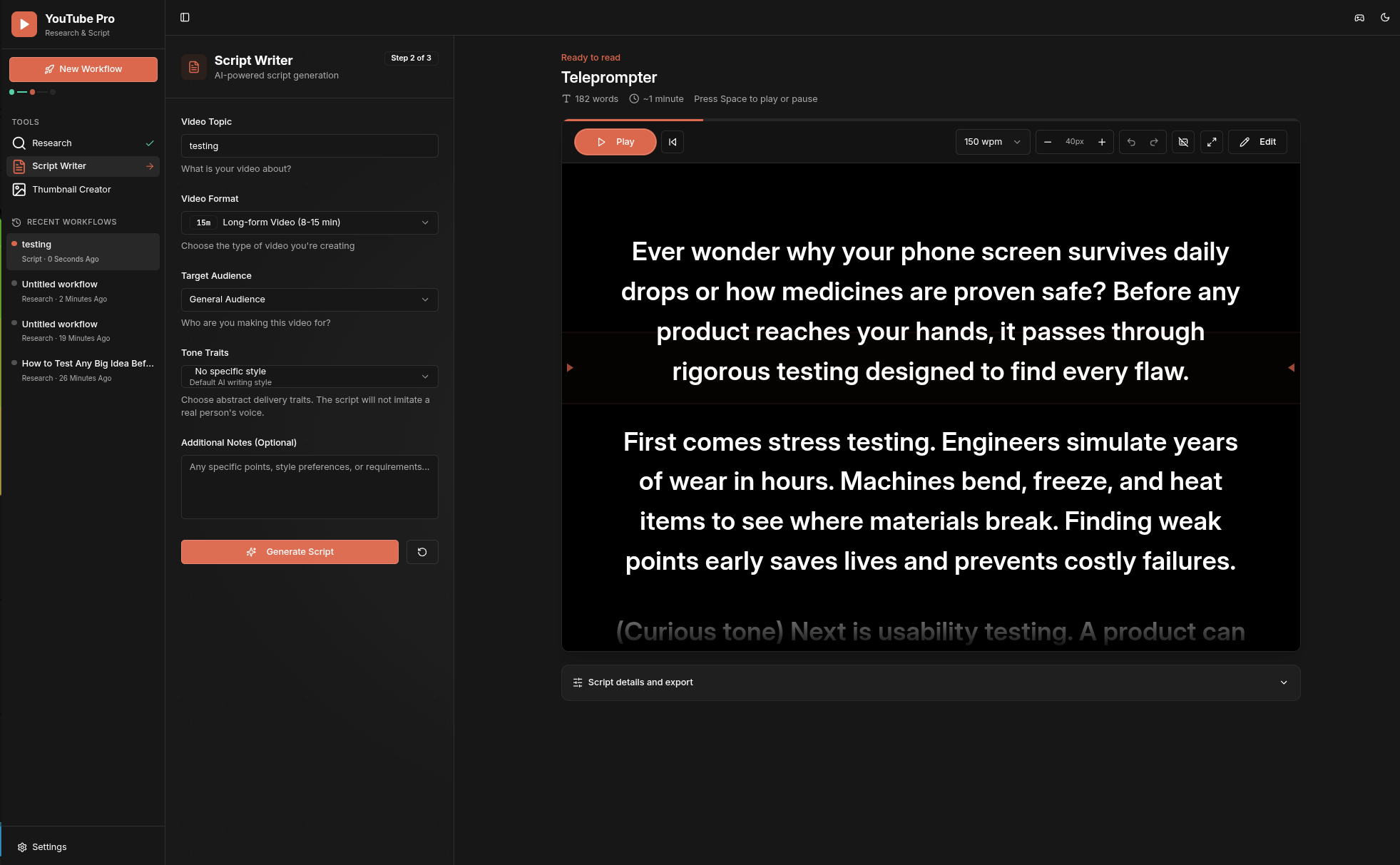
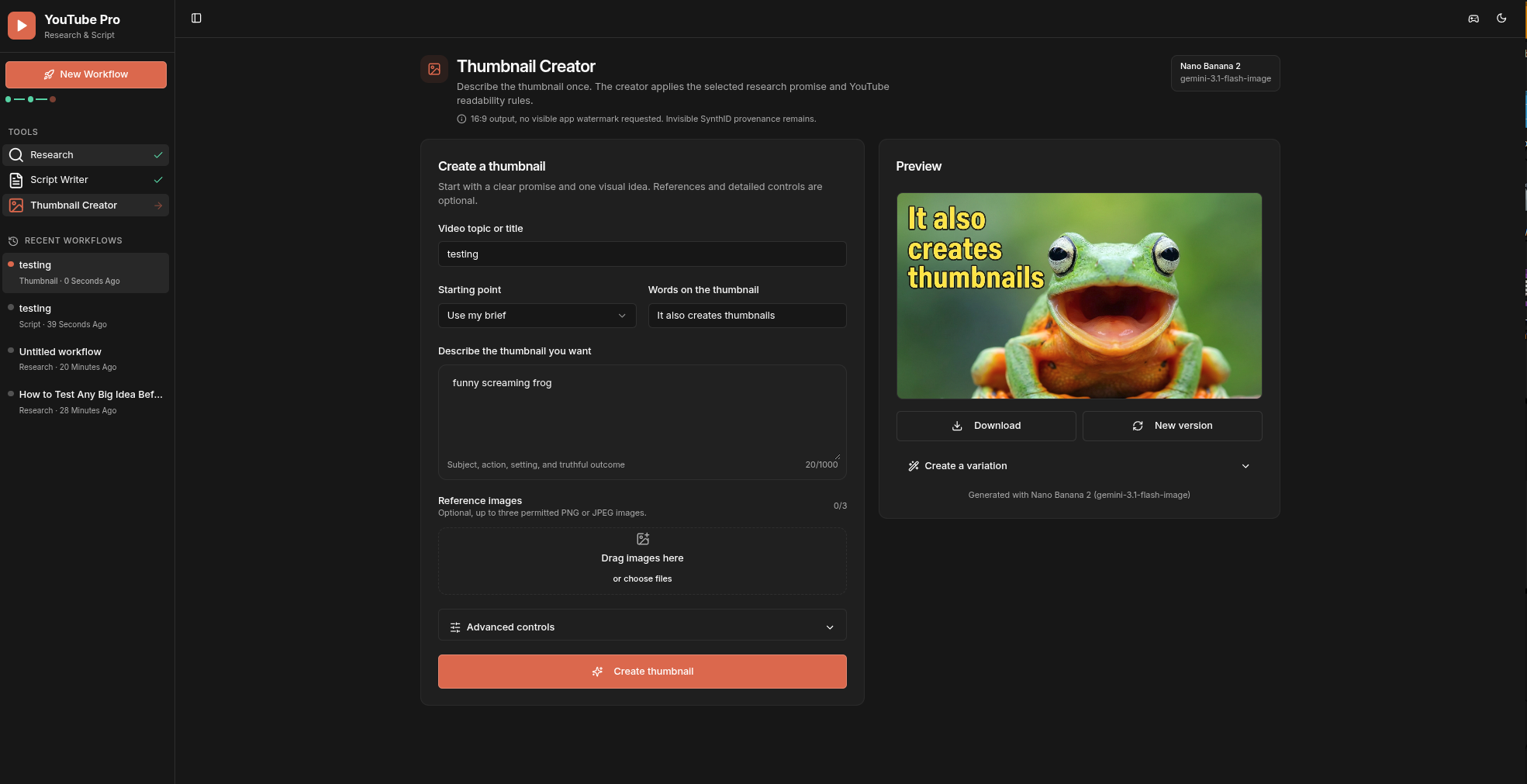
 YouTube Pro — рабочее пространство в духе local-first, объединяющее публичные данные YouTube Data API v3 с анализом Gemini AI, чтобы помогать исследовать темы, получать обоснованные идеи для контента, писать сценарии и генерировать превью для видео на YouTube.
YouTube Pro — рабочее пространство в духе local-first, объединяющее публичные данные YouTube Data API v3 с анализом Gemini AI, чтобы помогать исследовать темы, получать обоснованные идеи для контента, писать сценарии и генерировать превью для видео на YouTube.Это хостинг-веб-приложение или то, что я запускаю локально сам?Это self-hosted сервер на Node.js/Express с фронтендом на React, который вы запускаете на своей машине; по умолчанию он привязывается только к localhost и не предлагается как облачный SaaS.
Это self-hosted сервер на Node.js/Express с фронтендом на React, который вы запускаете на своей машине; по умолчанию он привязывается только к localhost и не предлагается как облачный SaaS.Как его запустить?Нужен Node.js 22.12 или новее; затем скопируйте пример файла конфигурации локально и впишите свои ключи (или оставьте пустыми и добавьте позже в Settings) перед запуском сервера, который слушает 127.0.0.1:5000.
Нужен Node.js 22.12 или новее; затем скопируйте пример файла конфигурации локально и впишите свои ключи (или оставьте пустыми и добавьте позже в Settings) перед запуском сервера, который слушает 127.0.0.1:5000.Нужны ли свои API-ключи YouTube и Gemini?Да, ключ YouTube Data API v3 нужен для Research, а ключ Gemini API — для Insights, Ideas, Script Writer и Thumbnail Creator; можно начать без ключей и ввести их позже в Settings.
Да, ключ YouTube Data API v3 нужен для Research, а ключ Gemini API — для Insights, Ideas, Script Writer и Thumbnail Creator; можно начать без ключей и ввести их позже в Settings.Есть ли ограничения на использование, о которых стоит знать?Поиск в Research ограничен 50 видео и запросами до 200 символов, для превью можно указать не более трёх изображений до 5 МБ каждое, а тарифицируемые маршруты YouTube/Gemini ограничены 10 запросами на клиента за 60 секунд, так как это однопроцессный локальный сервер.
Поиск в Research ограничен 50 видео и запросами до 200 символов, для превью можно указать не более трёх изображений до 5 МБ каждое, а тарифицируемые маршруты YouTube/Gemini ограничены 10 запросами на клиента за 60 секунд, так как это однопроцессный локальный сервер.Куда на самом деле уходят мои данные и API-ключи?API-ключи записываются на стороне сервера в игнорируемый git'ом файл .env с правами только для владельца и никогда не возвращаются в браузер; история недавних воркфлоу хранится только в IndexedDB вашего браузера, а тела запросов/ответов никогда не логируются.
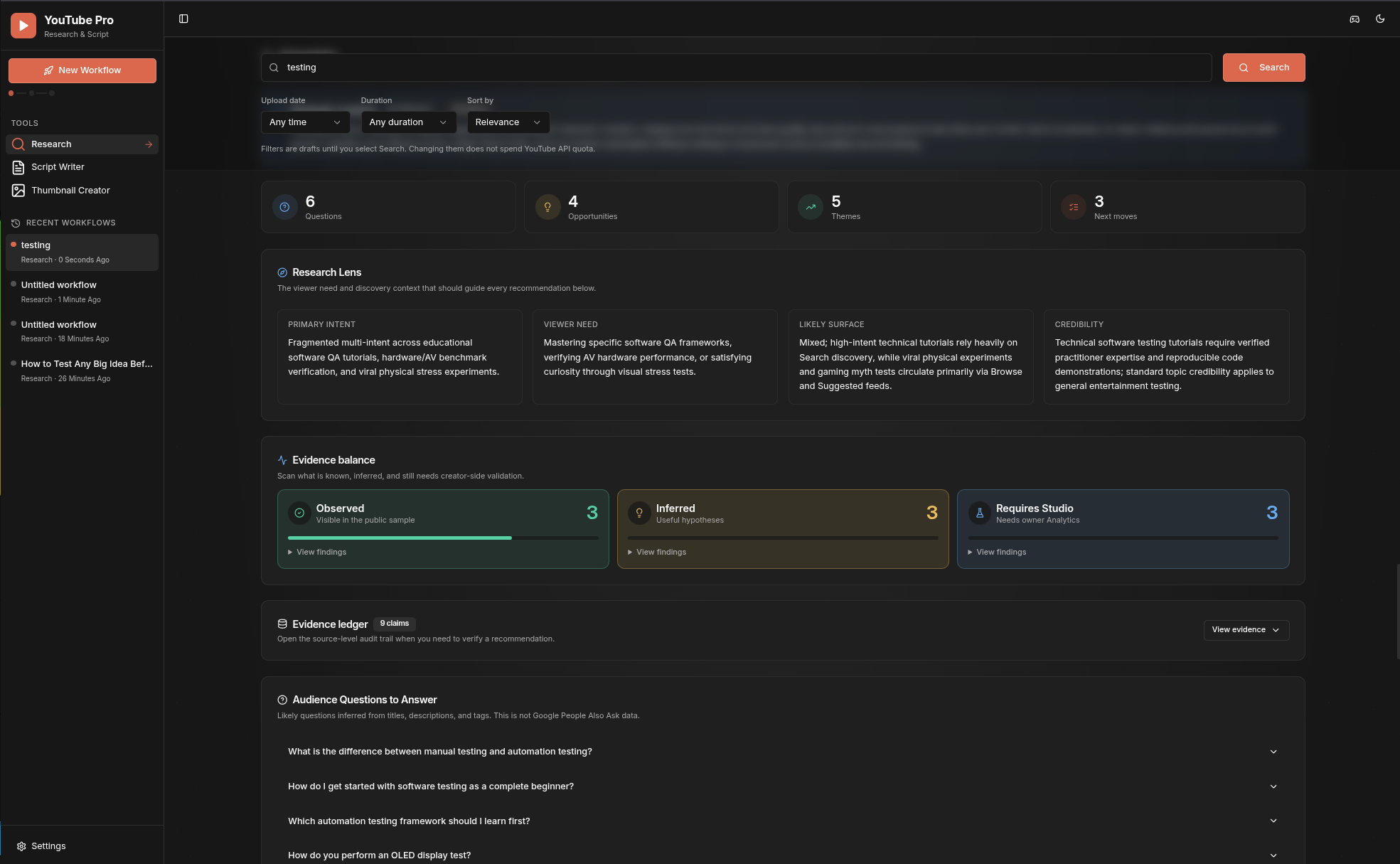
API-ключи записываются на стороне сервера в игнорируемый git'ом файл .env с правами только для владельца и никогда не возвращаются в браузер; история недавних воркфлоу хранится только в IndexedDB вашего браузера, а тела запросов/ответов никогда не логируются.Как на самом деле устроен процесс от исследования до превью?Вы ищете до 50 публичных видео, Gemini превращает этот точный снимок в бриф Insights, из валидных Insights генерируются Grounded Ideas, одна идея становится редактируемым сценарием (Script), а та же выбранная идея и доказательства поступают в Thumbnail Creator. Каждый клик на 'New Workflow' начинает свежий локальный проект, который хранится в недавней истории в боковой панели.
Вы ищете до 50 публичных видео, Gemini превращает этот точный снимок в бриф Insights, из валидных Insights генерируются Grounded Ideas, одна идея становится редактируемым сценарием (Script), а та же выбранная идея и доказательства поступают в Thumbnail Creator. Каждый клик на 'New Workflow' начинает свежий локальный проект, который хранится в недавней истории в боковой панели.Почему self-hosted, а не облачная SaaS-версия?Локальность всего означает, что API-ключи и история никогда не покидают вашу машину; страница Settings принимает только прямые loopback-запросы, а README явно предупреждает не выставлять сервер в интернет без собственной аутентификации и ограничения частоты запросов.
Локальность всего означает, что API-ключи и история никогда не покидают вашу машину; страница Settings принимает только прямые loopback-запросы, а README явно предупреждает не выставлять сервер в интернет без собственной аутентификации и ограничения частоты запросов.Не выдумывает ли ИИ факты о моих видео?Нет, Gemini Insights ограничены точным активным снимком исследования, и каждое утверждение помечено как наблюдаемое доказательство, агрегированный вывод или то, что требует подтверждения в YouTube Studio, так что спекулятивные утверждения явно отделены от фактов.
Нет, Gemini Insights ограничены точным активным снимком исследования, и каждое утверждение помечено как наблюдаемое доказательство, агрегированный вывод или то, что требует подтверждения в YouTube Studio, так что спекулятивные утверждения явно отделены от фактов.Есть ли на сгенерированных превью водяной знак?Сгенерированные Gemini изображения содержат невидимую метку происхождения SynthID от Google; приложение не добавляет видимого водяного знака и не утверждает, что SynthID можно отключить.
Сгенерированные Gemini изображения содержат невидимую метку происхождения SynthID от Google; приложение не добавляет видимого водяного знака и не утверждает, что SynthID можно отключить.What are similar projects?printfilm, ace-step-ui, gpt_image_playground, waoowaoo, moyin-creator, rankme.fast, empire, OpenStock
printfilm, ace-step-ui, gpt_image_playground, waoowaoo, moyin-creator, rankme.fast, empire, OpenStockWhich topics is it in?shadcn-ui, express, youtube, content-creation, tailwindcss, vite, image-generation, gemini, generative-ai, local-first, web-app, research
shadcn-ui, express, youtube, content-creation, tailwindcss, vite, image-generation, gemini, generative-ai, local-first, web-app, research