Agent Sprite Forge
Languages: English | 繁體中文 | 简体中文 | 日本語 | 한국어
Codex skills for game-ready 2D sprites, layered maps, and engine-ready prototypes.
Ask in natural language. Codex plans the asset pipeline, renders with built-in image generation, then local processors clean, split, validate, and export assets for Godot, Unity, or raw 2D game workflows.
Showcase ·
Skills ·
Install ·
Prompts ·
Star History
What Makes It Different
Agent Sprite Forge is not just a folder of prompts. It is a Codex-first 2D game asset workflow where the agent decides the plan, image generation creates the raw visuals, and deterministic scripts turn those visuals into reusable game assets.
Sprite sheets
Characters, monsters, props, attacks, spells, projectiles, impacts, idles, walks, and reference-guided variants.
|
Layered maps
Ground-only bases, dressed references, prop packs, transparent props, y-sort placement, collision, zones, and previews.
|
Engine handoff
Godot scenes, editable TileMap layers, separated props, encounter grass, collision bodies, exits, and debug players.
|
Local cleanup
Chroma-key removal, frame extraction, alignment, transparent PNG/GIF export, prop-pack slicing, and QA metadata.
|
Showcase
Engine-Ready Prototypes
These examples were assembled with Codex using agent-sprite-forge workflows. They are meant to show the full loop: generated assets, structured scene data, and playable prototype wiring.
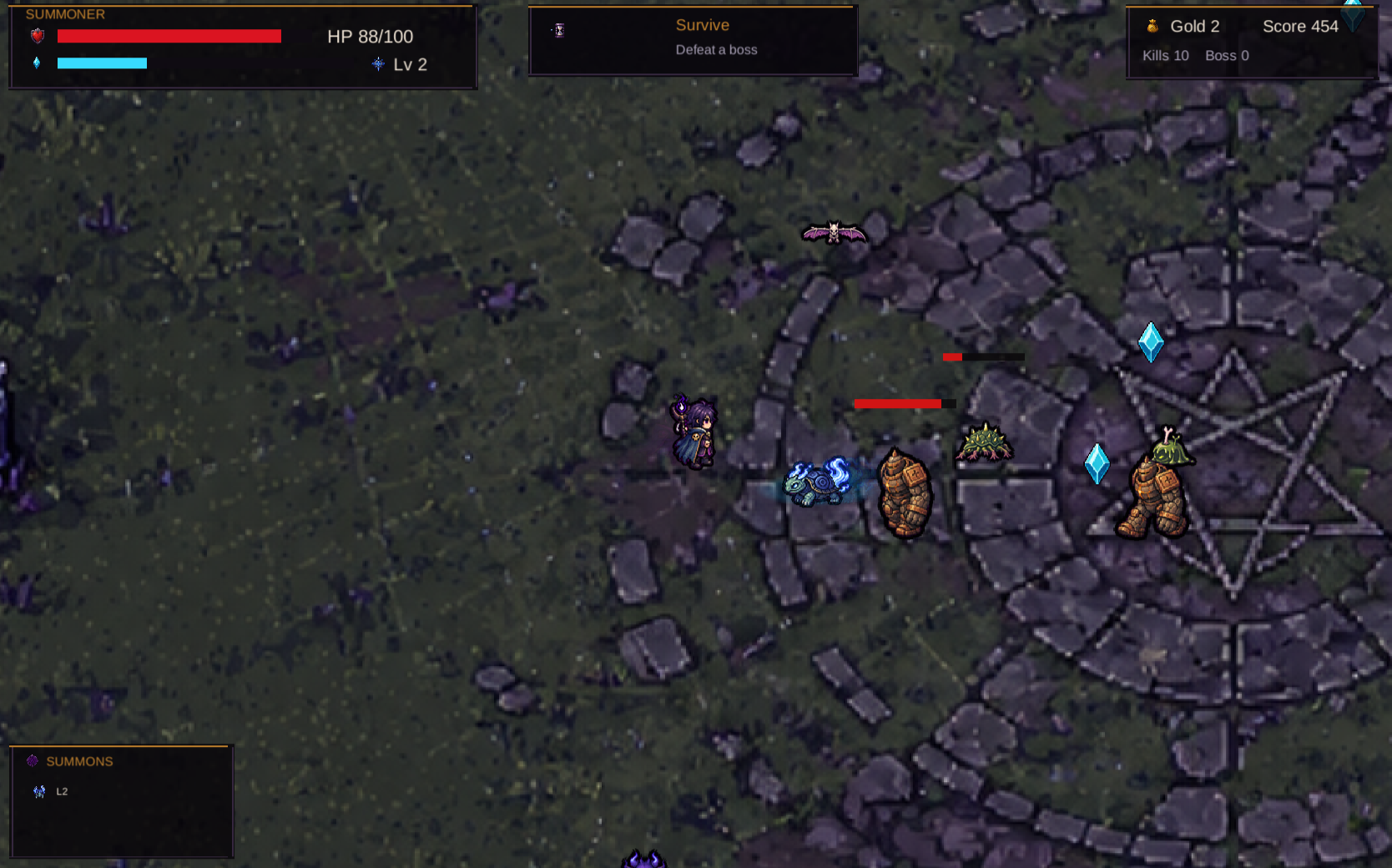
Summon Survivors — Unity WebGL
Generated map art, hero sheets, summons, evolutions, enemies, bosses, pickups, HUD, FX, level-up choices, and WebGL deployment.
Play build · Build conversation
|
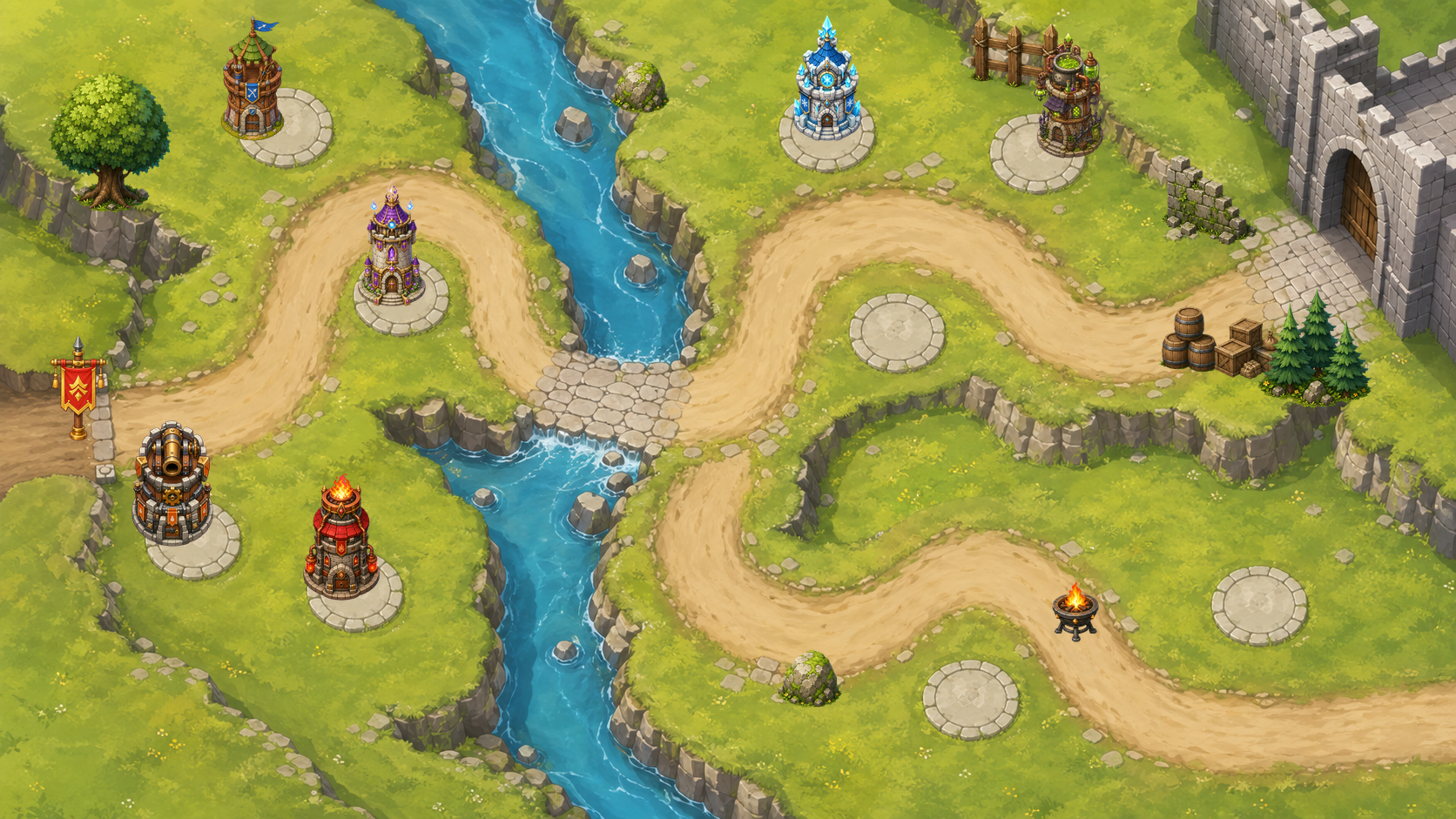
Forest Pass Defense — Godot Tower Defense
A Godot 4 prototype with map, separated props, tower slots, towers, enemy sheets, boss/flying enemies, waves, HUD, build/upgrade/sell flow, projectiles, and targeting rules.
|
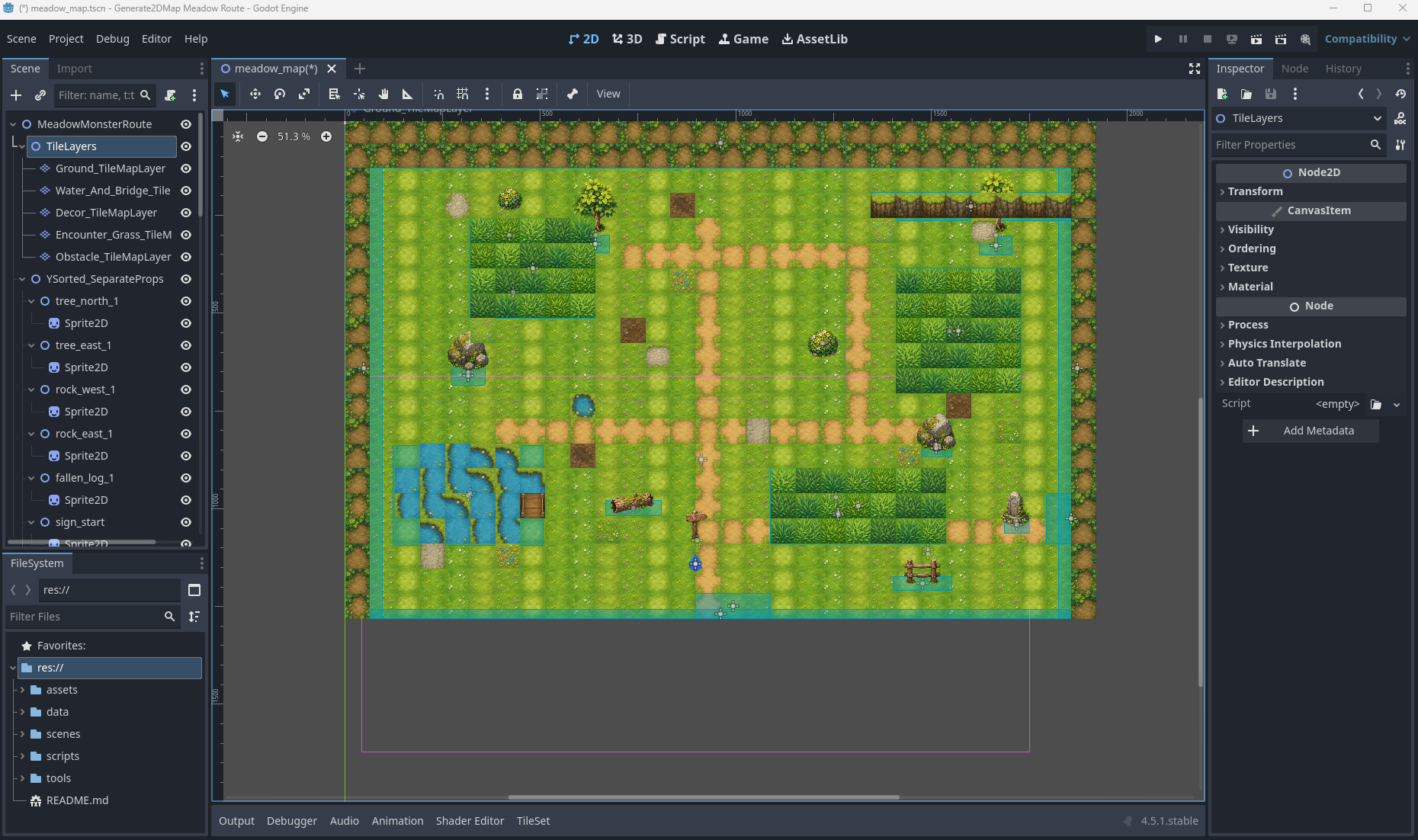
Editable RPG Map — Godot TileMap
Image-generated tileset and prop sheet wired into editable TileMapLayer, Sprite2D props, encounter grass Area2D, StaticBody2D collision, exits, metadata, and debug player/camera.
|
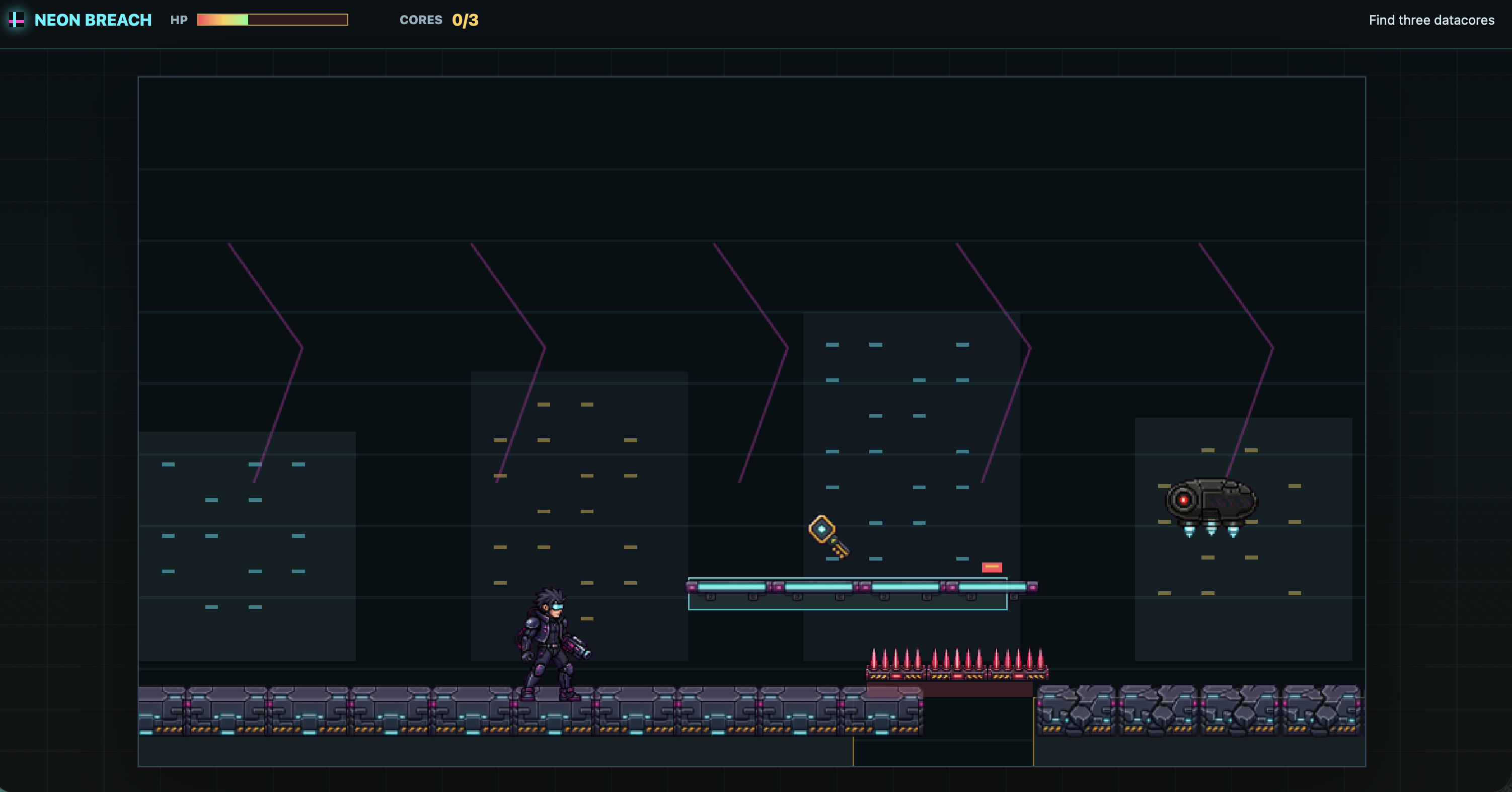
Neon Breach — Cyberpunk Side-Scroller
A playable side-scroller prototype built around generated character, attack, map, and gameplay assets.
|

Sengoku Era — JavaScript Pokémon-like
A browser-based RPG prototype with generated characters, starter selection, map flow, and battle UI.
Play build
|
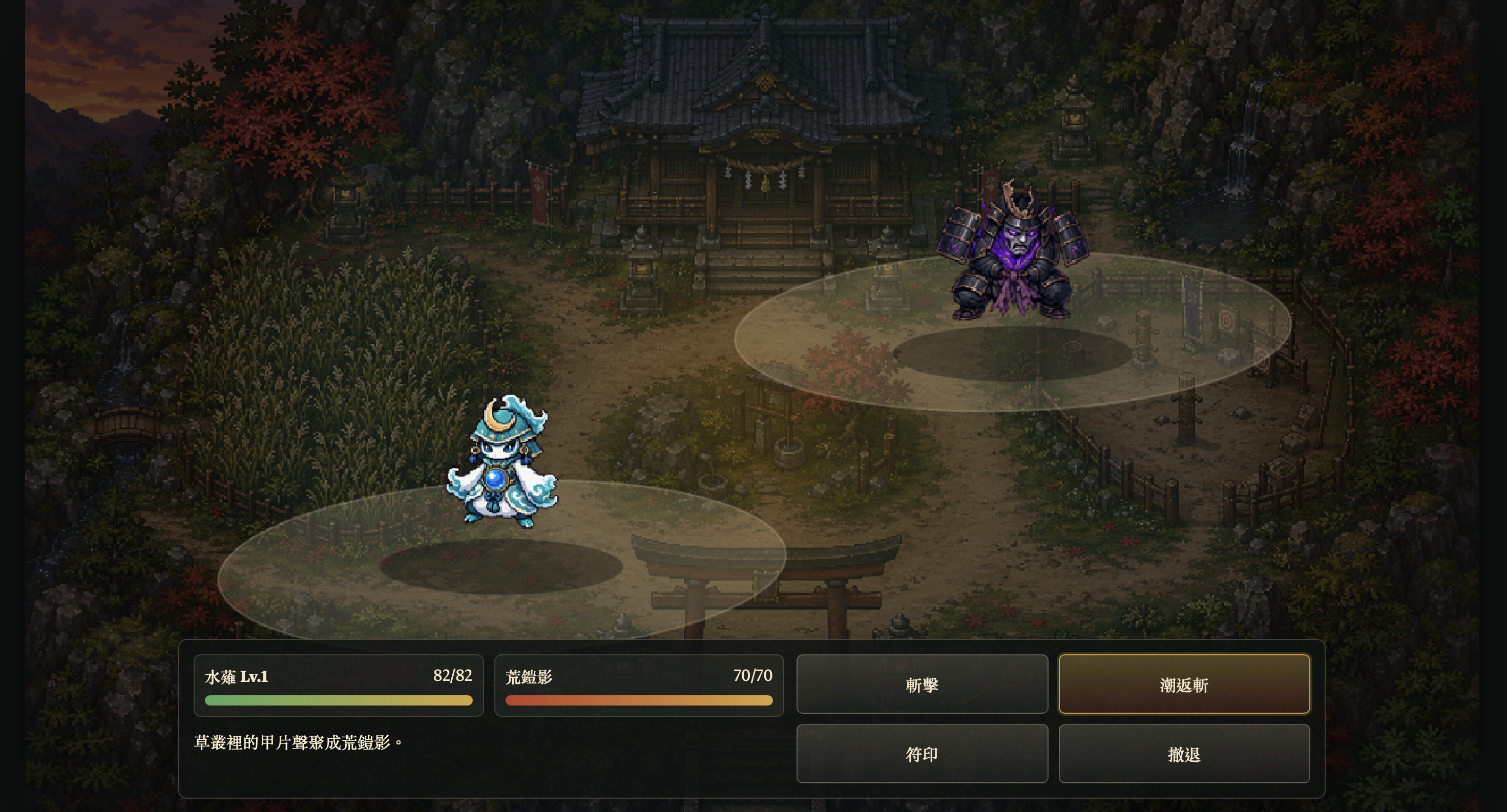
Starter selection and battle loop
A compact JavaScript game showcase built from sprite, monster, battle, and map assets generated through the skill workflow.
|
More Godot tower-defense output

Enemy roster, including flyer and boss units
|
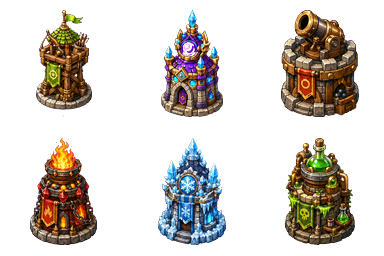
Tower lineup
|
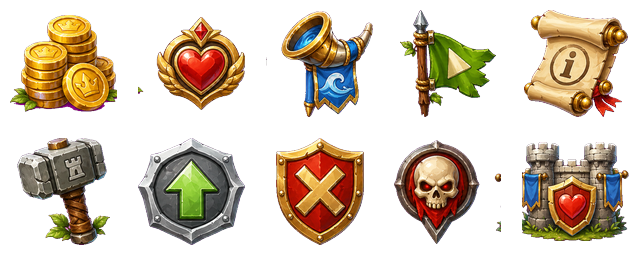
HUD and gameplay icons
|
Godot prototype output includes:
scenes/ForestPass.tscn with base map, separated props, enemy paths, tower slots, and HUD nodes.- Six tower families with generated tower art and upgrade stages.
- Animated enemy sheets for ground units, flying units, and boss encounters.
- Wave, difficulty, tower catalog, collision, route, and tower-slot metadata.
- Runtime build, upgrade, sell, projectile, and targeting behavior connected in Godot.
image_gen map + separated props + tower sheets + enemy animation sheets + HUD icons + Godot gameplay wiring
More Unity survivors-like output
Unity WebGL gameplay: summons, enemies, pickups, HUD, and objective flow
|
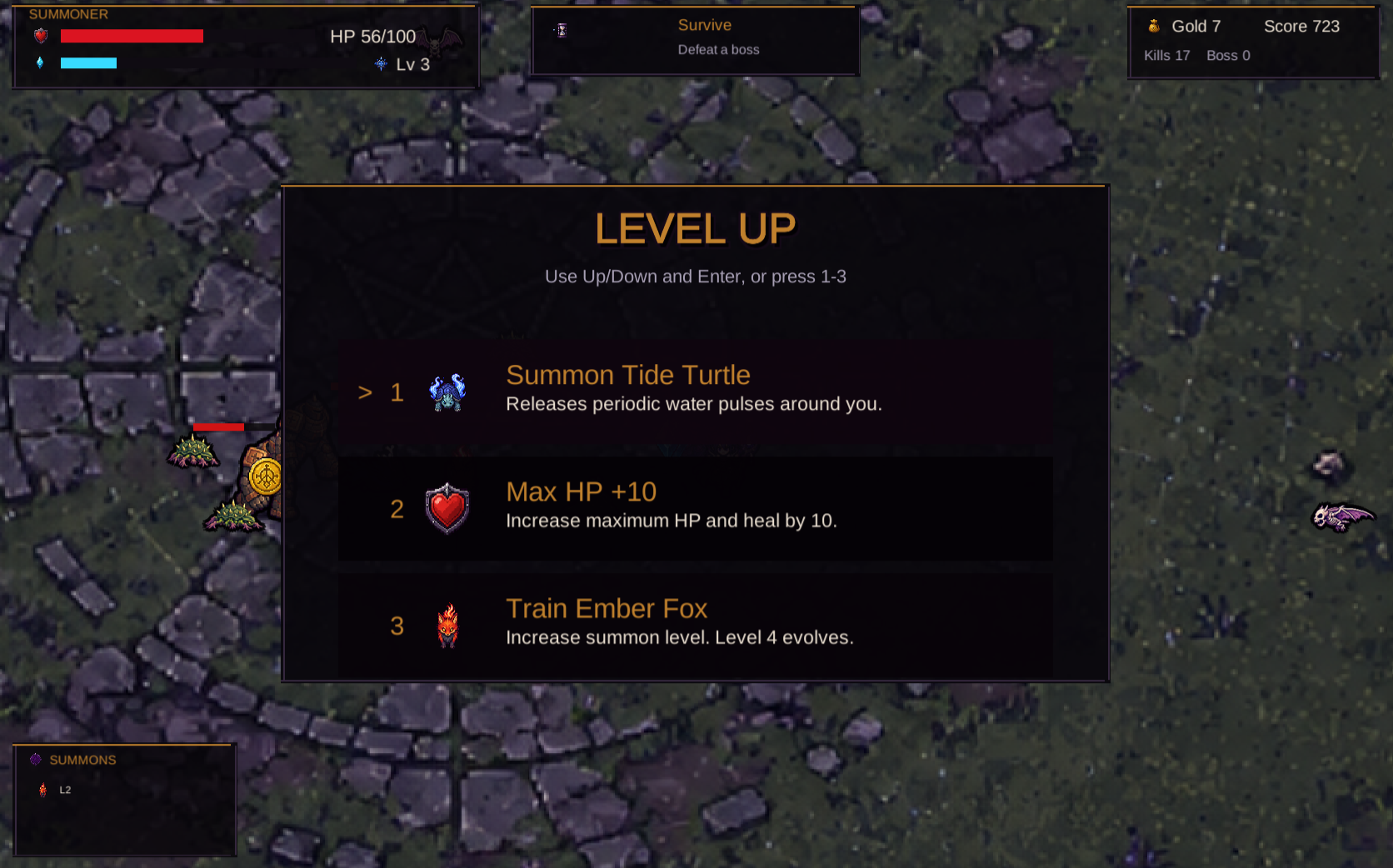
Level-up choices: summon unlocks, training, stats, and recovery
|
Unity prototype output includes:
Assets/Survivors/Scenes/SummonSurvivors.unity as the playable scene.SurvivorContentDatabase.asset connecting generated hero, summon, enemy, pickup, HUD, and FX sprites.- Starter summon selection, survival objective, XP/coin pickups, level-up choices, summon training, and evolution flow.
- Enemy spawning pressure, boss timing, projectile attacks, area damage, health bars, and score tracking.
- WebGL build output under
Builds/WebGL with Vercel deployment config.
image_gen map + directional hero sheets + summon/evolution sheets + enemy sheets + FX/HUD icons + Unity runtime + WebGL deploy
Sprite Sheets And FX
Use $generate2dsprite when you need animated units, playable characters, monsters, props, spell bundles, projectile/impact FX, or reference-guided variants.
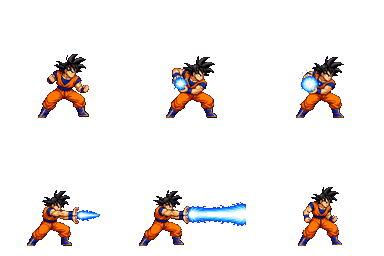
Text to sprite
Attack animation from a plain-language request.
|
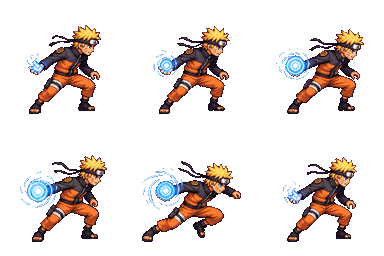
Character action
Compact 2D action sheet with transparent export.
|
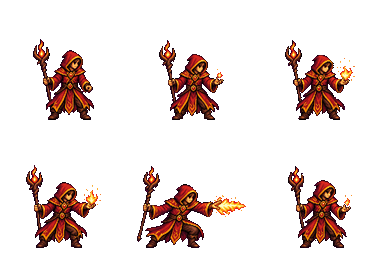
Spell cast
Bundle-friendly cast animation.
|

Projectile
Matching projectile / impact workflows.
|

Reference
|

Reference-guided sprite animation
|

Reference
|

Reference-guided character action
|
Layered RPG Map Pipeline
Use $generate2dmap when you need maps instead of isolated sprites. For readable layered raster maps, the current workflow prefers a clean hand-painted HD game-map style: ground-only base first, dressed reference second, prop pack third, then transparent prop extraction and layered preview composition.
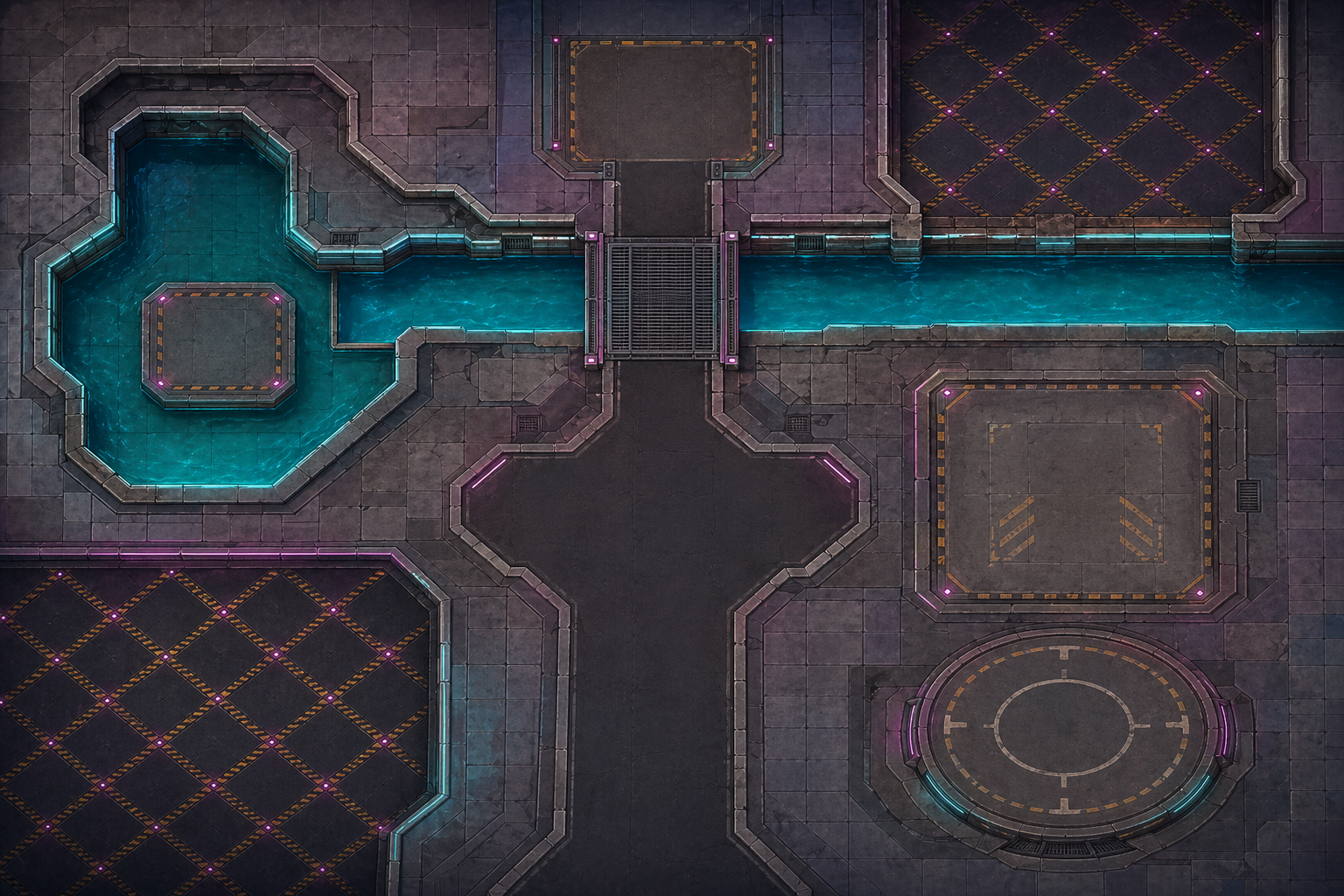
Ground-only base
|
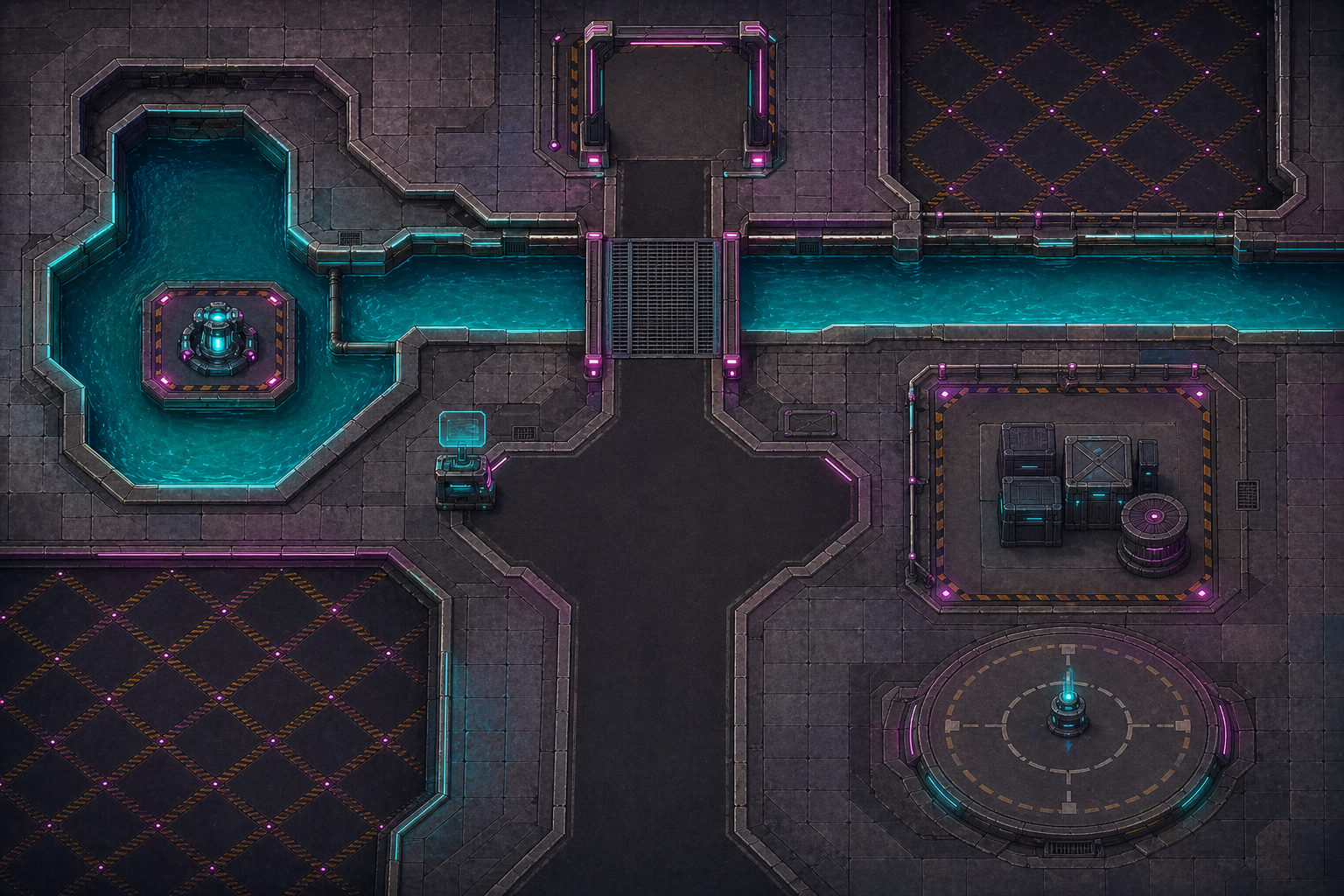
Dressed reference
|
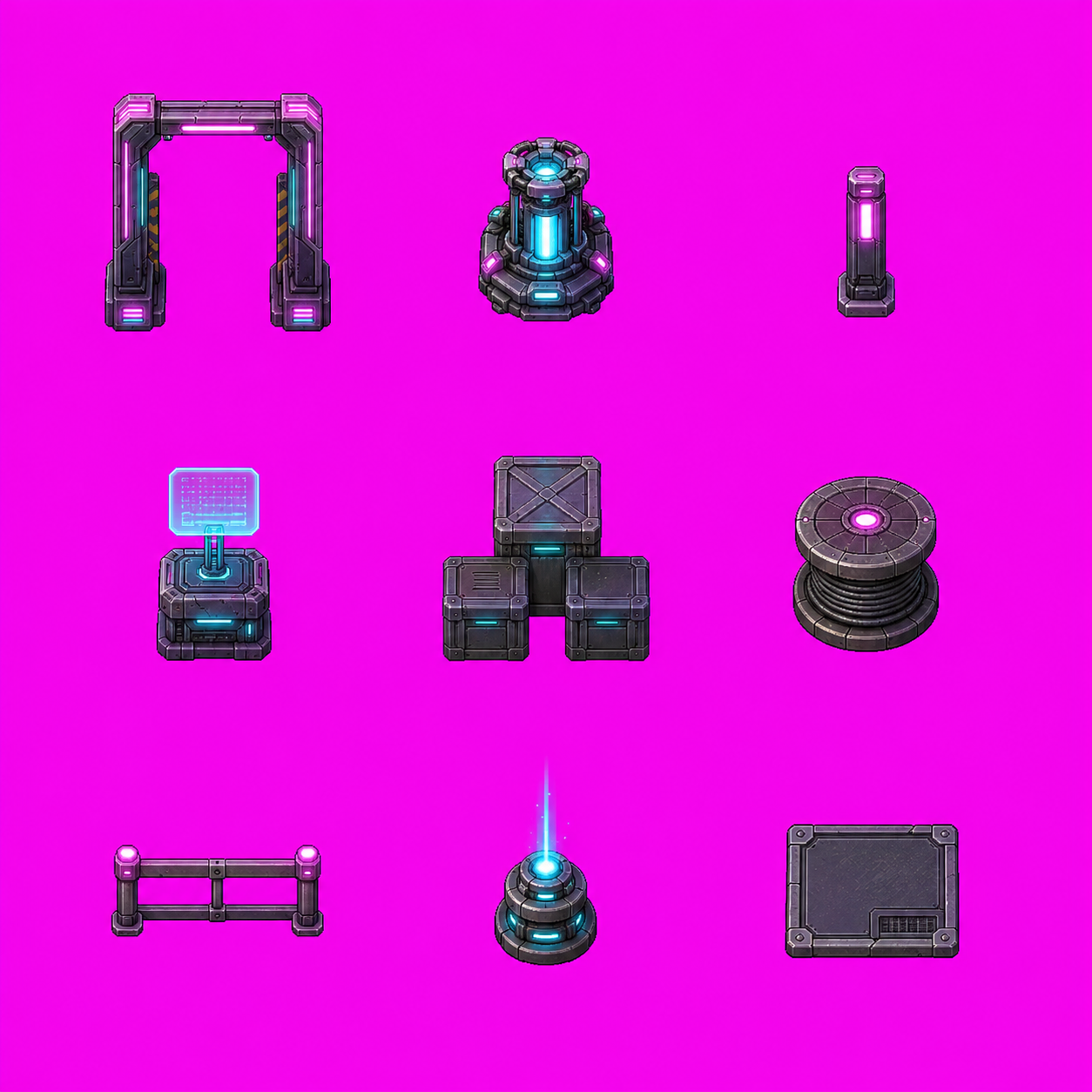
3x3 prop pack
|
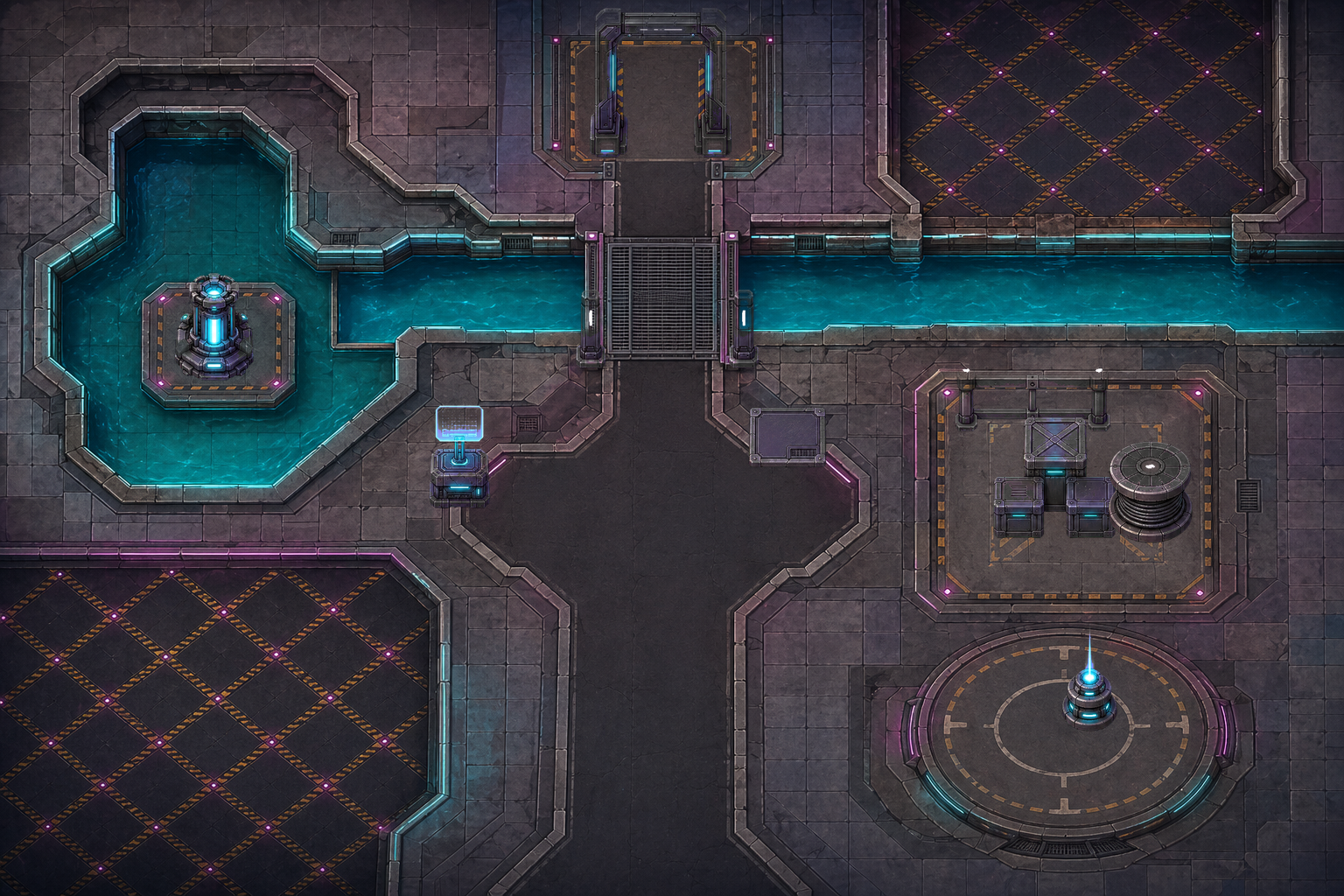
Flattened layered RPG map preview
layered_raster + y_sorted_props + precise_shapes + trigger_zones + raw_canvas
Godot Editable TileMap Export
$generate2dmap can also produce an editable Godot map project instead of a single flattened image. This showcase uses an image-generated tileset and 3x3 prop sheet, then wires them into a Godot 4.5 scene.
Godot editor scene: editable layers, props, zones, collision, exits, and debug player
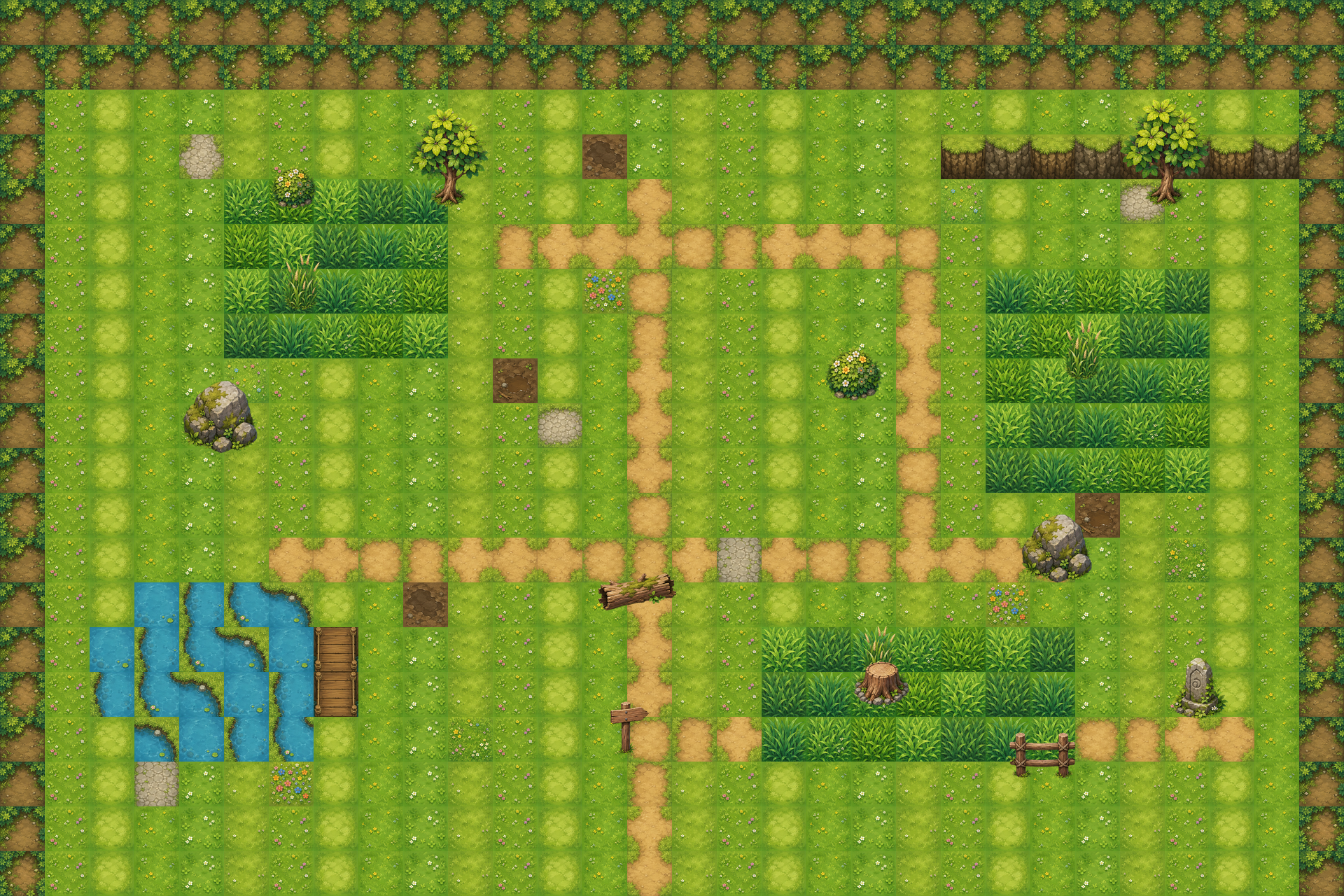
Layered map preview
|
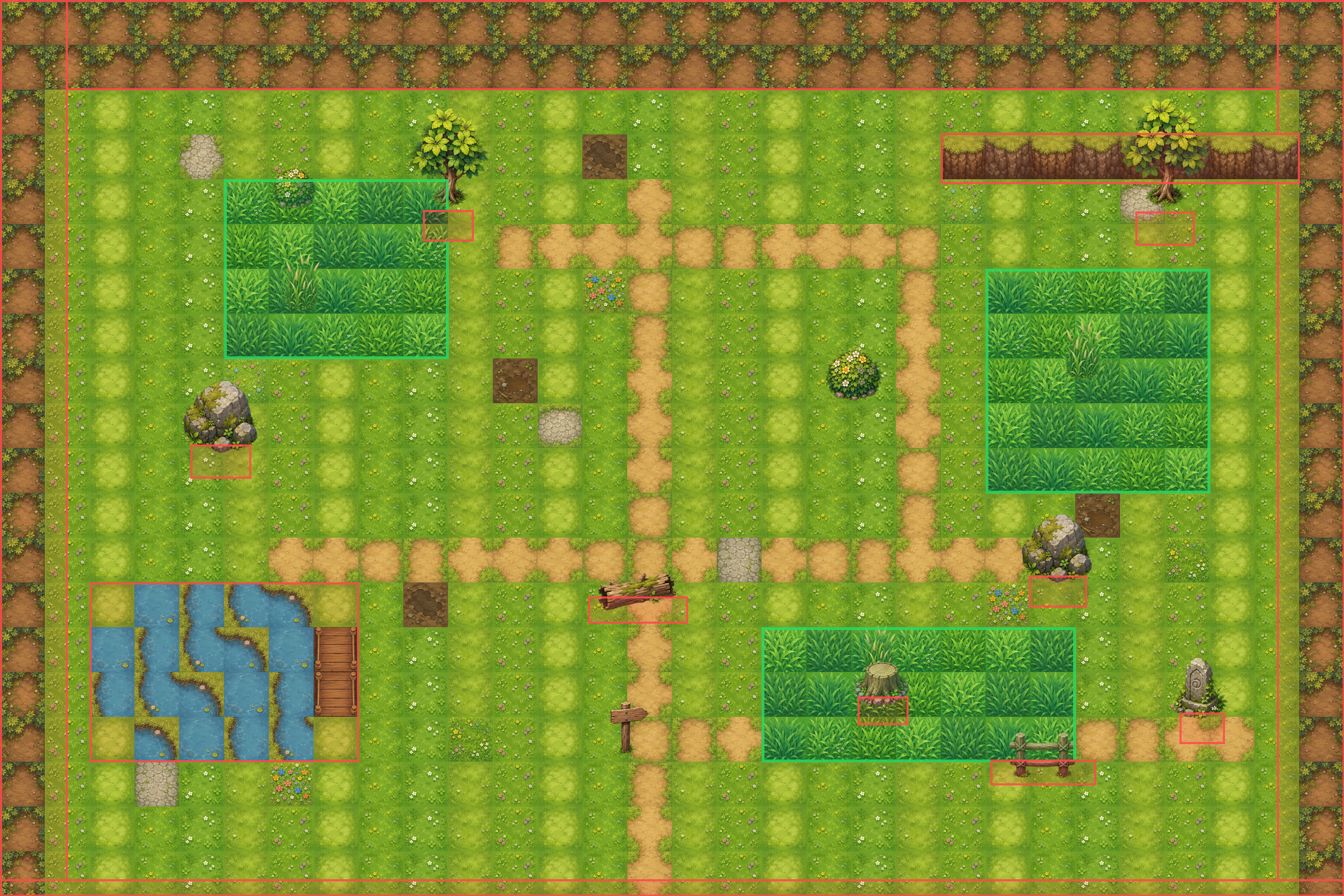
Collision and zone debug overlay
|
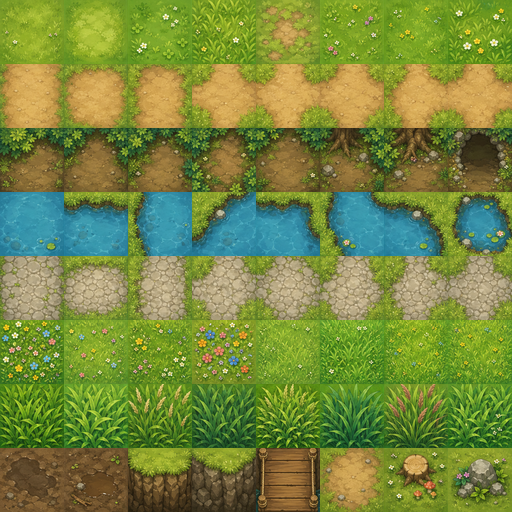
Image-generated tileset atlas
|
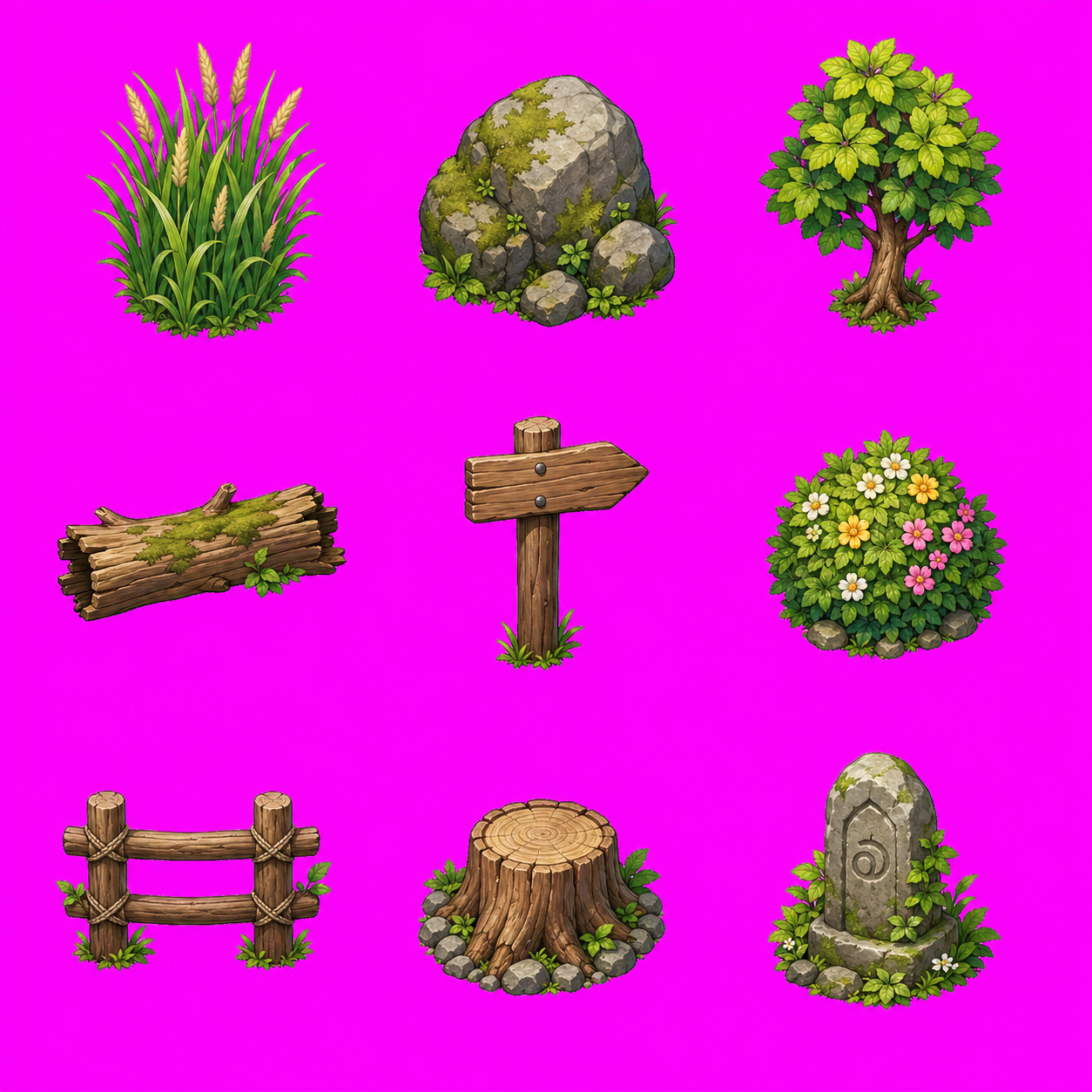
3x3 generated prop pack
|
Godot output includes editable TileMapLayer nodes, independent Sprite2D props, encounter grass Area2D zones, StaticBody2D collision blockers, exit Area2D zones, and a debug player/camera.
image_gen tileset + prop_pack_3x3 + layered_tilemap + separate_props + trigger_zones + Godot_TileMap
Playable Game Prompt Examples
Cyberpunk side-scroller prompt
use $generate2dsprite to create a 2D side-scrolling game similar to Mega Man. It should include attack mechanics, map elements, and all the essential features. I would like you to design it, and all the necessary assets should be created using this skill. It needs to be an actually playable game, with a cyberpunk story setting.
Sengoku Pokémon-like prototype
Link: Play the JavaScript browser build
Starter selection
|
Battle scene
|
Use $generate2dsprite to create a 2D game similar to Pokemon. You only need to build one scene for now. It must include a starter monster selection mechanic, a battle screen, and all basic gameplay functions. I would like you to design all the elements and the story, and you can also decide which game engine to use. Use this skill to create any assets you need. The story should be set in the Sengoku period.
Included Skills
| Skill |
Use it for |
Output |
Runtime |
generate2dsprite |
Sprites, animation sheets, props, spell bundles, FX, reference variants, optional layout guides for fixed-frame sheets |
Raw sheet, cleaned transparent sheet, frames, GIFs, metadata |
Codex / Grok (image gen) |
generate2dmap |
Baked maps, layered raster maps, clean HD RPG maps, prop packs, collision/zones, Godot-editable scenes |
Base map, dressed reference, prop pack, extracted props, preview, scene metadata |
Codex / Grok (image gen) |
video2dsprite |
Denser motion sprites from video: base still → image_to_video → frame extract → magenta chroma → multi-density sprite strips/GIFs |
Video, raw/clean frames, 8/16/24/48 sprite sets, strips, preview GIFs |
Grok Build only |
Grok Build only: $video2dsprite
$video2dsprite is a Grok Build exclusive skill. It depends on Grok's native image_gen / image_edit + image_to_video tools (still → short clip). Codex and other agents do not have image_to_video, so they cannot run the generation half of this pipeline.
Use it when you want smoother intermediate poses (e.g. run/walk cycles) by sampling dense frames from a 6s in-place motion clip. Tradeoffs: softer pixels, possible identity drift, chroma fringe — for crisp production sheets, keep using $generate2dsprite.
Install for Grok Build by copying skills into ~/.grok/skills (see Install). On Codex, install is still ~/.codex/skills; $video2dsprite will load but must refuse the video step if tools are missing.
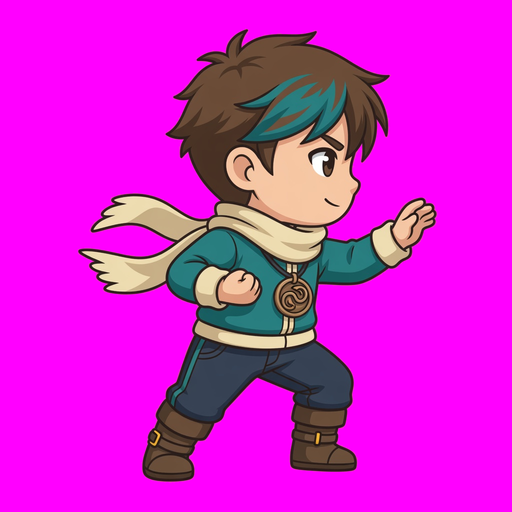
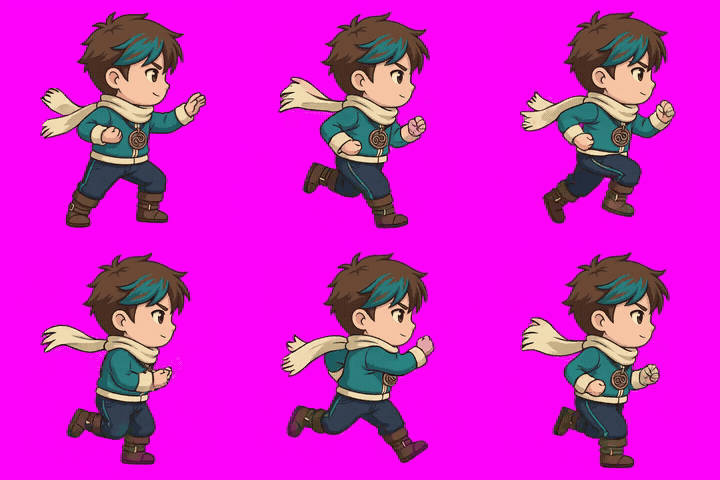
Case study: Ryo run (16 denser frames)
Pipeline: base still → image_to_video (6s) → chroma key → 16-frame strip.
Note: GitHub README does not reliably render <video> tags (especially inside tables). Motion is shown as GIF previews; MP4 files are still in the repo for download / local play.
| Base still |
Motion (image_to_video) |
Sprite result (16f) |
 |
Download MP4 |
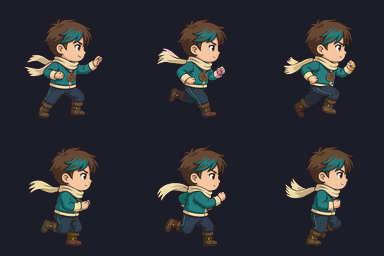 |

16-frame strip (feet-aligned, denser than a classic 6–8 pose sheet)
Short skill intro (MP4, open file): intro.mp4
Case assets on disk (~2–3 MB — safe for git)
src/video2dsprite-ryo/
  base.png              # identity still (docs size)
  run-6s.mp4            # image_to_video clip (compressed)
  run-6s-preview.gif    # same motion as GIF for README display
  strip-16.png          # denser sprite strip
  preview-16.gif        # sprite loop for README
  intro.mp4             # short skill explainer
We intentionally do not commit raw 145-frame dumps or full-resolution working folders.
$generate2dmap only uses $generate2dsprite when the selected map pipeline needs reusable transparent props. Small environmental props can be batched into 2x2, 3x3, or 4x4 prop packs, then extracted into individual transparent props. Simple maps can stay as a single baked image.
When a visual reference is involved, the image skills follow the same wrapper rule: make the image visible in the conversation first. Attached images and freshly generated images are already visible; local files should be opened with view_image before asking built-in image generation to preserve identity, style, map layout, or sprite lineage.
How It Works
- The user asks Codex for a sprite, prop pack, map, or engine-ready prototype.
- The agent chooses the asset type, action, bundle shape, sheet layout, frame count, style, and alignment strategy.
- Built-in image generation creates the raw visual asset.
- Local scripts run deterministic post-processing: chroma-key cleanup, despill, frame extraction, alignment, prop-pack slicing, GIF/PNG export, and validation metadata.
- For maps and prototypes, Codex can also assemble placement metadata, collision, trigger zones, Godot scenes, or Unity project wiring.
The script is not the creative brain. The agent makes the visual and pipeline decisions; the Python tools only perform repeatable pixel and export operations.
What It Can Generate
- Creatures, characters, players, NPCs, props, and monsters
- Spell casts, projectiles, impacts, explosions, and FX sheets
- Small bundles such as
unit_bundle, spell_bundle, and combat_bundle
- Reference-guided sprite variants, animation sheets, and evolution lines
- Single baked maps, clean HD layered maps, prop-pack maps, and flattened previews
- Collision and zone metadata for playable maps
- Godot-ready editable maps with
TileMapLayer, separate props, encounter grass, collision, exits, and debug player scenes
- Prototype-scale Godot and Unity scenes when the user asks Codex to wire assets into an engine p


 Agent Sprite Forge is a Codex skill set that turns natural-language prompts into game-ready 2D assets: animated sprite sheets, transparent PNG frames, GIFs, and layered RPG maps, which can also be wired into Godot or Unity scenes.