


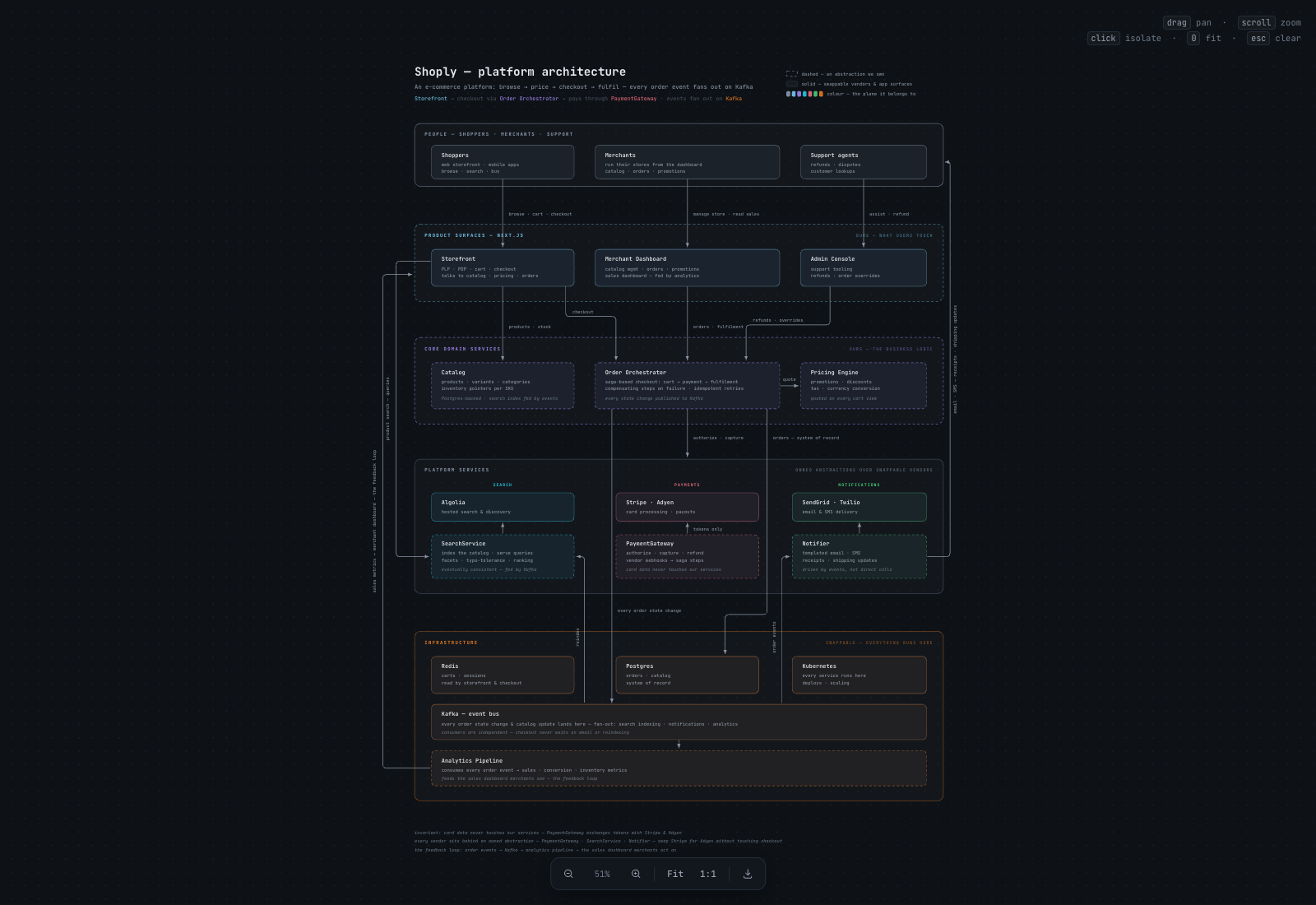
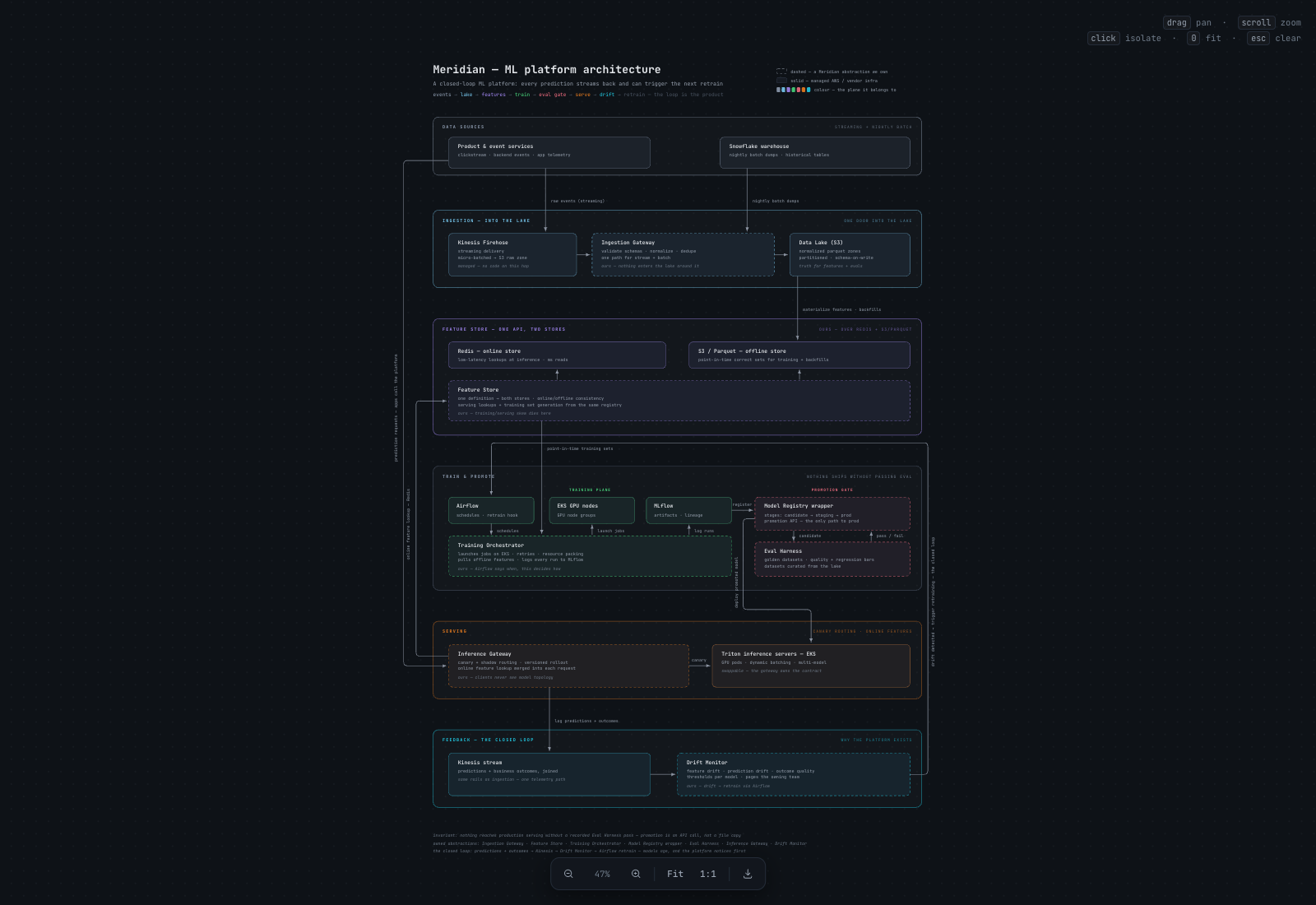
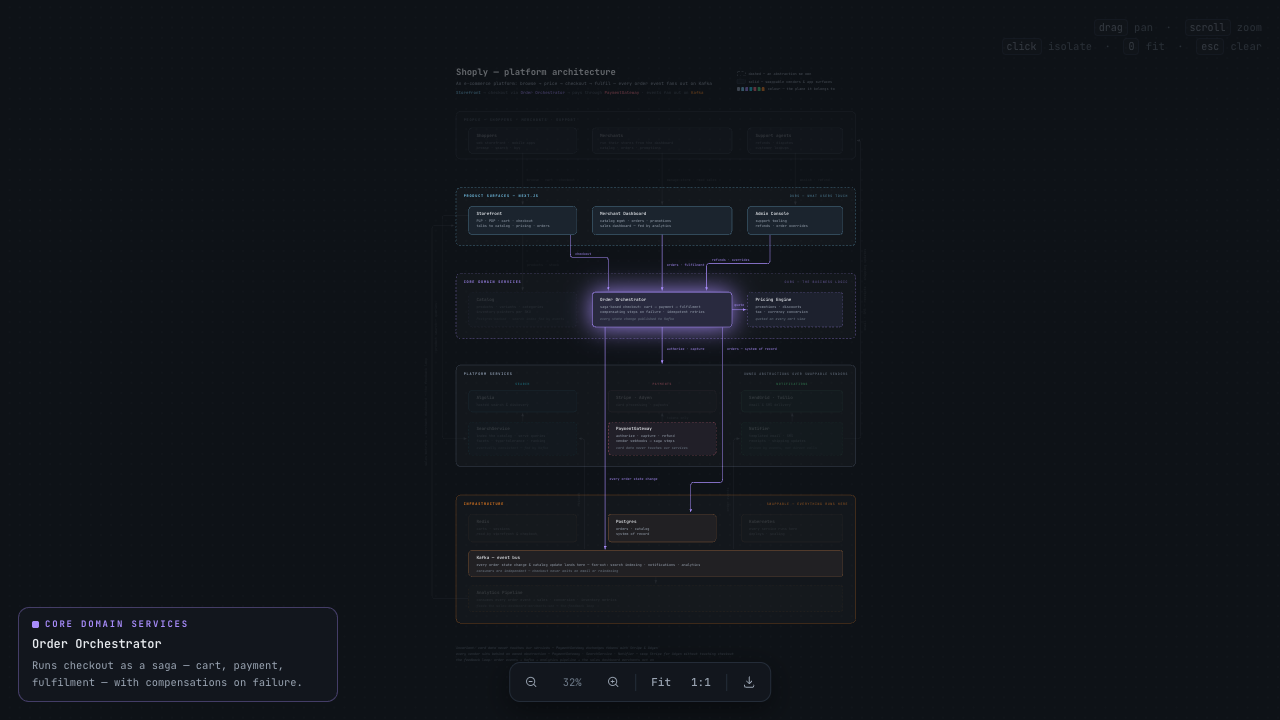
Что это?
 Это агентный скилл, который превращает кодовую базу, документ по архитектуре или описание системы простыми словами в интерактивную панорамируемую canvas-диаграмму — один самодостаточный HTML-файл с фокусировкой по клику, переключателем тёмной и светлой темы и экспортом в PNG.
Это агентный скилл, который превращает кодовую базу, документ по архитектуре или описание системы простыми словами в интерактивную панорамируемую canvas-диаграмму — один самодостаточный HTML-файл с фокусировкой по клику, переключателем тёмной и светлой темы и экспортом в PNG.Это отдельное приложение или дополнение к моему кодинг-агенту?Это агентный скилл, а не отдельное приложение: ваш кодинг-агент создаёт небольшой файл данных «scene» с описанием плоскостей, полос, блоков и связей, а два встроенных скрипта (validate.js, build.js) вшивают его в фиксированный HTML-шаблон, получая итоговую диаграмму.
Это агентный скилл, а не отдельное приложение: ваш кодинг-агент создаёт небольшой файл данных «scene» с описанием плоскостей, полос, блоков и связей, а два встроенных скрипта (validate.js, build.js) вшивают его в фиксированный HTML-шаблон, получая итоговую диаграмму.Нужно ли что-то помимо кодинг-агента, чтобы этим пользоваться?Лишь Node.js (18+) для скриптов build и validate; в сгенерированном HTML диаграммы нет зависимостей времени выполнения, кроме запроса к Google Fonts за шрифтом JetBrains Mono.
Лишь Node.js (18+) для скриптов build и validate; в сгенерированном HTML диаграммы нет зависимостей времени выполнения, кроме запроса к Google Fonts за шрифтом JetBrains Mono.Какие подводные камни при установке стоит обходить?Устанавливайте только одним способом: если использовать сразу два из трёх методов, скилл окажется в двух местах, и агент может загрузить ту копию, которую найдёт первой.
Устанавливайте только одним способом: если использовать сразу два из трёх методов, скилл окажется в двух местах, и агент может загрузить ту копию, которую найдёт первой.Он работает только с Claude Code?Нет — установщик skills.sh поддерживает Claude Code, Codex, Cursor, OpenCode, Copilot, Gemini CLI и ещё около 70 агентов; собственный npm-установщик репозитория нацелен именно на Claude Code.
Нет — установщик skills.sh поддерживает Claude Code, Codex, Cursor, OpenCode, Copilot, Gemini CLI и ещё около 70 агентов; собственный npm-установщик репозитория нацелен именно на Claude Code.Как на деле вызвать скилл после установки?Просто опишите желаемое естественным языком, например «Преврати docs/architecture.md в исследуемую диаграмму» или «Нарисуй архитектуру этого кода как canvas, который можно панорамировать», — агент распознаёт такие запросы и вызывает скилл.
Просто опишите желаемое естественным языком, например «Преврати docs/architecture.md в исследуемую диаграмму» или «Нарисуй архитектуру этого кода как canvas, который можно панорамировать», — агент распознаёт такие запросы и вызывает скилл.Что можно делать внутри сгенерированной диаграммы?Панорамировать и масштабировать щипком, кликать компоненты, чтобы приглушить остальное и прочитать описание, переключать тёмную и светлую тему клавишей t, экспортировать текущий вид в PNG с разрешением 2x.
Панорамировать и масштабировать щипком, кликать компоненты, чтобы приглушить остальное и прочитать описание, переключать тёмную и светлую тему клавишей t, экспортировать текущий вид в PNG с разрешением 2x.Как диаграмма выглядит визуально?Компоненты разложены по горизонтальным полосам — архитектурным слоям, сложенным сверху вниз в причинном порядке, с цветовой кодировкой по плоскостям; пунктирные границы обозначают ваше собственное, а сплошные — вендоров, инфраструктуру и поверхности приложений.
Компоненты разложены по горизонтальным полосам — архитектурным слоям, сложенным сверху вниз в причинном порядке, с цветовой кодировкой по плоскостям; пунктирные границы обозначают ваше собственное, а сплошные — вендоров, инфраструктуру и поверхности приложений.Можно ли поделиться с кем-то конкретным видом диаграммы?Да, состояние панорамирования и зума живёт в хэше URL, так что можно отправить ссылку, открывающую просмотрщик ровно в том месте, которое вы хотите показать.
Да, состояние панорамирования и зума живёт в хэше URL, так что можно отправить ссылку, открывающую просмотрщик ровно в том месте, которое вы хотите показать.What are similar projects?archify, drawio-skill, reladraw, svg-diagram, visual-explainer, geo-sleuth, oh-my-mermaid, live-panel-skill
archify, drawio-skill, reladraw, svg-diagram, visual-explainer, geo-sleuth, oh-my-mermaid, live-panel-skillWhich topics is it in?architecture-diagram, png, diagrams, gemini-cli, github-copilot, architecture, opencode, visualization, skill, cursor, html, agent-skills
architecture-diagram, png, diagrams, gemini-cli, github-copilot, architecture, opencode, visualization, skill, cursor, html, agent-skills