> Work in progress. x) are early previews. Expect crashes, setup problems and rough edges on > hardware it has not been tested on.
Metroid-Dread-Recomp (yozander2009-stack/Metroid-Dread-Recomp)
Searching Database…
The project's README from github.com/yozander2009-stack/Metroid-Dread-Recomp. As one markdown file: README.md.
Work in progress. This project was shared on Reddit and elsewhere before it was ready: the planned first proper release is 1.0.0, and current builds (0.x) are early previews. Expect crashes, setup problems and rough edges on hardware it has not been tested on. If something breaks, please open an issue and attach the
.logfile from the game folder, plus your CPU, GPU, RAM and Windows version. I'll do the best I can to resolve the errors and make this a good experience.
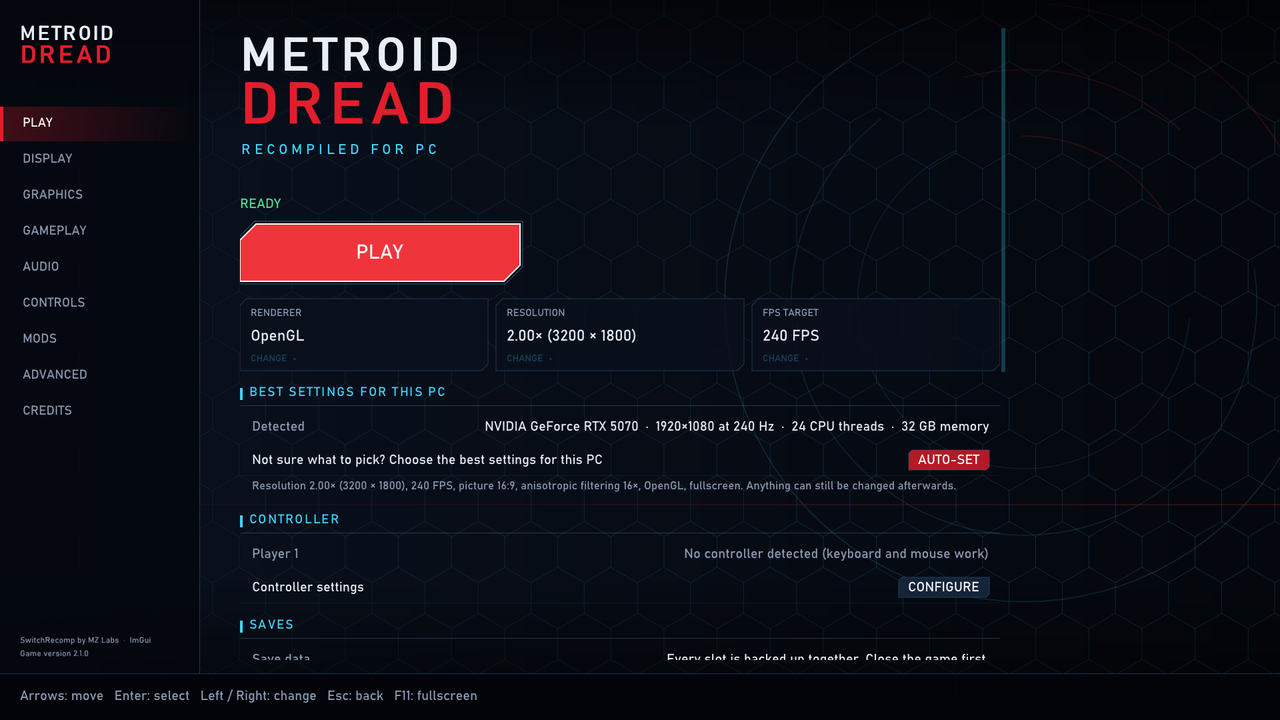
One Windows EXE that sets up, configures and runs a native PC build of your own copy of Metroid Dread 2.1.0. It is the SwitchRecomp runtime (by MZ Labs) with a Metroid Dread front end built in: first-run setup that compiles the game with a bundled GCC, a Play / settings screen, and an in-game menu (F1 or the Home / Guide button).
No Nintendo files are in this repository: no game code, no RomFS, no keys, no generated C.
dread/dread_v210_patches.json holds small anchored edits that setup applies to the C it generates from the player's ExeFS.dread/romfs_v210.manifest lists RomFS file names, sizes and SHA-1 hashes, so setup can verify the player's files.| path | what |
|---|---|
switchrecomp.py, codegen.py, a64.py, nxloader.py, metroid_perf.py |
SwitchRecomp: ARM64 → C translator (Apache-2.0) |
runtime/ |
the runtime: kernel, services, GPU → OpenGL, audio, video, input |
runtime/dread_ui/ |
front end: fe.cpp (setup, Play, settings), ov.cpp (in-game menu), ui.cpp (theme, widgets, settings table) |
runtime/snxvk/ |
ScarletNX's native Vulkan renderer (GPL-3.0, main 112db409) in src_new/, vendored, symbols prefixed snxv_; our DLSS code in src_new/nx/gpu/vk/dlss.c |
dread/ |
setup driver run by the EXE, patch set, RomFS manifest, release script, design notes |
third_party/imgui-1.92.5/ |
Dear ImGui (MIT) |
linux/ |
scripts for the Linux / Steam Deck build |
Download the release zip, not this repository. On first start the EXE asks for your game files and compiles the game. It needs both parts of your own dumped copy of Metroid Dread 2.1.0:
main, main.npdm, ...)system, packs, ...), with the 2.1.0 update merged inA RomFS dump on its own is not enough. Choose the folder that holds both; they can be a few folders down (a dump folder with one folder per title is fine). If you have the base game and the update as separate dumps, choose the update as "Update folder". Every RomFS file is checked against the 2.1.0 file list before anything is compiled.
Updates: the Play screen checks this repository's releases and offers UPDATE when there is a new version. Only the game's own files that changed are downloaded (a few MB), each one is checked against its SHA-256 before anything is replaced, and the replaced files are kept so UNDO can go back. If the game-code patches changed, the game is rebuilt from the files setup already installed, without asking for your game folder again. Saves, settings and mods are never touched. It can be switched off on the Play screen.
Not sure which settings to pick? Press AUTO-SET on the Play screen. It reads your graphics card, screen and memory and picks resolution, frame rate and quality to match; a new installation gets these automatically after setup. Anything can still be changed afterwards.
Found a bug? See CONTRIBUTING.md: please attach the .log.
| Graphics settings | Controls |
|---|---|
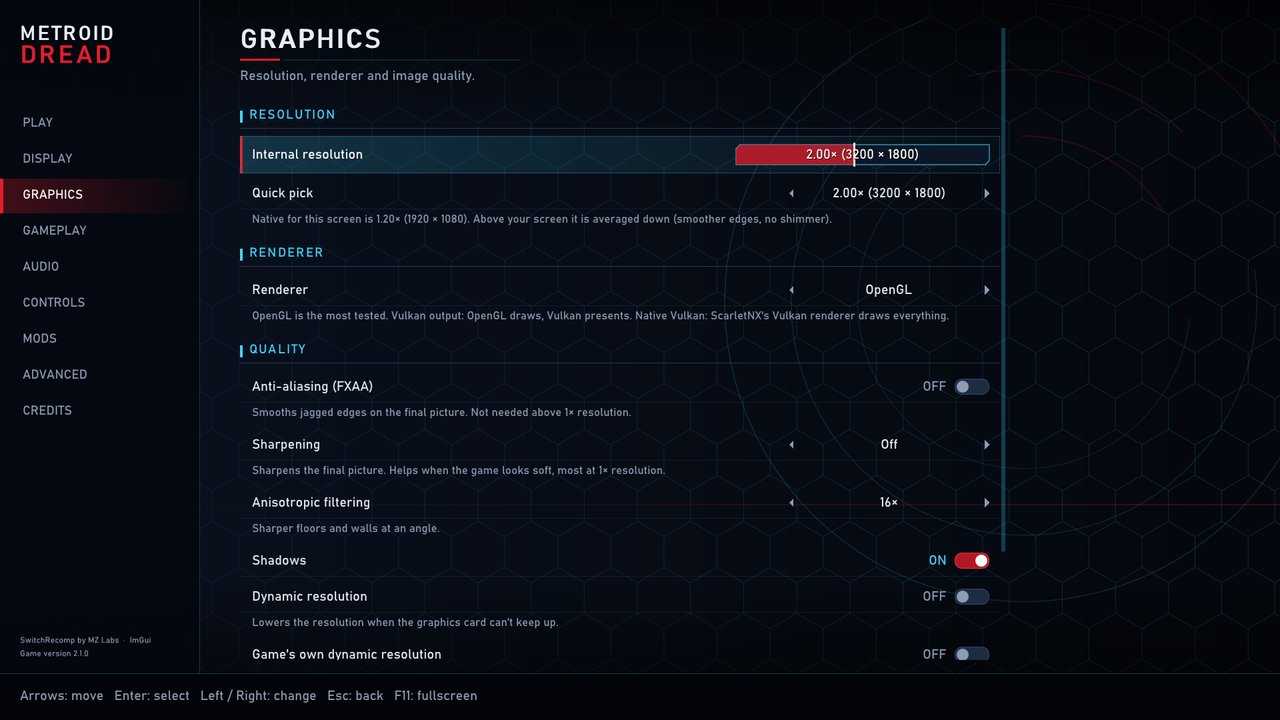 |
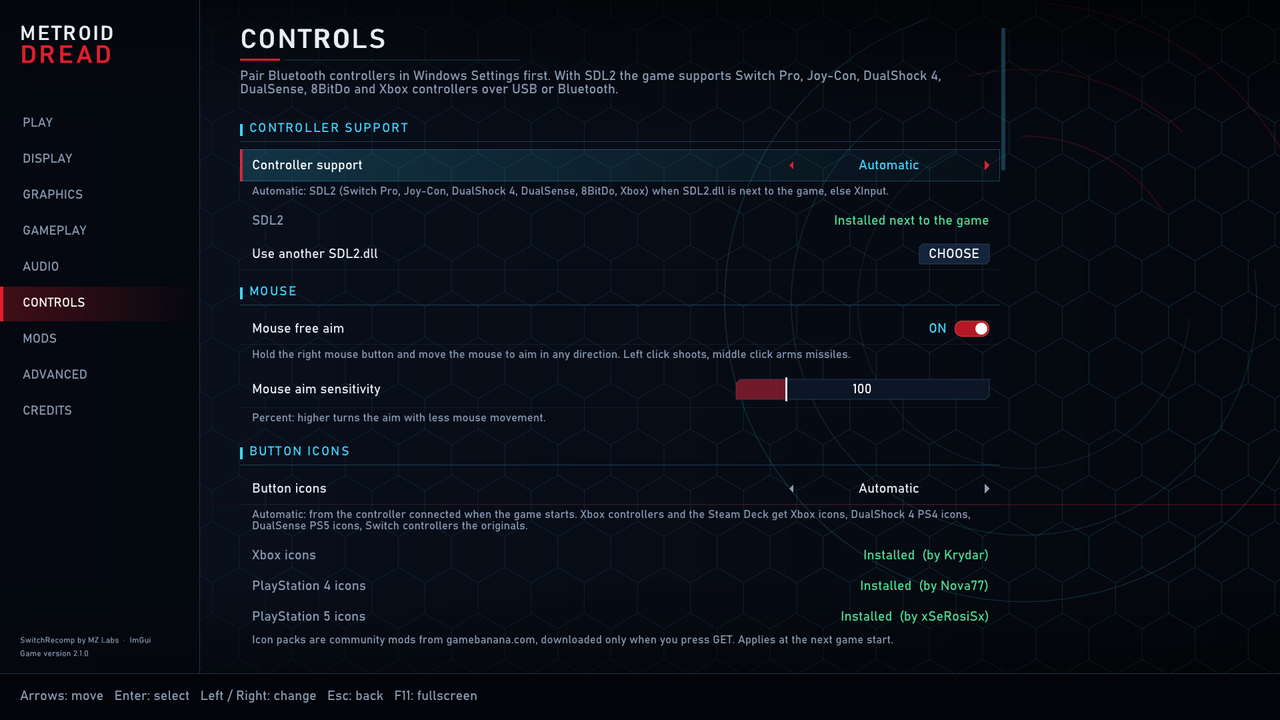 |
The toolchain is not in this repository and never was: the paths below are where you put your own downloads. The release zip bundles the same GCC and Python so that setup can compile the game on the player's PC.
gcc\ in the repository root: winlibs GCC 14.2.0, UCRT, POSIX threads, x64python\ in the repository root: Python 3.12 for Windows (the embeddable package is enough)GLSLANG= or on PATHbuild.bat checks for all three and runs the steps below (build.bat release X.Y.Z also packs a release):
python\python.exe work-profiler\build_imgui.py
set GLSLANG=<path to glslang.exe 16.6.0> && set SWR_NO_DLSS=1 && python\python.exe work-profiler\build_snxvk2.py
set SWR_RELEASE=1 && python\python.exe switchrecomp.py --build-runtime --cc gcc
python\python.exe dread\make_release.py release <empty folder> --version X.Y.Z --exe bin\runtime_win64_win32.exe
The release step also needs redist\zlib1.dll (zlib 1.3.1, x64) and redist\SDL2.dll (SDL 2.x x64 release), the two
DLLs the game ships beside it. They are not in this repository.
Native Linux (X11 or Wayland through XWayland, OpenGL 4.3), built from this repository with the system's GCC. The
scripts in linux/ keep everything inside the repository: the runtime in bin/, the installed game in games/.
You need your own Metroid Dread 2.1.0 extracted to an ExeFS and a RomFS folder, as for Windows.
bash linux/install_deps.sh                    # gcc, X11/OpenGL headers, static libvpx, SDL2 (asks for sudo)
bash linux/setup_and_build_runtime.sh         # bin/runtime_linux_x11, with the in-game menu
bash linux/setup_game.sh GAME_FOLDER [UPDATE_FOLDER]   # checks the files, compiles games/Metroid Dread_code.so
bash linux/run.sh                             # play; settings in games/Metroid Dread.ini, log in games/Metroid Dread.log
linux/run.sh opens the same Play / setup / settings screens as the Windows EXE (--play skips them, --launcher
brings them back when skipped). linux/build_game_so.sh recompiles only what changed (after editing the patches or the
translator), linux/package.sh makes the Steam Deck package in linux/dist/ (no game data inside), and run_test.sh,
menu_test.sh and run_route_linux.sh run the automated tests on a copy of the game folder (SWR_SOFTGL=1 for
Mesa's software OpenGL). The AppImage updates itself from the releases page (Play screen > Updates; publish
linux/dist/update-linux.txt with the AppImage, made by VERSION=x.y.z bash linux/make_appimage.sh), and Add to Steam
works from Desktop Mode. Not on Linux yet: native Vulkan, the mouse free aim and F7 recording.
bash linux/make_appimage.sh builds linux/dist/Metroid_Dread-x86_64.AppImage: one file for players, like the Windows
EXE. It has the runtime with the Play / setup screens, the recompiler, a relocatable GCC 14.3
(Bootlin) and Python 3.12
(python-build-standalone), so nothing needs to be installed;
no game files are inside. The downloads are checked against their SHA-256 and kept in linux/appimage/cache/. The game
is installed in ~/.local/share/MetroidDreadRecomp (or METROID_DREAD_HOME). It needs glibc 2.38 or newer, SDL2 for
controllers and an OpenGL 4.3 driver.
runtime/vp9/win/libvpx.a (libvpx 1.14.1, VP9 decoder only, build options in runtime/vp9/README.txt) and
runtime/oh264/win/*.a (OpenH264 decoder). Rebuild them from the upstream sources if you prefer..gitignore keeps out toolchains, build output, EXEs, DLLs, archives and anything from a game folder.dread/dread_v210_patches.json holds our edits only: for each patched file, the SHA-256 of the C that setup
generates from the player's ExeFS, the line range to replace, and the replacement lines we wrote (frame pacing,
vector growth, zlib, cutscene skip). It contains no game code, no data from the game and no decryption.dread/romfs_v210.manifest lists RomFS file names, sizes and SHA-1 hashes, used only to check the player's files.Button-icon packs (Controls > Button icons) are community mods downloaded from GameBanana when a player asks for them, not included here: Switch to XBOX Layout by Krydar, Switch to PS4 Layout by Nova77, Switch to PS5 Layout by xSeRosiSx, with PlayStation art from Xelu's FREE Controller Prompts.
The program icon is the Metroid icon created by Smashicons - Flaticon (Flaticon licence, free with attribution).
Third-party work this builds on is credited below and on the game's Credits page.
Large parts of this project were written with Claude (Anthropic), not only boilerplate: runtime fixes, performance work, the front end, setup and the build scripts. Every change was built and tested on real hardware before release, and each fix was measured. The source is all here: read it, build it yourself, and report anything that looks wrong.
The released EXE is distributed under GPL-3.0 (LICENSE-GPL-3.0.txt), because it contains the ScarletNX renderer.
Each source file keeps its own licence; Apache-2.0 and MIT code is GPL-3.0-compatible.
NVIDIA DLAA: the code is here (dlss.c), NVIDIA's files are not, and the release is built without it. To add it to
your own build, see DLSS.md. A build with DLSS is for your own use only: never share it.
Metroid Dread is © Nintendo. This project is not affiliated with or endorsed by Nintendo.
> Work in progress. x) are early previews. Expect crashes, setup problems and rough edges on > hardware it has not been tested on.