


Amazon Q Developer CLI
adds IDE-style completions for hundreds of popular CLIs like git, npm,
docker, and aws. Start typing, and Amazon Q populates contextually relevant
subcommands, options and arguments.
Amazon Q Developer CLI, formerly known as Fig, is open source. See aws/amazon-q-developer-cli to learn more.
⚡️ Installation
- macOS:
- DMG: Download from AWS:
aws.amazon.com
- Homebrew:
brew install amazon-q
- Linux/Windows:
- Remote machines
NOTE: Once it's downloaded, launch the app to set up Amazon Q for command
line!
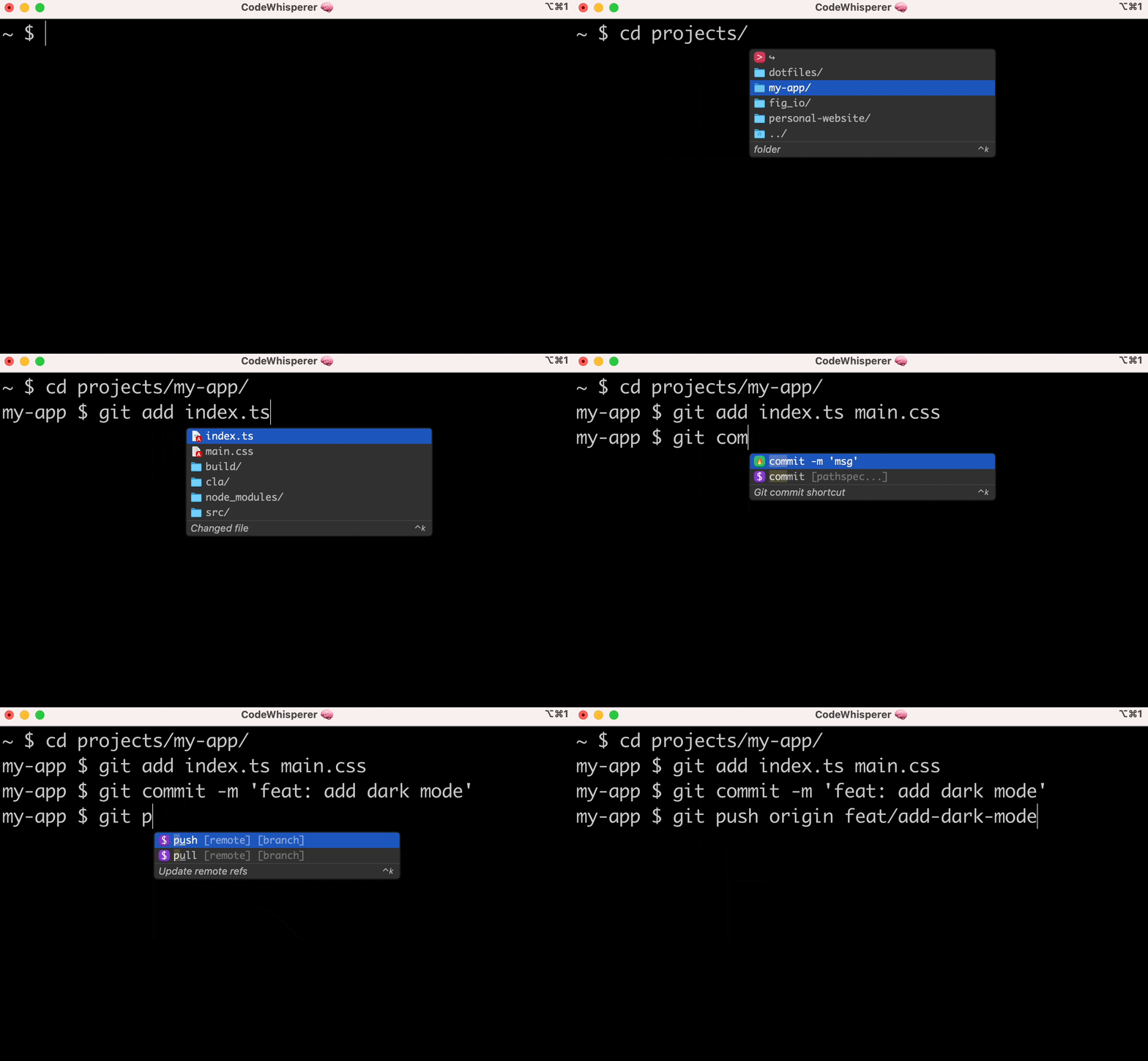
👋 What are "completion specs"?
A completion spec is a declarative schema that specifies the subcommands,
options and args for a CLI tool. Amazon Q uses these schemas to generate
suggestions.
😎 Contribute your first spec in < 3 minutes
Use the steps below or follow our getting started guide:
fig.io/docs
Prerequisites:
- Download Amazon Q for command line
- Node and Pnpm
Steps
Make sure you have pnpm installed, as
that's the package manager used in this repo.
Click here to fork this
repo.
Clone your forked repo and create an example spec
# Replace `YOUR_GITHUB_USERNAME` with your own GitHub username
git clone https://github.com/YOUR_GITHUB_USERNAME/autocomplete.git autocomplete
cd autocomplete

# Add withfig/autocomplete as a remote
git remote add upstream https://github.com/withfig/autocomplete.git

# Install packages
pnpm install

# Create an example spec (call it "abc")
pnpm create-spec abc

# Turn on "dev mode"
pnpm dev
Now go to your terminal and type abc[space]. Your example spec will appear.
😊
Other things to know
- Edit your spec in TypeScript in the
src/ folder
- On save, specs are compiled to the
build/ folder
- In dev mode, specs are read from the
build folder, and generators run
every keystroke.
📦 Other available package.json commands
# Typecheck all specs in the src/ folder
pnpm test

# Compile typescripts specs from src/ folder to build/ folder
pnpm build

# Lint and fix issues
pnpm lint:fix
🔥 Contributions
We would love contributions for:
- New completion specs
- Errors with existing completion specs (e.g. missing subcommands, options, or
arguments)
- Generators
for argument suggestions
- Better descriptions, icons etc
- Themes!
If you aren't able to contribute, please feel free to open an
issue.
🙋♀️ FAQ
What terminals does Amazon Q work with?
Amazon Q for command line works with the native macOS Terminal app, iTerm,
Tabby, Hyper, Kitty, WezTerm, and Alacritty. It also works in the
integrated terminals of VSCode, JetBrains IDEs, Android Studio, and
Nova.
Want to see another terminal included? Check our
issue tracker and add your
support for it!
How does Amazon Q for command line work?
Amazon Q for command line uses the Accessibility API on Mac to position the
window, and integrates with your shell to read what you've typed.
Does Amazon Q for command line work on Windows or Linux?
Not yet, Amazon Q for command line is only available on macOS for now.
Windows and
Linux
support is in progress!
How can I download Amazon Q?
Run brew install amazon-q or, downloading the app at
aws.amazon.com.
Then, launch the Amazon Q app!
How do I submit a PR?
Check out our
How to Contribute guide.
Many of Amazon Q's 400+ contributors made their first open source contribution
to Amazon Q!
Amazon Q for command line doesn't work for me!
Run q doctor to automatically debug issues with your installation. Otherwise
make an issue in our GitHub discussions community:
aws/q-command-line-discussions
✨ Contributors

 一个终端里的 IDE 风格自动补全工具:当你输入命令时,Amazon Q Developer CLI(原名 Fig)会为 git、npm、docker、aws 等数百个常用命令行工具自动提示子命令、选项和参数。