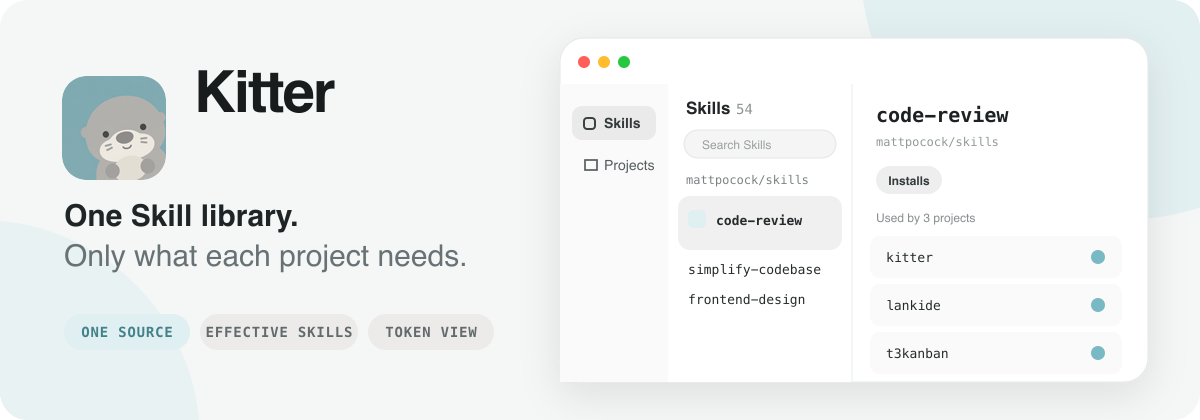
One skill library. Every project gets only what it needs.
Kitter is a desktop app and CLI for managing Agent Skills across projects. Keep your skills in one library, install the right combination for each project, and update them in one place.
Built entirely in Rust with GPUI, Kitter pairs a straightforward interface with a small footprint and smooth native performance.
Why Kitter
Working across projects often means maintaining several copies of the same skill and keeping track of what each agent can use. Kitter keeps those connections visible:
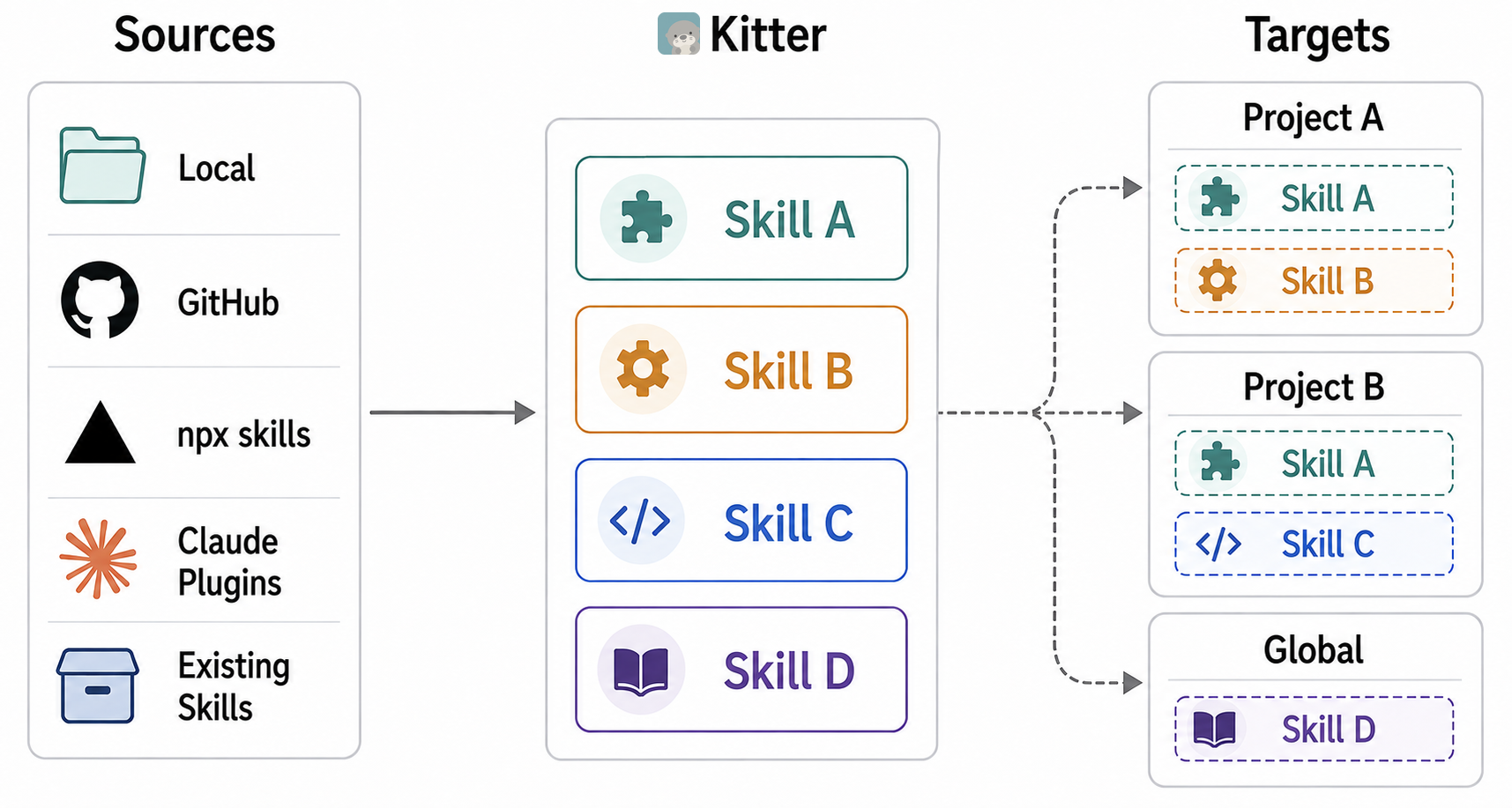
Maintain once — projects link to the same skill source, so one update reaches every linked installation.
Choose per project — give each project its own skill set, with user-level installation for skills you use everywhere.
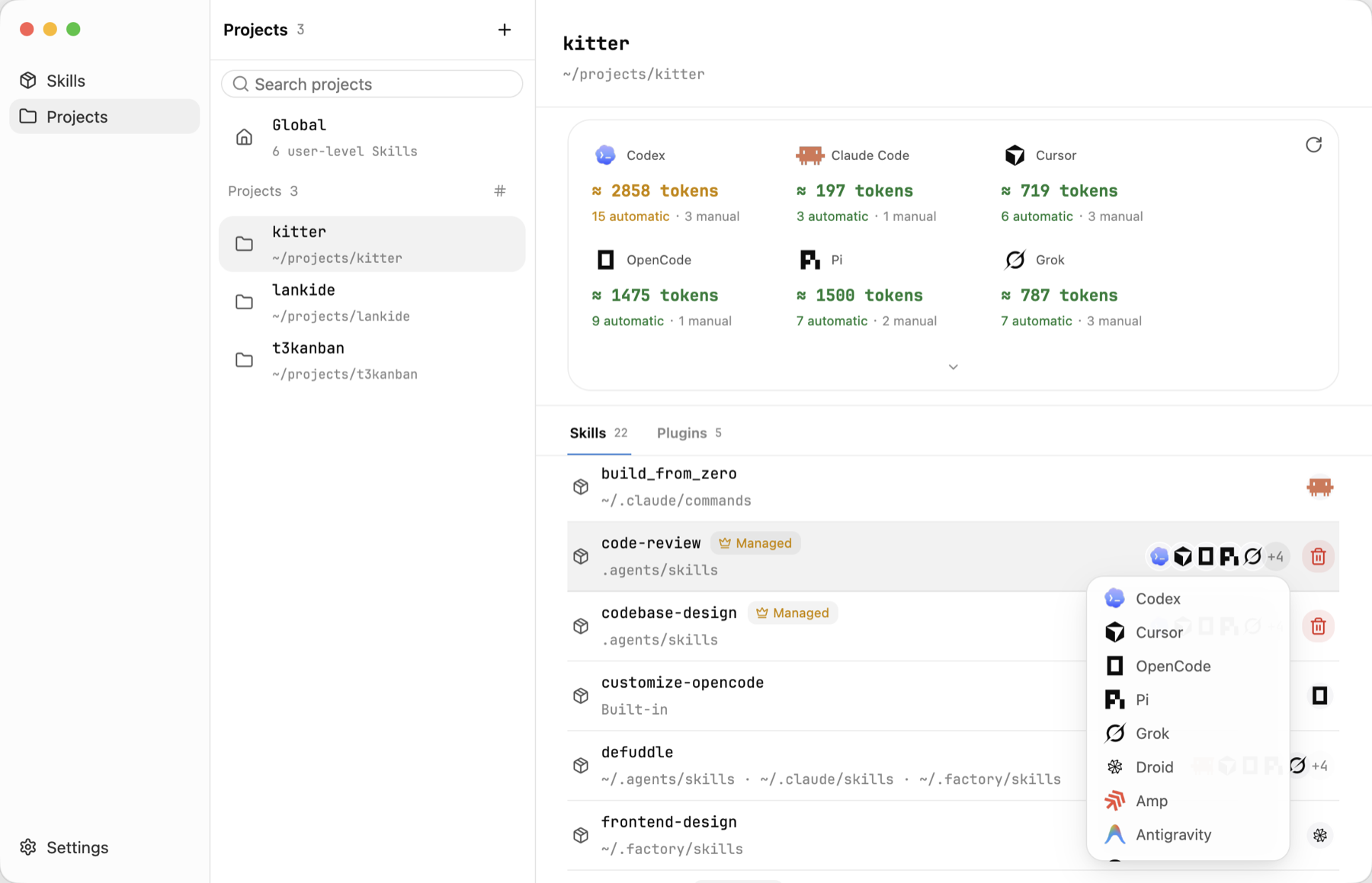
See what is active — inspect the skills each agent discovers, including installations outside Kitter, along with their sources and estimated context cost.
macOS (Apple Silicon / Intel) — choose the macos-arm64.dmg (Apple Silicon) or macos-x86_64.dmg (Intel) download, open the .dmg and drag Kitter.app into Applications.
Windows (x64) — download Kitter-<version>-desktop-windows-x86_64.exe and run it directly.
Linux (x64) — extract Kitter-<version>-desktop-linux-x86_64.tar.gz and run ./Kitter from the extracted Kitter directory.
Kitter is not yet signed with an Apple Developer ID. If macOS blocks the first launch, confirm that you downloaded it from the official release, then go to System Settings → Privacy & Security → Open Anyway and follow the prompts. See Apple’s instructions.
You can also run the following command, then open Kitter again:
The desktop app and CLI are separate release artifacts built on the same core. Standalone CLI packages for macOS, Windows, and Linux are available from GitHub Releases. The built-in Kitter skill resolves that standalone CLI and guides you through downloading it when needed.
Manage your skills with Kitter
1. Build one library
Use + to add skills from a local folder, GitHub or a skills.sh-compatible source, or a Claude plugin source. If skills are already scattered across projects, choose Existing installations to inspect and adopt them without moving their source directories.
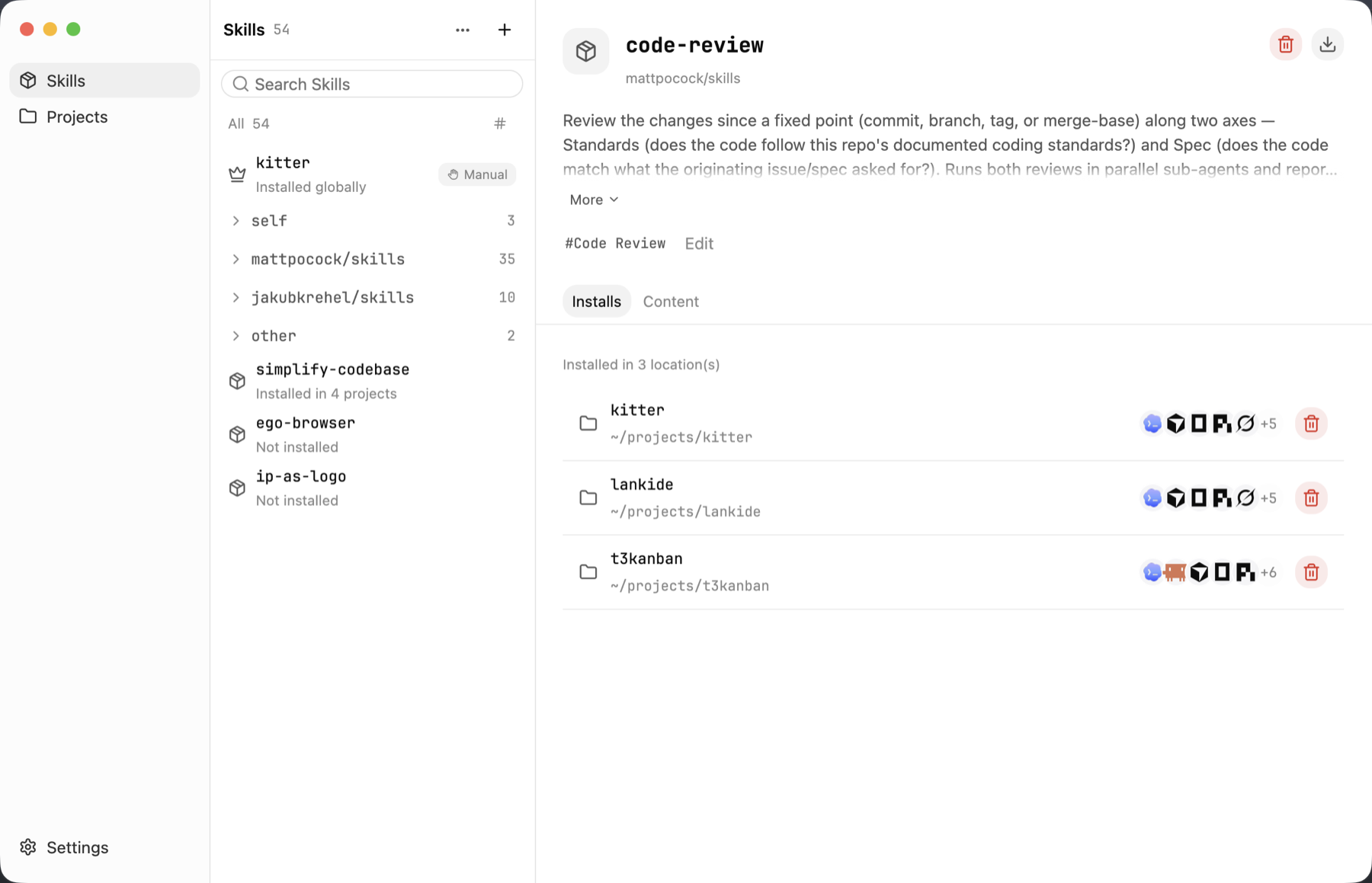
Kitter keeps one maintained source for each skill. Open its Installs tab to immediately see every project using it, every installation location, and the agents that can discover it.
2. Install only where needed
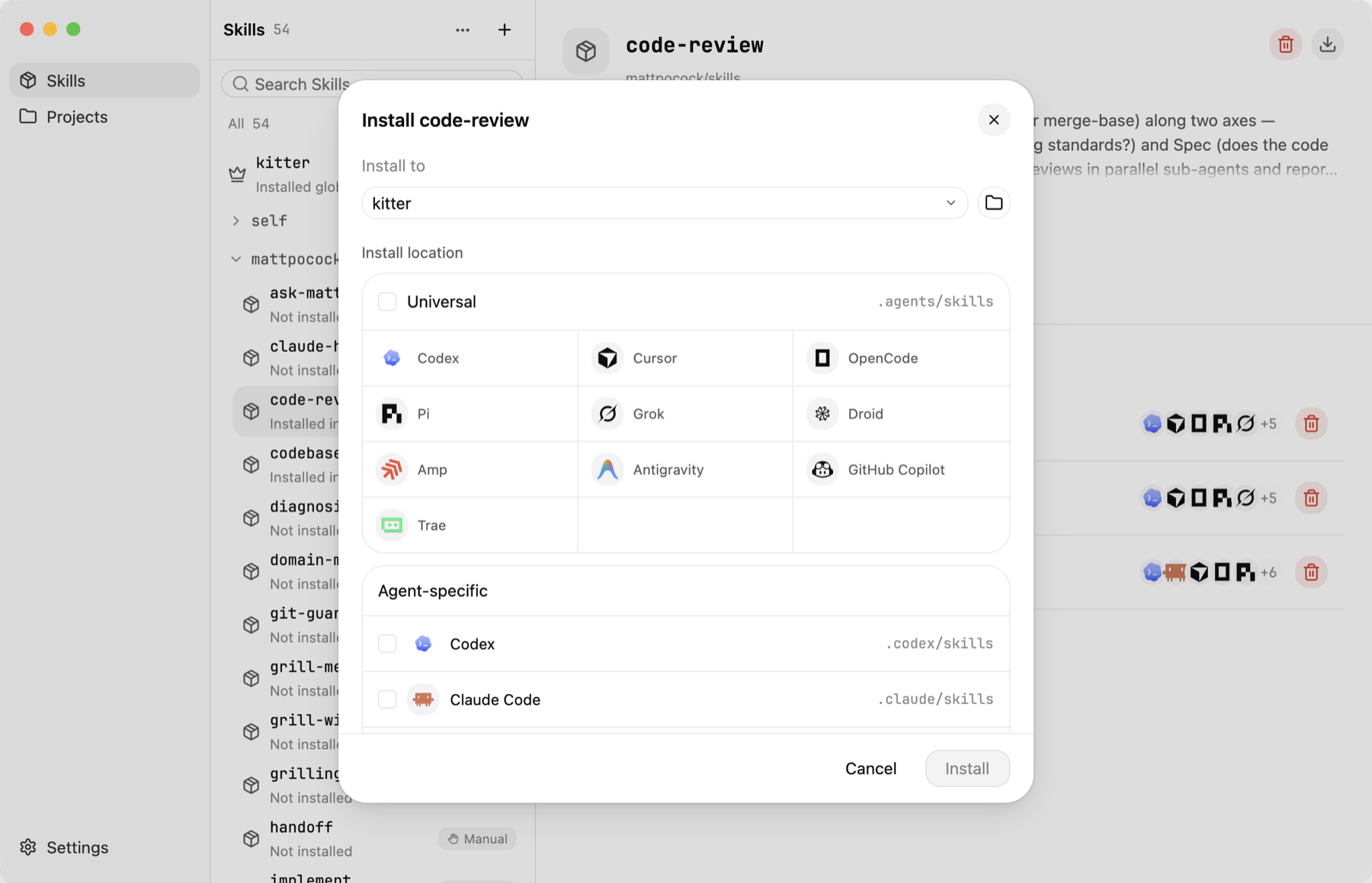
Select a skill, choose a project, then install it into the shared .agents/skills directory or an agent-specific directory. Kitter creates managed links instead of independent copies, so projects can use different combinations without creating update drift.
Skills you use across all projects can also be installed at the user level.
3. Verify what is actually active
Open Projects to see the complete effective skill set for every agent—not just installations managed by Kitter. The view discovers project, parent, user-level, built-in, and plugin-provided capabilities, then shows where each one came from.
The per-agent token estimate helps you spot skills that add unnecessary context overhead.
4. Update once
Run Check for updates from the desktop app or use kitter check and kitter update. Every managed project continues to use the same maintained source.
The equivalent CLI workflow is intentionally small:
You do not need the desktop app to use Kitter. Download the standalone CLI from GitHub Releases, put kitter on your PATH, and install the $kitter skill directly:
npx skills add what1f/kitter --skill kitter
The skill lets an agent inspect the current machine, add or adopt skill sources, install the right project combination, and verify the result through the standalone kitter CLI. If the CLI is missing, the skill can guide you through downloading it from an official Release.
Build from source
git clone https://github.com/what1f/kitter.git
cd kitter
cargo run --release --locked --features desktop --bin kitter-desktop




 Kitter 是一个桌面应用和命令行工具,用于管理多个项目中的 Agent Skills:你把技能集中放在一个库中,只为每个项目安装它需要的那部分组合,并能从一个地方统一更新它们。