

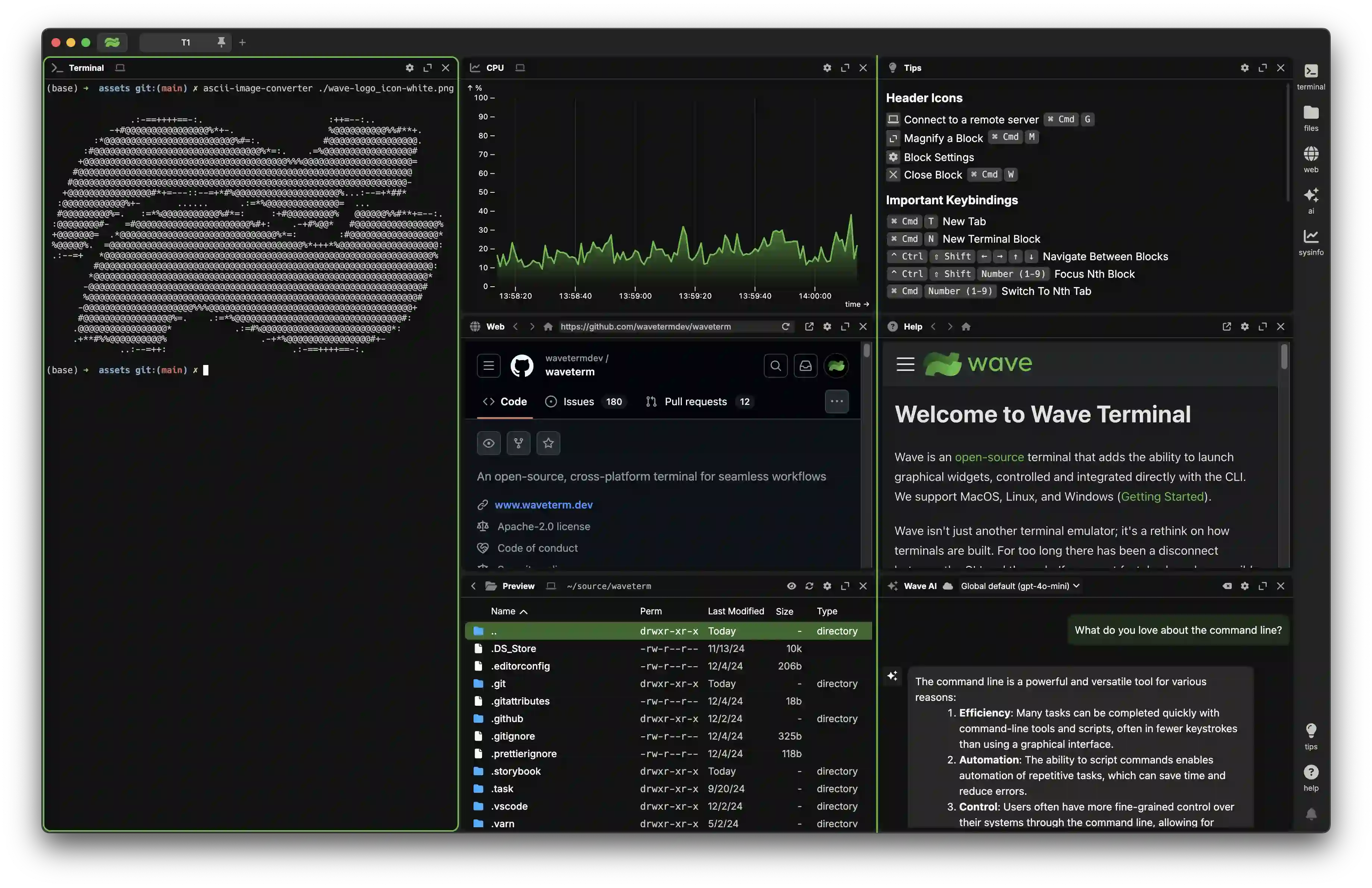
What is this?
 Wave is an open-source, AI-integrated terminal for macOS, Linux, and Windows. It bundles a context-aware AI assistant, durable SSH sessions, and a block-based workspace with editors and file previews.
Wave is an open-source, AI-integrated terminal for macOS, Linux, and Windows. It bundles a context-aware AI assistant, durable SSH sessions, and a block-based workspace with editors and file previews.Is this a plain terminal emulator or a full desktop app?It is a full desktop GUI app: terminals, editors, web browsers, and AI assistants sit in drag-and-drop blocks. Under the hood it is an Electron app with a Go backend.
It is a full desktop GUI app: terminals, editors, web browsers, and AI assistants sit in drag-and-drop blocks. Under the hood it is an Electron app with a Go backend.Do I need an account or API keys for the AI features?No accounts are required. You bring your own API keys for OpenAI, Claude, or Gemini, or run local models through Ollama, LM Studio, or other OpenAI-compatible providers.
No accounts are required. You bring your own API keys for OpenAI, Claude, or Gemini, or run local models through Ollama, LM Studio, or other OpenAI-compatible providers.What can't the AI assistant do yet?It cannot run commands yet — command execution with user approval is listed as coming soon. The AI experience is also still a free beta.
It cannot run commands yet — command execution with user approval is listed as coming soon. The AI experience is also still a free beta.Where are my API keys and credentials stored?Keys and credentials are stored locally using your OS-native secret storage backends and stay accessible across SSH sessions.
Keys and credentials are stored locally using your OS-native secret storage backends and stay accessible across SSH sessions.Is Wave free to use?Wave is free and open source under Apache-2.0. The AI side is a free beta that includes some AI credits while the experience is being refined.
Wave is free and open source under Apache-2.0. The AI side is a free beta that includes some AI credits while the experience is being refined.What can Wave AI actually do inside the terminal?It reads your terminal output and scrollback for debugging and analysis, reads, writes, and edits files with automatic backups and user approval, and works from the CLI via wsh ai, which pipes output or attaches files to a chat.
It reads your terminal output and scrollback for debugging and analysis, reads, writes, and edits files with automatic backups and user approval, and works from the CLI via wsh ai, which pipes output or attaches files to a chat.How does it handle files on remote machines?A built-in graphical editor with syntax highlighting edits remote files, and inline previews cover markdown, images, video, PDFs, CSVs, and directories. The wsh file command copies and syncs files between local and remote SSH hosts.
A built-in graphical editor with syntax highlighting edits remote files, and inline previews cover markdown, images, video, PDFs, CSVs, and directories. The wsh file command copies and syncs files between local and remote SSH hosts.Can I change how the terminal looks?Yes — customization covers tab themes, terminal styles, and background images, and any block can be toggled to full screen and back to the multi-block view.
Yes — customization covers tab themes, terminal styles, and background images, and any block can be toggled to full screen and back to the multi-block view.Which topics is it in?secret-management, file-management, terminal-emulators, remote-access, electron-app, byok, ai-assistant, ssh, local-llm, ollama, command-line, claude
secret-management, file-management, terminal-emulators, remote-access, electron-app, byok, ai-assistant, ssh, local-llm, ollama, command-line, claude