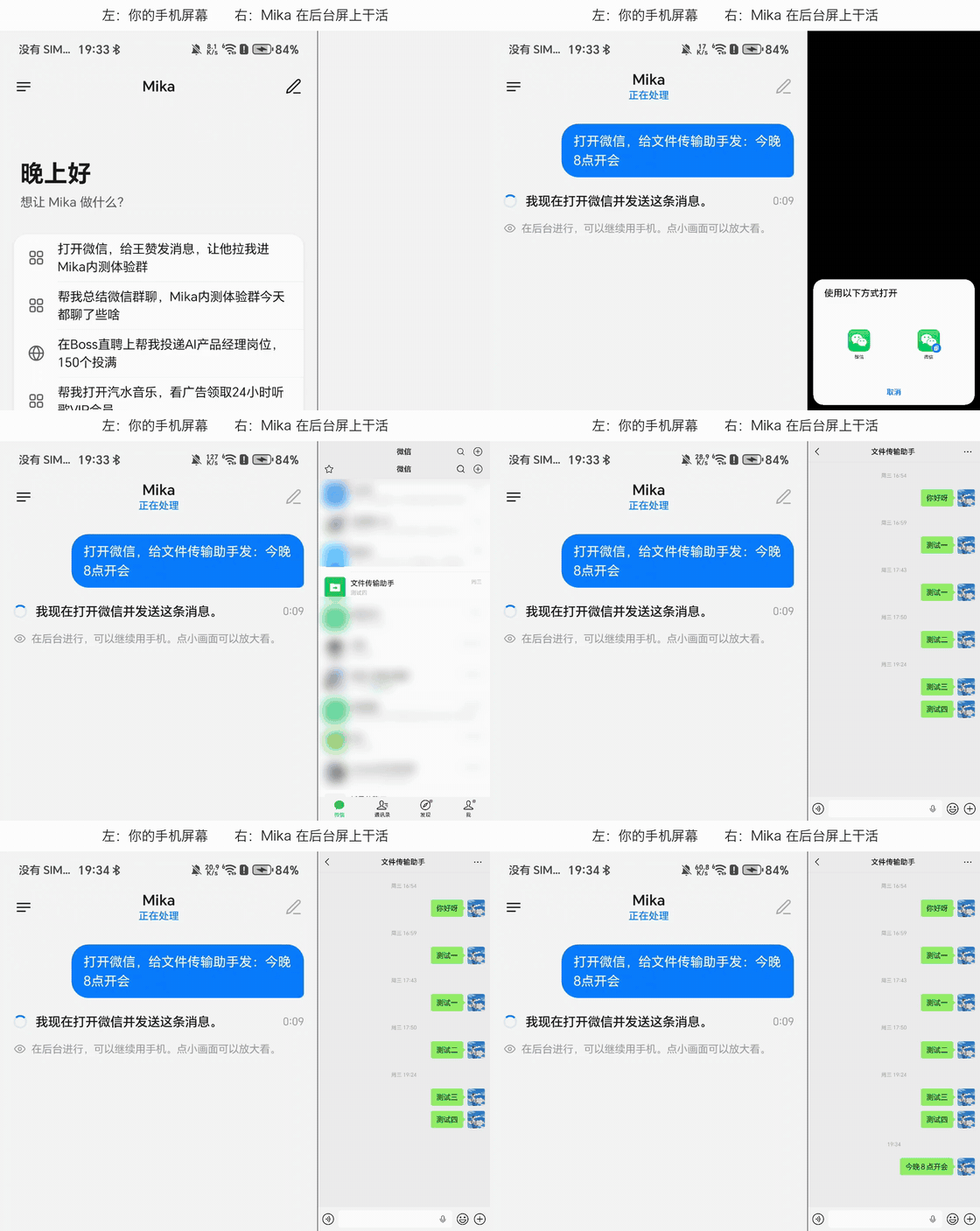
"Send a message to File Transfer": Mika's chat on the left, each step on its background screen on the right (4× speed; chat list blurred)
Get things done with one sentence
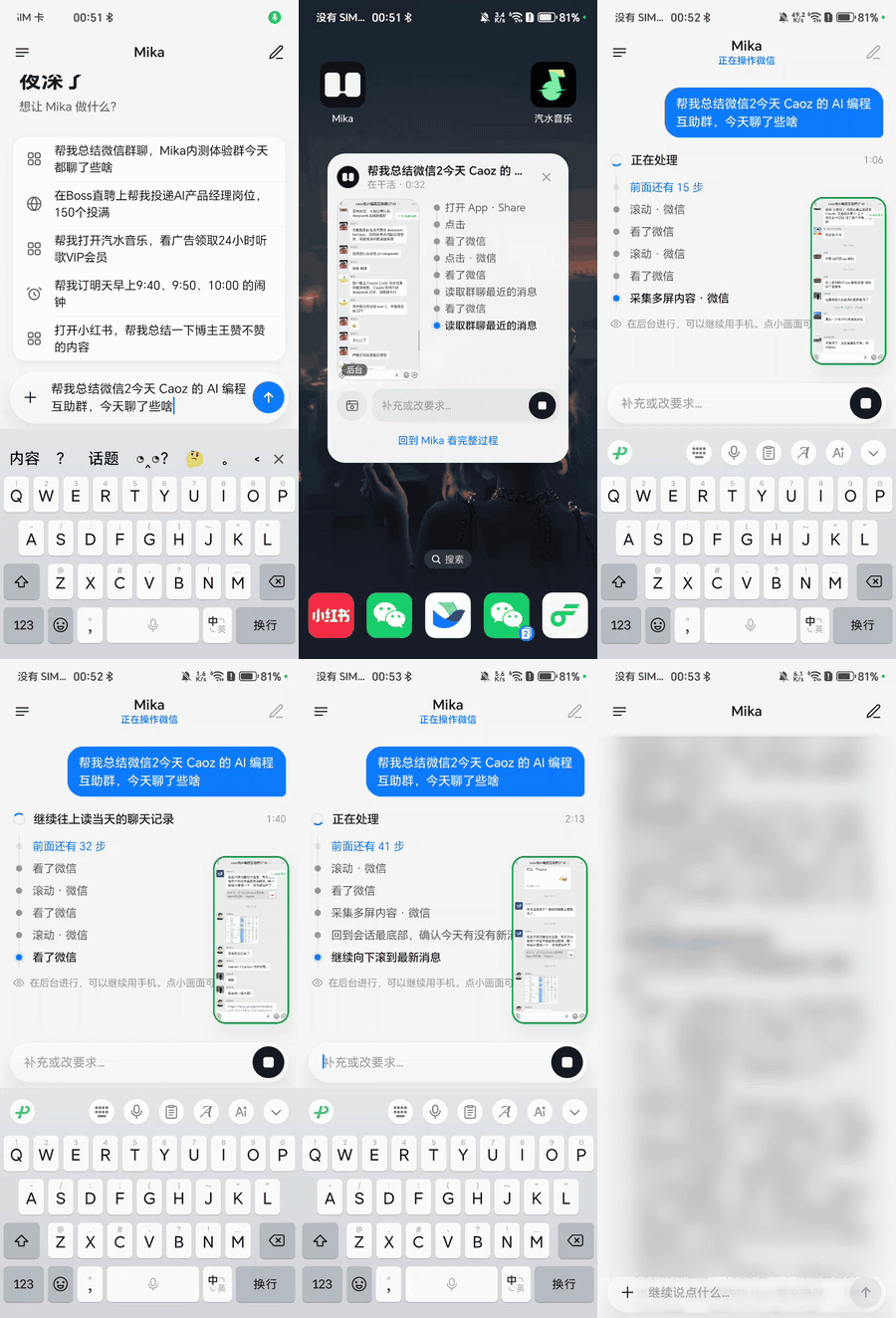
"What did the group talk about today?" Scrolls through the chat in the background, then sums it up
"A charger under $30, rated 4.5 stars or more" Adds the pick to the cart and stops before checkout
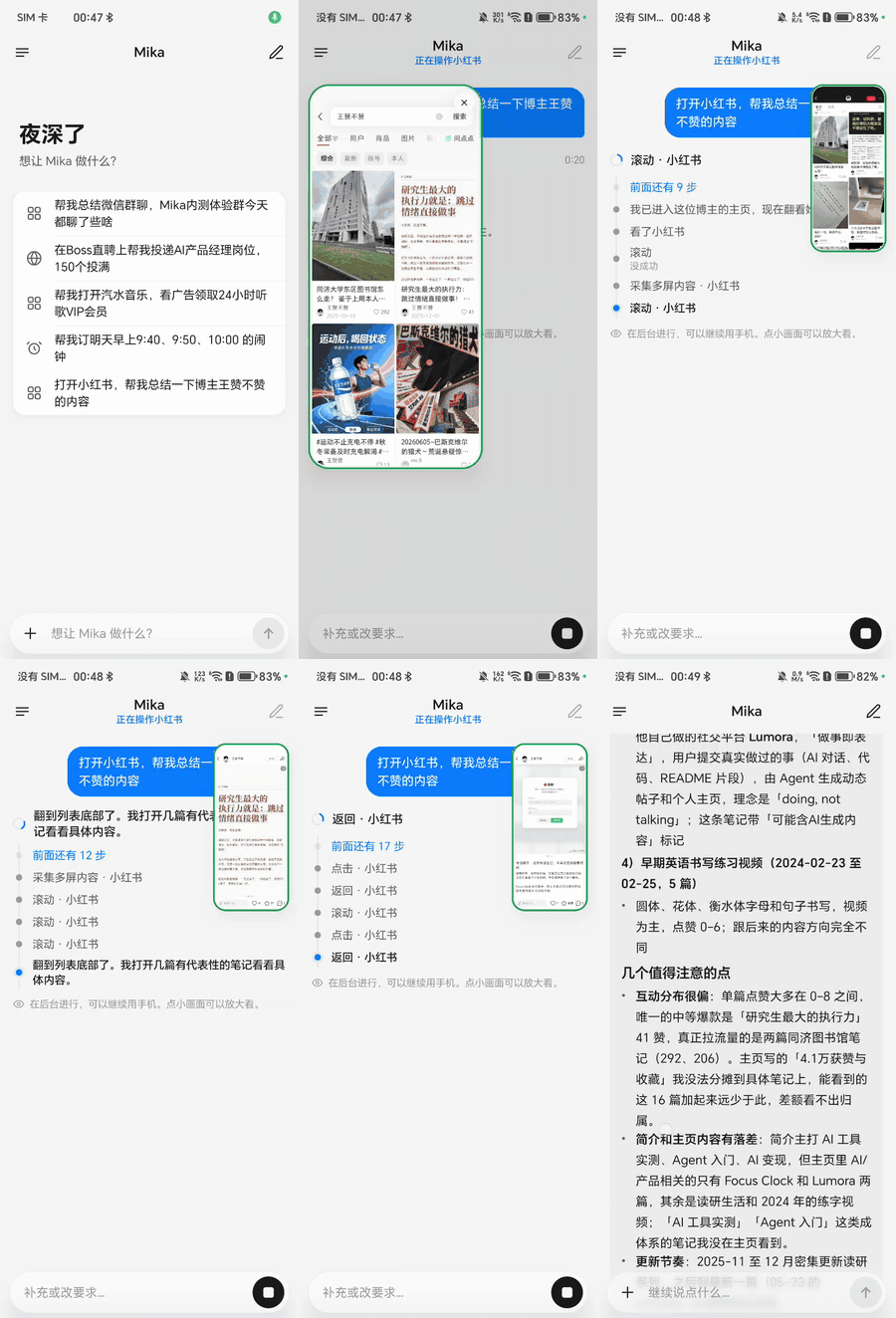
"What has this creator posted lately?" Opens the app, reads post by post, then sums it up
More demos
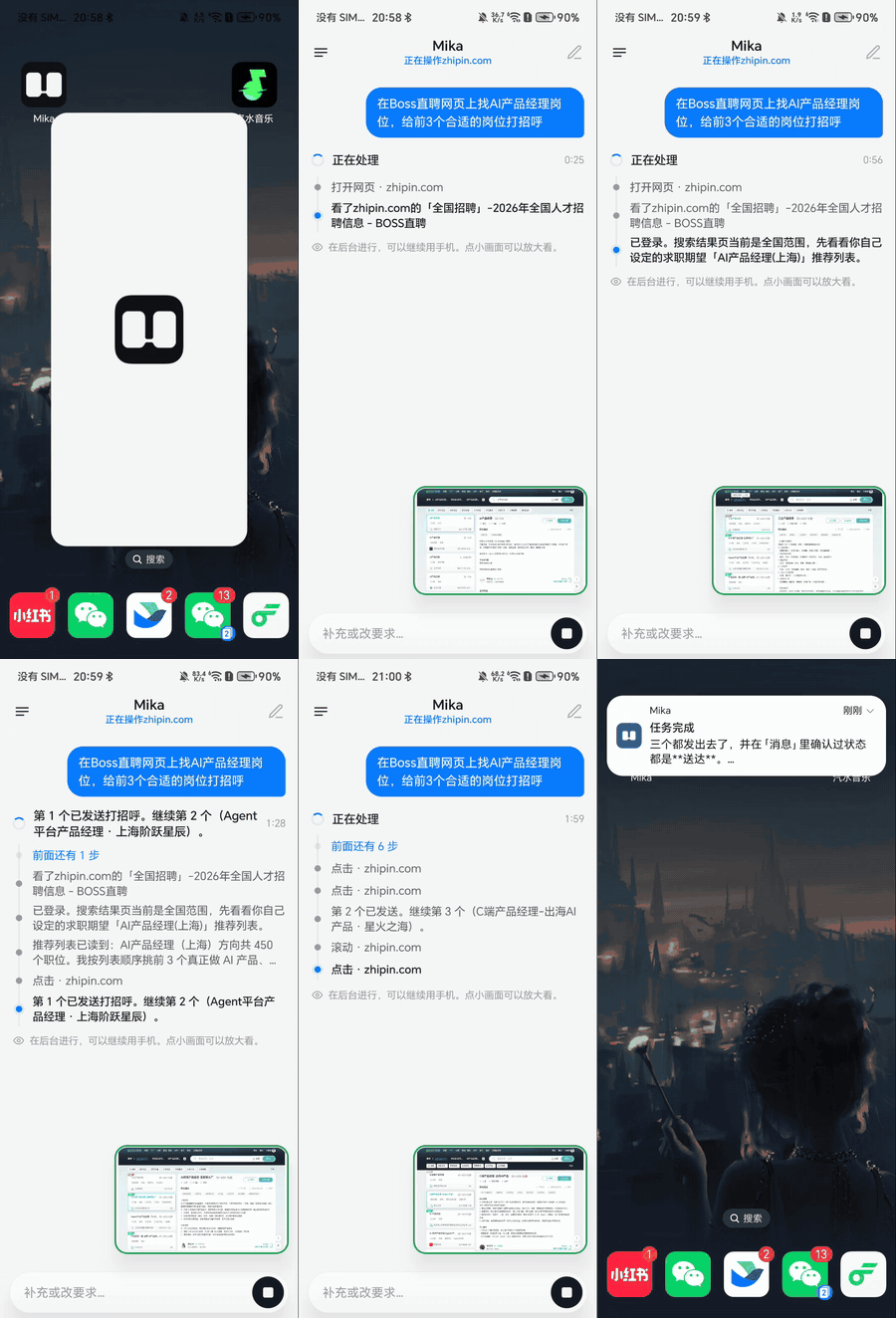
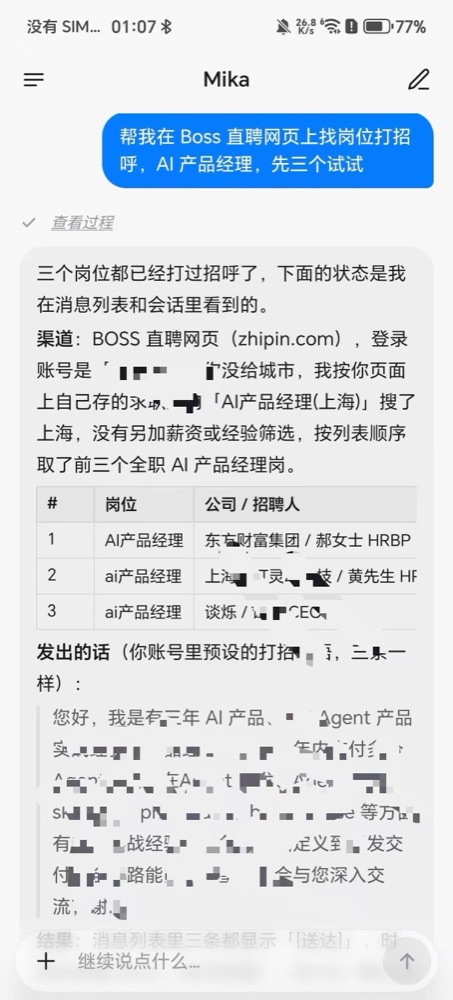
Greets recruiters for 3 jobs on a job site
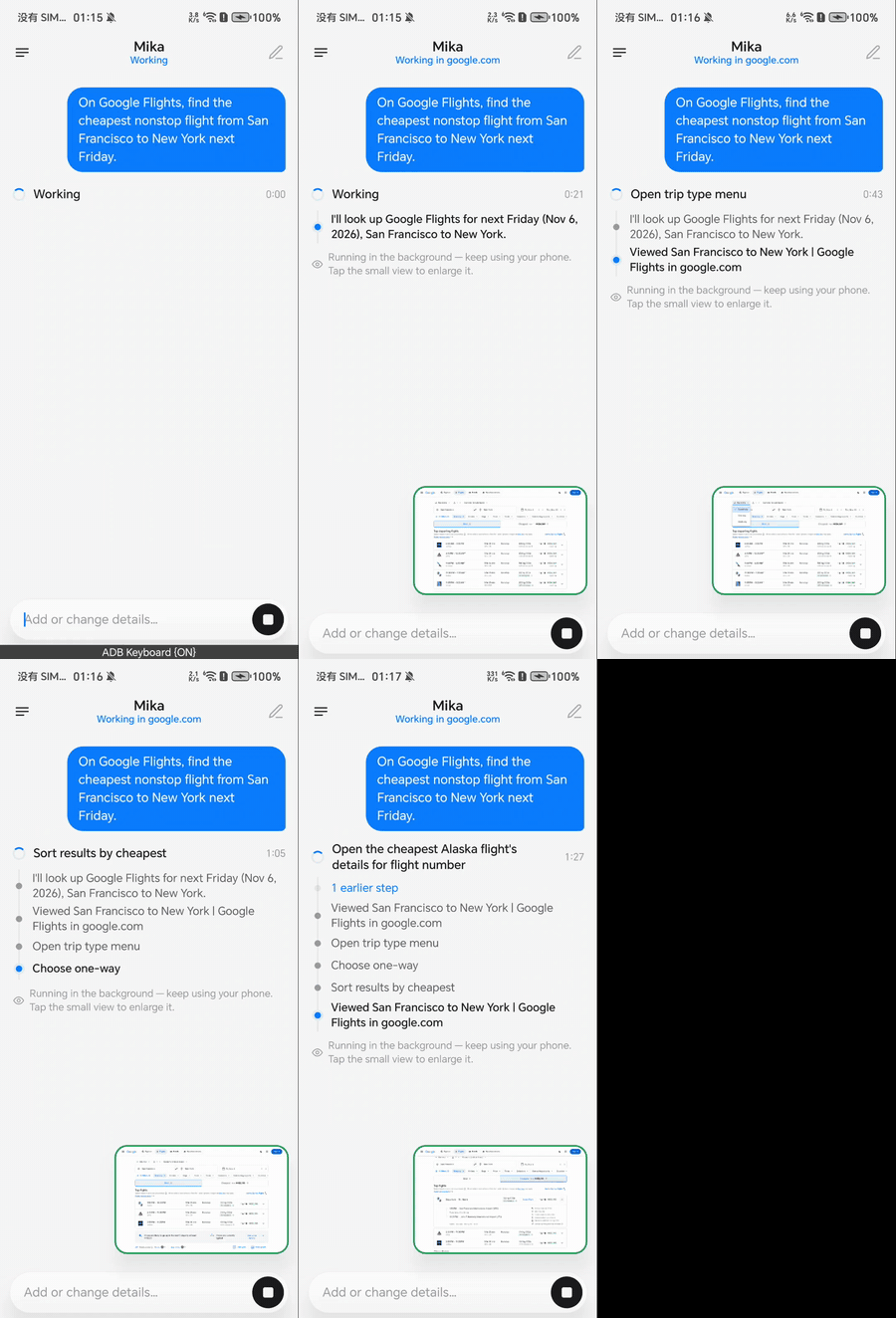
Finds the cheapest nonstop from San Francisco to New York
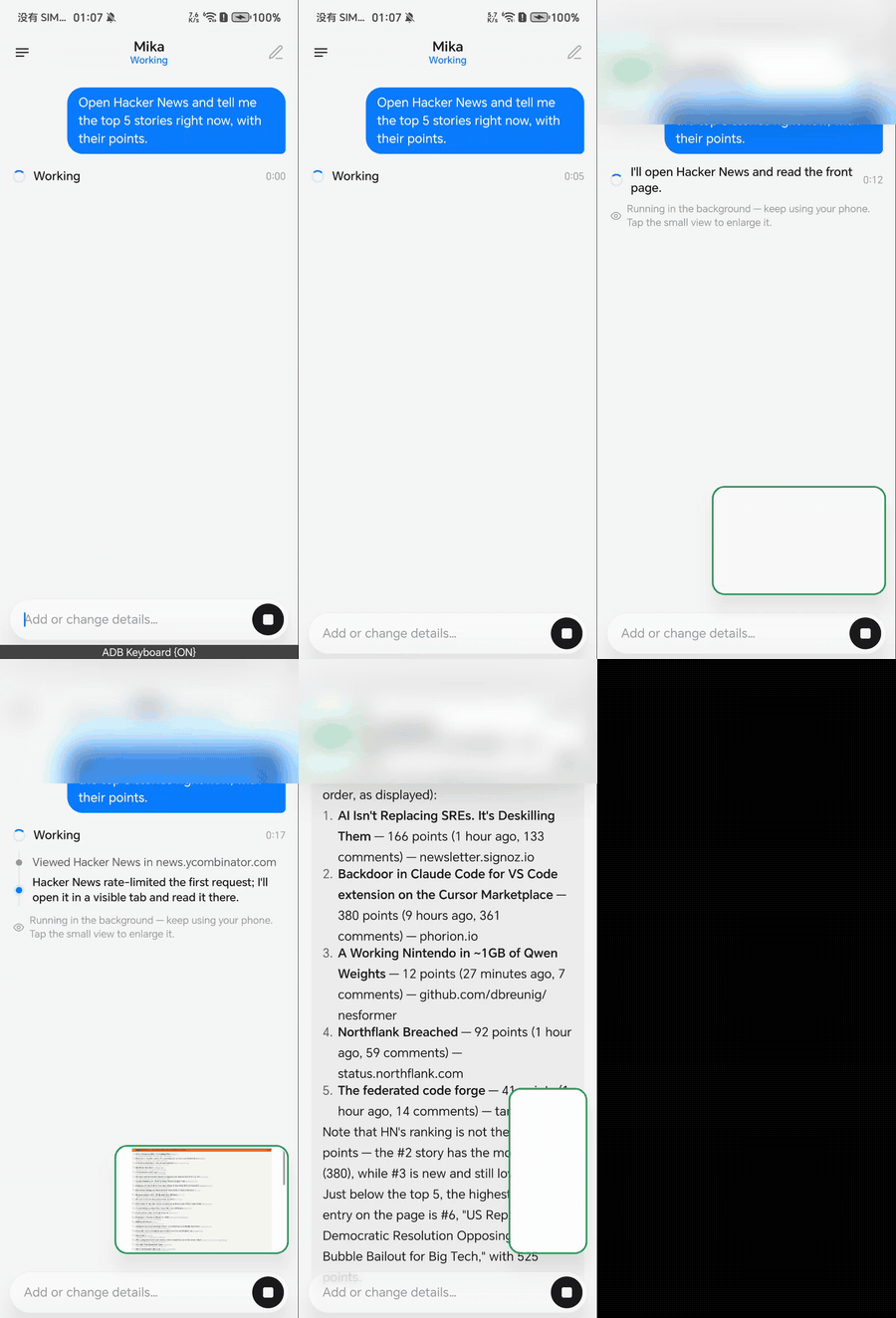
Reads out the top 5 stories on a news site
Finds jobs and greets recruiters
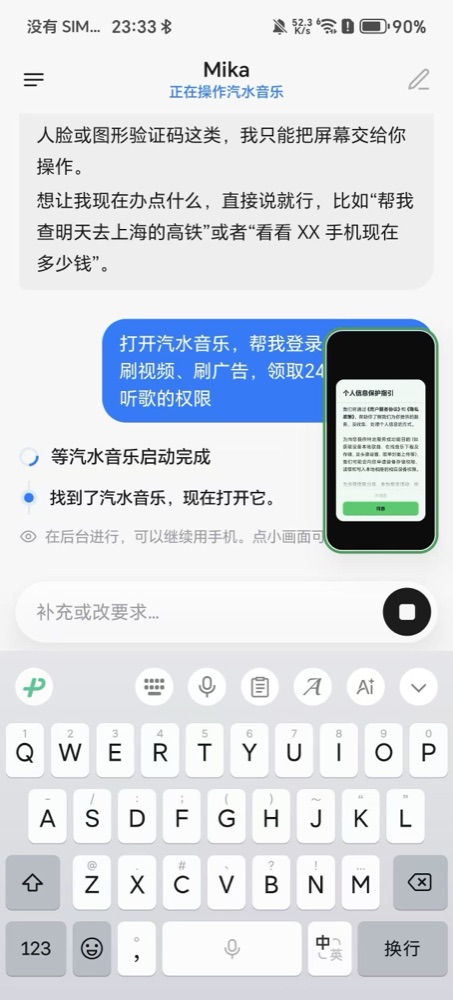
Watches ads to unlock music perks
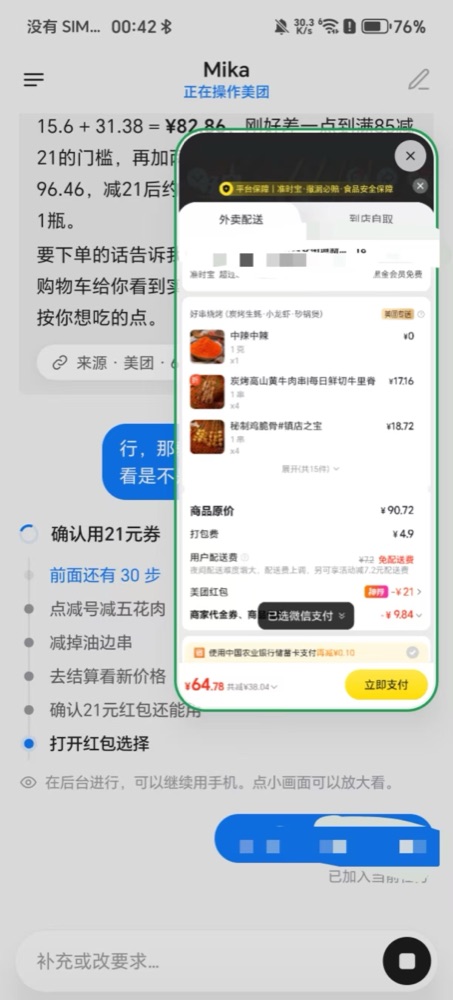
Orders takeout with stacked discounts, asks before paying
Several demos use apps popular in China: WeChat is the main messaging app there, and Xiaohongshu (RED) is a lifestyle and social platform. Mika isn't tied to them; it works with any app or website on your phone.
Why Mika
📱 Leaves your screen alone
Opens apps, taps, types and scrolls on a separate background screen while you use your phone as usual; tap the small live view whenever you want to watch
🧩 Works with any app
Looks at the screen and finds buttons the way a person does: no app APIs, no per-app integration
🌐 Call it from any web page
In the built-in browser, say what you want on the page you're reading and it works right there; touch the page and it stops
🧠 Gets better with use
Remembers the preferences you tell it, and turns tasks it finishes into skills so next time is faster and steadier
🔒 Your data stays on your phone
There is no Mika server; use your own model API key, or sign in with a ChatGPT, xAI or OpenRouter account
Connect a model: in Settings › Model, pick a provider and enter an API key, or just sign in with an account (models and sign-in).
To operate phone apps: follow the "Set up phone control" wizard in Settings and pair wireless debugging on the phone once (setup guide). Skip this if you only want chat, web and files.
Then try saying: "Set alarms for 9:40 and 10:00 tomorrow morning" or "Check the weather at 8 every morning and tell me only if it will rain".
💡 Have a computer handy? Send this to the AI agent on it and it will set everything up for you: Follow https://github.com/wangzan101/Mika/blob/main/docs/install-with-agent.en.md to install Mika on the Android phone connected over USB.
What it can do
Operate apps
Reads long lists and chat histories, taps and types, shares text into apps; hands logins, verification codes and payments to you
Browse the web
A built-in desktop-class browser that keeps you signed in, reads pages, downloads and uploads; paces itself and hands block pages to you
Your current screen
Double-tap the floating capsule to send the screen you're looking at: "how should I reply?", "note this down"
Schedules and conditions
"Remind me at 9 tomorrow", "do this every Friday"; runs on time in the original conversation
Jump in or stop anytime
Keep talking while a task runs to add or correct things (long-press to withdraw or edit one Mika hasn't picked up yet); after a stop it reports where it got to, and "continue" picks up from there
Hold to talk
Hold the chat input to speak and edit the words before sending; long-press the floating capsule to speak and release to send. Uses the phone’s built-in speech recognition, or a provider’s speech model if it has none
Files and computing
A Linux sandbox per conversation runs Python, Node and shell on the files you send (arm64)
From your computer
AI tools on your computer can hand Mika tasks through CLI + Skill or MCP (use Mika from a computer)
By default Mika runs in Ask mode: it checks with you only before spending money (placing orders, paying) and just does everything else. You can switch to Autonomous mode instead. See Ask and Autonomous.
For how each of these works and the finer details, see features in detail.
Apps and websites with built-in usage knowledge (anything not listed still works)
The names are shown as they appear in the knowledge files.
改 Mika 自己的设置, 把内容整理成文字, 处理 PDF 文档, 查清一件事, 消息与邮件, 写技能
Supported model providers
Presets for DeepSeek, 通义千问, Kimi, 智谱, 智谱 Coding Plan, 硅基流动, 火山方舟, MiniMax, 阶跃星辰, 腾讯混元, 百度千帆, OpenRouter, Requesty, OpenCode Go, Anthropic, Gemini, OpenAI, xAI, Mistral, Groq, Ollama, LM Studio and more; for any other provider pick Custom (自定义), which takes any OpenAI-compatible, Anthropic, Gemini or OpenAI Responses endpoint.
You can also skip the key and sign in with a ChatGPT (Plus / Pro), xAI / Grok or OpenRouter account. Steps for adding a model, and what to know about each sign-in, are in models and sign-in.
Which phones
Requirement
Chat, web, files
Android 11 or later
Operating phone apps
Android 12 or later; Android 14+ recommended (the background screen has its own focus, so it doesn't get in the way of your typing on the main screen)
Linux sandbox
arm64 devices
Not sure your phone is up to it? Run Settings › Recovery & repair › Compatibility self-check: 12 checks in about a minute, and you can send us the results in one tap.
Privacy & safety
There is no Mika server: what you say and what's on your screen go only to the model provider you set up.
API keys and memories are stored encrypted on the phone; conversations and run records stay on the device; update checks only contact GitHub.
Operating third-party apps and websites automatically may break their terms of service, so use your own judgment. For anything important, use Ask mode and check the results. See the disclaimer.
FAQ
Wireless debugging turned itself off? Android turns it off when you change Wi-Fi or restart. With your permission, Mika turns it back on by itself; if it still can't connect, go back to "Set up phone control" and pair again.
Can't find wireless debugging on my phone? Some phone systems leave it out. You can start the phone helper from a computer over USB instead; see the setup guide.
Some screens can't be read or captured? Pages like payments and password entry block screenshots, so Mika asks you to take over there.
Can I use a model running on my own computer? Yes: pick "Custom" as the provider and enter its address on your local network.
Is the app in English? Yes. The app UI comes in English, Arabic, Simplified Chinese, Traditional Chinese, Japanese, Korean, Spanish, Portuguese, Russian and Indonesian, follows your system language, and can be switched in Settings › Language. The built-in app and website knowledge is written in Chinese, but that doesn't limit you: the model reads it fine, and you can talk to Mika in English.
Where do updates come from? Only from this repository's Releases; you can also upgrade in the app from About › Check for updates.
Docs: all docs and a suggested reading order are in the docs index
Community: join the X group chat; to reach the author on WeChat, scan the QR code in the app under About › Contact the author (mention Mika in your request)
我要怎么让它运行起来?从 GitHub Releases 下载最新的 APK 并安装,然后打开设置中的 'Set up phone control' 向导,完成一次无线调试配对;再到 Settings > Models 中添加模型服务商并填入 API 密钥(或使用 ChatGPT 账号登录)。
它支持哪些 AI 服务商?我需要自己的 API 密钥吗?你需要自备受支持服务商的 API 密钥,内置预设包括 DeepSeek、Qwen(通义千问)、Kimi、OpenRouter、Anthropic、Gemini、OpenAI、xAI、Mistral、Groq、Ollama、LM Studio 等,另外还支持任何兼容 OpenAI 的、Anthropic、Gemini 或 OpenAI Responses 接口。你也可以不用密钥,改为登录 ChatGPT Plus/Pro 账号。
Claude、Codex 这类桌面 AI 工具也能使用 Mika 吗?手机通过数据线连接电脑时,桌面 AI 工具可以通过 MCP 或随附的 CLI(mika connect、mika task run)连接 Mika,交给它任务并获取结果。这种连接只能凭令牌通过 USB 数据线进行,不支持 Wi-Fi。








 Mika 是一款运行在 Android 设备本地的 AI 智能体。你只需用一句话描述需求,它就能在你的手机上替你完成:在一个私密的后台虚拟屏幕上操作其他应用,在内置的类桌面浏览器中浏览网页,并在本地 Linux 沙箱中运行脚本。