 Vicoa
Vicoa






Что это?
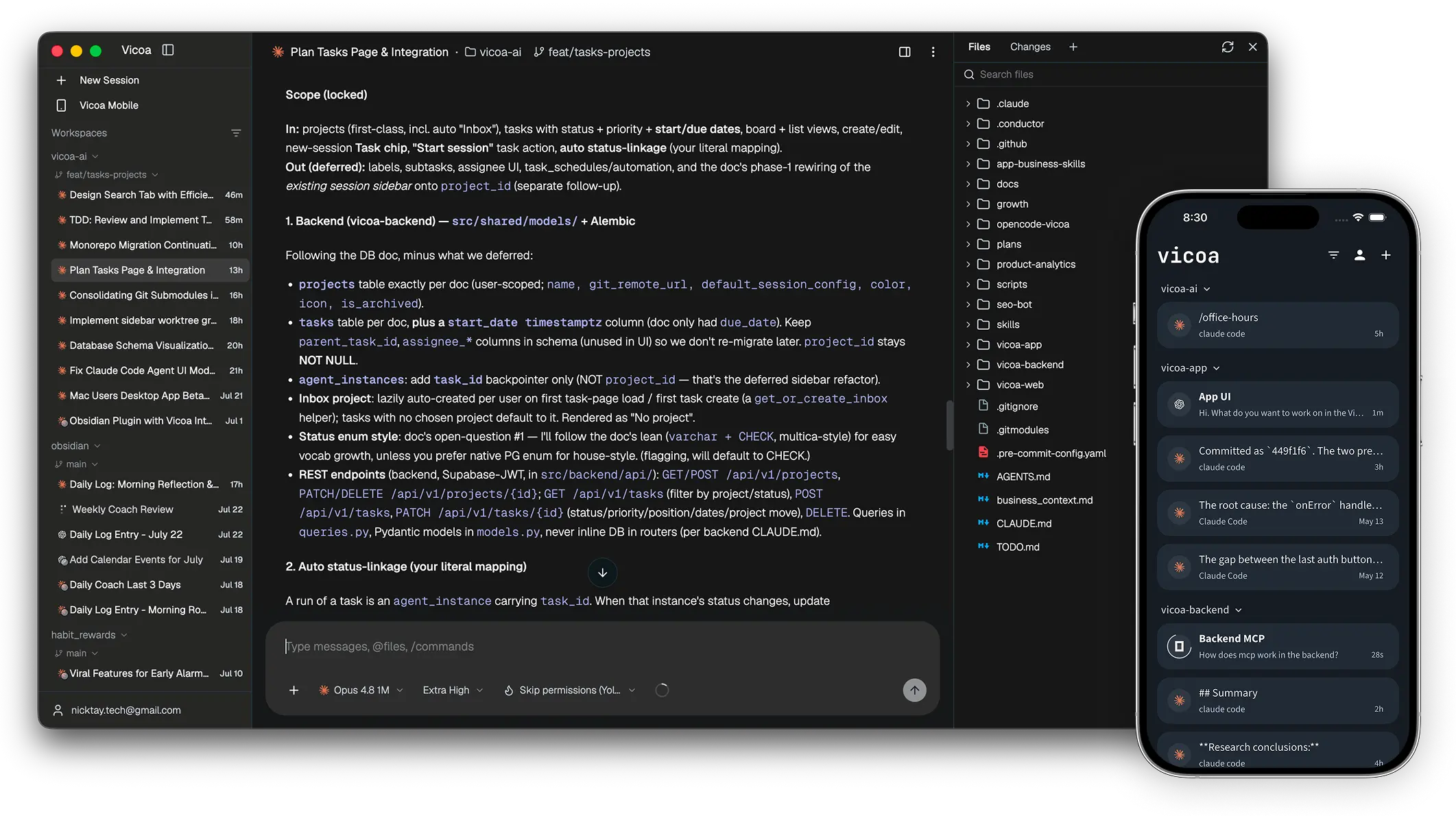
 Vicoa — опенсорсный оркестратор ИИ, который позволяет запускать команду кодинг-агентов (Claude Code, Codex, Cursor и другие) и управлять ею с десктопа, телефона или VPS, с синхронизацией сессий между устройствами.
Vicoa — опенсорсный оркестратор ИИ, который позволяет запускать команду кодинг-агентов (Claude Code, Codex, Cursor и другие) и управлять ею с десктопа, телефона или VPS, с синхронизацией сессий между устройствами.Это чат-приложение или оно реально запускает моих кодинг-агентов?Оно действительно запускает настоящие агентские CLI (claude, codex, cursor-agent и т. д.) на подконтрольной вам машине и даёт сессии, живые git-диффы, браузер файлов и push-уведомления, а не просто окно чата.
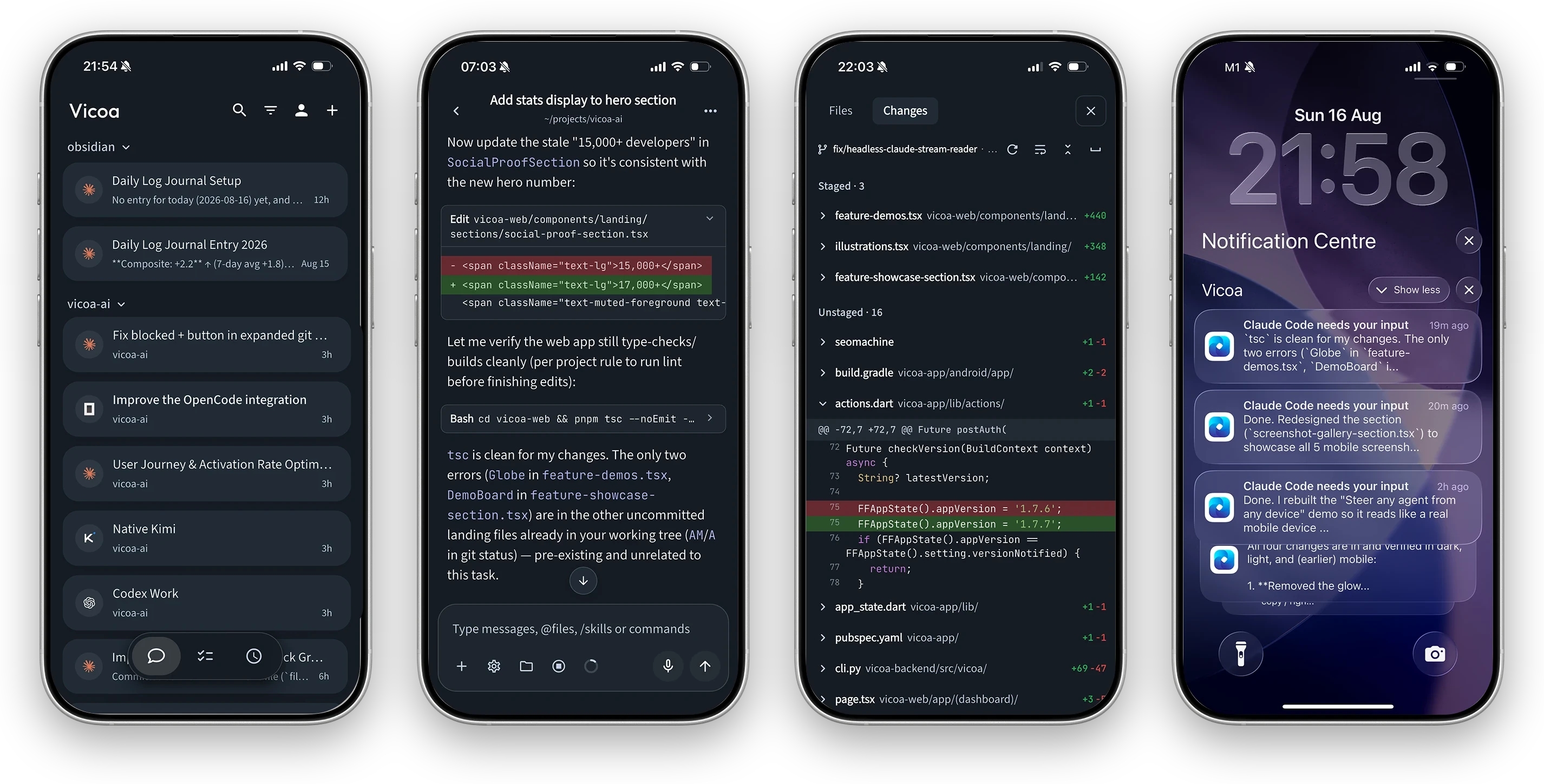
Оно действительно запускает настоящие агентские CLI (claude, codex, cursor-agent и т. д.) на подконтрольной вам машине и даёт сессии, живые git-диффы, браузер файлов и push-уведомления, а не просто окно чата.Как это запустить?Скачайте Vicoa Desktop для macOS, Windows или Linux; он сам обнаружит агентские CLI на этой машине. Затем нажмите New Session, выберите машину и агента и введите первый промпт; установите приложение для iOS/Android, чтобы продолжать вести ту же сессию с телефона.
Скачайте Vicoa Desktop для macOS, Windows или Linux; он сам обнаружит агентские CLI на этой машине. Затем нажмите New Session, выберите машину и агента и введите первый промпт; установите приложение для iOS/Android, чтобы продолжать вести ту же сессию с телефона.Нужно ли, чтобы Claude Code или Codex уже были установлены?Да, Vicoa не поставляет собственную модель; он запускает агентские CLI, которые вы уже установили и в которых авторизовались на машине, например claude, codex, cursor-agent или opencode.
Да, Vicoa не поставляет собственную модель; он запускает агентские CLI, которые вы уже установили и в которых авторизовались на машине, например claude, codex, cursor-agent или opencode.Vicoa включает собственную ИИ-модель или нужна своя подписка?Это BYO-key: Vicoa оркестрирует сессии, а подписки на агентов и модели или API-ключи вы предоставляете сами.
Это BYO-key: Vicoa оркестрирует сессии, а подписки на агентов и модели или API-ключи вы предоставляете сами.С каких устройств можно вести сессию?Сессию, начатую в десктоп-приложении для Mac/Windows/Linux, можно подхватить из приложения для iOS или Android либо из веб-клиента: запущенные сессии автоматически синхронизируются между устройствами, когда вы входите с одним аккаунтом.
Сессию, начатую в десктоп-приложении для Mac/Windows/Linux, можно подхватить из приложения для iOS или Android либо из веб-клиента: запущенные сессии автоматически синхронизируются между устройствами, когда вы входите с одним аккаунтом.Каких кодинг-агентов поддерживает Vicoa?Claude Code, Codex, OpenCode, Gemini, Cursor, GitHub Copilot, Kimi, Hermes, Pi и Oh My Pi могут работать бок о бок; у Claude Code, Codex, Pi и Oh My Pi есть нативные интеграции, остальные подключаются через Agent Client Protocol (ACP).
Claude Code, Codex, OpenCode, Gemini, Cursor, GitHub Copilot, Kimi, Hermes, Pi и Oh My Pi могут работать бок о бок; у Claude Code, Codex, Pi и Oh My Pi есть нативные интеграции, остальные подключаются через Agent Client Protocol (ACP).Почему каждый агент получает свой git worktree?Чтобы несколько агентов могли одновременно работать в одном репозитории, не мешая друг другу: каждая сессия выполняется в своём git worktree и своей ветке.
Чтобы несколько агентов могли одновременно работать в одном репозитории, не мешая друг другу: каждая сессия выполняется в своём git worktree и своей ветке.Что входит, если я сам размещаю весь стек?Полный стек: CLI плюс локальный демон, бэкенд на Python/FastAPI с PostgreSQL, а также веб-, десктопный Electron- и мобильный Flutter-клиенты, разворачиваемые с Docker, как описано в SELFHOSTING.md.
Полный стек: CLI плюс локальный демон, бэкенд на Python/FastAPI с PostgreSQL, а также веб-, десктопный Electron- и мобильный Flutter-клиенты, разворачиваемые с Docker, как описано в SELFHOSTING.md.Что ещё можно делать, кроме чата с агентом?Ещё есть встроенные диффы файлов, браузер файлов, терминал внутри приложения, мобильный живой предпросмотр локального dev-сервера, доска задач и автоматизации на cron, чтобы агенты сами подхватывали работу.
Ещё есть встроенные диффы файлов, браузер файлов, терминал внутри приложения, мобильный живой предпросмотр локального dev-сервера, доска задач и автоматизации на cron, чтобы агенты сами подхватывали работу.What are similar projects?orca, paseo, claude_codex_bridge, Ghostex, oh-my-openagent, zuse, hapi, ordewell
orca, paseo, claude_codex_bridge, Ghostex, oh-my-openagent, zuse, hapi, ordewellWhich topics is it in?ade, agent-client-protocol, git-worktrees, kimi, task-management, vibe-coding, hermes-agent, flutter, github-copilot, agplv3, fastapi, opencode
ade, agent-client-protocol, git-worktrees, kimi, task-management, vibe-coding, hermes-agent, flutter, github-copilot, agplv3, fastapi, opencode