






What is this?
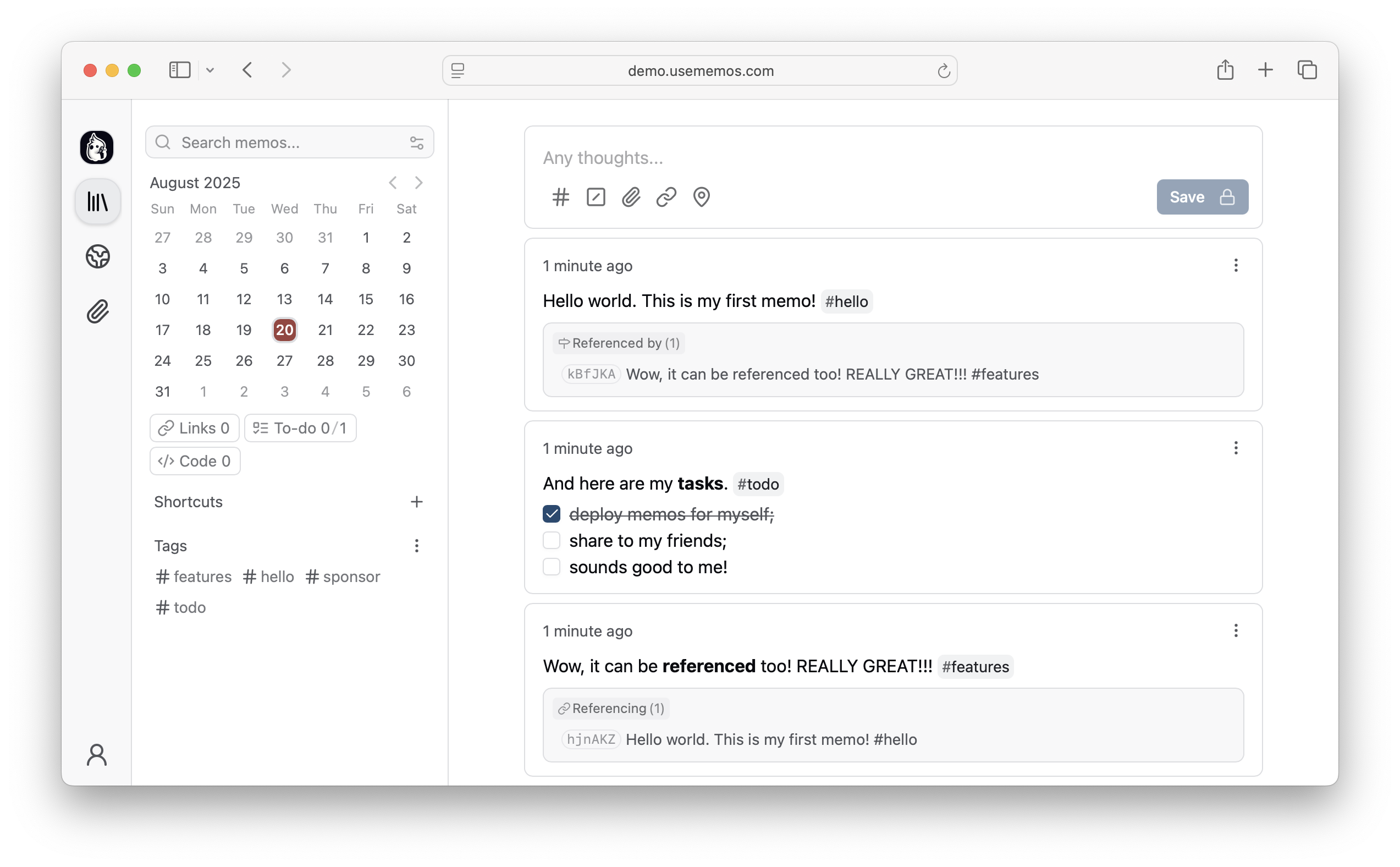
 Memos is an open-source, self-hosted app for capturing short-form notes—daily notes, links, work logs, and snippets—into a chronological Markdown timeline you can revisit by search, tag, or date.
Memos is an open-source, self-hosted app for capturing short-form notes—daily notes, links, work logs, and snippets—into a chronological Markdown timeline you can revisit by search, tag, or date.Is this a hosted service or something I run myself?It's software you self-host (for example with Docker); a live demo exists to try it, but there's no managed hosting plan—you run your own instance on infrastructure you control.
It's software you self-host (for example with Docker); a live demo exists to try it, but there's no managed hosting plan—you run your own instance on infrastructure you control.How do I get it running?Run Memos with Docker using the quick-start command in the README; other install options (binary, manual deployment) are covered in the separate deployment guide.
Run Memos with Docker using the quick-start command in the README; other install options (binary, manual deployment) are covered in the separate deployment guide.Do I need to set up a separate database first?No — Memos uses SQLite by default, so you just need Docker (or a Go runtime) and no external database server is required to get started.
No — Memos uses SQLite by default, so you just need Docker (or a Go runtime) and no external database server is required to get started.Is this trying to be a full workspace like Notion?No, it's intentionally scoped to quick capture — a lightweight timeline rather than an all-in-one workspace with wikis, projects, or templates.
No, it's intentionally scoped to quick capture — a lightweight timeline rather than an all-in-one workspace with wikis, projects, or templates.What happens to my notes and data?Everything stays on infrastructure you control: Memos is self-hosted with zero telemetry and fully MIT-licensed source code.
Everything stays on infrastructure you control: Memos is self-hosted with zero telemetry and fully MIT-licensed source code.What's the Web Clipper for?It's a browser extension for Chrome and Firefox that saves web pages, selected text, or images straight into Memos as source-linked Markdown notes.
It's a browser extension for Chrome and Firefox that saves web pages, selected text, or images straight into Memos as source-linked Markdown notes.Can I keep some notes private and share others?Yes — you choose per-note whether to keep a memo private or publish it, so sharing is selective rather than all-or-nothing.
Yes — you choose per-note whether to keep a memo private or publish it, so sharing is selective rather than all-or-nothing.Do I need to add a title or pick a folder for each note?No, Memos is designed for frictionless capture: you write in Markdown and save immediately without choosing a title, folder, or template.
No, Memos is designed for frictionless capture: you write in Markdown and save immediately without choosing a title, folder, or template.Can I try it before installing anything?Yes, the README links to a live demo so you can explore the timeline, search, and tagging before self-hosting your own instance.
Yes, the README links to a live demo so you can explore the timeline, search, and tagging before self-hosting your own instance.What are similar projects?karakeep, siyuan, hister, linkding, edgeever, leanote, qiaomu-clipper, Trilium
karakeep, siyuan, hister, linkding, edgeever, leanote, qiaomu-clipper, TriliumWhich topics is it in?timeline, personal-knowledge-management, notes, firefox-extension, self-hosting, foss, knowledge-management, note-taking, chrome-extension, browser-extension, search, sqlite
timeline, personal-knowledge-management, notes, firefox-extension, self-hosting, foss, knowledge-management, note-taking, chrome-extension, browser-extension, search, sqlite