





bruno README

The project's README from github.com/usebruno/bruno. As one markdown file: README.md.


Bruno - Opensource IDE for exploring and testing APIs.

GitHub version CI Commit Activity X Website Download

English | Українська | Русский | Türkçe | Deutsch | Français | Português (BR) | 한국어 | বাংলা | Español | Italiano | Română | Polski | 简体中文 | 正體中文 | العربية | 日本語 | ქართული | Nederlands | فارسی

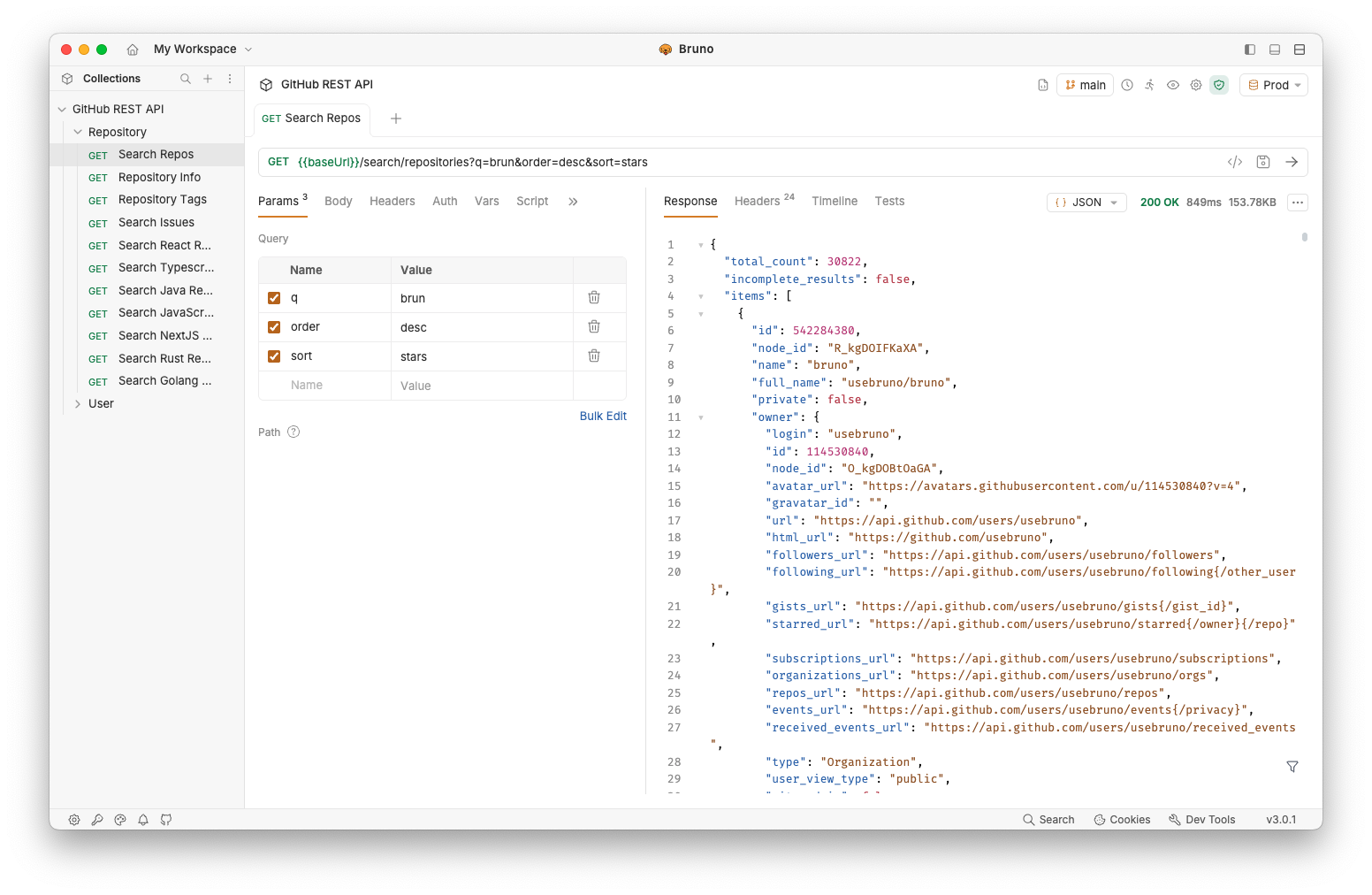
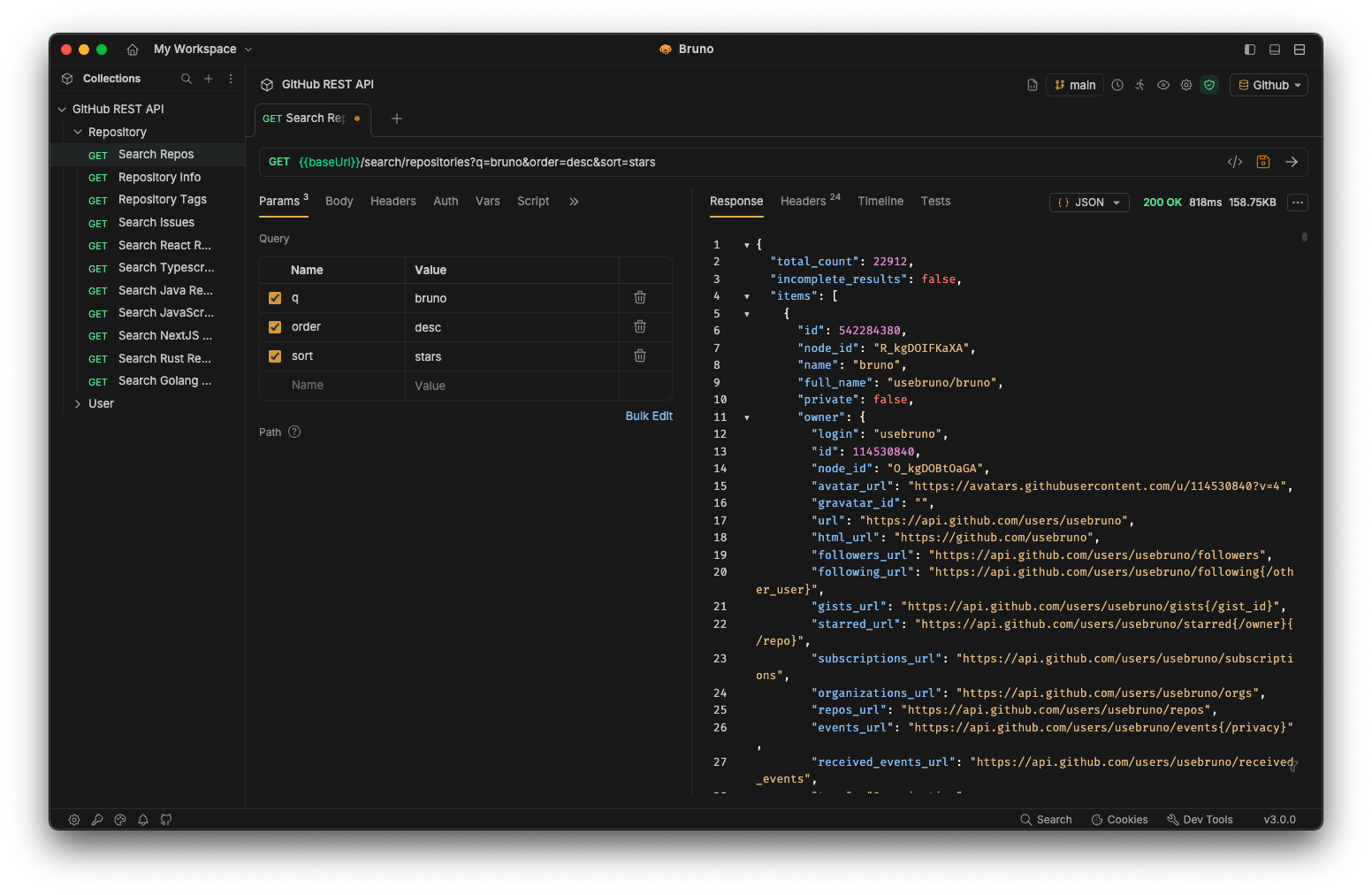
Bruno is a new and innovative API client, aimed at revolutionizing the status quo represented by Postman and similar tools out there.

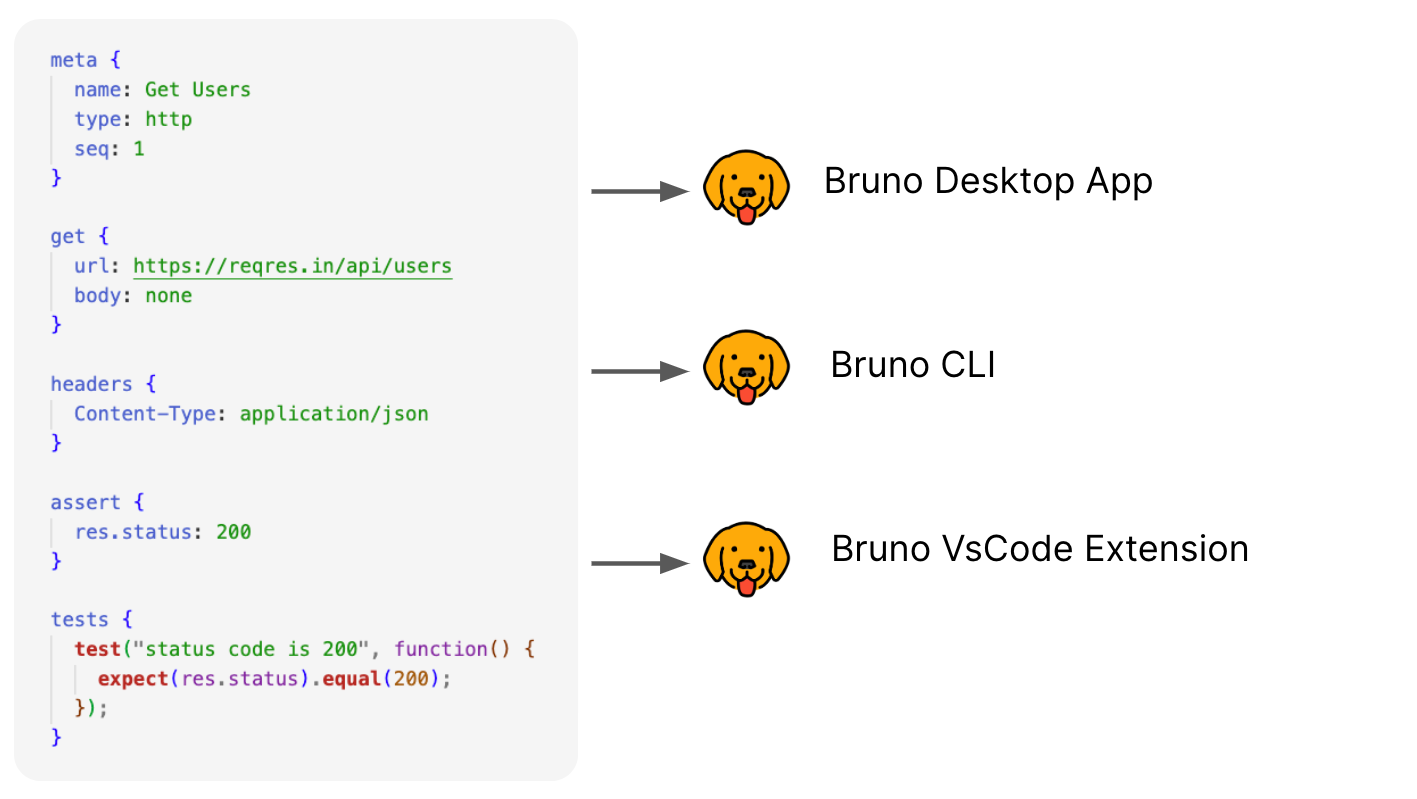
Bruno stores your collections directly in a folder on your filesystem. We use a plain text markup language, Bru, to save information about API requests.

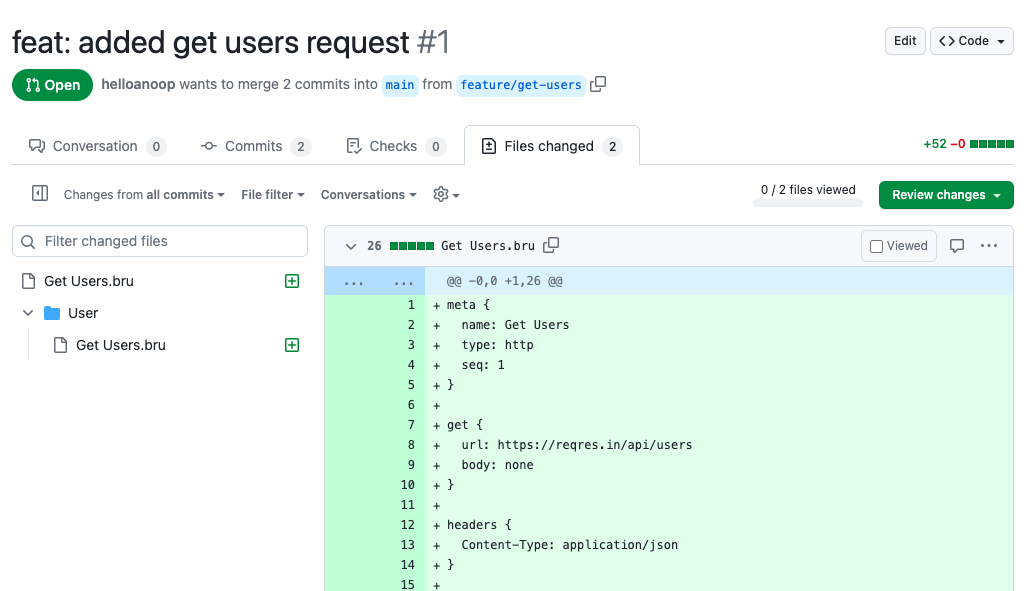
You can use Git or any version control of your choice to collaborate over your API collections.

Bruno is offline-only. There are no plans to add cloud-sync to Bruno, ever. We value your data privacy and believe it should stay on your device. Read our long-term vision here

Download Bruno

📢 Watch our recent talk at India FOSS 3.0 Conference here

bruno bruno

Commercial Versions ✨

Majority of our features are free and open source. We strive to strike a harmonious balance between open-source principles and sustainability

You can explore our paid versions to see if there are additional features that you or your team may find useful!

Table of Contents

Installation

Bruno is available as binary download on our website for Mac, Windows and Linux.

You can also install Bruno via package managers like Homebrew, Chocolatey, Scoop, Snap, Flatpak and Apt.

# On Mac via Homebrew
brew install bruno

# On Windows via Chocolatey
choco install bruno

# On Windows via Scoop
scoop bucket add extras
scoop install bruno

# On Windows via winget
winget install Bruno.Bruno

# On Linux via Snap
snap install bruno

# On Linux via Flatpak
flatpak install com.usebruno.Bruno

# On Arch Linux via AUR
yay -S bruno

# On Linux via Apt
sudo mkdir -p /etc/apt/keyrings
sudo apt update && sudo apt install gpg curl
curl -fsSL "https://keyserver.ubuntu.com/pks/lookup?op=get&search=0x9FA6017ECABE0266" \
  | gpg --dearmor \
  | sudo tee /etc/apt/keyrings/bruno.gpg > /dev/null
sudo chmod 644 /etc/apt/keyrings/bruno.gpg
echo "deb [arch=amd64 signed-by=/etc/apt/keyrings/bruno.gpg] http://debian.usebruno.com/ bruno stable" \
  | sudo tee /etc/apt/sources.list.d/bruno.list
sudo apt update && sudo apt install bruno

Bruno CLI

The Bruno CLI lets you run your API collections from the command line, which is ideal for automated testing and CI/CD pipelines. Install it from npm using the package manager of your choice:

npm install -g @usebruno/cli

Navigate to the directory containing your collection and run it:

# Run every request in the collection
bru run

# Run a single request
bru run request.bru

# Run a folder against a specific environment
bru run folder --env Local

For the full command reference, see the Bruno CLI documentation.

Run with Docker

Official Docker images for the Bruno CLI let you run API collections in CI/CD pipelines and locally without installing Node.js or npm on the host. Images are published to both Docker Hub and the GitHub Container Registry on every CLI release, with alpine and debian variants for linux/amd64 and linux/arm64.

# Pull from Docker Hub
docker pull usebruno/cli:latest

# Or pull from the GitHub Container Registry
docker pull ghcr.io/usebruno/cli:latest

# Run a collection by mounting the current directory
docker run -v $(pwd):/bruno usebruno/cli run

For variants, tag matrix, environment files, and CI examples (GitHub Actions, GitLab CI, Jenkins), see the full Bruno CLI Docker documentation.

Features

Run across multiple platforms 🖥️

bruno

Collaborate via Git 👩‍💻🧑‍💻

Or any version control system of your choice

bruno

Showcase 🎥

Share Testimonials 📣

If Bruno has helped you at work and your teams, please don't forget to share your testimonials on our GitHub discussion

Publishing to New Package Managers

Please see here for more information.

Stay in touch 🌐

𝕏 (Twitter)
Website
Discord
LinkedIn

Trademark

Name

Bruno is a trademark held by Anoop M D

Logo

The logo is sourced from OpenMoji. License: CC BY-SA 4.0

Contribute 👩‍💻🧑‍💻

I am happy that you are looking to improve bruno. Please check out the contributing guide

Even if you are not able to make contributions via code, please don't hesitate to file bugs and feature requests that needs to be implemented to solve your use case.

Authors

License 📄

MIT

bruno (usebruno/bruno)

Searching Database…

47.7K ·GitHub
这是什么?Bruno 是一款开源的 API 客户端,用于浏览和测试 REST、GraphQL 等各类 API,是 Postman 和 Insomnia 的轻量替代品。
它是桌面应用,还是在浏览器里运行?Bruno 是一款桌面应用,支持 Mac、Windows 和 Linux,同时配有命令行工具(CLI),可在命令行中运行集合;此外还提供官方 Docker 镜像,用于 CI/CD。
我要怎么把它装好并运行起来?从 Bruno 官网下载安装包,或通过 Homebrew、Chocolatey、Scoop、Snap、Flatpak 或 Apt 安装;命令行工具可以另外通过 npm 安装。
运行命令行工具需要先安装 Node.js 吗?不需要。如果使用官方 Docker 镜像运行命令行工具,则无需在主机上安装 Node.js 或 npm;否则请通过 npm 安装命令行工具。
我能把集合同步到云端吗?不能。Bruno 在设计上就是纯离线的,也没有计划以后添加云同步功能。
我的 API 集合数据会传到哪里?集合以纯文本文件的形式直接保存在你的本地文件系统中,因此数据只留在你的设备上,不会上传到 Bruno 的服务器。
免费版是不是有什么隐藏条件?Bruno 的核心部分采用 MIT 许可证开源;公司还提供付费的商业版本,包含更多功能,供希望支持项目可持续发展的团队选择。
集合是怎么保存的,又如何做版本控制?Bruno 将每个集合保存为纯文本文件,使用其自研的标记语言 Bru 编写,因此你可以像管理普通源代码一样,把它们提交到 Git 或其他任何版本控制系统(VCS)中。
我能在 CI/CD 中运行 API 测试吗?可以。Bruno 命令行工具专为自动化测试和 CI/CD 流水线设计;官方 Docker 镜像(alpine/debian,amd64/arm64 架构)让你无需在本地安装 Node,就能轻松在 GitHub Actions、GitLab CI 或 Jenkins 中运行集合。
为什么不直接用 Postman?Bruno 是作为一款开源、离线优先的 Postman 替代品而打造的,不做云同步,所有集合数据都以本地文件的形式保存,由你完全掌控。
Creator
usebruno
Size
65 MB
Stars
47.7K
Age
4y
Commits · 90 Days