

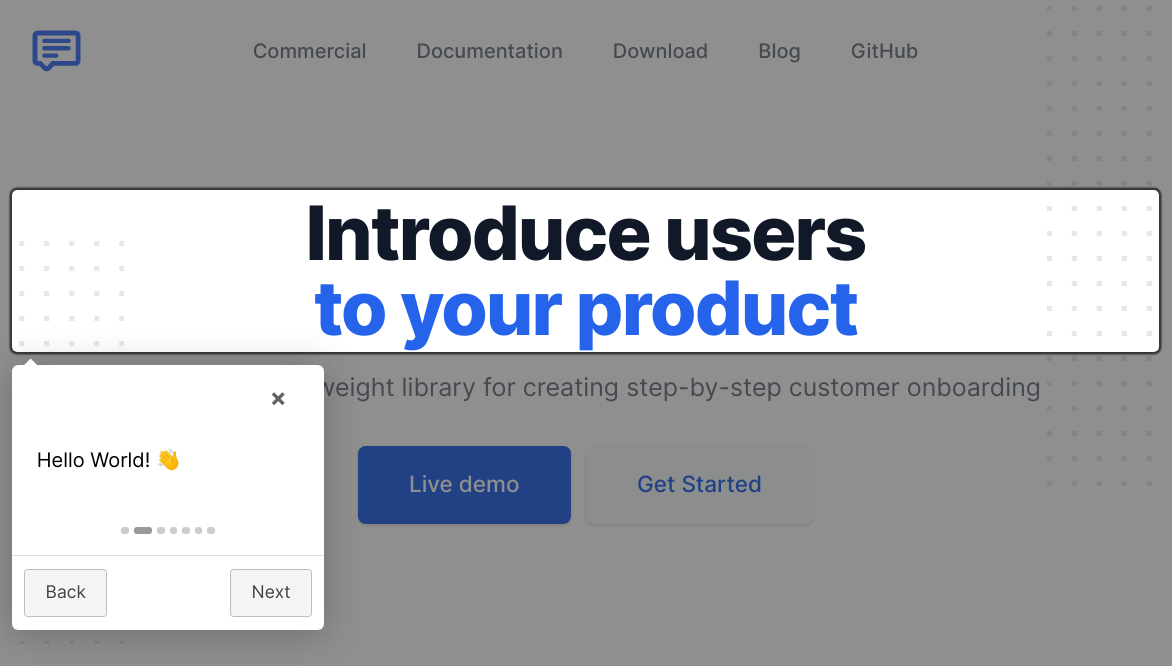


这是什么?
 Intro.js 是一个轻量级的网页用户新手引导和产品演示库——它可以添加分步的引导式导览,向用户介绍一个网站或应用。
Intro.js 是一个轻量级的网页用户新手引导和产品演示库——它可以添加分步的引导式导览,向用户介绍一个网站或应用。它是托管服务,还是嵌入我自己页面里的东西?是嵌入式的:它是一个客户端 JavaScript 库(用 TypeScript 编写),只提供一个 intro.js 文件加一个 introjs.css,不涉及任何服务或账号。
是嵌入式的:它是一个客户端 JavaScript 库(用 TypeScript 编写),只提供一个 intro.js 文件加一个 introjs.css,不涉及任何服务或账号。怎么在我的网站里加一个引导导览?可以通过 npm 或 yarn 获取,也可以从 CDN(jsDelivr/cdnjs)获取;引入 intro.js 和 introjs.css,给元素加上 data-intro 和 data-step 属性,然后调用 introJs().start() 即可。
可以通过 npm 或 yarn 获取,也可以从 CDN(jsDelivr/cdnjs)获取;引入 intro.js 和 introjs.css,给元素加上 data-intro 和 data-step 属性,然后调用 introJs().start() 即可。运行它需要什么特殊条件吗?不需要——它在浏览器里运行,没有任何运行时依赖:只要 intro.js 脚本和它的样式表就够了。只有从源码构建时才需要 Node 和 npm。
不需要——它在浏览器里运行,没有任何运行时依赖:只要 intro.js 脚本和它的样式表就够了。只有从源码构建时才需要 Node 和 npm。我能免费在商业项目里用它吗?它采用双许可:开源使用适用 GNU AGPLv3,但商业应用、主题或插件需要到 introjs.com 购买付费的商业许可证。
它采用双许可:开源使用适用 GNU AGPLv3,但商业应用、主题或插件需要到 introjs.com 购买付费的商业许可证。我可以把导览限定在页面的某个区域吗?可以——给 introJs() 传一个选择器:introJs('.introduction-farm').start() 只会对带有该 class 的元素运行引导。
可以——给 introJs() 传一个选择器:introJs('.introduction-farm').start() 只会对带有该 class 的元素运行引导。它有没有比完整导览更轻量的功能?有,就是提示(hints):给元素加上 data-hint 属性,就会在它们上面显示提示气泡,和按顺序进行的 data-intro/data-step 导览步骤是相互独立的。
有,就是提示(hints):给元素加上 data-hint 属性,就会在它们上面显示提示气泡,和按顺序进行的 data-intro/data-step 导览步骤是相互独立的。支持从右到左书写的语言吗?支持——把默认样式表换成 introjs-rtl.min.css,即可获得从右到左语言的支持。
支持——把默认样式表换成 introjs-rtl.min.css,即可获得从右到左语言的支持。有针对前端框架的现成封装吗?README 里说 Intro.js 有很多面向不同用途的封装,并让用户查阅其文档了解详情,但没有在其中点名具体的框架。
README 里说 Intro.js 有很多面向不同用途的封装,并让用户查阅其文档了解详情,但没有在其中点名具体的框架。What are similar projects?shepherd, highlight.js, tippyjs, fingerprintjs, scrollreveal, floating-ui, hammer.js, jquery
shepherd, highlight.js, tippyjs, fingerprintjs, scrollreveal, floating-ui, hammer.js, jquery