The open-source Kubernetes IDE that focuses on less clutter, speed and good looks.
Free · MIT licensed · macOS (Apple Silicon and Intel), Windows (x64) and Linux (x64 and ARM64) · jet-pilot.app
Introduction
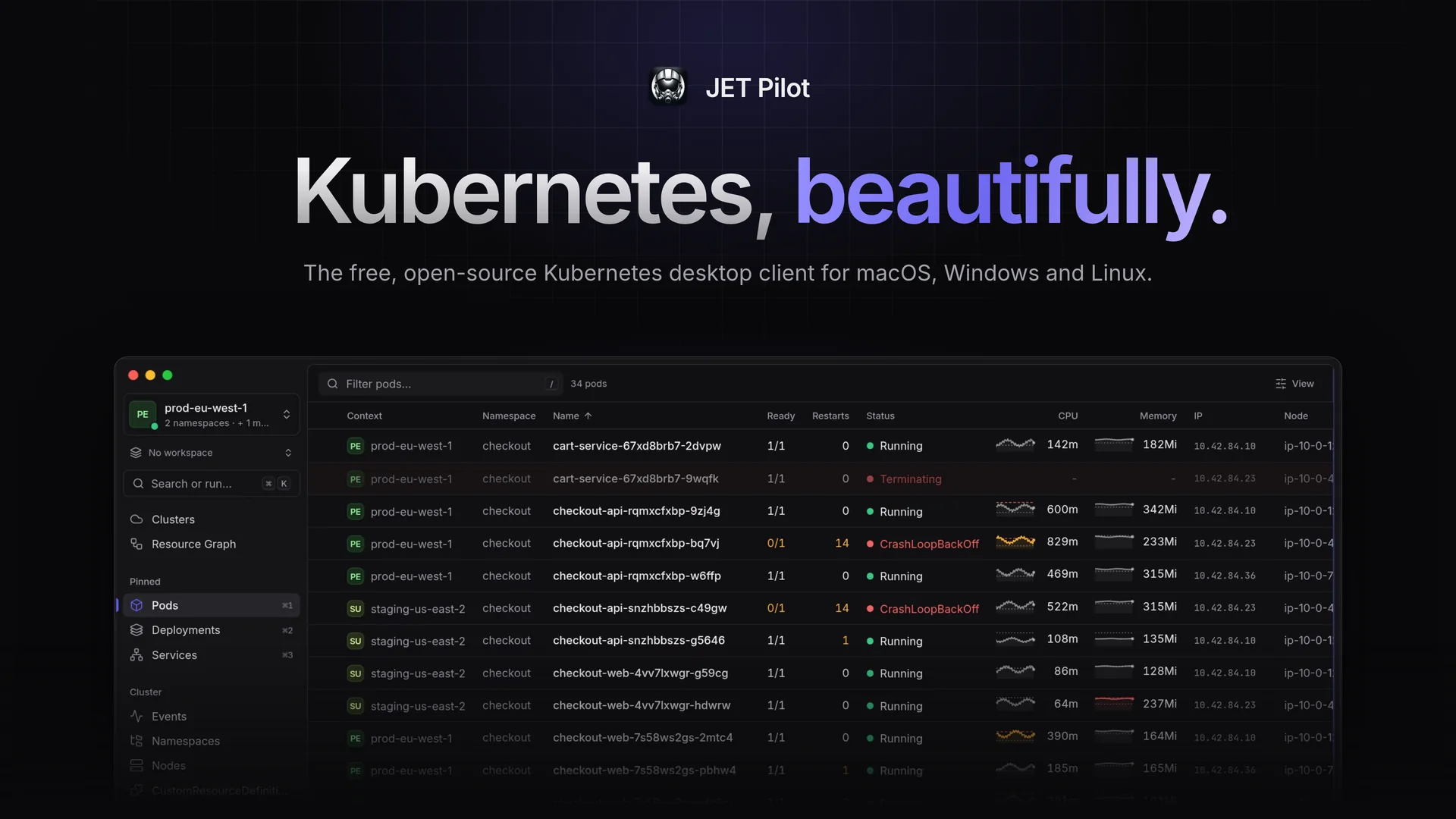
JET Pilot is an open-source K8s IDE. It was created out of frustration, as all "good-looking" K8s IDEs went commercial. Power-users nowadays resort to tools like k9s, which works great, but heavily relies on keyboard input. JET Pilot combines a keyboard-first workflow with a polished, mouse-friendly desktop UI — built with Rust and Tauri, so it stays small and fast.
No account, no telemetry: JET Pilot uses your existing kubeconfig files and kubectl, and connects your cloud accounts when you want it to.
A quick tour
Features
Clusters hub: every cluster from every kubeconfig and cloud account in one list, with live status, names, colours, folders and tags. Connect AWS, Google Cloud, Azure, DigitalOcean, Akamai/Linode, Civo, Scaleway, Vultr and Exoscale, or paste, import or enter a cluster by hand; credentials live in your system keychain.
Production guardrails: protected clusters ask you to type the name before destructive actions; read-only clusters can't be changed from JET Pilot.
Multi-cluster & multi-namespace: connect to several contexts (across multiple kubeconfig files) and namespaces at once; every table aggregates them with Context and Namespace columns.
Health: what's broken across your clusters in plain words, with the likely cause, the evidence and fixes behind a dry-run diff. Plus what changed and when, risks such as missing limits or expiring certificates, and upgrade readiness: support dates, deprecated APIs and add-ons.
Ask AI: hand a problem or an object to the AI agent you already use (Claude Code, Codex, Gemini CLI and more), in a terminal with kubectl pinned to that cluster. JET Pilot stores no keys and sends nothing itself.
Split view and windows: two views side by side, or a view or a tab in a window of its own.
Side panels that explain: every object opens with its state in a sentence, links to related objects, usage charts and inline editing of labels, annotations and taints.
Usage history: CPU, memory and network charts from the cluster's Prometheus, found by itself and queried through the API server, or from metrics-server.
GitOps: every Flux Kustomization, Flux HelmRelease and Argo CD Application in one place, problems first, with reconcile, suspend, sync and refresh.
Helm: releases and their history straight from the cluster, chart search across your repositories and Artifact Hub, and installs and upgrades with a diff.
Access review: "Can I…?", "Who can…?" and everything a user, group or service account may do, with the binding behind each answer.
Operators and CRDs: printer columns for every custom resource, plus views for cert-manager, Gateway API, Karpenter, KEDA, External Secrets and Prometheus Operator.
Built-in terminal: open a local terminal (Ctrl+</kbd>) with kubectl` preconfigured for the current context — your own kubeconfig is never modified. Shell into any container with one click, on macOS, Linux and Windows.
Resource graph: see how Services, Deployments, ReplicaSets, Pods, ConfigMaps and Secrets relate, with live health indicators.
Structured log viewer: follow logs across every pod of a workload, parse JSON log lines into fields, filter them with facets and pick a time range on the volume chart.
Object management: browse, describe, create and edit any Kubernetes object in a full YAML editor (Cmd/Ctrl+S to apply).
Command palette: Cmd/Ctrl+K to jump anywhere, switch contexts and namespaces or open a terminal — with fuzzy search.
Port forwards that follow their pod through rollouts, custom actions from small YAML files, jetpilot:// links, a proxy or SSH jump host per cluster, the kubectl equivalent of every action, events, scaling, rollouts, cordon/drain and more.
SSO-friendly: in-app sign-in for AWS IAM Identity Center, gcloud, az, kubelogin/OIDC and other exec plugins, with device codes shown in the app.
Themes: polished dark and light themes, built-in favourites, and your own VS Code, Sublime Text or TextMate themes.
Download the latest release for your platform from the releases page or from jet-pilot.app. JET Pilot updates itself automatically.
JET Pilot uses kubectl for some tasks, and helm to install, upgrade and roll back charts (browsing releases doesn't need it). When they aren't on your PATH, it can download them for you, verified against their official checksums (Settings › Advanced).
macOS
Install with Homebrew from the JET Pilot tap:
brew install --cask unxsist/tap/jet-pilot
The tap's cask clears macOS's quarantine flag after installing, so the app opens right away and keeps itself up to date.
[!NOTE]
JET Pilot is no longer in Homebrew's main cask repository: since October 2026 Homebrew only accepts apps notarized by Apple there. If you installed it with brew install --cask jet-pilot before, switch once with brew uninstall --cask jet-pilot && brew install --cask unxsist/tap/jet-pilot (your settings are kept).
…or download the .dmg for Apple Silicon (aarch64) or Intel (x64), open it and drag JET Pilot into your Applications folder.
[!IMPORTANT]
JET Pilot is not notarized by Apple. It's free and open source, and we'd rather not pay Apple's yearly developer fee. When you install the .dmg yourself, macOS will say the app "is damaged and can't be opened" or "cannot be verified". Remove the quarantine flag once after installing:

 JET Pilot 是一款免费、开源的桌面端 Kubernetes 集群管理集成开发环境(IDE)。它将以键盘为主的操作方式与精致、便于鼠标操作的图形界面结合在一起,定位为商业 K8s IDE 的替代方案。