Что это такое?
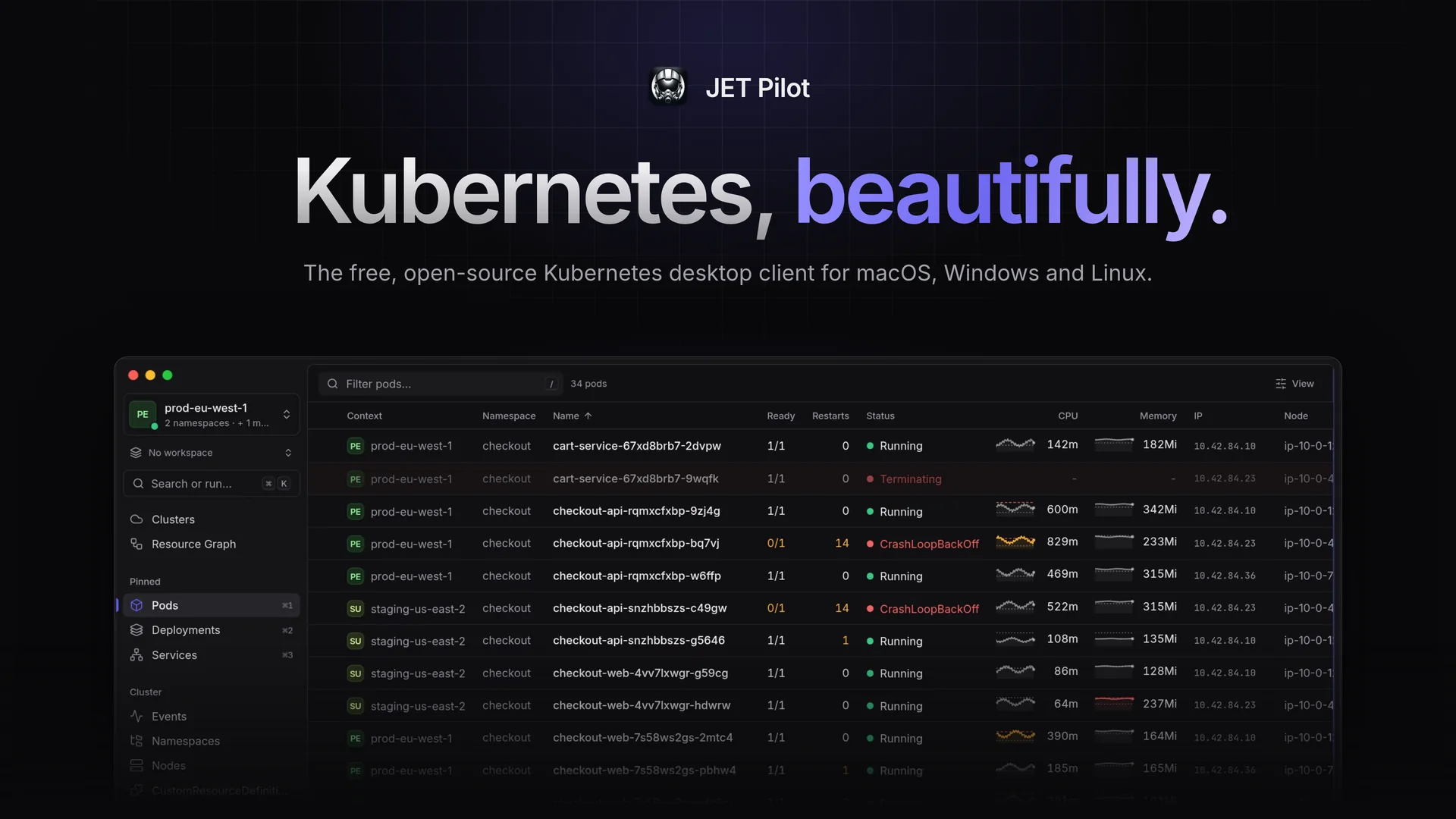
 JET Pilot — бесплатная десктопная IDE с открытым исходным кодом для управления кластерами Kubernetes. Она сочетает работу с клавиатуры и продуманный графический интерфейс, удобный для мыши. Создана как альтернатива коммерческим IDE для K8s.
Это лёгкая CLI-утилита или полноценное десктопное приложение?Это нативное десктопное приложение на Rust и Tauri с фронтендом на Vue, а не CLI. При этом внутри есть встроенный терминал с предварительно настроенным kubectl для быстрого доступа к оболочке.
Это нативное десктопное приложение на Rust и Tauri с фронтендом на Vue, а не CLI. При этом внутри есть встроенный терминал с предварительно настроенным kubectl для быстрого доступа к оболочке.Как установить JET Pilot?Скачайте установщик для macOS (.dmg через Homebrew tap или вручную), Linux (.deb, .rpm или AppImage для x64/ARM64) или Windows (.exe/.msi) со страницы релизов или с сайта jet-pilot.app. После этого приложение обновляется автоматически.
Скачайте установщик для macOS (.dmg через Homebrew tap или вручную), Linux (.deb, .rpm или AppImage для x64/ARM64) или Windows (.exe/.msi) со страницы релизов или с сайта jet-pilot.app. После этого приложение обновляется автоматически.Нужно ли отдельно устанавливать kubectl и helm?Он использует ваш существующий kubeconfig и kubectl, а helm — для установки, обновления и отката чартов. Если этих инструментов нет в PATH, JET Pilot может скачать их за вас с проверкой контрольных сумм.
Он использует ваш существующий kubeconfig и kubectl, а helm — для установки, обновления и отката чартов. Если этих инструментов нет в PATH, JET Pilot может скачать их за вас с проверкой контрольных сумм.Есть ли подводные камни при установке, о которых стоит знать?Сборка для macOS не нотаризована Apple, поэтому Gatekeeper будет писать, что приложение 'is damaged and can't be opened', пока вы вручную не снимете флаг карантина. Установщик для Windows тоже не подписан кодом, так что SmartScreen выдаст предупреждение до того, как программу можно будет запустить.
Сборка для macOS не нотаризована Apple, поэтому Gatekeeper будет писать, что приложение 'is damaged and can't be opened', пока вы вручную не снимете флаг карантина. Установщик для Windows тоже не подписан кодом, так что SmartScreen выдаст предупреждение до того, как программу можно будет запустить.Чем JET Pilot отличается от Lens?Как и Lens, это визуальная IDE для K8s для просмотра и управления кластерами. Но JET Pilot остаётся полностью открытым и бесплатным, а также легковесным благодаря реализации на Rust/Tauri вместо оболочки на Electron.
Как и Lens, это визуальная IDE для K8s для просмотра и управления кластерами. Но JET Pilot остаётся полностью открытым и бесплатным, а также легковесным благодаря реализации на Rust/Tauri вместо оболочки на Electron.Поддерживает ли он инструменты GitOps, такие как Flux и Argo CD?Да. Он показывает все Flux Kustomization, Flux HelmRelease и Argo CD Application в одном месте, а действия сверка (reconcile), приостановка (suspend), синхронизация (sync) и обновление (refresh) доступны прямо из интерфейса.
Да. Он показывает все Flux Kustomization, Flux HelmRelease и Argo CD Application в одном месте, а действия сверка (reconcile), приостановка (suspend), синхронизация (sync) и обновление (refresh) доступны прямо из интерфейса.Могу ли я подключить несколько кластеров и пространств имён одновременно?Да, можно одновременно подключить несколько контекстов из разных файлов kubeconfig и несколько пространств имён. В каждой таблице результаты объединяются с колонками «Context» и «Namespace».
Да, можно одновременно подключить несколько контекстов из разных файлов kubeconfig и несколько пространств имён. В каждой таблице результаты объединяются с колонками «Context» и «Namespace».Что не даст мне случайно сломать боевой кластер?Защищённые кластеры требуют ввести точное имя кластера перед любым разрушительным действием, а кластеры только для чтения нельзя изменить из JET Pilot вообще.
Защищённые кластеры требуют ввести точное имя кластера перед любым разрушительным действием, а кластеры только для чтения нельзя изменить из JET Pilot вообще.Какие есть похожие проекты?sofka, BongoCat, solomd, clash-nyanpasu, DevOps-Projects, faas, archestra, evenfire
sofka, BongoCat, solomd, clash-nyanpasu, DevOps-Projects, faas, archestra, evenfireВ каких он темах?kubectl, tauri-app, gitops, devops-tools, k8s, oidc, prometheus, yaml, cloud-native, tauri, vue, kubernetes
kubectl, tauri-app, gitops, devops-tools, k8s, oidc, prometheus, yaml, cloud-native, tauri, vue, kubernetes- Автор
- unxsist
- Размер
- 148.6 MB
- Звёзды
- 663
- Обновлён
- КоммитNov 07Релизv2.3.1Nov 07
- Возраст
- 2 г
- Коммиты · 90 дней