
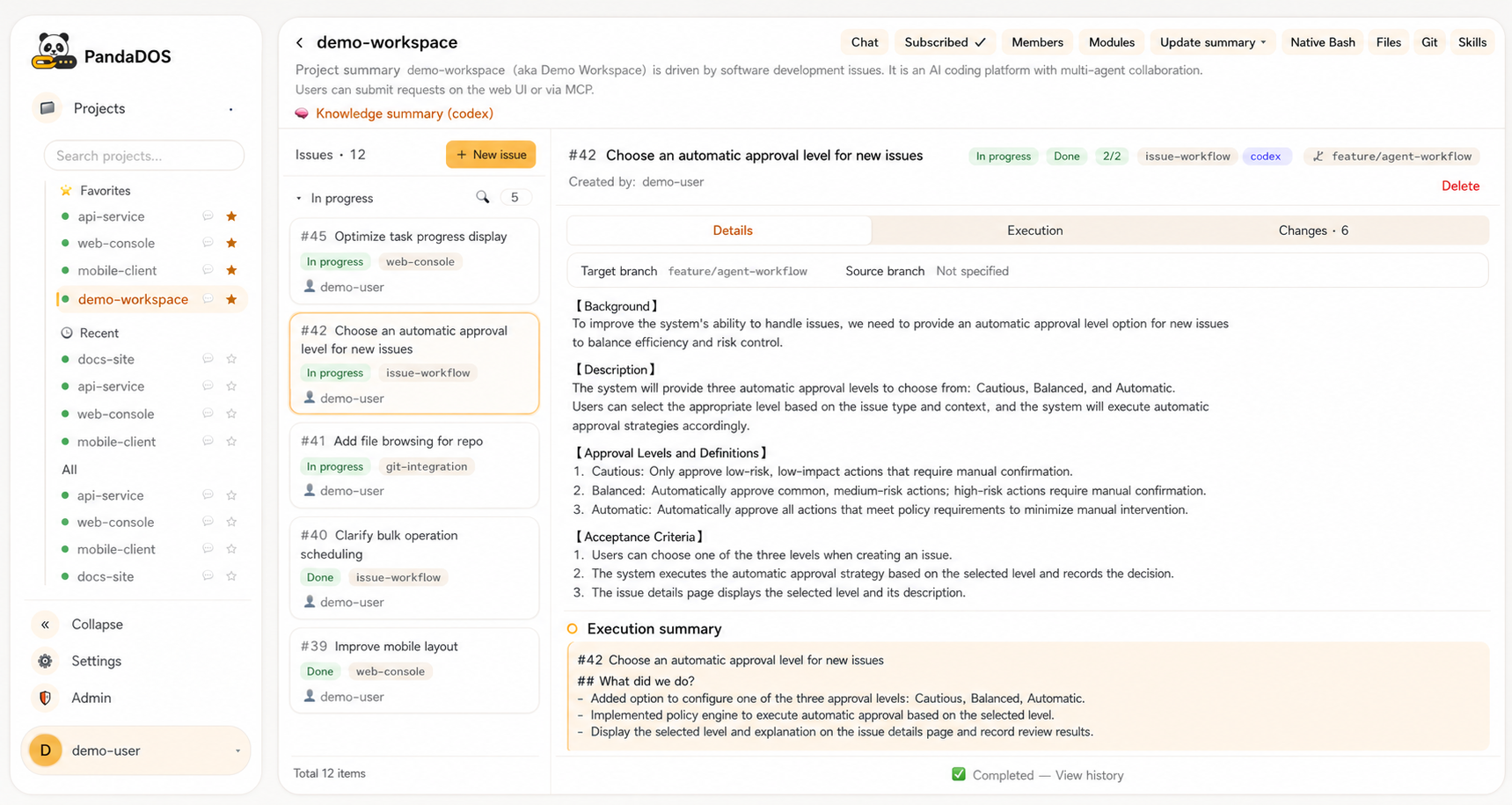
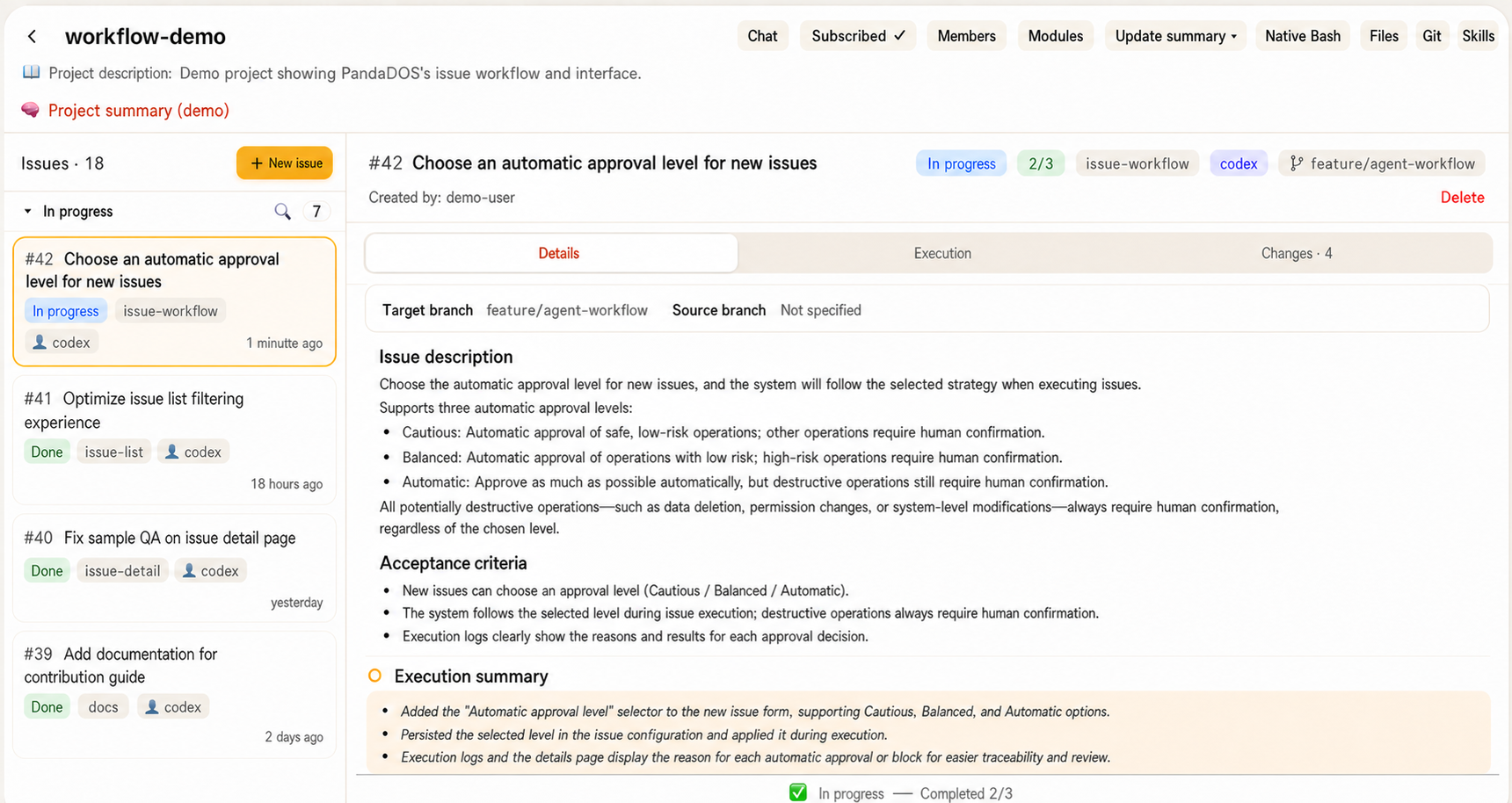
Что это такое?
 Самостоятельно размещаемая панель управления, которая превращает Claude Code и Codex в долгоживущих кодовых агентов, работающих по задачам (issues). Вы ставите цели в очередь в виде задач, а система проводит их через планирование, реализацию, проверку и доставку, пока вы следите за ходом работы в браузере или на телефоне.
Это замена Claude Code или Codex?Нет. Это обёртка над нативным CLI Claude Code или Codex, которая показывает их реальные сессии в браузере, а не запускает отдельный движок.
Нет. Это обёртка над нативным CLI Claude Code или Codex, которая показывает их реальные сессии в браузере, а не запускает отдельный движок.Как это запустить?Вставьте установочный промпт из README в Claude Code или Codex на целевой машине либо следуйте инструкции DEPLOY.md для ручной установки. При первом запуске создаётся учётная запись администратора и записывается одноразовый токен в ~/.panda/admin-token.
Вставьте установочный промпт из README в Claude Code или Codex на целевой машине либо следуйте инструкции DEPLOY.md для ручной установки. При первом запуске создаётся учётная запись администратора и записывается одноразовый токен в ~/.panda/admin-token.Что нужно установить заранее?На панели управления: Bun, Git, tmux и папка ~/.panda/, доступная для записи. На каждом исполнителе также нужны Git, tmux и авторизованный CLI Claude Code или Codex. Для уточнений и сводок настоятельно рекомендуется модель-драйвер с OpenAI-совместимым API.
На панели управления: Bun, Git, tmux и папка ~/.panda/, доступная для записи. На каждом исполнителе также нужны Git, tmux и авторизованный CLI Claude Code или Codex. Для уточнений и сводок настоятельно рекомендуется модель-драйвер с OpenAI-совместимым API.В чём главное предостережение по безопасности?Доступ к терминалу в браузере даёт доступ к shell от имени учётной записи исполнителя, поэтому изолируйте непроверенные проекты, используя отдельные учётные записи или машины. Релизные сборки также не включают Bun, Git, tmux, Claude Code или Codex, их нужно установить самостоятельно.
Доступ к терминалу в браузере даёт доступ к shell от имени учётной записи исполнителя, поэтому изолируйте непроверенные проекты, используя отдельные учётные записи или машины. Релизные сборки также не включают Bun, Git, tmux, Claude Code или Codex, их нужно установить самостоятельно.На каких системах это работает?На рабочих станциях Mac или Linux для периодического локального использования и на небольшом Linux-сервере, который работает круглосуточно. Windows в README не упоминается.
На рабочих станциях Mac или Linux для периодического локального использования и на небольшом Linux-сервере, который работает круглосуточно. Windows в README не упоминается.Можно ли запускать это круглосуточно на облачном сервере?Да, это рекомендуемая схема: запускайте под systemd на облачном хосте, держите HTTP-сервис на 127.0.0.1:8802 за nginx или Caddy с TLS и подключайте исполнителей по SSH.
Да, это рекомендуемая схема: запускайте под systemd на облачном хосте, держите HTTP-сервис на 127.0.0.1:8802 за nginx или Caddy с TLS и подключайте исполнителей по SSH.Где хранятся мои данные?Состояние системы, включая базу SQLite и данные переписок, хранится в ~/.panda/ на хосте, где вы её запускаете, поэтому резервное копирование остаётся на вас.
Состояние системы, включая базу SQLite и данные переписок, хранится в ~/.panda/ на хосте, где вы её запускаете, поэтому резервное копирование остаётся на вас.Это бесплатно?Да, система распространяется по лицензии Apache License 2.0. Подписки на кодовых агентов и любой эндпоинт модели-драйвера, который вы добавите, оплачиваются отдельно.
Да, система распространяется по лицензии Apache License 2.0. Подписки на кодовых агентов и любой эндпоинт модели-драйвера, который вы добавите, оплачиваются отдельно.Как система одобрений решает, что запускается без участия человека?Вы выбираете осторожный, сбалансированный или автоматический режим. В сбалансированном режиме обычные безопасные и обратимые действия при разработке принимаются автоматически, а деструктивные, необратимые, связанные с продакшеном или секретами решения, а также неоднозначные, по-прежнему возвращаются к вам.
Вы выбираете осторожный, сбалансированный или автоматический режим. В сбалансированном режиме обычные безопасные и обратимые действия при разработке принимаются автоматически, а деструктивные, необратимые, связанные с продакшеном или секретами решения, а также неоднозначные, по-прежнему возвращаются к вам.Могут ли несколько проектов работать одновременно?Независимые проекты выполняются отдельно, а работа с одним и тем же репозиторием выстраивается в очередь, чтобы снизить количество конфликтующих правок. За модулем может быть закреплён один назначенный агент.
Независимые проекты выполняются отдельно, а работа с одним и тем же репозиторием выстраивается в очередь, чтобы снизить количество конфликтующих правок. За модулем может быть закреплён один назначенный агент.Переносится ли контекст между задачами?Да. Знания модуля в MODULE.md обеспечивают преемственность между задачами, а проекты сохраняют переиспользуемые переписки и знания о репозитории. Незавершённую переписку можно возобновить.
Да. Знания модуля в MODULE.md обеспечивают преемственность между задачами, а проекты сохраняют переиспользуемые переписки и знания о репозитории. Незавершённую переписку можно возобновить.Может ли моя команда пользоваться этим из Feishu?Да. Корпоративное приложение Feishu позволяет коллегам входить под своими учётными записями, задавать вопросы PM проекта в личном чате с ботом, а также получать уведомления и карточки для одобрений.
Да. Корпоративное приложение Feishu позволяет коллегам входить под своими учётными записями, задавать вопросы PM проекта в личном чате с ботом, а также получать уведомления и карточки для одобрений.Какая цель стоит за этим?Освободить разработчиков от постоянного контроля над кодовыми агентами, чтобы они могли сосредоточиться на направлении продукта, проектировании систем, ревью и решениях, которые требуют настоящего суждения.
Освободить разработчиков от постоянного контроля над кодовыми агентами, чтобы они могли сосредоточиться на направлении продукта, проектировании систем, ревью и решениях, которые требуют настоящего суждения.В каких он темах?project-management, remote-access, human-in-the-loop, bun, ssh, coding-agents, i18n, git, sqlite, monitoring, codex, security
project-management, remote-access, human-in-the-loop, bun, ssh, coding-agents, i18n, git, sqlite, monitoring, codex, security- Автор
- uniquechao
- Размер
- 25.9 MB
- Звёзды
- 897
- Обновлён
- КоммитNov 17Релизv2.6.11Nov 17
- Возраст
- 3 мес
- Коммиты · 90 дней