






Что это такое?
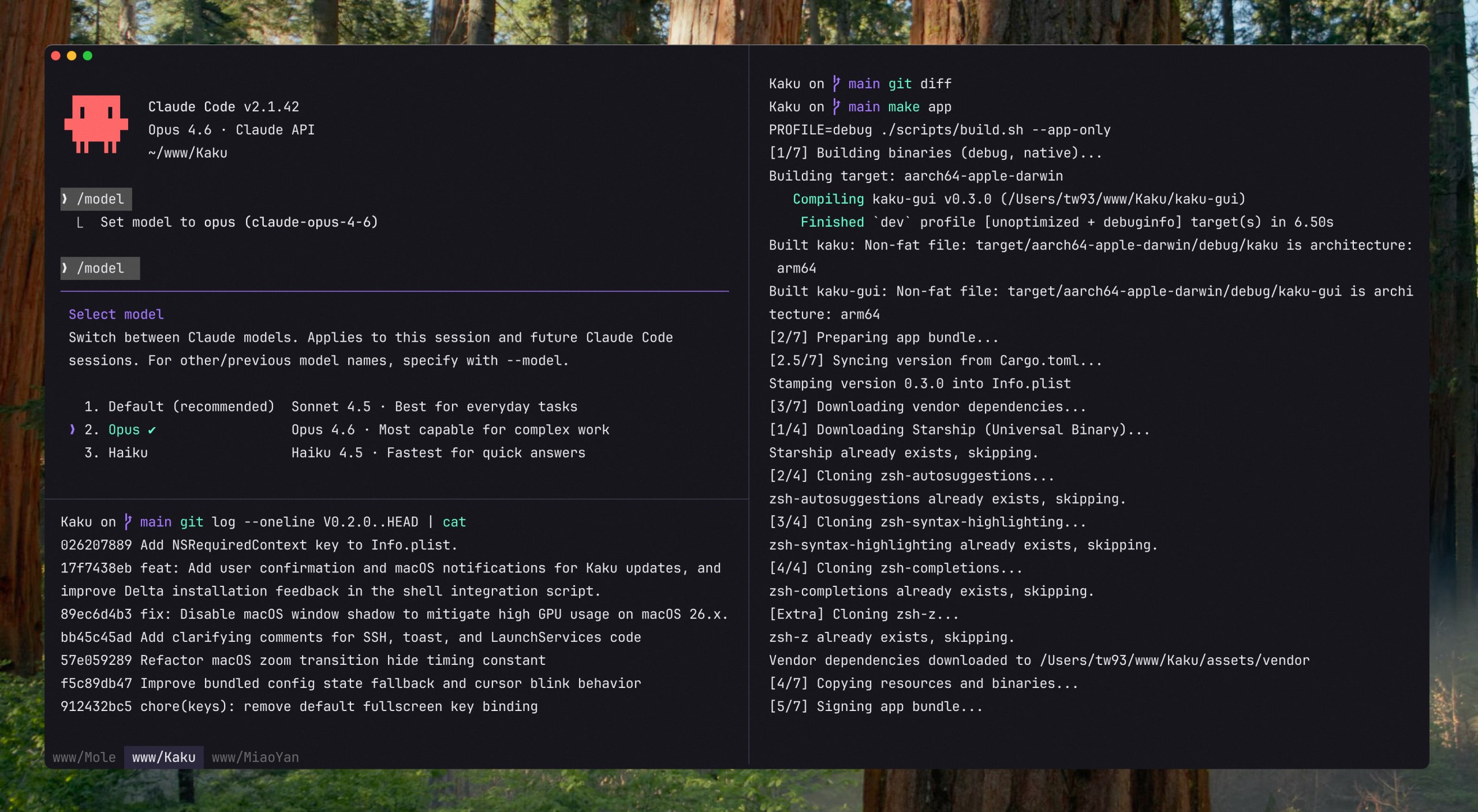
 Kaku — это терминал для macOS на основе WezTerm. Он уже настроен: включает шрифты, темы, интеграцию с оболочкой и привычные для Mac сочетания клавиш. Также есть необязательный ИИ-помощник для подсказок команд и чата.
Kaku — это терминал для macOS на основе WezTerm. Он уже настроен: включает шрифты, темы, интеграцию с оболочкой и привычные для Mac сочетания клавиш. Также есть необязательный ИИ-помощник для подсказок команд и чата.Это совершенно новый движок терминала или он построен на чём-то существующем?Kaku создан не с нуля: он основан на WezTerm, использует его движок отрисовки и систему настройки на Lua, но уже поставляется с разумными значениями по умолчанию.
Kaku создан не с нуля: он основан на WezTerm, использует его движок отрисовки и систему настройки на Lua, но уже поставляется с разумными значениями по умолчанию.Нужен ли мне собственный API-ключ для функций ИИ?Да. Kaku сам не включает и не передаёт никакой ИИ-сервис; чтобы работал встроенный помощник, вы настраиваете собственного провайдера командой `kaku ai`.
Да. Kaku сам не включает и не передаёт никакой ИИ-сервис; чтобы работал встроенный помощник, вы настраиваете собственного провайдера командой `kaku ai`.Работает ли он и на Windows или Linux?Нет, Kaku пока работает только на macOS; версии для Windows и Linux не планируются.
Нет, Kaku пока работает только на macOS; версии для Windows и Linux не планируются.Для кого предназначен этот терминал?Для разработчиков, которые много работают с командной строкой и хотят быстрый, аккуратно сделанный терминал, настроенный под разработку с помощью ИИ и вместе с такими инструментами, как Lazygit и Yazi.
Для разработчиков, которые много работают с командной строкой и хотят быстрый, аккуратно сделанный терминал, настроенный под разработку с помощью ИИ и вместе с такими инструментами, как Lazygit и Yazi.С какими агентами для кода работает ИИ-панель?С помощью AI Tools Config в Kaku можно управлять настройками Claude Code, Codex, Gemini CLI, Copilot CLI, Kimi Code и других агентов, и использовать их вместе со встроенным помощником.
С помощью AI Tools Config в Kaku можно управлять настройками Claude Code, Codex, Gemini CLI, Copilot CLI, Kimi Code и других агентов, и использовать их вместе со встроенным помощником.Что на самом деле умеет встроенный ИИ-помощник?Он может предлагать исправления для неудачных команд (применяется сочетанием Cmd+Shift+E), превращать естественный язык, введённый после «#», в команду оболочки, и открывать чат (Cmd+L), чтобы обсудить вывод терминала или файлы проекта.
Он может предлагать исправления для неудачных команд (применяется сочетанием Cmd+Shift+E), превращать естественный язык, введённый после «#», в команду оболочки, и открывать чат (Cmd+L), чтобы обсудить вывод терминала или файлы проекта.Какие дополнительные инструменты оболочки есть в комплекте?В Kaku сразу есть дополнение zsh, подсветка синтаксиса и переходы между каталогами, а также быстрые сочетания для запуска Lazygit и файлового менеджера Yazi, если он установлен.
В Kaku сразу есть дополнение zsh, подсветка синтаксиса и переходы между каталогами, а также быстрые сочетания для запуска Lazygit и файлового менеджера Yazi, если он установлен.Почему автор создал Kaku, а не стал использовать iTerm2 или Warp?Автор много лет пользовался Alacritty, но хотел более удобной работы с вкладками и панелями для разработки с помощью ИИ. Попробовав Kitty, Ghostty, Warp и iTerm2, он создал Kaku на основе WezTerm, чтобы получить нужный ему баланс скорости, настроек по умолчанию и контроля.
Автор много лет пользовался Alacritty, но хотел более удобной работы с вкладками и панелями для разработки с помощью ИИ. Попробовав Kitty, Ghostty, Warp и iTerm2, он создал Kaku на основе WezTerm, чтобы получить нужный ему баланс скорости, настроек по умолчанию и контроля.What are similar projects?WindTerm, warp, open-steps, desktop-cc-gui, acryl, cc-switch-cli, rtk, vibe-coding-cn
WindTerm, warp, open-steps, desktop-cc-gui, acryl, cc-switch-cli, rtk, vibe-coding-cnWhich topics is it in?serial, terminal-app, terminal-emulator, config, zsh, mac, vibe-coding, lua, gemini-cli, ai-coding, homebrew, shell
serial, terminal-app, terminal-emulator, config, zsh, mac, vibe-coding, lua, gemini-cli, ai-coding, homebrew, shell