




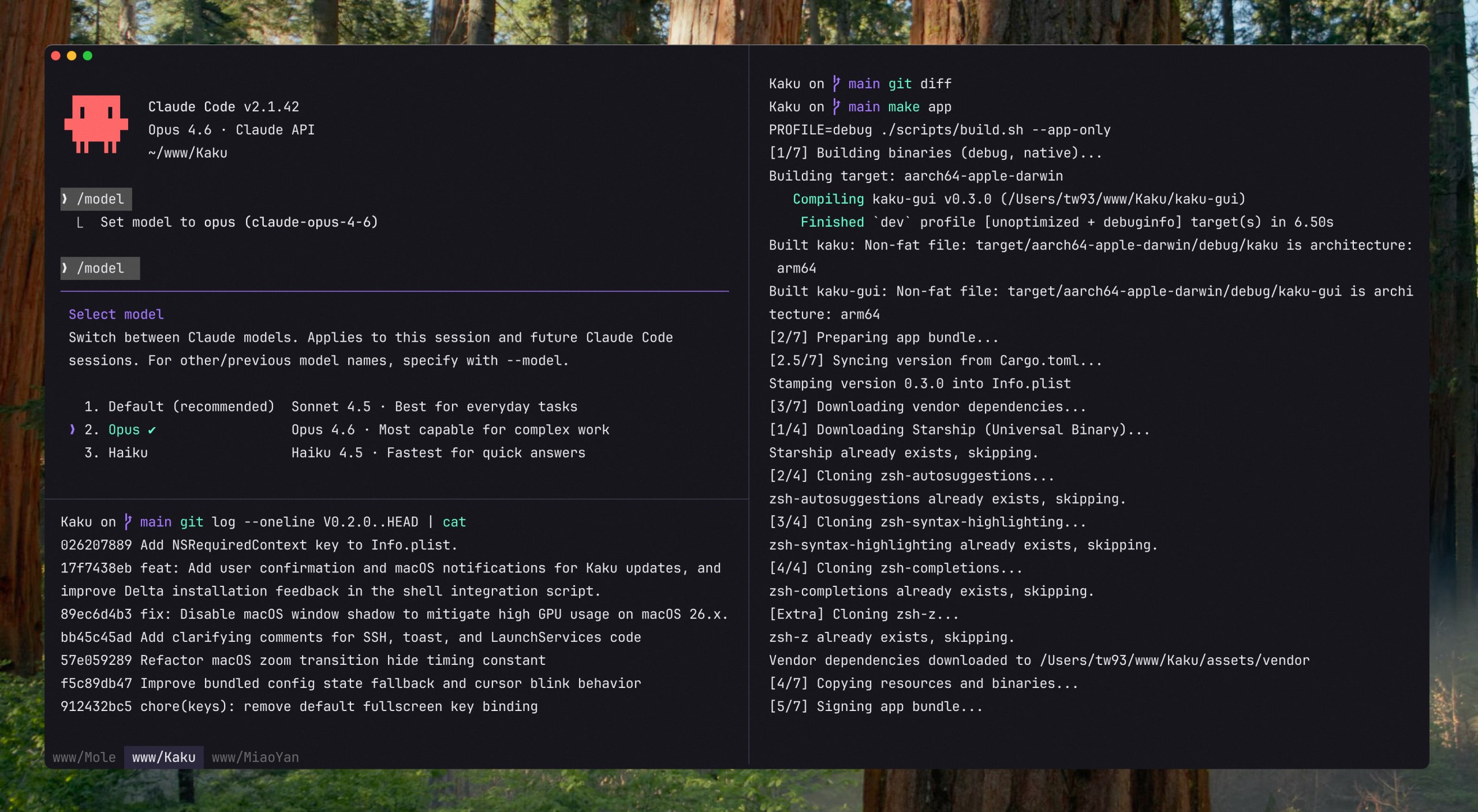


What is this?
 Kaku is a macOS terminal built on WezTerm that comes pre-configured with fonts, themes, shell integration, and Mac shortcuts, with an optional AI assistant for command suggestions and chat.
Kaku is a macOS terminal built on WezTerm that comes pre-configured with fonts, themes, shell integration, and Mac shortcuts, with an optional AI assistant for command suggestions and chat.Is this a brand-new terminal engine or built on something existing?Kaku is not built from scratch — it's based on WezTerm, reusing its rendering engine and Lua configuration system, but shipping with sensible defaults already set up.
Kaku is not built from scratch — it's based on WezTerm, reusing its rendering engine and Lua configuration system, but shipping with sensible defaults already set up.Do I need my own API key for the AI features?Yes — Kaku doesn't bundle or relay any AI service itself; you configure your own provider with the `kaku ai` command to power the built-in assistant.
Yes — Kaku doesn't bundle or relay any AI service itself; you configure your own provider with the `kaku ai` command to power the built-in assistant.Does it run on Windows or Linux too?No, Kaku is macOS-only for now, with no Windows or Linux version planned.
No, Kaku is macOS-only for now, with no Windows or Linux version planned.Who is this terminal aimed at?Developers who rely heavily on the CLI and want a fast, polished terminal tuned for AI-assisted coding workflows alongside tools like Lazygit and Yazi.
Developers who rely heavily on the CLI and want a fast, polished terminal tuned for AI-assisted coding workflows alongside tools like Lazygit and Yazi.What coding agents does the AI panel work with?Kaku's AI Tools Config can manage settings for Claude Code, Codex, Gemini CLI, Copilot CLI, Kimi Code, and more, letting you use these agents alongside the built-in assistant.
Kaku's AI Tools Config can manage settings for Claude Code, Codex, Gemini CLI, Copilot CLI, Kimi Code, and more, letting you use these agents alongside the built-in assistant.What can the built-in AI assistant actually do?It can suggest fixes for failed commands (Cmd+Shift+E to apply), convert natural language typed after '#' into a shell command, and open a chat (Cmd+L) to discuss terminal output or project files.
It can suggest fixes for failed commands (Cmd+Shift+E to apply), convert natural language typed after '#' into a shell command, and open a chat (Cmd+L) to discuss terminal output or project files.What extra shell tools come built in?Kaku ships with zsh completion, syntax highlighting, and directory jumping out of the box, plus quick shortcuts to launch Lazygit and the Yazi file manager if installed.
Kaku ships with zsh completion, syntax highlighting, and directory jumping out of the box, plus quick shortcuts to launch Lazygit and the Yazi file manager if installed.Why did the author build Kaku instead of using iTerm2 or Warp?The author used Alacritty for years but wanted stronger tab/pane ergonomics for AI-assisted coding; after trying Kitty, Ghostty, Warp, and iTerm2, he built Kaku on WezTerm to match his own balance of speed, defaults, and control.
The author used Alacritty for years but wanted stronger tab/pane ergonomics for AI-assisted coding; after trying Kitty, Ghostty, Warp, and iTerm2, he built Kaku on WezTerm to match his own balance of speed, defaults, and control.What are similar projects?WindTerm, warp, open-steps, desktop-cc-gui, acryl, cc-switch-cli, rtk, vibe-coding-cn
WindTerm, warp, open-steps, desktop-cc-gui, acryl, cc-switch-cli, rtk, vibe-coding-cnWhich topics is it in?serial, terminal-app, terminal-emulator, config, zsh, mac, vibe-coding, lua, gemini-cli, ai-coding, homebrew, shell
serial, terminal-app, terminal-emulator, config, zsh, mac, vibe-coding, lua, gemini-cli, ai-coding, homebrew, shell