NectarLink
Your Android phone and your PC, working as one.
Notifications, messages, calls, clipboard, files, photos, screen mirroring and
phone apps in windows, between Android and Windows 10 (2004+), Windows 11 or Linux. Free and open source.
Local-first, end-to-end encrypted, no account and no cloud.
Hi, I'm Bee, and yes, a bee built an app called NectarLink. I build cool stuff
in the open on 𝕏 @thtbee_, so come see what's next.
Feedback, bugs or ideas? DM me directly.





Why NectarLink
NectarLink came out of my own frustration. I kept juggling Phone Link for
notifications and messages, KDE Connect for the clipboard and LocalSend for
files, and always wanted one app that did all of it. So I made one.
It covers what those three did for me, with one app on each side, plus a lot
of new features I wanted that I think you'll enjoy having too.
Download
The apps update themselves from GitHub Releases and check every download
against its SHA-256 sums.
On Linux
One command installs NectarLink with everything it needs, and shows each
step as it goes:
curl -fsSL https://github.com/thtbee/nectarlink/releases/latest/download/install.sh | sh
It picks the package for your system (.deb with apt, .rpm with dnf or zypper,
the tarball elsewhere), checks it against the release's SHA-256 sums and
installs it with its dependencies. Then it sets up the phone as a webcam, the
phone as a keyboard and mouse, and the firewall for your local network only.
To remove it all again, end the same command with sh -s -- --uninstall
instead of sh. See Installing on Linux
for the details.
[!NOTE]
SmartScreen may warn about the Windows installer the first time, because it
isn't code-signed yet: choose More info, then Run anyway. On Android,
allow your browser or file manager to install apps when asked.
[!IMPORTANT]
In India and many other countries, Google Play Protect blocks the APK with
no Install anyway button. Pause Scan apps with Play Protect while you
install it (Play Store › your profile › Play Protect › Settings), then turn it
back on, or install it from a PC with adb install. See
Play Protect blocks the APK.
Get started
- Install NectarLink on your PC and on your phone.
- On the PC, the setup walkthrough shows a QR code. Scan it with the phone
(from the NectarLink app or any camera app), or pick the PC from the phone's
list of nearby devices and compare a 6-digit code. A USB cable works too, with Android's
adb running on the PC.
- Allow what you want to share. Every feature has its own switch per device,
and the sensitive ones are off until you turn them on.
- Optional: set up Wireless debugging once in the phone app for the
features Android reserves for privileged apps (phone apps in windows, real
touch input, background clipboard sync). No root, nothing else to install.
The user guide walks through every step and feature.
What it does
Stay on top of your phone
- Notifications on the PC, with replies, actions, Live Updates (progress,
timers, deliveries) and a Copy code button for one-time codes. Clear on
one side, cleared on the other.
- Messages: SMS and MMS conversations plus chats from RCS, WhatsApp,
Telegram, Signal and other apps in one inbox. Reply, send pictures, start
new conversations.
- Calls: see who's calling, answer, decline or hang up from the PC, call
any number or contact through the phone, and browse recent calls.
Move things between devices
- Clipboard: copy on one device, paste on the other, with optional
encrypted history. Passwords from password managers are never sent, and
one-time codes are never kept in the history.
- Files and folders both ways at Wi-Fi speed, with resume after a dropped
connection, Send to in File Explorer, and the phone's storage in File
Explorer. It also works with LocalSend devices, without pairing.
- Synced folders: keep a phone folder and a PC folder in step, one way or
both ways, with a copy kept when a file changed on both sides.
- Photos: the phone's camera roll, screenshots and albums on the PC, and
Photo backup, which copies new photos into a folder on the PC by year and
month and never deletes anything.
- Handoff: links, maps and videos (at the same timestamp) open on the
other device.
Use your phone from the PC
- Screen mirroring at up to 60 frames a second with the phone's sound,
screenshots and recording.
- Apps: open any phone app in a window of its own on the PC, with its own
taskbar icon, running beside whatever the phone shows.
- Type on the phone with the PC keyboard, without mirroring.
- Phone controls on the PC: Do Not Disturb, ringer, volume, flashlight,
brightness, Wi-Fi and Bluetooth.
Use your PC from the phone
- Touchpad, air mouse, keyboard, voice typing and presentation remote.
- Your PC's screen on the phone, with control from the phone.
- Deck: a Stream Deck style grid of buttons for the PC (media, shortcuts,
apps, OBS Studio, commands), with live volume and mute.
- Lock, sleep and wake the PC.
Camera and sound
- Phone as a webcam in Zoom, Teams, Meet, OBS and the Camera app.
- Continuity Camera: take a photo or scan a document with the phone and
have it on the PC's clipboard.
- Phone as a speaker for the PC's sound, and a voice recorder that
saves straight to the PC.
- The phone's sound on the PC, without a mirror window.
- Phone as a microphone for Discord, Zoom, OBS or Teams, through a virtual
audio cable such as VB-CABLE.
- Play on phone: carry on with the video playing on the PC.
And more: media controls both ways, battery alerts, Find my device, a
searchable Timeline of everything that moved, a Command Palette
(Ctrl+Alt+Space), a slide-out Shelf, a home-screen widget, and a
Connection Doctor that finds and fixes what keeps devices from connecting.
An optional Nectar Island at the top of the screen shows calls, music and
transfers. Five themes, Hive, Bloom, Glass, Graphite and Fluent, each
in light and dark. In English, German, Turkish, Simplified Chinese, Brazilian Portuguese, Vietnamese, Spanish and Russian.
| Feature |
Windows |
Linux |
macOS (Preview) |
| Pairing & mutual TLS |
Yes |
Yes |
Yes |
| Files & folder transfer |
Yes |
Yes |
Yes |
| Photos browser & download |
Yes |
Yes |
Yes |
| Continuity Camera |
Yes |
Yes |
Yes |
| Calls & SMS viewer |
Yes |
Yes |
Yes |
| Phone quick toggles & volume |
Yes |
Yes |
Yes |
| Clipboard text & image sync |
Yes |
Yes |
Yes (two-way text, incoming photo) |
| System notifications |
Yes |
Yes |
Yes (system banners) |
| Phone screen mirroring |
Yes |
Yes |
Yes (H.264) |
| Screen recording (MP4) |
Yes |
Yes |
Yes (H.264) |
| PC audio stream / phone mic |
Yes |
Yes |
Yes (PC audio needs Screen Recording permission) |
| Phone as webcam |
Yes |
Yes (with v4l2loopback) |
Not yet (needs a Developer ID signed build) |
| Phone storage in the file manager |
Yes |
Yes |
Yes (Finder via WebDAV) |
Private by design
- Local-first. Devices talk directly over your network, a USB cable or
Tailscale. Nothing goes through a server, and there's no account.
- End-to-end encrypted. Every connection is QUIC with TLS 1.3, authenticated
with device keys exchanged when you pair. Keys are protected by Windows DPAPI,
the macOS Keychain and the Android Keystore. On Linux, for now, only by file permissions.
- You decide what's shared. Each paired device has its own feature
switches. Remote control of the PC, shell commands and phone storage are off
until you allow them.
- The only internet traffic is the update check against GitHub (which you
can turn off), and, if you turn it on, Connect over mobile data, which
relays encrypted traffic it can't read. Voice typing uses your phone's own
speech recognizer, which may use its provider's servers.
Details: Privacy and security and the
security model.
Screenshots
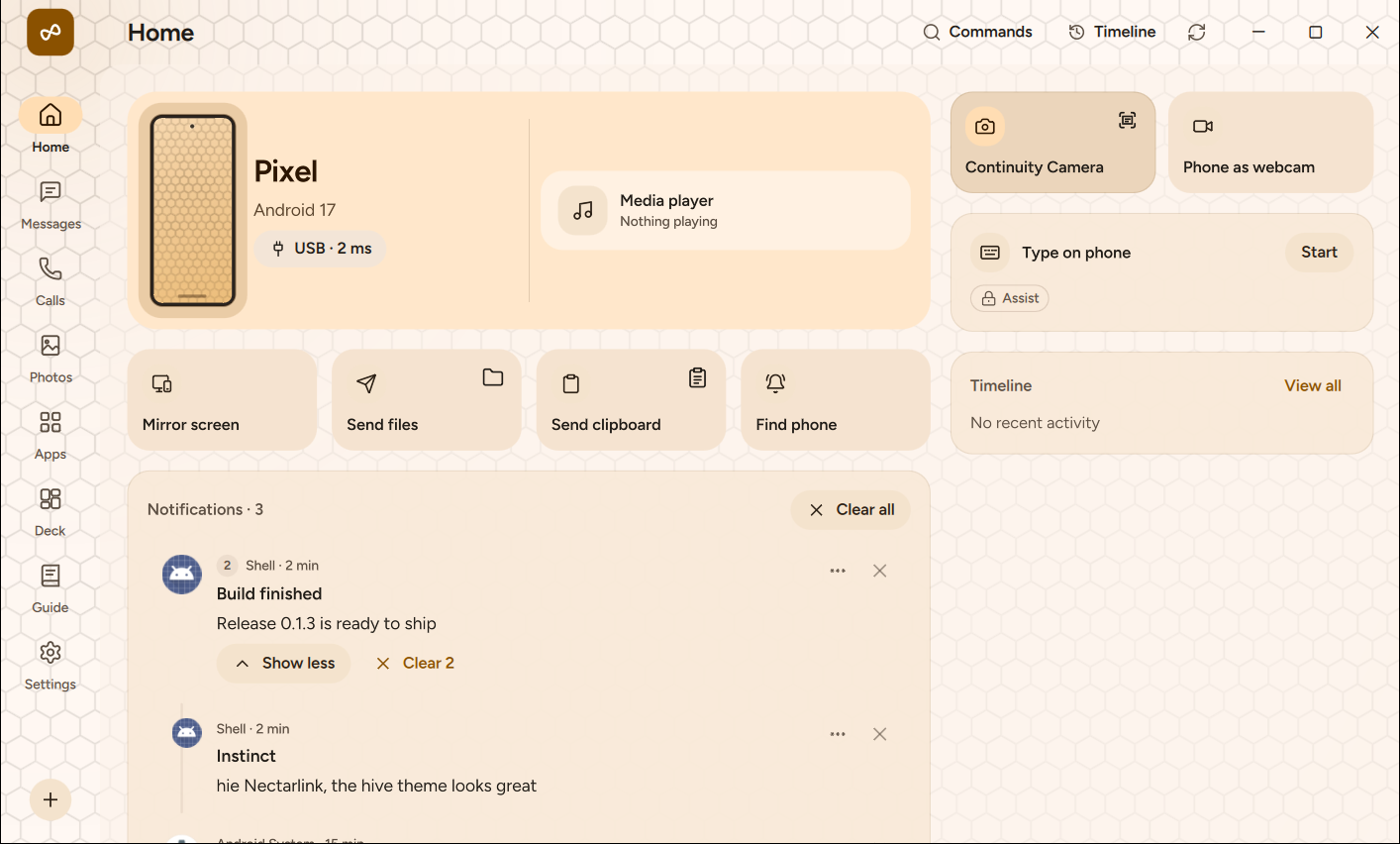
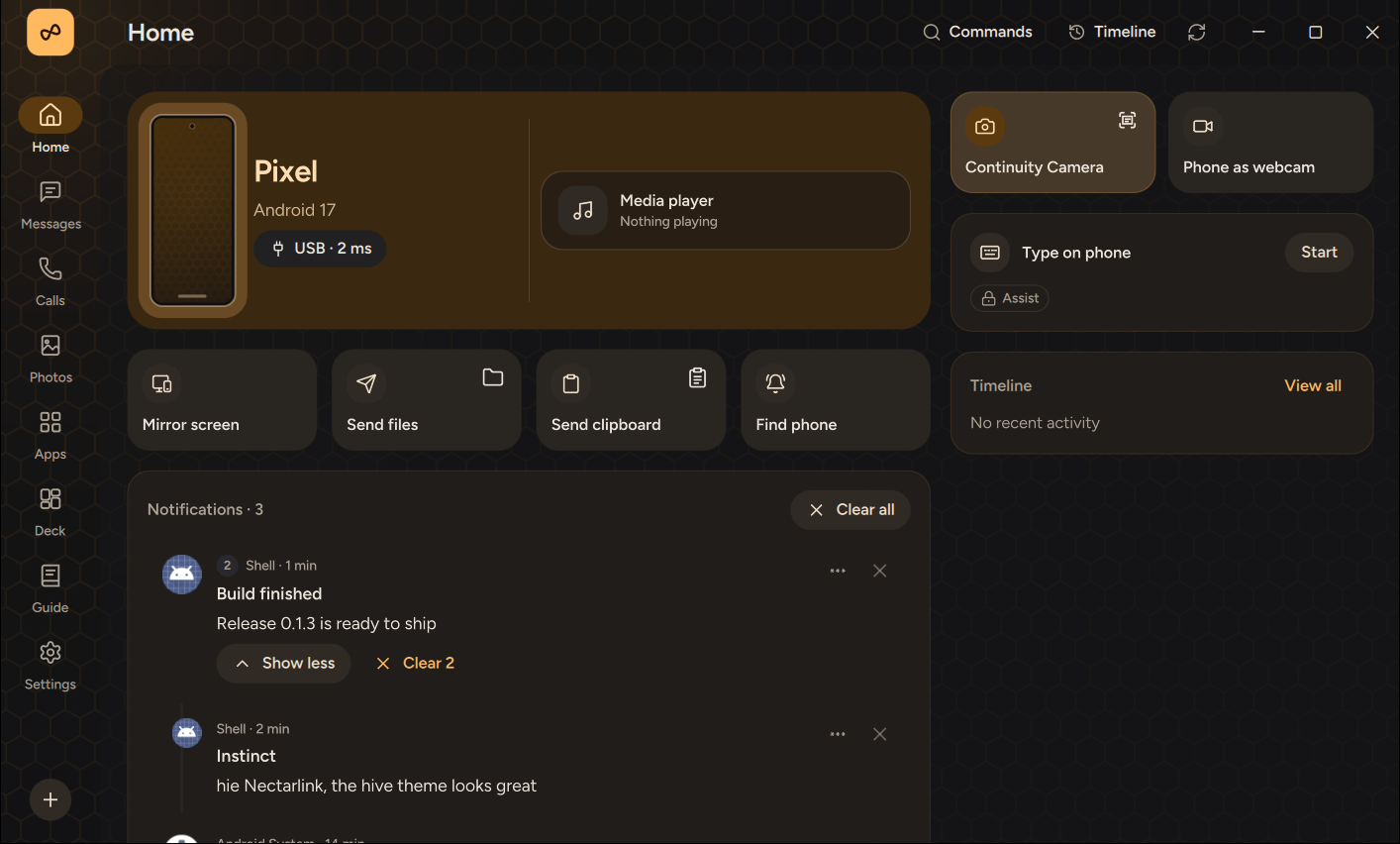
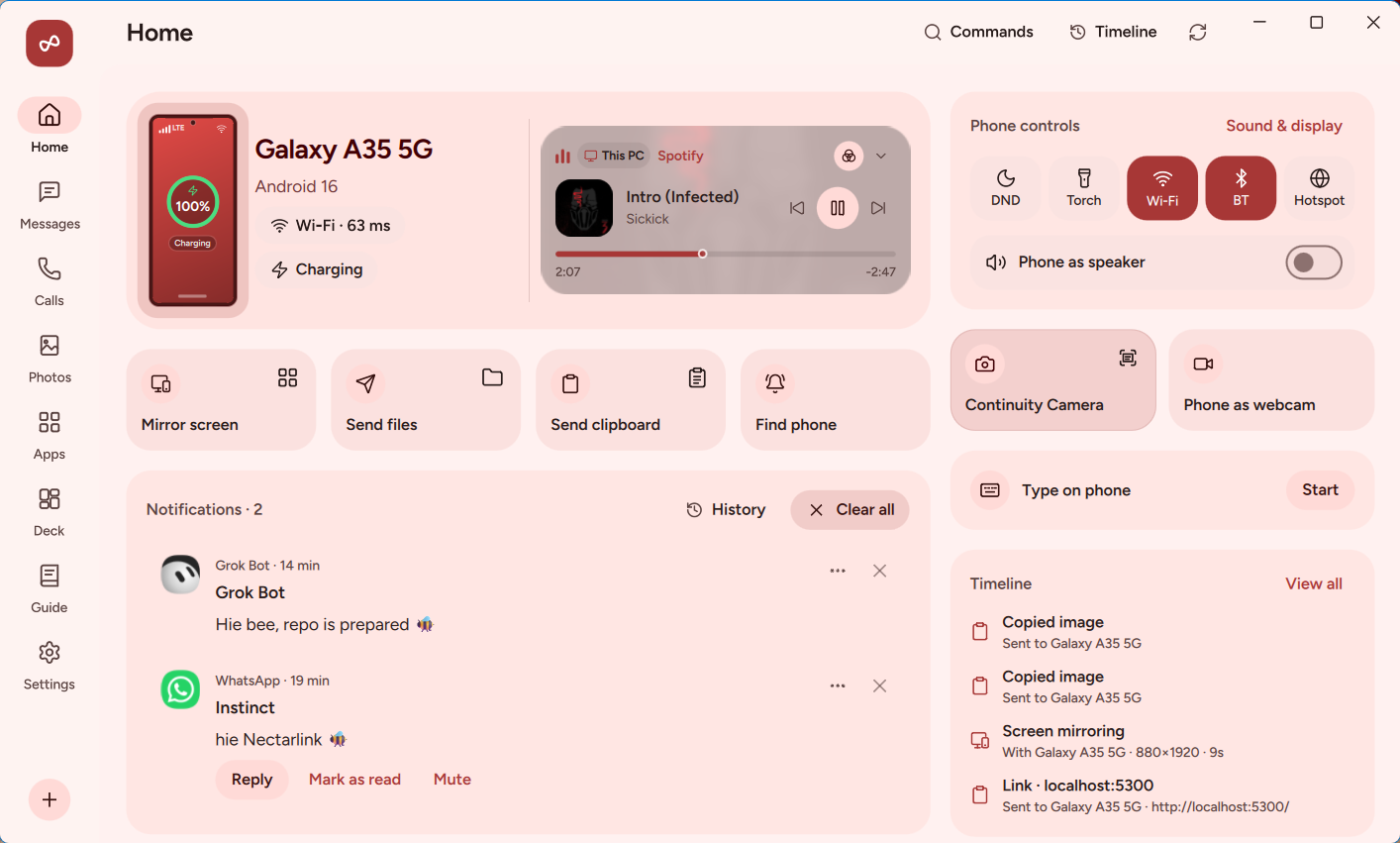
Hive is an exclusive theme: honey, with a living honeycomb that breathes
behind the app.
| Hive, light |
Hive, dark |
 |
 |
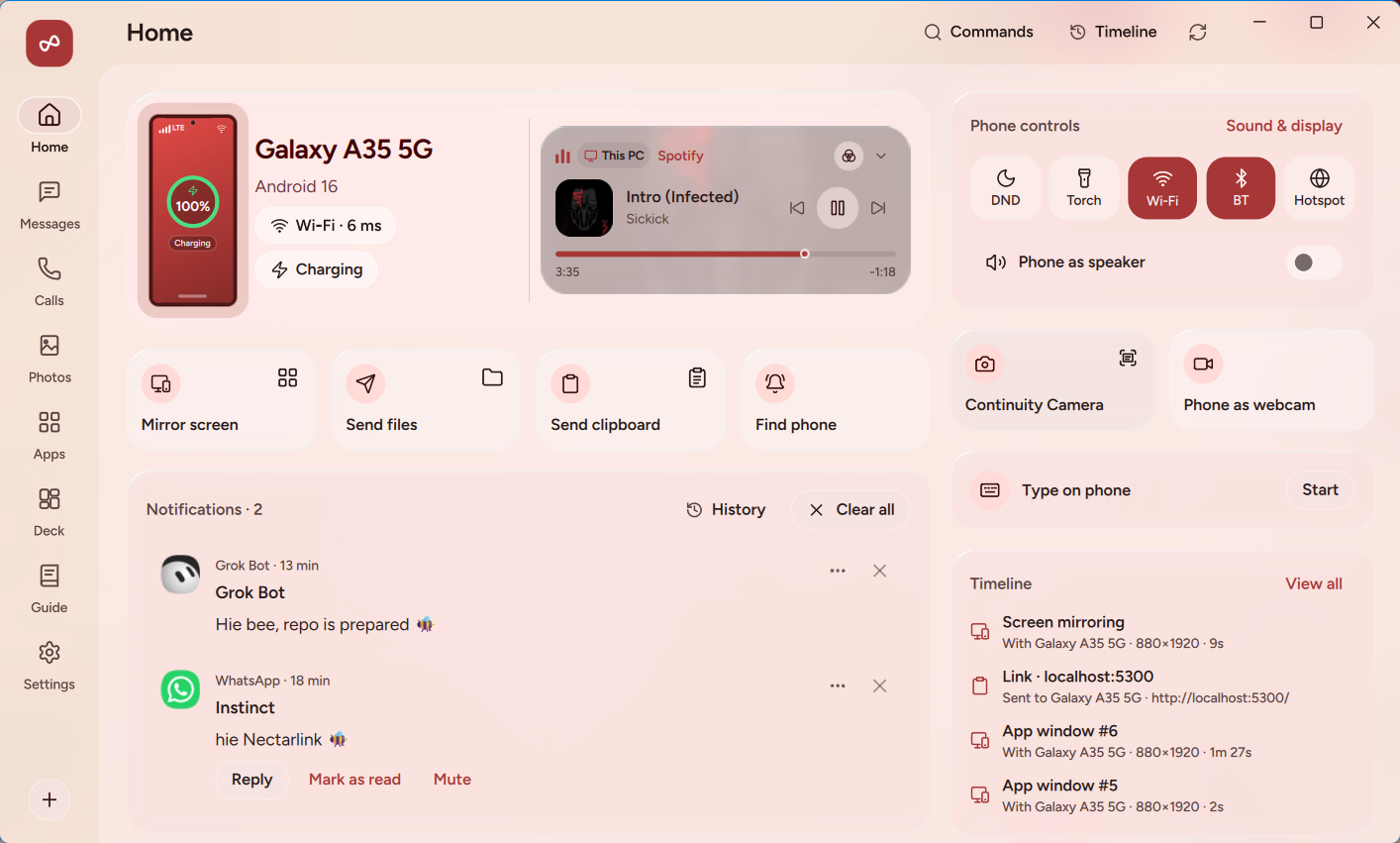
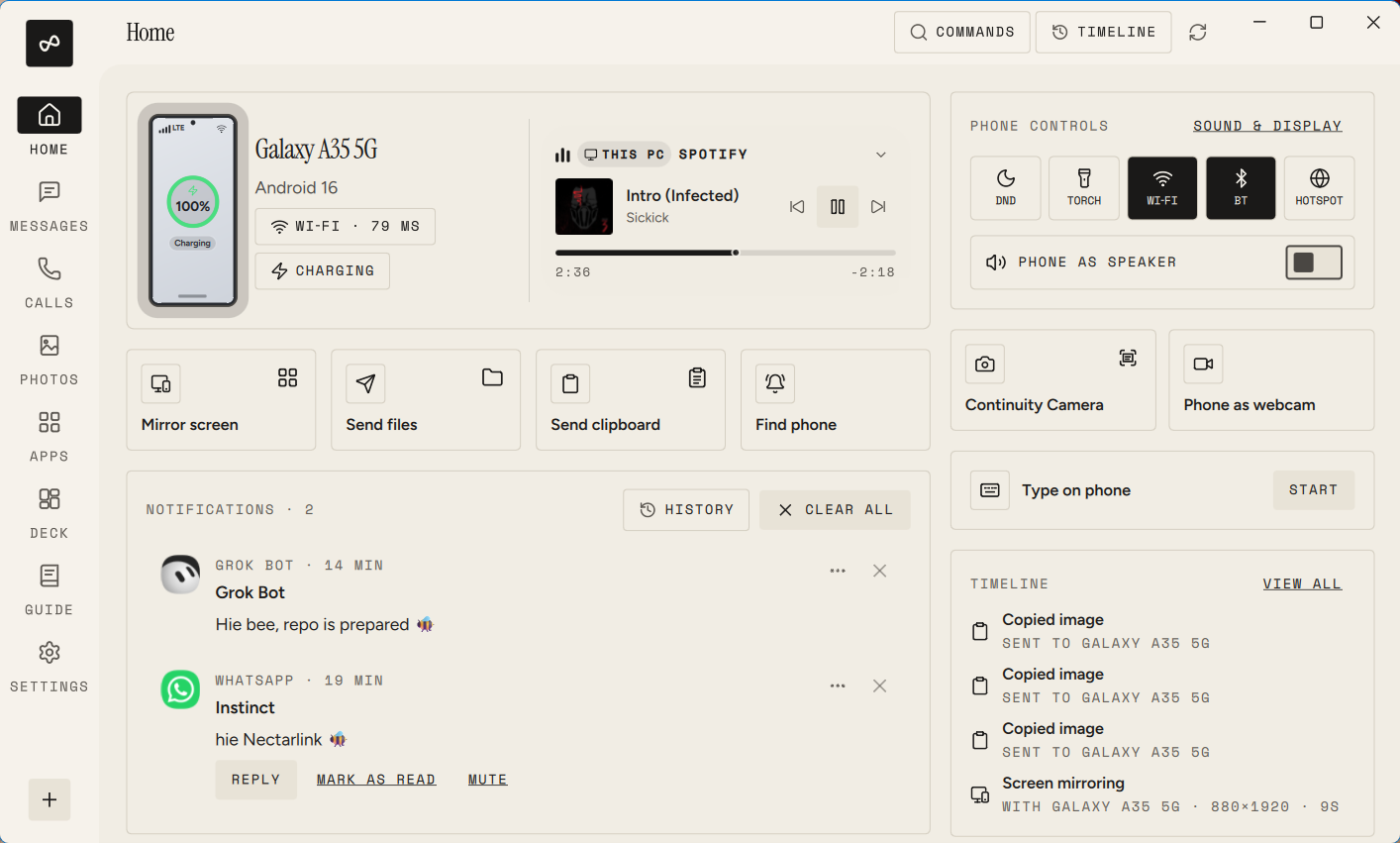
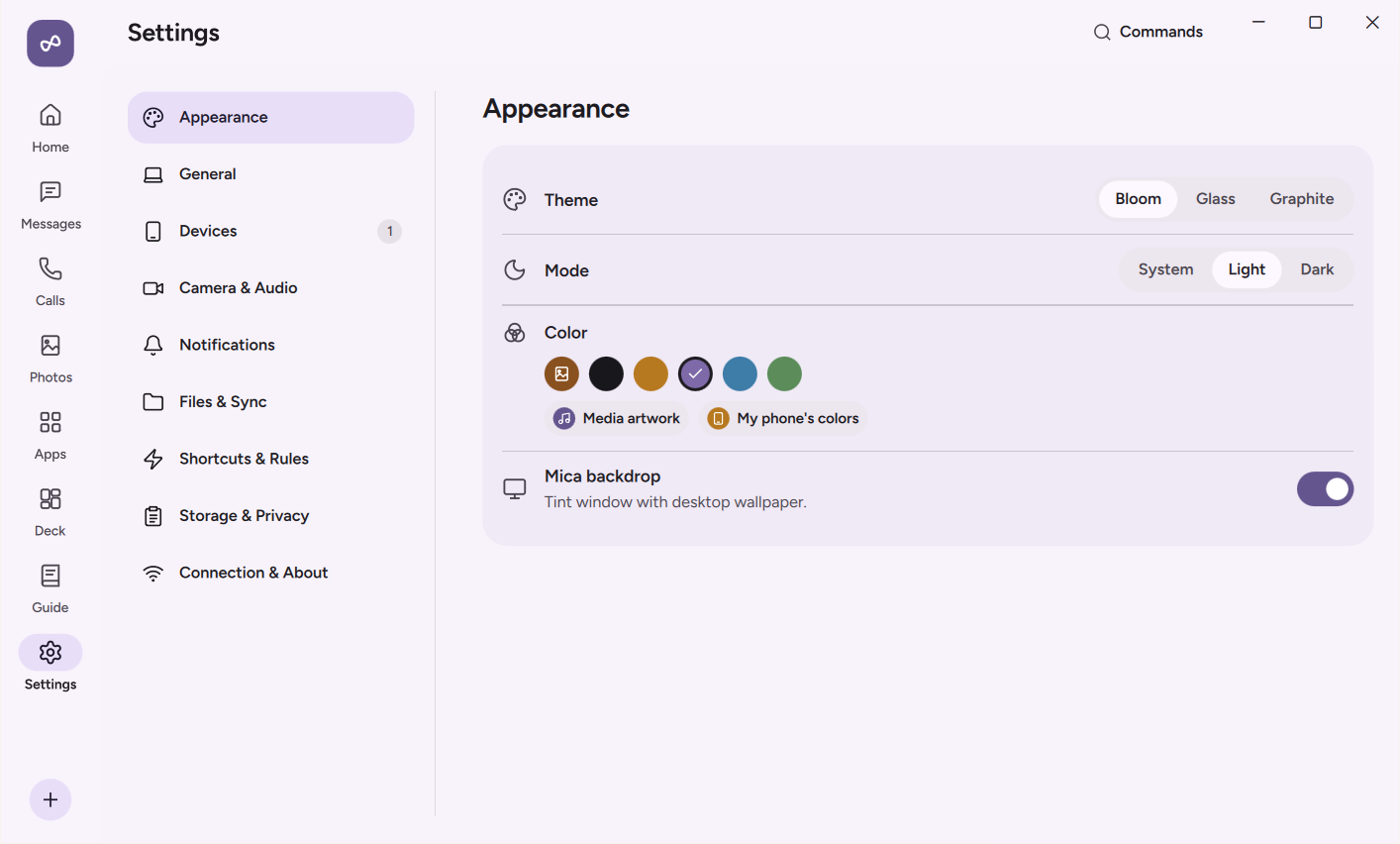
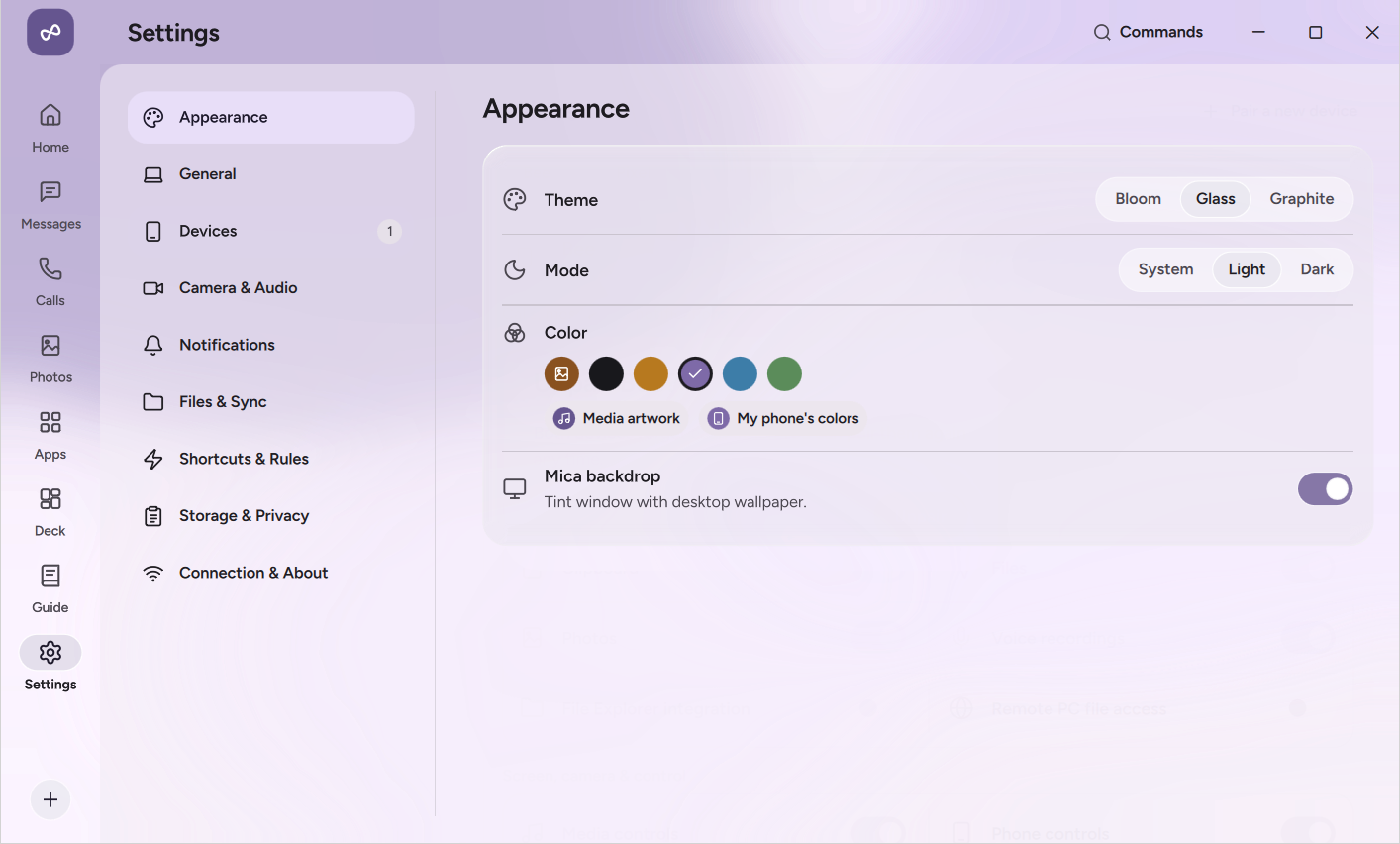
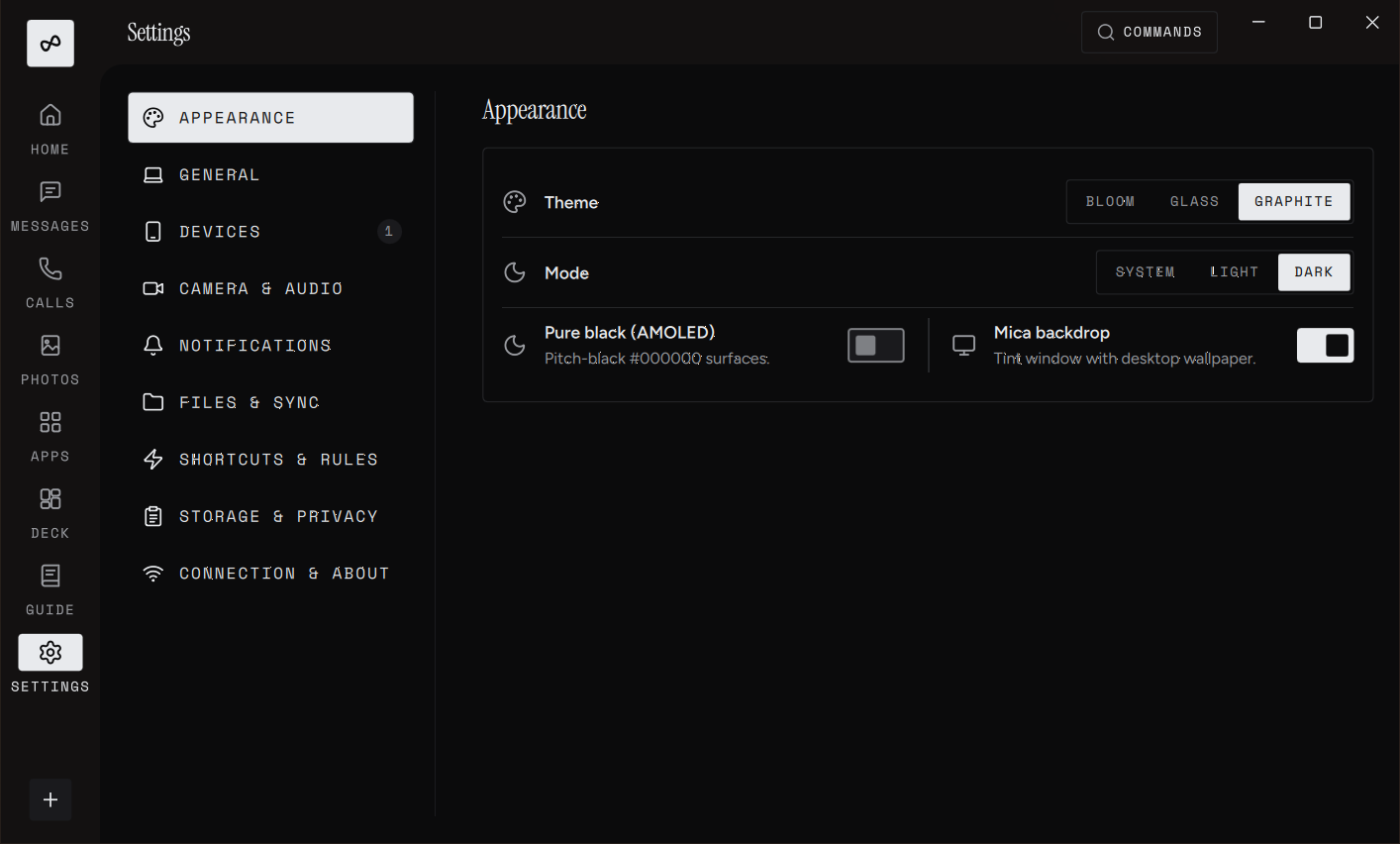
Also Bloom, soft and colorful; Glass, translucent cards over the
Windows backdrop; and Graphite, ink on paper. All in light and dark.
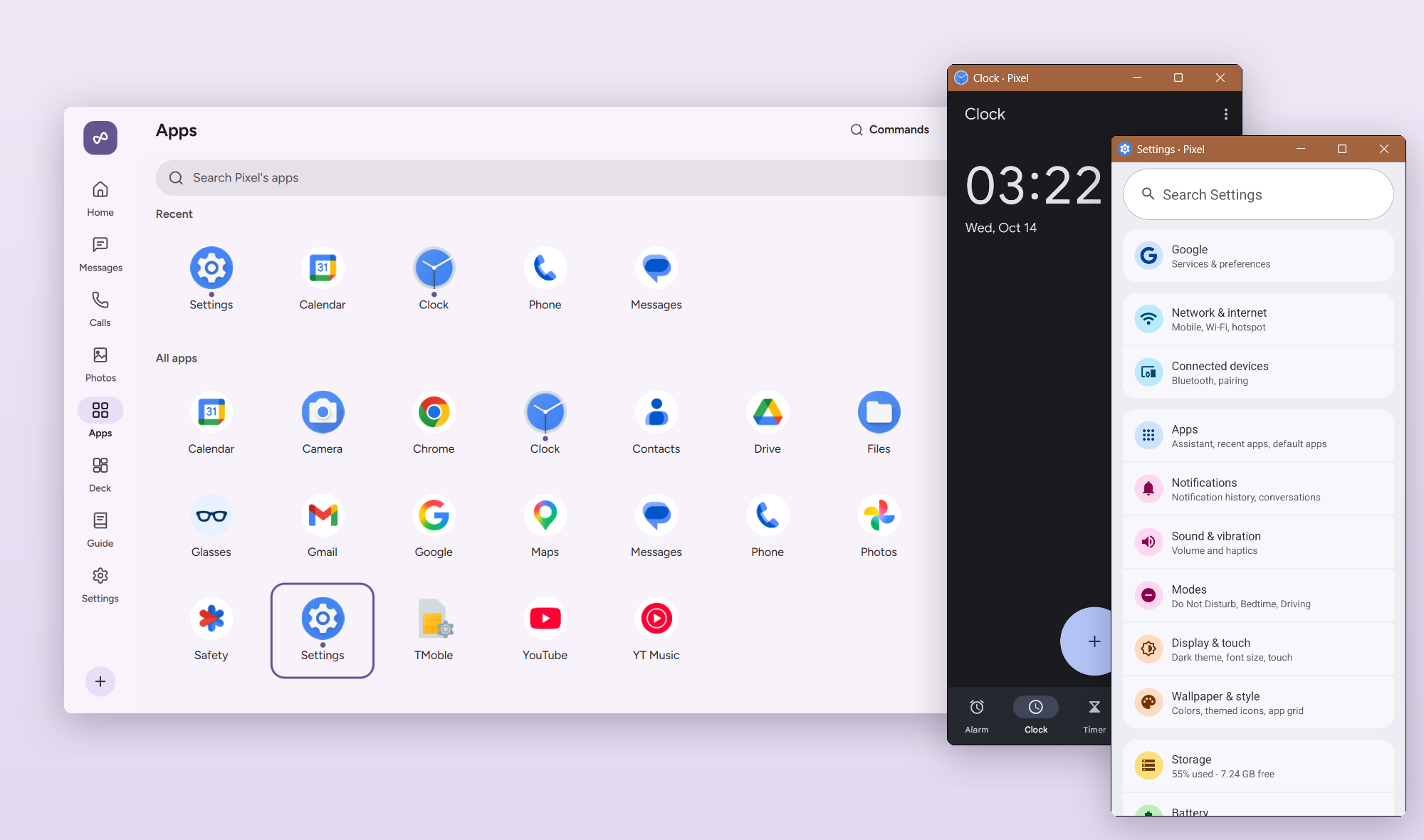
The phone's apps on the PC, each in a window of its own.
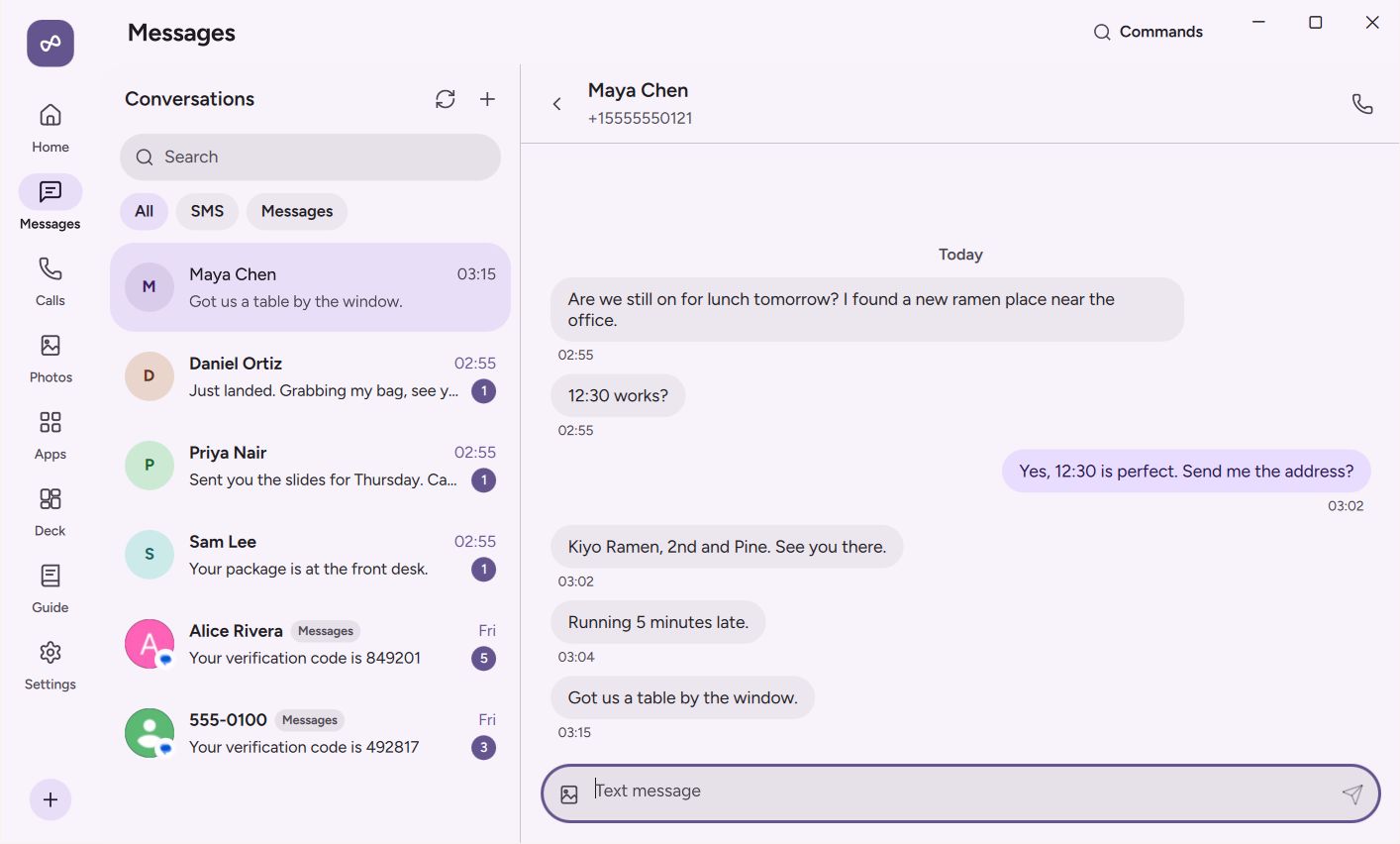
The phone's texts on the PC.
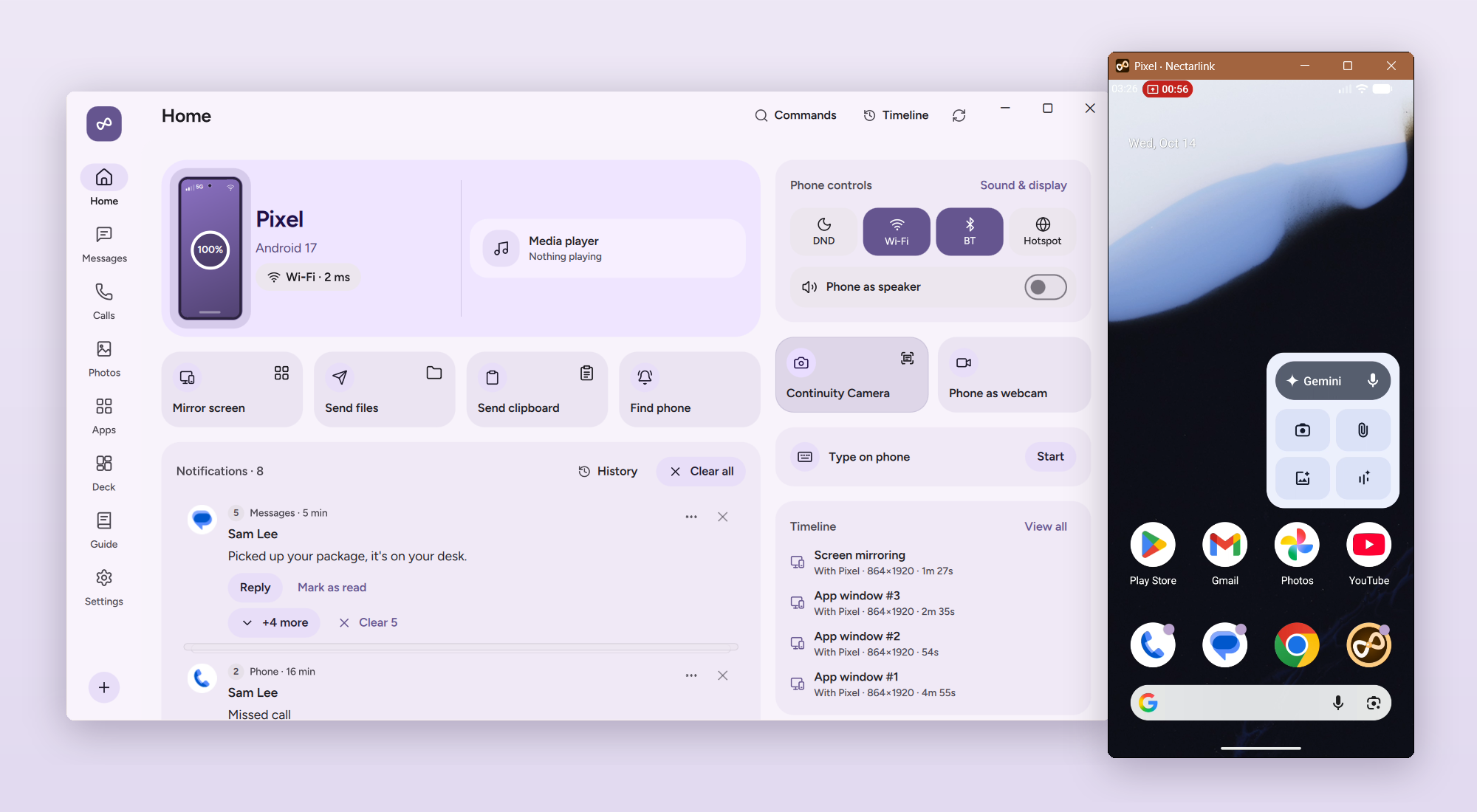
The whole phone screen in a window, with mouse and keyboard control.
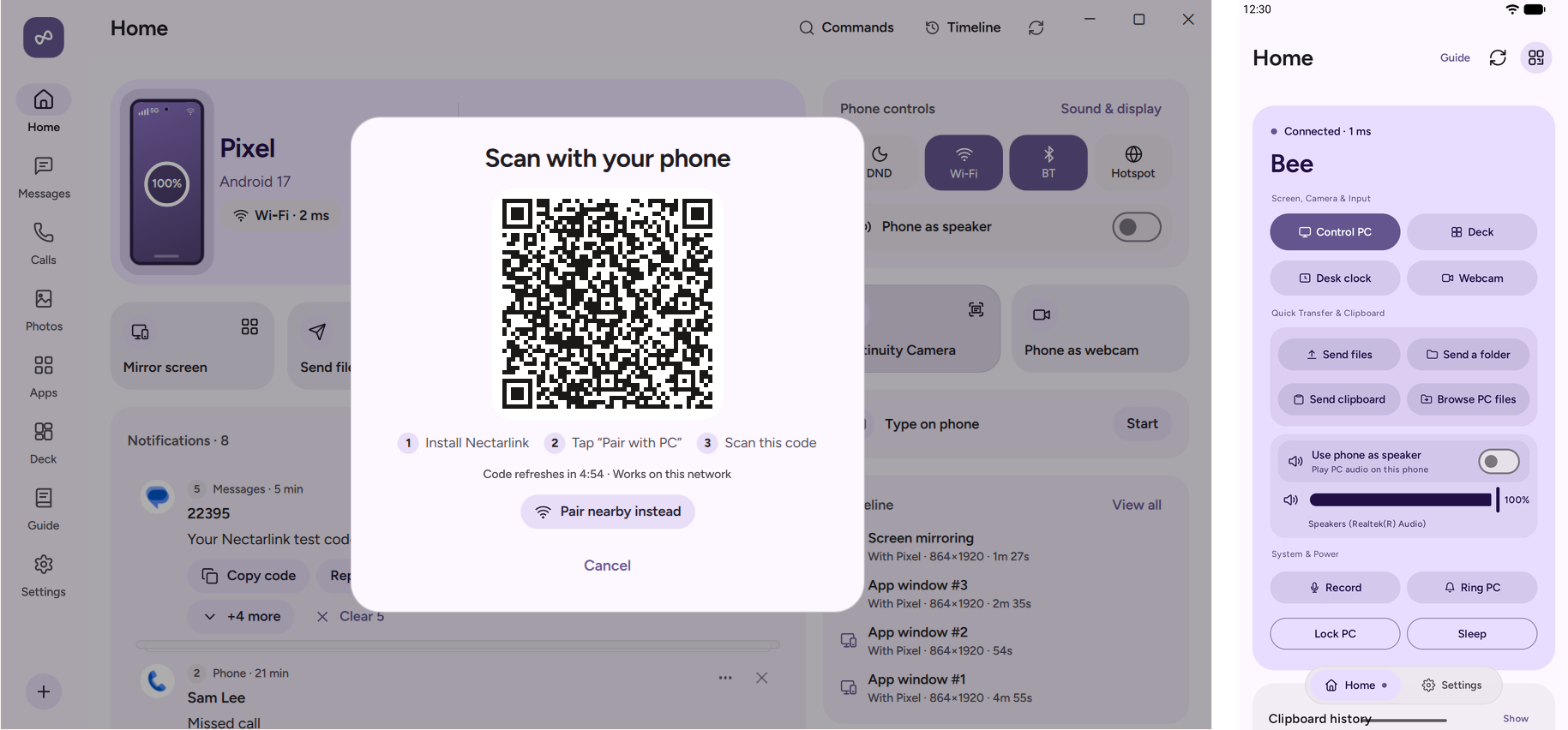
Pairing by QR code, and the Android app once connected.
How it works
 Android app (Kotlin, Compose)            Desktop app (Qt Quick, Rust)
          │ UniFFI                                │ cxx-qt
          ▼                                       ▼
 ┌─────────────────────┐   QUIC (iroh),   ┌─────────────────────┐
 │  nectarlink-core    │◄────────────────►│  nectarlink-core    │
 │  pairing, sessions, │  end-to-end      │  pairing, sessions, │
 │  storage, features  │  encrypted       │  storage, features  │
 └─────────────────────┘                  └─────────────────────┘
- One core, two apps. Protocol, pairing, sessions, the trust store and the
capability matrix live in Rust (
core/) and run unchanged on both platforms.
- Native on both sides. A desktop app for Windows and Linux built with Qt
Quick and Rust, and an Android app built with Jetpack Compose.
- Capability matrix. Both apps work out which features a pair of devices
supports and what would enable the rest, so the interface never offers
something that can't work.
- Protocol. Versioned and documented in docs/protocol/v0.md:
length-prefixed CBOR messages on QUIC streams.
Repository layout
core/
  nectarlink-protocol/   Message types, framing, pairing cryptography      (MPL-2.0)
  nectarlink-core/       Identity, trust store, pairing, sessions, features (MPL-2.0)
  nectarlink-ffi/        UniFFI bindings used by the Android app          (MPL-2.0)
  nectarlink-adb/        Client for the PC's adb, for USB connections      (MPL-2.0)
  nectarlink-cli/        Command-line client (`nectarlink`)                (GPL)
desktop/
  app/                   Desktop app: Rust host, cxx-qt bridge, QML UI     (GPL)
  vcam/                  Windows 11 virtual camera Media Foundation DLL    (GPL)
  installer/             NSIS installer script and Sparse Package manifest (GPL)
  packaging/             Linux packages and the install script             (GPL)
android/                 Android app: Kotlin and Jetpack Compose (API 26+) (GPL)
assets/fonts/            Fonts both apps ship with                         (OFL-1.1)
assets/brand/            The app icon (see the trademark policy)
tools/xtask/             Code generation (theme tokens) and checks         (GPL)
third_party/             Patched copies of dependencies, under their own licenses
spikes/                  Technical experiments with their results
scripts/                 Build, packaging and check scripts
docs/                    Guide, technical docs, protocol, design system    (CC BY 4.0)
Building from source
| Part |
Needs |
| Core and CLI |
Rust (stable, pinned in rust-toolchain.toml) |
| Windows app |
Windows 11, Visual Studio 2022 Build Tools (C++), Qt 6.12 for MSVC 2022 x64 |
| Linux app |
Ubuntu 24.04 or newer (glibc 2.39), a C++17 compiler, pkg-config, the X11, Wayland and D-Bus development packages, Qt 6.12 (gcc_64, with Qt Shader Tools and Qt Wayland Compositor) |
| macOS app |
macOS 14+, Xcode Command Line Tools, Qt 6.12 (or Homebrew Qt 6) |
| Android app |
Android SDK (platform 37, NDK 30.0.16248370), JDK 17 or newer, cargo-ndk (see android/README.md) |
For Linux hardware video encoding and decoding, install libavcodec-dev and
libavutil-dev before building. The backend loads the matching FFmpeg runtime
libraries when needed and tries available GPU drivers. Release packages support
FFmpeg 6 through 9: the Ubuntu 24.04 release build includes an FFmpeg 6 backend,
and separate adapters support versions 7, 8 and 9. Source builds use the
matching runtime for their headers. Without matching libraries or a working
hardware backend, the existing software H.264 path remains available. HEVC
encoding requires hardware; if unavailable, screen sharing falls back to H.264.
cargo test -p nectarlink-protocol -p nectarlink-core -p nectarlink-ffi   # core and tests
cargo run -p nectarlink-cli -- --help                                     # command-line client
cargo run -p nectarlink-desktop                                           # desktop app (Qt's bin on PATH)
cd android && ./gradlew assembleDebug                                     # Android app
./scripts/package.ps1    # Windows installer: target\package\Nectarlink-<version>-x64-setup.exe
./scripts/check.ps1      # every check CI runs; add -Android and -Arm64 for the full set
Releases are built by CI from a v* tag; see
docs/technical/releasing.md.
With Nix
Run or develop NectarLink using Nix flakes:
nix run                           # run desktop app
nix run .#cli                     # run CLI client
nix develop                       # enter development environment
Documentation
Questions and ideas
Ask questions, share ideas and show your setup in
Discussions. Issues are for
bugs and agreed feature work.
Contributing
Contributions are welcome. Please read CONTRIBUTING.md first;
for anything larger than a small fix, open an issue to agree on the approach.
Contributions are accepted under the Developer Certificate of Origin,
and everyone is expected to follow the Code of Conduct.
To translate NectarLink into your language, see
docs/translating.md.
To report a security issue, follow SECURITY.md. Please don't
open a public issue.
License
See LICENSE for which license applies where. The NectarLink name and
logo are covered by the trademark policy.

 NectarLink 将你的 Android 手机与 Windows 电脑(也支持 Linux,macOS 处于预览阶段)连接起来,让通知、消息、通话、剪贴板、文件、照片、屏幕镜像和手机应用能在两台设备之间协同使用,无需再单独使用 Phone Link、KDE Connect、LocalSend 等工具。