

What is this?
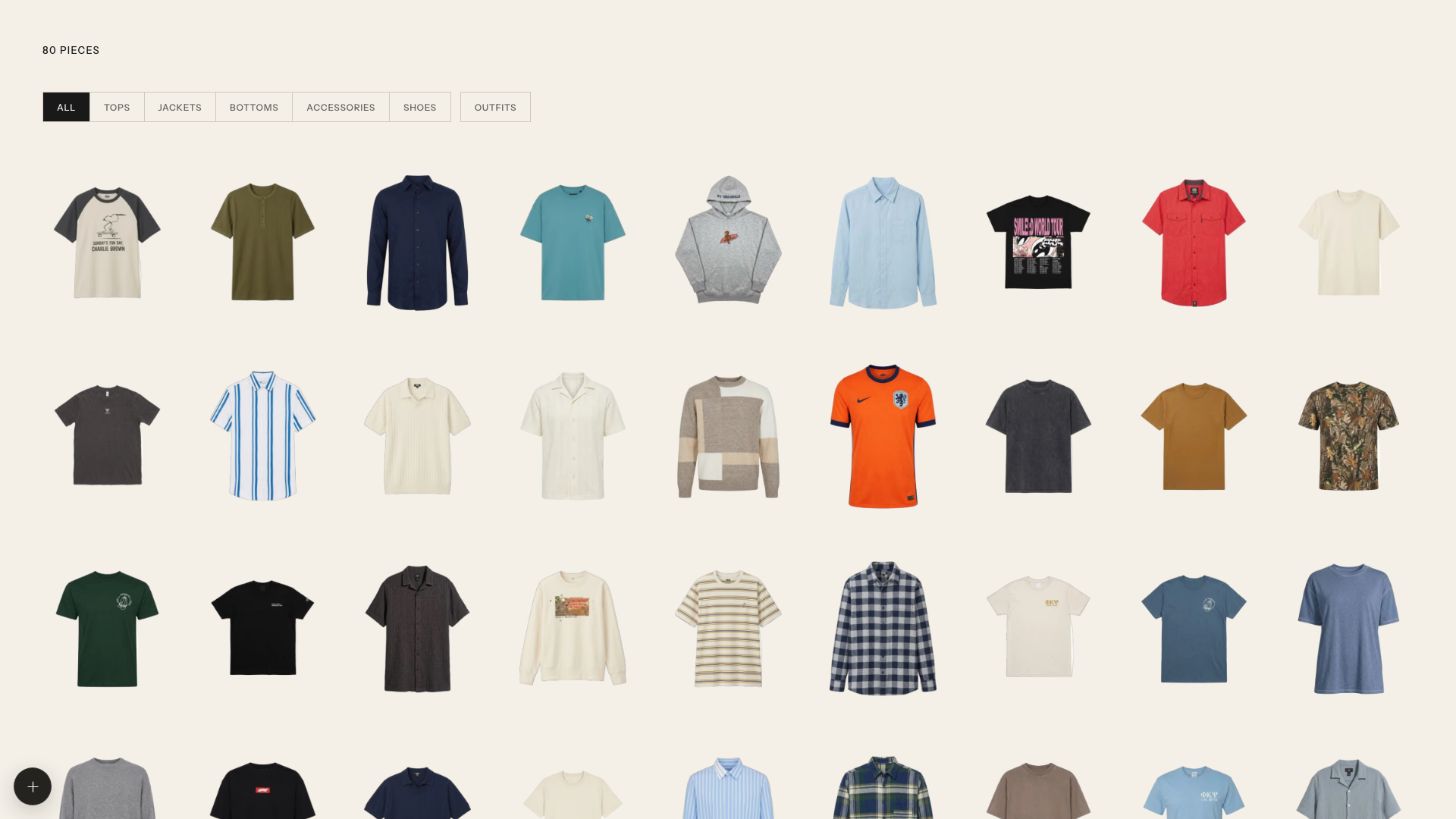
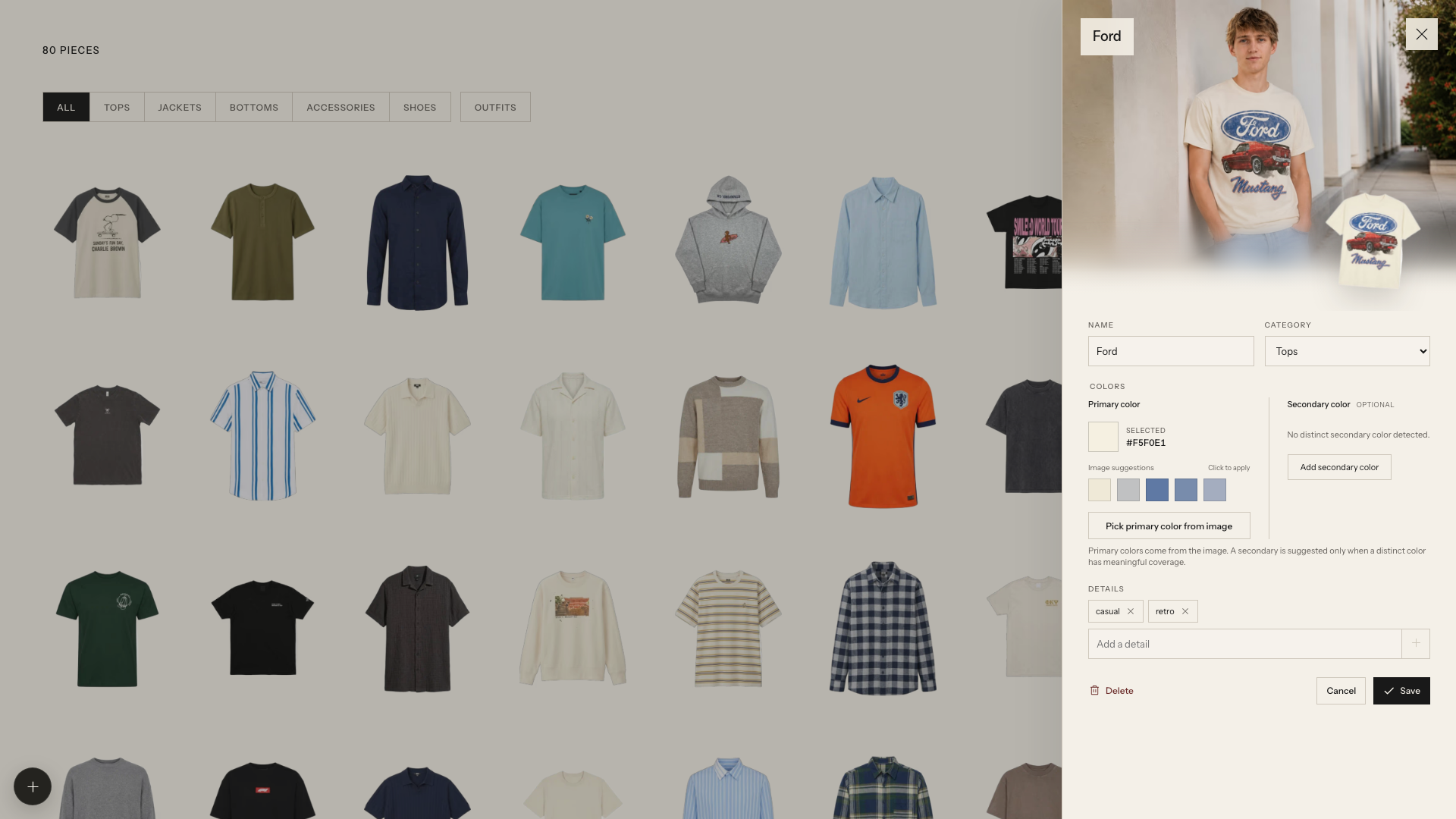
 Wardrobe is a self-hosted app that detects the clothes in a photo, extracts clean product cutouts with OpenAI's image API, and organizes them into a personal digital wardrobe, optionally generating modeled editorial previews with gpt-image-2.
Wardrobe is a self-hosted app that detects the clothes in a photo, extracts clean product cutouts with OpenAI's image API, and organizes them into a personal digital wardrobe, optionally generating modeled editorial previews with gpt-image-2.Is this a web app I run on my own machine?Yes, it's a local web app served at localhost:5173, and it keeps your photos plus the JSON wardrobe database entirely in a local data/ folder instead of a remote server.
Yes, it's a local web app served at localhost:5173, and it keeps your photos plus the JSON wardrobe database entirely in a local data/ folder instead of a remote server.How do I get it running?Add your OPENAI_API_KEY to .env and place a PNG reference photo of yourself at data/model-reference.png, then open localhost:5173 to start importing clothes.
Add your OPENAI_API_KEY to .env and place a PNG reference photo of yourself at data/model-reference.png, then open localhost:5173 to start importing clothes.Do I need an OpenAI API key?Yes, OPENAI_API_KEY is required, and you also need your own reference photo so the app can generate modeled previews of your clothes.
Yes, OPENAI_API_KEY is required, and you also need your own reference photo so the app can generate modeled previews of your clothes.Does the importer work right out of the box?No, the importer stays disabled until you've supplied an OpenAI API key and a model-reference PNG, so there's required setup before you can import anything.
No, the importer stays disabled until you've supplied an OpenAI API key and a model-reference PNG, so there's required setup before you can import anything.Where does my wardrobe data go?Everything — original photos, generated images, jobs, and the JSON database — stays local in the data/ folder rather than being stored on a remote server, besides the OpenAI API calls needed for detection and image generation.
Everything — original photos, generated images, jobs, and the JSON database — stays local in the data/ folder rather than being stored on a remote server, besides the OpenAI API calls needed for detection and image generation.What are the two Codex skills for?One imports clothes from photos and generates modeled item photos, while the other styles complete outfits and creates a modeled lookbook; both run directly inside Codex on the cloned repo.
One imports clothes from photos and generates modeled item photos, while the other styles complete outfits and creates a modeled lookbook; both run directly inside Codex on the cloned repo.Can I swap out the default OpenAI models?Yes, the vision and image models are configurable via OPENAI_VISION_MODEL and OPENAI_IMAGE_MODEL env vars, which default to gpt-5.4-mini and gpt-image-2.
Yes, the vision and image models are configurable via OPENAI_VISION_MODEL and OPENAI_IMAGE_MODEL env vars, which default to gpt-5.4-mini and gpt-image-2.Why does it need a reference photo of me?The model-reference PNG is used to generate the optional modeled editorial preview, showing how an extracted garment would look worn by you.
The model-reference PNG is used to generate the optional modeled editorial preview, showing how an extracted garment would look worn by you.Can it put together full outfits, not just single items?Yes, the outfit-generation Codex skill asks how many looks to create, then curates, generates, verifies, and saves a complete modeled lookbook under data/.
Yes, the outfit-generation Codex skill asks how many looks to create, then curates, generates, verifies, and saves a complete modeled lookbook under data/.What are similar projects?GPT-Image2-Skill, travel-memory-sticker-card, holo-card, gpt_image_playground, ModelTrace, ai-guide, xxg-portrait-rebuild-light, awesome-gpt-image-2-5-prompts
GPT-Image2-Skill, travel-memory-sticker-card, holo-card, gpt_image_playground, ModelTrace, ai-guide, xxg-portrait-rebuild-light, awesome-gpt-image-2-5-promptsWhich topics is it in?gpt-image-2, image-editing, codex-skill, ai-tools, gpt, vite, image-generation, image-processing, artificial-intelligence, generative-ai, local-first, web-app
gpt-image-2, image-editing, codex-skill, ai-tools, gpt, vite, image-generation, image-processing, artificial-intelligence, generative-ai, local-first, web-app