What is this?
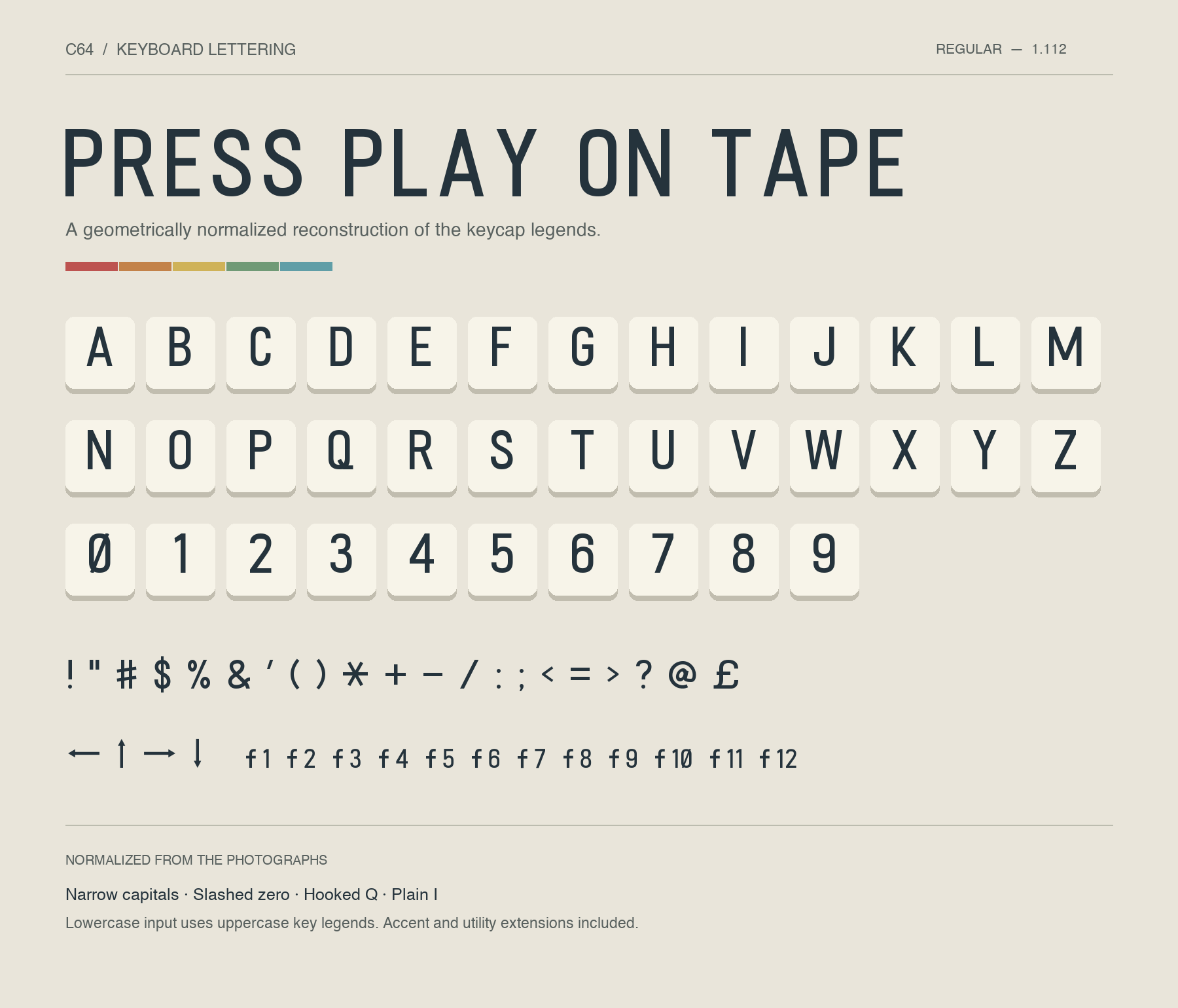
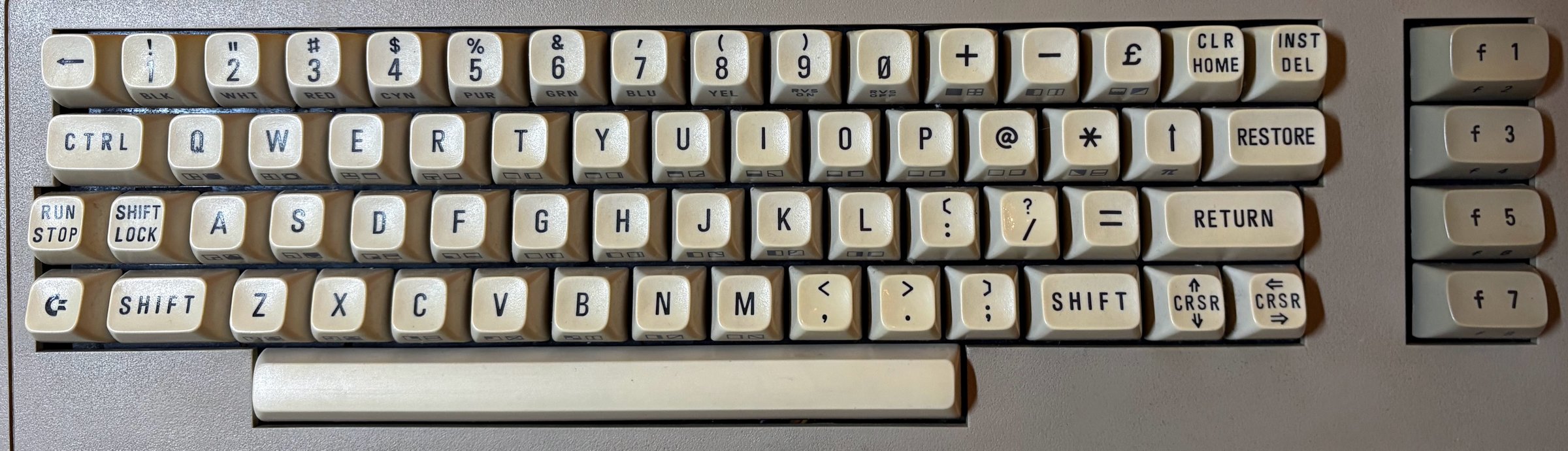
 C64 Keyboard is a font that recreates the printed letter and symbol legends from a real Commodore 64 keyboard, traced and cleaned up from photographs of the actual keycaps. It ships as desktop TTF/OTF files, a webfont, editable outlines, and a specimen for previewing the glyphs.
C64 Keyboard is a font that recreates the printed letter and symbol legends from a real Commodore 64 keyboard, traced and cleaned up from photographs of the actual keycaps. It ships as desktop TTF/OTF files, a webfont, editable outlines, and a specimen for previewing the glyphs.Is this a direct photo trace or a redrawn font?It's a cleaned-up reconstruction rather than a literal trace: shapes are smoothed into consistent proportions, and even the PETSCII graphic glyphs are geometric reconstructions inferred from the keycap photo rather than exact photo traces.
It's a cleaned-up reconstruction rather than a literal trace: shapes are smoothed into consistent proportions, and even the PETSCII graphic glyphs are geometric reconstructions inferred from the keycap photo rather than exact photo traces.How do I install and use it?Install the TTF or OTF file and select 'C64 Keyboard' in your application, or skip installing anything and try it live in the online browser preview, or download the complete package and open preview.html locally.
Install the TTF or OTF file and select 'C64 Keyboard' in your application, or skip installing anything and try it live in the online browser preview, or download the complete package and open preview.html locally.Do I need to do anything special if I already have an older version installed?Yes — replace it with version 1.112 and restart any app that still shows the old font. Two older glyphs (the previous U+E000 symbol and the U+E020–U+E028 key-name legends) have been removed in this version.
Yes — replace it with version 1.112 and restart any app that still shows the old font. Two older glyphs (the previous U+E000 symbol and the U+E020–U+E028 key-name legends) have been removed in this version.Can I use this on a website as a webfont?Yes, a webfont version is included alongside the TTF and OTF, and the project also offers a live browser preview so you can test the glyphs before downloading anything.
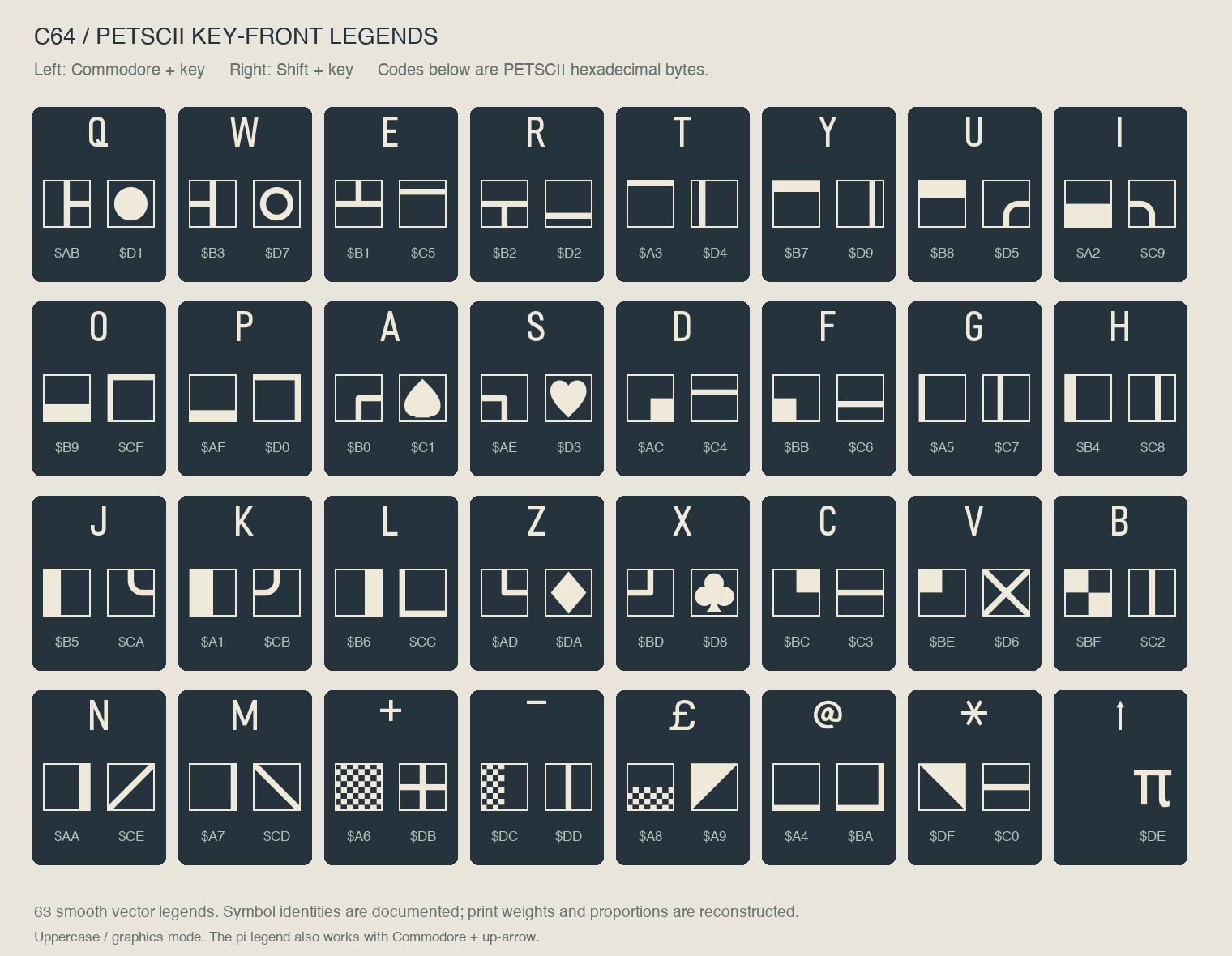
Yes, a webfont version is included alongside the TTF and OTF, and the project also offers a live browser preview so you can test the glyphs before downloading anything.What characters and symbols does the font include?Uppercase letters, numbers, punctuation, arrows, £ and π, selected accented letters including Hungarian characters, function-key labels f1-f12, and all 63 PETSCII graphic front legends. Lowercase input is displayed as uppercase.
Uppercase letters, numbers, punctuation, arrows, £ and π, selected accented letters including Hungarian characters, function-key labels f1-f12, and all 63 PETSCII graphic front legends. Lowercase input is displayed as uppercase.How do I type the PETSCII graphic symbols?Open the online preview or preview.html, click the PETSCII buttons to insert symbols into the type tester, then copy the text into your own app with the font selected. Left legends map to Commodore+key, right legends to Shift+key.
Open the online preview or preview.html, click the PETSCII buttons to insert symbols into the type tester, then copy the text into your own app with the font selected. Left legends map to Commodore+key, right legends to Shift+key.Where did the letterforms actually come from?They were traced from the author's own Commodore 64, a Central European unit — its physical keycaps served as the direct reference for every letter, number, and symbol in the font.
They were traced from the author's own Commodore 64, a Central European unit — its physical keycaps served as the direct reference for every letter, number, and symbol in the font.Can I edit or extend the font myself?Yes, editable outlines live in the glyphs/ folder with accompanying build tools in scripts/, and the repo includes build instructions and a version history for anyone wanting to modify it.
Yes, editable outlines live in the glyphs/ folder with accompanying build tools in scripts/, and the repo includes build instructions and a version history for anyone wanting to modify it.What are similar projects?source-han-sans, Macintosh-Skeletal-Filled, libron, awesome-design, inter, Iosevka, Hack, devicon
source-han-sans, Macintosh-Skeletal-Filled, libron, awesome-design, inter, Iosevka, Hack, devicon