

superplane README

项目的 README,来自 github.com/superplanehq/superplane。合并为一个 markdown 文件:README.md。

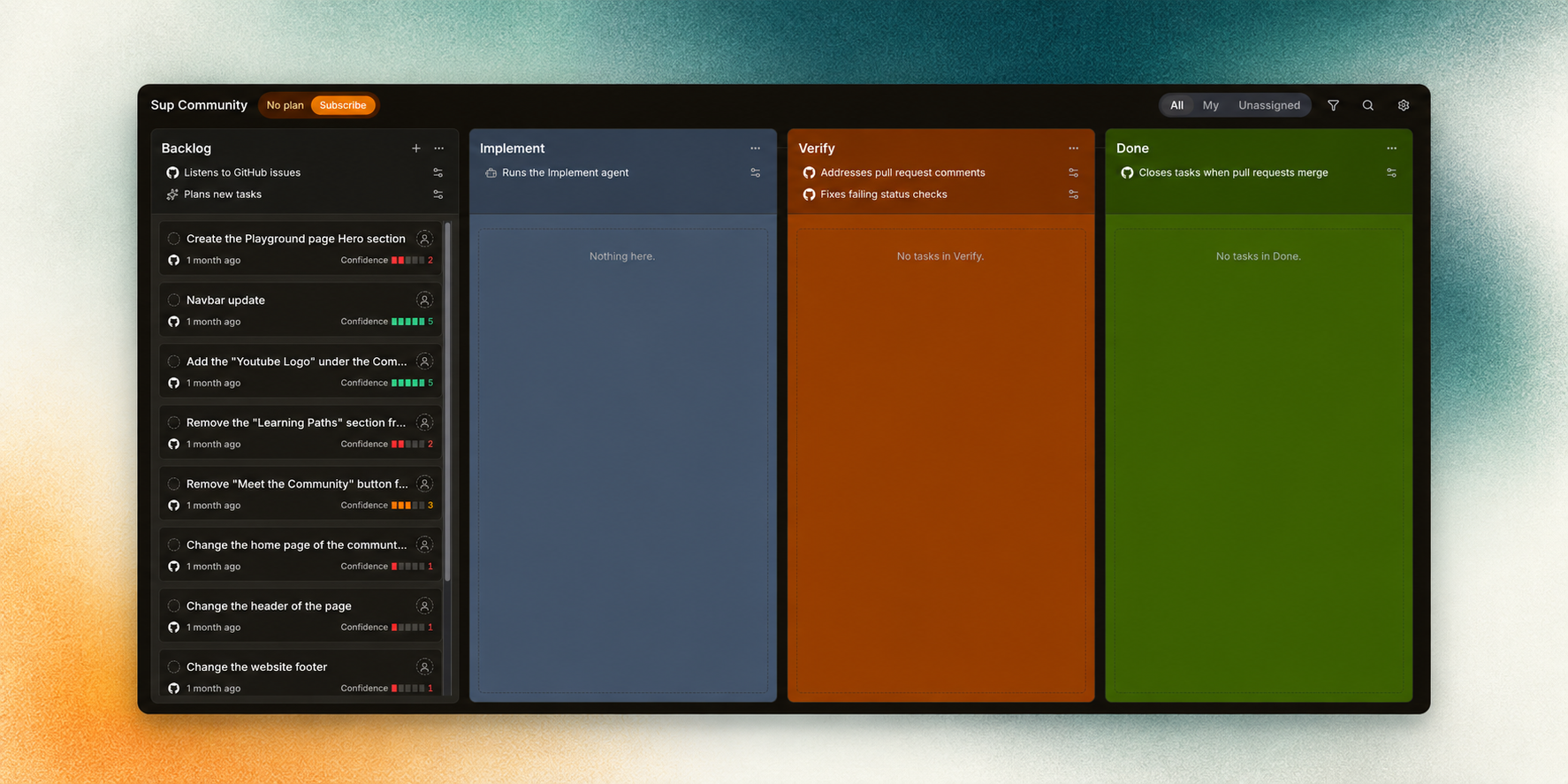
SuperPlane factory board with Backlog, Implement, Verify, and Done columns

Build Apache 2.0 Discord Listed on mcpservers.org

Try SuperPlane · Website · Docs · Self-host · Discord

About

Open source factory for one-shot engineering.

SuperPlane turns high-confidence backlog issues into verified, review-ready pull requests so engineers can focus on work that needs judgment.

SuperPlane lets AI agents fully automate routine development work. It coordinates coding agents, source control, CI, review, approvals and feedback in one visible system so engineers do not have to project-manage every step.

The factory continuously evaluates which backlog issues agents can handle with high confidence. It applies the same workflow-level guardrails to every run, checks the result and sends failures back to the agent with actionable context. Ambiguous work and decisions that need human judgment stay with your team.

SuperPlane is built on an Apache 2.0 open source engine. Choose your models, run in the cloud or on-prem and build the factory around your stack and cost constraints.

How it works

Turn backlog issues into work agents can deliver

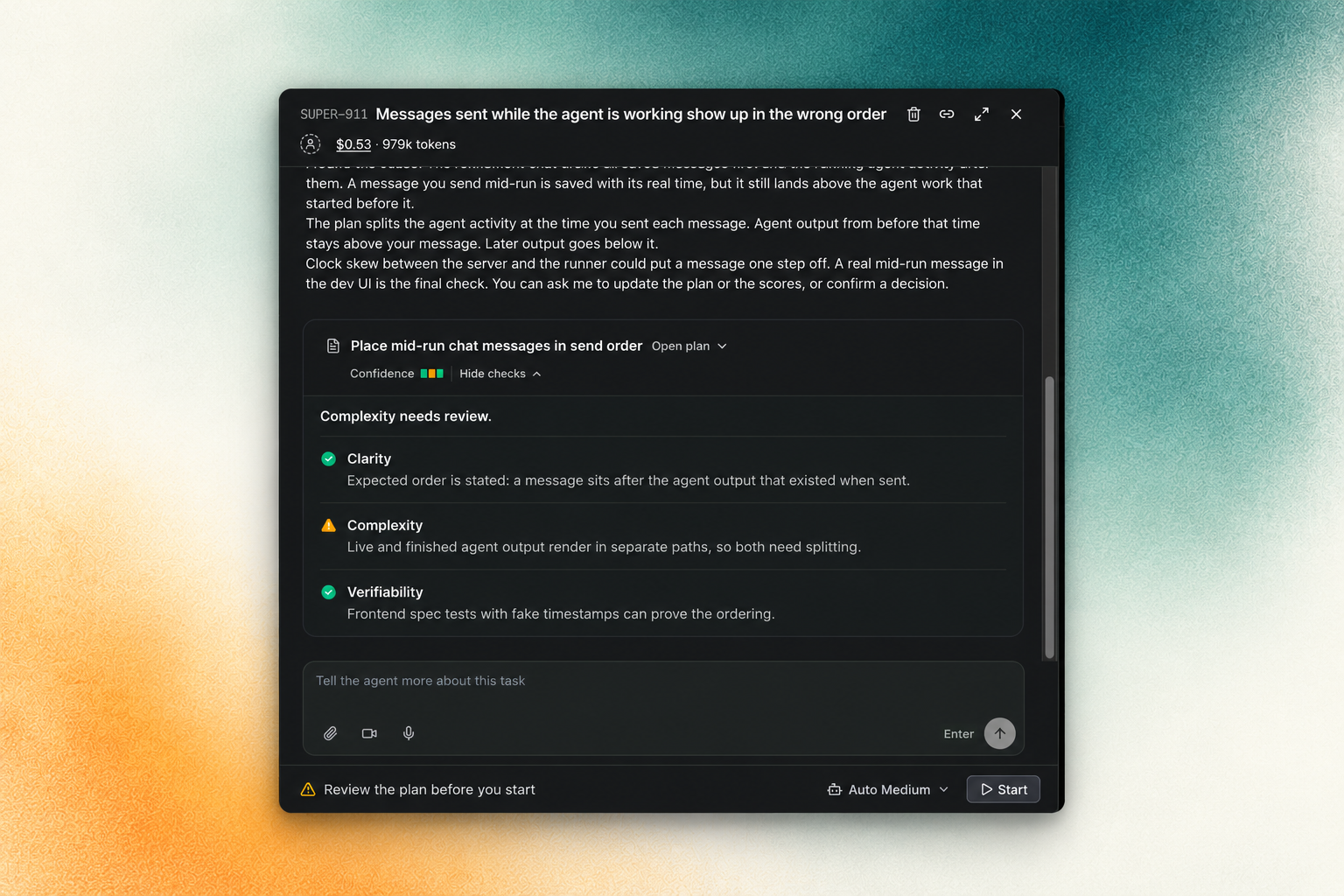
Task refinement showing a plan and readiness assessment

Reliable automation starts with a clear task. SuperPlane analyzes the issue, helps refine the plan, and identifies decisions that need your input before implementation begins.

Bring verified changes to human review

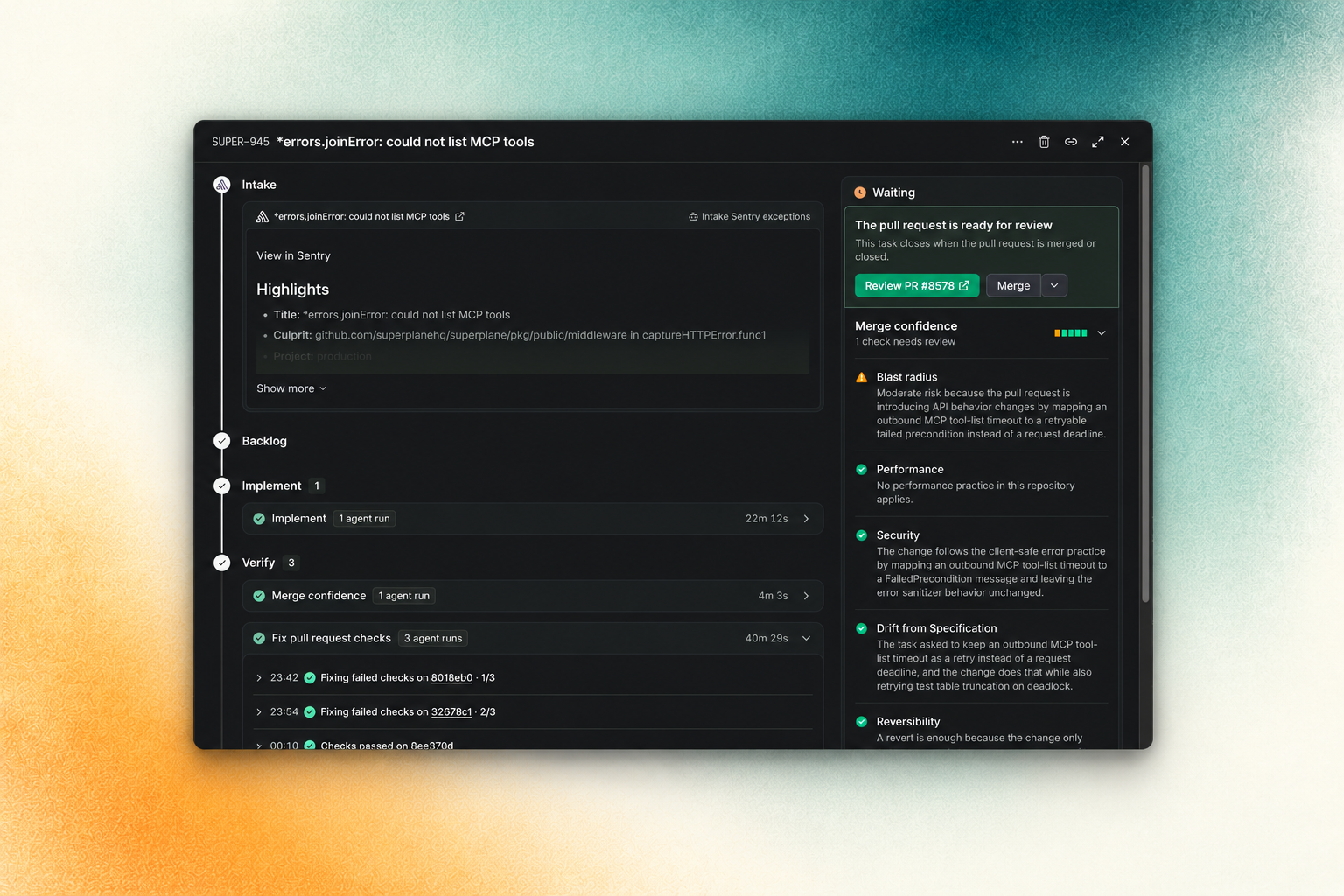
Pull request verification showing check fixes and merge confidence

SuperPlane checks the agent's work and sends failures back for correction. An agent review assesses merge confidence and highlights remaining concerns, so your team can make the final decision with evidence.

The plan and the pull request review are two parts of that workflow. SuperPlane can also wait for an event from your tools, call an agent, or ask a person for approval.

Getting started

SuperPlane Cloud

  1. Sign up and create a workspace.
  2. Connect a GitHub repository.
  3. Choose a small bug, a test fix, or a documentation update for the first run.

SuperPlane imports the issues and assesses which tasks are suitable for an agent.

Self-host

Install SuperPlane on your own infrastructure.

See the self-hosting guide.

Contributing

We welcome focused pull requests, bug reports and product ideas.

  1. Read the contributing guide.
  2. Review the issue tracking process.
  3. Find an open issue.
  4. Join the Discord community to discuss an approach with maintainers.

Contributor setup is Docker-based. Start with the repository instructions in AGENTS.md and the development section of CONTRIBUTING.md.

Community and license

SuperPlane is available under the Apache License 2.0.

superplane (superplanehq/superplane)

正在搜索数据库…

这是什么?SuperPlane 是一个开源的“工厂”,它通过协调 AI 编程代理、源代码管理、CI、代码审查和审批流程,在一个可视化的系统中,把高置信度的待办问题转化为经过验证、可直接审查的拉取请求。
这是单个编程代理,还是一个编排系统?它是一个编排引擎,本身不是编程代理:工厂中有多个工单,工单沿着自动化流水线流转,每个步骤都可以运行一个代理、调用一个工具、等待某个事件,或者通过基于 Canvas 的应用请求人工审批。
我该如何让它运行起来?贡献者环境基于 Docker 搭建:请从代码仓库中的 AGENTS.md 说明以及 CONTRIBUTING.md 的开发部分开始。
它集成了哪些编程代理和开发工具?它可以接入 Claude、Cursor、OpenAI、OpenRouter 和 Perplexity 等 AI/编程代理,以及 GitHub、GitLab、Bitbucket、Semaphore、CircleCI 和 Harness 等源代码管理与 CI 工具,还支持云服务、可观测性、事件管理和聊天工具的集成。
它能完全自动化开发吗,还是需要人工介入?不能完全自动化。含糊不清的工作以及需要人工判断的决策仍由你的团队负责;SuperPlane 只会转交其评估为高置信度的待办问题,为每次运行设置防护措施,并将失败情况连同可操作的上下文一并交回代理处理。
SuperPlane 中的 Canvas 是什么?Canvas 是一个可视化工作区,你可以在这里把来自各集成工具(如 GitHub、Slack、Datadog 等)的事件触发器和动作连接到处理工单的自动化流水线中。
SuperPlane 中的 Run 记录了什么?Run 记录一个自动化步骤的持久化执行过程,包括其输入、输出、重试次数和成本。
工单中的某个步骤失败时会发生什么?SuperPlane 会在多次重试之间保留事件历史、执行状态和产物,因此失败的运行可以从中断处继续,无需额外的自定义胶水代码,也不会丢失上下文。
大小
552.6 MB
星标
10.1K
时长
1年
提交 · 90 天