



10.1K ·GitHub
Что это такое?
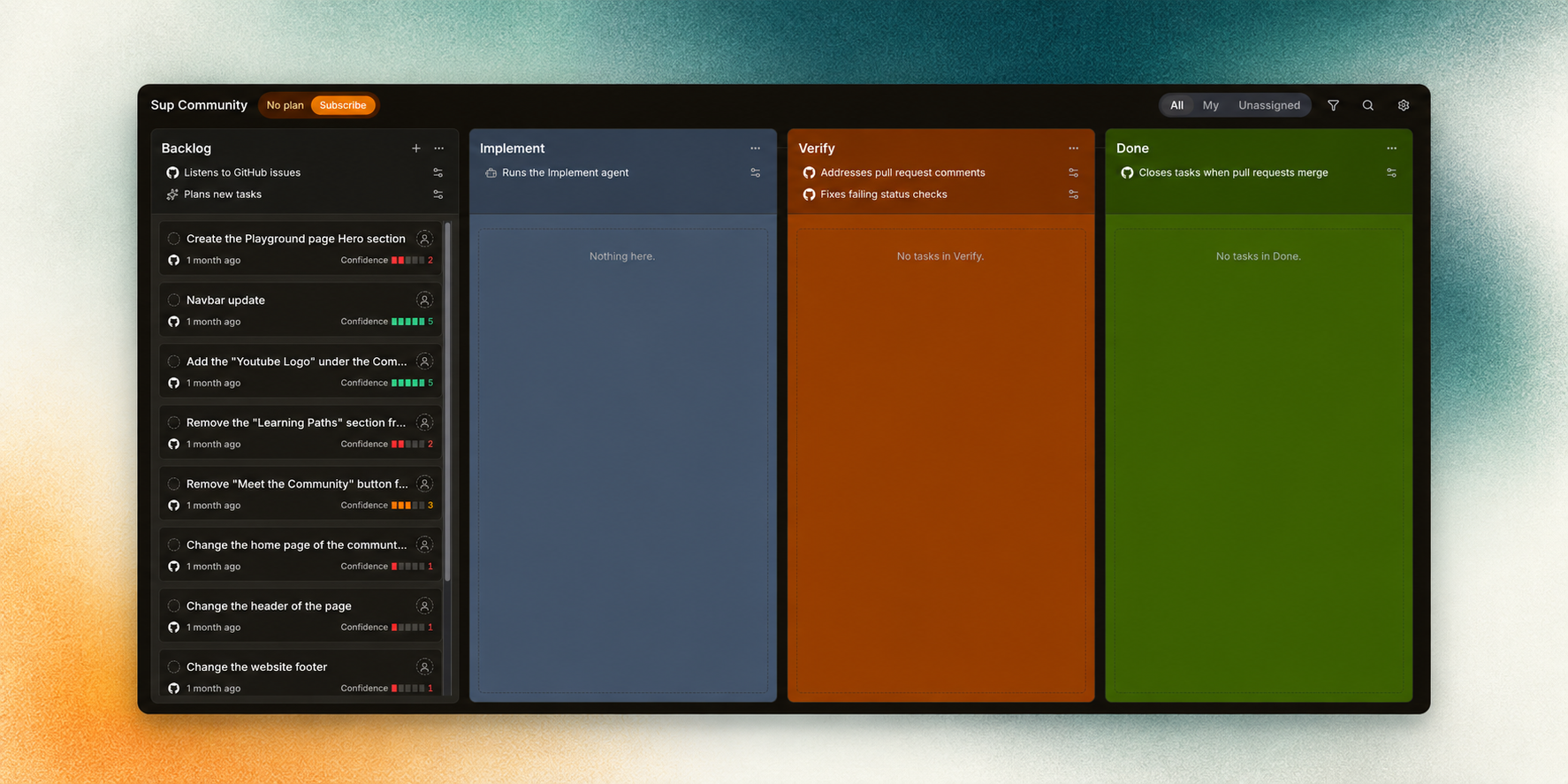
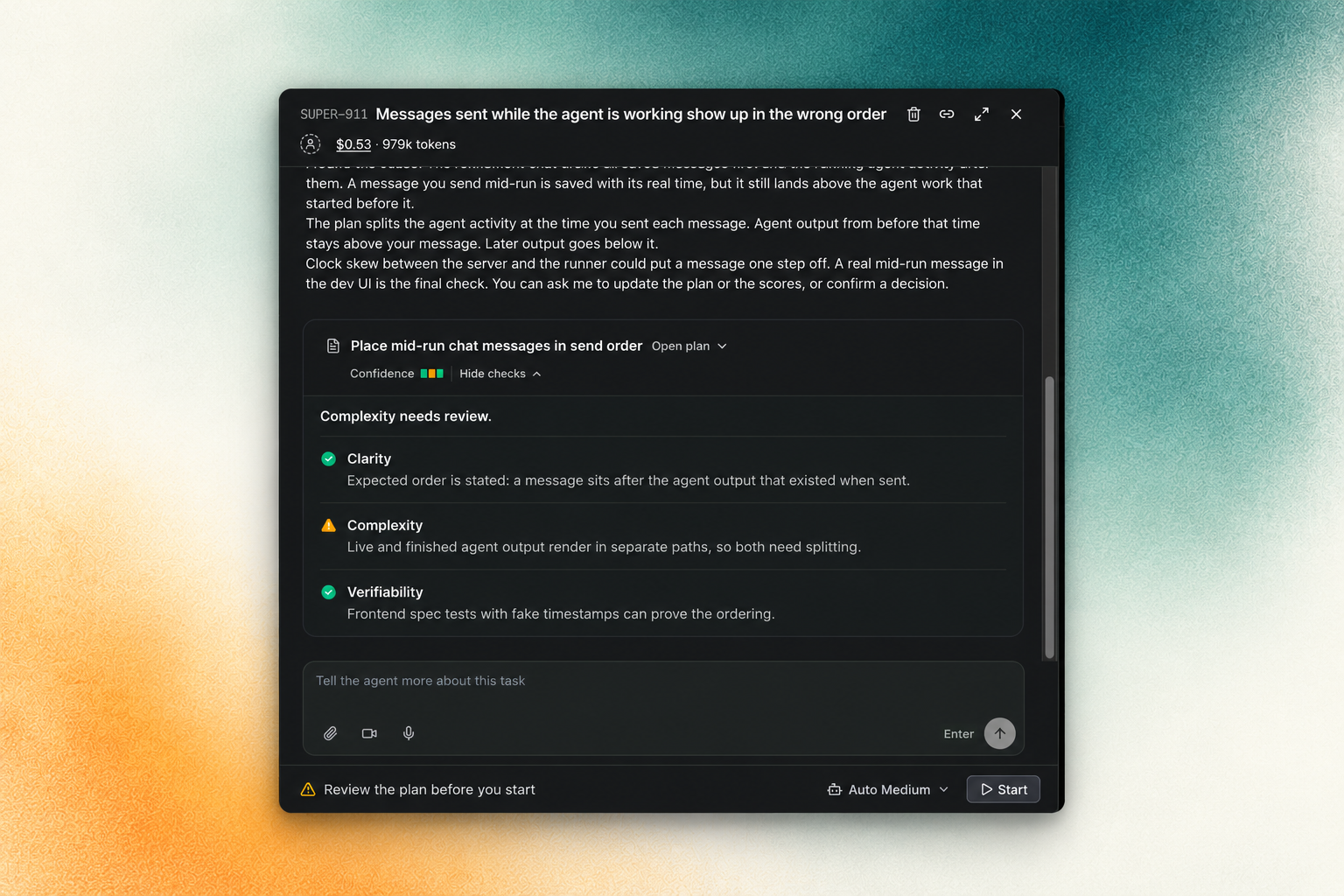
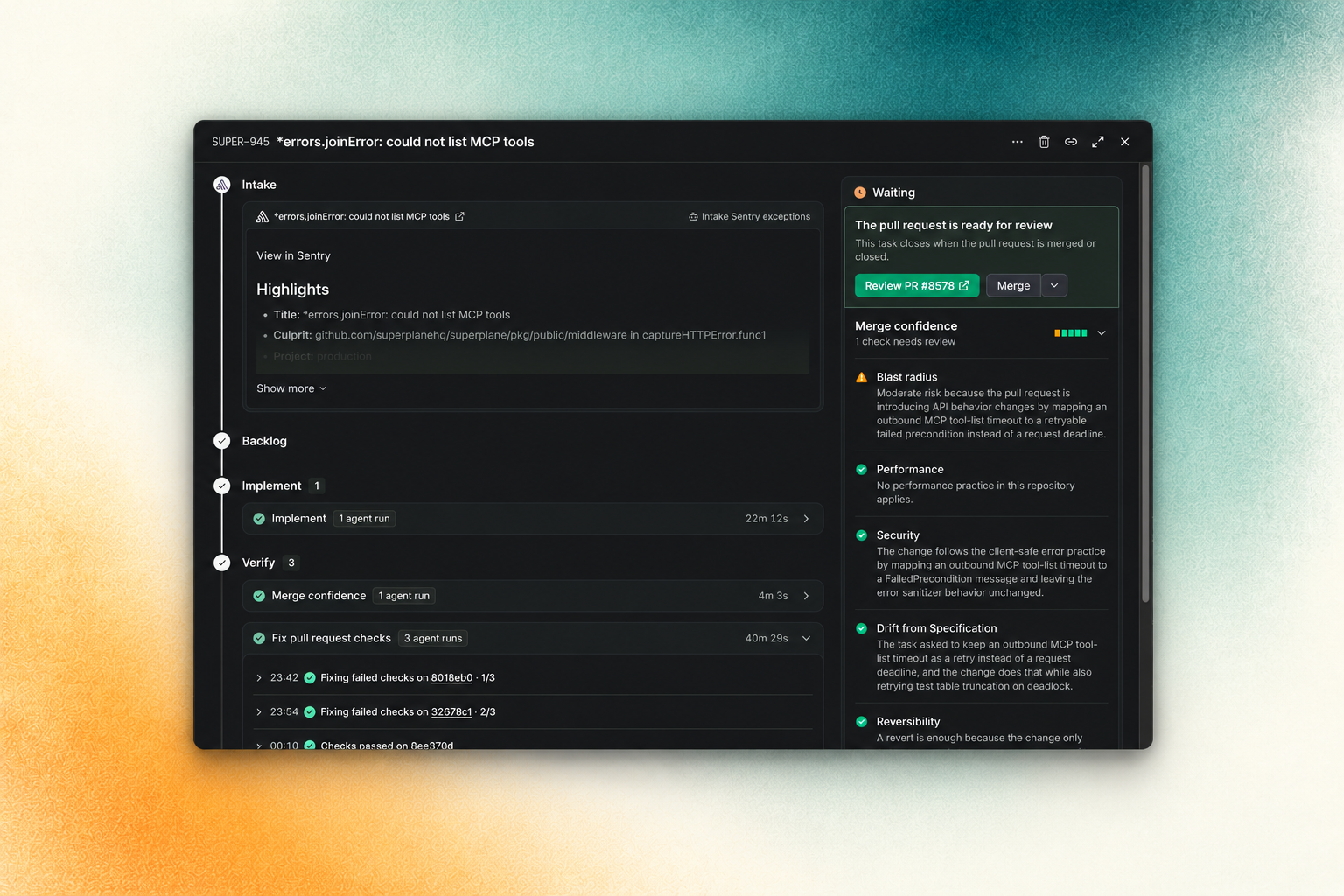
 SuperPlane — это открытая фабрика, которая превращает задачи из бэклога с высокой степенью уверенности в проверенные pull request'ы, готовые к ревью, координируя работу ИИ-агентов для написания кода, систем контроля версий, CI, ревью и согласований в одной наглядной системе.
Это один агент для написания кода или система оркестрации?Это движок оркестрации, а не агент для написания кода: Factory содержит рабочие заказы, которые проходят через автоматизированные линии, где каждый шаг может запустить агента, вызвать инструмент, дождаться события или потребовать одобрения человека через приложение на базе Canvas.
Это движок оркестрации, а не агент для написания кода: Factory содержит рабочие заказы, которые проходят через автоматизированные линии, где каждый шаг может запустить агента, вызвать инструмент, дождаться события или потребовать одобрения человека через приложение на базе Canvas.Как это запустить?Настройка для контрибьюторов выполняется на основе Docker: начните с инструкций в AGENTS.md и в разделе о разработке в CONTRIBUTING.md в репозитории.
Настройка для контрибьюторов выполняется на основе Docker: начните с инструкций в AGENTS.md и в разделе о разработке в CONTRIBUTING.md в репозитории.С какими агентами для написания кода и инструментами разработки это интегрируется?Он подключается к ИИ- и агентам для написания кода, таким как Claude, Cursor, OpenAI, OpenRouter и Perplexity, а также к инструментам систем контроля версий и CI, таким как GitHub, GitLab, Bitbucket, Semaphore, CircleCI и Harness, включая интеграции с облачными сервисами, системами наблюдаемости, управления инцидентами и чатами.
Он подключается к ИИ- и агентам для написания кода, таким как Claude, Cursor, OpenAI, OpenRouter и Perplexity, а также к инструментам систем контроля версий и CI, таким как GitHub, GitLab, Bitbucket, Semaphore, CircleCI и Harness, включая интеграции с облачными сервисами, системами наблюдаемости, управления инцидентами и чатами.Он полностью автоматизирует разработку, или человеку всё равно нужно вмешиваться?Нет, неоднозначные задачи и решения, требующие человеческого суждения, остаются за вашей командой; SuperPlane передаёт в работу только те задачи из бэклога, которые он оценил как задачи с высокой степенью уверенности, применяет защитные ограничения к каждому запуску и возвращает сбои агенту вместе с полезным контекстом.
Нет, неоднозначные задачи и решения, требующие человеческого суждения, остаются за вашей командой; SuperPlane передаёт в работу только те задачи из бэклога, которые он оценил как задачи с высокой степенью уверенности, применяет защитные ограничения к каждому запуску и возвращает сбои агенту вместе с полезным контекстом.Что такое Canvas в SuperPlane?Canvas — это визуальное рабочее пространство, где вы соединяете триггеры событий и действия из ваших интеграций (GitHub, Slack, Datadog и других) в автоматизированные линии, которые обрабатывают рабочие заказы.
Canvas — это визуальное рабочее пространство, где вы соединяете триггеры событий и действия из ваших интеграций (GitHub, Slack, Datadog и других) в автоматизированные линии, которые обрабатывают рабочие заказы.Что отслеживает Run в SuperPlane?Run отслеживает устойчивое выполнение одного шага автоматизации, включая его входные данные, выходные данные, повторные попытки и стоимость.
Run отслеживает устойчивое выполнение одного шага автоматизации, включая его входные данные, выходные данные, повторные попытки и стоимость.Что происходит с рабочими заказами, когда шаг завершается с ошибкой?SuperPlane сохраняет историю событий, состояние выполнения и артефакты между повторными попытками, поэтому упавший запуск может продолжиться без необходимости писать собственный клей-код и без потери контекста.
SuperPlane сохраняет историю событий, состояние выполнения и артефакты между повторными попытками, поэтому упавший запуск может продолжиться без необходимости писать собственный клей-код и без потери контекста.Какие есть похожие проекты?open-swe, evenfire, grok-ship, omnara, turnstone, github-mcp-server, factory, relay
open-swe, evenfire, grok-ship, omnara, turnstone, github-mcp-server, factory, relayВ каких он темах?software-factory, agentic-workflows, pull-request, ci-cd, slack, discord, ai-coding, github, workflow-automation, orchestration, agent-orchestration, devops
software-factory, agentic-workflows, pull-request, ci-cd, slack, discord, ai-coding, github, workflow-automation, orchestration, agent-orchestration, devops