





deckcraft README

The project's README from github.com/storytold/deckcraft. As one markdown file: README.md.

ArtCraft

DeckCraft

Presentations and slide shows; an open-source, clean-room reimplementation of Microsoft PowerPoint, rebuilt in pure Rust.

Build decks with themes, layouts, shapes, pictures, tables, charts, transitions and animations, open and save PowerPoint files, and present them full screen. Native on macOS, Windows, Linux and FreeBSD, and in the browser. Every button is also a command that the CLI and AI agents (through MCP) can drive.

Status: early development License: MIT OR Apache-2.0 Written in Rust Platforms

Join the ArtCraft community on Discord

DeckCraft on getartcraft.com · ArtCraft · All Crafting Apps

[!NOTE] ArtCraft is a community of artists from all walks of life. Painters, photographers, filmmakers, illustrators, designers, animators, hobbyists, and people who picked up a pencil last week. If you make things, you're one of us. Come say hi on Discord.

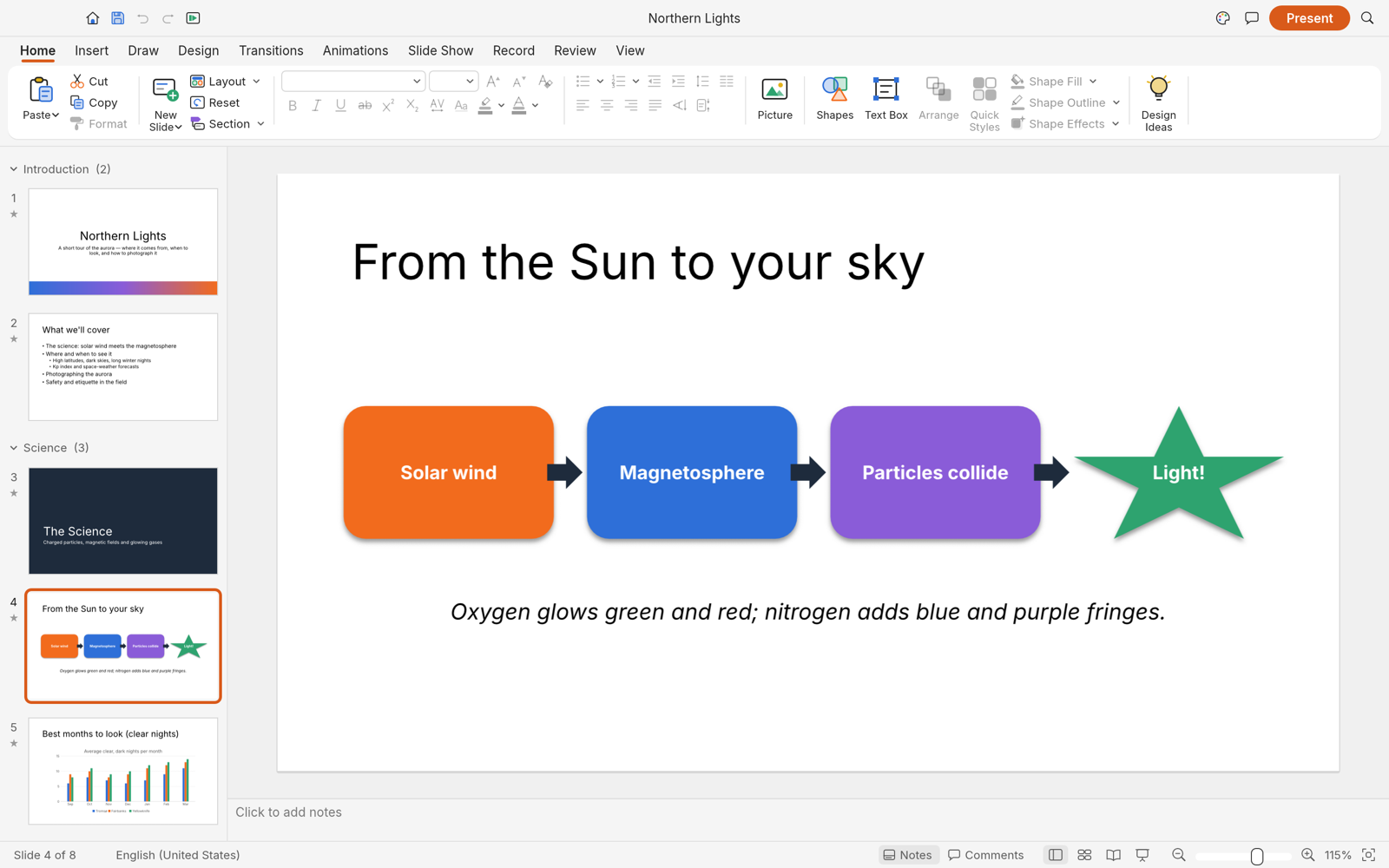
DeckCraft editing a slide: ribbon, slide thumbnails with sections, a process diagram on the canvas, notes and status bar

What works · Getting started · Agents, CLI and MCP · Roadmap · Downloads · The Crafting Apps · License

What works today

DeckCraft is in early development, heading for its first alpha (see the roadmap). Today it can:

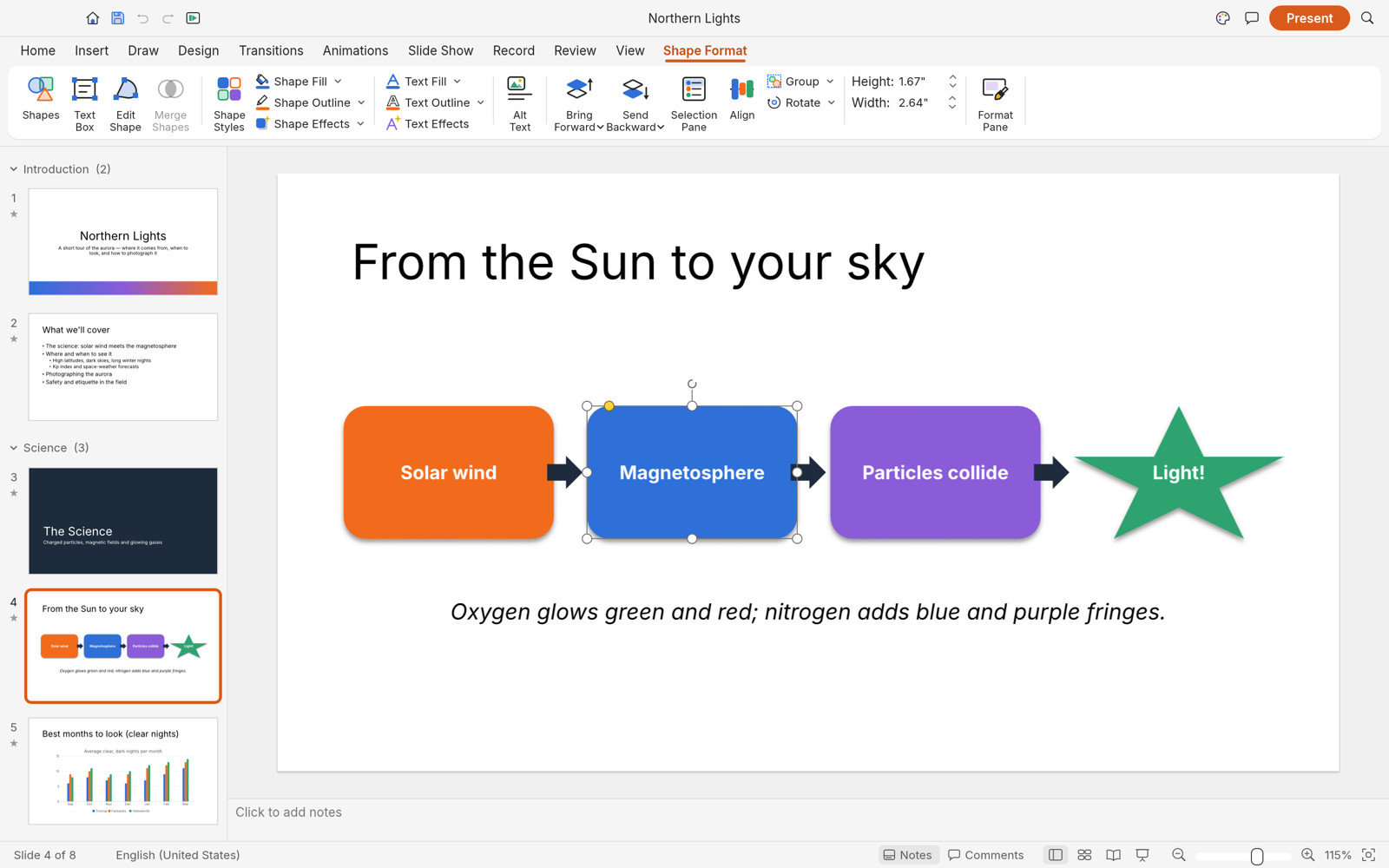
A selected shape with the Shape Format tab
Shape Format contextual tab and selection handles
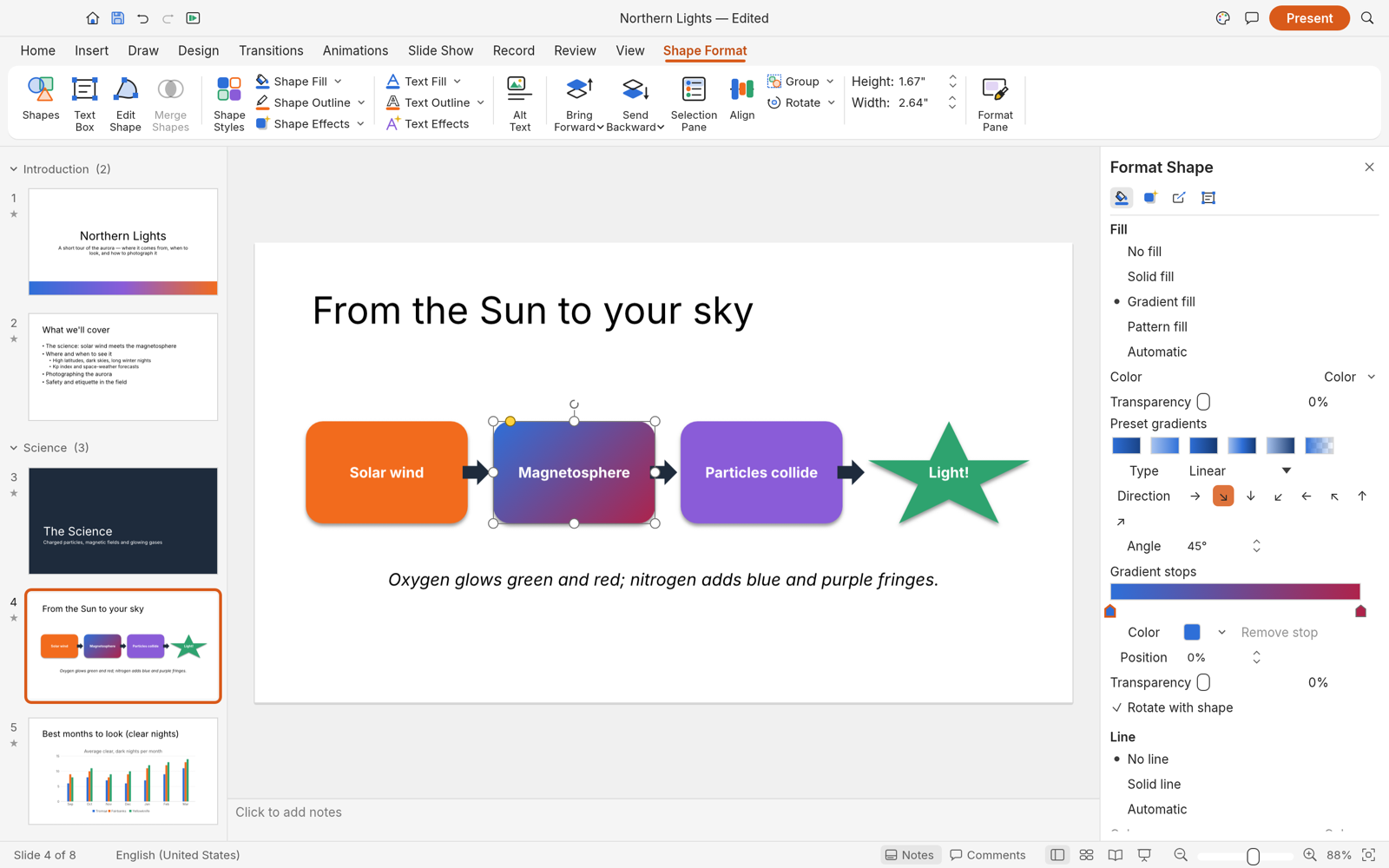
The Format Shape pane editing a gradient fill
Format Shape pane: gradient type, direction and stops
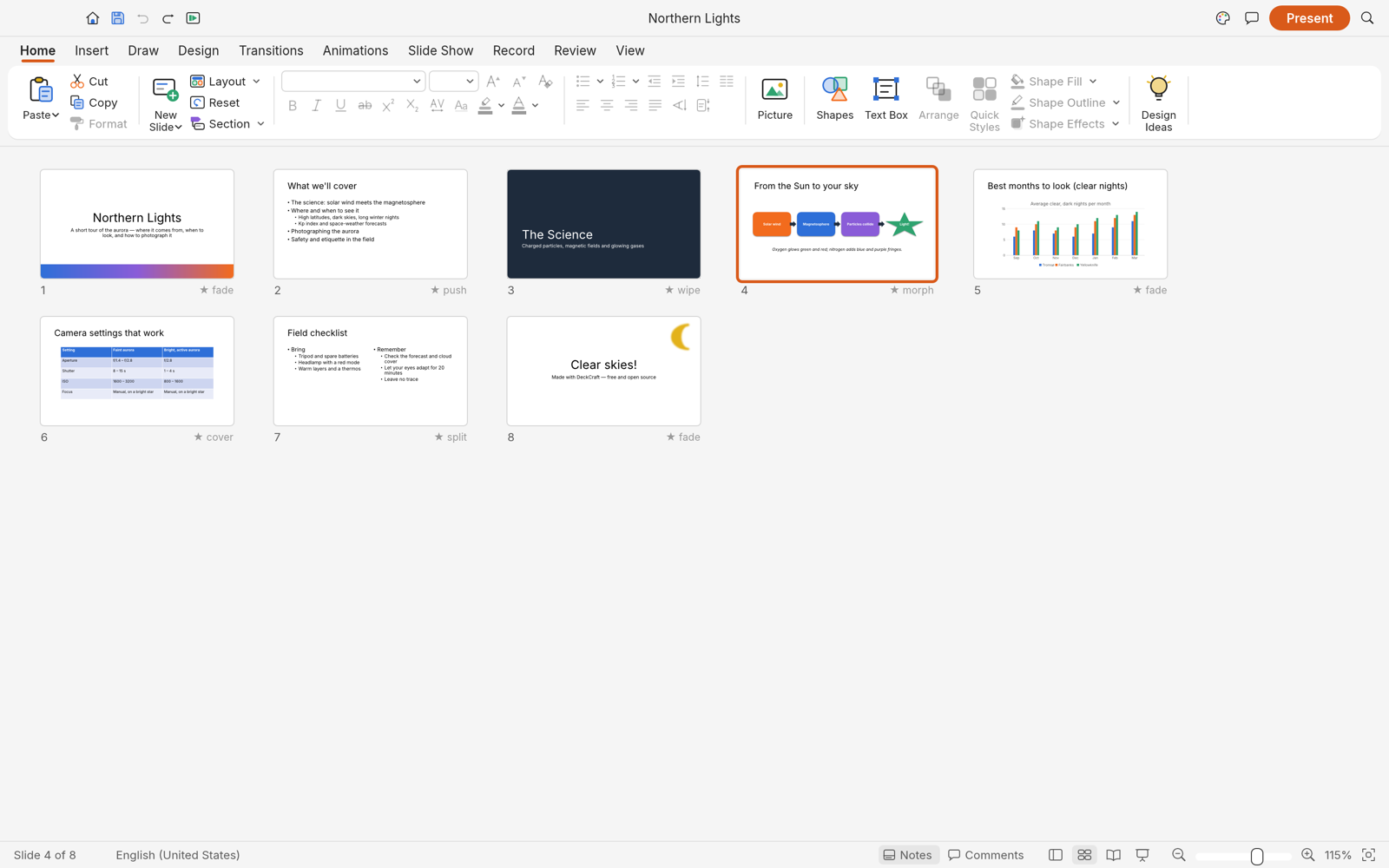
Slide Sorter view with transitions under each slide
Slide Sorter with each slide's transition
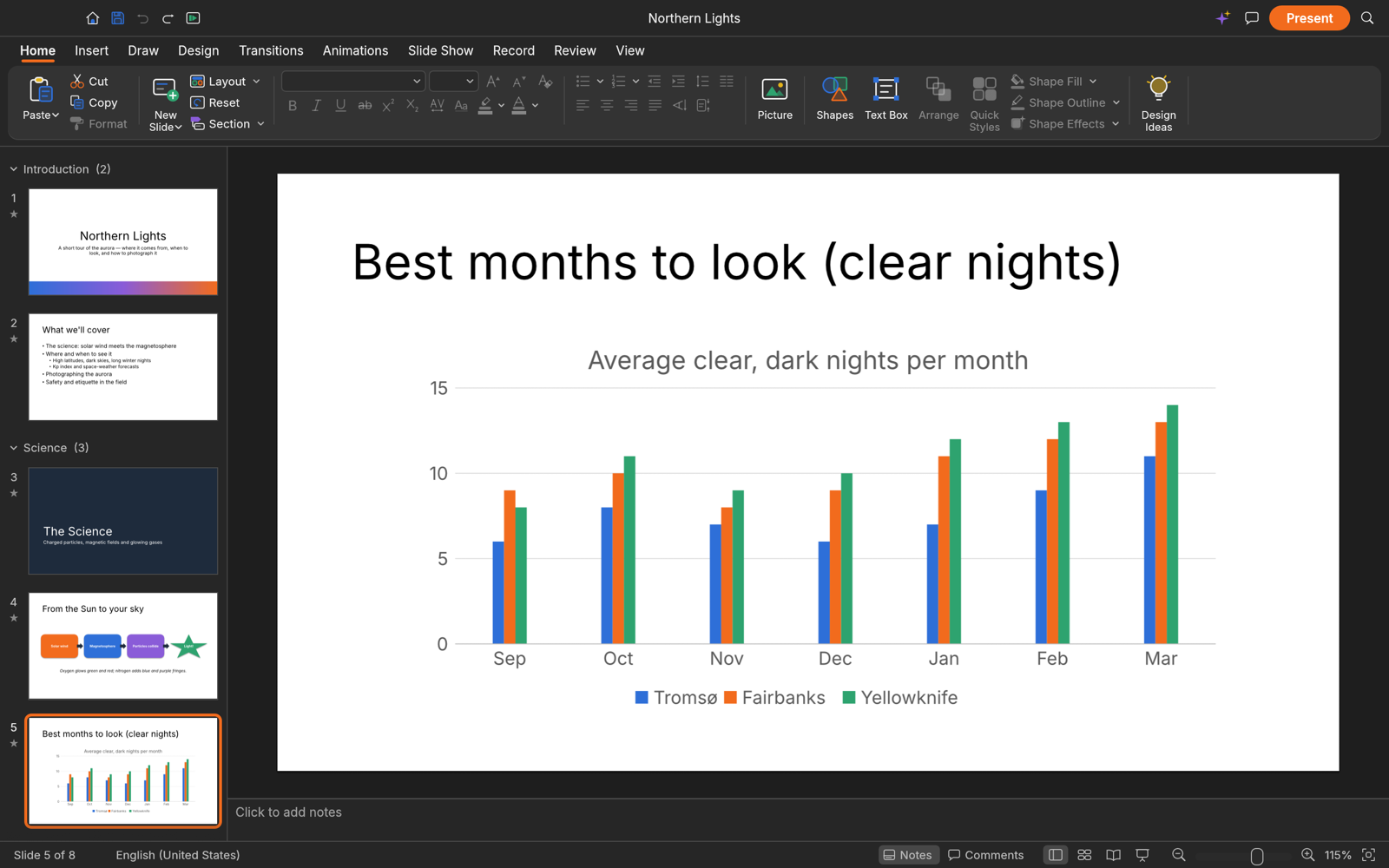
DeckCraft in dark mode showing a chart slide
Dark mode, with a native chart

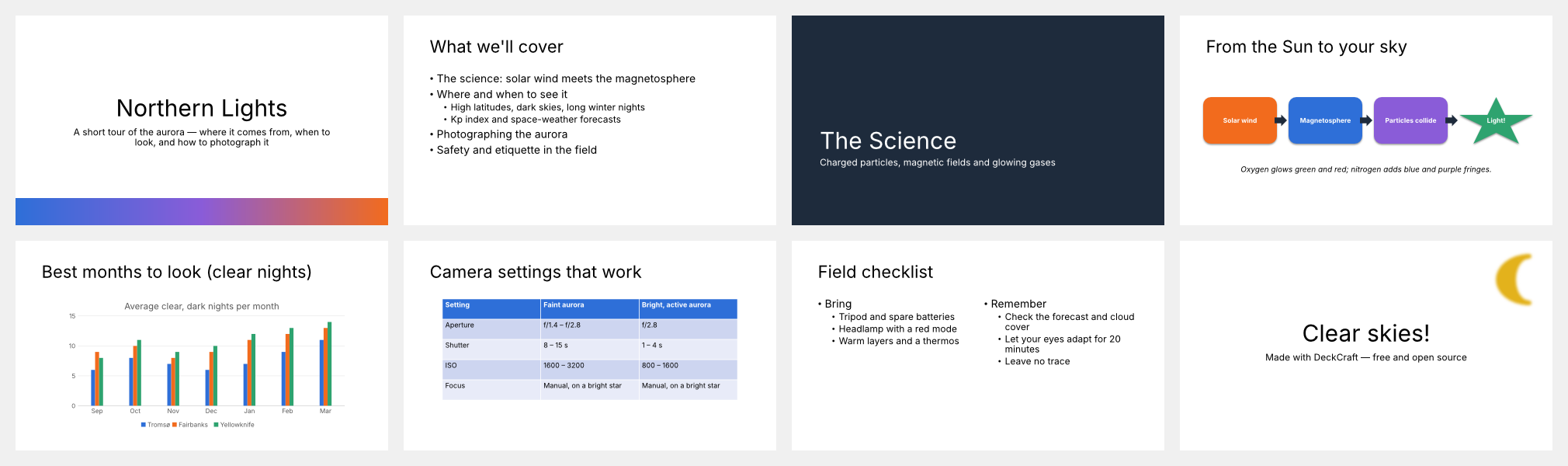
All eight slides of the Northern Lights sample deck
The built-in sample deck, rendered by deckcraft-cli render --sample --all

Getting started

git clone https://github.com/storytold/deckcraft
cd deckcraft
cargo run --release -p deckcraft-cli -- render --sample --all --scale 1 out/

Fonts come from craft-fonts: clone it next to this repo (../craft-fonts) and local builds pick it up automatically; without it DeckCraft uses your system fonts.

Agents, CLI and MCP

Every action in DeckCraft is a command with a stable id, so people, scripts and AI agents use the same verbs:

deckcraft-cli commands format.          # list commands
deckcraft-cli run --sample --cmd 'slide.new={"layout":"titleOnly","title":"Hello"}' --save hello.deckcraft
deckcraft-cli mcp                       # MCP server over stdio (headless)
deckcraft-cli mcp --connect 7990        # drive the running app (deckcraft --control 7990)

Roadmap

DeckCraft covers about 79% of PowerPoint's features by breadth (93% of the core ones) and is roughly 80% of the way to a first alpha. See ROADMAP.md for the alpha checklist, parity estimates and what's next, and docs/parity.md for the feature-by-feature scorecard.

Downloads

Download DeckCraft from GitHub: the latest release has every build listed below, and all releases has earlier versions and their notes. <ver> in the file names is the version number, and SHA256SUMS.txt lists a checksum for every file.

Windows

Build Installer Portable
x64 (64-bit Intel/AMD) deckcraft-<ver>-windows-x64.msi deckcraft-<ver>-windows-x64-portable.zip
arm64 (Snapdragon and other ARM PCs) deckcraft-<ver>-windows-arm64.msi deckcraft-<ver>-windows-arm64-portable.zip
x86 (32-bit) deckcraft-<ver>-windows-x86.msi deckcraft-<ver>-windows-x86-portable.zip

Installers and executables are code-signed.

macOS

Build File Notes
App, universal (Apple silicon + Intel) deckcraft-<ver>-macos-universal.dmg Signed and notarized
Command-line tool, universal deckcraft-cli-<ver>-macos-universal.zip Signed and notarized

Linux

Format x86_64 aarch64 (ARM64) Notes
AppImage deckcraft-<ver>-linux-x86_64.AppImage deckcraft-<ver>-linux-aarch64.AppImage Runs anywhere; updates itself with AppImageUpdate (.zsync files)
Flatpak deckcraft-<ver>-linux-x86_64.flatpak deckcraft-<ver>-linux-aarch64.flatpak Sandboxed; flatpak install --user <file>
Debian/Ubuntu deckcraft-<ver>-linux-x86_64.deb deckcraft-<ver>-linux-aarch64.deb
Fedora/RHEL/openSUSE deckcraft-<ver>-linux-x86_64.rpm deckcraft-<ver>-linux-aarch64.rpm
Tarball deckcraft-<ver>-linux-x86_64.tar.gz deckcraft-<ver>-linux-aarch64.tar.gz Unpack anywhere

FreeBSD

Build File
x86_64 deckcraft-<ver>-freebsd-x86_64.tar.gz

Web (WebAssembly)

Build File Notes
Static site deckcraft-web-<ver>.zip Runs in a modern browser; host it on any static server

The Crafting Apps

DeckCraft is one of the Crafting Apps: free, open-source creative tools from the ArtCraft team, each written from scratch in Rust and each able to stand on its own.

App What it's for Code Learn more
PhotoCraft Image editing: layers, masks, type and real PSD files GitHub Website
VectorCraft Vector illustration GitHub Website
FilmCraft Video editing, color and sound GitHub Website
LightCraft Photo library and raw development GitHub Website
PdfCraft Reading, organizing and protecting PDFs GitHub Website
EffectCraft Motion graphics and visual effects GitHub Website
DesignCraft Page layout and publishing GitHub Website
DeckCraft Presentations and slide shows · you are here GitHub Website

And ArtCraft itself, our AI image and video studio for artists who want real control.


Join the ArtCraft community on Discord

Come make things with us

Our Discord is where artists of every kind hang out: people who paint, shoot, draw, cut film, set type, and people still figuring out what they like to make. Share what you're working on, ask for help, tell us what's broken, or tell us what you wish these tools could do. Whatever your medium and however long you've been at it, you're welcome here.

discord.gg/artcraft · getartcraft.com · The Crafting Apps · DeckCraft

License and credits

DeckCraft is dual-licensed under MIT or Apache-2.0, at your option. Copyright (c) 2026 ArtCraft Team and the DeckCraft contributors. Required notices are in NOTICE.

Bundled fonts, icons, images and other assets keep their own open licenses; each one is listed with its author, source and license in ATTRIBUTION.md.

DeckCraft's themes, layouts, shape geometry, icons and sample decks are original work, drawn or generated in code; no Microsoft artwork, fonts, themes or templates are used.

The ArtCraft name, wordmark and logos in docs/brand/ are trademarks of the ArtCraft Team and are not covered by this license. They may be used only unmodified, and only as part of this repository and DeckCraft, under docs/brand/LICENSE-brand.txt. Forks and modified versions must remove them.

Microsoft and PowerPoint are trademarks of the Microsoft group of companies. Adobe, Photoshop, Illustrator, Premiere Pro, Lightroom, Acrobat, After Effects and InDesign are trademarks or registered trademarks of Adobe Inc. in the United States and/or other countries. DeckCraft is an independent, open-source project and is not affiliated with, sponsored by or endorsed by Microsoft Corporation or Adobe Inc.; these names are used only to describe the workflows it is compatible with.

ArtCraft
Made by the ArtCraft team and community.

deckcraft (storytold/deckcraft)

Searching Database…

What is this?DeckCraft is an open-source, clean-room reimplementation of Microsoft PowerPoint built in pure Rust, part of the ArtCraft family of 'Crafting Apps'.
Is this a desktop app, or something else?It's a native desktop application for macOS, Windows, Linux and FreeBSD, plus a WebAssembly build that runs in the browser; every action is also exposed as a CLI and MCP command.
How do I get it running?Grab a prebuilt build from the GitHub Releases page: an installer or portable zip for Windows, a signed/notarized .dmg or CLI zip for macOS, AppImage/Flatpak/deb/rpm/tarball for Linux, a tarball for FreeBSD, or the static web build for any browser.
Do I need anything extra for fonts to show up right?DeckCraft falls back to your system fonts by default; for the full set used in the themes, clone the craft-fonts repo next to this one so local builds pick it up automatically.
Is this ready to replace PowerPoint today?No, DeckCraft is still pre-alpha: it covers roughly 79% of PowerPoint's features by breadth (93% of core ones) and is about 80% of the way to its first alpha release.
Can AI agents actually control DeckCraft?Yes. Every button is backed by one of 200+ commands with a stable id, and these are scriptable from the CLI, a JSON control channel, or an MCP server built for AI agents.
Can it open and save real PowerPoint files?Yes, DeckCraft opens and saves .pptx files directly, and can export to PDF (slides, notes, handouts), PNG/JPEG, and outlines.
What other apps are part of the same ArtCraft family?DeckCraft is one of the Crafting Apps alongside PhotoCraft (image editing), VectorCraft (vector illustration), FilmCraft (video editing), LightCraft (photo library/raw), PdfCraft, EffectCraft (motion graphics) and DesignCraft (page layout), plus ArtCraft itself for AI image/video.
Does it handle rich media inside slides?It supports audio formats MP3, AAC, FLAC, ALAC, Ogg, Opus, WAV and AIFF, plus video codecs H.264, HEVC, VP9 and AV1, along with transitions like Morph and full animation builds.
Creator
storytold
Size
8.1 MB
Stars
3.6K
Age
10d
Commits · 90 Days