



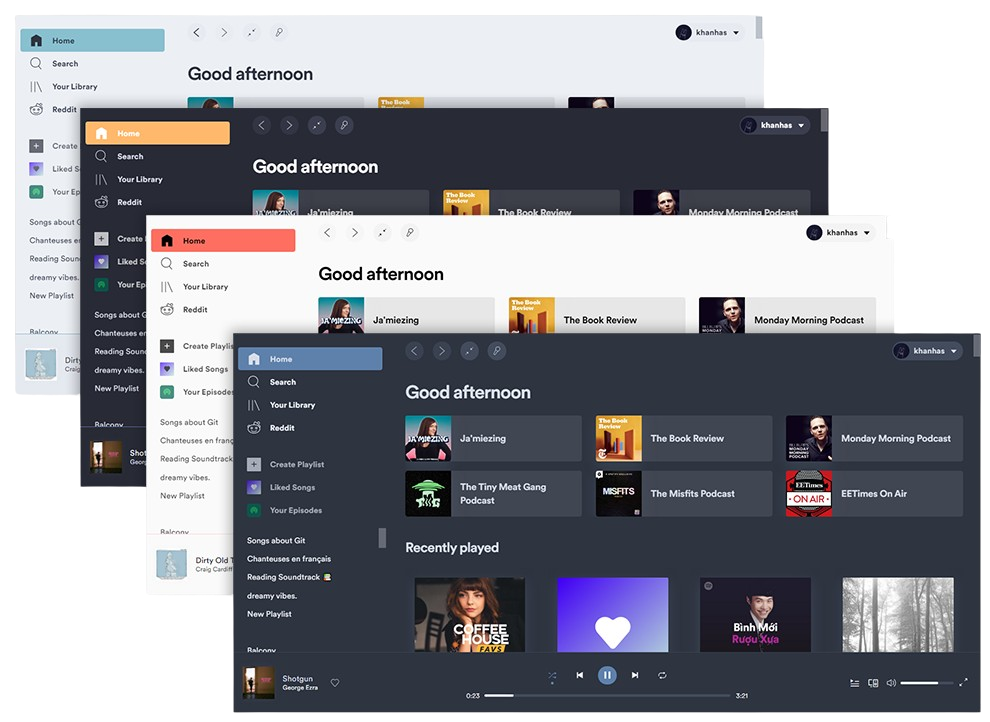
What is this?
 Spicetify is a command-line tool that customizes the official Spotify client: it changes UI colors, injects CSS, and adds extensions and custom apps on Windows, macOS, and Linux.
Spicetify is a command-line tool that customizes the official Spotify client: it changes UI colors, injects CSS, and adds extensions and custom apps on Windows, macOS, and Linux.Does it replace my Spotify app, or modify the one I already have?It modifies the client you already have rather than being its own player — you drive everything from the terminal, there is no GUI.
It modifies the client you already have rather than being its own player — you drive everything from the terminal, there is no GUI.Do I need the Spotify desktop app installed first?Yes — the tool customizes the official Spotify client, so the desktop app has to be on your machine before you can theme it.
Yes — the tool customizes the official Spotify client, so the desktop app has to be on your machine before you can theme it.Will it work with Spotify on my phone or in the browser?No — only the desktop clients on Windows, macOS, and Linux are supported; there is nothing for mobile or the web player.
No — only the desktop clients on Windows, macOS, and Linux are supported; there is nothing for mobile or the web player.What can I actually change in Spotify with it?Four things: colors across the UI, custom CSS for deeper styling, extensions that add features or control the player, and custom apps injected as whole new sections of the client.
Four things: colors across the UI, custom CSS for deeper styling, extensions that add features or control the player, and custom apps injected as whole new sections of the client.Are the builds code-signed?Yes — the Code Signing Policy says free code signing is provided by SignPath.io, with a certificate from the SignPath Foundation.
Yes — the Code Signing Policy says free code signing is provided by SignPath.io, with a certificate from the SignPath Foundation.What is Spicetify written in?A Go CLI plus a JavaScript wrapper (spicetifyWrapper) that is injected into the Spotify client; building and developing it requires Node 18+ and pnpm 8+.
A Go CLI plus a JavaScript wrapper (spicetifyWrapper) that is injected into the Spotify client; building and developing it requires Node 18+ and pnpm 8+.Is the project still actively maintained?Yes — the repo is active and not archived, with CI workflows for builds, linting, and PR labeling, and roughly 25k stars on GitHub.
Yes — the repo is active and not archived, with CI workflows for builds, linting, and PR labeling, and roughly 25k stars on GitHub.What are similar projects?spotify-tui, oh-my-posh, cliamp, eza, pear-desktop, Omarchy-Spotify, slides, qrcp
spotify-tui, oh-my-posh, cliamp, eza, pear-desktop, Omarchy-Spotify, slides, qrcpWhich topics is it in?spotify, lgpl, music-player, music, theme, golang, customization, css, utility, command-line, hacktoberfest, ui
spotify, lgpl, music-player, music, theme, golang, customization, css, utility, command-line, hacktoberfest, ui