






What is this?
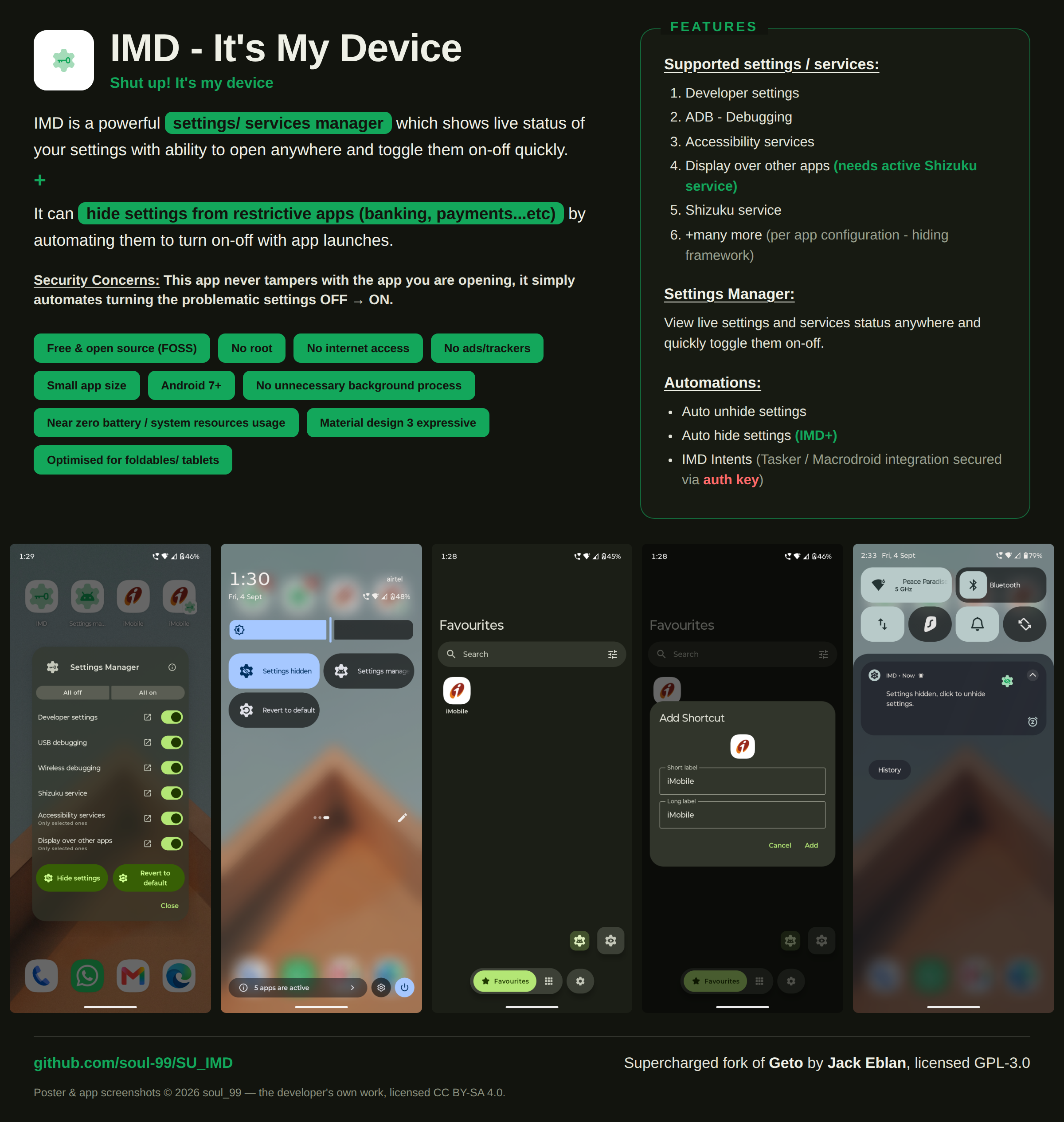
 A supercharged fork of Geto: an Android app that manages and hides phone settings/services and auto-disables or re-enables them so restrictive apps (banking, payments) keep working.
A supercharged fork of Geto: an Android app that manages and hides phone settings/services and auto-disables or re-enables them so restrictive apps (banking, payments) keep working.Is this an app I install on my phone, or a script I run from a computer?It's a normal Android app (package com.soul99.suIMD), not something you run from a PC. It even installs alongside the original Geto — both can coexist on one device.
It's a normal Android app (package com.soul99.suIMD), not something you run from a PC. It even installs alongside the original Geto — both can coexist on one device.How do I get it set up on my phone?Install the APK, then grant WRITESECURESETTINGS one time via adb shell or Shizuku. That permission is mandatory — it's what allows the app to change settings state.
Install the APK, then grant WRITESECURESETTINGS one time via adb shell or Shizuku. That permission is mandatory — it's what allows the app to change settings state.Do I need Shizuku running for it to work?Not necessarily — Shizuku is optional, needed only to hide the Display-over-other-apps permission. Everything else works through the standard one-time WRITESECURESETTINGS grant from setup.
Not necessarily — Shizuku is optional, needed only to hide the Display-over-other-apps permission. Everything else works through the standard one-time WRITESECURESETTINGS grant from setup.Can it update itself like regular apps?No — it has no network permission at all, so it can't check for its own updates; Obtainium is how you find out there is one. The IMD+ auto-hide feature also needs a background service running.
No — it has no network permission at all, so it can't check for its own updates; Obtainium is how you find out there is one. The IMD+ auto-hide feature also needs a background service running.Will it work on my phone?Android only — any device on Android 7.0 (API 24) or newer, no root required. There's no iOS or desktop version.
Android only — any device on Android 7.0 (API 24) or newer, no root required. There's no iOS or desktop version.Does it need internet to do its job?Not at all — it works fully offline, and it runs no unnecessary continuous background services, so battery and system resource use are close to zero.
Not at all — it works fully offline, and it runs no unnecessary continuous background services, so battery and system resource use are close to zero.Does it spy on me or collect data?No. There are no ads, analytics, trackers or accounts of any kind, it doesn't tamper with your other apps, and the parts that change settings can't be triggered by another app — only by you.
No. There are no ads, analytics, trackers or accounts of any kind, it doesn't tamper with your other apps, and the parts that change settings can't be triggered by another app — only by you.Is it free and open source?Yes — GPL-3.0, the same license as the original Geto, with no ads or accounts of any kind.
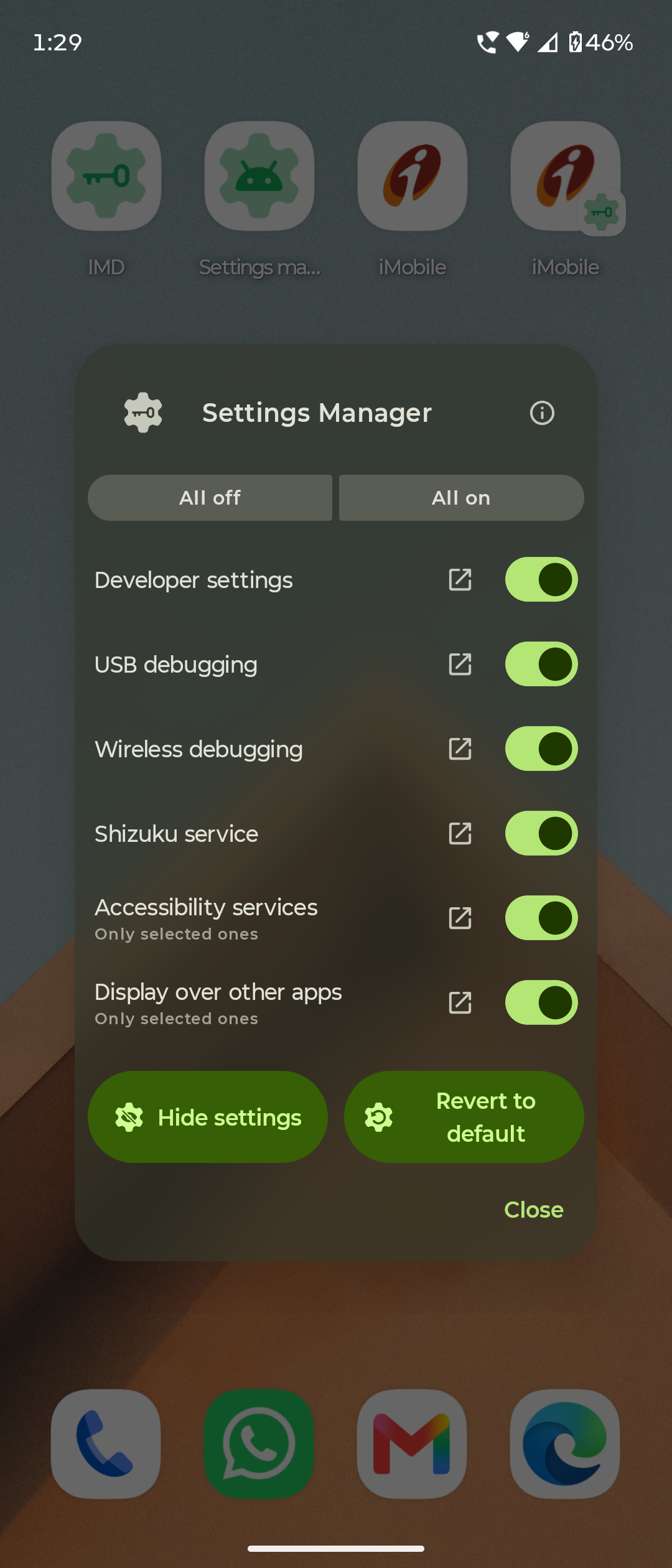
Yes — GPL-3.0, the same license as the original Geto, with no ads or accounts of any kind.Which settings and services can it hide?Developer settings, ADB/debugging, accessibility services, display-over-other-apps (needs an active Shizuku service), the Shizuku service itself, and more — each configurable per app. A Settings observer inside the app helps you find what to hide.
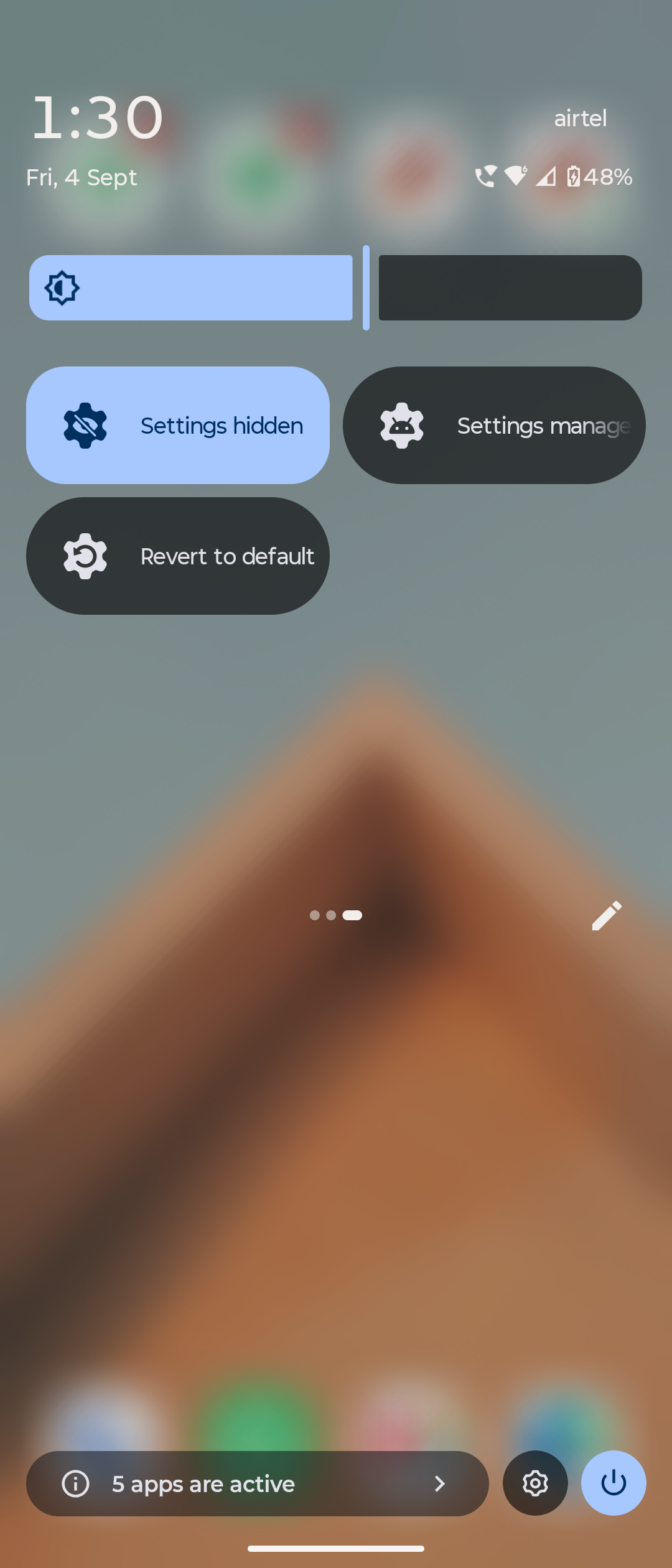
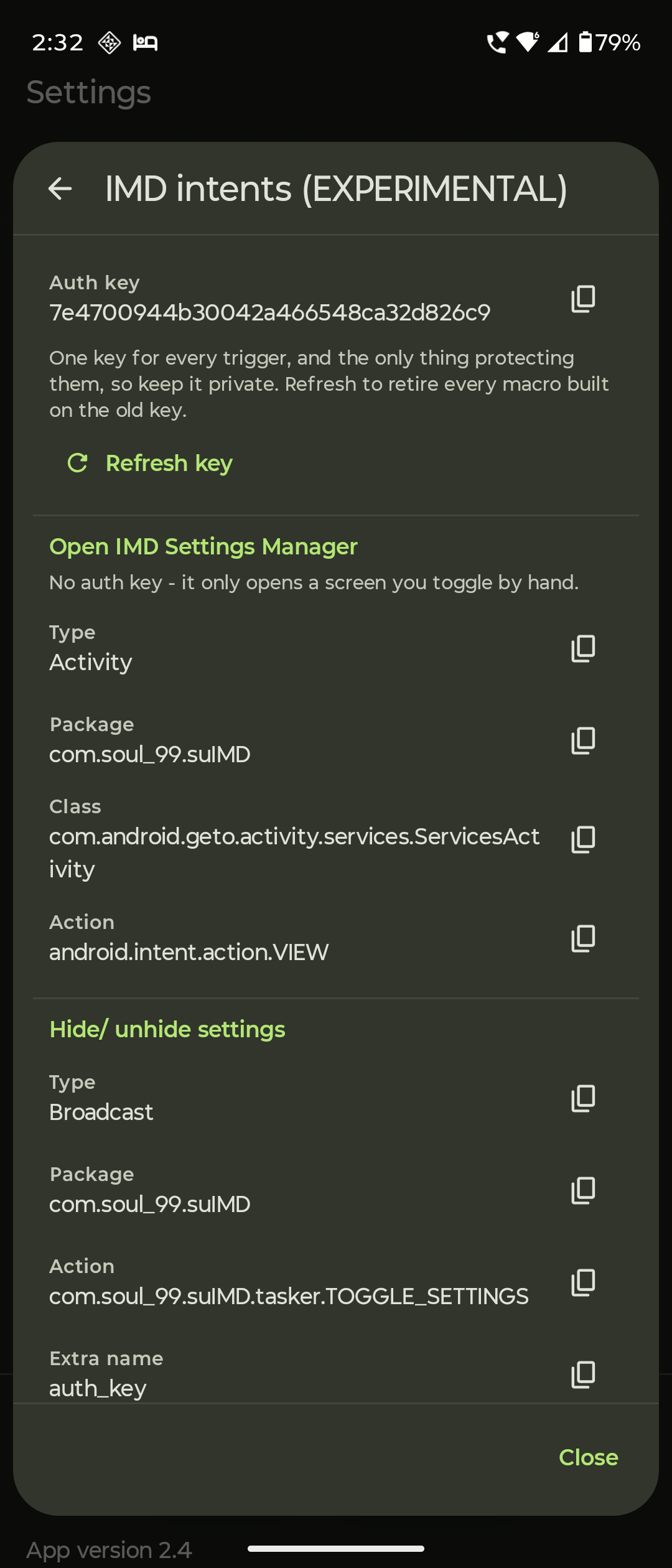
Developer settings, ADB/debugging, accessibility services, display-over-other-apps (needs an active Shizuku service), the Shizuku service itself, and more — each configurable per app. A Settings observer inside the app helps you find what to hide.Can it toggle settings automatically, e.g. when I open my banking app?Yes — it supports auto-unhide and auto-hide of settings (IMD+ auto-hide runs as a background service), plus IMD Intents that let automation apps like Tasker or MacroDroid trigger it, secured with auth keys.
Yes — it supports auto-unhide and auto-hide of settings (IMD+ auto-hide runs as a background service), plus IMD Intents that let automation apps like Tasker or MacroDroid trigger it, secured with auth keys.How is it different from the original Geto app?It's a supercharged fork of Geto by JackEblan with its own package name (com.soul99.suIMD), so both apps can be installed side by side. The SUIMD.md doc details every change from the original, including bugs found in it and the reasoning behind each fix.
It's a supercharged fork of Geto by JackEblan with its own package name (com.soul99.suIMD), so both apps can be installed side by side. The SUIMD.md doc details every change from the original, including bugs found in it and the reasoning behind each fix.Who makes it, and how fast is development?Soul99 (Dr. Utkarsh Rajput), a full-time radiology resident, built it for himself and released it to the FOSS community. He's upfront that his job slows down replies and fixes, and hopes more capable developers will take the project over eventually.
Soul99 (Dr. Utkarsh Rajput), a full-time radiology resident, built it for himself and released it to the FOSS community. He's upfront that his job slows down replies and fixes, and hopes more capable developers will take the project over eventually.What are similar projects?hilight-studio, Obtainium, Shizuku-Next, deepseek-harness-android-app, universal-android-debloater, LocationSpoofer, Signal-iOS, thunderbird-android
hilight-studio, Obtainium, Shizuku-Next, deepseek-harness-android-app, universal-android-debloater, LocationSpoofer, Signal-iOS, thunderbird-androidWhich topics is it in?shizuku, privacy-tools, foss, privacy-first, android-app, mobile-app, utility, java, mobile, gplv3, android, privacy
shizuku, privacy-tools, foss, privacy-first, android-app, mobile-app, utility, java, mobile, gplv3, android, privacy