
15.8K ·GitHub
这是什么?
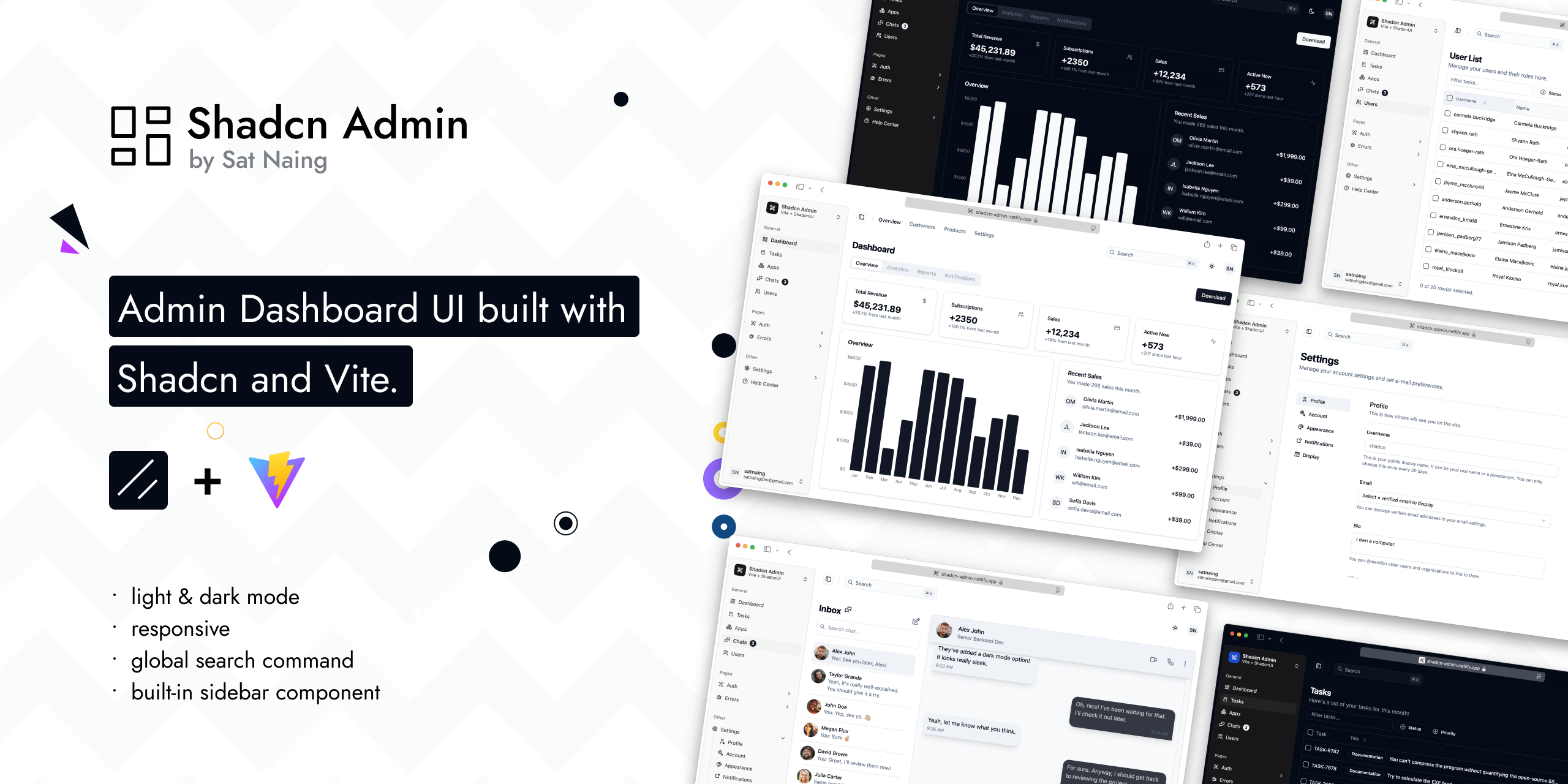
 一个用 Shadcn UI(TailwindCSS + Radix)和 Vite 搭建的开源后台管理面板界面——一套可复用的仪表盘页面集合,作者会在自己的项目里拿它来改造使用。
一个用 Shadcn UI(TailwindCSS + Radix)和 Vite 搭建的开源后台管理面板界面——一套可复用的仪表盘页面集合,作者会在自己的项目里拿它来改造使用。这是能直接用来生成项目的脚手架模板,还是已经做完的面板?它是一个完整、可直接克隆运行的 Web 应用,而不是脚手架。作者明确说明它不是入门模板,不过将来可能会做成模板。
它是一个完整、可直接克隆运行的 Web 应用,而不是脚手架。作者明确说明它不是入门模板,不过将来可能会做成模板。我怎么在本地把它跑起来?克隆仓库,进入目录,安装依赖,然后启动 Vite 开发服务器(npm run dev)。仓库里还带有构建、预览、代码检查、格式化和 Vitest 测试的脚本。
克隆仓库,进入目录,安装依赖,然后启动 Vite 开发服务器(npm run dev)。仓库里还带有构建、预览、代码检查、格式化和 Vitest 测试的脚本。它是基于什么做的——我需要准备什么特别的东西吗,比如注册个登录服务账号?技术栈是 Vite + React:Shadcn UI(TailwindCSS + Radix UI)、TanStack Router、TypeScript、ESLint/Prettier,以及 Lucide/Tabler 图标。登录功能有一部分接了 Clerk,所以这部分需要配置好 Clerk 才能用。
技术栈是 Vite + React:Shadcn UI(TailwindCSS + Radix UI)、TanStack Router、TypeScript、ESLint/Prettier,以及 Lucide/Tabler 图标。登录功能有一部分接了 Clerk,所以这部分需要配置好 Clerk 才能用。我能不能放心地用 Shadcn CLI 更新这些 Shadcn 组件?大体可以,但不能无脑更新。有几个组件(scroll-area、sonner、separator)做过修改,还有十个组件带有 RTL(从右到左布局)的修复,所以用 CLI 更新这些组件时可能需要手动合并改动,才能保留原来的调整。
大体可以,但不能无脑更新。有几个组件(scroll-area、sonner、separator)做过修改,还有十个组件带有 RTL(从右到左布局)的修复,所以用 CLI 更新这些组件时可能需要手动合并改动,才能保留原来的调整。开箱即用我能得到什么?10 多个页面,内置侧边栏和全局搜索命令、明暗模式切换、RTL 支持,还有额外的自定义组件——全都做到了响应式布局,并且照顾了无障碍访问。
10 多个页面,内置侧边栏和全局搜索命令、明暗模式切换、RTL 支持,还有额外的自定义组件——全都做到了响应式布局,并且照顾了无障碍访问。作者为什么要做这个?他在工作和个人项目里反复需要做后台面板界面,于是想攒一套可复用的页面集合,以后做新项目时直接拿来用,而不用每次从零开始。
他在工作和个人项目里反复需要做后台面板界面,于是想攒一套可复用的页面集合,以后做新项目时直接拿来用,而不用每次从零开始。有没有测试或者代码质量方面的工具?有。仓库自带 Vitest 浏览器测试,还有 ESLint 和 Prettier 脚本,另外用 knip 来找出没被用到的代码。
有。仓库自带 Vitest 浏览器测试,还有 ESLint 和 Prettier 脚本,另外用 knip 来找出没被用到的代码。What are similar projects?vuestic-admin, arc-library, AdminLTE, tabler, Monocharts, ui, gentelella, full-stack-fastapi-template
vuestic-admin, arc-library, AdminLTE, tabler, Monocharts, ui, gentelella, full-stack-fastapi-templateWhich topics is it in?command-palette, tanstack-router, admin-panel, shadcn, shadcn-ui, responsive, admin-dashboard, dark-mode, accessibility, tailwindcss, vite, component-library
command-palette, tanstack-router, admin-panel, shadcn, shadcn-ui, responsive, admin-dashboard, dark-mode, accessibility, tailwindcss, vite, component-library