
15.8K ·GitHub
Что это такое?
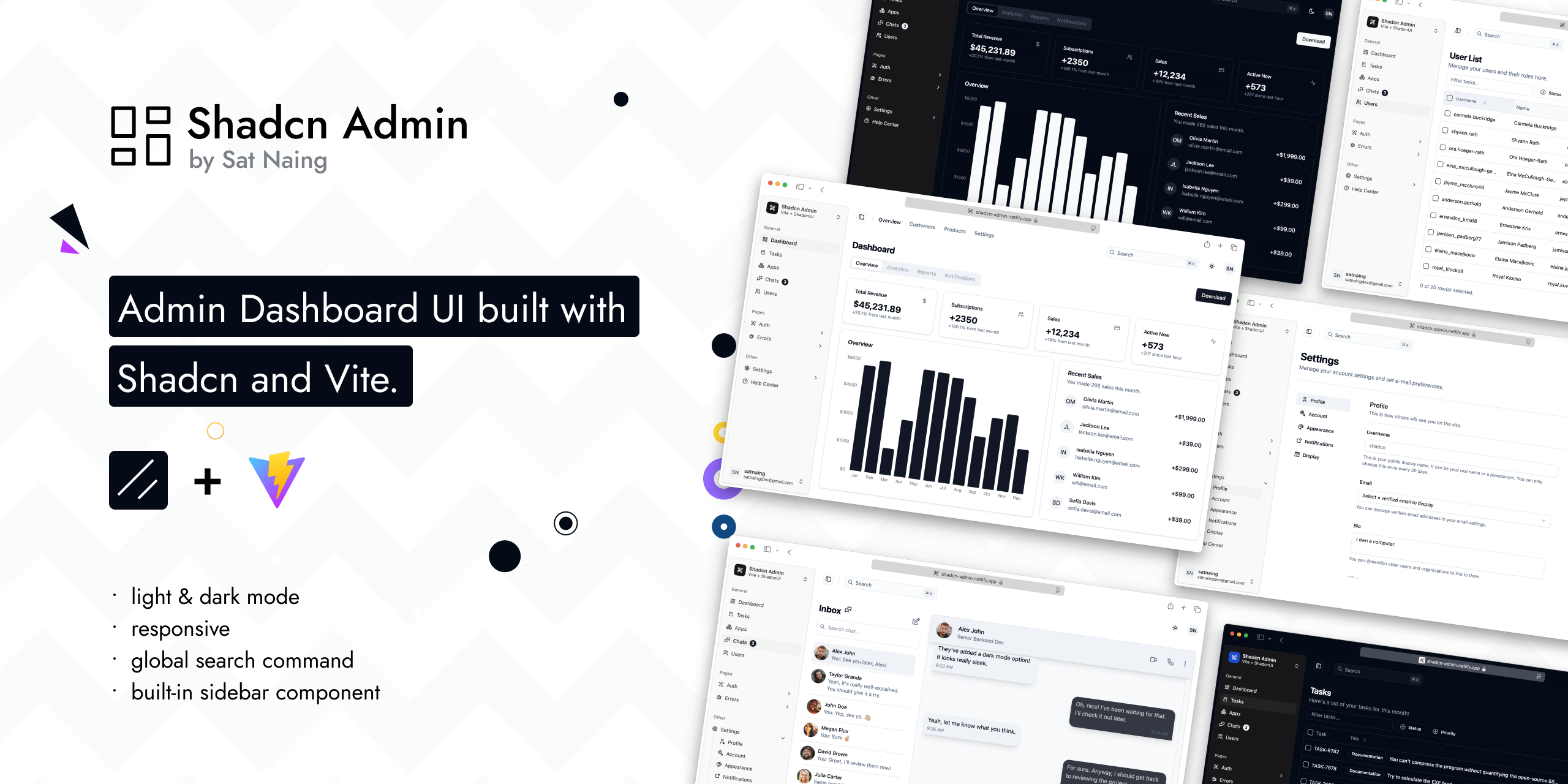
 Опенсорсный интерфейс админ-панели на Shadcn UI (TailwindCSS + Radix) и Vite — набор готовых экранов дашборда, который автор адаптирует под свои проекты.
Опенсорсный интерфейс админ-панели на Shadcn UI (TailwindCSS + Radix) и Vite — набор готовых экранов дашборда, который автор адаптирует под свои проекты.Это стартовый шаблон, из которого можно собрать свой проект, или готовый дашборд?Это законченное веб-приложение, которое можно клонировать, а не заготовка. Автор прямо пишет, что это не стартовый шаблон, хотя в будущем может переделать его в шаблон.
Это законченное веб-приложение, которое можно клонировать, а не заготовка. Автор прямо пишет, что это не стартовый шаблон, хотя в будущем может переделать его в шаблон.Как запустить это у себя локально?Склонируйте репозиторий, перейдите в папку, установите зависимости и запустите dev-сервер Vite (npm run dev). Туда же входят скрипты для сборки, предпросмотра, линтинга, форматирования и тестов на Vitest.
Склонируйте репозиторий, перейдите в папку, установите зависимости и запустите dev-сервер Vite (npm run dev). Туда же входят скрипты для сборки, предпросмотра, линтинга, форматирования и тестов на Vitest.На чём это сделано — нужно ли что-то особенное, например аккаунт для авторизации?Стек Vite + React: Shadcn UI (TailwindCSS + Radix UI), TanStack Router, TypeScript, ESLint/Prettier и иконки Lucide/Tabler. Авторизация частично подключена через Clerk, так что для этой части понадобится настройка Clerk.
Стек Vite + React: Shadcn UI (TailwindCSS + Radix UI), TanStack Router, TypeScript, ESLint/Prettier и иконки Lucide/Tabler. Авторизация частично подключена через Clerk, так что для этой части понадобится настройка Clerk.Можно ли спокойно обновлять компоненты Shadcn через Shadcn CLI?В основном да, но не вслепую. Несколько компонентов (scroll-area, sonner, separator) изменены, а ещё десять содержат правки для RTL, поэтому при обновлении через CLI их, возможно, придётся вручную мерджить, чтобы не потерять изменения.
В основном да, но не вслепую. Несколько компонентов (scroll-area, sonner, separator) изменены, а ещё десять содержат правки для RTL, поэтому при обновлении через CLI их, возможно, придётся вручную мерджить, чтобы не потерять изменения.Что я получу сразу из коробки?Больше 10 страниц со встроенным сайдбаром и глобальным поиском по команде, светлая и тёмная тема, поддержка RTL и дополнительные кастомные компоненты — всё адаптивное и доступное.
Больше 10 страниц со встроенным сайдбаром и глобальным поиском по команде, светлая и тёмная тема, поддержка RTL и дополнительные кастомные компоненты — всё адаптивное и доступное.Зачем автор это сделал?Он постоянно делал интерфейсы дашбордов для рабочих и личных проектов и хотел собрать переиспользуемый набор, на который можно опираться в будущем, а не начинать каждый раз с нуля.
Он постоянно делал интерфейсы дашбордов для рабочих и личных проектов и хотел собрать переиспользуемый набор, на который можно опираться в будущем, а не начинать каждый раз с нуля.Есть ли тесты или инструменты для качества кода?Да. В репозитории есть браузерные тесты на Vitest, скрипты ESLint и Prettier, а также knip для поиска неиспользуемого кода.
Да. В репозитории есть браузерные тесты на Vitest, скрипты ESLint и Prettier, а также knip для поиска неиспользуемого кода.What are similar projects?vuestic-admin, arc-library, AdminLTE, tabler, Monocharts, ui, gentelella, full-stack-fastapi-template
vuestic-admin, arc-library, AdminLTE, tabler, Monocharts, ui, gentelella, full-stack-fastapi-templateWhich topics is it in?command-palette, tanstack-router, admin-panel, shadcn, shadcn-ui, responsive, admin-dashboard, dark-mode, accessibility, tailwindcss, vite, component-library
command-palette, tanstack-router, admin-panel, shadcn, shadcn-ui, responsive, admin-dashboard, dark-mode, accessibility, tailwindcss, vite, component-library