












rough README

The project's README from github.com/rough-stuff/rough. As one markdown file: README.md.

Rough.js

Rough.js is a small (<9 kB) graphics library that lets you draw in a sketchy, hand-drawn-like, style. The library defines primitives to draw lines, curves, arcs, polygons, circles, and ellipses. It also supports drawing SVG paths.

Rough.js works with both Canvas and SVG.

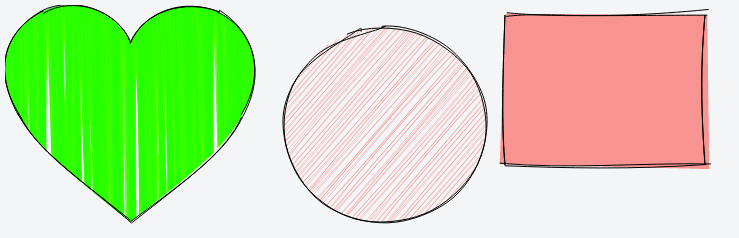
Rough.js sample

@RoughLib on Twitter.

Install

from npm:

npm install --save roughjs

Or get the latest using unpkg: https://unpkg.com/roughjs@latest/bundled/rough.js

If you are looking for bundled version in different formats, the npm package will have these in the following locations:

CommonJS: roughjs/bundled/rough.cjs.js

ESM: roughjs/bundled/rough.esm.js

Browser IIFE: roughjs/bundled/rough.js

Usage

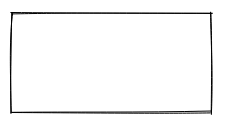
Rough.js rectangle

const rc = rough.canvas(document.getElementById('canvas'));
rc.rectangle(10, 10, 200, 200); // x, y, width, height

or SVG

const rc = rough.svg(svg);
let node = rc.rectangle(10, 10, 200, 200); // x, y, width, height
svg.appendChild(node);

Lines and Ellipses

Rough.js rectangle

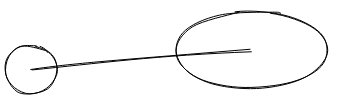
rc.circle(80, 120, 50); // centerX, centerY, diameter
rc.ellipse(300, 100, 150, 80); // centerX, centerY, width, height
rc.line(80, 120, 300, 100); // x1, y1, x2, y2

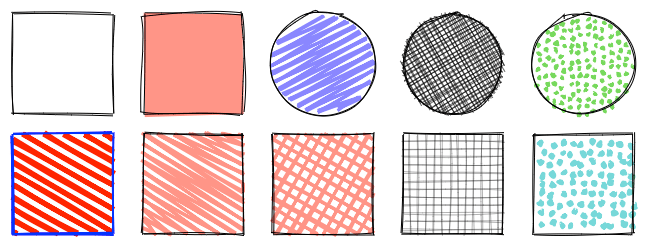
Filling

Rough.js rectangle

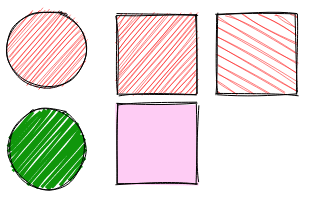
rc.circle(50, 50, 80, { fill: 'red' }); // fill with red hachure
rc.rectangle(120, 15, 80, 80, { fill: 'red' });
rc.circle(50, 150, 80, {
  fill: "rgb(10,150,10)",
  fillWeight: 3 // thicker lines for hachure
});
rc.rectangle(220, 15, 80, 80, {
  fill: 'red',
  hachureAngle: 60, // angle of hachure,
  hachureGap: 8
});
rc.rectangle(120, 105, 80, 80, {
  fill: 'rgba(255,0,200,0.2)',
  fillStyle: 'solid' // solid fill
});

Fill styles can be: hachure(default), solid, zigzag, cross-hatch, dots, dashed, or zigzag-line

Rough.js fill examples

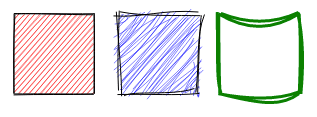
Sketching style

Rough.js rectangle

rc.rectangle(15, 15, 80, 80, { roughness: 0.5, fill: 'red' });
rc.rectangle(120, 15, 80, 80, { roughness: 2.8, fill: 'blue' });
rc.rectangle(220, 15, 80, 80, { bowing: 6, stroke: 'green', strokeWidth: 3 });

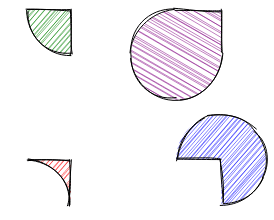
SVG Paths

Rough.js paths

rc.path('M80 80 A 45 45, 0, 0, 0, 125 125 L 125 80 Z', { fill: 'green' });
rc.path('M230 80 A 45 45, 0, 1, 0, 275 125 L 275 80 Z', { fill: 'purple' });
rc.path('M80 230 A 45 45, 0, 0, 1, 125 275 L 125 230 Z', { fill: 'red' });
rc.path('M230 230 A 45 45, 0, 1, 1, 275 275 L 275 230 Z', { fill: 'blue' });

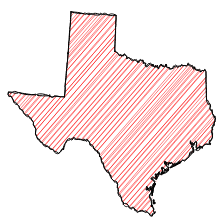
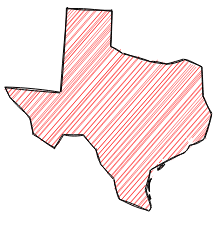
SVG Path with simplification:

Rough.js texas map Rough.js texas map

Examples

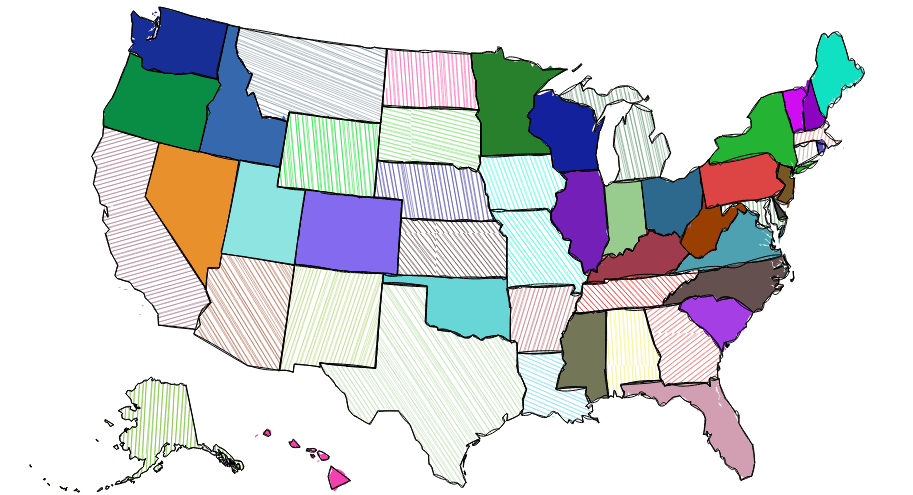
Rough.js US map

View examples here

API & Documentation

Full Rough.js API

Credits

Some of the core algorithms were adapted from handy processing lib.

Algorithm to convert SVG arcs to Canvas described here was adapted from Mozilla codebase

Contributors

Financial Contributors

Become a financial contributor and help us sustain our community. [Contribute]

Individuals

Organizations

Support this project with your organization. Your logo will show up here with a link to your website. [Contribute]

License

MIT License (c) Preet Shihn

rough (rough-stuff/rough)

Searching Database…

21.3K ·GitHub
这是什么?Rough.js 是一个小巧(不到 9 kB)的 JavaScript 图形库,能让绘图呈现出潦草的手绘风格,而不是干净利落的几何线条。
这是一个要加到我代码里的库,还是一个独立的绘图软件?它是一个需要引入到你的网页代码里的库,不是独立软件:你调用它提供的绘图方法,它就把手绘风格的结果渲染到 Canvas 或 SVG 上。
怎么把它加到我的项目里?从 npm 安装(包名是 roughjs),或者通过 unpkg 拉取最新构建。这个包在 bundled/ 文件夹里提供了 CommonJS、ESM 和浏览器 IIFE 三种打包格式。
除了这个库,开始绘图还需要准备什么吗?不需要——它是纯客户端 JavaScript,不用服务器,也不用构建步骤。它的辅助库(hachure-fill、path-data-parser、points-on-curve、points-on-path)会作为 npm 依赖自动一起装好。
它会给我的页面体积增加多少?非常少——整个库不到 9 kB,小到可以直接放进生产环境,完全不用操心。
这些手绘效果的算法是怎么来的?作者表示,部分核心算法来自 handy processing lib,SVG 圆弧转 Canvas 的转换代码则来自 Mozilla 的代码库。
我可以在商业项目里使用它吗?可以——Rough.js 采用 MIT 许可证(c) Preet Shihn,可以自由使用,包括商业用途。
What are similar projects?zdog, signature_pad, konva, matter-js, paper.js, anime, particles.js, mojs
Size
6 MB
Stars
21.3K
Age
9y
Commits · 90 Days