






这是什么?
 Reflex 是一个用纯 Python 构建全栈 Web 应用的库:前端和后端都用 Python 编写,不需要学 JavaScript。
Reflex 是一个用纯 Python 构建全栈 Web 应用的库:前端和后端都用 Python 编写,不需要学 JavaScript。连前端也是?我完全不用写 JavaScript 吗?不用——纯 Python 就是它最大的卖点:应用的前端和后端全都是用 Python 写的。
不用——纯 Python 就是它最大的卖点:应用的前端和后端全都是用 Python 写的。我怎么把第一个应用跑起来?在虚拟环境里安装 reflex 包,然后用 uv 创建项目、添加 Reflex 并启动开发服务器——编辑 myappname/myappname.py,改动会通过热刷新立即显示出来。
在虚拟环境里安装 reflex 包,然后用 uv 创建项目、添加 Reflex 并启动开发服务器——编辑 myappname/myappname.py,改动会通过热刷新立即显示出来。开始之前需要装好什么?需要 Python 和 reflex 包;README 强烈建议使用虚拟环境,这样 reflex 命令才会在你的 PATH 里可用,官方快速上手用的是 uv。
需要 Python 和 reflex 包;README 强烈建议使用虚拟环境,这样 reflex 命令才会在你的 PATH 里可用,官方快速上手用的是 uv。它是用来做快速原型的,还是也能做复杂、正经的应用?两者都可以:Reflex 上手简单,同时也能扩展到复杂应用,官方还有架构页面解释它底层的运作原理。
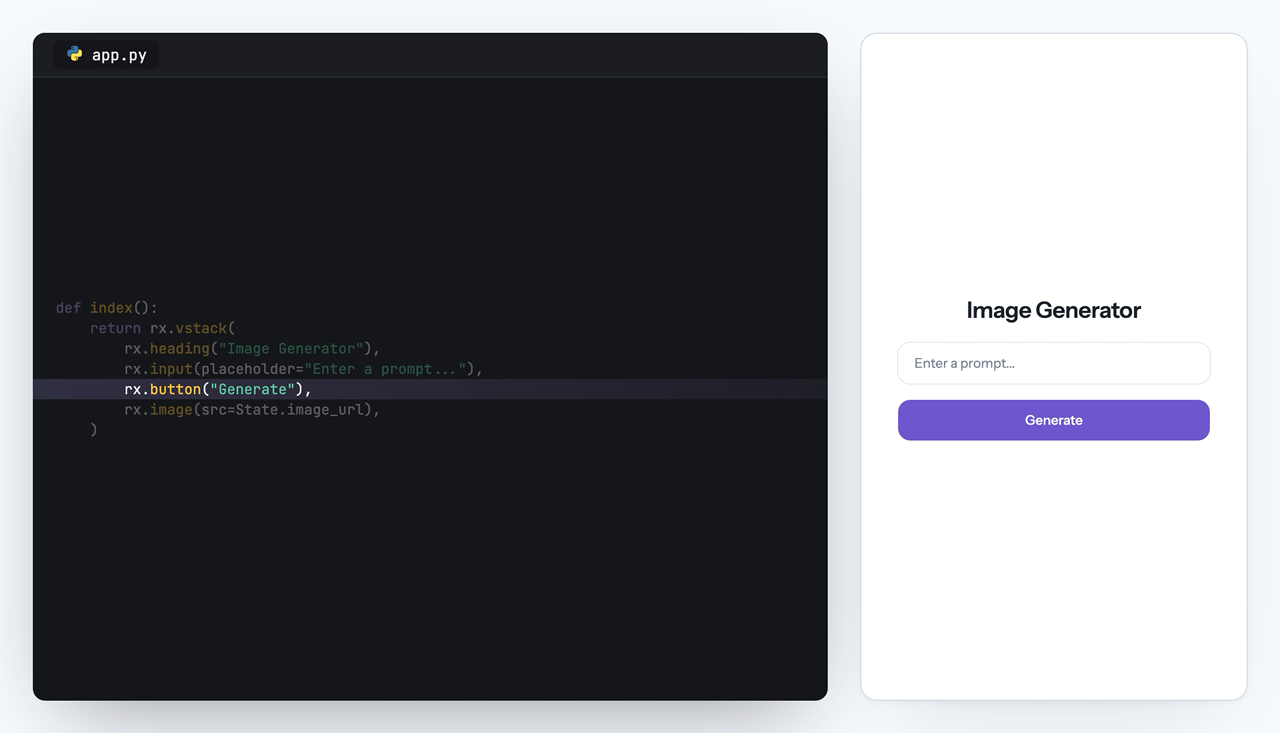
两者都可以:Reflex 上手简单,同时也能扩展到复杂应用,官方还有架构页面解释它底层的运作原理。用 Reflex 做出来的真实应用长什么样?README 里的示例是一个图片生成应用:你定义界面,用一个 Python 类管理状态,然后在事件处理函数里调用图片模型。
README 里的示例是一个图片生成应用:你定义界面,用一个 Python 类管理状态,然后在事件处理函数里调用图片模型。AI Builder 是什么?这是 Reflex 的一项服务,能在几秒钟内生成全栈 Reflex 应用,它和 Agent Toolkit、App Management 一起被列为帮助更快构建应用的工具。
这是 Reflex 的一项服务,能在几秒钟内生成全栈 Reflex 应用,它和 Agent Toolkit、App Management 一起被列为帮助更快构建应用的工具。Agent Toolkit 是什么?它把 MCP 和 Skills 接入你的编程助手,让 AI 智能体能够配合 Reflex 工作;而 App Management 则负责部署和管理你的 Reflex 应用。
它把 MCP 和 Skills 接入你的编程助手,让 AI 智能体能够配合 Reflex 工作;而 App Management 则负责部署和管理你的 Reflex 应用。做完的应用怎么放到网上?README 宣称几秒钟就能完成部署,它的 App Management 服务可以部署并管理你的 Reflex 应用。
README 宣称几秒钟就能完成部署,它的 App Management 服务可以部署并管理你的 Reflex 应用。Which topics is it in?fullstack, webapp, pypi, full-stack, data-analysis, state-management, deployment, web-framework, data-visualization, data-science, beginner-friendly, dashboard
fullstack, webapp, pypi, full-stack, data-analysis, state-management, deployment, web-framework, data-visualization, data-science, beginner-friendly, dashboard